Understanding documentation standards in modern teams
Introduction
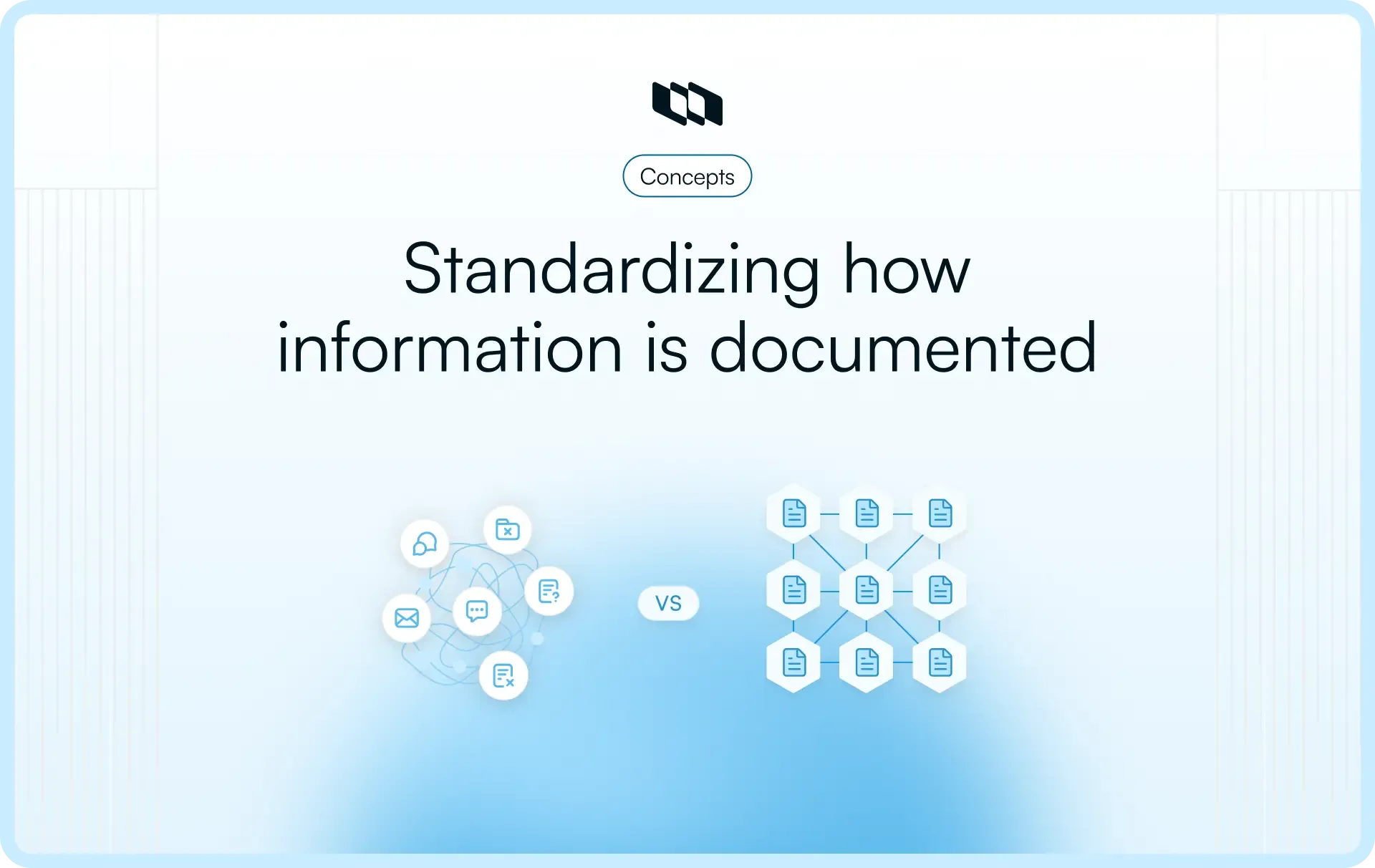
Teams rely on documentation to share decisions, processes, and technical context. Over time, documentation grows across tools, formats, and contributors, which creates inconsistency and confusion. Documentation standards bring order to this chaos by defining how documentation is written, structured, reviewed, and maintained. For software teams, clear documentation standards improve collaboration, reduce repeated questions, and support long-term knowledge retention. This guide explains what documentation standards mean, why they matter, and how teams can apply them in everyday work.
What are documentation standards?
Every team documents work in some form. Over time, different people write documents in different ways. Some add long explanations, some skip context, while some structure pages carefully, and others write as they think. Documentation standards bring alignment to this process.
Documentation standards are shared rules that guide how documentation is created, structured, and maintained across a team. These rules help documentation feel familiar and dependable, even when many people contribute to it. In software teams, documentation standards act like a common language. They help project managers, engineers, and stakeholders understand information without needing extra explanation each time they open a document.
What documentation standards actually define
Documentation standards shape how documentation looks and works in everyday use. They usually focus on three practical areas.
- Content structure: Standards define how information flows inside a document. This includes the section order, heading levels, and the amount of detail each section should contain. A clear structure helps readers quickly scan and understand a document's purpose.
- Writing and formatting: Standards guide how teams write and present information. This includes tone, terminology, formatting patterns, and readability rules. When writing standards are consistent, documentation feels easier to read and more trustworthy, even across different teams and projects.
- Ownership and updates: Standards clarify who owns a document and how it stays current. They define when documentation should be reviewed, updated, or archived. This keeps documentation relevant as projects evolve and prevents outdated information from shaping decisions.
What documentation standards are designed to achieve
Documentation standards exist to support clarity and continuity. They help teams create documentation that answers questions quickly and supports daily work. They encourage shared habits rather than strict control, which makes documentation easier to maintain as teams grow.
Instead of focusing on writing ability or rigid rules, documentation standards focus on creating predictable, usable documentation. They help teams spend less time interpreting information and more time acting on it.
Why documentation standards matter
Documentation standards matter because they shape how teams share knowledge at scale. When standards are clear, documentation supports work instead of slowing it down. This impact shows up in several practical ways.
1. Consistency across documents and teams
When documentation follows shared standards, documents feel familiar no matter who created them. Teams recognize structure, language, and formatting instantly. This consistency reduces cognitive effort and helps readers focus on the content rather than figuring out how a document is organized. For growing software teams, consistent documentation standards create alignment across projects, functions, and locations.
2. Faster information discovery and reuse
Well-structured documentation standards improve the speed at which information can be found and reused. Clear headings, predictable layouts, and consistent terminology help readers scan and locate answers faster. Teams spend less time searching through multiple documents and more time applying existing knowledge to current work. Over time, documentation becomes a reusable asset rather than a one-time record.
3. Reduced miscommunication and duplication
When documentation lacks standards, teams often create multiple versions of the same information. This leads to confusion and repeated explanations. Documentation standards reduce this friction by encouraging shared structure, clear ownership, and consistent updates. Teams rely on a single source of truth, reducing the risk of conflicting instructions or misunderstood decisions.
4. Better onboarding and knowledge transfer
New team members rely heavily on documentation to understand how work happens. Documentation standards make onboarding smoother by presenting information in a clear and predictable way. Processes, decisions, and technical context are easier to follow, helping new contributors gain confidence and contribute sooner.
5. Support for compliance and audits
In teams operating under regulatory or quality requirements, documentation standards are critical. Clear ownership, version history, and review practices help teams demonstrate how information is created and maintained. This structured approach supports audits, reviews, and accountability across the organization.
6. Improved accessibility and readability
Documentation standards also improve accessibility by encouraging clear language, logical structure, and readable formatting. Well-written documentation supports a wider range of readers, including those with varying levels of technical background or language fluency. This makes documentation more inclusive and easier to use across diverse teams.
Together, these outcomes explain why documentation standards remain essential for teams that want documentation to support decision-making, collaboration, and long-term knowledge retention.
What documentation standards usually include
Documentation standards work best when they focus on a few repeatable elements that shape how documentation looks, reads, and stays useful over time. These elements help teams create documentation that feels familiar and easy to work with, even as contributors and projects change.
1. Structure and hierarchy
Structure defines how information is arranged inside a document. Documentation standards usually specify a consistent section order so readers can quickly understand the document's purpose. Clear heading levels improve scannability and help readers navigate content effortlessly. When similar document types follow common layouts, teams recognize patterns and spend less time adjusting to different formats.
2. Writing style and tone
Writing standards guide how teams communicate ideas in documentation. Plain language keeps explanations easy to understand across roles and experience levels. Active voice improves clarity and makes instructions easier to follow. Consistent terminology ensures that the same concepts are described consistently across documents, reducing confusion and building shared understanding.
3. Formatting guidelines
Formatting standards define how information is presented visually. Lists, tables, callouts, and links help break down complex information into readable parts. Code blocks and references support technical documentation where precision matters. Naming and file conventions make documents easier to organize, search, and maintain across repositories.
4. Templates for common documentation
Templates provide a starting point for frequently used document types. Project documentation templates help teams capture goals, decisions, and progress consistently. How-to or process templates support repeatable workflows and reduce variation. Technical or reference templates ensure important details are captured clearly and completely.
5. Metadata and ownership
Metadata standards add context to every document. Clear ownership shows who is responsible for accuracy and updates. A last updated date helps readers assess relevance. Status or version indicators clarify whether a document reflects current practice or serves as a historical reference.
6. Review and maintenance rules
Maintenance standards keep documentation reliable over time. They define when documentation should be reviewed and how updates are approved. Clear rules for archiving or removing outdated documentation prevent confusion and help teams rely on current information with confidence.
7. Accessibility and inclusivity
Accessibility standards ensure documentation works for a wide range of readers. Readable layouts support scanning and comprehension. Meaningful links and headings improve navigation. Accessible visuals and inclusive language help documentation remain usable across different abilities, contexts, and levels of familiarity.
Together, these elements form the foundation of effective documentation standards and help teams build documentation that supports daily work and long-term knowledge sharing.
Types of documentation standards teams need
Different types of documentation answer different questions. Documentation standards work best when they reflect how teams actually use documentation in daily work. Adding examples helps teams understand what each standard looks like in practice.
1. Project documentation standards
Project documentation records what a team is building and why decisions were made. Standards for this documentation focus on clarity and traceability.
Example: A project brief follows a standard structure that includes goals, scope, key decisions, risks, and current status. Every project document uses the same section order, which helps stakeholders quickly understand progress without having to scan the entire page.
2. Process and how-to documentation standards
Process and how-to documentation explain how recurring work should be done. Standards here emphasize clear steps and predictable formatting.
Example: A “How to release a feature” document follows a step-by-step format with numbered actions, expected outcomes, and links to related tools. Each process document uses the same layout, which helps team members follow instructions without additional clarification.
3. Technical and software documentation standards
Technical documentation supports system understanding and implementation. Standards for this type of documentation focus on precision and consistency.
Example: An API reference document uses consistent headings such as 'overview', 'endpoints', 'request parameters', and 'response examples'. Code blocks follow a standard format, and terminology remains consistent across all technical documentation.
4. Policy and procedure documentation standards
Policy documentation defines rules and responsibilities. Standards ensure these documents are easy to interpret and maintain.
Example: A security policy document includes a clear purpose, scope, responsibilities, and review date. Version indicators and ownership details help teams understand which policy is current and who maintains it.
5. Onboarding and training documentation standards
Onboarding documentation helps new team members understand how work gets done. Standards here focus on logical flow and accessible language.
Example: A new joiner guide follows a structured path that starts with team context, then tools, then workflows. Each section uses short explanations and links to more in-depth documentation, helping new team members ramp up without feeling overwhelmed.
Documentation standards vs. documentation frameworks
Documentation standards and documentation frameworks are often used interchangeably, but they serve different purposes. Understanding the distinction helps teams choose the right level of structure for their documentation.
A simple comparison
Aspect | Documentation standards | Documentation frameworks |
What they are | Internal rules that guide how documentation is written and maintained | Structured approaches or methodologies for organizing and managing documentation |
Scope | Focused on consistency within a team or organization | Broader systems that shape how documentation is planned, produced, and scaled |
Flexibility | Easy to adapt as team needs change | More structured and opinionated |
Setup effort | Lightweight and quick to introduce | Requires planning, tooling, and training |
Primary goal | Make documentation clear and predictable | Manage large or complex documentation systems |
How teams use both in practice
Most teams use documentation standards and frameworks together. Documentation standards define the day-to-day rules for structure, tone, templates, and ownership. Documentation frameworks provide a higher-level approach for organizing documentation across products, versions, or audiences.
For example, a team may follow internal documentation standards for writing and formatting while using a framework to manage how documentation is published, versioned, and reused at scale.
When lightweight standards are enough
Lightweight documentation standards work well for small to mid-sized teams and early-stage products. They help create consistency without adding complexity. Teams that produce a limited number of documents or update documentation frequently often benefit from simple standards that evolve over time.
When documentation frameworks add value
Documentation frameworks become useful as documentation volume and complexity grow. Teams managing multiple products, audiences, or versions often rely on frameworks to handle structure, reuse, and long-term maintenance. In these cases, standards alone may not provide enough guidance for scale.
Choosing between documentation standards and frameworks depends on how much structure a team needs to keep documentation clear, up to date, and usable.
How teams choose the right documentation approach
Choosing a documentation approach shapes how easy it is for teams to create, maintain, and use documentation over time. There is no single approach that fits every team. Most teams make trade-offs based on how they work today and how they expect to scale.
Open vs. structured documentation approaches
Open documentation approaches allow contributors to write and update documentation freely with minimal constraints. This works well for fast-moving teams that value speed and collaboration. Structured documentation approaches introduce clearer rules around templates, reviews, and ownership. These approaches support consistency as documentation grows and more contributors get involved.
Teams often start with an open approach and gradually introduce structure as documentation volume increases and shared standards become necessary.
Centralized vs. distributed documentation
Centralized documentation keeps information in one primary location. This makes it easier to find and manage documentation and supports a clearer source of truth. Distributed documentation spreads information across multiple tools or repositories. While this can feel convenient in the short term, it often increases search effort and reduces consistency as teams grow.
Many teams choose a centralized model while allowing links and references to supporting documentation to remain where they naturally belong.
Markdown, wiki-style, or docs-as-code approaches
Different authoring approaches suit different teams. Markdown works well for teams that prefer simple, text-based documentation that integrates with development workflows. Wiki-style documentation supports collaboration and quick updates from non-technical contributors. Docs-as-code approaches treat documentation like software, using version control, reviews, and automated publishing to support scale and accuracy.
The right choice depends on how technical the contributors are and how much control teams want over structure and changes.
Choosing based on team needs
Documentation approaches work best when they match how teams operate.
- Team size: Smaller teams often benefit from lightweight approaches that allow quick updates. Larger teams often need more structure to ensure documentation is consistent and reliable.
- Contributor skill levels: Teams with mixed technical backgrounds benefit from approachable tools and clear standards. Highly technical teams often prefer approaches that integrate with existing development workflows.
- Volume and complexity of documentation: As documentation grows, structure becomes more important. Clear standards and the right approach help teams manage complexity and keep documentation useful over time.
By aligning documentation approaches with team size, contributor skills, and documentation volume, teams create systems that support clarity today and scale smoothly as needs evolve.
Writing guidelines that make documentation effective
Effective documentation supports action. Writing guidelines help teams create documentation that readers can understand quickly and apply with confidence. These guidelines focus on how people actually use documentation in the workplace.
1. Write with the reader’s goal in mind
Every document exists to help someone complete a task or understand a decision. Writing guidelines encourage authors to start with the reader’s goal and shape content around it. Clear context at the beginning helps readers understand what the document covers and when to use it. This approach keeps documentation focused and reduces unnecessary detail.
Example: A troubleshooting guide starts by describing the problem it helps solve, then lists steps or solutions.
2. Design documentation for scanning
Most readers scan documentation before they read it in detail. Writing guidelines promote short sections, clear headings, and concise explanations. This structure helps readers find relevant information quickly without having to read the entire document. Predictable layouts also reduce effort when moving between documents.
Example: A process document uses clear section headings and short paragraphs so readers can locate steps or prerequisites at a glance.
3. Use examples, links, and visuals intentionally
Examples help readers apply information to real situations. Links reduce repetition by pointing to related documentation. Visuals clarify complex ideas when text alone feels dense. Writing guidelines encourage teams to use these elements with purpose so they support understanding rather than distract from it.
Example: A technical document includes a short code example and links to a full reference page, rather than repeating the same explanation across documents.
4. Avoid duplication through linking and references
Duplicate information increases maintenance effort and leads to inconsistencies over time. Writing guidelines promote linking to a single source of truth instead of copying content across documents. Clear references help readers move between related topics while maintaining consistency.
Example: A project guide links to an existing onboarding document for tool setup instead of restating the same instructions.
By following these writing guidelines, teams create documentation that stays clear, reusable, and easy to maintain as work evolves.
Where documentation standards usually break down
Documentation standards often fail during everyday use rather than during setup. These breakdowns usually appear as small issues that compound over time and reduce trust in documentation.
1. No clear ownership for documents
When ownership is unclear, documentation slowly drifts out of date. No one feels responsible for reviewing or updating content, which leads to stale information remaining in circulation. Clear ownership ensures accountability and keeps documentation accurate as work changes.
2. Standards exist, but they are not part of daily workflows
Documentation standards lose impact when they exist in isolation from real work. If teams treat standards as reference material rather than working guidelines, they get ignored. Standards work best when they are embedded into how documentation is created and updated during everyday tasks.
3. Documentation spread across too many tools
When documentation lives in multiple places, teams struggle to find the right information. This fragmentation increases search time and reduces confidence in what is current. Centralized documentation helps teams build a shared source of truth and apply standards consistently.
4. Outdated documentation that is not reviewed or removed
Documentation becomes unreliable when review cycles are unclear. Outdated documents often remain accessible long after they stop reflecting current practices. Regular reviews and clear archiving rules help teams rely on documentation without second-guessing its accuracy.
5. Over-documentation without a clear purpose
Teams sometimes document everything without a clear goal. This creates noise and makes important information harder to find. Documentation standards help teams focus on documenting what supports decisions, processes, and knowledge sharing, which keeps documentation purposeful and usable.
Identifying these breakdowns helps teams refine documentation standards and build systems that support work rather than slow it down.
How to create documentation standards for your team
Creating documentation standards works best when teams approach it as a step-by-step setup process. Each step builds on the previous one and gradually improves documentation without disrupting daily work.
1. Start with high-impact documentation
The first step is to identify documentation that already affects everyday work. This usually includes documents that people refer to often or documents that cause confusion during execution.
- Look at the documentation that teams open repeatedly during projects
- Identify documents that generate follow-up questions or clarifications
- Review documents that exist in multiple versions or formats
- Select one or two of these documents as the starting point
Standardizing high-impact documentation first helps teams experience the benefits of documentation standards early and builds confidence in the process.
2. Create simple templates and examples
Once priority documents are identified, the next step is to create templates that guide their writing. Templates reduce uncertainty by providing contributors with a clear starting point.
- Define one template for each core documentation type
- Include only essential sections that support clarity and decision-making
- Add short guidance under each section to explain what information belongs there
- Create one complete example document that follows the template closely
Clear templates and examples help teams apply documentation standards consistently without extra explanation.
3. Define ownership and review cadence
Documentation stays useful when the responsibility is clear. Ownership and review practices ensure documentation reflects current work and decisions.
- Assign one clear owner to each document or documentation category
- Make ownership visible, so updates and questions reach the right person
- Decide how often documentation should be reviewed based on how quickly information changes
- Focus reviews on accuracy, relevance, and clarity rather than stylistic perfection
These practices help documentation remain reliable as projects evolve.
4. Introduce standards gradually
The final step is to integrate documentation standards into everyday workflows. Gradual adoption allows teams to adjust and improve standards over time.
- Apply standards to new documentation before revisiting older content
- Share guidelines in short, accessible formats rather than long documents
- Encourage feedback from contributors who use the standards daily
- Refine templates and rules as patterns and needs become clearer
Introducing documentation standards gradually helps teams build sustainable habits and keep documentation aligned with real work.
Making documentation standards easy to follow
Documentation standards only work when teams can follow them during everyday work. Adoption depends less on rules and more on how naturally standards fit into existing workflows.
1. Keep documentation close to where work happens
Documentation becomes easier to maintain when it lives alongside the work it describes. Teams update documentation more consistently when they write and review it in the same context as tasks, projects, and decisions. This proximity helps documentation stay current and relevant, as updates occur as work progresses rather than as a separate activity.
2. Make templates and standards easy to access
Standards lose effectiveness when teams struggle to find them. Templates, guidelines, and examples should be stored in a clearly visible, shared location. Easy access helps contributors apply standards without interruption and reduces the need for reminders or repeated explanations.
3. Reduce friction to writing and updating documentation
Documentation standards should simplify writing rather than slow it down. Clear templates, concise guidelines, and familiar formats help contributors focus on content rather than structure. When updating documentation feels quick and straightforward, teams are more likely to keep information accurate as work changes.
4. Regularly clean up outdated or unused documentation
Over time, some documentation stops serving a purpose. Regular cleanup keeps documentation trustworthy and easy to navigate. Archiving or removing outdated pages reduces noise and helps teams rely on documentation with confidence. This ongoing maintenance supports long-term adoption of documentation standards and keeps documentation aligned with current work.
Making documentation standards easy to follow turns them into shared habits rather than enforced rules, which supports consistency and sustainability as teams grow.
Final thoughts
Documentation standards help teams turn scattered information into shared understanding. They bring consistency to how documentation is written, updated, and used, which makes knowledge easier to trust and reuse over time. Effective standards focus on clarity and practicality rather than rigid rules. When teams start small, standardize high-impact documentation, and integrate standards into daily workflows, documentation becomes a natural part of how work gets done. Over time, these shared practices support better collaboration, smoother onboarding, and more reliable decision-making as teams and projects continue to grow.
Frequently asked questions
Q1. What are documentation standards?
Documentation standards are shared rules that guide how documentation is created, structured, reviewed, and maintained within a team. They define expectations for structure, writing style, formatting, ownership, and updates to ensure documentation remains consistent, readable, and reliable over time.
Q2. What are the five principles of good documentation?
Good documentation usually follows five core principles.
- Clarity: Information is easy to understand and is written in simple language.
- Consistency: Similar documents follow the same structure, tone, and terminology.
- Accuracy: Content reflects current processes, decisions, or systems.
- Usability: Documentation helps readers complete tasks or understand context quickly.
- Maintainability: Documentation is easy to update, review, and clean up as work evolves.
These principles guide the design and application of documentation standards.
Q3. What are the four categories of documentation?
Documentation is commonly grouped into four broad categories.
- Project documentation: Captures goals, decisions, plans, and outcomes.
- Process or how-to documentation: Explains how recurring work is done.
- Technical or reference documentation: Describes systems, interfaces, or specifications.
- Policy and training documentation: Defines rules, procedures, and onboarding guidance.
Each category benefits from its own documentation standards to support its specific purpose.
Q4. What is the ISO standard for documentation?
ISO standards for documentation focus on consistency, quality, and the control of documented information. One widely referenced standard is ISO 9001, which includes requirements for managing documented information, including creation, updating, version control, and accessibility. These standards are often used in regulated or compliance-driven environments to ensure documentation remains accurate and traceable.
Q5. What are the four types of standards?
Standards are often grouped into four general types.
- Process standards: Define how work or documentation is created and reviewed.
- Document standards: Define structure, formatting, and presentation rules.
- Technical standards: Define specifications for systems, tools, or interfaces.
- Interchange standards: Define how information is shared or transferred between systems.
Documentation standards usually combine elements from multiple types to support clarity and consistency.
Recommended for you





 Download for Mac
 Download for Android