Switch to Plane

Bring your team and AI agents together in one workspace. Keep projects, docs, and decisions connected, and see how to move your work to Plane.

Humans and agents,
working together

Plane is designed for teams to plan and deliver work alongside agents. Your team sets priorities and assigns tasks. Agents help draft specs and update work items, while your team reviews the results.
Projects, docs, and discussions stay connected, so humans and agents can work from the same context.

Built around your team

Plane gives your team structure and the freedom to shape how work gets done.

Humans lead, agents contribute

People and agents work from the same context. Your team sets priorities and reviews the results.

Run it on your terms

Choose Plane Cloud, your own servers, or an air-gapped environment.
INTRODUCING PLANE

Work infrastructure
for humans and agents

Plane brings work items, cycles, pages, and intake into one workspace. Run it on our cloud, your servers, or in an air-gapped environment.
50,000+ teams run on Plane, including teams delivering mission-critical work. You’re in good company.
Sony
Aramco
Dolby
Accenture
Power Integrations
Amazon
Essor
40AU
Hypersonica
SSI
Ruby Labs
République Française
Government of Lithuania
Mirador Therapeutics
Texelis
OptiGRÜN
Stark Bank
Datum
WHY SWITCH

What your team gains with Plane

Shape all of it to match how your team already works.

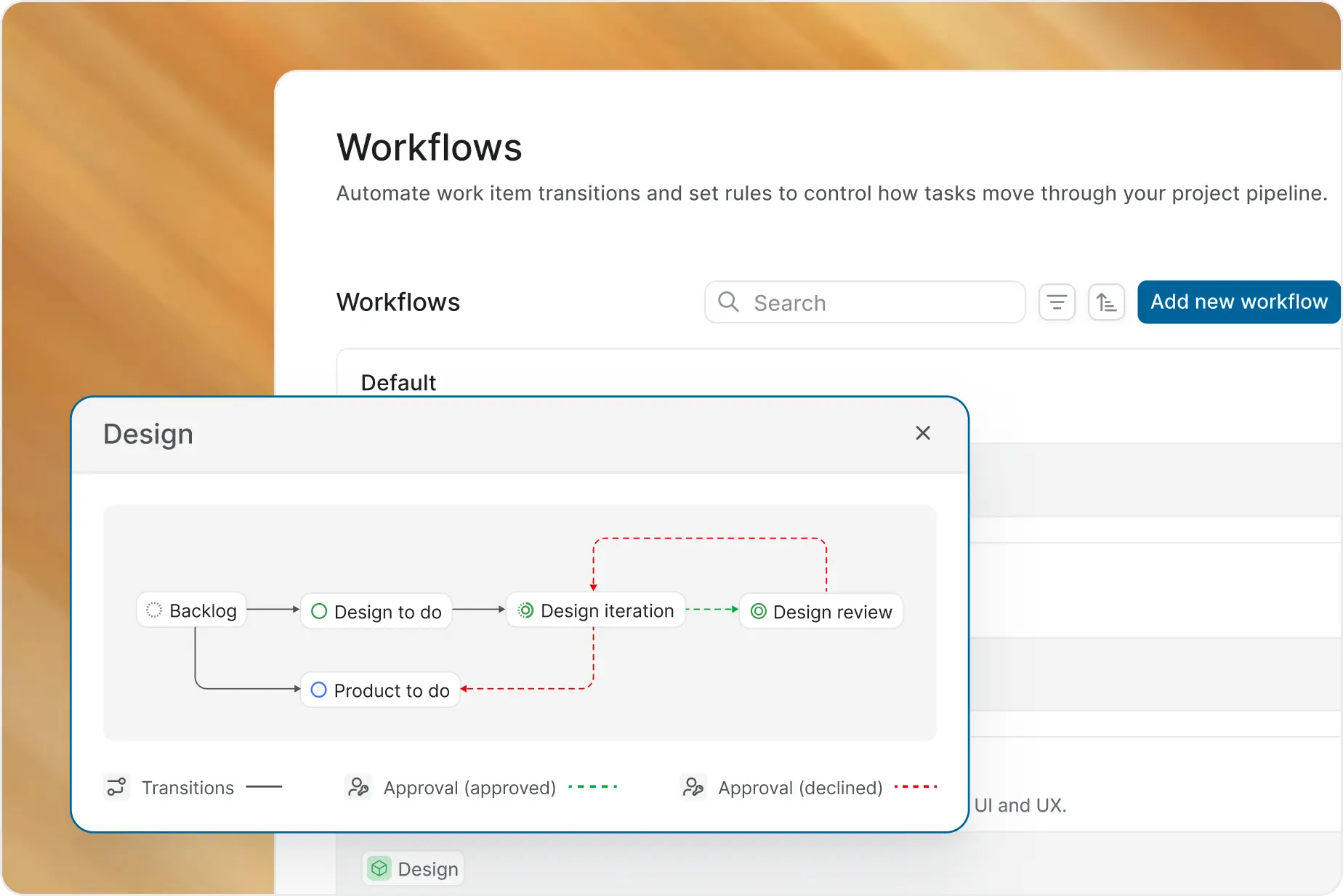
Workflows that fit your team

Configure states, fields, and approvals in Plane to match how your team works. Automate routine updates so people spend less time keeping the board current.
Plane workflow automation rules

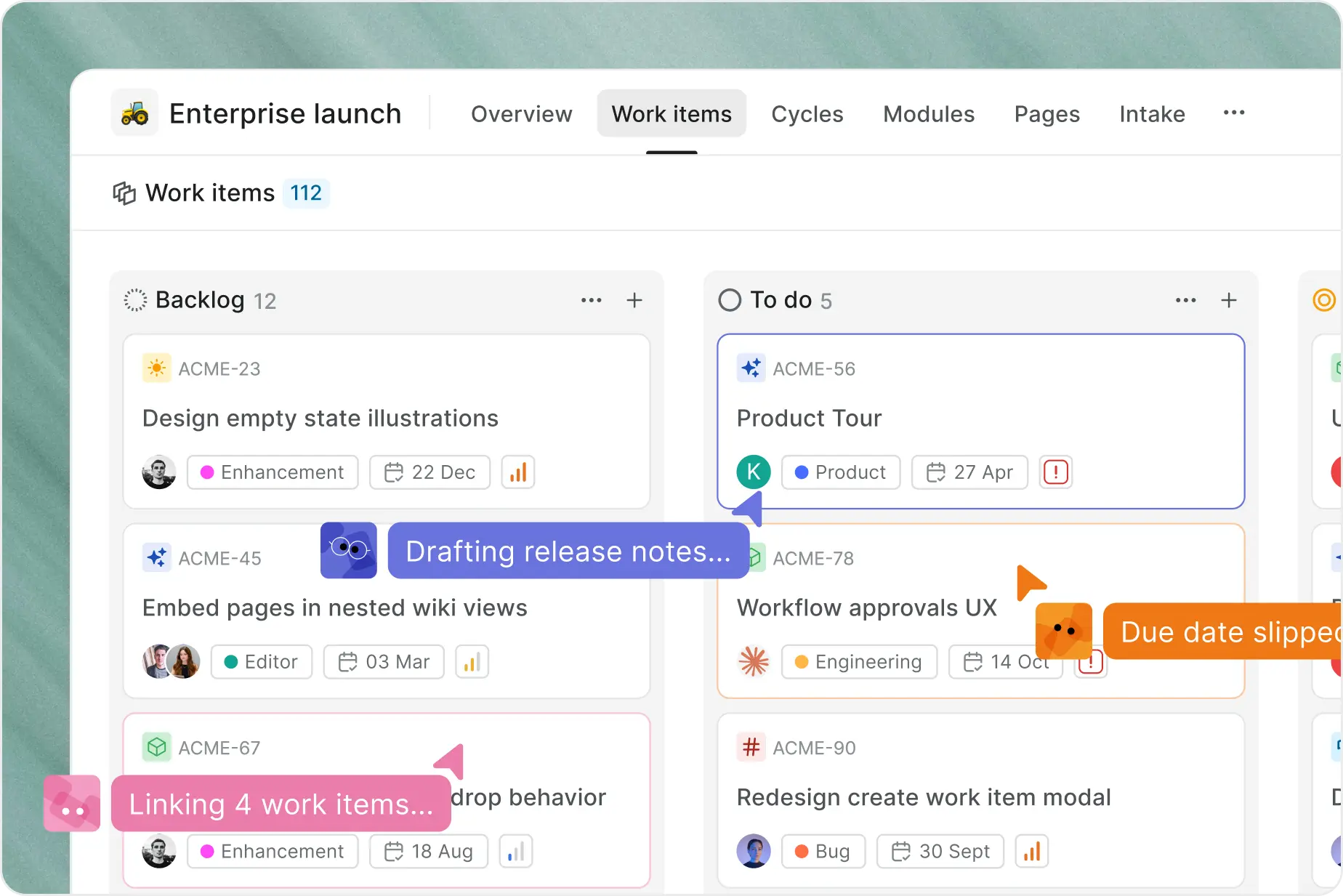
Bring agents into daily work

Assign or mention an agent on a Plane work item. Choose its projects and connected tools, and review the results with your team in the same place.
Agents working alongside a team on a Plane board

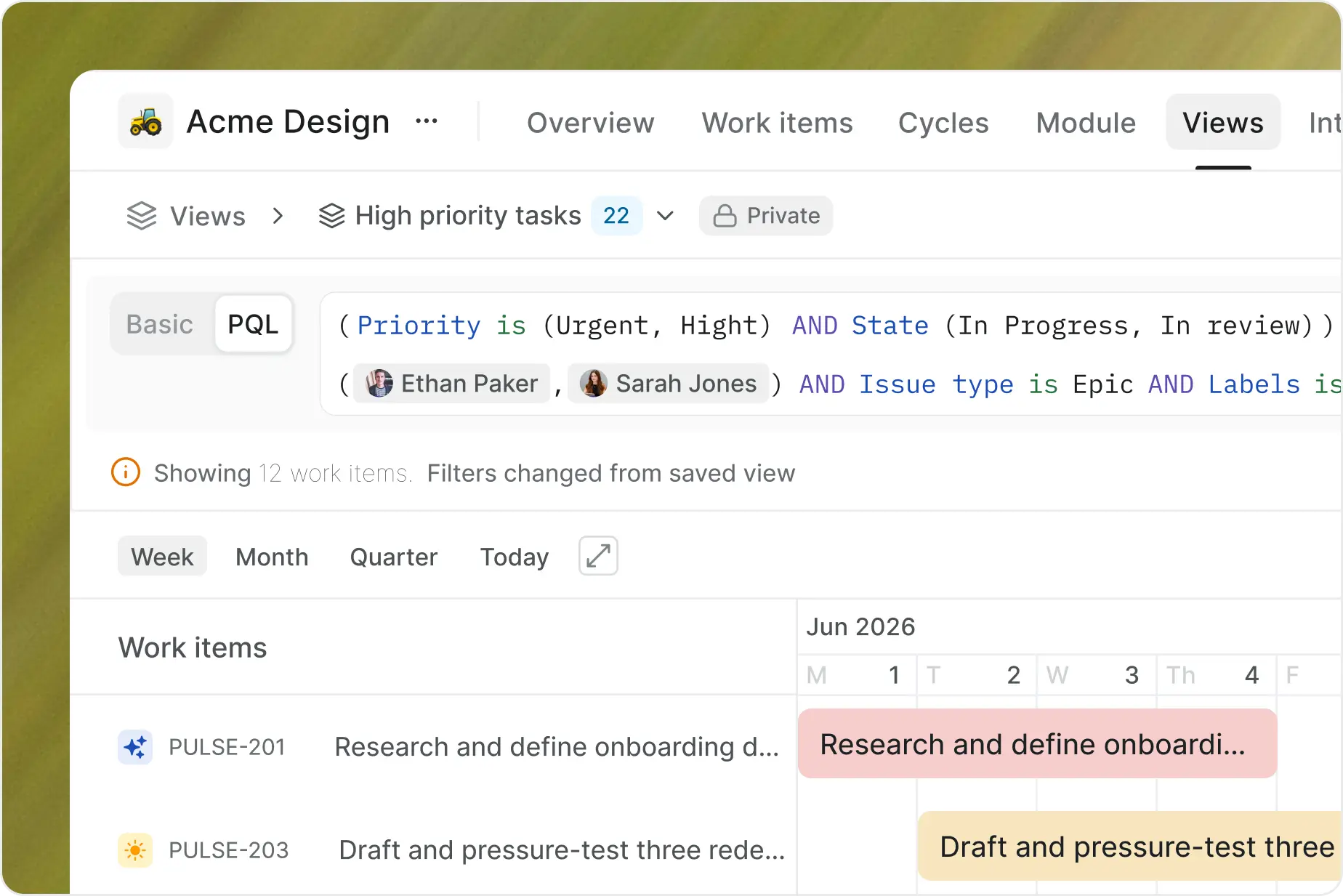
Give every team a useful view

Save filtered views across projects in Plane so each team can follow the work that matters to them. Keep requirements in Project Pages, alongside the tasks they inform.
Plane query language filtering a saved view
HOW SWITCHING WORKS

Three steps, one project at a time

01
Import one project
Enable work item types first, then map your statuses and priorities.
See import options
02
Rebuild your setup
Workflows, boards, dashboards, automations, and permissions do not import.
See what to rebuild
03
Move your team
Validate with the people who use it daily, then re-run to catch what changed.
Get migration help

Which tool are you leaving?

See what your team can gain by switching to Plane.
THE MIGRATION BLUEPRINT

A migration, not a restart

Most importers drop your custom fields, leave attachments behind, and duplicate everything if you run them twice. Here is what Plane's importer carries, and what it does not.
What a typical importer carries over compared with what Plane carries over
Object
A typical importer
Plane
Custom fields
Dropped
Carried as properties with their options; unsupported kinds listed
Attachments
Links back to Jira
Re-uploaded, on issues and comments
Sprints, versions, components
Not carried
Cycles, releases, modules, with dates and members
Running it twice
Duplicates
Updates what changed, matched on Jira identity
Jira Server and Data Center
Cloud only
Cloud, Server, and Data Center, with resume after a failure
Workflows, boards, dashboards, automations
Not carried
Not carried. Rebuilt in Plane; the migration guide lists every object
Service management, SCIM, issue security levels
Not carried
Not in Plane today. Said before you start
50,000+ teams run on Plane Cloud, from startups to the Fortune 500
Sony
Aramco
Dolby
Accenture
Power Integrations
Amazon
Essor
40AU
Hypersonica
SSI
Ruby Labs
République Française
Government of Lithuania
Mirador Therapeutics
Texelis
OptiGRÜN
Stark Bank
Datum
3/5 Data Center and Server customers are moving to Plane
We use Plane across the entire software organization at ■■. Plane makes it possible to organize the work to build the world’s ■■ ■■■ space station to replace the ISS. We chose Plane because our team needed a modern project management tool that also met the industry regulatory requirements that come with being an ■■ company. Plane’s ability to adapt to our workflow and superior UX has enabled our teams to work more efficiently and accomplish our ambitious goals.
■■, Software Engineer Leader at ■■■

FAQs

What to check, what carries over, and how to move your team to Plane.
Start with the comparison for your current tool, then test a representative project in Plane. Check the states, fields, views, permissions, and integrations your team relies on before planning a wider move.
Compare your current tool

Your switch to Plane is free

We will cover the cost of the remainder of your current contract and your existing tools. Send us your contract, and we will match it or beat it.
Plane
Nacelle