
Plane
vs

Jira
Complete Comparison
Complete Comparison
Everything a switching team needs to compare: AI agents, features, pricing, deployment
from cloud to airgapped, and the Jira migration path.
Complete Comparison
Everything a switching team needs to compare: AI agents, features, pricing, deployment
from cloud to airgapped, and the Jira migration path.
50,000+ teams run on Plane, from startups to the Fortune 500


















3/5 Data Center and Server customers are moving to Plane
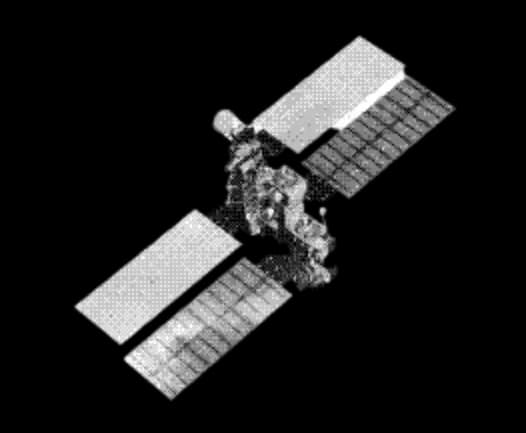
We use Plane across the entire software organization at ■■. Plane makes it possible to organize the work to build the world's ■■ ■■■ space station to replace the ISS. We chose Plane because our team needed a modern project management tool that also met the industry regulatory requirements that come with being an ■■ company. Plane's ability to adapt to our workflow and superior UX has enabled our teams to work more efficiently and accomplish our ambitious goals.
■■, Software Engineer Leader at ■■■
Where Plane goes further than Jira
Consolidates the stack
Work, docs, and intake live in Plane under one permission model and one renewal. Jira splits the same job across Jira, Confluence, and Jira Service Management.
Built for the agentic era
Agents get assigned work, leave comments, and move items over MCP on the same work graph people use. Jira’s model was built for tickets, then AI was added on top.
Runs where you need it
Run Plane in Plane Cloud, on your infrastructure, or fully airgapped, with the Commercial and Airgapped editions at full parity with Cloud. Jira’s path is Atlassian Cloud. Self-hosted Jira is being retired.
Enterprise controls, included
SAML and OIDC from Business, plus LDAP, audit logs, and approvals on Enterprise Grid, all set up from one admin console. In the Atlassian stack, a lot of this lands in extra products and add-ons.
Let agents run your busywork
Agents take the work nobody wants, triage, status, spec drafts, and the team reviews everything in the activity trail.

Work items, Cycles, a Wiki, and Intake in one place.

per user, per month
.svg?dpl=dpl_3WXJbV6xbuJGbngbBDPAqzxa7on6)
per user, per month
*Have 12 or fewer users? Take advantage of our Free Plan. All our
plans provide access to Plane’s core features
Plane vs Jira, feature by feature
Compare twenty capabilities across execution, planning, governance, collaboration, AI, and deployment.
Capability | Jira |  |
Run the work | ||
Work item types and custom fields The fields your process already uses | Work types and custom fields, with schemes and screens on company-managed spaces | Custom types with properties, including formula and rich text |
Sprints Timeboxes and leftover work | Sprints on Scrum boards | Cycles with auto-rollover, auto-scheduling, manual start and stop, and overlapping cycles |
Timeline and dependencies What blocks what | Blocks links on the timeline; cross-project dependencies in Plans on Premium | Finish-to-start, start-to-start, and finish-to-finish links; dates shift with them |
Automation Rules and run limits | 150 steps a month on Free, then 400, 750, and 1,000 per user on Standard, Premium, and Enterprise; extra steps billed from 3 December 2026 | Trigger, condition, and action rules, scheduled or workspace-wide |
See the whole picture | ||
Dashboards Charts leadership opens themselves | Gadget dashboards; Atlassian Analytics on Enterprise | Bar, line, area, pie, and donut charts across any projects; private, shared, or published; PDF export |
Cross-project planning One view across every team's quarter | Plans on Premium and Enterprise | Initiatives that span projects, with states and an updates feed |
Query language Power filters for people who live in JQL | JQL | Plane Query Language, plus natural-language search |
Keep control | ||
Custom workflows Transition rules without schemes | Workflow schemes on company-managed spaces | Transition rules per project, workflows per work item type, and a change log |
Roles and permissions Who can see and change what | Project roles and permission schemes from Standard | Custom roles and reusable permission schemes |
Approvals Sign-off before work moves on | Premium | Named approvers on transitions |
Audit logs The trail your auditor asks for | Site audit log from Standard; organization log with Guard | Append-only log, XLSX and CSV export, chain verification by API |
One workspace | ||
Git hosting Pull requests linked to work items | GitHub, GitLab, and Bitbucket apps | GitHub, GitLab, and Bitbucket, including Enterprise, self-managed, and Data Center |
Wiki Docs beside the work | Confluence, sold separately | Wiki with collections; Pages in every project |
Feedback intake Requests from anyone, triaged into work | Forms; portals need Jira Service Management | Intake queue with triage on every plan; email and forms from Business |
AI in the work | ||
Assignable agents AI teammates you can hand work to | Rovo Agents, Jira Coding Agent | Plane Agents |
MCP server Claude, Cursor, and ChatGPT in your tracker | Rovo MCP Server, hosted by Atlassian | MIT-licensed, hosted or self-hosted |
Bring your own model provider Your keys, your data | No | On self-hosted Plane |
Yours to run | ||
Hosting Cloud, your servers, or fully offline | Atlassian Cloud; Data Center closed to new customers, read-only from 2029 | Cloud, self-hosted, or airgapped |
Single sign-on Okta, Entra, and the rest | SAML via the Atlassian Guard add-on, included on Enterprise | SAML and OIDC from Business; LDAP on Enterprise Grid |
What the Jira importer moves Your history comes with you | Not applicable | Work items, comments, attachments, users, sprints, components, links, worklogs, and history; safe to re-run |
Your Jira history comes with you
Connect Jira Cloud, Server, or Data Center. The importer brings your work across, and a re-run before cutover updates everything in place.


Simple pricing
Free for up to 12 users. Paid from $6 per seat per month, billed annually.

Run it anywhere
Plane Cloud, self-hosted with Docker or Kubernetes, or fully airgapped.

Covered for procurement
SOC 2 Type II, ISO 27001, GDPR, and HIPAA. AES-256 at rest, TLS 1.3 in transit.
Next-gen project
management starts here.


 Download for Mac
 Download for Android