Decision log: What it is, why teams use it, and template
Introduction
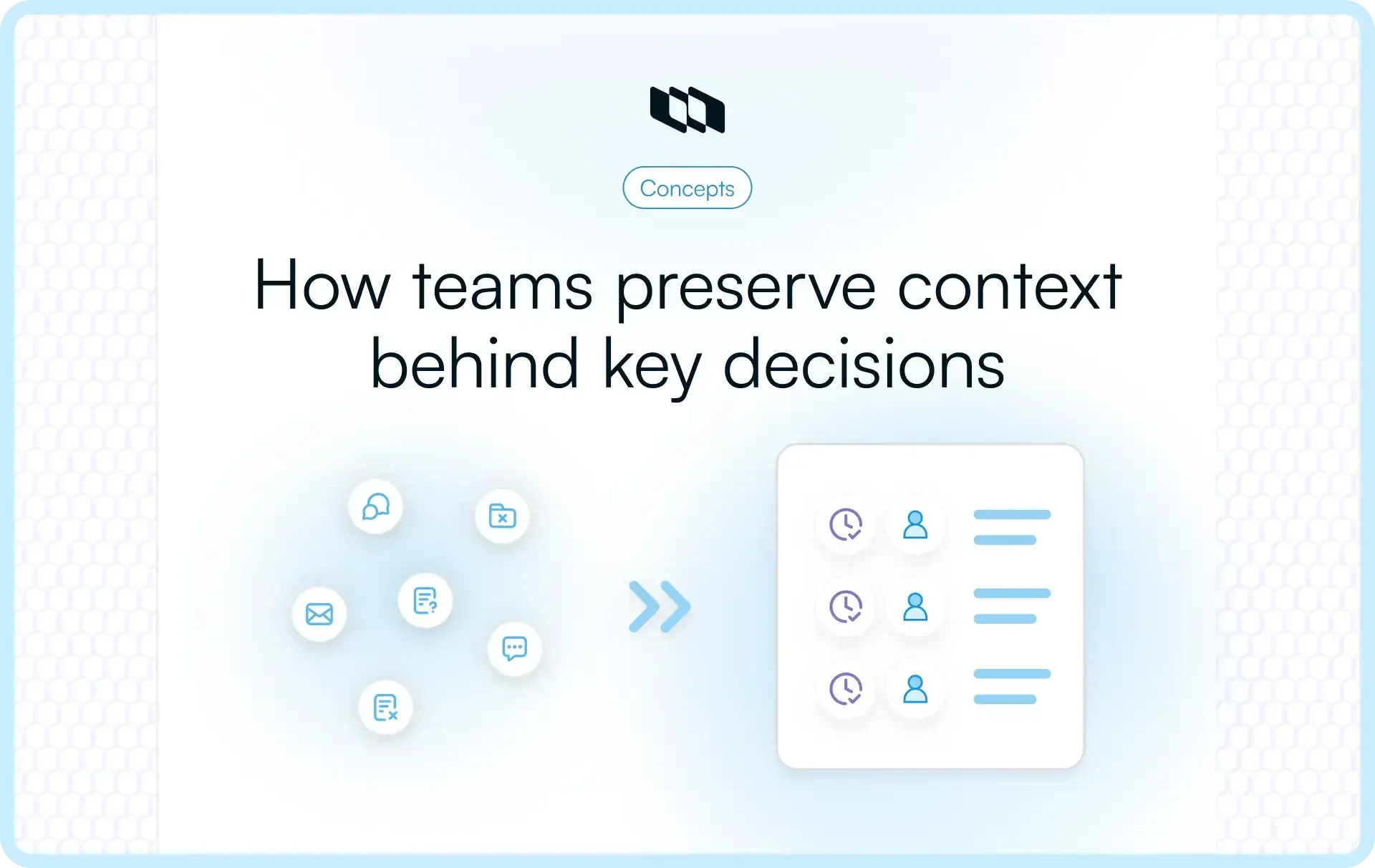
Every major project carries a trail of decisions that shape its outcome, from prioritization calls to architecture choices and delivery trade-offs. As teams scale, the reasoning behind these choices becomes harder to trace and even harder to revisit. A decision log transforms scattered discussions into a structured record that teams can search, review, and learn from. This blog explains what a decision log is, why teams use decision logs in project management, and how to create a practical decision log template for modern teams.
What is a decision log?
A decision log is a structured record of important project, product, and operational decisions made across a team or organization. It captures each decision, along with its context, reasoning, and ownership, creating a single source of truth that teams can reference at any stage of execution.
In project management environments where priorities shift and multiple stakeholders contribute to outcomes, a decision log ensures that key choices remain documented and accessible. Teams use a decision log in project management to track strategic, technical, and delivery decisions so future work builds on clear context rather than assumptions.
What a decision log typically captures
A well-maintained decision log focuses on clarity and traceability. Each entry documents the decision itself, the reasoning behind it, and the people involved in making it. This structure allows teams to understand both the outcome and the thinking that shaped it.
Most decision logs include:
- A brief summary of the decision made
- The reasoning behind the decision
- The alternatives that were evaluated
- The individuals responsible for making or approving the decision
- The date the decision was finalized
Together, these elements create a reliable record that supports alignment, faster onboarding, and more informed future decisions.
Decision log vs. informal documentation
Teams often rely on meeting notes, chat threads, and memory to track decisions, yet these sources fragment quickly across tools and timelines. Important context can get buried in long conversations or be lost when team members move on to new projects. When the reasoning behind a choice remains unclear, teams spend time revisiting the same discussions and validating earlier assumptions.
A decision log centralizes decision documentation in a single searchable location, enabling teams to review past decisions with full context. Instead of piecing together scattered information, teams can quickly understand what changed, who approved it, and how the decision connects to current work.
Why teams use decision logs
A decision log adds structure to how teams make and revisit choices. In project environments where multiple stakeholders influence scope, timelines, and architecture, clarity around decisions directly impacts execution quality. Teams use a decision log in project management to reduce ambiguity, improve accountability, and build long-term decision intelligence. Let’s explore this further:
1. Creates clarity and accountability
Every major project decision shapes delivery outcomes. When ownership remains unclear, teams spend time debating who approved what and why it changed. A decision log solves this by recording the decision maker, contributors, and the reasoning behind the decision in a single structured entry.
This clarity improves accountability because each decision carries visible ownership. Stakeholders can trace decisions back to a specific context and discussion. Instead of revisiting past debates, teams move forward with shared understanding. Clear decision-tracking also strengthens trust across product, engineering, and leadership, as everyone can see how key decisions were made.
2. Preserves institutional knowledge
Projects evolve over months or years, and team composition changes over time. New engineers, product managers, or stakeholders often need to understand why earlier trade-offs were made. Without a structured record, onboarding relies on fragmented documentation or verbal explanations.
A well-maintained project decision log preserves the rationale for roadmap shifts, architecture choices, vendor selection, and prioritization decisions. When teams document decisions consistently, new members gain immediate context. This continuity maintains execution momentum and reduces the need to re-evaluate decisions that have already been thoroughly evaluated.
3. Improves future decision-making
Decision quality improves when teams can review past outcomes. A decision log template enables teams to revisit earlier choices, compare expected impact with actual results, and refine their decision-making frameworks.
For example, a product team may log a prioritization decision based on customer feedback and projected impact. Months later, they can evaluate performance data against that original reasoning. This feedback loop strengthens judgment over time. Instead of relying purely on intuition, teams build a repository of documented trade-offs and outcomes that inform future strategy.
4. Aligns stakeholders and reduces rework
Cross-functional teams often operate across product, engineering, design, marketing, and operations. Each group brings different priorities and perspectives. When decisions remain undocumented, alignment weakens, and discussions restart during future planning cycles.
A centralized decision log reduces rework by providing shared visibility into decisions. Stakeholders can reference why the scope changed, why a feature was deprioritized, or why a technical constraint shaped delivery timelines. This shared understanding supports smoother collaboration and fewer repeated debates. Over time, consistent decision documentation strengthens execution discipline across teams.
5. Supports governance and auditability
Certain decisions carry financial, regulatory, or security implications. Leadership teams and compliance stakeholders often require traceability around who approved a decision and what factors influenced it.
A structured decision log in project management provides that traceability. Each entry serves as a documented record that teams can review during audits, retrospectives, or strategic evaluations. When decisions include clear rationale and approval history, organizations gain stronger governance without slowing delivery.
Who should use a decision log?
A decision log adds value wherever teams make structured trade-offs that affect scope, cost, quality, or timeline. It supports both delivery teams and strategic stakeholders by turning key decisions into searchable, reviewable records. While the format stays simple, the impact varies across roles.
1. Product and project teams
Product managers and project leads make frequent roadmap, prioritization, and scope decisions. These decisions shape sprint goals, release timelines, and customer outcomes. Without structured decision documentation, context around trade-offs fades quickly.
A project decision log helps product and project teams document why a feature was deprioritized, a milestone shifted, or a requirement changed. This clarity supports sprint planning, stakeholder communication, and future roadmap reviews. Teams can revisit earlier assumptions and validate whether they still hold true.
2. Engineering teams
Engineering teams evaluate technical feasibility, architecture patterns, infrastructure choices, and tooling decisions. These choices often carry long-term consequences for performance, scalability, and maintenance effort.
A decision log in project management allows engineers to document technical trade-offs, performance constraints, and implementation reasoning. Recording alternatives considered and architectural impacts create technical continuity. When new engineers join or systems evolve, they gain insight into why the current design exists. This reduces accidental regressions and supports thoughtful iteration.
3. Operations and business teams
Operations, finance, and business teams make decisions around vendors, budgets, workflows, compliance processes, and resource allocation. These decisions influence efficiency and cost control across the organization.
Using a decision log template enables these teams to record vendor evaluations, contract selections, tooling transitions, and operational changes. Documented reasoning strengthens future negotiations and strategic reviews. It also creates a structured history of operational improvements.
4. Leadership and stakeholders
Leadership teams and senior stakeholders require visibility into strategic and high-impact decisions. They often review resource allocations, market pivots, and major investments.
A centralized decision log provides leadership with traceability and transparency. Instead of relying on summaries or fragmented updates, leaders can review the original rationale and context behind key decisions. This strengthens governance, improves strategic oversight, and aligns execution with long-term objectives.
What decisions should be documented?
A decision log becomes valuable when it captures high-impact choices rather than every small discussion. Teams benefit most when they document decisions that shape direction, resources, risk, or execution outcomes. A focused approach keeps the decision log useful, searchable, and easy to maintain.
1. Strategic and directional decisions
Strategic decisions shape the roadmap, product goals, and long-term priorities. These include decisions about market focus, feature prioritization, customer segments, or major pivots in delivery plans.
Documenting strategic choices in a decision log helps teams understand why priorities shifted and what assumptions shaped earlier plans. When strategy evolves, teams can revisit these entries and assess whether the original reasoning still applies. This clarity supports consistent execution across planning cycles.
2. Resource and timeline trade-off decisions
Projects often require trade-offs between scope, time, and resources. Decisions around budget allocation, staffing changes, vendor selection, or delivery timelines directly affect execution capacity.
A project decision log records these trade-offs along with the context that influenced them. Teams can reference why a deadline moved, why resources shifted between initiatives, or why a project scope changed. This visibility supports more accurate planning and prevents repeated discussions about earlier commitments.
3. Risk and compliance-related decisions
Some decisions carry regulatory, legal, financial, or security implications. These include data-handling policies, compliance controls, vendor approvals, and risk-mitigation strategies.
Documenting such decisions in a decision log template provides traceability and accountability. Teams gain a structured record of how risks were evaluated and addressed. This record supports internal reviews, audits, and future risk assessments while maintaining clarity across stakeholders.
4. Technical and architectural decisions
Engineering teams frequently evaluate architecture patterns, infrastructure setups, frameworks, and integration approaches. These decisions influence system performance, scalability, and maintenance effort over time.
A decision log in project management allows teams to capture technical trade-offs and the reasoning behind their implementation. Recording alternatives considered and constraints ensures future engineers understand the current system design. This continuity reduces confusion and supports informed technical evolution.
5. Cross-functional or high-impact decisions
Some decisions affect multiple teams or have long-term operational impact. Examples include workflow changes, tooling adoption, pricing adjustments, or delivery model changes.
Documenting cross-functional decisions creates shared visibility across departments. Teams can quickly understand how a decision affects dependencies, timelines, and responsibilities. Over time, this structured decision documentation strengthens alignment and reduces execution friction across the organization.
What to include in a decision log
A decision log becomes useful when it captures enough context to understand the decision later without overwhelming teams with unnecessary fields. The structure should support clarity, traceability, and future review. Below is a practical framework that works across product, engineering, and operations.
Core fields every decision log should have
These fields form the foundation of a strong decision log template. They ensure each entry answers the essential questions: what was decided, why it was decided, who made the call, and what impact it carries.
- Decision title or summary: A concise statement that clearly describes the decision. This makes the decision log searchable and easy to scan. For example, “Adopt feature-based release cycles” communicates intent immediately.
- Decision description: A short explanation of what the decision entails. This section clarifies the scope and boundaries so readers understand what changed and what remains unchanged.
- Date of decision: The date anchors the decision in a timeline. In project management, timing often explains context, such as the roadmap stage, the budget cycle, or the release window.
- Decision maker and stakeholders: Record who made the final decision and which stakeholders were involved in discussions. This creates accountability and supports governance.
- Rationale and context: This is the most important field. It explains the decision-making process, including constraints, goals, assumptions, and data points considered. Strong rationale reduces future confusion.
- Alternatives considered: Documenting evaluated options demonstrates structured thinking. It shows that trade-offs were analyzed before arriving at the final choice.
- Expected impact or outcome: State what success looks like. This connects the decision to measurable or observable results and enables later review.
Together, these fields create a structured record that supports decision tracking and long-term learning.
Optional but high-value fields
As teams mature, they may expand their project decision log with additional metadata that improves traceability and review cycles.
- Decision status: Indicate whether the decision is proposed, approved, implemented, or reversed. This helps teams track progression and understand the current state.
- Priority or impact level: Classifying decisions by impact clarifies which entries require deeper review or leadership visibility.
- Links to supporting documents: Include references to research, meeting notes, technical specifications, or data dashboards. This strengthens the entry's credibility.
- Follow-up actions and owners: Some decisions require implementation steps. Recording next actions ensures the decision translates into execution.
- Review date or revisit trigger: Certain decisions depend on assumptions that may change. Adding a review date supports proactive reassessment rather than reactive correction.
A well-designed decision log template balances structure with usability. When teams capture the right level of detail, the decision log becomes a reliable system for documenting decisions in projects and improving execution clarity over time.
Decision log template
A decision log delivers value only when teams can use it immediately. The structure should stay simple enough for regular updates while capturing the context required for future reference. Below are two practical decision log templates designed for different stages of team maturity.
Example of a filled decision log entry
Below is an example of how a completed entry may look inside a project decision log. This format keeps the entry easy to scan and works well within documentation pages or project workspaces.
Field | Example entry |
Decision ID | DL-014 |
Decision type | Product |
Decision summary | Shift from quarterly releases to bi-weekly release cycles |
Date | 12 February 2026 |
Decision maker | Head of product |
Stakeholders involved | Engineering, QA, customer success |
Rationale and context | Faster release cycles improve feedback loops and reduce the risk of large-batch deployments. The current quarterly model delays validation and increases rework. |
Alternatives considered | Continue quarterly releases, move to monthly releases |
Expected impact | Faster feedback cycles, improved release predictability, reduced deployment risk |
Impact level | High |
Review date | 30 May 2026 |
Linked documents | Release metrics dashboard, sprint performance analysis |
Status | Implemented |
Why does this structure work?
A decision log entry like this keeps context clear and scannable. Teams reviewing the decision later can quickly understand what changed, why the change happened, and what results were expected. Over time, consistent decision documentation like this builds a reliable knowledge base that supports better planning and execution.
How to create and maintain a decision log
A decision log delivers value only when teams use it consistently. Many teams create a decision log template, fill it for a few weeks, and then abandon it because the process feels heavy or unclear. A practical setup focuses on simplicity, ownership, and integration with everyday work.
The steps below help teams create a decision log that stays relevant and actively supports execution.
Step 1: Define which decisions to log
Start by defining clear criteria for what qualifies as a log-worthy decision. When teams attempt to document every small choice, the decision log becomes cluttered and hard to maintain.
Focus on decisions that shape direction, resources, risk, or delivery outcomes.
Key criteria to define:
- Strategic or directional changes affecting the roadmap or priorities
- Resource or timeline trade-offs that influence delivery
- Technical or architectural decisions with long-term impact
- Cross-functional decisions that affect multiple teams
- Risk, compliance, or financial decisions requiring traceability
Once the criteria are clear, teams spend less time debating whether something should be logged. Decision tracking becomes faster and more consistent.
Step 2: Choose a template and structure
A decision log template should capture meaningful context without slowing teams down. Overly detailed templates discourage updates, while overly simple ones fail to provide useful context later.
When choosing a structure, aim for balance:
- Include essential fields such as decision summary, rationale, decision maker, and date
- Add optional fields like impact level or review date only if they support real use cases
- Keep entries concise and easy to scan
- Ensure the format supports quick updates during active projects
Most teams succeed with a lightweight template first and expand it gradually as decision complexity grows. Consistency matters more than perfection.
Step 3: Decide where the log will live
A decision log must remain easy to find and easy to update. If teams store decisions across multiple documents or tools, adoption drops, and context becomes fragmented.
Choose a single location that supports visibility and searchability:
- A shared workspace accessible to product, engineering, and stakeholders
- A project management environment where decisions connect to execution
- A centralized documentation space linked to active projects
The goal is to keep the decision log close to where work happens. When teams can reference decisions during planning, reviews, and retrospectives, the log becomes part of daily workflows rather than an isolated document.
Step 4: Define ownership and workflow
Every decision log needs clear ownership. Without defined responsibility, entries remain incomplete or outdated.
Establish a simple workflow:
- Assign a primary owner for maintaining the project decision log
- Define who records the decision after it is finalized
- Confirm who validates accuracy and completeness
- Ensure stakeholders know where decisions are documented
In many teams, product managers or project leads maintain the log, while decision makers review entries for accuracy. A clear workflow keeps the decision log reliable and up to date.
Step 5: Review and update regularly
A decision log supports ongoing learning only when it stays current. Regular reviews ensure that decisions remain aligned with project realities.
Build review into existing team routines:
- Revisit recent decisions during sprint reviews or project check-ins
- Update status when decisions move from approved to implemented
- Add outcomes or learnings after major milestones
- Mark outdated decisions and document replacements
Regular updates transform the decision log from a static record into a living knowledge base. Over time, teams gain a structured history of trade-offs, outcomes, and lessons that improve future planning and execution.
Best practices for effective decision logs
A decision log becomes valuable when teams treat it as an operational tool rather than a one-time documentation exercise. A clear structure and consistent use turn decision tracking into a long-term knowledge system that supports execution, alignment, and learning. The following practices help teams maintain a decision log that remains useful as projects scale.
1. Keep entries concise and clear
Decision log entries should communicate context quickly. Teams reviewing a decision months later should understand what changed and why without having to read long explanations.
Focus on clarity:
- Write a precise decision summary that explains the outcome
- Capture rationale in simple, direct language
- Highlight key trade-offs rather than full discussion history
- Use consistent terminology across entries
Concise entries improve readability and encourage regular updates. When teams know that documentation takes only a few minutes, adoption stays high.
2. Log decisions close to where work happens
Decision documentation works best when it sits within everyday workflows. If teams treat the decision log as a separate task completed after meetings or releases, updates often get delayed or skipped.
Integrate decision tracking into existing processes:
- Record decisions immediately after planning or review meetings
- Link decisions to related tasks, projects, or milestones
- Update the decision log during sprint reviews or retrospectives
- Encourage decision makers to confirm entries once finalized
When logging becomes part of normal project management routines, the decision log stays accurate and current.
3. Make decision logs searchable and organized
A decision log serves as a long-term reference only when teams can quickly find relevant entries. Searchability becomes critical as the number of decisions grows.
Improve organization through:
- Consistent naming conventions for decision summaries
- Tags for decision type, such as product, technical, or operational
- Impact level or priority classification
- Clear date tracking for timeline context
Structured tagging and naming make it easier for teams to locate past decisions and understand how they connect to current work.
4. Record reversals and updates
Projects evolve, and some decisions change as new information emerges. Recording these changes maintains transparency and prevents confusion around outdated assumptions.
When a decision changes:
- Update the original entry with the current status
- Document the reason for reversal or modification
- Link to the new decision entry if applicable
- Capture lessons learned from the change
This approach preserves historical context while keeping the decision log accurate. Teams gain a complete view of how thinking evolved across the project lifecycle.
5. Maintain a single source of truth
Multiple versions of decision documentation create misalignment and repeated debates. A centralized decision log ensures everyone references the same information.
To maintain a single source of truth:
- Store the decision log in one shared, accessible location
- Avoid duplicating decision records across tools
- Link related documents rather than recreating entries
- Encourage teams to reference the log during planning and reviews
A unified decision log strengthens alignment across product, engineering, and leadership. Over time, it becomes a reliable system for documenting decisions in project management and guiding future execution.
Decision log vs. related documents
Teams often maintain multiple forms of documentation across projects, including meeting notes, risk logs, and technical records. Each serves a distinct purpose. Understanding how a decision log differs from these documents helps teams use the right structure for the right context and avoid duplication.
Decision log vs. meeting minutes
- Meeting minutes capture what was discussed during a meeting. They often include agenda items, discussion points, action items, and participant inputs. While useful for tracking conversations, meeting minutes focus on dialogue rather than final outcomes.
- A decision log focuses strictly on the outcome of discussions. It records what was decided, why the decision was made, and who approved it. Instead of scanning through multiple meeting notes, teams can refer to a single decision log entry to understand the final call and its rationale.
This outcome-focused approach makes the decision log more useful for long-term reference and for clarity in execution.
Decision log vs. RAID log
- A RAID log tracks risks, assumptions, issues, and dependencies across a project. It helps teams monitor uncertainties and potential blockers that may affect delivery timelines or outcomes.
- A decision log serves a different purpose. It documents the decisions made in response to those risks, assumptions, or issues. For example, a risk entry may identify a potential vendor delay, while the decision log records the final decision to switch vendors or adjust timelines.
Together, both logs provide a complete view of project dynamics, yet each focuses on a distinct aspect of project management.
Decision log vs. Architecture decision records (ADR)
- Architecture decision records, often called technical decision records, document engineering and system design choices. They capture technical reasoning, constraints, and implementation considerations in depth.
- A decision log covers a broader scope. It includes product, operational, strategic, and delivery decisions, as well as technical ones.
While ADRs remain useful for deep technical context, a project decision log provides a centralized view of all high-impact decisions across teams. Many organizations maintain both, with ADRs linked to corresponding entries in the main decision log for full context.
Final thoughts
Teams track tasks with precision, yet many fail to track the decisions that shape those tasks. Over time, undocumented decisions create confusion, repeated debates, and misalignment across product, engineering, and leadership.
A well-maintained decision log turns critical choices into structured knowledge. It records context, ownership, and trade-offs in a way that supports accountability and long-term learning. With a practical decision log template and consistent review habits, teams improve clarity, execution speed, and strategic alignment across projects. Strong delivery depends on strong decisions. A structured decision log ensures those decisions remain visible, traceable, and actionable.
Frequently asked questions
Q1. What is a decision log?
A decision log is a structured record of important project, product, or operational decisions. It captures what was decided, why the decision was made, who made it, and when it was finalized. In project management, teams use a decision log to create accountability, preserve context, and improve future decision-making.
Q2. How to write a decision log?
To write a decision log entry, focus on clarity and structure. Use a consistent decision log template that includes:
- A clear decision summary
- The date of the decision
- The decision maker and stakeholders involved
- The rationale and context
- Alternatives considered
- The expected impact or outcome
Keep the entry concise and factual. The goal is to help future readers understand the reasoning without having to revisit long discussion threads.
Q3. What is the difference between an action log and a decision log?
An action log tracks tasks and responsibilities assigned after meetings or planning sessions. It focuses on who needs to do what and by when.
A decision log tracks the actual choices made and the reasoning behind them. It explains why a direction was chosen, which alternatives were evaluated, and who approved the final call. In short, action logs track execution steps, while decision logs track strategic and operational decisions.
Q4. What does a decision log look like?
A decision log usually appears as a structured table or as a documented entry in a shared workspace. Each entry includes fields such as decision summary, date, decision maker, rationale, alternatives considered, impact level, and status.
Some teams use a simple table format for quick adoption, while growing teams add fields such as decision type, review date, and linked documents to improve traceability.
Q5. What are the 4 types of decision-making?
In management and project environments, four common decision-making types include:
- Strategic decisions that shape long-term direction
- Tactical decisions that guide short-term execution
- Operational decisions that manage day-to-day processes
- Technical decisions that influence systems, architecture, or tooling
A decision log helps teams document these types of decisions in a structured way, creating clarity across product, engineering, and leadership.
Recommended for you






 Download for Mac
 Download for Android