AI in Project Management: Benefits and best practices
Introduction
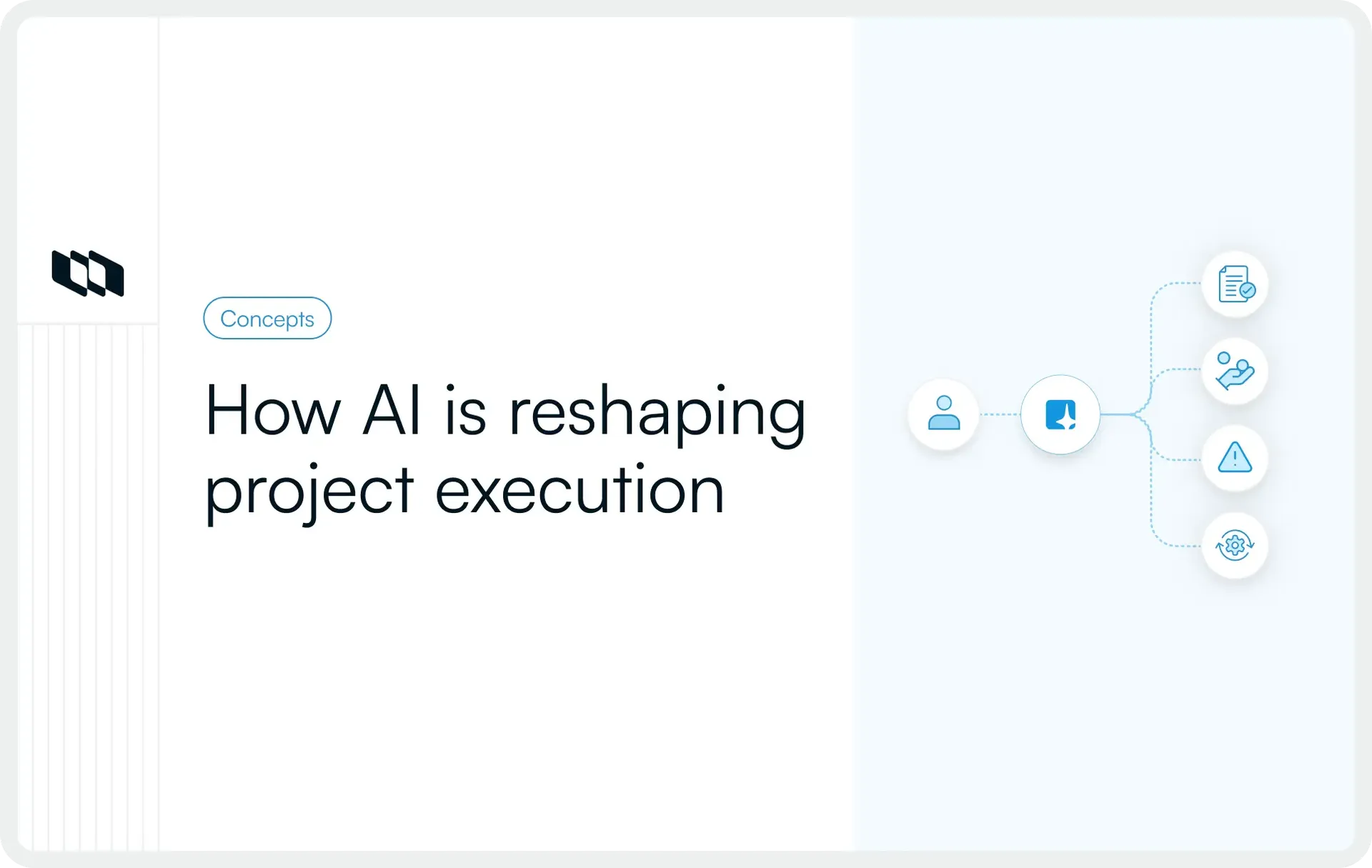
Behind every successful project sits a constant flow of coordination, updates, and decisions that rarely stay visible in one place. As teams scale and projects grow more complex, maintaining clarity across timelines, resources, and risks becomes increasingly demanding. AI in project management introduces a smarter way to manage this complexity by transforming project data into actionable insight. From strengthening planning accuracy to enabling faster decisions, the benefits of AI in project management continue to expand across modern teams. This guide explores how AI is used in project management, where it delivers the most value, and how teams can adopt it responsibly across real project workflows.
What is AI in project management?
AI in project management involves systems that learn from project data, recognize patterns, and provide recommendations that help teams plan and execute work more effectively. These systems can process timelines, tasks, dependencies, updates, and performance signals to generate insights that support delivery.
For example, AI can review historical timelines to suggest realistic schedules, analyze workload patterns to guide resource allocation, and highlight risks based on emerging delays or dependencies. This allows project teams to move beyond static tracking and toward continuous, insight-driven planning.
How AI fits into everyday project workflows
AI project management does not sit outside existing workflows. It works within the tools and systems teams already use to manage tasks, documentation, timelines, and communication. When project data is structured and accessible, AI can support daily work without adding extra operational effort.
In everyday workflows, AI can help generate project plans, summarize updates, track progress across tasks, and identify areas that require attention. Teams gain a clearer view of priorities, dependencies, and risks without manually consolidating information across multiple sources. This integration allows AI to support execution rather than operate as a separate layer of complexity.
AI as support for planning, tracking, decision-making, and communication
The role of AI in project management centers on supporting core project activities.
- In planning, AI helps teams break down work, estimate timelines, and identify dependencies by analyzing historical data and current project context. During execution, it can track progress and highlight deviations from plans so teams can adjust early.
- For decision-making, AI converts large volumes of project data into structured insights that help teams evaluate trade-offs, resource allocation, and timelines. In communication, AI assists by summarizing meetings, generating updates, and maintaining clear documentation so stakeholders remain aligned throughout the project lifecycle.
These capabilities improve visibility and consistency across projects while reducing the manual effort required to maintain alignment.
Difference between automation and AI-driven insights
Automation and AI are often used together in project management, yet they serve different purposes.
- Automation focuses on executing predefined actions such as sending reminders, updating task statuses, or triggering workflows based on specific rules. It follows fixed instructions and supports operational efficiency.
- AI-driven insights go further by interpreting project data and providing recommendations or predictions. Instead of executing tasks alone, AI evaluates patterns across timelines, resources, and performance to guide planning and decision-making.
For example, automation can send a reminder when a deadline approaches, while AI can analyze trends in progress and signal that a deadline may shift based on current velocity. This ability to interpret and recommend allows AI project management to support proactive delivery rather than only reactive coordination.
Why AI is becoming important for modern project teams
Project environments have expanded in scope, speed, and complexity. Teams manage distributed contributors, evolving priorities, and continuous delivery cycles while handling large volumes of project data across tools and workflows.
Here is how evolving project environments are increasing the need for AI-driven support across planning, visibility, and decision-making.
1. Increasing project complexity and data volume
Modern projects generate continuous streams of tasks, updates, dependencies, documentation, and performance data. As organizations scale and cross-functional collaboration increases, maintaining clarity across this information becomes more challenging. Project managers and engineering leaders often spend significant time consolidating updates and interpreting progress.
Using AI for project management helps teams efficiently process large volumes of both structured and unstructured data. AI can analyze timelines, workloads, and progress signals across projects to surface meaningful patterns and highlight areas that require attention. This allows teams to maintain control over complex initiatives without increasing administrative overhead.
2. Need for faster and more informed decision-making
Project teams operate in environments where delays in decision-making directly affect delivery timelines and outcomes. Leaders require timely insights into progress, risks, and resource allocation to make informed adjustments. Traditional reporting cycles often create delays between what is happening and what is visible to decision-makers.
AI in project management improves decision support by converting real-time project data into clear insights. It enables teams to evaluate scenarios, understand trade-offs, and adjust plans based on current conditions rather than relying only on periodic reports. Faster access to structured information strengthens planning and execution across the project lifecycle.
3. Growing demand for real-time visibility
Visibility across workstreams, timelines, and dependencies has become essential for successful delivery. Stakeholders expect accurate and current information on progress, risks, and outcomes. Manual tracking methods often create fragmented visibility, especially when project data is spread across multiple tools.
AI project management enhances real-time visibility by continuously analyzing project activity and summarizing progress across tasks and milestones. Teams gain a clearer understanding of project health, upcoming risks, and areas requiring intervention. This continuous insight supports proactive management and stronger alignment across stakeholders.
4. Stronger focus on efficiency and productivity
Organizations continue to prioritize efficient execution and measurable outcomes. Project teams are expected to deliver more value within tighter timelines and resource constraints. Manual coordination, repetitive reporting, and fragmented communication can limit productivity and reduce time available for strategic work.
The benefits of AI in project management include reducing time spent on repetitive administrative activities and improving planning accuracy. By supporting documentation, reporting, and analysis, AI allows teams to focus on decision-making, collaboration, and delivery. This shift supports both individual productivity and overall project efficiency.
5. From manual coordination to intelligent assistance
Project management has traditionally relied on manual coordination through meetings, spreadsheets, and periodic updates. While these methods provide structure, they often require continuous effort to maintain accuracy and alignment. As project environments evolve, teams require more dynamic support.
AI in project management introduces intelligent assistance that works alongside existing workflows. It helps interpret data, generate insights, and maintain context across projects. Instead of replacing human judgment, AI supports project managers and teams with clearer information and timely recommendations. This transition toward intelligent assistance reflects how modern teams are adapting to more complex and fast-moving work environments.
Key benefits of AI in project management
AI in project management strengthens how teams plan, execute, and deliver work by turning project data into usable insight. Here are the core benefits of AI in project management and how they impact everyday project workflows.
1. Improved planning and scheduling
Planning often relies on historical knowledge, assumptions, and manual estimation. As project complexity grows, aligning timelines with dependencies and resource availability becomes more demanding. AI improves planning and scheduling by analyzing past project data, current workloads, and dependencies to suggest realistic timelines.
For example, when teams plan a product release, AI can evaluate historical sprint velocity, current workload, and task dependencies to recommend achievable deadlines. This reduces the risk of unrealistic planning and helps teams set timelines that align with actual delivery capacity. Over time, planning becomes more consistent and predictable.
2. Better resource allocation and capacity planning
Balancing workloads across teams is one of the most challenging aspects of project management. Uneven distribution of tasks can lead to burnout, delays, or underutilized capacity. AI project management tools analyze task assignments, timelines, and utilization patterns to highlight workload imbalances.
If one engineering team carries multiple critical dependencies while another has available capacity, AI can surface this imbalance early. Project managers can then redistribute work or adjust timelines to maintain steady progress. This improves resource utilization and helps teams maintain sustainable delivery rhythms.
3. Stronger risk identification and mitigation
Risks often emerge gradually through missed updates, delayed dependencies, or shifting priorities. Detecting these patterns early allows teams to address issues before they affect delivery timelines. AI in project management strengthens risk identification by continuously monitoring project signals such as delays, scope changes, and workload fluctuations.
For instance, if multiple tasks linked to a milestone begin slipping, AI can flag the potential impact on the overall timeline. Teams can review dependencies, reassign resources, or adjust scope before risks escalate. Early visibility into emerging issues supports proactive mitigation and reduces last-minute disruptions.
4. Faster decision-making with data insights
Project decisions often depend on fragmented data across timelines, documentation, and performance reports. Consolidating this information manually can slow decision-making and reduce clarity. AI helps convert project data into structured insights that support faster and more informed decisions.
When evaluating whether to adjust scope or extend timelines, AI can present data on current progress, resource capacity, and dependency impact. This allows leaders to assess trade-offs quickly and make decisions based on current project conditions. Faster access to relevant information strengthens alignment between teams and stakeholders.
5. Automation of repetitive administrative work
Administrative tasks such as status reporting, documentation updates, and meeting summaries require consistent effort throughout a project. While necessary, these activities can limit time available for strategic planning and problem-solving. AI in project management automates many of these repetitive processes.
AI can generate status summaries from task updates, draft meeting notes, update documentation, and send reminders based on project activity. This reduces manual effort and ensures information remains current and accessible. Teams spend less time compiling updates and more time focusing on delivery and improvement.
6. Improved communication and collaboration
Clear communication and shared context support successful project delivery. When updates and decisions remain scattered across tools and conversations, alignment becomes difficult. AI enhances communication by summarizing discussions, organizing updates, and maintaining an accessible project context.
For example, AI can create concise summaries of sprint reviews, stakeholder meetings, or project updates that teams can reference later. This ensures that important decisions and insights remain visible and searchable. Improved documentation and shared understanding strengthen collaboration across distributed teams and stakeholders.
Common use cases of AI across the project lifecycle
AI in project management delivers the most value when applied throughout the project lifecycle rather than in isolated moments. Here is how teams are using AI across planning, execution, monitoring, and project closure to improve delivery outcomes.
1. Planning and project setup
Planning sets the foundation for every project. When planning relies only on assumptions or fragmented information, timelines and scope can quickly lose accuracy. AI project management supports stronger planning by turning past and present project data into actionable input.
Teams use AI during project setup to:
- Draft structured project plans: AI can generate initial plans based on goals, scope, and past project templates, giving teams a clear starting point for execution.
- Break down work into tasks: Large deliverables can be converted into structured task lists with logical sequencing and ownership suggestions.
- Support estimation: AI reviews historical timelines and team velocity to suggest realistic time estimates for tasks and milestones.
- Identify dependencies early: By analyzing project structure, AI can highlight dependencies between tasks and teams, helping prevent planning gaps.
These capabilities allow project teams to begin execution with clearer timelines, realistic expectations, and stronger alignment.
2. Execution and tracking
Execution is where most project data is generated through updates, conversations, and progress signals. Maintaining visibility during this phase often requires continuous coordination. AI in project management helps teams stay aligned without increasing manual effort.
During execution, AI supports teams by:
- Generating status summaries: AI can convert daily updates and task changes into concise progress summaries for stakeholders.
- Tracking progress automatically: As tasks move across stages, AI can monitor completion trends and highlight deviations from plans.
- Highlighting blockers and delays: If tasks remain stalled or dependencies slip, AI surfaces these issues early for review.
- Supporting team coordination: By summarizing discussions and updates, AI ensures that all contributors share the same context.
These use cases improve day-to-day clarity and reduce the time required to manually consolidate updates across tools and teams.
3. Monitoring and reporting
Monitoring requires continuous insight into project health, performance, and risks. Traditional reporting methods rely on periodic updates that may not reflect current conditions. Using AI for project management allows teams to maintain real-time awareness of project status.
AI supports monitoring and reporting through:
- Risk detection: AI identifies emerging risks by analyzing delays, workload patterns, and changes in dependencies across the project.
- Performance insights: Teams gain visibility into progress against timelines, goals, and resource allocation.
- Forecasting delays or overruns: Based on current velocity and dependencies, AI can signal potential risks to the timeline or budget.
- Dashboard summaries: AI-generated summaries provide clear snapshots of project health for leaders and stakeholders.
Continuous insights allow teams to respond early rather than react to issues late in the delivery cycle.
4. Project closure and learning
Project closure offers valuable opportunities to capture insights that improve future delivery. Teams often struggle to consistently document lessons learned and performance outcomes. AI in project management supports structured closure and knowledge capture.
During closure, teams use AI to:
- Create post-project summaries: AI compiles key outcomes, milestones, and challenges into structured reports.
- Document lessons learned: Summarize insights from retrospectives and reviews for future reference.
- Analyze performance: AI reviews timelines, delivery patterns, and resource usage to identify areas for improvement.
- Capture reusable knowledge: Decisions, documentation, and outcomes become searchable for future projects.
These practices turn project closure into a continuous learning process, helping teams improve planning and execution over time.
Types of AI capabilities used in project management
AI in project management includes several capabilities that help teams interpret data, automate routine work, and maintain clarity across projects. Understanding these AI capabilities helps teams apply AI more effectively in project management across everyday workflows.
1. Predictive analytics and forecasting
Predictive analytics helps teams anticipate future outcomes based on historical and current project data. By analyzing past timelines, workload patterns, and delivery trends, AI can forecast potential delays, resource constraints, and milestone risks.
For example, if a project phase consistently extends beyond planned timelines due to recurring dependencies, predictive analytics can signal this pattern early. Project managers can then adjust schedules or reallocate resources before timelines shift significantly. This allows teams to plan with greater accuracy and respond to emerging risks with confidence.
2. Natural language processing for summaries and documentation
Natural language processing enables AI systems to interpret and generate written language in a structured way. In project management, this capability helps transform conversations, updates, and documentation into clear and usable information.
Teams can use natural language processing to generate meeting summaries, consolidate status updates, and maintain structured documentation across projects. Instead of manually reviewing long threads or meeting notes, project stakeholders receive concise summaries that capture key decisions and actions. This improves clarity and ensures that project knowledge remains accessible and searchable.
3. Generative AI for content and communication
Generative AI supports the creation of structured content used throughout project workflows. This includes drafting project plans, writing updates, creating documentation, and preparing stakeholder communications. By using AI for project managers, teams can generate initial drafts that maintain consistency and clarity.
For instance, after a sprint review or milestone completion, generative AI can produce structured summaries that outline progress, outcomes, and next steps. Project managers can review and refine these drafts, saving time while maintaining accuracy. This capability improves communication and ensures that updates remain consistent across stakeholders.
4. Intelligent automation for repetitive tasks
Intelligent automation focuses on executing routine project activities based on structured triggers and workflows. While traditional automation follows predefined rules, AI-enhanced automation adapts to context and patterns in project data.
In project management, intelligent automation can update task statuses, send reminders, generate recurring reports, and automatically maintain documentation. This reduces manual effort and ensures that essential updates remain consistent. Teams gain more time to focus on planning, collaboration, and delivery rather than repetitive coordination.
5. Data analysis and pattern detection
Project data often contains patterns that influence delivery outcomes, yet these patterns can remain hidden when analyzed manually. AI-driven data analysis helps identify trends across timelines, resource utilization, and performance metrics. Pattern detection allows teams to understand how projects evolve over time and where improvements are possible.
For example, AI can detect recurring delays associated with specific dependencies or highlight resource bottlenecks across multiple projects. By identifying these patterns, teams can adjust planning approaches and improve future execution. This capability strengthens continuous improvement and helps organizations refine their project management practices.
Best practices for using AI in project management
Adopting AI in project management delivers meaningful results when teams approach it with clear intent and structured workflows. These best practices help teams apply AI in project management with clarity, structure, and measurable impact.
1. Start with clear goals for using AI
Every AI initiative should begin with a defined outcome. Teams need clarity on what they want to improve before introducing new tools or capabilities. Clear goals guide adoption and help measure the value AI brings to project workflows.
Teams can define goals such as:
- improving reporting accuracy and speed
- increasing planning accuracy
- strengthening productivity across teams
- improving visibility into progress and risks
When goals remain specific and measurable, teams can evaluate how AI contributes to delivery performance and operational clarity.
2. Ensure clean and consistent project data
AI in project management relies heavily on structured and reliable data. Inconsistent task naming, incomplete updates, and scattered documentation reduce the quality of AI-generated insights. Clean project data improves the accuracy and usefulness of AI outputs.
Teams benefit from maintaining consistent task structures, timelines, and documentation practices. Clear ownership and regular updates ensure that AI systems can interpret project signals correctly. High-quality data strengthens forecasting, reporting, and risk detection across projects.
3. Choose tools that fit existing workflows
AI adoption works best when integrated into the workflows teams already use. Tools that align with current planning, tracking, and documentation practices support smoother implementation and faster adoption. Introducing tools that disrupt established processes can reduce effectiveness and create friction.
Project teams should evaluate whether AI capabilities integrate with their existing systems for task management, documentation, and communication. When AI supports familiar workflows, teams can focus on improving execution rather than adjusting to entirely new processes.
4. Keep human oversight and accountability
AI provides recommendations and insights that support decision-making, yet project outcomes remain the responsibility of people. Maintaining human oversight ensures that context, judgment, and experience guide final decisions.
Project managers and team leads review AI-generated insights, validate recommendations, and make decisions based on project priorities. This balance allows teams to benefit from AI-driven analysis while maintaining accountability for planning and delivery.
5. Train teams to use AI responsibly
Successful AI adoption depends on how well teams understand and interpret AI outputs. Training should focus on using AI as a decision-support tool rather than treating it as a complete solution. Teams benefit from learning how to evaluate insights, verify accuracy, and apply recommendations appropriately.
Workshops, documentation, and internal guidelines can help teams develop confidence in using AI for project management. Clear usage practices encourage responsible adoption and improve overall effectiveness.
6. Standardize workflows and documentation
Consistency across workflows improves the value of AI-generated insights. Standardized project structures, templates, and documentation practices allow AI systems to interpret information more effectively. When teams follow similar processes for planning, tracking, and reporting, AI outputs become more reliable.
Standardization also improves collaboration across teams. Shared formats and terminology create clarity that supports both human and AI-driven understanding of project data.
7. Start small and scale gradually
Introducing AI across all workflows at once can create confusion and reduce adoption. A gradual approach allows teams to test and refine usage before expanding. Starting with a single workflow, such as status reporting or risk tracking, provides a controlled environment for measuring impact.
Teams can evaluate results, gather feedback, and refine processes before scaling AI to additional projects or departments. This phased approach builds confidence and ensures that AI adoption remains aligned with team needs and delivery goals.
Challenges and risks of using AI in project management
AI in project management brings clear advantages, yet effective adoption requires awareness of potential challenges. Recognizing these challenges helps teams adopt AI in project management with stronger governance and confidence.
1. Data quality and reliability issues
AI systems depend on structured and accurate project data to generate meaningful insights. Inconsistent updates, unclear ownership, and incomplete documentation reduce the reliability of AI-generated recommendations. When project data lacks clarity, forecasting and analysis can become less accurate.
Teams can strengthen reliability by maintaining consistent data entry practices, clear task structures, and regular updates. Accurate project information improves the value of AI-driven insights and supports better planning and execution.
2. Overreliance on automation
Automation simplifies repetitive work and improves efficiency, yet excessive reliance on automated outputs can reduce critical evaluation. AI-generated recommendations require human interpretation and contextual understanding. Project managers and teams bring experience and judgment that remain essential for effective delivery.
Maintaining a balanced approach ensures that AI supports decision-making rather than replacing thoughtful analysis. Teams benefit from reviewing insights, validating recommendations, and aligning decisions with project goals and stakeholder priorities.
3. Privacy and security concerns
Project data often includes sensitive information related to product development, financial planning, and internal operations. Using AI for project management requires careful handling of this data to maintain confidentiality and compliance with organizational policies.
Teams should evaluate data governance practices, access controls, and security measures before adopting AI capabilities. Clear policies around data usage and storage help ensure that project information remains protected while benefiting from AI-driven analysis.
4. Integration with existing tools and systems
Project data typically resides across multiple tools for task tracking, documentation, communication, and reporting. Fragmented systems can limit the effectiveness of AI in project management because insights depend on connected and consistent data sources.
Successful adoption requires integration between project management tools and AI capabilities. When data flows seamlessly across systems, AI can provide comprehensive insights that reflect the full scope of project activity. This integrated approach improves accuracy and usefulness.
5. Change management and team adoption
Introducing AI into project workflows involves changes in how teams plan, track, and communicate. Without clear guidance and alignment, adoption can remain inconsistent across teams. Effective change management ensures that teams understand the purpose and value of AI in project management.
Training, documentation, and leadership support help teams adopt AI confidently. Clear expectations around usage and benefits encourage consistent adoption and improve long-term impact. When teams understand how AI supports their work, they are more likely to integrate it into daily workflows.
How to implement AI in project management: a simple rollout approach
Implementing AI in project management works best when teams treat it as a structured improvement initiative rather than a tool upgrade. A clear rollout plan helps teams introduce AI gradually, measure its impact, and refine its use based on real outcomes. This step-by-step approach allows teams to adopt AI with clarity and confidence:
Step 1: Identify one workflow to improve
Begin by selecting a single workflow where AI can deliver immediate value. Starting with one focused use case allows teams to test effectiveness without disrupting multiple processes at once.
Choose a workflow that involves repetitive effort or requires frequent analysis, such as:
- status reporting and updates
- risk tracking and reviews
- sprint planning or capacity planning
- documentation and meeting summaries
A focused starting point helps teams understand how AI supports real project activities before expanding further.
Step 2: Define success metrics
Before introducing AI capabilities, define what success looks like for the selected workflow. Clear metrics help evaluate whether AI improves efficiency, accuracy, or visibility.
Examples of success metrics include:
- reduction in time spent on reporting or documentation
- improved planning accuracy
- faster identification of risks or delays
- stronger visibility across stakeholders
Tracking these outcomes helps teams measure the impact of AI in project management and refine usage based on results.
Step 3: Standardize project data and processes
AI delivers stronger insights when project data remains structured and consistent. Standardizing task formats, timelines, ownership fields, and documentation practices improves the accuracy of AI-generated outputs.
Teams can create simple standards such as:
- consistent naming for tasks and milestones
- regular update cadence for progress tracking
- structured documentation templates
- clear ownership across tasks and deliverables
These standards ensure that AI systems interpret project data correctly and provide meaningful insights.
Step 4: Introduce AI features gradually
Introduce AI capabilities in stages rather than applying them across all workflows at once. Begin with features that support the selected workflow and integrate them into existing processes.
For example, if the focus is status reporting, teams can start with AI-generated summaries and progress insights. Once teams become comfortable using these outputs, additional capabilities such as forecasting or risk detection can be introduced. A gradual approach supports smoother adoption and reduces disruption.
Step 5: Train teams and set usage guidelines
Effective adoption requires clarity on how AI should be used within project workflows. Provide teams with guidance on reviewing AI-generated insights, validating outputs, and maintaining accountability for decisions.
Training sessions and simple documentation can cover:
- when to rely on AI-generated summaries or recommendations
- how to verify accuracy and context
- responsibilities for final decisions and approvals
- best practices for maintaining data quality
Clear guidelines help teams use AI responsibly and consistently across projects.
Step 6: Monitor results and refine usage
Once AI becomes part of the workflow, monitor performance against the defined success metrics. Review whether AI improves efficiency, visibility, and planning accuracy. Gather feedback from team members on usability and effectiveness.
Regular reviews help teams identify areas for improvement. Adjust workflows, data practices, or usage guidelines based on real project experience. Continuous evaluation ensures that AI remains aligned with delivery goals.
Step 7: Expand to other workflows once stable
After achieving stable results in the initial workflow, teams can extend AI use to additional areas, such as planning, resource allocation, and performance analysis. Expanding gradually allows teams to apply lessons learned and maintain consistency across projects.
A phased expansion builds confidence and ensures that AI adoption supports long-term improvement in project management practices. Over time, teams can integrate AI across multiple workflows while maintaining clear ownership and accountability.
How modern project tools support AI-driven project management
AI in project management delivers the most value when supported by structured workflows and connected project data. Modern project tools provide the foundation for AI to generate accurate insights, support decision-making, and maintain clarity across teams. When work, documentation, and communication exist in one structured system, AI can interpret context and provide meaningful recommendations that improve execution.
Let's look at some features of modern project tools for supporting AI-driven project management:
1. Centralized project data and documentation
AI relies on accessible and structured information to generate reliable insights. When project data is scattered across tools and conversations, maintaining context becomes difficult. Centralized project tools bring together tasks, documentation, updates, and decisions in one place, allowing AI to analyze the full scope of project activity.
With centralized data, teams gain consistent visibility into progress, ownership, and outcomes. AI can interpret this information to generate summaries, highlight risks, and support planning with greater accuracy.
2. Visibility across tasks, timelines, and decisions
Clear visibility across project elements helps teams understand how work progresses and where attention is required. Modern project tools provide structured views of tasks, timelines, and dependencies, making it easier for AI to evaluate project health and performance.
When AI has access to connected timelines and decisions, it can highlight potential delays, surface dependencies, and support more accurate forecasting. This continuous visibility strengthens alignment across stakeholders and improves decision-making throughout the project lifecycle.
3. Connected workflows and context
Projects involve multiple workflows across planning, execution, documentation, and collaboration. When these workflows remain connected, AI can understand how tasks, updates, and decisions relate to each other. This contextual understanding improves the quality of AI-generated insights.
Modern project tools support connected workflows by linking work items, documents, and discussions. AI can then interpret relationships between tasks and decisions, helping teams maintain clarity across complex projects.
4. Searchable project knowledge
Projects generate valuable knowledge through decisions, documentation, and lessons learned. Making this knowledge searchable allows teams to reuse insights and improve future planning. AI benefits from searchable project history by identifying patterns and suggesting improvements based on past outcomes.
Teams can quickly retrieve relevant information, review past decisions, and apply lessons learned to current projects. This strengthens continuity and supports continuous improvement across delivery cycles.
5. Better tracking and reporting
Structured tracking and reporting create the foundation for effective AI project management. When updates, milestones, and outcomes remain visible and consistent, AI can generate accurate summaries and insights that support planning and execution.
Plane provides a connected environment where work items, cycles, milestones, and documentation live together. This centralized structure helps teams maintain clear visibility across projects while enabling AI-driven insights that support planning, tracking, and reporting. By keeping project data organized and accessible, Plane helps teams use AI in project management with greater clarity and consistency.
Final thoughts
AI in project management is shaping how modern teams plan, execute, and improve delivery. As projects grow more complex and data-driven, teams need systems that transform information into clear direction and timely insight. AI supports this shift by improving visibility, strengthening planning accuracy, and enabling faster decision-making across the project lifecycle.
The value of using AI for project management depends on how thoughtfully it is implemented. Clear workflows, consistent data, and responsible usage create the foundation for meaningful results. Teams that start with defined goals, apply best practices, and scale gradually can use AI to improve delivery without adding complexity. Over time, AI becomes a practical layer that supports clarity, alignment, and continuous improvement across every project.
Frequently asked questions
Q1. Which AI is best for project management?
The best AI for project management is one that improves planning, reporting, and visibility within your existing workflow. Teams typically use AI features that generate status summaries, forecast timelines, detect risks, and automate routine updates across projects.
Q2. What are the different types of AI in project management?
The main types of AI in project management include predictive analytics, generative AI, natural language processing, intelligent automation, and data analysis tools. These help with forecasting, documentation, reporting, and decision-making across project workflows.
Q3. Which AI course is best for project managers?
The best AI courses for project managers focus on practical use cases such as AI-driven planning, reporting, automation, and decision support. Courses covering AI fundamentals, productivity use cases, and data-driven project management provide the most value.
Q4. Will AI replace project managers?
AI will support project managers by improving planning, reporting, and insights. Project managers continue to lead decision-making, stakeholder alignment, and delivery while using AI to improve clarity and efficiency.
Q5. What are the seven types of AI?
The seven types of AI include reactive machines, limited-memory AI, theory-of-mind AI, self-aware AI, narrow AI, general AI, and superintelligent AI. Most project management tools use narrow AI and limited memory AI to support planning and analysis.
Recommended for you



 Download for Mac
 Download for Android