Wiki vs knowledge base: Which should teams use?
Introduction
Teams accumulate knowledge every day through decisions, processes, and documentation. Without a clear system, that information spreads across tools, threads, and documents, making reliable answers difficult to locate. Two common approaches to organizing this knowledge are wikis and knowledge bases. Both support documentation and knowledge sharing, yet they serve different purposes. Understanding the difference between a wiki and a knowledge base helps teams design documentation systems that support collaboration, structure, and reliable information retrieval.
This guide explains the difference between a wiki and a knowledge base, how each system works, where each fits best, and how teams can choose the right approach for their documentation.
Wiki vs knowledge base: The difference in simple terms
Teams use both wikis and knowledge bases to organize documentation and share knowledge across the organization. Each system supports knowledge management, yet its goals and structure differ.
- A wiki focuses on collaborative knowledge creation. Teams use it to capture evolving information such as project notes, internal documentation, decisions, and technical references. Contributors can create and edit pages quickly, which supports continuous updates and shared ownership of knowledge.
- A knowledge base focuses on structured and verified information. Organizations use it to publish reliable answers, documented processes, and support content. Articles follow a clear structure so readers can quickly locate accurate information.
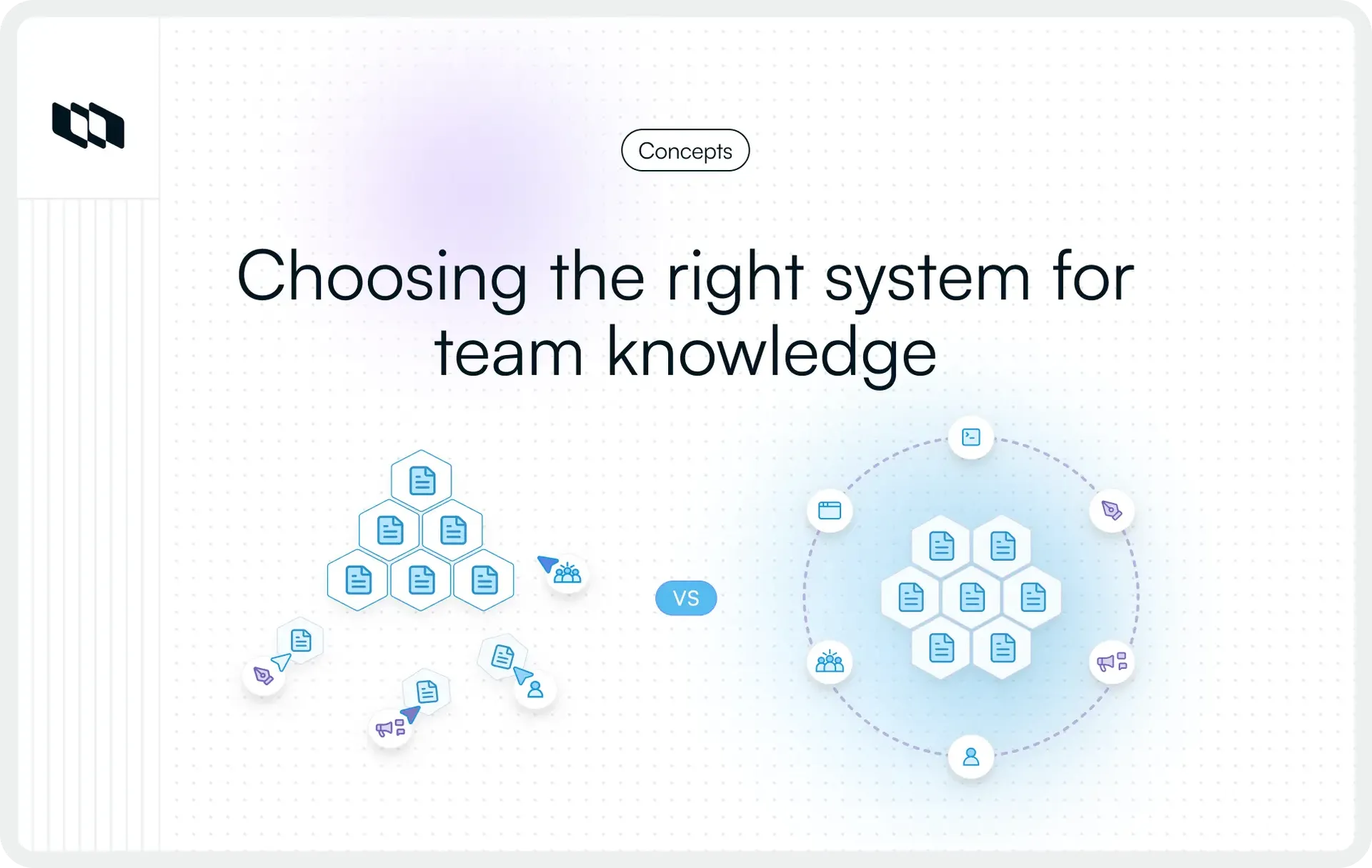
In simple terms, the wiki vs knowledge base comparison comes down to collaboration versus curation. Wikis support flexible knowledge sharing across teams, while knowledge bases organize trusted documentation designed for efficient information retrieval.
Here's the core distinction in plain terms:
Factor | Wiki | Knowledge base |
Primary purpose | Collaborative documentation | Structured information retrieval |
Who contributes | Anyone on the team | Designated owners or teams |
Content type | Evolving, process-driven | Verified, reference-driven |
Best for | Internal team knowledge | FAQs, SOPs, product docs |
Structure | Flexible, user-defined | Rigid, category-driven |
The distinction matters because the tool shapes the behavior. A wiki encourages contribution. A knowledge base enforces reliability. Most teams need both, but they need to know which one to reach for and when.
What is a wiki?
A wiki is a collaborative documentation system where multiple contributors can create, edit, and interlink pages in real time. It's built on the assumption that knowledge is collective and that documentation improves when more people contribute to it. Unlike static documents, a wiki evolves alongside your team, capturing context, decisions, and processes as they happen rather than after the fact.
Key characteristics of a wiki
A wiki typically includes the following characteristics:
- Open editing: Any team member can create or update a page, making documentation a shared responsibility rather than a bottleneck owned by one person.
- Collaborative knowledge sharing: Wikis are designed for cross-functional contribution. Engineers, PMs, designers, and ops teams can all document within the same system, creating a unified source of team knowledge.
- Version history: Every edit is tracked. Teams can see who changed what and when, making it easy to audit updates, restore previous versions, and maintain accountability without micromanaging contributions.
- Evolving documentation: A wiki is never "done." It reflects your team's current state of knowledge and grows as processes change, projects ship, and new context emerges.
Common use cases for wikis
Teams commonly use wikis for several types of internal documentation:
- Internal team documentation: Onboarding guides, team norms, meeting notes, and company processes live best in a wiki where they can be updated as the team scales.
- Engineering notes: Architecture decisions, code conventions, incident post-mortems, and technical context are naturally collaborative and belong in a space where engineers can iterate freely.
- Decision logs: Wikis are ideal for capturing why decisions were made, not just what was decided. That institutional memory becomes invaluable as teams grow and people change roles.
- Project documentation: Sprint goals, scope changes, stakeholder updates, and retrospective notes all fit naturally in a wiki that mirrors how projects actually unfold.
What is a knowledge base?
A knowledge base is a structured repository of verified, curated information designed to help users find accurate answers quickly. Where a wiki prioritizes contribution and collaboration, a knowledge base prioritizes reliability and retrieval. Content is intentional; every article exists to answer a specific question, solve a specific problem, or guide a specific action. It's maintained by designated owners who ensure information stays accurate, consistent, and up to date.
Internal vs. external knowledge bases
Not all knowledge bases serve the same audience, and the distinction shapes how they're built and maintained.
- Internal knowledge bases are built for employees. They house information that helps teams operate, HR policies, IT procedures, security protocols, tool guides, and standard operating procedures. Access is typically restricted, content is role-specific, and the primary goal is to reduce friction in day-to-day work.
- External knowledge bases are built for customers. They surface product documentation, self-serve support content, and troubleshooting guides to help users get value from the product without contacting support. A well-maintained external knowledge base directly reduces support ticket volume and improves product adoption.
The underlying structure is the same, verified, organized, and retrievable, but the audience, tone, and access controls differ significantly.
Typical knowledge base content
A knowledge base typically contains structured documentation such as:
- FAQs: Answers to the most common questions users or employees ask, structured for quick scanning and immediate resolution.
- Troubleshooting guides: Step-by-step walkthroughs that help users diagnose and fix specific problems independently, reducing dependency on support teams.
- Product documentation: Detailed, accurate references covering features, configurations, integrations, and workflows, essential for both users and internal teams building on top of the product.
- Support articles: Focused pieces that address specific pain points, error messages, or edge cases that users encounter in real usage.
- Onboarding guides: Structured content that helps new users or new employees get up to speed quickly, covering core workflows, key tools, and essential context in a logical sequence.
Wiki vs knowledge base: Key differences
Both wikis and knowledge bases help teams manage documentation and share knowledge. Their structure, governance model, and intended use create important differences in how teams organize and maintain information.
The following comparison highlights the key distinctions between a wiki and a knowledge base, and how each system supports knowledge management.
Aspect | Wiki | Knowledge base |
Purpose | Capture evolving team knowledge and collaborative documentation | Provide structured and verified information for quick answers |
Collaboration model | Open contribution where multiple team members edit pages | Content is usually authored and reviewed by designated owners or subject matter experts |
Governance and ownership | Flexible ownership with shared editing across teams | Clear ownership with defined review and publishing processes |
Structure and organization | Flexible page structure that evolves as teams document work | Organized categories, standardized articles, and consistent documentation formats |
Reliability of information | Content evolves continuously through contributions and updates | Information follows verification and editorial standards |
Search and navigation | Relies heavily on search and links between pages | Structured navigation with categories, tagging, and searchable articles |
Typical audience | Internal teams collaborating on documentation | Employees, customers, or support users searching for reliable answers |
These differences influence how organizations manage documentation. A wiki supports collaborative knowledge creation, where teams continuously add insights and documentation as work progresses. A knowledge base supports structured knowledge delivery, where information remains organized, verified, and easy to retrieve.
Understanding these distinctions helps teams design documentation systems that balance collaboration with reliable access to information.
Advantages and limitations of wikis
Wikis suit teams that actively share knowledge, enabling open editing to document ideas, decisions, and insights. While fostering collaboration, this flexibility can create challenges as documentation expands across teams and projects. Here are the advantages and disadvantages of using a wiki:
Advantages of using a wiki
Several characteristics make wikis useful for internal documentation:
- Encourages collaboration: Team members across engineering, product, and operations contribute knowledge in a shared workspace.
- Easy to update: Contributors edit pages quickly as projects evolve or new information appears.
- Flexible documentation structure: Pages grow organically through links and references, which helps teams document complex workflows.
- Supports evolving information: Teams capture working knowledge such as technical notes, project updates, and decision records.
Limitations of wikis
As documentation expands, several challenges appear:
Fast-changing documentation, such as engineering notes, project discussions, and early product exploration, fits well inside a wiki.
- Inconsistent quality: Open contributions lead to variation in writing style, structure, and depth of information.
- Difficult to maintain structure: Large wikis accumulate hundreds of pages, which makes organization and navigation harder.
- Outdated information accumulates: Pages remain unchanged as projects evolve, reducing the reliability of documentation.
- Accuracy becomes harder to maintain: Shared editing reduces clarity around ownership and review responsibility.
These limitations explain why many organizations combine wikis with structured knowledge bases when documentation grows across teams and products.
Advantages and limitations of knowledge bases
A knowledge base organizes documentation in a structured, searchable format, enabling teams to publish reliable information for quick access. It enhances clarity and consistency, making it ideal for support resources, product documentation, and operational guides. Below are its advantages and disadvantages:
Advantages of knowledge bases
Knowledge bases provide several advantages for organizations managing large volumes of documentation:
- Structured information: Articles follow defined formats and categories, which improves organization across documentation.
- Reliable source of truth: Verified content ensures readers access accurate and consistent information.
- Easier navigation and search: Structured taxonomy and indexing help users quickly locate answers.
- Suitable for customer support: Many organizations publish external knowledge bases that help customers resolve issues independently.
Limitations of knowledge bases
Knowledge bases also require deliberate management and governance:
and multiple contributors contribute to
- Requires ongoing maintenance: Documentation requires regular updates to remain accurate and relevant.
- Slower content updates: Editorial review and publishing processes introduce additional steps before articles become available.
- Needs clear ownership and review processes: Teams assign subject matter experts and editors to maintain content quality and reliability.
- These characteristics explain why many organizations use knowledge bases when documentation must remain structured, searchable, and trusted across large teams or customer audiences.
When should teams use a wiki?
A wiki works best in environments where knowledge evolves quickly and multiple contributors contribute to documentation. Teams use wikis to capture working knowledge as projects progress, which makes them useful for collaboration and continuous learning.
Several common scenarios illustrate when a wiki becomes the right documentation system.
- Collaborative documentation across teams: Engineering, product, and operations teams contribute insights, guidelines, and technical explanations in a shared space. Collaboration helps teams capture knowledge that would otherwise remain scattered across conversations and documents.
- Fast-changing internal knowledge: Product features, workflows, and technical systems change frequently. A wiki allows contributors to update documentation quickly so teams maintain accurate internal references.
- Project and team notes: Project planning discussions, meeting notes, architecture explanations, and retrospective insights often live inside a wiki because teams document these materials while work is in progress.
- Brainstorming and working documentation: Early-stage ideas, drafts, and exploratory documentation benefit from a flexible environment that allows contributors to expand and refine information over time.
For example, an engineering team may document architecture decisions, debugging notes, and system behaviors in a wiki while building a new service. Product managers may record discovery insights, project plans, and team playbooks in the same space. The collaborative nature of a wiki supports this continuous documentation workflow.
In many organizations, the corporate wiki serves as the workspace where knowledge develops, while more structured documentation later moves into a knowledge base when teams need verified, stable information.
When should teams use a knowledge base?
A knowledge base works best when teams need structured, reliable documentation that people can quickly search and trust. Organizations use knowledge bases to organize information for a broad audience and require consistent formatting, clear ownership, and accurate updates.
Several common scenarios illustrate when a knowledge base becomes the right system.
- Customer support documentation: Support teams publish troubleshooting guides, FAQs, and help articles to help customers resolve issues independently. Structured articles improve search results and reduce repetitive support requests.
- Standardized processes: Operations teams document workflows, policies, and step-by-step procedures in a knowledge base so employees follow consistent processes across the organization.
- Product help centers: Product teams create documentation that explains features, workflows, and configuration steps. Clear categories and structured navigation help users locate answers quickly.
- Onboarding and training material: Organizations maintain onboarding guides, internal training resources, and system documentation that help new employees understand tools, workflows, and responsibilities.
The structured nature of a knowledge base improves discoverability and reliability. Articles follow consistent templates, categories group related content, and search systems effectively index documentation. Readers locate answers faster because information appears in predictable locations with clear headings and standardized formats.
For example, a product team may publish feature documentation and troubleshooting guides in a knowledge base so that customers and internal support teams can access reliable information. Structured documentation ensures every reader receives accurate guidance without relying on informal notes or scattered documentation.
Can teams use both together?
Many organizations use both a wiki and a knowledge base to manage documentation effectively. Each system serves a different role in the knowledge workflow.
- A wiki supports collaborative knowledge creation. Teams capture working knowledge, including project notes, architecture explanations, meeting insights, and early documentation drafts. Contributors across engineering, product, and operations update pages as work evolves, which keeps information current during active projects.
- A knowledge base supports curated and reliable documentation. Teams publish structured articles that serve as official references for processes, product guides, and support documentation. Clear ownership and review processes ensure the information remains accurate and consistent.
In many organizations, documentation evolves through a simple progression. Teams first document ideas, notes, and evolving insights inside a wiki. Once the information stabilizes and requires broader access, the content moves into the knowledge base as a structured article.
For example, an engineering team may document architecture discussions and technical experiments in a wiki as it builds a system. Once the architecture is stable, the finalized documentation is added to the knowledge base as a formal reference for other teams.
This approach allows teams to balance collaboration and structure. The wiki captures knowledge in real time, while the knowledge base organizes verified information that people rely on for answers.
How to choose the right system for your team
Choosing between a wiki vs knowledge base depends on how teams create, maintain, and access documentation. The right system aligns with the audience, the stability of information, and the level of structure required for reliable knowledge sharing.
The following questions help teams evaluate which documentation system fits their needs.
- Who is the audience for the information?
Internal teams collaborating on projects often benefit from a wiki because contributors across the organization contribute to the documentation. Customer-facing documentation, support guides, and product help centers usually belong in a knowledge base where information follows a consistent structure. - How often does the content change?
Fast-changing documentation, such as engineering notes, project discussions, and early product exploration, fits well inside a wiki. Stable documentation, such as policies, product guides, and operational procedures, fits better inside a knowledge base. - How critical is accuracy?
Documentation that guides customer support, operational workflows, or product usage requires high accuracy. A knowledge base provides editorial control and verification processes that maintain reliable information. - Who will maintain the documentation?
Wikis support distributed contribution where many team members update pages. Knowledge bases rely on well-defined ownership, with subject-matter experts reviewing and maintaining content. - How easy should it be to find answers?
When readers need quick and reliable answers, structured navigation and search become essential. Knowledge bases organize articles through categories and standardized formats, which improves discoverability.
Evaluating these factors helps organizations design a documentation system that supports collaboration while ensuring teams and users can quickly locate accurate information.
Common mistakes teams make when managing knowledge
Many documentation systems lose effectiveness over time because teams focus on creating content without establishing clear ownership and structure. Several common issues appear as knowledge grows across projects and teams.
1. Unclear ownership of documentation
Documentation requires clear responsibility. When teams lack defined owners for pages or articles, updates become inconsistent, and important information remains outdated. Assigning owners ensures documentation stays accurate and relevant.
2. Outdated content
Product features, processes, and workflows evolve quickly. Documentation that remains unchanged for long periods loses reliability. Regular review cycles help teams maintain current and trustworthy information.
3. Poor information organization
As documentation grows, weak structure makes it difficult for readers to locate information. Clear categories, consistent naming conventions, and logical page hierarchies improve navigation and discovery.
4. Multiple sources of truth
Teams often store similar information across different tools, documents, and systems. Duplicate documentation creates confusion about which version contains accurate guidance. Consolidating documentation into a central system improves clarity.
5. Relying only on search without structure
Search helps users locate content quickly, yet search alone cannot effectively organize knowledge. Structured documentation, clear taxonomy, and well-defined categories improve how teams navigate large knowledge systems.
Addressing these issues helps organizations build documentation systems that support reliable knowledge sharing and efficient information retrieval across teams.
Final thoughts
The choice between a wiki and a knowledge base impacts how teams manage and share information. Wikis foster collaborative editing for evolving insights, while knowledge bases provide organized, verified content for reliable answers. Wikis suit fast-changing documentation and project notes, while knowledge bases work best for structured guides and standardized processes. Many organizations use both, with wikis for developing knowledge and knowledge bases for curated, trustworthy references, ensuring a balance of rapid insight capture and reliable documentation.
Frequently asked questions
Q1. What is the difference between a wiki and a knowledge base?
The difference between a wiki and a knowledge base lies in how information is created and managed. A wiki enables collaborative editing, with multiple contributors updating pages continuously. A knowledge base contains structured, verified articles designed to help users quickly find reliable answers through organized documentation.
Q2. What are the types of wikis used by organizations?
Organizations use different types of corporate wikis depending on their documentation needs. Common types include:
- Corporate wiki for internal documentation
- Project wiki for project knowledge
- Technical wiki for engineering documentation
- Research wiki for collaborative work
- Knowledge management wiki for organizational knowledge sharing
Each type supports collaborative documentation within teams.
Q3. What does wiki mean?
A wiki is a collaborative documentation system where users create and edit shared pages. The term comes from the Hawaiian phrase “wiki wiki,” meaning quick. Wikis help teams capture evolving knowledge such as project notes, technical documentation, and internal processes.
Q4. Is Google a knowledge base?
Google functions as a search engine, not a knowledge base. A knowledge base stores structured documentation created by an organization, while Google indexes information from many websites and helps users find relevant pages across the internet.
Q5. What is an example of a knowledge base?
An example of a knowledge base is a company's help center that contains FAQs, troubleshooting guides, and product documentation. Many software companies maintain knowledge bases so users can quickly find answers without contacting customer support.
Recommended for you





 Download for Mac
 Download for Android