Why issues and docs belong in the same workspace
Introduction
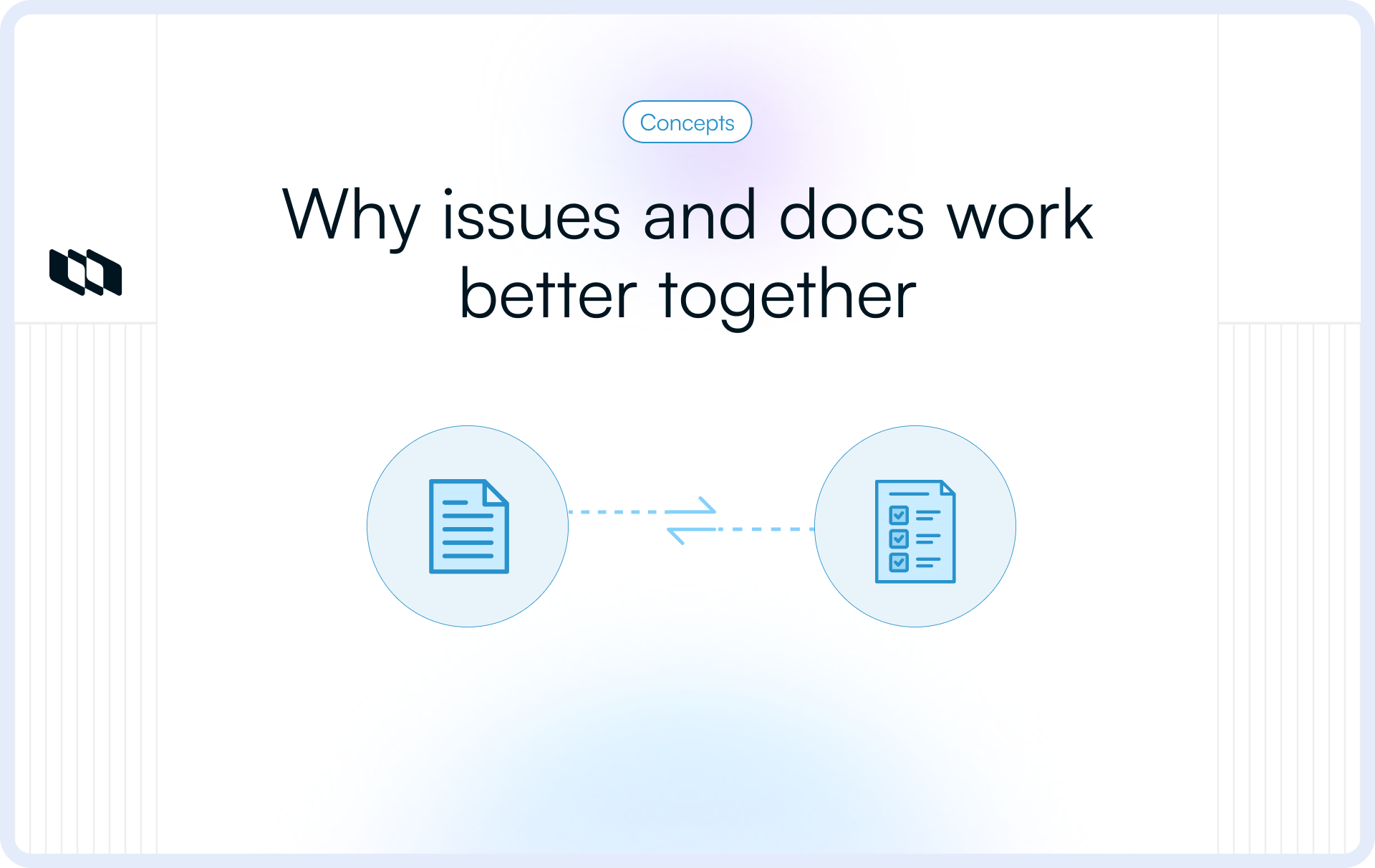
Documentation explains why something matters. Issues explain how it gets built. When these two live in different tools, teams spend more time bridging that gap than doing the work itself. It’s subtle at first—more clarifying questions, more reopened tasks, more confused handoffs—but it compounds into lost time and avoidable mistakes.
In this blog, we’ll unpack the cost of this separation, the two pillars of project knowledge, and how unified workspaces keep teams aligned as they plan, build, and ship. You’ll also learn what “integration” really means (beyond simple links) and practical steps to help your team adopt a single source of truth.
Why separating documentation and issues slows teams down
When documentation and issues live in different tools, the story behind the work starts to break down immediately. Specs are written in one place, updates happen in another, and the decisions that connect them drift into Slack threads or meeting notes. Over time, the “source of truth” becomes whichever tab someone last remembered to update—and teams move forward with partial, conflicting context.
1. How disconnected tools break the narrative
A document explains what needs to be built and why. The issues explain how the team plans to do it. But because these two surfaces evolve at different speeds, they quickly fall out of sync. Specs stay static, issues change daily, and no one is entirely sure which version reflects the real plan.
2. Specs drift, issues update, Slack fills the gaps
When the documentation is in one workspace and issues are elsewhere, the updates that matter most—trade-offs, clarifications, constraints—rarely make it back into the document. Instead, they live inside issue comments or Slack messages. Anyone reading the spec later gets an outdated version of reality.
3. The hidden cost of context switching
Switching between tabs may seem harmless, but it’s the most significant productivity drain in modern product work. Each jump between tools forces people to rebuild context from scratch. Multiply this across every contributor, every day, and it becomes hours of lost momentum.
4. Small slowdowns compound into real delays
These aren’t dramatic failures—they’re subtle micro-delays:
- Clarifying a spec that doesn’t match the issue
- re-reading Slack threads for answers
- Reopening tasks due to misunderstood requirements
- Asking teammates for context, they shouldn’t need to provide
Individually, these feel minor. Together, they slow down the entire team.
A real-world example: the stale spec vs. updated issue
Imagine a developer building a feature based on a spec written two weeks ago. Since then, product decisions changed—scope was reduced, a dependency was flagged, and a technical constraint was discovered. All of these updates were captured inside the issue thread, but the document never reflected the changes.
The result is that they build the old version, QA flags discrepancies, and the work gets redone. Not because the developer made a mistake, but because the information lived in two disconnected tools.
To see how a better context improves planning and execution, you may find our breakdown of sprint planning 101 helpful.
The two pillars of project knowledge
Every project runs on two essential forms of knowledge: the intent behind the work and its execution. When these stay connected, teams move quickly and with confidence. When they don’t, even simple tasks become harder than they should be.
1. Documentation captures the why and the what.
It explains the reasoning, expectations, and direction of the work—whether through PRDs, specs, architecture notes, or trade-offs. This is where teams align on what they’re building and why it matters.
2. Issues capture the how and the who
They translate intent into action by defining tasks, assigning ownership, identifying blockers, and tracking progress in real time. This is where teams see how the work is unfolding day to day.
When documentation and issues live in different tools, these two pillars drift apart
One holds the original plan, the other reflects the current reality—and people are left stitching the story together from memory, Slack messages, or scattered updates. Instead of working from a shared truth, teams operate from assumptions, and clarity becomes fragile.
If you're exploring how intent turns into predictable delivery, our article on how to measure team velocity in agile provides a clear view of how teams track and manage flow.
Signs your team needs a unified workspace
Most teams don’t realize how much time they lose to scattered context. The symptoms show up quietly—one small misalignment at a time—until the workflow feels heavier than it should. If any of these feel familiar, your team is likely operating without a single source of truth.
1. Your specs and issues tell different stories
The document says one thing, the issue thread says another, and the team ends up debating which version is the real one. This is the clearest sign that intent and execution have drifted apart.
2. People keep asking the same clarifying questions
- “Is this still in scope?”
- “Did we change this requirement?”
- “When did we decide this?”
When answers live across documents, comments, and Slack, questions repeat because no one knows where to look.
3. Tasks reopened because expectations weren’t clear
Engineers build against the spec they saw. PMs review the latest decisions on the issue. QA tests based on a message they remember. Misalignment shows up as rework—not because anyone made a mistake, but because the context was scattered.
4. New contributors take too long to ramp up
Instead of reading one cohesive story, they spend days piecing together what happened across tools. Work history becomes tribal knowledge instead of shared knowledge.
5. Decisions get buried in message threads
Slack becomes the default place for clarifications, trade-offs, and last-minute changes—none of which make it back to the document. The spec drifts, and the issue becomes the only place with the real context.
6. Different functions give different answers
PMs interpret the spec one way. Designers reference another version. Engineers follow the issue comments. Marketing prepares release notes from wherever they find updates. Everyone works hard—but not from the same truth.
When these signals appear, it’s not a process problem. It’s a context problem—and the fix starts with bringing documentation and issues into one unified workspace.
What changes when issues and documentation live together
When documentation and issues finally sit in the same workspace, the workflow shifts from “searching for context” to actually moving work forward. Intent and execution stay connected, updates stay visible, and teams stop relying on memory to understand what’s going on. Here’s what improves almost immediately:
1. Tasks come with built-in context
When an issue links directly to the exact section of the PRD or spec it relates to, the work becomes self-explanatory. The assignee sees the reasoning, constraints, and expected outcome in one place—no Slack digging, no guessing, no assumptions.
This reduces the need for clarifications, prevents misunderstandings, and creates a smoother path from planning to execution.
2. Documentation becomes a living source of truth
In a unified workspace, documentation doesn’t become stale—it evolves alongside the work. Any decision made on an issue, any scope change, or any technical constraint is automatically carried back into the document or made through simple updates.
What used to be “the outdated spec in the drive” becomes an accurate, up-to-date narrative of the project.
3. Onboarding becomes self-serve
New contributors no longer need to chase people for context or stitch together a timeline from memory and old threads. They can read the documentation, open related issues, see the decisions, and follow how the work unfolded.
Instead of tribal knowledge guiding the project, the workspace itself becomes the guide.
4. Teams make decisions faster
When the full history of trade-offs, discussions, and prior versions sits alongside the current state of the work, decisions take minutes—not meetings. PMs triage faster, engineers assess risk faster, designers understand constraints faster, and leadership gets clearer visibility.
The result is fewer syncs, less back-and-forth, and far more confidence in every call the team makes.
Strategic advantages of a single source of truth
Bringing documentation and issues into one workspace isn’t just a workflow upgrade—it reshapes how teams align, decide, and grow. A unified space becomes the reference point for everything: intent, execution, decisions, and outcomes. And when everyone works from the same truth, collaboration becomes noticeably faster and far less fragile.
1. Cross-functional alignment
When documentation and issues live in the same place, every function—product, design, engineering, QA, marketing—has access to the same information. The PRD, spec, trade-offs, and tasks all point to one shared narrative. Handoffs become cleaner, fewer questions loop back to PMs, and the team stops operating on different versions of the story.
Alignment becomes a by-product of shared context, not a meeting you constantly need to schedule.
2. Faster decision-making
With context sitting directly next to the work, decisions no longer depend on memory or scattered updates. A PM triaging an issue can jump straight into the spec, revisit earlier discussions, and confirm the original intention in seconds. Engineers can evaluate constraints without hunting for old notes. Designers can understand edge cases without having to check five different places.
The result is fewer delays, fewer back-and-forth questions, and more decisions made confidently—and quickly.
3. Clear accountability and traceability
A unified workspace shows exactly who decided what, when, and why. Instead of reconstructing timelines from messages or guessing how a decision evolved, teams can trace every change directly from the document to the issue and back.
This builds clarity across the entire workflow—not just for audits or reviews, but for everyday collaboration and retrospective learning.
4. Long-term knowledge retention
When documentation and issues reinforce each other, the workspace becomes a long-lived record of the project—not a memory test. Decisions, trade-offs, constraints, and historical context stay preserved even as team members change.
This reduces dependency on individuals, minimizes the risk of knowledge loss, and helps teams scale without constantly re-explaining the past.
Features of a truly integrated workspace
Real integration between documentation and issues goes beyond simply linking a spec to a task. It’s a workspace where intent and execution continuously inform each other—without forcing teams to switch tools or chase context. The following features define what a genuinely unified system looks like.
1. Bi-directional linking
In an integrated workspace, linking works both ways. Documentation shows the issues associated with each section, and each issue shows the exact part of the document it relies on. This means a developer reading a PRD can instantly see open tasks, shipped work, and blockers, while someone reviewing an issue can quickly jump to the corresponding spec.
Context becomes impossible to lose because it stays visible from every angle.
2. Rich previews inside documents
Instead of plain-text links, integrated workspaces display live issue previews directly in the documentation. Status, assignee, due date, and updates appear where the context originally lived. A PRD becomes a living surface for progress, not a static reference.
Teams no longer need to toggle tabs to check if work is blocked or complete—the document tells them.
3. Create tasks directly from documentation
During a spec review, someone spots an edge case or a missing requirement. In a fragmented system, that insight risks getting lost in chat messages or meeting notes. In an integrated workspace, it turns into an issue with a single click.
Every new task stays tied to its original reasoning, and no action item slips through the cracks.
4. Unified search across docs and issues
Teams shouldn’t need to remember where information lives—whether it's in the spec, commented on an issue, or updated last week. A unified search lets anyone type a term like “checkout flow” or “pricing adjustments” and instantly see both the documentation and related issues.
No more hunting across tabs.
No more digging through Slack.
Just one search bar for everything the team knows.
How to transition your team to a unified workspace
Moving documentation and issues into the same workspace isn’t just a tool change—it’s a shift in how your team shares context and makes decisions. The transition works best when it’s gradual, intentional, and supported by clear habits rather than a heavy process.
1. Start with a pilot project
Choose one project or team to trial the new workflow. It should be significant enough to reveal fundamental gaps, but not so critical that any friction feels risky. A pilot helps you test conventions, uncover mismatches, and refine your setup before rolling it out more broadly.
Once one team clicks, others can follow a proven example instead of starting from scratch.
2. Set simple, shared conventions
A unified workspace only works when everyone uses it the same way. Keep the guidelines small and easy to follow: link issues to the relevant section of the spec, capture decisions directly in the workspace, and update issue status at the source—not in side channels.
These lightweight habits ensure that context stays where it belongs.
3. Leaders model the behavior
People adopt new workflows when they see PMs, tech leads, and project owners using them consistently. When leaders plan, comment, and clarify inside the unified workspace, it signals that this is where the real work lives. Adoption becomes natural—not forced—because the team follows the path of clarity.
4. Choose an integration-native platform
There’s a difference between tools that connect and tools that are built to work together. Proper integration offers bi-directional linking, rich previews, issue creation from docs, and unified search as native features. These aren’t add-ons—they’re the foundation of an aligned workflow.
Picking a platform that unifies documentation and issues in real time prevents the very fragmentation you’re trying to eliminate.
Conclusion
Projects move fastest when intent and execution stay connected. When documentation and issues live in the same workspace, teams stop guessing, stop re-explaining, and stop stitching together context from memory. The work becomes clearer because the reasoning behind it is always visible.
Unified workspaces reduce rework, shorten decision cycles, and sustain momentum. Tasks carry the proper context, updates stay accurate, and every contributor—new or experienced—can understand the whole story without asking.
The long-term impact is even bigger: cleaner alignment across teams, decisions made with confidence, and a workflow that scales without adding friction. When the why and the how sit side by side, teams ship faster—not by working harder, but by working from the same truth.
Frequently Asked Questions
Q1. What is the meaning of issue tracking?
Issue tracking is the process of capturing, organizing, and managing tasks, bugs, feature requests, and improvements throughout a project’s lifecycle. It helps teams see what needs to be done, who is responsible, and how the work is progressing.
Q2. What is a tracking document?
A tracking document is a centralized record used to monitor the status, updates, and history of project work. It can include specifications, decisions, tasks, ownership details, and timelines. When paired with issue tracking, it forms the “why + how” behind the work.
Q3. How to prepare an issue tracker?
To prepare an issue tracker, define clear categories (tasks, bugs, improvements), set fields like priority, owner, status, and due date, and ensure each issue links to the relevant documentation or context. The goal is to make every task understandable at a glance.
Q4. What is another name for issue tracking?
Issue tracking is also referred to as ticket management, bug tracking, or task tracking, depending on the type of work being managed.
Q5. What are the two types of tracking?
In project work, the two main types of tracking are:
- Work tracking — monitoring tasks, ownership, and progress
- Knowledge tracking — keeping documentation, decisions, and context updated
When both stay connected, teams work from a single source of truth.
Recommended for you



 Download for Mac
 Download for Android