What is a Gantt chart? Definition, components, and best practices
Introduction
Every project begins with a clear plan, but as real work starts, timelines stretch across spreadsheets, chat threads, and meetings. Teams spend more time asking for updates than moving work forward. A Gantt chart turns this scattered planning into a single visible schedule. In this guide, you will learn what a Gantt chart is, its key components, and how to create a Gantt chart that helps teams plan timelines, manage dependencies, and deliver projects with confidence.
What is a Gantt chart?
A Gantt chart is a structured project timeline that displays tasks, durations, and dependencies in a single visual view. It helps teams translate project scope into a sequenced schedule by showing what needs to happen, when, and who is responsible. In project management, a Gantt chart functions as a central schedule that guides planning, execution, and progress tracking across teams.
How a Gantt chart works
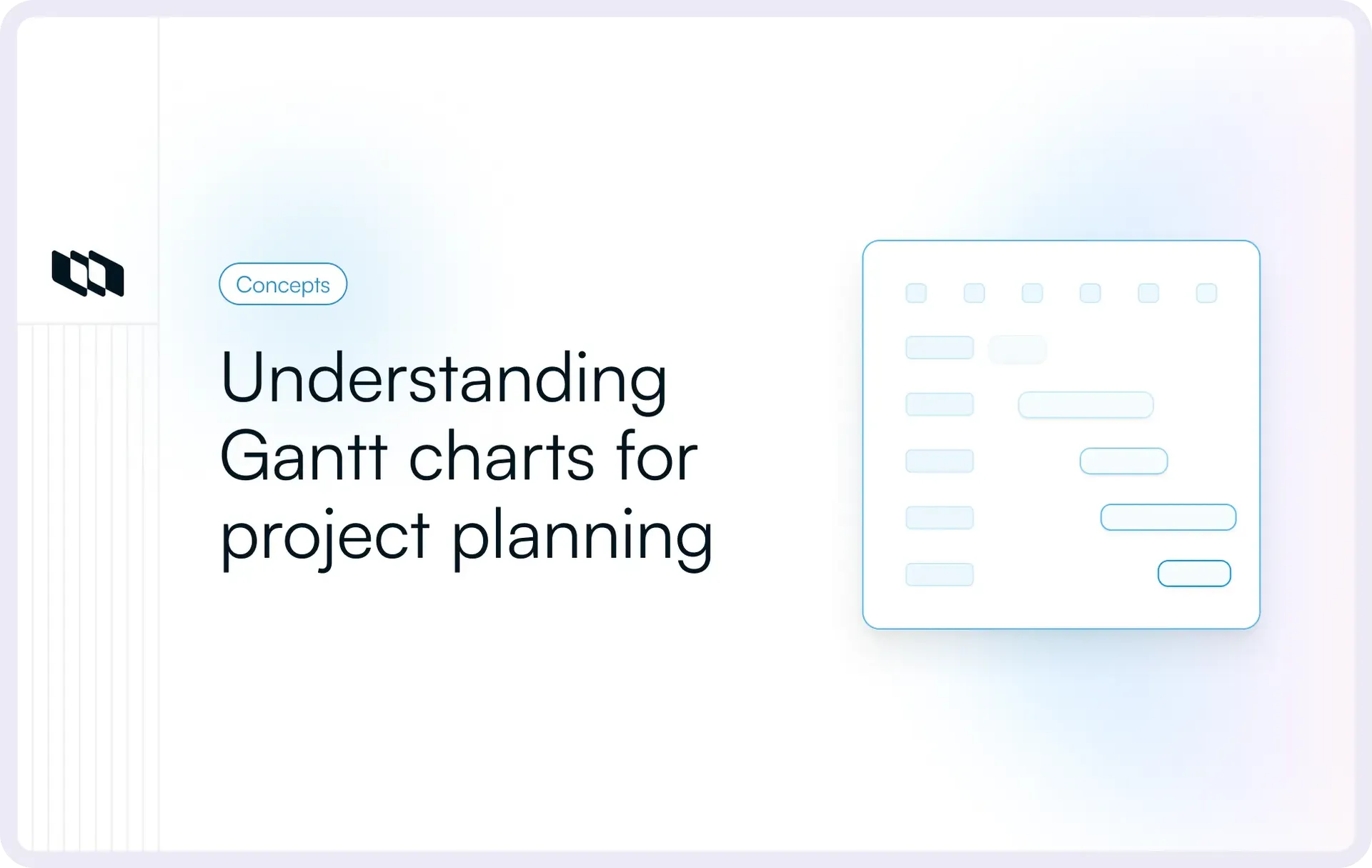
A Gantt chart organizes work across two dimensions. The vertical axis lists all project tasks and phases, typically arranged in a hierarchy that reflects deliverables and subtasks. The horizontal axis represents time, displayed in days, weeks, or months depending on project scope. Each task appears as a horizontal bar spanning its planned start and end dates, allowing teams to see duration, sequencing, and overlaps at a glance. As work progresses, teams update these bars to reflect actual progress and maintain an accurate project schedule.
What a Gantt chart makes visible
A well-structured Gantt chart turns scattered project data into a clear operational view. It shows the full project timeline, highlights where tasks overlap, and reveals how delays in one task affect others. Teams can identify ownership for each task, track milestones that mark key checkpoints, and map dependencies that define execution order. This visibility allows project managers, engineering leads, and stakeholders to understand progress, anticipate risks, and keep delivery aligned with planned timelines.
What is a Gantt chart used for in project management?
A Gantt chart in project management transforms strategy into an actionable schedule. It helps teams break outcomes into tasks, set execution order, assign ownership, and track progress. Unlike isolated task lists, it offers a unified view of sequencing, capacity, and delivery. Let's have a look at the uses of a Gantt chart:
1. Planning a project schedule
Planning begins with outcomes such as a feature release, a migration, or a campaign launch. A Gantt chart converts those outcomes into a structured project schedule by breaking work into phases, tasks, and subtasks with defined durations. Teams can then sequence work logically, determine realistic start and end dates, and ensure that the overall timeline reflects delivery constraints. This approach transforms high-level planning into a concrete, time-bound execution plan.
2. Managing task dependencies
Modern projects involve interdependent work streams. Engineering may depend on design specifications, QA on completed builds, and marketing on release readiness. A Gantt chart makes these task dependencies explicit by linking tasks in the order they must occur. When one task shifts, the impact on downstream work becomes immediately visible. This clarity allows teams to adjust schedules early and manage risk before deadlines come under pressure.
3. Aligning cross-functional teams
Cross-functional execution requires shared visibility. A Gantt chart aligns engineering, design, marketing, and operations around a common project timeline. Each team can see when their work begins, how it overlaps with others, and which milestones define readiness. This reduces ambiguity during handoffs and improves coordination during critical phases such as testing, launch preparation, and rollout.
4. Tracking progress against deadlines
A Gantt chart also supports ongoing schedule management. As teams update task progress, the chart reflects completion percentages, milestone status, and timeline shifts. Project managers can compare current progress against the baseline schedule to detect variance early. This enables informed decisions on scope adjustments, resource allocation, and deadline revisions while maintaining accountability throughout the project lifecycle.
Key components of a Gantt chart
A Gantt chart works because it combines multiple scheduling elements into a single structured timeline. Each component plays a specific role in helping teams plan work, sequence tasks, and monitor progress across the project lifecycle. Understanding these elements makes it easier to create a Gantt chart that reflects real execution rather than a static plan.
1. Task list and hierarchy
Every Gantt chart begins with a structured task list. Projects are broken into phases, tasks, and subtasks that reflect how work actually gets delivered. This hierarchy helps teams move from high-level outcomes to actionable items while keeping related work grouped under clear deliverables. A well-defined task structure ensures the project schedule reflects actual execution steps rather than abstract planning.
2. Timeline scale
The timeline, which forms the horizontal axis of a Gantt chart, represents the full project duration. Depending on the scope, this scale may display days, weeks, or months. Short delivery cycles often use daily or weekly views, while long-term initiatives rely on monthly timelines. Choosing the right timeline scale ensures that the Gantt chart provides clarity without overwhelming teams with unnecessary detail.
3. Task duration bars
Each task appears as a horizontal bar spanning its start and end dates. These task bars represent how long work is expected to take and where it sits within the overall project timeline. By viewing these bars together, teams can immediately understand sequencing, overlaps, and total project duration. Task duration bars make the project schedule easier to interpret during planning and reviews.
4. Milestones
Milestones mark significant checkpoints in the project lifecycle. They represent key events such as design approval, feature completion, testing readiness, or launch dates. Unlike tasks, milestones typically have zero duration and serve as markers of progress. Including milestones in a Gantt chart helps teams track readiness and maintain alignment around critical delivery points.
5. Task dependencies
Task dependencies define the order in which work must occur. A common example is a finish-to-start relationship, where one task must be completed before another can begin. Dependencies reveal how delays in one area affect downstream tasks and overall delivery timelines. By clearly mapping these relationships, a Gantt chart helps teams anticipate scheduling risks and coordinate execution more effectively.
6. Resource allocation and ownership
Each task in a Gantt chart should have a defined owner or responsible team. Assigning ownership ensures accountability and clarifies who is responsible for delivery. Some Gantt charts also include resource allocation details such as team capacity or workload distribution. This visibility allows project managers and engineering leads to balance work across teams and avoid overloading critical contributors.
7. Progress tracking
As work moves forward, teams update tasks to reflect current progress. Progress indicators, such as percent complete or status updates, show how much of each task has been finished and how much remains. This makes the Gantt chart a live execution tool rather than a static plan. Regular updates allow teams to maintain an accurate view of delivery against the project schedule.
8. Baseline schedule
A baseline schedule captures the original project timeline at the start of execution. As the project progresses, teams compare current dates and progress against this baseline to identify deviations. This comparison highlights schedule variance and helps project managers understand whether delivery remains on track. Maintaining a baseline also supports better forecasting and post-project analysis.
9. Critical path
The critical path represents the sequence of tasks that directly determines the project’s completion date. Any delay in these tasks affects the final delivery timeline. Identifying the critical path within a Gantt chart helps teams focus on high-impact activities that require close monitoring. By protecting the critical path, project managers can reduce the risk of unexpected delays and maintain schedule reliability.
When to use a Gantt chart?
A Gantt chart becomes valuable when project success depends on clear sequencing, shared timelines, and coordinated execution across teams. It works best in environments where delivery follows a defined schedule and multiple tasks interact. Before creating a Gantt chart, teams should evaluate whether the project involves structured dependencies, fixed timelines, or stakeholder commitments that require strong schedule visibility.
1. Projects with complex dependencies
Projects that involve structured sequencing across multiple teams benefit significantly from a Gantt chart. Engineering work may depend on design completion, testing may rely on stable builds, and deployment may depend on readiness across infrastructure and support teams. A Gantt chart maps these dependencies into a single visual schedule so teams understand execution order and potential bottlenecks. This clarity reduces coordination friction and helps teams plan realistic delivery timelines.
2. Timeline-driven launches
Product releases, system migrations, and marketing campaigns often follow strict launch windows. In these scenarios, delivery depends on completing a series of tasks within defined timeframes. A Gantt chart helps teams align all activities around the launch date by showing when each task must start and finish. This structured timeline allows project managers and engineering leads to monitor progress, adjust resources, and maintain readiness as the deadline approaches.
3. Client delivery and contractual milestones
Client-facing work frequently includes agreed timelines and milestone commitments. Delivery delays can affect contracts, stakeholder trust, and revenue timelines. A Gantt chart provides a clear schedule that outlines phases, deliverables, and milestone checkpoints. Teams can use this visibility to communicate progress, track commitments, and maintain accountability throughout the project lifecycle.
How to create a Gantt chart step by step
A Gantt chart becomes useful when it reflects how teams actually deliver work. The easiest way to create one is to treat it like a schedule design exercise, not a formatting task. Start with clarity on outcomes, then build a timeline that respects dependencies, capacity, and decision points. Use the steps below as a repeatable framework for any project schedule, from a feature release to a migration.
1. Define project scope and outcomes
Start by writing down what “done” looks like. A Gantt chart only works when the project boundary is clear.
Pointers to make this concrete:
- Define the outcome: “Release feature X to all users” or “Migrate service Y with zero downtime.”
- Name the constraints: Fixed launch date, compliance requirements, staffing limits, review cycles.
- List the non-negotiables: Approvals, security review, QA sign-off, stakeholder readiness.
- Decide what stays out: The fastest way to break a project schedule is to include work that does not belong in the scope.
2. Break work into deliverables and tasks
Now turn the outcome into deliverables, then break each deliverable into tasks and subtasks. This becomes your task list and hierarchy.
Pointers that help teams avoid vague task lists:
- Write deliverables as outputs: “API ready,” “UI shipped,” “docs published,” “rollout complete.”
- Use tasks that imply a result: “Implement webhook retries” reads clearer than “Webhook work.”
- Keep subtasks for execution detail: Use them when a task spans multiple roles or needs review steps.
- Group tasks by phase: Discovery, build, test, launch, rollout, and post-launch follow-up.
3. Estimate durations
Duration estimates give shape to your project timeline. The goal is a schedule that teams can execute, not a perfect forecast.
Pointers for realistic time frames:
- Estimate using past work: Compare against similar releases or projects your team has shipped.
- Separate effort from duration: A task may take 8 hours of effort spread across 3 days due to reviews or coordination.
- Account for waiting time: Approvals, QA cycles, stakeholder reviews, and handoffs add real time to the schedule.
- Use ranges while planning: Start with “2–3 days” during early planning, then tighten once the scope is stable.
4. Sequence tasks and add dependencies
This is where a Gantt chart becomes more than a timeline. Dependencies define execution order and show what work unlocks other work.
Pointers for dependency logic that stays clean:
- Start with finish-to-start basics: Task B begins after Task A finishes.
- Link dependencies only where required: Avoid connecting tasks just because they are related.
- Model handoffs explicitly: Design sign-off, build completion, QA ready, release approval.
- Watch for dependency chains: Long chains increase schedule risk and reduce flexibility.
5. Add milestones
Milestones act as checkpoints that teams rally around. They also make stakeholder updates easier because the project schedule has clear “readiness moments.”
Pointers to set milestones that matter:
- Use milestones for decisions: “Scope locked,” “QA complete,” “Release candidate approved.”
- Tie milestones to outcomes: Each milestone should represent a measurable state change.
- Avoid milestone overload: A few strong checkpoints keep the Gantt chart readable.
- Place milestones where risk concentrates: Security review, migration cutover, and launch readiness.
6. Assign owners and resources
A Gantt chart without ownership becomes a timeline no one executes. Every task needs a responsible owner, even if multiple people contribute.
Pointers to keep ownership clear:
- Assign one accountable owner per task: Contributors can vary, accountability stays single.
- Align ownership with expertise: iInfrastructure tasks, QA tasks, and docs tasks should map to the right functions.
- Check resource availability: Vacations, on-call rotations, and existing commitments affect the project schedule.
- Surface workload conflicts early: Overlapping high-effort tasks often cause hidden delays.
7. Validate schedule feasibility
Before you lock the plan, stress-test it. This step is where most teams turn a fragile schedule into a reliable one.
Pointers for a quick feasibility review:
- Scan for overloaded weeks: Too many parallel tasks assigned to the same person or team.
- Check dependency bottlenecks: One task blocking five others deserves extra attention.
- Add buffer near high-risk work: Migrations, integrations, and compliance reviews carry uncertainty.
- Confirm milestone readiness paths: Each milestone should have a clear set of tasks that lead into it.
- Run a “what slips” scenario: Ask what happens if the longest dependency chain shifts by two days.
8. Set a baseline
Once the schedule feels realistic, capture a baseline. A baseline is the original plan you can measure against as the project progresses.
Pointers for a useful baseline schedule:
- Baseline after agreement: Set it after the owners accept tasks and dependencies.
- Baseline before execution starts: It becomes your reference point for tracking variance.
- Track baseline vs current: Schedule changes become visible and explainable.
9. Maintain and update regularly
A Gantt chart stays valuable when it stays current. Treat it like a living project schedule that gets updated on a cadence.
Pointers for keeping it aligned with reality:
- Update weekly: Keep dates, progress, and dependencies up to date.
- Reflect real progress: Update percent complete based on outcomes, not time spent.
- Adjust dependencies when plans shift: Sequencing changes often matter more than date edits.
- Use milestones for status reviews: Review what reached “done,” what is at risk, and what needs replanning.
- Keep the chart simple: Remove dead tasks, merge tiny items, and keep the schedule readable.
If you follow this step-by-step process, you end up with a Gantt chart that works like a coordination system. It shows what is happening, what comes next, and what needs attention before it becomes a delivery risk.
How to read a Gantt chart
A Gantt chart is valuable when teams can quickly interpret it during planning and reviews, enabling project managers and stakeholders to grasp timing, sequencing, and risks without sifting through updates. Once familiar with it, it offers a clear view of the evolving project schedule.
1. Interpreting task bars
Each task appears as a horizontal bar representing its planned duration in the project timeline. Reading these bars correctly helps teams understand when work begins, how long it runs, and how it fits into the overall schedule.
What to focus on while reading task bars:
- Start and end positions: where the task sits within the timeline.
- Length of the bar: the total duration allocated to the task.
- Overlapping bars: tasks running in parallel across teams.
- Sequential bars: tasks that must follow one another.
- Milestone markers: checkpoints placed between major task groups.
This view helps teams quickly assess whether work is evenly distributed or concentrated within specific time windows.
2. Reading dependency lines
Dependency lines connect tasks and show execution order. They reveal how one task influences another and where delays can cascade through the project schedule.
How to interpret dependencies effectively:
- Follow the chain: Trace which tasks rely on a preceding task.
- Identify critical links: Tasks with multiple downstream dependencies carry a higher risk.
- Look for long dependency sequences: Extended chains reduce scheduling flexibility.
- Check parallel opportunities: Some tasks can run in parallel once their dependencies are clear.
Understanding these relationships allows teams to prioritize work that unlocks the most downstream progress.
3. Tracking progress against the baseline
A baseline represents the original project schedule. Comparing current progress with this baseline helps teams understand how execution aligns with the initial plan.
Key signals to monitor:
- Shifted task bars: Indicate changes in start or end dates.
- Updated progress indicators: Show how much work has been completed.
- Milestone movement: Highlights whether key checkpoints remain on track.
- Variance between baseline and current timeline: Reveals delays or acceleration.
Tracking these signals regularly allows project managers to address schedule drift before it affects delivery.
4. Identifying schedule risk early
A Gantt chart helps teams detect delivery risk long before deadlines approach. By reviewing timing, dependencies, and progress together, teams can identify where attention is needed.
Watch for these early risk indicators:
- Tasks with many dependencies and limited progress
- Overloaded time windows with too many parallel tasks
- Milestones approaching without readiness
- Tasks on the critical path are showing slow movement
- Repeated shifts in the same task group
When teams review a Gantt chart with these signals in mind, they move from reactive updates to proactive schedule management.
Advantages and disadvantages of Gantt charts
A Gantt chart is a powerful project planning tool when used in the right context. For decision-makers, the key question is whether the structure it provides justifies the effort required to maintain it. Evaluating both advantages and disadvantages helps teams choose the right level of planning for their environment.
Advantages
- Clear timeline visibility: A Gantt chart provides a single visual project timeline that shows tasks, durations, milestones, and dependencies together. This clarity allows stakeholders to understand the full project schedule without having to scan multiple documents or updates.
- Structured coordination across teams: By mapping task dependencies and ownership in one view, a Gantt chart aligns engineering, design, marketing, and operations around shared execution milestones. Teams can see how their work connects to others, improving coordination and reducing scheduling confusion.
- Improved forecasting and planning discipline: When teams explicitly define durations, dependencies, and milestones, they build stronger schedule discipline. Comparing progress against a baseline schedule also improves forecasting accuracy over time. Historical data from past Gantt charts can inform future project planning and duration estimates.
- Early risk visibility: A Gantt chart surfaces bottlenecks, overloaded time windows, and critical path tasks. This visibility allows project managers to adjust scope, shift resources, or re-sequence tasks before deadlines come under pressure.
- Better stakeholder communication: Executives and clients often need a high-level view of timelines and milestones. A well-structured Gantt chart communicates delivery status clearly without requiring deep technical context.
Disadvantages
- Ongoing maintenance effort: A Gantt chart requires regular updates to remain accurate. Task durations, dependencies, and progress indicators must reflect current reality. Without consistent maintenance, the project schedule loses reliability and stops guiding execution.
- Scalability limits for very large initiatives: As the number of tasks and dependencies grows, a Gantt chart can become visually dense. Large enterprise programs with hundreds of parallel workstreams may require layered planning approaches or multiple views to maintain readability.
- Sensitivity to schedule shifts: Projects that experience frequent scope or priority changes require continuous adjustment of dates and dependencies. In highly dynamic environments, heavy schedule restructuring can reduce planning efficiency.
- Risk of over-planning: Teams may invest significant time in modeling detailed schedules for work that evolves rapidly. Excessive granularity can slow execution and create friction during updates.
A Gantt chart delivers the most value when projects benefit from structured sequencing, milestone-driven execution, and shared schedule visibility. In contexts that require high adaptability and rapid reprioritization, lighter planning tools may offer better flexibility.
Gantt chart vs. other project planning tools
A Gantt chart tracks task schedules and dependencies. A timeline shows activities over a date range. A Kanban board highlights current progress and bottlenecks. A roadmap outlines next quarter's priorities and the rationale behind them. Different tools address different project questions.
1. Gantt chart vs. timeline view
A timeline view shows tasks plotted across time, often in a simplified layout. It works well for quick visibility into what is scheduled and when major work blocks occur.
A Gantt chart adds two layers that matter in execution-heavy projects:
- More granularity: tasks are typically broken down into phases, tasks, and subtasks, so the project schedule reflects real delivery steps.
- Dependency mapping: a Gantt chart makes task dependencies visible, which helps teams understand sequencing risk and how delays cascade.
If your primary need is a clean project timeline, a timeline view often works. If your project requires dependency-driven scheduling, a Gantt chart becomes the better fit.
2. Gantt chart vs. Kanban board
A Kanban board is designed for flow. It helps teams manage work in progress by moving tasks through statuses such as planned, in progress, review, and done. It works best when teams want a clear view of current execution and blockers.
A Gantt chart is designed for scheduling. It helps teams:
- Plan a project schedule across weeks or months
- Coordinate task dependencies across teams
- Track progress against deadlines and milestones
Many teams use both. A common pattern is to use a Gantt chart to plan the schedule and milestones, then a Kanban board to manage day-to-day execution within each phase.
3. Gantt chart vs. roadmap
A roadmap communicates direction. It outlines what the team plans to deliver over a longer horizon and why it matters. It focuses on outcomes, themes, and priority order rather than detailed sequencing.
A Gantt chart focuses on execution detail. It answers:
- What tasks make up the work
- When each task starts and ends
- Which dependencies drive the timeline
- Which milestones define readiness
A roadmap helps align strategy and manage stakeholder expectations. A Gantt chart helps with delivery coordination once priorities turn into an executable plan.
Final thoughts
A Gantt chart provides structure for project execution by connecting tasks, timelines, dependencies, and ownership in a single, clear view. Teams gain a shared understanding of what needs to happen, when, and how each task contributes to delivery. This clarity improves coordination across product, engineering, design, and operations while reducing scheduling surprises.
In projects with multiple dependencies and fixed timelines, a Gantt chart strengthens planning discipline and keeps execution aligned with milestones. When maintained regularly and kept focused on real delivery work, it becomes a reliable system for tracking progress, managing risk, and guiding teams from planning to completion with confidence.
Frequently asked questions
Q1. What is a Gantt chart and why is it used?
A Gantt chart is a visual project planning tool that maps tasks against time to show how work progresses from start to finish. Teams use a Gantt chart in project management to plan schedules, coordinate task dependencies, assign ownership, and track progress against deadlines. It provides a structured timeline that helps teams align execution, monitor milestones, and maintain visibility into delivery across complex projects.
Q2. What are the 7 important elements of a Gantt chart?
The most important elements of a Gantt chart include the task list, timeline, task duration bars, milestones, dependencies, ownership, and progress tracking. These components work together to create a clear project schedule that shows what needs to be done, when it needs to happen, and how each task contributes to overall delivery.
Q3. How to create a Gantt chart?
To create a Gantt chart, start by defining the project scope and expected outcomes. Break the work into deliverables and tasks, estimate durations, and sequence tasks based on dependencies. Add milestones to mark key checkpoints, assign owners to each task, and validate the schedule for feasibility. Once the timeline is finalized, set a baseline and update the Gantt chart regularly to reflect actual progress.
Q4. What are the three main tasks in a Gantt chart?
The three main tasks in a Gantt chart are planning, sequencing, and tracking. Planning tasks define what work needs to be completed, sequencing tasks establishes the order and dependencies between them, and tracking tasks monitor progress against the project schedule to ensure timely delivery.
Q5. What is the most common use of Gantt charts?
The most common use of Gantt charts is for project scheduling and tracking. Teams rely on them to visualize timelines, manage dependencies, coordinate cross-functional work, and monitor progress toward milestones and deadlines. A Gantt chart helps ensure that complex projects stay organized and aligned from planning through delivery.
Recommended for you



 Download for Mac
 Download for Android