Self-hosted vs. SaaS project management tools: Key differences
Introduction
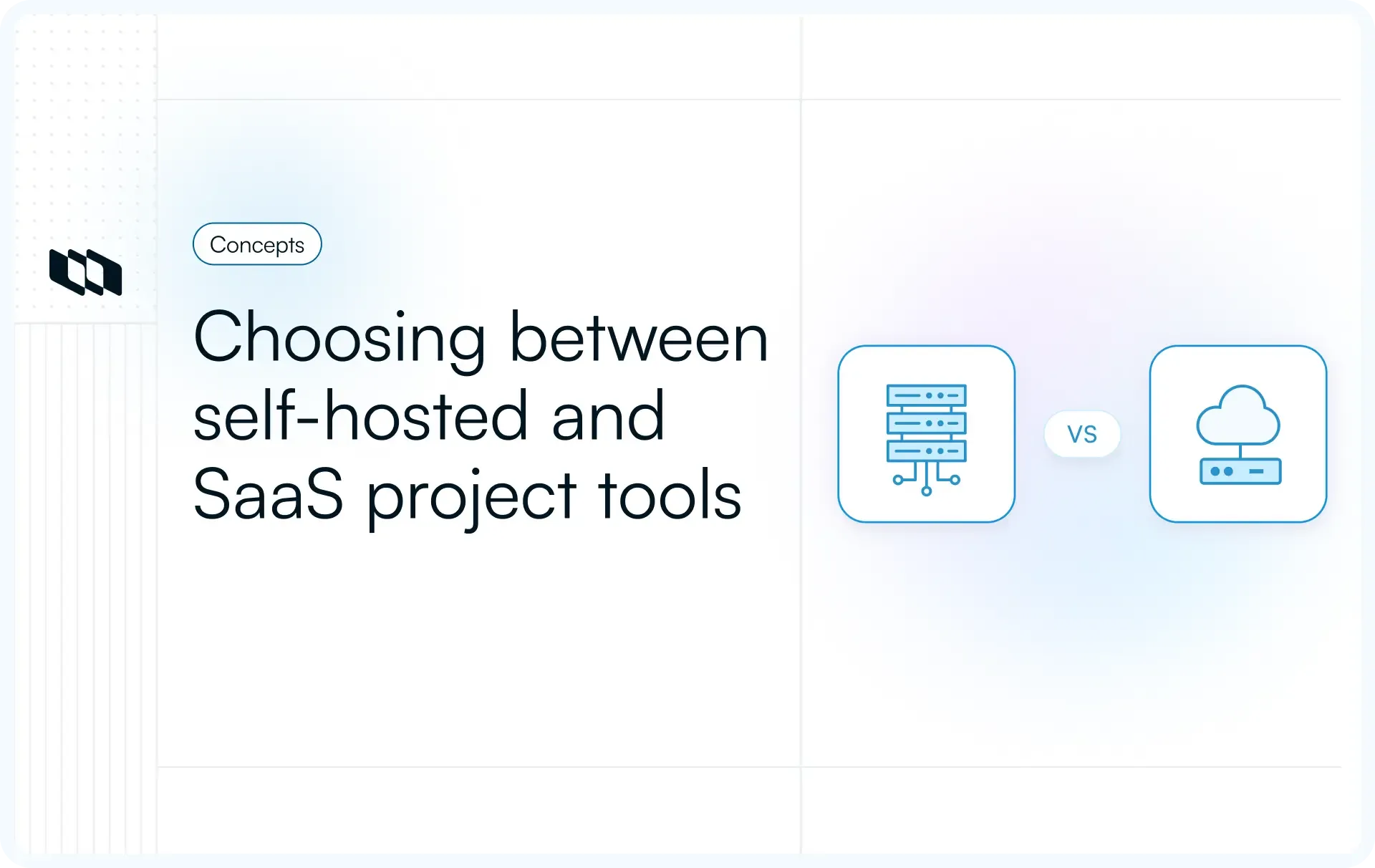
Every growing team reaches a point where its project management tool becomes part of its infrastructure rather than just a workspace. Security reviews, integration needs, and scaling plans start influencing the decision. This is why teams compare self-hosted and SaaS project management tools before committing to a platform. This guide will help you understand the differences between self-hosted and SaaS project management tools, helping teams select a system that aligns with their workflows, compliance needs, and future growth.
Understanding the two models
Before comparing self-hosted and SaaS project management tools, teams need clarity on what each model actually represents. Many buying decisions fail because these terms get used interchangeably, even though they describe very different ownership and operating models.
What is a self-hosted project management tool?
A self-hosted project management tool runs on infrastructure owned or controlled by your organization. This could be on-premise servers or a private cloud environment. Your team manages deployment, updates, security configuration, and data storage. Self-hosted project management software gives teams full ownership over data, deeper customization options, and tighter control over how the system integrates with internal tools and networks.
What is a SaaS project management tool?
A SaaS project management tool runs on cloud infrastructure owned and operated by the vendor. Teams access the software through a browser and pay a recurring subscription fee, usually priced per user or by usage tier. The vendor handles hosting, updates, security patches, backups, and availability. SaaS project management tools work well for teams that want fast setup, minimal operational effort, and easy access for distributed collaborators.
Common terms teams confuse
Let's take a closer look at the terms that are frequently misunderstood,
- Self-hosted vs. on-premise: Self-hosted describes who controls the software and data. On-premise describes where the servers live. A self-hosted tool can run on on-premise hardware or in a private cloud.
- Private cloud vs. SaaS: A private cloud uses dedicated infrastructure for one organization, even when hosted by a third party. SaaS uses shared cloud infrastructure managed entirely by the vendor.
- Hosted vs. managed vs. hybrid: Hosted usually means the software runs on someone else’s infrastructure. Managed refers to the person or team that maintains and updates the system. Hybrid models combine the convenience of SaaS with self-hosted control, often offering both deployment options.
This clarity makes it easier to evaluate the differences between self-hosted and SaaS project management tools in the sections ahead.
Self-hosted vs. SaaS tools: Key differences
Most teams start this decision by comparing features. The better approach compares operating realities. Self-hosted and SaaS project management tools differ in who owns the environment, who handles maintenance, and how much flexibility you retain as your team grows.
The table below captures the differences that show up in day-to-day delivery.
Factor | SaaS project management tools | Self-hosted project management software |
Ownership and control | Vendor controls infrastructure and platform operations; your team controls workspace settings and access roles | Your team controls infrastructure, deployment, and data environment end to end |
Setup and deployment | Fast setup with subscription access; teams onboard in hours or days | Requires deployment planning and infrastructure setup; rollout depends on internal readiness |
Maintenance responsibility | Vendor handles upgrades, patches, backups, and uptime | Your team handles upgrades, patches, backups, monitoring, and incident response |
Customization depth | Configuration within product limits; bigger changes depend on vendor roadmap | Deep customization is possible through deployment control, extensions, and internal tooling choices |
Integration flexibility | Quick integrations through built-in apps and APIs; limits depend on vendor permissions and rate limits | Full integration flexibility with internal systems, networks, and custom authentication patterns |
Cost structure | Recurring subscription, often per-user or tier-based; costs rise with growth | Infrastructure plus operational cost; more predictable at scale when managed well |
Security responsibility | Shared responsibility model with the vendor owning platform controls | Full responsibility and full control across encryption, access, patching, and policies |
Scalability | Vendor scales infrastructure; you scale seats and usage | Your team scales infrastructure and performance; higher control with higher effort |
Vendor dependency | High dependency on vendor availability, pricing, roadmap, and policy changes | Lower vendor dependency, higher internal dependency on your ops maturity |
A simple takeaway: SaaS project management tools optimize for speed and convenience, while self-hosted project management software optimizes for control and long-term flexibility. The next sections break down the trade-offs so you can choose based on how your team operates, scales, and manages risk.
Self-hosted project management tools: Benefits and trade-offs
Self-hosted project management software is built for teams that want tighter control over where data lives and how the tool runs. This model works best when security posture, compliance needs, and integration depth matter as much as the feature set. Let’s look at the benefits and trade-offs teams should evaluate when comparing self-hosted vs SaaS project management tools.
Benefits of self-hosted project management tools
Self-hosted project management tools appeal to teams that prioritize control, flexibility, and data ownership. This model gives organizations deeper visibility into how their systems run and how their data is managed.
Let’s look at the key benefits teams gain with self-hosted project management software.
- Full data ownership: Your organization controls where project data is stored and how it is accessed. This supports stronger governance for tasks, discussions, attachments, and audit trails across teams.
- Strong security control: Security policies align with your internal standards since you control the infrastructure and configuration. Teams can manage access, authentication, and network boundaries based on their security model.
- Deep customization: Self-hosted project management tools allow deeper workflow control because the environment is yours to shape. Teams can tailor deployment settings and extend workflows to align with their internal ways of working.
- Internal integrations: Self-hosting makes it easier to integrate with internal systems, such as identity providers, engineering platforms, data pipelines, and custom tooling. Teams can connect workflows across systems without relying only on pre-built connectors.
- Predictable long-term cost at scale: Costs shift from per-user subscriptions to infrastructure and operations. For larger teams, self-hosted project management software can offer more predictable spend once the deployment is stable.
Trade-offs of self-hosted project management tools
Greater control also brings added responsibility. Teams must evaluate the operational effort, technical requirements, and rollout timelines that come with self-hosted environments.
Let’s look at the trade-offs teams should consider before choosing self-hosted project management software.
- Technical setup required: Self-hosting starts with deployment planning, configuration, and environment setup. Teams need to provision infrastructure and define how the tool will be operated internally.
- Maintenance responsibility: Updates, patches, backups, monitoring, and uptime become your responsibility. This requires a clear owner and an operational process for keeping the system reliable.
- Slower initial deployment: Rollout depends on internal readiness, approvals, and setup work. Teams may take longer to reach day-one productivity compared to SaaS project management tools.
- Requires internal expertise: Self-hosted deployments work best with engineering or IT support that can manage infrastructure and troubleshoot issues. Without internal capability, operational risk and downtime increase.
- Infrastructure overhead: Your team carries ongoing overhead for hosting, scaling, and reliability planning. This includes monitoring, security checks, storage management, and incident response readiness.
SaaS project management tools: Benefits and trade-offs
SaaS project management tools are built for quick adoption. The vendor runs the infrastructure, ships updates, and keeps the service available, so teams can focus on planning and execution. The same setup also introduces trade-offs around control, cost at scale, and data governance.
Benefits of SaaS project management tools
SaaS project management tools are designed for speed and simplicity. Teams can adopt them quickly, collaborate from anywhere, and rely on the vendor to manage infrastructure and updates.
Let’s look at the key benefits teams typically experience with SaaS project management tools.
- Fast setup: Teams can get started within hours without complex installation or deployment planning. This makes SaaS tools ideal for teams that want to move quickly and begin managing projects immediately.
- No infrastructure management: The vendor handles hosting, performance, backups, and uptime behind the scenes. Teams can focus fully on planning and execution rather than on maintaining systems.
- Automatic updates: New features, security improvements, and performance updates roll out regularly without manual intervention. Teams always work on the latest version without scheduling upgrades.
- Easy remote access: SaaS tools run in a browser, making them accessible from any location or device. Distributed teams can collaborate without network configuration or internal setup.
- Predictable subscription pricing: Most SaaS tools follow a per-user or tier-based pricing model. This makes it easier for teams to forecast costs and scale usage as the organization grows.
Trade-offs of SaaS project management tools
While SaaS project management tools simplify setup and maintenance, they also shift control to the vendor. Teams must evaluate how this impacts security, customization, and long-term costs as they scale.
Let’s look at the key trade-offs teams should consider.
- Limited infrastructure control: Teams operate within the vendor’s environment and policies. Control over deployment, server configuration, and update timing remains with the provider rather than internal teams.
- Vendor dependency: Availability, feature direction, and pricing changes are determined by the vendor’s roadmap. Teams rely on the provider for performance, reliability, and long-term product continuity.
- Data residency concerns: Project data typically resides on the vendor’s cloud infrastructure. Organizations with strict compliance or regional data requirements may need additional reviews before adoption.
- Costs increase with scale: Per-user pricing and advanced feature tiers can raise total costs as teams grow. What starts out as predictable pricing can expand significantly as teams grow and usage increases.
- Customization limits: Configuration options exist within defined boundaries. Deeper workflow changes or system-level integrations depend on what the platform supports through its APIs and settings.
The real decision factors teams must evaluate
Feature checklists rarely decide this choice. Teams gain clarity by evaluating how each model behaves over time, at scale, and under operational pressure. The factors below reflect what actually influences long-term success with self-hosted vs SaaS project management tools.
1. Data ownership and control
This comes down to where project data lives and who governs access to it. Teams should evaluate backup ownership, data portability, and how easily they can move work if priorities change. Vendor lock-in risk grows when exports, APIs, or storage policies limit flexibility.
2. Security and compliance
SaaS project management tools follow a shared-responsibility model in which vendors manage the platform, and teams manage access. Self-hosted project management software places full security control in the organization, supporting internal policies, audits, and data residency requirements.
3. Total cost over time
Short-term costs often look simpler than long-term spending. SaaS pricing grows with users and advanced features, while self-hosted costs shift toward infrastructure and engineering effort. Teams should factor in scaling, maintenance, and internal ownership when calculating total costs.
4. Maintenance and technical overhead
Every tool needs updates, monitoring, and uptime management. SaaS vendors handle these layers centrally, while self-hosted environments rely on internal processes. The decision depends on how much operational responsibility a team wants to carry.
5. Customization and integrations
Workflow depth often determines adoption at scale. SaaS tools offer quick integrations and configurable workflows, while self-hosted project management tools allow deeper system-level integrations with internal platforms, identity systems, and custom tooling.
6. Scalability and performance
As teams grow, performance expectations change. SaaS platforms scale infrastructure automatically, while self-hosted setups scale through internal planning and capacity management. Distributed collaboration, latency, and reliability matter more at enterprise scale.
7. Long-term risks and flexibility
Teams should consider how each model responds to vendor pricing changes, roadmap shifts, outages, and migration needs. Flexibility comes from understanding exit paths, data portability, and how easily the tool adapts as organizational priorities evolve.
When self-hosted is the better choice
Self-hosted project management tools suit teams that prioritize control, governance, and long-term operational stability. These scenarios show when self-hosted project management software aligns better with organizational needs.
- Enterprises with strict security needs: Large organizations often operate under defined security frameworks and internal controls. Self-hosted deployments allow teams to align project management systems with existing security policies and access models.
- Data-sensitive industries: Industries that handle regulated or sensitive data require clear ownership of where information is stored and how it is accessed. Self-hosted project management tools support stronger data governance and audit readiness.
- Need for deep customization: Teams with established workflows often need more than configurable settings. Self-hosted environments allow deeper customization to match internal processes and delivery models.
- Internal infrastructure capability: Organizations with platform, DevOps, or IT teams can manage deployment and maintenance reliably. This makes self-hosted project management software a practical choice rather than an operational burden.
- Long-term cost predictability: At scale, self-hosted tools shift costs away from per-user pricing. Teams with stable infrastructure can achieve more predictable spend over time as usage grows.
When SaaS is the better choice
SaaS project management tools work best when teams value speed, simplicity, and minimal operational overhead. These scenarios highlight when the SaaS model aligns well with how teams operate and grow.
- Startups and fast-growing teams: Early-stage and scaling teams often prioritize shipping over system management. SaaS project management tools allow teams to quickly adopt a structured workflow without diverting engineering effort to infrastructure.
- Low IT bandwidth: Teams without dedicated IT or platform support benefit from vendor-managed hosting, updates, and reliability. SaaS reduces the need for internal ownership of maintenance and monitoring.
- Quick onboarding priority: When teams need to bring new members or stakeholders into projects quickly, SaaS tools offer faster access and simpler setup. This supports rapid collaboration across functions.
- Remote-first teams: Distributed teams benefit from browser-based access and globally available infrastructure. SaaS project management tools support collaboration across locations without network configuration.
- Short implementation cycles: Projects with tight timelines benefit from tools that are ready to use out of the box. SaaS enables teams to move from signup to execution with minimal setup effort.
Choosing the right model for your team
Choosing between self-hosted vs SaaS project management tools rarely comes down to features alone. Both models can support planning, tracking, and collaboration. The real difference appears in how each model fits your team’s security posture, operational capacity, and long-term growth plans. A thoughtful decision here prevents costly migrations and workflow disruption later.
1. Key questions to ask internally
Start by evaluating how much control your team needs over project data and infrastructure. Consider whether you have internal capability to manage deployment, updates, and uptime. Teams should also assess compliance requirements, the depth of integration with internal systems, and the time required to onboard new users. These questions clarify whether convenience or control matters more for your current stage.
2. Trade-off summary
SaaS project management tools work well for teams that want speed, low setup effort, and minimal operational responsibility. Self-hosted project management software suits organizations that value ownership, security alignment, and customization. Neither model is universally better. The right choice supports how your team plans work today while remaining flexible enough to scale in the future.
3. Hybrid and flexible deployment trends
Many organizations evolve over time. A startup may begin with a SaaS project management tool to move quickly, then explore self-hosted deployment as customer data, compliance expectations, or integration complexity grows. Larger enterprises sometimes operate a hybrid approach where sensitive projects run in controlled environments while general collaboration stays in the cloud. This flexibility has become a practical way to balance speed with governance.
4. How modern tools support both models
Modern project management platforms increasingly recognize that teams need deployment flexibility. Tools that support both SaaS and self-hosted environments allow organizations to choose based on current needs while keeping future options open. For teams that want control without sacrificing usability, platforms such as Plane offer self-hosted deployment options, empowering teams to retain control over their data and workflows while ensuring the organization and transparency required to efficiently plan, monitor, and execute tasks across expanding organizations.
Final thoughts
The choice between self-hosted and SaaS project management tools affects how teams manage work, protect data, and scale operations over time. SaaS project management tools support quick adoption and low operational overhead, while self-hosted project management software offers deeper control, customization, and long-term ownership. The right choice depends on how your team balances speed, governance, and flexibility as it grows.
A project management platform sits at the center of execution and collaboration, so the deployment model should support both current workflows and future scale. Teams that evaluate control, cost, security, and operational capacity early can choose a model that stays reliable as complexity increases. With modern tools supporting both SaaS and self-hosted deployments, organizations can adopt a system that fits today while remaining flexible for tomorrow.
Frequently asked questions
Q1. What is the difference between self-hosted and SaaS?
Self-hosted software runs on infrastructure controlled by your organization, giving you ownership over data, deployment, and configuration. SaaS software runs on vendor-managed cloud infrastructure and is accessed through a subscription, with the vendor handling hosting, updates, and availability.
Q2. What are the four types of hosting?
The four common hosting types are shared hosting, virtual private server hosting, dedicated server hosting, and cloud hosting. These models differ in how infrastructure resources are allocated, managed, and scaled across users and organizations.
Q3. What is an example of self-hosting?
An example of self-hosting is running a project management tool on your own servers or private cloud environment. Your team installs the software, manages updates, controls access, and stores all project data within your infrastructure.
Q4. What is a self-hosting tool?
A self-hosting tool is software that is deployed and run on infrastructure you control. It allows organizations to manage data storage, security policies, integrations, and system configuration without relying on a vendor-managed environment.
Q5. What is the difference between SaaS and hosted services?
SaaS provides a complete application managed end-to-end by the vendor, including updates, scaling, and maintenance. Hosted services typically involve software running on third-party infrastructure, with the customer still managing configuration, updates, and operational responsibilities.
Recommended for you



 Download for Mac
 Download for Android