Project blockers: Definition, examples, and how to overcome them
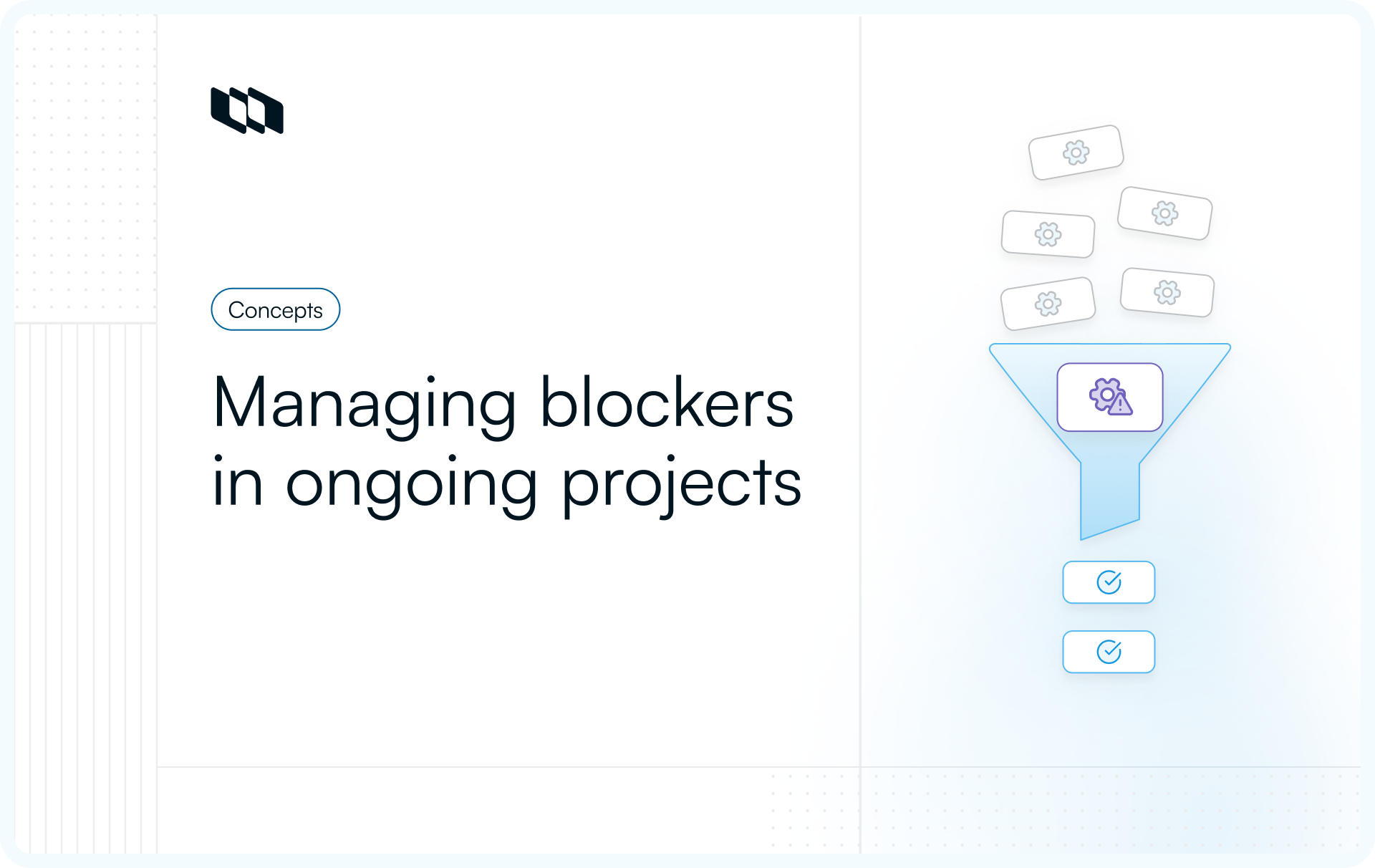
Introduction
If a task cannot move forward without input, a decision, or a fix, the project stands still. Teams experience this as mounting delays, rising frustration, and constant replanning. These situations point to project blockers, not execution gaps. Understanding what project blockers are, how they differ from impediments, and why they surface helps teams respond with clarity instead of urgency. This article walks through examples of project blockers and shows how to overcome them using methods that work across modern project environments.
What are project blockers?
A project blocker is any situation where work cannot move forward at all. A task stays open because it is waiting on approval, a dependency, access, or a decision.
Team members remain ready to execute, yet progress pauses because one required input stays unresolved. In project management, blocked work differs from slow work. Slow work still advances. Blocked work stands still.
Why do project blockers create more risk than small delays?
Small delays usually affect a single task or a short window of time. Project blockers affect flow. When work stops completely, teams begin to replan, reshuffle priorities, and stack parallel work. This increases context switching, coordination overhead, and delivery risk. Over time, repeated project blockers weaken trust in timelines and make progress harder to predict across the project lifecycle.
How one blocked task ripples across the project
Projects rely on sequencing and dependencies. When one task becomes blocked, every dependent task inherits that delay. A blocked design approval pushes development, testing, and release timelines. A blocked integration delays multiple teams at once. These ripple effects explain why project blockers in project management escalate quickly and why early visibility matters more than speed.
In short, project blockers represent stopped progress, amplified risk, and cascading delays across teams and timelines.
Project blockers vs. impediments
Teams often use the terms "blockers" and "impediments" interchangeably, yet they describe different levels of risk in project management. Understanding this difference helps teams respond with the right urgency and avoid escalation later.
What is an impediment?
An impediment is anything that slows work down. Progress continues, though at a reduced pace. Examples include minor requirement gaps, limited stakeholder availability, or temporary tooling friction. Teams can usually work around impediments for a short time while waiting for resolution.
What is a blocker?
A project blocker stops work completely. A task cannot move forward without a specific decision, approval, input, or fix. There is no meaningful workaround. In project management, execution pauses until the blocker is resolved.
How impediments turn into project blockers
Most project blockers begin as impediments. A delayed approval slows work first. As the delay lengthens, downstream tasks stall, and progress stops. When teams fail to surface and resolve impediments early, they become blockers that disrupt timelines and dependencies.
Why teams should track both, but respond differently
Impediments require monitoring and gradual resolution. Project blockers demand immediate attention, ownership, and escalation. Treating both the same leads to late responses and growing delivery risk.
Project blockers vs. impediments at a glance
Aspect | Impediment | Project blocker |
Impact on work | Slows progress | Stops progress completely |
Ability to continue work | Limited workarounds exist | No work can proceed |
Urgency | Medium | High |
Risk to timelines | Localized | Cascades across dependencies |
Typical response | Monitor and resolve | Assign the owner and unblock fast |
This distinction helps teams identify when a project needs attention and when it needs immediate intervention.
Common types of project blockers
Most project blockers in project management fall into a small number of predictable categories. Each type blocks progress for a different reason, which is why identifying the category early matters.
1. People blockers
People blockers occur when progress depends on a specific individual’s decision, availability, or accountability. For example, suppose a task reaches completion but requires a stakeholder's sign-off. Until that approval arrives, the task cannot move forward, and all dependent activities are held up behind it.
Another frequent people blocker appears when a key decision-maker becomes unavailable. A scope or priority decision sits unresolved while teams pause execution to avoid rework. The work stays blocked even though the team is ready to proceed.
Unclear ownership creates a quieter form of people blocker. When responsibility sits between teams, issues bounce back and forth without resolution. Progress stops because no single owner drives the unblock. People blockers matter because authority, not effort, becomes the constraint.
2. Dependency blockers
Dependency blockers happen when a task relies on work from another team, vendor, or system.
- Internal dependencies often block progress across teams. One team finishes its work and waits for another team’s output before moving forward. Even small delays compound when multiple tasks depend on that delivery.
- External dependencies introduce additional risk. Vendor delays, compliance checks, or third-party reviews block launches even when internal work is complete. Teams can prepare, but release remains blocked until the dependency clears.
- System dependencies also create blockers when required APIs, services, or environments are unavailable or incomplete. Integration work stops because the system that needs to proceed is not usable.
Dependency blockers spread quickly because they affect multiple teams simultaneously.
3. Feedback and approval blockers
Feedback blockers appear when review cycles stall progress.
- Long review cycles block work when approvals move slowly through multiple stakeholders. Tasks remain open while teams wait, even though execution is finished.
- Unclear approval criteria block progress in a different way. Feedback arrives without concrete direction, leaving teams unsure how to act. Work pauses because moving forward risks building the wrong outcome.
- Late feedback blocks delivery when it arrives after work has progressed too far. Changes become expensive, timelines slip, and downstream tasks wait while rework happens.
Feedback blockers signal gaps in decision clarity rather than execution speed.
4. Time and capacity blockers
Time and capacity blockers occur when planned work exceeds the real team's bandwidth.
- Teams overloaded with parallel work struggle to complete tasks in sequence. Critical tasks remain blocked because attention is spread too thin to finish their dependencies.
- Unrealistic timelines create blockers when plans leave no room for complexity. As soon as issues surface, teams pause to reassess because continuing forward increases delivery risk.
- Excessive meetings also block progress by removing execution time. Tasks move slowly, dependencies slip, and work remains blocked longer than expected.
Capacity blockers reveal planning assumptions that do not align with reality.
5. Communication blockers
Communication blockers prevent teams from acting with confidence.
- Unclear requirements block execution when teams lack clarity on scope, success criteria, or expected outcomes. Work pauses because building without clarity leads to rework.
- Missing context or documentation blocks progress when knowledge is scattered across tools or individual heads. New contributors struggle to move forward without the information required to act.
- Stakeholder misalignment blocks delivery when teams receive conflicting direction. Progress stops until priorities and expectations align.
Communication blockers delay work because understanding, not effort, becomes the constraint.
6. Technical or tooling blockers
Technical blockers occur when systems or tools prevent execution.
- Access issues block work when team members lack the permissions needed to debug, deploy, or verify changes. Tasks stay blocked until access is granted.
- Tool outages block progress entirely. Even completed work cannot move forward when build, test, or deployment systems fail.
- Environment or system incompatibility blocks releases when behavior differs across environments. Teams pause delivery until stability and consistency return.
Technical blockers halt progress because infrastructure becomes the limiting factor.
How to overcome project blockers step by step
Project blockers disappear faster when teams handle them with a repeatable process. The goal stays simple: convert a vague, stuck state into a clear request, a clear owner, and a clear next action.
1. Name the blocker clearly
Blocked work often lingers because it is described in vague terms. “Waiting on X” or “stuck” does not help anyone act. Naming a project blocker means writing it so the next step is obvious.
Use this format:
- What is blocked: the exact task or work item
- What is needed to move forward: approval, decision, access, deliverable, clarification
- Who it is needed from: a person, team, or vendor
- When it is needed: a date or milestone
- What happens if it slips: which dependency or delivery date moves
Example: “Checkout integration testing is blocked because we need production-like API credentials from the platform team by Thursday, or the release candidate slips to next week.”
This level of clarity prevents repeated follow-ups and speeds up resolution.
2. Assign ownership
Every project blocker needs one owner. Ownership means responsibility for driving resolution, not blame for the problem. Without a clear owner, blockers turn into shared frustration and silent waiting.
A good blocker owner does three things:
- Drives the next action and follows up with the right people
- Keeps the team informed with short updates, not long explanations
- Escalates early when the blocker sits outside the team’s control
Choose an owner who is close to the work and has enough context to communicate clearly. For cross-team dependencies, a single owner coordinating is more effective than multiple people sending messages in parallel.
3. Choose the fastest action that removes the constraint
Once a project blocker is named and owned, the next step is selecting the action that restores progress with the least disruption. The goal is not to solve everything, but to remove the constraint that stops work.
- Unblock through decision clarity: When work waits on alignment or approval, reduce the decision to what must be answered now. Limit the number of decision-makers, present clear options, and set a decision deadline tied to delivery impact. Progress resumes when a decision is made, not when consensus is reached.
- Unblock through dependency coordination: When blocked by another team or external party, confirm what is required to proceed and by when. Break the dependency into smaller deliverables where possible, and resequence work to protect the critical path. Waiting without a plan increases risk.
- Unblock by speeding up feedback loops: When reviews stall progress, tighten the feedback cycle. Ask reviewers specific questions, define response windows, and reduce the scope of what needs review. Smaller, earlier feedback prevents long stalls later.
- Unblock through workload adjustment: When capacity limits stop progress, reduce work in progress. Pause lower-priority tasks, rebalance ownership, and protect time to complete them. Finishing fewer things restores flow faster than starting more work.
- Unblock through clarity and documentation: When teams cannot proceed because context is unclear, write down what success looks like. Define requirements, assumptions, and acceptance criteria in one place. Shared clarity removes hesitation and rework.
- Unblock through technical routing and escalation: When tooling, access, or systems block progress, route the issue to the right owner immediately. Secure access, involve platform experts early, and escalate when core delivery systems are affected.
How project blockers show up in real projects
Project blockers rarely announce themselves clearly. In most teams, they surface first as patterns that feel familiar and easy to dismiss. Recognizing these symptoms early helps teams intervene before delays spread.
1. Tasks stuck in progress for too long
One of the clearest signs of project blockers in project management is work that remains marked as in progress without visible progress. The task looks active, yet nothing changes day after day. This usually means the team waits for approval, a dependency, or a decision before continuing. Progress appears busy on dashboards, while real execution stays paused.
2. Frequent deadline slips
Deadlines that slip repeatedly often point to hidden blockers rather than poor estimation. Teams adjust timelines, shuffle priorities, and push dates forward, yet the same tasks remain unfinished. This pattern signals blocked work that never received direct attention or ownership.
3. Repeated handoff delays
Projects rely on smooth handoffs between roles and teams. When handoffs take longer than expected, work queues build up. A task finishes in one stage but waits too long to enter the next. These delays usually indicate dependencies or approval blockers that interrupt the project's flow.
4. Rising frustration and rework
Frustration grows when teams revisit the same tasks without closing them. Work gets redone after late feedback or stalled decisions. Rework increases when teams move forward without clarity, then pause to realign. This emotional signal often reveals project blockers before metrics do.
A simple rule of thumb
If work cannot move forward without a specific input, decision, or fix, the task is blocked. Naming it as a project blocker early creates clarity, ownership, and faster resolution.
How to identify project blockers early
Early identification of project blockers prevents escalation, replanning, and last-minute pressure. Teams that surface blockers early focus on flow instead of recovery.
Step 1: Watch for stalled work, not busy work
Tasks that stay marked in progress without a visible change signal indicate blocked work. If a task does not move stages, receive updates, or show progress within an expected window, treat it as a potential project blocker. Busy activity often hides blocked execution.
Step 2: Ask what is needed to move forward
During regular check-ins, shift the question from status to readiness. Ask what input, decision, or dependency is required for the task to continue. When the answer depends on something outside the team’s control, the task is blocked.
Step 3: Make blockers visible immediately
Blocked work should stand out clearly. Mark tasks as blocked, document what is missing, and name the dependency or decision required. Visibility prevents silent waiting and helps teams align on next actions without repeated follow-ups.
Step 4: Assign ownership at first sight
Every project blocker needs an owner the moment it appears. Ownership does not mean fault. It means one person is responsible for driving resolution and keeping others informed. Early ownership prevents blockers from lingering unnoticed.
Step 5: Normalize early escalation
Raising blockers early reduces risk across the project. Early escalation protects timelines, dependencies, and trust. Teams that surface blockers quickly resolve them with less disruption and less rework than teams that wait.
Identifying project blockers early turns stalled progress into a clear action path rather than a delivery surprise.
How to diagnose the root cause of a blocker
Clearing a project blocker solves today’s problem. Diagnosing why it happened prevents the next one. This shift from reaction to understanding helps teams improve delivery at the system level.
1. Use the five whys to move past surface explanations
The five whys is a simple method to uncover the real reason the work stopped. Instead of fixing the first visible issue, teams repeatedly ask why until the underlying constraint becomes clear.
Start with the blocked task and ask why progress stopped. Take the answer and ask why again. Continue until the cause points to a process, decision structure, or planning gap rather than a single incident.
Example: A task is blocked because approval is pending.
- Why is approval pending? The reviewer has not responded.
- Why has the reviewer not responded? The request arrived late.
- Why did it arrive late? Requirements were finalized after work started.
- Why were requirements finalized late? The intake process lacks clear criteria.
The blocker appeared to be an approval delay. The root cause sits in intake and planning.
2. Identify when blockers reflect process issues
When teams rely only on quick fixes, the same project blockers reappear. If dependency delays, late feedback, or unclear ownership show up repeatedly, the blocker points to a process gap rather than a one-off mistake. Diagnosing the root cause helps teams fix how work enters, flows through, and exits the system.
3. Watch for recurring blockers as system signals
Recurring project blockers in project management reveal structural weaknesses. Capacity blockers across multiple projects indicate unrealistic planning assumptions. Approval blockers across teams signal unclear decision ownership. Tracking these patterns helps teams improve workflows rather than just managing symptoms.
Diagnosing the root cause turns project blockers into learning signals that strengthen execution over time.
How to prioritize project blockers
Not all project blockers carry the same risk. Prioritization helps teams focus effort where unblocking work protects the most value and prevents wider disruption.
1. Impact on delivery and dependencies
Start by assessing how much work depends on the blocked task. A blocker that affects multiple downstream tasks or teams carries a higher risk than one isolated to a single activity. Project blockers in project management become dangerous when they delay critical paths and compound across timelines.
2. Urgency and time sensitivity
Some blockers grow more expensive with time. A delayed decision before a release window or a dependency tied to an external deadline requires faster action than a blocker with flexible timing. Understanding urgency helps teams respond before small pauses turn into missed milestones.
3. Level of control and need for escalation
Prioritize blockers based on what the team can influence directly. Blockers within the team’s control often resolve faster. Blockers that require external decisions, vendor action, or leadership approval need early escalation to prevent prolonged waiting.
4. Cost of delay if left unresolved
Every blocked day carries a cost. Delays can increase rework, push launches, or reduce customer impact. Estimating the cost of waiting helps teams justify focus and escalation and ensures the most expensive project blockers receive attention first.
Effective prioritization turns reactive unblocking into intentional decision-making.
Final thoughts
Project blockers reveal how work actually flows through a team, not how it was planned on paper. They show where decisions slow down, dependencies stretch, capacity breaks, or clarity fades. Teams that handle project blockers well focus on visibility, ownership, and timely action rather than urgency and guesswork.
By identifying blockers early, diagnosing their root causes, prioritizing impact, and applying a consistent unblock process, teams protect delivery timelines and reduce rework. Over time, recurring blockers become signals to improve systems, workflows, and decision paths. When teams treat project blockers as operational inputs instead of interruptions, projects move forward with greater predictability and confidence.
Frequently asked questions
Q1. What are blockers in a project?
Blockers in a project are issues that completely stop progress on a task or workstream until a specific input, decision, or fix is resolved. In project management, blockers prevent work from moving forward rather than slowing it down.
Q2. What is another name for a project blocker?
Project blockers are sometimes referred to as impediments, constraints, or stoppages. In practice, impediments slow work, while blockers stop work entirely, which is why many teams track them separately.
Q3. What is a potential blocker?
A potential blocker is a risk or dependency that could halt progress if left unresolved. Examples include pending approvals, upcoming vendor deliverables, or unclear requirements that have not yet halted work but are likely to do so.
Q4. What framework do you use for project blockers?
Many teams use a simple framework that includes identifying the blocker, assigning an owner, prioritizing impact, and taking action to remove the constraint. Agile teams often surface blockers during daily standups and track them visually to ensure fast resolution.
Q5. What is the purpose of a blocker?
The purpose of naming a blocker is to create visibility and accountability. Identifying a project blocker helps teams focus on removing constraints quickly, protect delivery timelines, and prevent small delays from cascading across the project.
Recommended for you



 Download for Mac
 Download for Android