What is Role-Based Access Control (RBAC): A complete guide
Introduction
Every project brings together people with different responsibilities, from developers and product managers to executives, contractors, and clients. Giving all of them the same level of access creates unnecessary risk, whether that's accidental changes, exposed information, or administrative overhead. Role-based access control (RBAC) helps teams organize permissions around responsibilities, making collaboration more secure and easier to manage. This guide explains how RBAC for project management tools works, why it matters, and what to look for when implementing it.
What is role-based access control (RBAC)?
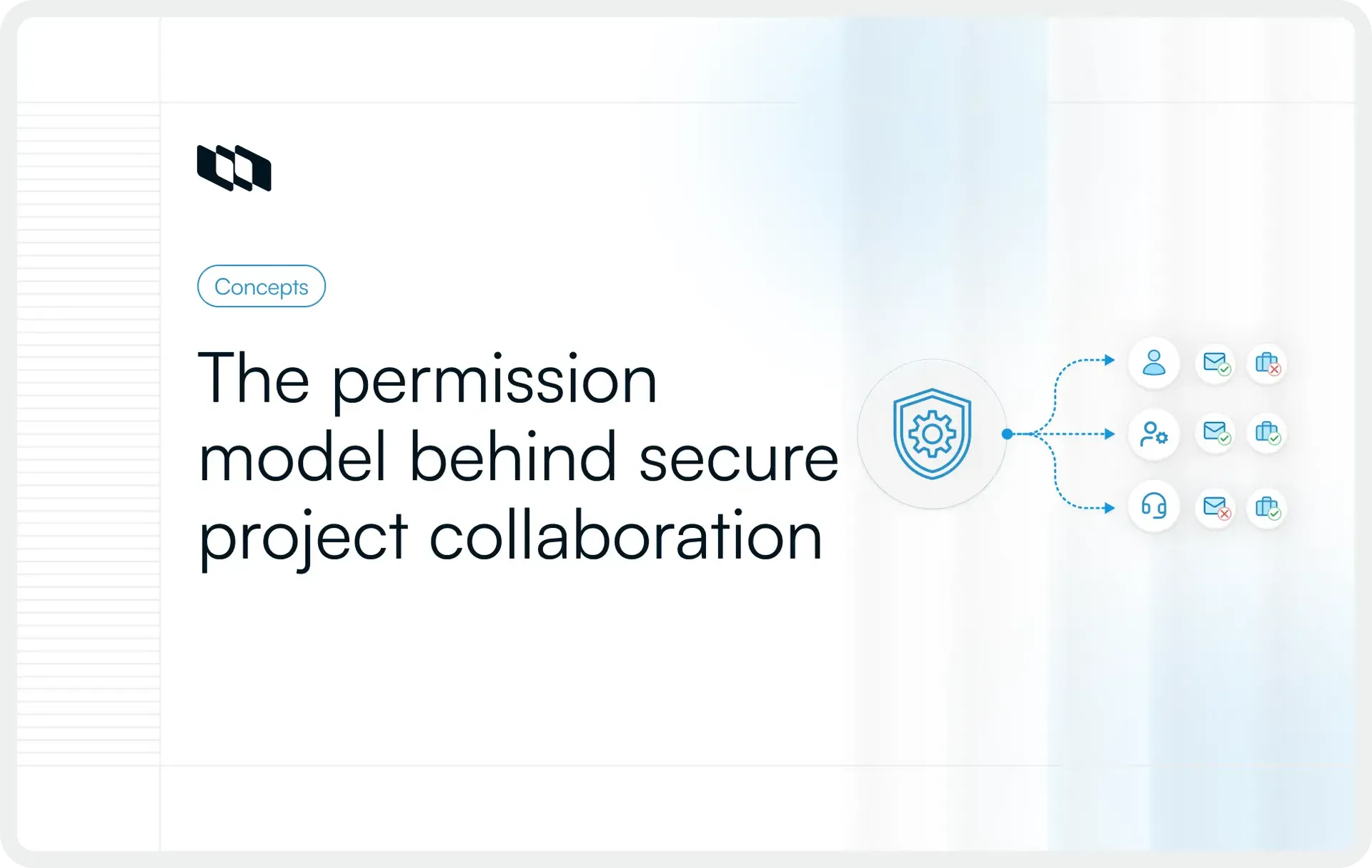
Role-based access control is an access management model that assigns permissions to roles, and then assigns those roles to users. Instead of deciding what every individual can view, edit, or manage, administrators define a set of roles based on job responsibilities. Anyone assigned to a role automatically inherits the permissions associated with it.
For example, a project manager might have permission to create projects, manage workflows, and invite team members, while a designer can update tasks and collaborate on documentation without changing workspace settings. If someone moves into a different role, updating their access is as simple as assigning them a new role.
How RBAC works
RBAC follows a straightforward process. Administrators first identify the responsibilities within a team, create roles that reflect those responsibilities, and define the permissions each role should have. Users are then assigned to the appropriate role based on their job function.
This approach keeps permissions consistent across the organization. Instead of managing access for dozens or hundreds of individual users, administrators only need to maintain a smaller set of well-defined roles. As teams grow or responsibilities change, access can be updated by changing a user's role rather than modifying individual permissions.
Core components of RBAC
Every RBAC system is built around four core components:
- Users: People who need access to the project management tool. They might include developers, product managers, designers, QA engineers, executives, clients, or external contractors.
- Roles: Roles represent a person's responsibilities within the organization. Common roles include Workspace Owner, Administrator, Project Manager, Member, Guest, or Viewer. Each role groups together a predefined set of permissions.
- Permissions: Permissions determine the actions a role is allowed to perform. Depending on the project management software, permissions may include creating projects, editing work items, managing workflows, inviting members, viewing reports, or changing workspace settings.
- Resources: Assets protected by RBAC. In a project management tool, these can include workspaces, projects, tasks, issues, documents, dashboards, automations, reports, and other project data.
A simple RBAC example
Imagine a software development team working on a product launch inside a project management workspace.
The engineering manager is assigned an Administrator role, allowing them to create projects, configure workflows, and manage team members. Developers receive a Member role that lets them create, update, and close work items, but prevents them from modifying workspace settings. A marketing stakeholder receives Viewer access to track release progress without editing engineering work. An external client is assigned a Guest role with access only to the project they've been invited to.
Rather than configuring permissions for every individual, the administrator simply assigns each person the appropriate role. As new team members join or existing employees change responsibilities, updating access requires changing their assigned role rather than reviewing each permission individually. This is what makes RBAC in project management both scalable and easier to manage over time.
Why project management tools need RBAC
Scaling organizations face increased complexity and risk from unrestricted access. RBAC streamlines collaboration by ensuring users have only role-specific permissions. Here is why project management tools need RBAC.
Growing team complexity
Most projects involve far more than a single department. Product managers define requirements, developers build features, designers contribute assets, QA engineers validate releases, and executives monitor progress. Many organizations also work with clients, contractors, or external partners who need limited access to specific projects.
Managing permissions individually for every user quickly becomes impractical as teams expand. RBAC simplifies this by assigning permissions based on responsibilities rather than managing access on a per-person basis.
Different people need different levels of access
Not everyone using a project management tool requires the same level of control. A workspace owner may need to manage workspace settings and invite users, while a project manager coordinates work within a project. Developers update tasks, designers collaborate on deliverables, QA engineers review work items, and executives typically need visibility into progress rather than the ability to modify project data. Clients and contractors often require access to only the projects they're involved in.
RBAC makes it possible to define these access levels once and apply them consistently across the organization.
Risks of unrestricted permissions
When every user has broad access, even routine work can introduce unnecessary risk. Someone might accidentally delete a project, modify workflow settings, expose sensitive information, or make configuration changes that affect multiple teams. For organizations operating in regulated industries, poorly managed permissions can also create compliance challenges during audits.
By assigning permissions through roles, RBAC for project management tools reduces these risks while making collaboration more secure and easier to manage as teams grow.
How RBAC works in project management software
Implementing role-based access control (RBAC) is a structured process. Rather than managing permissions for every individual user, administrators create roles based on responsibilities and assign the appropriate level of access to each one. Let’s explore how RBAC functions within project management software:
1. Create roles
The first step is to identify the different responsibilities within your organization and create roles that reflect them. These roles should align with how people actually work, such as Workspace Owner, Project Manager, Developer, Designer, QA Engineer, Guest, or Viewer. A well-defined role structure reduces administrative effort and ensures users receive the access they need to perform their work.
2. Define permissions
Once roles are established, administrators decide what each role can and cannot do. Permissions may include creating projects, editing work items, managing workflows, inviting users, viewing reports, or changing workspace settings. Defining permissions at the role level ensures that everyone with the same responsibilities has consistent access.
3. Assign users to roles
After roles and permissions are configured, users are assigned to the role that matches their responsibilities. A new developer might receive the Member role, while a project lead is assigned Project Administrator permissions. If someone's responsibilities change, administrators can simply assign them a different role instead of manually updating individual permissions.
4. Scope permissions
Modern project management tools often allow permissions to be applied at different levels, depending on how access needs to be controlled.
- Workspace level: Manage organization-wide settings, users, and policies.
- Project level: Control access within individual projects.
- Team level: Limit permissions to a specific department or functional team.
- Resource level: Restrict access to individual resources such as documents, dashboards, or work items.
This flexibility helps organizations grant the right level of access without exposing unrelated projects or sensitive information.
5. Review and update access
Access requirements change as people join new teams, switch roles, or leave the organization. Regularly reviewing role assignments helps ensure permissions remain accurate and prevents users from retaining unnecessary access over time. Periodic access reviews also support stronger governance and simplify compliance efforts.
Common roles in project management tools
Most project management platforms include predefined roles to help organizations manage access consistently. While the exact names and permissions vary between tools, the underlying purpose remains the same. Let's have a look at some common roles in project management tools:
1. Workspace owner
The Workspace Owner has the highest level of control within the platform. This role is typically responsible for managing workspace settings, billing, security policies, integrations, and user administration. Workspace Owners can grant or revoke access, configure organization-wide settings, and oversee the workspace's overall health.
2. Administrator
Administrators help manage the workspace without necessarily owning it. Depending on the platform, they may be able to invite users, manage teams, configure workflows, create projects, and update administrative settings. Organizations often assign this role to IT administrators, operations teams, or department leads who help maintain the workspace.
3. Project administrator
A Project Administrator manages a specific project rather than the entire workspace. They typically oversee project settings, assign work, configure workflows, manage project members, and ensure day-to-day execution stays on track. Their permissions are limited to the projects they manage.
4. Member
Members are the primary contributors within a project. They create and update work items, collaborate with teammates, comment on discussions, attach files, and track progress. While they actively participate in project execution, they generally don't have access to administrative settings or organization-wide configuration.
5. Contributor
Some project management tools distinguish Contributors from Members by offering a more limited set of editing permissions. Contributors can participate in assigned work, update tasks, leave comments, or upload files, but may not be able to create new projects, manage workflows, or invite additional users.
6. Viewer
Viewers have read-only access to project information. They can monitor progress, review dashboards, and stay informed without making changes to work items or project settings. This role is commonly used for executives, leadership teams, or stakeholders who need visibility into ongoing work.
7. Guest or external collaborator
Guests and external collaborators are granted access to specific projects or resources without becoming full workspace members. This role is commonly used for clients, vendors, consultants, contractors, or freelance contributors who need to collaborate on a project while remaining isolated from the rest of the organization's workspace. RBAC makes it possible to provide this limited access without exposing unrelated projects or sensitive information.
Common permissions controlled through RBAC
Roles define who a user is within a project management tool, while permissions define what they can do. Each role is built by combining a set of permissions that determine the actions a user is allowed to perform. Depending on the platform, these permissions can be applied at the workspace, project, team, or resource level.
Some of the most common permissions controlled through role-based access control (RBAC) include:
- View projects: Control which workspaces, projects, or boards a user can access.
- Create work items: Allow users to create tasks, issues, bugs, or other work items.
- Edit work items: Grant permission to update descriptions, assignees, priorities, due dates, or statuses.
- Delete work items: Restrict who can permanently remove work items from a project.
- Manage workflows: Control who can create or modify workflows, statuses, and approval processes.
- Create and archive projects: Decide which users can start new projects or archive completed ones.
- Invite and remove users: Limit user management to authorized roles.
- Manage integrations: Control access to third-party integrations such as GitHub, Slack, or CI/CD platforms.
- Configure automation: Restrict the ability to create or modify automation rules and scheduled workflows.
- Manage templates: Allow specific users to create, edit, or publish reusable project templates.
- Access dashboards and reports: Determine who can view project analytics, reports, and performance dashboards.
- Export project data: Control the ability to download project information for reporting, backups, or compliance purposes.
Assigning these permissions through roles creates a consistent access model across the organization. Rather than deciding permissions for every individual user, administrators define them once at the role level, making access management easier to maintain as teams, projects, and responsibilities evolve.
Benefits of role-based access control
A well-designed role-based access control (RBAC) system does more than protect sensitive information. It simplifies day-to-day administration, improves collaboration, and creates a permission model that scales with your organization. Instead of treating access management as a recurring administrative task, teams can establish a clear structure that remains consistent across projects and departments.
1. Better security
RBAC limits access based on responsibilities, reducing the number of users who can view or modify sensitive information. When people have only the permissions they need, the risk of accidental changes, unauthorized access, or data exposure is significantly lower.
2. Easier administration
Managing permissions for individual users becomes increasingly difficult as organizations grow. RBAC simplifies this process by grouping permissions into roles, allowing administrators to manage access for entire groups of users rather than configuring permissions for each person individually.
3. Consistent permissions
Without a standardized access model, users with similar responsibilities can end up with different permissions over time. RBAC creates consistency by ensuring everyone assigned to the same role receives the same level of access, regardless of which project or team they're part of.
4. Faster onboarding and offboarding
New employees can become productive more quickly when administrators assign them to an existing role rather than manually configuring permissions. The same applies when someone leaves the organization or changes responsibilities. Updating or removing access becomes a straightforward administrative task.
5. Improved compliance
Many organizations need to demonstrate who can access specific systems and data during security reviews or compliance audits. RBAC provides a structured permission model that is easier to document, review, and audit than individually managed access.
6. Better collaboration across teams
Cross-functional projects often involve engineering, product, design, marketing, leadership, and external stakeholders working together. RBAC allows each group to access the information they need while protecting administrative settings and sensitive project data, making collaboration smoother without compromising security.
7. Scales with organizational growth
As organizations add new teams, projects, and users, permission management naturally becomes more complex. RBAC provides a scalable framework that accommodates this growth without requiring administrators to continuously redesign their access model. By defining roles once and applying them consistently, organizations can manage access efficiently even as their operations expand.
The different RBAC models
Role-based access control can be implemented in several ways, depending on the complexity of an organization’s structure and the degree of permission control required. The basic principle stays the same, but the relationship between users, roles, and permissions becomes more sophisticated as access requirements grow.
1. Core RBAC
Core RBAC is the simplest model. Users are assigned to roles, and each role carries a defined set of permissions. Access is granted entirely through those role assignments.
In a project management tool, a Member role might allow users to create and update work items, while an Administrator role might allow users to manage projects, users, and workspace settings. Anyone assigned to the same role receives the same permissions.
This model works well for smaller teams and organizations with straightforward access requirements. It is easy to understand, easier to maintain, and usually provides enough structure for teams that do not need complex approval or inheritance rules.
2. Hierarchical RBAC
Hierarchical RBAC allows senior roles to inherit the permissions of roles below them. This creates a clear access hierarchy that reflects how authority is structured across the organization.
For example, a Workspace Administrator may inherit all the permissions available to a Project Administrator and a Member, while also receiving additional workspace-level controls. The administrator does not need to be assigned to each lower-level role separately, as those permissions are inherited automatically.
This model is useful for larger organizations where responsibilities follow a clear chain of authority. It reduces duplication and makes role design more manageable, although teams need to review inherited access carefully to avoid granting broader permissions than intended.
3. Constrained RBAC
Constrained RBAC adds rules that limit how roles can be assigned or used. These constraints help organizations prevent conflicts of interest and reduce the risk of a single user holding too much control.
A common example is separation of duties. The person who creates a project budget may be prevented from approving it. In a project management system, a user who configures an approval workflow might be restricted from serving as the final approver.
Constraints can be applied in two ways:
- Static separation of duties: Conflicting roles cannot be assigned to the same user.
- Dynamic separation of duties: A user may hold multiple roles, but cannot activate conflicting permissions within the same session or workflow.
This model is especially relevant for regulated industries, financial workflows, security-sensitive projects, and organizations with formal approval processes.
4. Symmetric RBAC
Symmetric RBAC extends role management by allowing administrators to review and manage the relationship between roles and permissions from both directions.
Administrators can see which permissions belong to a role and identify every role that grants a specific permission. For example, they can review the Administrator role to see whether it includes data export access, or search for the data export permission to find all roles that currently include it.
This visibility becomes valuable when organizations maintain many roles. It helps teams audit access, detect duplicated permissions, and understand the impact of changing a permission before applying the update.
5. Full vs. partial RBAC
The distinction between full and partial RBAC describes the extent to which an organization relies on roles to grant access.
- In a full RBAC model, all permissions are assigned through roles. Users cannot receive direct permissions outside their assigned roles. This creates a consistent and highly auditable access model because every permission can be traced back to a defined role.
- In a partial RBAC model, most access is granted through roles, while some permissions may still be assigned directly to individual users. This gives administrators more flexibility when someone needs temporary or exceptional access that does not justify creating a new role.
Partial RBAC is often easier to adopt in complex organizations, but direct assignments can accumulate over time and become difficult to track. Full RBAC provides stronger consistency, while partial RBAC accommodates edge cases more easily. The right choice depends on how much flexibility the organization needs and how strictly access must be governed.
RBAC vs. other access control models
RBAC is one of several access control models used to manage permissions. While each model serves the same goal of controlling access to resources, they differ in how access decisions are made. Understanding these differences can help organizations choose the right approach based on their security and operational requirements.
RBAC vs. ACL
An Access Control List (ACL) assigns permissions directly to individual users or groups for a specific resource. RBAC assigns permissions to roles, making access management easier to maintain as teams grow.
RBAC | ACL |
Permissions are assigned to roles | Permissions are assigned directly to users or groups |
Easier to manage for large teams | Can become difficult to maintain as users increase |
Changes are made by updating roles | Permissions often need to be updated individually |
Well suited for organizations with defined job roles | Better suited for managing access to individual resources |
RBAC vs. ABAC
Attribute-Based Access Control (ABAC) determines access based on attributes such as a user's department, location, device, or time of access. RBAC relies on predefined roles rather than evaluating multiple attributes for each request.
RBAC | ABAC |
Access is based on user roles | Access is based on attributes and policies |
Simpler to implement and manage | More flexible but more complex to configure |
Best for structured organizational roles | Best for dynamic, context-aware access decisions |
Common in project management tools | Common in enterprise security systems |
RBAC vs. DAC
Discretionary Access Control (DAC) allows the owner of a resource to decide who can access it. RBAC centralizes access management through predefined organizational roles.
RBAC | DAC |
Access is managed through organizational roles | Access is controlled by the resource owner |
Provides consistent permissions across teams | Permissions may vary depending on individual decisions |
Easier to standardize and audit | More flexible but harder to govern at scale |
Suitable for collaborative work environments | Often used for personal or shared resources |
RBAC vs. MAC
Mandatory Access Control (MAC) is a highly restrictive model in which access is enforced by system-defined security policies rather than by individual administrators or users.
RBAC | MAC |
Permissions are assigned through roles | Permissions are enforced through security classifications |
Administrators define roles and access | Access is controlled by centralized security policies |
Flexible for business collaboration | Designed for highly secure environments |
Common in commercial software | Common in government, defense, and regulated industries |
Which model is best for project management tools?
For most organizations, role-based access control (RBAC) offers the right balance between security, scalability, and ease of administration. Project teams typically have well-defined responsibilities, making role-based permissions a practical way to manage access across workspaces, projects, and resources.
Other access control models have their place. ABAC works well when access decisions depend on contextual factors, while MAC is better suited to highly regulated environments. For most project management tools, however, RBAC remains the preferred model because it is easier to manage, scales with organizational growth, and maintains consistent permissions across teams.
Real-world RBAC examples in project teams
The value of role-based access control (RBAC) becomes much clearer when you look at how it works in day-to-day collaboration. Every project involves people with different responsibilities, and each of them needs a different level of access to do their work effectively. Here are a few common examples.
Software engineering team
A software engineering project typically includes engineering managers, developers, QA engineers, and engineering leaders.
- The Workspace Owner manages workspace-wide settings, integrations, and members.
- A Project Admin configures workflows, manages sprints, and assigns work.
- Contributors create and update work items, resolve bugs, and participate in code review discussions.
- Commenters can review work and provide feedback without modifying project data.
This ensures developers can focus on delivery while administrative controls remain with project leads and workspace administrators.
Product management team
Product teams work across multiple functions, from planning and prioritization to stakeholder communication.
A product manager may need permission to create initiatives, roadmap items, and project views. Designers and developers collaborate on work items, while executives only need visibility into project progress and reporting. External stakeholders can be given limited access to review milestones or provide feedback without changing project plans.
RBAC keeps planning collaborative while preventing unintended changes to project configuration.
Enterprise organization with multiple departments
Large organizations often manage dozens or even hundreds of projects across engineering, product, marketing, operations, and customer success. Managing permissions individually in this environment quickly becomes difficult.
For example, an engineering lead may be a Project Admin for the product development workspace while remaining a Contributor in an operations project. Executives can access organization-wide dashboards, department managers oversee their own projects, and contractors receive limited access to only the projects they've been assigned.
Platforms like Plane implement this through a layered role-based access control (RBAC) model. Every user is assigned a role at both the workspace and project levels, with predefined roles including Workspace Owner, Workspace Admin, Member, Guest, Project Admin, Contributor, and Commenter. Permissions are evaluated across workspace, project, and teamspace scopes, allowing organizations to grant broad administrative access where needed while limiting access elsewhere. Enterprise teams can extend this further with Granular Access Control (GAC), creating custom roles from reusable permission schemes to match their own organizational structure.
This combination of role-based permissions and scoped access allows organizations to scale collaboration without sacrificing security or administrative control.
How to implement RBAC in your project management tool
Implementing role-based access control (RBAC) doesn't require designing dozens of roles from the start. A successful implementation begins with understanding how your teams work and gradually building a permission model that reflects real responsibilities. The goal is to make access predictable, easy to manage, and flexible enough to support future growth.
1. Identify your team structure
Start by identifying the teams and user groups that will use your project management tool. This could include product managers, developers, designers, QA engineers, operations teams, executives, clients, or contractors. Understanding who needs access is the foundation for building meaningful roles.
2. Define responsibilities
Next, document what each group is responsible for. Consider the actions they perform every day rather than their job titles alone. For example, a project manager may need to create projects and manage workflows, while a developer primarily updates work items and participates in sprint planning. Defining responsibilities first helps prevent unnecessary permissions later.
3. Create standard roles
Group similar responsibilities into a small set of reusable roles. Most organizations can start with roles such as Workspace Owner, Administrator, Project Administrator, Member, Viewer, and Guest. Keeping the number of roles manageable makes administration simpler and reduces confusion as more users join the workspace.
4. Map permissions to responsibilities
Assign only the permissions required for each role to perform its responsibilities. For example, Members may need to create and update work items, while Project Administrators manage project settings and workflows. Workspace-level administration should remain limited to users responsible for managing the platform.
5. Apply the principle of least privilege
A good RBAC strategy follows the principle of least privilege, granting users only the access they need to perform their work. Restricting administrative permissions reduces the risk of accidental changes, protects sensitive information, and creates a more secure collaboration environment.
6. Test permissions
Before rolling out RBAC across the organization, validate each role using real project scenarios. Confirm that users can complete their daily tasks without receiving broader access than intended. Testing helps identify missing permissions or unnecessary privileges before they affect larger teams.
7. Document your access model
Create clear documentation describing each role, the permissions it includes, and when it should be assigned. Well-documented roles make onboarding easier, help administrators apply permissions consistently, and reduce uncertainty when new teams or projects are created.
8. Review permissions regularly
Access requirements evolve as projects grow and people change roles. Schedule periodic reviews to confirm users still have the appropriate level of access and remove permissions that are no longer needed. Regular audits keep your RBAC in a project management model accurate, improve governance, and help maintain a secure workspace over time.
Common RBAC mistakes to avoid
Implementing role-based access control (RBAC) is only the first step. As teams grow, projects evolve, and new collaborators join, access management becomes an ongoing process. Avoiding a few common mistakes can help keep your permission model secure, consistent, and easy to maintain.
1. Giving everyone admin access
Granting administrative privileges simply because it's convenient defeats the purpose of RBAC. Administrative permissions should be reserved for users responsible for managing workspaces, projects, or organizational settings. Limiting these permissions reduces the risk of accidental configuration changes and unauthorized access.
2. Creating too many custom roles
Custom roles are useful when they reflect genuine business needs, but creating a new role for every small exception quickly makes the permission model difficult to understand and maintain. Wherever possible, build a small set of reusable roles that can support most users across the organization.
3. Ignoring external collaborators
Clients, contractors, consultants, and vendors often need access to specific projects without becoming full workspace members. Giving them broader access than necessary increases the risk of exposing unrelated projects or sensitive information. Define dedicated roles for external collaborators and limit their permissions to the resources they need.
4. Forgetting to remove access during offboarding
Access management should be part of every offboarding process. Employees who leave the organization or move to different teams should have their permissions promptly updated or removed. Regularly cleaning up inactive accounts helps reduce unnecessary security risks.
5. Skipping regular permission reviews
Permissions that made sense six months ago may no longer reflect a user's current responsibilities. Reviewing role assignments on a regular schedule helps identify outdated access, maintain consistency, and ensure permissions continue to align with organizational needs.
6. Managing exceptions outside the RBAC model
Over time, organizations may start granting one-off permissions to individual users instead of updating their role assignments. While this may solve an immediate problem, too many exceptions make access difficult to track and audit. Whenever possible, update the underlying role structure instead of relying on individual permission overrides. A well-maintained RBAC for project management tools remains simpler to manage and scales more effectively as the organization grows.
What to look for in a project management tool with RBAC
Role-based access control (RBAC) flexibility varies significantly across platforms. While some tools offer only rigid, predefined roles, others allow organizations to design custom access models that mirror their specific structure. When evaluating a project management platform, ensure it provides these essential capabilities.
Granular permission controls
A good RBAC system should let you control permissions beyond basic view and edit access. Look for the ability to manage who can create projects, configure workflows, invite users, manage automations, access reports, or modify workspace settings. Granular permissions help teams collaborate without exposing sensitive administrative controls.
Workspace and project-level roles
Permissions should be scoped to where users actually work. Workspace-level roles are useful for administrators who manage organization-wide settings, while project-level roles allow teams to grant elevated access within a single project without affecting the rest of the workspace.
Guest access
External collaboration is common across product, engineering, and client-facing teams. Whether you're working with contractors, consultants, vendors, or customers, the platform should support guest access that limits users to specific projects or resources instead of the entire workspace.
Custom roles
As organizations grow, predefined roles may no longer cover every responsibility. The ability to create custom roles allows administrators to combine permissions to reflect their own processes while maintaining a consistent access model across the organization.
Role inheritance
Managing permissions becomes much simpler when roles can inherit access from one another. Instead of configuring permissions repeatedly, senior roles can build on the capabilities of existing roles, reducing duplication and making the permission model easier to maintain.
Audit logs
Access management shouldn't stop once permissions are assigned. Audit logs provide visibility into administrative actions, permission changes, user activity, and configuration updates. This helps organizations investigate issues, support compliance efforts, and maintain accountability.
SSO and identity provider integration
For larger organizations, RBAC works best when integrated with an identity management solution. Support for Single Sign-On (SSO) and identity providers such as Okta, Microsoft Entra ID, Google Workspace, or LDAP simplifies user provisioning, strengthens authentication, and keeps access synchronized as employees join, change roles, or leave the organization.
Scalability for enterprise teams
The right access model should continue to work as your organization grows. Look for features such as custom roles, scoped permissions, centralized administration, audit capabilities, and integration with enterprise identity systems. Together, these capabilities make it easier to manage thousands of users across multiple teams, departments, and projects without increasing administrative overhead.
For organizations with more advanced access requirements, platforms like Plane extend traditional RBAC with Granular Access Control (GAC), allowing administrators to create reusable custom roles and apply permissions across workspace, project, and teamspace scopes. This provides the flexibility enterprises need while keeping access management structured and maintainable.
Final thoughts
As teams grow, managing access becomes just as important as managing work. A well-designed role-based access control (RBAC) model ensures everyone has the permissions they need to contribute while protecting sensitive projects, administrative settings, and organizational data. It also reduces administrative overhead, simplifies onboarding, and creates a permission structure that scales with your organization.
When evaluating a project management tool, look beyond the number of predefined roles it offers. Granular permissions, scoped access, custom roles, audit capabilities, and enterprise identity integrations all play an important role in building a secure and collaborative workspace. The right RBAC implementation should support the way your teams work today while remaining flexible enough to grow with them.
Frequently asked questions
Q1. What are the three primary rules of RBAC?
The three primary rules of role-based access control are role assignment, role authorization, and permission authorization.
- Role assignment: A user must be assigned a role before accessing a system.
- Role authorization: The assigned role must be approved for that user.
- Permission authorization: The role must include permission for the requested action.
Q2. What is an example of RBAC?
A project management workspace is a common example of RBAC. Workspace Owners manage settings and users, Project Administrators manage individual projects, Members create and update work items, and Viewers can review progress without editing project data. Each person receives access through their assigned role.
Q3. Which is better, RBAC or ABAC?
RBAC is usually better for organizations with clearly defined job roles because it is simpler to configure, manage, and audit. ABAC is better when access decisions depend on attributes such as department, location, device, or time. Many project management tools use RBAC because team responsibilities are generally predictable.
Q4. What are the four types of access control?
The four common types of access control are:
- Role-Based Access Control: Access is assigned through predefined roles.
- Attribute-Based Access Control: Access depends on user, resource, and environmental attributes.
- Discretionary Access Control: Resource owners decide who receives access.
- Mandatory Access Control: Central policies and security classifications determine access.
Q5. What is the difference between IAM and RBAC?
Identity and Access Management is the broader system used to manage user identities, authentication, provisioning, and access policies. RBAC is an authorization method within IAM that assigns permissions according to a user’s role. IAM manages the overall identity lifecycle, while RBAC determines what an authenticated user can do.
Recommended for you



 Download for Mac
 Download for Android