Introducing Granular Access Control (GAC), LDAP, IdP group sync
Build custom roles, authenticate users with LDAP, and automate project access using IdP group sync with Plane Enterprise Grid.
Build custom roles, authenticate users with LDAP, and automate project access using IdP group sync with Plane Enterprise Grid.
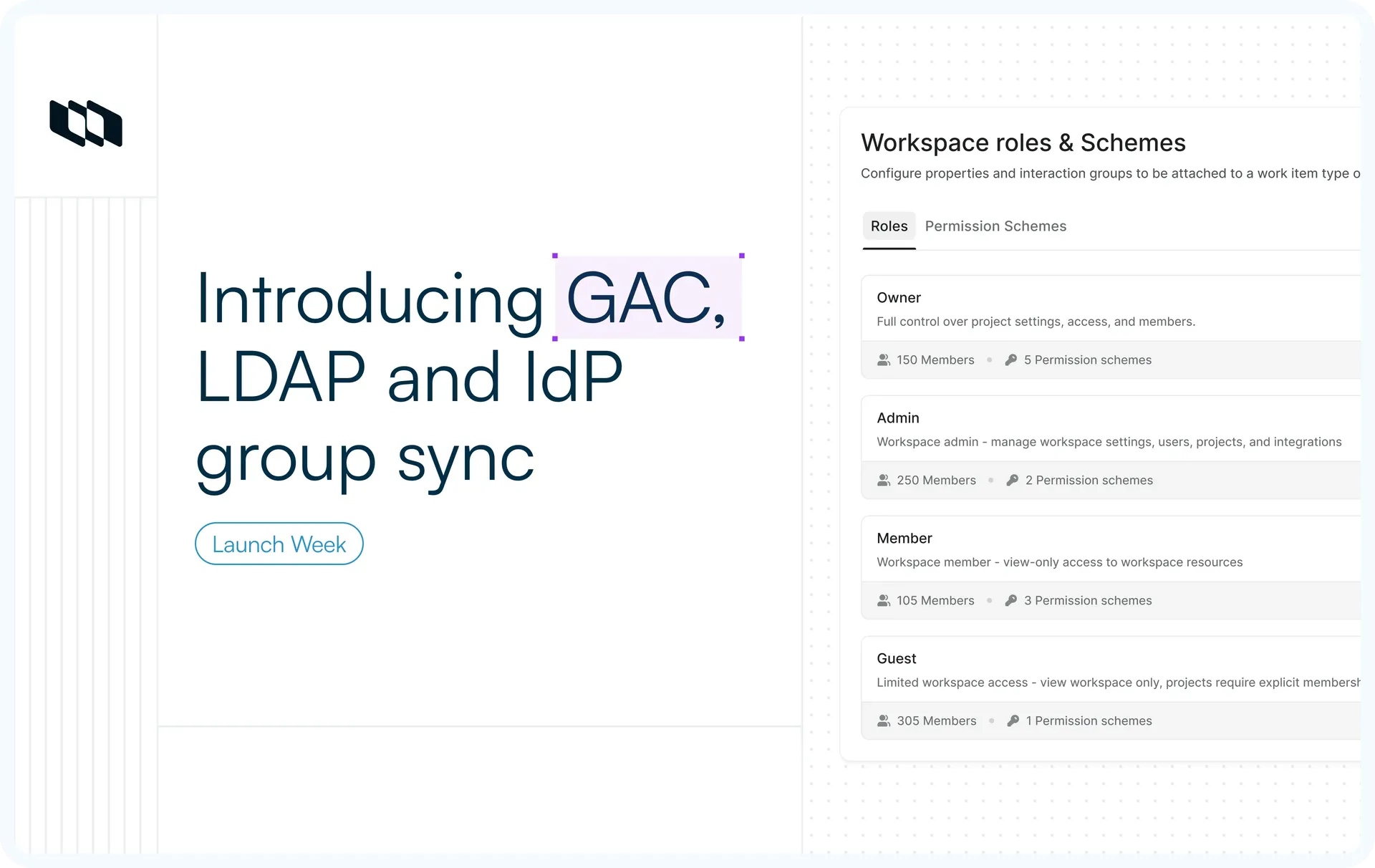
Build custom roles from reusable permission schemes with granular access control. Let people sign in with their directory credentials over LDAP. Map identity provider groups to projects so that access is provisioned automatically when users sign in.
What's shipping
- Granular Access Control (GAC)
Compose custom roles from permission schemes and define exactly what each role can and cannot do. - LDAP authentication
Sign in with directory credentials from Active Directory, OpenLDAP, FreeIPA, or any LDAP-compatible server. - IdP Group Sync
Map identity provider groups to projects, so access is provisioned automatically upon login.
Role-Based Access Control (RBAC)
Every user in Plane holds a role, and that role carries a defined set of permissions. The system roles are Owner, Admin, Member, Guest, Contributor, and Commenter, and they apply across three scopes: workspace, project, and teamspace. Permissions inherit upward, so a workspace admin has access to every project within it. This is role-based access control, and it is the default on every plan. The three features below build on top of it.
Granular Access Control (GAC)
System-defined roles meet the needs of most teams. GAC lets you define exactly what each role can do.
- Define custom roles
Go beyond the system roles and define your own, available when Granular Access Control is enabled. - Compose roles from permission schemes
A scheme is a named bundle of permissions. Build a role from one scheme or several; its effective permissions are the union of all attached schemes, so you compose roles from reusable parts instead of selecting hundreds of checkboxes. - Apply conditional grants
Some permissions only apply under a condition. Creator, for example, lets a user act only on resources they created. An unconditional grant always overrides a conditional one.
For details, see the roles and permissions docs.
LDAP authentication
For organizations that run a corporate directory, users can sign in with their existing directory credentials.
- Connect your directory
Configure a connection to Active Directory, OpenLDAP, FreeIPA, or another LDAP-compatible directory. - Sign in with directory credentials
Users select "Sign in with your provider name," enter their directory username and password, and Plane authenticates them against the directory. - Map the attributes that matter
Set the search base and filter for your directory, then map directory attributes to Plane fields such as email, first name, and last name.
IdP Group Sync
Managing project access manually becomes difficult as teams grow. Group Sync ties project access to the groups you already manage in your identity provider.
- Map groups to projects
Link an identity provider group to a Plane project with a default role of Admin, Member, or Guest - Sync on login or on a schedule
Update membership when a user signs in, and optionally run an offline sync every six hours so changes apply without waiting for a login. - Remove access when membership ends
With auto remove enabled, a user removed from a group loses access to the mapped project. Workspace membership is always preserved, and sole project admins and manually added members are never removed. - Protect against unintended changes
A user in multiple groups gets the highest matching role; roles assigned by hand are never downgraded, and a sync error never blocks a login.
For details, see the Group Sync docs.
Availability across plans
Feature | Plan |
RBAC system roles | All plans |
Granular access control | Enterprise Grid |
LDAP authentication | Enterprise Grid |
IdP group sync | Enterprise Grid |
Recommended for you



 Download for Mac
 Download for Android