What is knowledge mapping? Types and examples
Introduction
A project can have extensive documentation and still leave teams struggling to find critical information, identify subject matter experts, or understand how decisions connect. Knowledge mapping addresses this challenge by making knowledge sources, expertise, and relationships visible across an organization.
For product and engineering teams, it helps improve knowledge accessibility, identify gaps, and reduce dependencies on individual team members. This guide explores how knowledge mapping works, its different types and benefits, practical examples, and the steps involved in creating an effective knowledge map.
What is knowledge mapping?
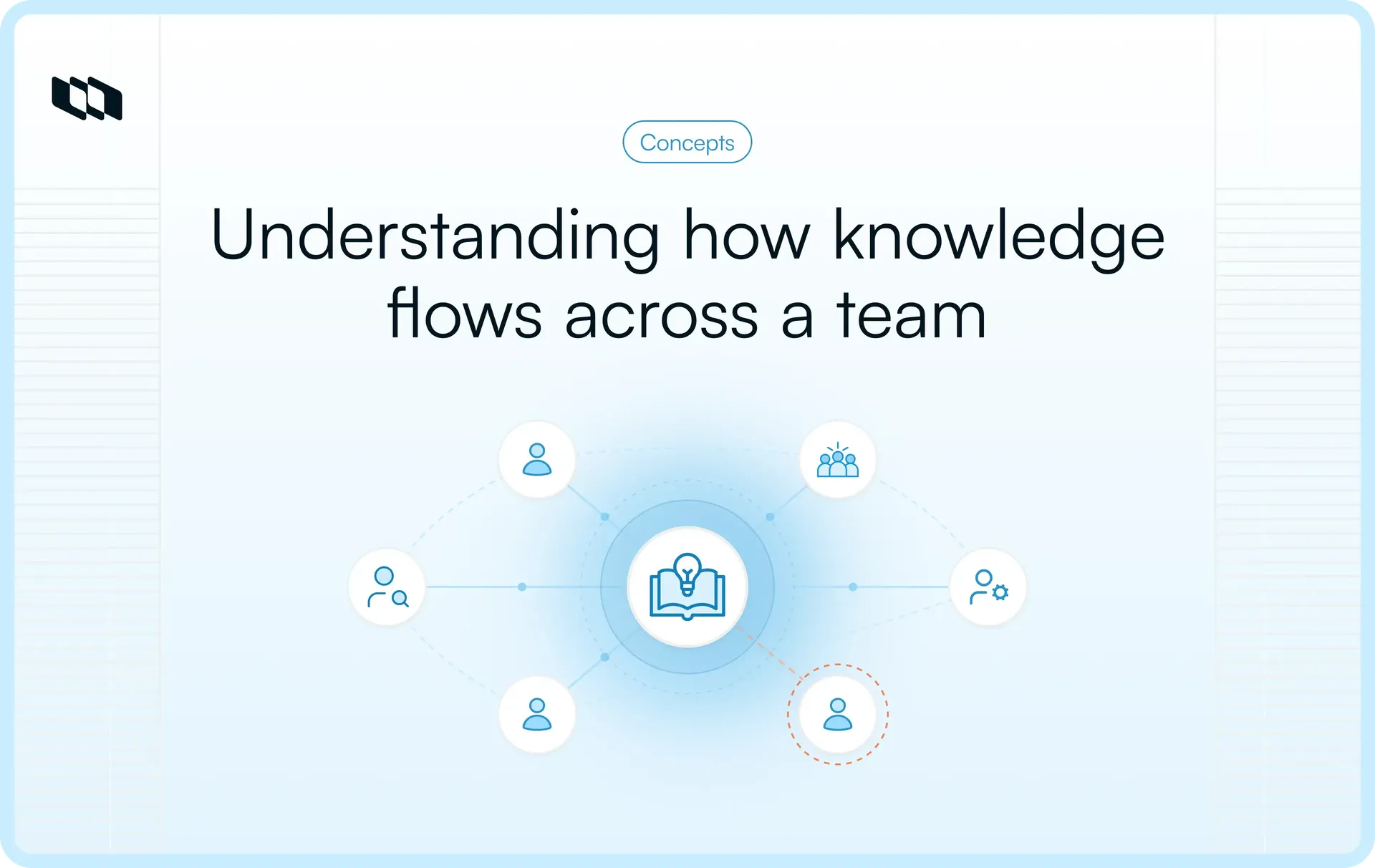
Knowledge mapping is the process of identifying, organizing, and visually representing the knowledge, expertise, and information resources available within an organization. It helps teams understand where critical knowledge resides, who possesses it, how different knowledge sources connect, and how information moves across people and processes.
A knowledge map provides a structured view of these relationships, making it easier to locate relevant information, identify subject matter experts, and understand the knowledge required to complete specific tasks.
Knowledge mapping generally involves two forms of organizational knowledge:
- Explicit knowledge: Information that has been documented and can be readily accessed or shared, such as process guidelines, technical documentation, project reports, and standard operating procedures.
- Tacit knowledge: Practical understanding developed through individual experience, judgment, and expertise. This includes troubleshooting skills, decision-making approaches, and specialized knowledge that may be difficult to capture in documentation.
For example, consider an engineering team responsible for maintaining a software application. A knowledge map might connect the application's architecture documentation, deployment procedures, system dependencies, and the engineers responsible for different components. When an issue occurs, team members can use these connections to locate relevant documentation and identify the right person to consult.
How does knowledge mapping work?
Knowledge mapping works by bringing together information sources, individual expertise, and the connections between them into a structured visual representation. Teams use these connections to understand what knowledge is available, where to find it, and how it supports their work.
Five core elements make this possible:
1. Knowledge assets and information sources
Knowledge assets are the resources that contain information required for organizational activities. These can include technical documentation, project plans, process guidelines, research findings, internal wikis, and historical decisions. Knowledge mapping identifies where these resources are stored and connects them to the relevant projects, processes, or teams, giving employees a clearer path to the information they need.
2. Knowledge holders and subject matter experts
Some organizational knowledge exists primarily through the experience and expertise of employees. Knowledge maps identify individuals with specialized skills, their areas of responsibility, and the knowledge they can provide. For example, an engineering knowledge map might identify the developers familiar with a particular service, the infrastructure engineers responsible for deployment, and the specialists who understand its security requirements.
3. Knowledge categories and domains
Knowledge categories provide a logical structure for organizing information across different subjects, departments, or functions. A software organization might group its knowledge into product architecture, development practices, infrastructure, security, and customer support. These categories help teams navigate complex information while preserving the relationships between related knowledge areas.
4. Knowledge relationships and information flows
Knowledge becomes more useful when teams understand how different sources and areas of expertise connect. Knowledge maps represent these relationships through links, dependencies, and information flows between people, documents, and processes. For example, a software release may depend on technical specifications, testing procedures, deployment knowledge, and approvals from different teams. Mapping these connections helps clarify how information supports work across functions.
5. Knowledge gaps and dependencies
Once existing knowledge and its relationships are mapped, teams can assess areas where information is missing, outdated, difficult to access, or concentrated among a few individuals. A map might reveal that only one engineer understands a critical integration or that a project lacks documented handover procedures. These findings help organizations prioritize documentation, knowledge transfer, and expertise development.
What are the different types of knowledge maps?
Knowledge maps take different forms depending on what an organization needs to understand or communicate. Some focus on relationships between concepts, while others help teams locate expertise, document workflows, or analyze decisions. The following seven types represent commonly used knowledge mapping techniques, each suited to a different purpose.
1. Concept maps
Concept maps illustrate how different ideas, topics, or systems relate to one another. They use connected nodes and labeled relationships to explain dependencies, hierarchies, and associations between concepts. They are particularly useful when teams need to understand complex subjects or establish a shared understanding of interconnected systems.
Example: An engineering team creates a concept map showing how authentication, user permissions, identity providers, and application services relate to one another within a software architecture.
2. Mind maps
Mind maps organize information around a central topic, with branches representing related ideas, activities, or subtopics. Their flexible structure makes them useful for brainstorming, early-stage project planning, and breaking down broad subjects into manageable areas.
Example: A product manager creates a mind map for an upcoming product launch, branching into feature requirements, target audiences, testing activities, release dependencies, and communication plans.
3. Process knowledge maps
Process knowledge maps identify the information, expertise, and resources required to perform specific activities within a workflow. They connect process stages with relevant documentation, responsible individuals, and knowledge dependencies, helping teams understand what they need at each stage.
Example: An IT operations team maps its incident response process, linking each stage to troubleshooting guides, escalation procedures, system documentation, and the specialists responsible for resolving different incidents.
4. Competency and expertise maps
Competency and expertise maps identify the skills, specialized knowledge, and experience available across individuals or teams. Organizations use them to locate subject matter experts, understand capability distribution, and plan knowledge transfer or professional development.
Example: An engineering manager creates an expertise map showing which developers have experience with particular programming languages, infrastructure components, security practices, and internal systems. This helps identify appropriate reviewers and areas where additional training may be needed.
5. Knowledge asset maps
Knowledge asset maps provide a structured view of where important organizational knowledge is stored and how different resources relate to specific activities or knowledge domains. These maps typically reference documents, databases, repositories, and other information sources, making them useful for knowledge discovery and resource management.
Example: A project team maps its technical specifications, architecture diagrams, decision records, and deployment instructions, connecting each resource to the relevant project component and its documentation owner.
6. Knowledge flow and network maps
Knowledge flow maps show how information and expertise move between individuals, teams, departments, or systems. Network-based maps can also represent patterns of collaboration and knowledge sharing. Together, these techniques help organizations examine communication paths, identify dependencies, and understand where important information may become difficult to access.
Example: A product organization maps how customer feedback moves from support teams to product managers, informs engineering priorities, and returns to customer-facing teams through release updates. The map highlights the people and processes involved in each transfer.
7. Causal and decision maps
Causal maps represent relationships between factors that may influence an outcome, helping teams examine potential causes, effects, and feedback patterns. Decision maps focus on choices, evaluation criteria, supporting reasoning, and possible outcomes. Both are useful for analyzing complex problems and making the reasoning behind decisions easier to examine.
Example: An engineering team investigating recurring release delays creates a causal map of potential contributing factors, including testing bottlenecks, approval dependencies, and changing requirements. The team then uses a decision map to compare improvement options against implementation effort, delivery risk, and expected impact.
Why is knowledge mapping important for organizations?
As organizations grow, important knowledge becomes distributed across teams, documentation, systems, and individual employees. Knowledge mapping helps make these resources easier to discover and connect, giving teams a clearer understanding of the information and expertise available to them.
Here are six key benefits of knowledge mapping for organizations.
1. Improves knowledge discovery and accessibility
Employees often spend time searching across repositories, documentation, and conversations to locate information relevant to their work. Knowledge mapping creates visible connections between knowledge resources, their owners, and the activities they support. This makes it easier to identify the right documentation, locate subject matter experts, and access relevant information without relying entirely on personal networks or institutional familiarity.
2. Reduces information silos across teams
Departments frequently develop specialized knowledge that remains difficult for other teams to discover. Knowledge maps help expose these connections by showing where expertise resides and how information moves between functions. For example, mapping the relationship between product requirements, engineering decisions, and customer feedback can help cross-functional teams understand where information originates and who to involve when questions arise.
3. Identifies knowledge gaps and critical dependencies
Knowledge mapping allows organizations to evaluate whether essential expertise and information are available where they are needed. It can reveal missing documentation, limited expertise coverage, or critical processes that depend heavily on specific individuals. These findings help managers prioritize knowledge transfer, training, and documentation efforts before knowledge gaps disrupt project delivery or business operations.
4. Supports better decision-making
Effective decisions depend on access to relevant information, historical context, and specialized expertise. Knowledge maps connect these resources, helping teams understand the factors influencing a decision and identify people who can provide additional context. Product managers, for instance, can use mapped relationships between customer research, technical constraints, and previous product decisions to evaluate proposed changes more thoroughly.
5. Accelerates onboarding and knowledge transfer
New employees need to understand organizational processes, locate relevant resources, and identify colleagues who can answer specialized questions. Knowledge maps provide a structured starting point by connecting responsibilities, documentation, workflows, and expertise. They can also support project handovers by making important dependencies and knowledge ownership visible, helping incoming team members understand existing work with fewer gaps in context.
6. Preserves organizational expertise and reduces duplicated work
Valuable organizational knowledge can become difficult to recover when experienced employees change roles or leave. Knowledge mapping helps identify critical expertise that should be documented, shared, or transferred to other team members. By connecting teams to existing solutions, decision records, and reusable resources, it can also reduce repeated investigations and unnecessary duplication of work across projects.
Where is knowledge mapping used? Practical examples
Knowledge mapping can be applied wherever teams need to locate expertise, understand information dependencies, or connect knowledge across different activities. Its application varies depending on the type of knowledge involved and the decisions or workflows it supports.
Here are six practical knowledge mapping examples across organizational functions.
1. Project management
Project teams work with requirements, decisions, schedules, responsibilities, and documentation that frequently span multiple stakeholders. A knowledge map can connect these resources to specific project activities, decision owners, and dependencies.
Example: During a software implementation project, a project manager creates a knowledge map linking technical requirements, architectural decisions, stakeholder approvals, and implementation guidelines to their respective owners. When a requirement changes, the team can identify which decisions, documents, and stakeholders need to be revisited.
2. Engineering teams
Engineering knowledge is often distributed across code repositories, architecture documentation, operational procedures, and individual developers. Knowledge mapping helps establish connections between systems, technical resources, and the people responsible for maintaining them.
Example: A platform engineering team maps its microservices, infrastructure dependencies, deployment procedures, and service owners. During an incident, engineers can use the map to identify affected components, locate relevant troubleshooting documentation, and contact the specialists familiar with those systems.
3. Cross-functional collaboration
Work that spans multiple departments depends on timely information sharing and clear responsibility boundaries. Knowledge maps can illustrate how information moves between teams, where handoffs occur, and which resources support shared activities.
Example: A product team maps the flow of customer feedback from support and sales teams through product evaluation, engineering implementation, and release communication. The map connects feedback sources, decision-makers, and documentation, helping each function understand its role in the process.
4. Employee onboarding and training
New employees often need to learn unfamiliar processes, understand team responsibilities, and discover where important information is maintained. Knowledge maps can organize learning resources around specific roles and connect them to experienced employees.
Example: An engineering manager creates an onboarding knowledge map linking development environment setup, coding standards, system architecture, deployment procedures, and relevant subject matter experts. New developers can follow these connections to understand the team's technical environment and find guidance when needed.
5. Process improvement
Operational processes often rely on knowledge transferred between multiple roles, systems, and workflow stages. Process-based knowledge maps help teams examine the information required at each stage and identify where missing resources or unclear ownership may affect execution.
Example: An IT operations team maps its incident management workflow, connecting incident classification, diagnostic resources, escalation responsibilities, and resolution procedures. Reviewing the map reveals that certain incident categories lack documented troubleshooting instructions, allowing the team to prioritize those resources.
6. Skills and expertise management
Organizations need visibility into the specialized knowledge available across teams, particularly when allocating work, planning training, or preparing for employee transitions. Expertise maps associate knowledge domains with individuals, roles, and demonstrated capabilities.
Example: An engineering organization creates an expertise map covering database administration, cloud infrastructure, application security, and performance optimization. Managers can use it to identify suitable technical reviewers, locate internal mentors, and recognize areas where critical expertise is concentrated among a small number of employees.
How do you create a knowledge map?
Creating a knowledge map involves identifying critical information, understanding who holds relevant expertise, and establishing how different knowledge sources connect. The process begins with a specific organizational need and develops into a structured resource that teams can use to locate information, assess dependencies, and improve knowledge sharing.
Here are eight steps to create a knowledge map.
1. Define the objective and scope of the knowledge map
Start by identifying the problem the knowledge map should help solve. This could involve improving employee onboarding, documenting technical expertise, understanding project dependencies, or addressing gaps in knowledge transfer.
Establish the teams, processes, and knowledge areas the map will cover. For example, an engineering team improving incident response might initially focus on production services, troubleshooting resources, and escalation responsibilities. A defined scope keeps the mapping exercise manageable and provides clear criteria for evaluating its usefulness.
2. Identify critical knowledge areas
Determine which knowledge domains are essential to the selected process or organizational objective. Consult project leads, process owners, and experienced employees to understand what information people need to complete their work.
For a software development team, critical knowledge areas might include system architecture, development standards, testing procedures, deployment practices, and security requirements. Prioritize areas where missing or inaccessible knowledge could delay work, introduce operational risks, or create dependencies on individual employees.
3. Gather existing knowledge assets and locate experts
Collect relevant information from internal documentation, knowledge bases, project repositories, process guidelines, and decision records. Alongside these resources, identify employees who possess practical experience or specialized expertise in the selected knowledge areas.
Interviews and working sessions can help uncover knowledge that exists primarily through experience, such as troubleshooting approaches or undocumented operational procedures. Record the location of each resource, its owner, and any limitations affecting its reliability or accessibility.
4. Choose the appropriate knowledge mapping technique
Select a mapping format based on the relationships you want to represent and how people will use the information.
For instance, concept maps work well for explaining relationships between technical components, while process knowledge maps are more suitable for connecting workflow stages with required information and expertise. Expertise maps can help teams identify specialists across different knowledge domains.
Consider the complexity of the information, the intended audience, and whether the map needs to support navigation, analysis, or collaboration.
5. Organize knowledge and establish relationships
Arrange the collected information into logical categories and represent each relevant resource, person, process, or concept within the map. Establish connections that explain how these elements relate to one another.
Use descriptive labels such as owned by, depends on, documented in, or requires expertise from to clarify the meaning of each connection. Where appropriate, link individual elements to their original documentation or repositories.
A consistent structure helps readers navigate the map and understand the relationships without requiring additional explanations.
6. Validate the map with relevant stakeholders
Review the initial knowledge map with the people responsible for the processes, systems, and knowledge areas it represents. Ask them to verify the accuracy of documented relationships, resource locations, ownership details, and knowledge dependencies.
It can also help to test the map against a realistic scenario. For example, ask an engineer unfamiliar with a particular service to locate its deployment instructions and identify the appropriate escalation contact. This provides practical feedback on whether the map is sufficiently clear and complete.
7. Identify knowledge gaps and improvement opportunities
Examine the validated map to identify missing information, outdated resources, unclear responsibilities, and areas where essential knowledge depends on a limited number of individuals.
Evaluate these findings according to their potential impact on business processes or project delivery. A missing procedure for recovering a critical production service, for instance, may warrant greater attention than incomplete documentation for an infrequently used internal tool.
Translate high-priority findings into specific actions, such as documenting procedures, arranging knowledge transfer sessions, updating resources, or assigning additional knowledge owners.
8. Share, maintain, and regularly update the map
Publish the completed knowledge map in a location accessible to its intended users, with permissions appropriate to the information it contains. Connect it to existing documentation and workflows so employees can consult it during their regular activities.
Assign responsibility for maintaining the map and establish review triggers, such as major process changes, system updates, organizational restructuring, or changes in ownership. Periodically verify links, expertise records, and knowledge relationships to ensure the map continues to reflect how the organization operates.
What are the common challenges and best practices of knowledge mapping?
Knowledge mapping requires consistent information, clear ownership, and regular maintenance. Understanding common challenges helps teams create maps that remain accurate, accessible, and useful.
Here are six challenges and best practices to address them:
- Unclear objectives: Without a defined purpose, knowledge maps can become unfocused. Establish what the map should help users find, understand, or accomplish before identifying relevant knowledge sources.
- Excessive information and complexity: Too many details can make maps difficult to navigate. Start with a specific team, process, or knowledge area, and organize information into clear categories before expanding the scope.
- Difficulty capturing tacit knowledge: Valuable expertise often exists through individual experience rather than documentation. Conduct expert interviews, collaborative mapping sessions, and process walkthroughs to identify and capture relevant knowledge.
- Inconsistent or duplicated information: Different teams may maintain overlapping resources or use different terminology. Standardize categories and naming conventions, verify information sources, and reference authoritative documentation.
- Outdated knowledge maps: Changes in processes, systems, and team responsibilities can make maps unreliable. Assign knowledge owners, schedule periodic reviews, and update maps whenever significant changes occur.
- Limited adoption across teams: Knowledge maps provide little value when employees rarely consult them. Make maps accessible through existing project documentation, internal wikis, and onboarding resources so they become part of everyday workflows.
What tools and techniques are used for knowledge mapping?
Knowledge mapping tools help teams visualize relationships, locate expertise, and organize information across different sources. The right approach depends on the type of knowledge being mapped, the complexity of its relationships, and how teams will access and maintain it.
The following table compares four common categories of knowledge mapping tools.
Tool category | Primary purpose | Suitable use cases |
Mind mapping and concept mapping tools | Visually organize ideas, concepts, and their relationships. | Brainstorming, knowledge exploration, and understanding complex topics. |
Diagramming and visual collaboration platforms | Create shared visual representations of processes, dependencies, and knowledge flows. | Process mapping, cross-functional planning, and collaborative knowledge mapping. |
Knowledge management and documentation systems | Store, organize, and connect knowledge resources that map references. | Internal wikis, project documentation, knowledge sharing, and maintaining information sources. |
Expertise directories and knowledge repositories | Identify knowledge holders, specialized skills, and relevant information sources. | Expert discovery, knowledge transfer, skills mapping, and organizational knowledge audits. |
When selecting knowledge mapping tools, consider the complexity of the information, collaboration requirements, accessibility, and ongoing maintenance. Teams mapping complex technical relationships may prioritize visual diagramming capabilities, while organizations focused on knowledge discovery may benefit more from searchable repositories and expertise directories.
Combining visual mapping tools with existing documentation systems can also help teams keep knowledge maps connected to current information.
How does knowledge mapping support knowledge management?
Knowledge mapping supports knowledge management by showing where organizational knowledge exists, how it connects, and who maintains it. These insights help teams organize information, improve accessibility, and keep shared knowledge useful as their work evolves.
- Knowledge discovery: Knowledge maps identify important information sources, subject matter experts, and ownership across teams. This helps employees locate relevant expertise and resources when needed.
- Knowledge organization and accessibility: Connecting knowledge maps to internal wikis, documentation, and shared repositories makes related information easier to navigate and retrieve.
- Knowledge maintenance and collaboration: Knowledge maps help teams track changing responsibilities, information dependencies, and documentation needs. Regular updates keep these connections relevant as projects and processes evolve.
Managing project knowledge with Plane
Plane Pages and Wiki help teams organize and maintain the documentation that supports knowledge mapping.
- Pages: Store project-specific knowledge, including requirements, technical decisions, implementation notes, and process documentation.
- Wiki: Organize shared knowledge such as engineering standards, onboarding guides, and operational procedures across the workspace.
Teams can use these resources to maintain accessible documentation alongside their project workflows, making the information referenced in knowledge maps easier to find and update.
For additional guidance, explore our article on how to structure an engineering wiki.
Final thoughts
Knowledge mapping helps organizations understand where critical information and expertise reside, how they connect, and where gaps need attention. By combining clear knowledge maps with accessible documentation and regular updates, teams can improve knowledge sharing, strengthen collaboration, and make informed decisions.
Plane brings project execution and shared documentation together through Pages and Wiki, helping teams keep important knowledge connected to their workflows. Talk to sales to explore how Plane can support your team's knowledge management and collaboration needs.
Frequently asked questions
1. What is knowledge mapping?
Knowledge mapping is the process of identifying and visually organizing an organization's information, expertise, and knowledge relationships. It helps teams understand where critical knowledge exists, who possesses it, and how different resources connect. Organizations use knowledge mapping to improve information accessibility, knowledge sharing, and decision-making.
2. What is an example of a knowledge map?
An example of a knowledge map is an engineering team's system knowledge map that connects software components, technical documentation, service owners, and troubleshooting procedures. It helps developers identify system dependencies, locate relevant information, and find the appropriate experts when resolving technical issues.
3. What are the main types of knowledge maps?
The main types of knowledge maps include concept maps, mind maps, process knowledge maps, competency and expertise maps, knowledge asset maps, knowledge flow maps, and causal or decision maps. Each serves a different purpose, from organizing concepts and locating expertise to visualizing workflows, dependencies, and decision relationships.
4. What is the difference between knowledge mapping and mind mapping?
Knowledge mapping is a broad practice used to represent knowledge sources, expertise, processes, and their relationships. Mind mapping is a specific technique that organizes ideas around a central topic using connected branches. Knowledge mapping can use mind maps alongside other techniques, such as concept maps, expertise maps, and knowledge flow diagrams.
5. What is the difference between knowledge mapping and knowledge management?
Knowledge mapping identifies and represents where knowledge exists, who holds it, and how different information sources connect. Knowledge management is the broader organizational practice of creating, capturing, organizing, sharing, and maintaining knowledge. Knowledge mapping supports knowledge management by making critical information and expertise easier to discover and use.
Recommended for you



 Download for Mac
 Download for Android