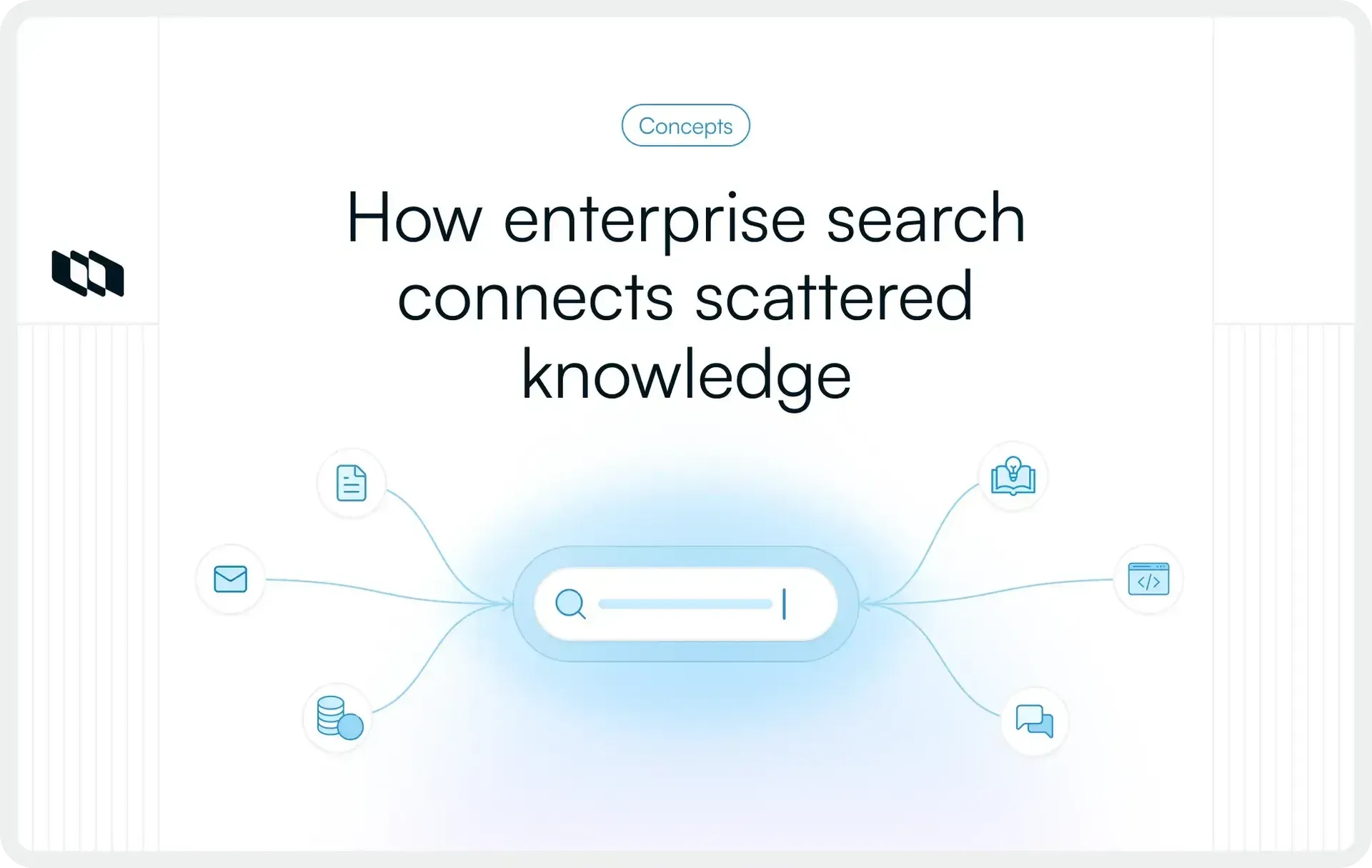
A product decision gets recorded in a meeting, the supporting specifications live in a shared drive, and the implementation details are scattered across project management tools and team conversations. Weeks later, when someone needs to revisit that decision, finding the complete context becomes a task of its own.
Enterprise search addresses this challenge by making organizational information discoverable across connected systems. As businesses manage growing volumes of documents, conversations, and project data, the ability to retrieve accurate information becomes increasingly important. This guide explains how enterprise search works, its key capabilities, benefits, and practical applications.
What is enterprise search?
Enterprise search is a technology that helps employees find information across an organization's internal applications, documents, and data repositories through a single search interface. It connects systems such as knowledge bases, project management platforms, and business applications, making organizational information easier to discover.
An enterprise search engine retrieves relevant results based on search queries and access permissions. For example, an engineering manager searching for a previous architectural decision can find its technical specification, related work items, and discussions across connected tools without searching each application separately.
How does enterprise search work?
Enterprise search works by connecting organizational data sources, processing their content, and making that information searchable through a common interface. The underlying process involves several stages, from discovering available information to interpreting queries and delivering permission-appropriate results.
The following six steps explain how enterprise search works.
1. Data discovery and collection
The process begins by identifying the information sources that employees need to search. These may include cloud storage platforms, internal databases, documentation repositories, project management applications, and communication systems.
Enterprise search solutions use connectors, APIs, or other supported integration methods to establish access to these sources. During configuration, administrators determine which repositories, content types, and records should be included in the searchable environment.
2. Content crawling and ingestion
Once the connections are established, the search system retrieves information from the selected sources. Depending on the integration, this may involve crawling document repositories, reading application records through APIs, or receiving updates when source content changes.
During ingestion, the system extracts searchable information such as document text, titles, descriptions, timestamps, and available metadata. It may also process supported attachments and file formats to make their contents discoverable.
3. Data indexing and metadata enrichment
The collected information is organized into searchable structures called indexes. These structures help the search engine identify relevant records efficiently without examining every connected document from the beginning for each query.
Indexing may involve extracting keywords, organizing metadata, identifying document relationships, and creating vector representations for semantic search. Source identifiers, update timestamps, and access-control information help preserve the context needed to retrieve and manage results accurately.
4. Query processing and intent understanding
When an employee enters a search query, the system analyzes the request to determine which information may be relevant.
Traditional search engines primarily use keywords and text-matching techniques. More advanced systems may interpret synonyms, recognize related terminology, identify entities, and analyze the meaning of a natural language question.
For instance, a search for "previous API authentication changes" could identify relevant technical documentation even when individual records use terms such as "credential updates" or "authorization revisions."
5. Information retrieval and relevance ranking
After processing the query, the search engine identifies matching documents and records from its searchable sources.
Results are ranked using available relevance signals, which may include keyword matches, semantic similarity, content quality, document freshness, and other configured factors. The weighting of these signals depends on the search system and its relevance model.
The objective is to present the most useful authorized information near the top of the results, reducing the effort required to locate an appropriate answer.
6. Access-controlled results and continuous synchronization
Before information is exposed to a user, the enterprise search system must enforce the applicable access permissions. A user should receive results only from information they are authorized to access, even when the underlying index contains records from multiple departments.
The system must also account for changes in source content and permissions. Depending on the integration, updates may be synchronized through scheduled indexing, event-driven notifications, or live retrieval.
Together, these mechanisms help keep search results accurate, current, and consistent with organizational access policies.
Why is enterprise search important for organizations?
As organizations grow, information becomes distributed across departments, applications, and individual workflows. Employees often know that relevant information exists somewhere within the company but lack a reliable way to locate it.
The benefits of enterprise search for businesses extend beyond faster document retrieval. Effective enterprise search supports knowledge accessibility, decision-making, and coordinated execution across teams.
1. Reduces time spent searching for information
Employees frequently switch between applications to locate documents, project updates, and historical discussions. Enterprise search reduces this effort by allowing them to search connected information sources from one place.
For teams managing multiple projects, faster information retrieval means less time navigating folders or requesting links from colleagues.
2. Breaks down information silos across departments
Different teams often maintain separate systems for documentation, project tracking, customer information, and internal communication. This separation can make relevant information difficult to discover across organizational boundaries.
Enterprise search creates a shared discovery layer across connected systems while preserving applicable access restrictions. Teams gain visibility into information that would otherwise remain difficult to locate.
3. Improves employee productivity and operational efficiency
When employees can retrieve relevant information efficiently, they spend less effort reconstructing context or searching through outdated records.
This becomes particularly useful in workflows involving frequent information requests, such as incident investigations, project handovers, technical troubleshooting, and operational reviews.
4. Supports faster, more informed decision-making
Business decisions often depend on information collected across multiple projects, systems, and time periods. Enterprise search helps decision-makers retrieve supporting documents, previous discussions, and relevant records.
For example, a product manager evaluating a feature request can search previous customer feedback, technical assessments, and prioritization discussions before making a recommendation.
5. Preserves institutional knowledge and organizational context
Important organizational knowledge frequently accumulates through project decisions, technical documentation, meeting records, and employee contributions.
Enterprise search makes this existing knowledge easier to rediscover, particularly when employees change roles, teams reorganize, or projects transition between owners. Its usefulness depends on the quality and availability of the underlying information.
6. Strengthens cross-functional collaboration and knowledge sharing
Cross-functional teams need access to shared information to coordinate work effectively. Finding an approved specification, previous decision, or current project status should require minimal dependence on individual colleagues.
By improving information discoverability, enterprise search helps teams establish a more consistent understanding of ongoing work and relevant organizational knowledge.
What are the key features of an enterprise search system?
The capabilities of an enterprise search system determine how effectively employees can discover, filter, and use information. While individual platforms differ in their technical architecture, several features are particularly important for supporting search across complex organizational environments.
1. Unified search across multiple data sources
Unified search provides a common interface for discovering information distributed across connected applications and repositories. Employees can search relevant sources together instead of repeating queries across individual tools.
Its effectiveness depends on integration coverage, source accessibility, and how consistently the system handles different content formats.
2. Advanced filtering and faceted navigation
Search filters help users narrow results using attributes such as document type, project, department, author, creation date, or modification date.
Faceted navigation makes these attributes available as selectable categories. For example, a user searching for release documentation could restrict results to a specific project, time period, and document type.
3. Semantic search and natural language understanding
Semantic search uses techniques that identify relationships in meaning between a query and available content. This can improve retrieval when employees use terminology that differs from the language used in stored documents.
Natural language understanding can further support questions expressed in everyday language, reducing the need to construct precise keyword combinations.
4. Intelligent relevance ranking and personalization
Enterprise search systems may evaluate multiple signals to determine which results are most useful for a particular query. These signals can include textual relevance, document freshness, metadata, and user or organizational context.
Some implementations also provide personalization based on authorized user context. Such capabilities require careful configuration to maintain predictable and appropriate search results.
5. Role-based access controls and permission-aware results
Enterprise search must respect the access policies governing connected information.
Permission-aware retrieval restricts results according to applicable user or group permissions. Depending on the source, these controls may involve role-based access, document-level permissions, or other authorization rules.
A reliable implementation must also handle changes to permissions and user access over time.
6. Real-time or scheduled content synchronization
Organizational information changes continuously as documents are updated, work items move through workflows, and new decisions are recorded.
Content synchronization allows search indexes or retrieval connections to reflect those changes. Some systems support near-real-time updates, while others rely on scheduled synchronization. The appropriate approach depends on source capabilities and information freshness requirements.
7. Search analytics and performance monitoring
Search analytics reveal how employees use enterprise search and where retrieval quality may need improvement.
Common capabilities include tracking search activity, identifying queries with few or no results, analyzing repeated searches, and monitoring engagement with retrieved content. These insights help administrators improve search relevance, source coverage, and the overall search experience while applying appropriate privacy controls.
What are the different types of enterprise search?
Enterprise search can be implemented through different retrieval architectures and search technologies. The most appropriate approach depends on where information resides, how frequently it changes, and whether the organization needs live retrieval or centrally indexed content.
Here are four types of enterprise search with examples of where each approach fits.
1. Siloed enterprise search
Siloed search allows employees to retrieve information within an individual application or repository.
For example, a project management application may provide built-in search for work items, project descriptions, and associated records. This approach is useful when the required information is contained within one system, although employees must use additional tools to search other repositories.
2. Federated enterprise search
Federated search distributes a query across multiple connected information systems and combines the responses into a shared results interface.
Because information can be retrieved from source systems when the search is performed, this approach can be useful when centralized indexing is restricted or live access is important.
Its performance depends partly on the availability, response speed, and search capabilities of connected sources.
3. Unified or index-based enterprise search
Unified search commonly relies on a central index containing searchable representations of information collected from multiple repositories.
This architecture gives the search engine greater control over retrieval, ranking, and filtering across data sources. It can provide consistent search behavior, although maintaining accurate indexes requires dependable synchronization and permissions handling.
4. AI-powered enterprise search
AI-powered enterprise search incorporates capabilities such as semantic retrieval, contextual ranking, conversational queries, and generated answers.
For example, an employee may ask for a summary of the decisions made during a previous product launch and receive an answer based on retrieved organizational records.
AI-powered capabilities can operate alongside federated or centralized indexing approaches, so they represent an additional technology layer rather than a completely separate retrieval architecture.
Enterprise search approaches at a glance
Approach | Typical application | Main consideration |
Siloed search | Finding records within one application | Limited cross-system visibility |
Federated search | Searching multiple live data sources | Dependent on source responsiveness |
Unified search | Searching a centrally indexed collection | Requires index synchronization |
AI-powered search | Contextual retrieval and natural language answers | Requires reliable grounding and permission controls |
Enterprise search vs. traditional web search: What's the difference?
Enterprise search and traditional web search share foundational information retrieval techniques, including indexing, query processing, and relevance ranking. Their primary differences come from the information they serve, the users they support, and the controls required to access results.
A web search engine primarily helps users discover publicly accessible online information. An enterprise search engine operates within an organization's information environment, where content may be confidential, distributed across private applications, and governed by different access permissions.
Parameter | Enterprise search | Traditional web search |
Primary purpose | Discover internal organizational information | Discover information available on the web |
Data sources | Connected business applications, documents, and repositories | Publicly accessible websites and online content |
Information access | Governed by organizational permissions | Primarily based on publicly indexable content |
Security controls | Requires integration with applicable authorization policies | Governed by public indexing and website access mechanisms |
Search relevance | Can incorporate business context, internal metadata, and organizational terminology | Uses web-oriented relevance and ranking signals |
Data freshness | Depends on source updates, synchronization, and retrieval architecture | Depends on crawling, indexing, and recrawling |
Common use cases | Internal knowledge discovery, project research, operational information retrieval | General research, navigation, and public information discovery |
For organizations, enterprise search also requires continuous attention to source integration, content ownership, and permission management. These considerations shape how internal information is made discoverable and who can retrieve it.
What are the common use cases of enterprise search?
Enterprise search is valuable wherever employees need to retrieve information from several systems to complete their work. The specific applications vary by department, but the underlying requirement remains consistent: relevant information must be discoverable when it is needed.
The following examples illustrate how enterprise search supports different business functions.
1. Project management: Finding project plans, decisions, and historical work
Project managers regularly consult requirements, milestone updates, meeting notes, and previous decisions to understand project progress.
For example, when investigating a missed milestone, a project manager could search for the original delivery estimate, approved scope changes, and related implementation records. Access to this history helps the manager reconstruct the sequence of decisions and identify contributing factors.
2. Product and engineering teams: Retrieving technical documentation and issue histories
Engineering and product teams often work with information distributed across code repositories, technical documentation, issue trackers, and product specifications.
An engineer investigating a recurring defect could search for previous incident reports, related work items, and architectural decisions. The retrieved records may reveal earlier troubleshooting attempts and the reasoning behind existing implementation choices.
3. Knowledge management: Discovering organizational policies and documentation
Enterprise knowledge search helps employees locate information maintained across internal knowledge bases, shared documents, and departmental repositories.
For instance, a new technical lead may need to understand an organization's release approval process. Search can help locate the current procedure, associated templates, and supporting documentation without relying entirely on colleagues to provide the information.
4. Customer support: Accessing troubleshooting guides and previous resolutions
Support teams need to retrieve accurate product information while responding to customer issues.
When a customer reports an unfamiliar problem, a support specialist can search documented incidents, troubleshooting procedures, and previous support resolutions. Relevant historical information can support diagnosis and help the specialist follow established resolution processes.
5. Human resources: Finding onboarding resources and internal procedures
HR teams maintain policies, employee resources, process documentation, and onboarding materials across multiple systems.
Enterprise search can help employees locate approved information about leave policies, internal processes, or onboarding requirements. Sensitive personnel records remain subject to the organization's applicable access restrictions.
6. Sales and business operations: Retrieving customer and operational information
Sales and operations teams frequently reference proposals, product materials, customer documentation, and internal process records.
For example, an account manager preparing for a renewal discussion could search authorized customer records, previous proposals, and relevant product documentation. This provides useful context for understanding past commitments and preparing an informed conversation.
How is AI transforming enterprise search?
Artificial intelligence is expanding the capabilities of enterprise search by improving how systems interpret queries, identify relevant content, and present retrieved information. AI enterprise search combines established information retrieval techniques with language models and other machine learning methods.
These developments are particularly useful when organizational information is complex, loosely structured, or expressed using inconsistent terminology.
1. Semantic search understands meaning beyond exact keywords
Semantic retrieval techniques can represent queries and documents according to their meaning, often using vector embeddings.
This allows a search system to identify conceptually related information even when the query and source document use different words. For example, a search about "service reliability problems" may retrieve relevant records discussing outages, availability, or system failures.
Semantic retrieval is often combined with keyword-based search to preserve precision for identifiers, error codes, and exact terminology.
2. Natural language processing enables conversational queries
Natural language processing helps search systems interpret questions expressed in everyday language.
An employee could ask, "Which technical dependencies delayed the last release?" rather than manually searching separate terms across project documents. A system equipped with suitable retrieval capabilities may identify relevant records and use conversational context to support follow-up questions.
The quality of these interactions depends on the available source material and the system's ability to interpret the request correctly.
3. Retrieval-augmented generation provides grounded answers
Retrieval-augmented generation (RAG) combines information retrieval with generative AI.
When a user submits a question, the system retrieves relevant content and provides that content as context to a language model. The model can then generate an answer informed by the retrieved information.
For enterprise applications, source references help users inspect the evidence supporting an answer. Permission enforcement, document freshness, and output validation remain essential because generated responses can still contain inaccuracies.
4. Context-aware ranking improves result relevance
AI-based ranking models can evaluate relationships between search intent, document content, metadata, and authorized contextual signals.
For example, when several documents discuss the same product feature, a search system may use relevance signals to prioritize the current approved specification over an older draft.
Such ranking requires appropriate signals and configuration. Document status, version information, and reliable metadata are particularly valuable for distinguishing authoritative records from outdated material.
5. AI agents enable multi-step information retrieval and synthesis
AI agents can extend search workflows by performing sequences of information retrieval and analysis operations.
An agent assisting with a project review might retrieve milestone records, examine related work items, compare available documentation, and prepare a summary of outstanding dependencies.
These capabilities introduce additional governance requirements because an agent may access several systems and combine information across sources. Its retrieval and actions must remain within authorized boundaries, with appropriate oversight for consequential operations.
What are the common challenges of enterprise search?
Enterprise search depends on the quality, accessibility, and governance of the information it retrieves. Organizations may connect numerous applications and still struggle to deliver useful results when source content is inconsistent or search behavior is poorly configured.
Understanding these challenges helps teams evaluate the operational requirements behind a successful implementation.
1. Fragmented data sources and incompatible integrations
Enterprise information may reside in applications with different APIs, authentication mechanisms, and data structures.
Some repositories provide comprehensive integration capabilities, while others expose limited search or metadata access. These differences can create incomplete coverage and require additional integration development or configuration.
2. Inconsistent metadata and poor information quality
Search relevance can suffer when documents have unclear titles, missing ownership information, inconsistent terminology, or poorly maintained metadata.
For example, multiple files named "Final requirements" may be difficult to distinguish without project identifiers, version information, or approval status. Consistent information management practices improve the quality of searchable content.
3. Outdated, duplicate, or incomplete search results
Organizations frequently maintain multiple versions of documents across applications and shared repositories.
Without dependable synchronization and version management, search results may prioritize outdated records or present duplicate documents without sufficient context. Users need clear signals about content ownership, modification dates, and authoritative versions.
4. Managing sensitive information and access permissions
Connecting multiple repositories introduces complex access-control requirements.
Different applications may use different permission models, and changes to source permissions must be reflected appropriately in search behavior. Incorrect authorization handling can expose confidential information, making security testing and ongoing access validation essential.
5. Maintaining relevance across large and growing datasets
As searchable content expands, query terms may match increasing numbers of documents with different levels of relevance.
Search systems must distinguish between current and historical material, interpret specialized terminology, and accommodate different information needs. Relevance tuning becomes an ongoing operational activity as source content and user behavior evolve.
6. Low employee adoption and inconsistent search experiences
Employees may continue using familiar application-specific search tools when a new enterprise search interface produces confusing or incomplete results.
Adoption depends on practical usability, reliable results, integration with existing workflows, and employee confidence in retrieved information. Search quality needs to be demonstrated through everyday tasks rather than assumed from technical deployment alone.
How do you implement enterprise search effectively?
Implementing enterprise search requires coordinated decisions about information architecture, integration, permissions, and user experience. The process begins with understanding what employees need to find and extends into maintaining search quality after deployment.
Organizations can use the following seven steps to plan and implement enterprise search in an organization.
1. Identify organizational search needs and information gaps
Begin by examining the questions employees regularly struggle to answer and the systems they use to locate information.
Interview representative users from different departments and document common search tasks, including project research, technical troubleshooting, policy discovery, and operational reporting. Prioritize workflows where better information retrieval would provide measurable value.
2. Audit existing data sources and repositories
Create an inventory of repositories that contain relevant organizational information.
For each source, identify its content types, ownership, available integration methods, update frequency, metadata quality, and access requirements. This audit helps determine which systems can be integrated reliably and where additional preparation is needed.
3. Define search requirements, governance, and access policies
Establish requirements for source coverage, search relevance, information freshness, authentication, and authorization.
Identify how the solution should handle sensitive records, data retention, permission changes, and search activity logs. Define responsibilities for maintaining connectors, resolving information quality issues, and reviewing access-control behavior.
4. Choose an enterprise search architecture and solution
Evaluate enterprise search solutions against the requirements established during discovery.
Consider whether federated retrieval, centralized indexing, or a combination is appropriate for the organization's information environment. Assess integration support, deployment requirements, security controls, scalability, administration, and the capabilities employees will actually use.
A controlled pilot with representative data and search tasks can provide more useful evidence than feature comparisons alone.
5. Connect data sources and configure indexing
Integrate the selected repositories and configure the search system to retrieve relevant information.
Set up supported connectors, content extraction, metadata mapping, indexing rules, and synchronization processes. Establish how deleted records, updated documents, duplicate content, and permission changes should be handled.
Validate the resulting search coverage against the original repository inventory.
6. Test search relevance, permissions, and user experience
Create a representative set of search queries with known expected results.
Evaluate whether users can retrieve authoritative documents, distinguish current records from outdated versions, and navigate results efficiently. Test authorization using accounts with different access levels, including scenarios where restricted information must remain inaccessible.
Use feedback from actual employees to identify confusing search behavior and missing content.
7. Train employees and continuously optimize performance
Introduce enterprise search through practical workflows that demonstrate how employees can use it in their daily work.
Provide guidance on search techniques, filters, result interpretation, and reporting incorrect or missing information. After deployment, monitor search performance, resolve integration issues, and refine relevance settings as organizational information and user requirements change.
How do you measure the effectiveness of enterprise search?
Enterprise search performance should be evaluated according to whether employees can successfully retrieve the information needed for their tasks. Query volume and system availability provide useful operational signals, but they offer limited insight into the quality of individual search experiences.
The following five metrics can help organizations assess retrieval effectiveness.
1. Search success rate
Search success rate measures the proportion of search sessions that meet a defined success condition.
Success might be determined through explicit user feedback, task completion, or a validated interaction with a relevant result. A result click alone is an imperfect indicator because employees may open a document without finding the required answer.
Organizations should define their success criteria consistently before comparing performance over time.
2. Average time to find relevant information
This metric measures how long employees take to locate information that satisfies their search task.
It can be evaluated through usability testing, task-based measurements, or suitable interaction data. Median completion time may also be useful when a small number of unusually long searches distort the average.
Long retrieval times may indicate unclear ranking, difficult navigation, or inadequate source coverage.
3. Zero-result query rate
Zero-result query rate measures the proportion of searches that return no accessible results.
A high rate may reveal missing integrations, indexing problems, terminology mismatches, or gaps in organizational documentation. Some zero-result searches are expected, particularly when information does not exist or access is appropriately restricted.
Reviewing recurring zero-result queries helps distinguish technical retrieval problems from legitimate information gaps.
4. Query reformulation rate
Query reformulation occurs when an employee changes or refines a search after reviewing the initial results.
Frequent reformulations may indicate that the search engine is struggling to interpret terminology or identify relevant information. However, some refinement is part of normal exploratory research.
This metric is most useful when analyzed alongside task completion and user feedback.
5. Employee adoption and search satisfaction
Adoption measures whether employees regularly use the search system for relevant work activities. Satisfaction evaluates whether they consider the retrieved information useful, accurate, and easy to access.
Organizations can assess these measures through usage trends, surveys, usability studies, and structured feedback. Combined with retrieval-quality metrics, they provide a more complete view of whether enterprise search is delivering practical value.
Conclusion
Enterprise search helps organizations make distributed information easier to discover and use. Its effectiveness depends on reliable source connections, relevant retrieval, accurate permissions, and the quality of the underlying organizational knowledge.
For product, engineering, and project teams, these capabilities support everyday work that depends on historical decisions, technical documentation, and shared context. As AI expands what search systems can retrieve and explain, maintaining trustworthy information and clear access controls will remain central to their usefulness.
Organizations planning enterprise search should begin with specific information needs, evaluate solutions against real workflows, and treat search quality as an ongoing responsibility.
Frequently asked questions
1. What is the main purpose of enterprise search?
The main purpose of enterprise search is to help employees find relevant information across an organization's connected applications, documents, and internal repositories. It provides a common way to discover information while respecting applicable access permissions, reducing the effort required to search multiple systems independently.
2. What is an example of enterprise search?
An engineering manager searching for a previous production incident is one example of enterprise search. A connected search system could retrieve an incident report, related issue records, technical documentation, and authorized team discussions through a single interface, helping the manager understand the incident's history.
3. What is the difference between enterprise search and federated search?
Enterprise search is the broader capability of retrieving information across organizational systems. Federated search is one architecture used to provide that capability. It sends queries to multiple connected sources and combines their responses, typically without requiring all searchable content to be stored in one central index.
4. How is enterprise search different from a knowledge management system?
A knowledge management system supports the creation, organization, maintenance, and sharing of organizational knowledge. Enterprise search focuses on discovering and retrieving information from available sources. The technologies often complement each other, with search helping employees locate knowledge maintained across multiple repositories.
5. Can enterprise search retrieve information from multiple applications?
Yes. Enterprise search can retrieve information from multiple applications when compatible integrations and appropriate access permissions are available. Supported sources may include document repositories, project management tools, internal knowledge bases, communication platforms, and business systems. The exact coverage depends on the search solution and its configured connections.
Recommended for you




 Download for Mac
 Download for Android
