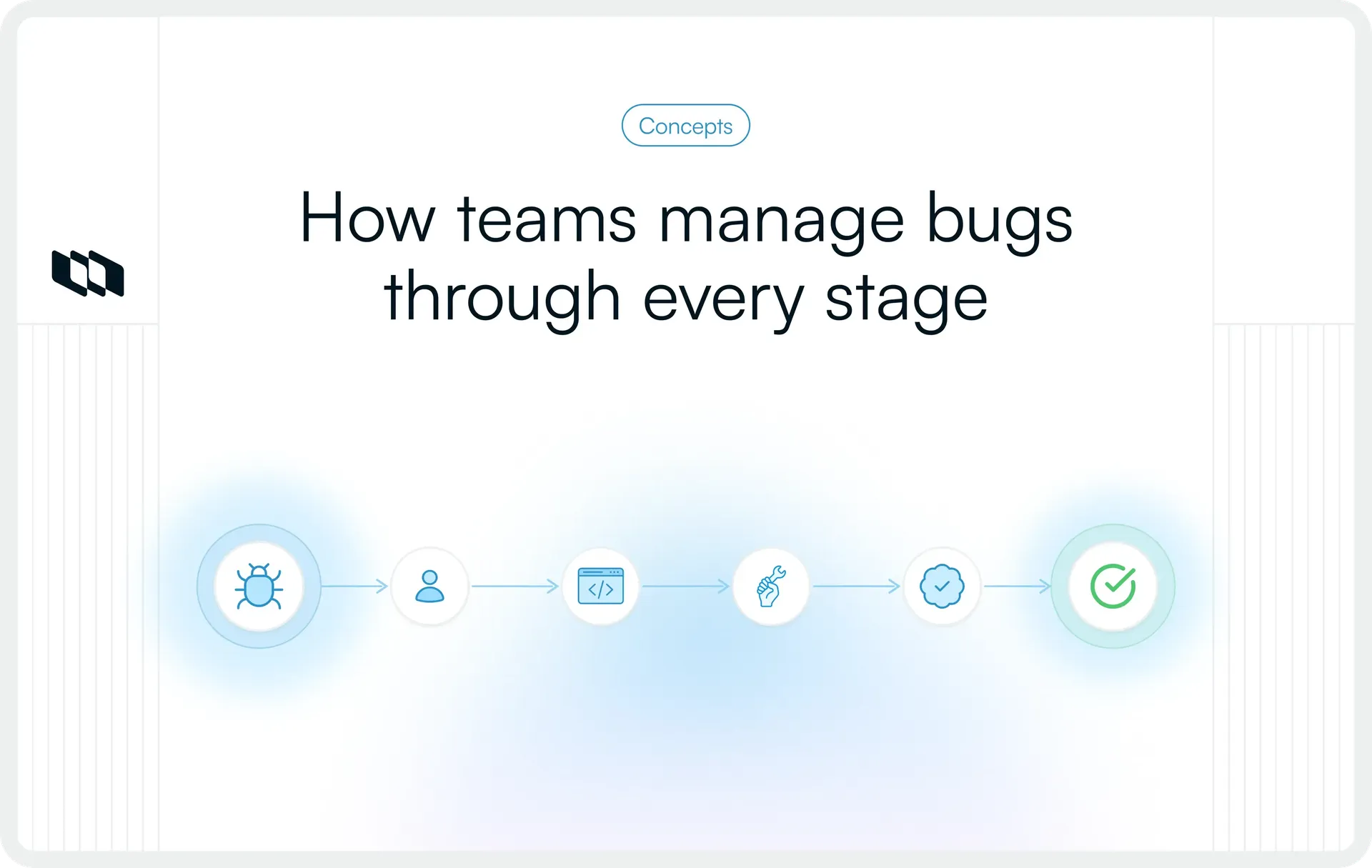
A developer fixes a reported bug, marks it resolved, and moves on to the next task. During the next round of testing, the same issue appears again. The code change was completed, but the defect was never successfully verified.
This is where a defined bug life cycle becomes useful. It establishes how software defects move from initial reporting through investigation, resolution, testing, and closure. Each stage has a specific purpose, helping development and QA teams track progress, coordinate responsibilities, and confirm that issues have actually been resolved.
What is a bug life cycle in software testing?
A bug life cycle, also known as the defect life cycle, is the sequence of stages a software defect passes through from the moment it is identified until it reaches a final resolution. Each stage represents the current status of the defect and determines what action should happen next.
In software testing, a bug is typically identified when an application's actual behavior differs from its expected behavior. Once reported, the issue enters a defect management workflow where it is reviewed, assigned, investigated, fixed, and verified before closure.
The life cycle operates within a broader issue tracking workflow, which manages different types of work through defined statuses, ownership rules, and resolution processes. Bug tracking focuses specifically on software defects and the verification required to confirm their resolution.
Although the terminology is widely used, there is no universally mandatory sequence of statuses. Teams configure their defect life cycle according to their development process, testing practices, and release requirements.
Why is the bug life cycle important?
Software defects often require coordination between multiple people, and their resolution can involve several handoffs. A defined life cycle keeps those handoffs visible and establishes consistent expectations for how issues should progress.
Here are five reasons it matters:
- Clear ownership and accountability: Every reported defect has an identifiable owner responsible for its next action, reducing the likelihood of issues remaining unattended between development and testing.
- Better coordination between teams: Developers, QA engineers, and product managers can follow the same workflow, understand the current status, and identify where their involvement is required.
- Greater visibility into unresolved issues: A structured workflow makes it easier to distinguish newly reported defects, active fixes, items awaiting verification, and completed work.
- More reliable release decisions: Teams can assess outstanding defects, their severity, and verification status before determining whether a build is ready for release.
- Consistent quality control: Requiring defects to pass through defined verification and closure criteria helps teams catch incomplete fixes and maintain a record of how issues were resolved.
What are the eight stages of the bug life cycle?
The bug life cycle stages describe how an issue moves from discovery to confirmed resolution. A commonly used workflow includes eight stages, although some teams combine steps or use different status names.
1. New: Bug identification and reporting
The life cycle begins when a tester, developer, or user identifies unexpected behavior and reports it through the team's tracking system.
The issue receives a New status, indicating that it has been submitted and is awaiting initial review. At this point, the report should provide enough information to understand the observed problem and the conditions under which it occurred.
A newly reported bug has yet to be formally accepted, prioritized, or assigned for resolution. Teams can standardize this process through structured reporting practices, as covered in our guide to bug tracking in Plane.
2. Assigned: Defect ownership and allocation
After reviewing the report, the team assigns the issue to an appropriate developer or engineering owner.
The Assigned status establishes responsibility for investigating and resolving the defect. Assignment typically considers the affected component, technical expertise, existing workload, and urgency of the problem.
Before allocation, teams often follow a bug triage process to validate reported issues, assess their impact, and determine which defects require immediate attention. Some teams assign defects directly during triage, while others maintain an unassigned backlog until engineering capacity becomes available.
3. Open: Investigation and development work
Once work begins, the bug moves to Open or In progress, depending on the team's workflow.
The developer attempts to reproduce the reported behavior, examines relevant code and diagnostic information, and identifies the underlying cause. The investigation may reveal that the issue originates in application logic, an integration, a configuration, or an unexpected interaction between components.
The objective at this stage is to understand the failure well enough to implement an appropriate correction.
4. Fixed: Implementation of the bug resolution
A defect receives the Fixed status when the developer has implemented the necessary correction and completed the team's required development checks.
These checks may include code review, unit tests, or other automated tests. The fix must subsequently become available in an environment where its behavior can be validated.
A fixed status records the developer's completion of the correction. QA verification still determines whether the reported issue has been resolved successfully.
5. Pending retest: Waiting for quality verification
After the fix becomes available in a testable build, the defect can enter Pending retest.
This status indicates that development work has been completed and the issue is waiting for QA validation. The tester may need access to the updated build, the relevant test environment, and any configuration required to reproduce the original scenario.
Teams with continuous testing workflows sometimes move directly from Fixed to Retest without using a separate waiting status.
6. Retest: Validating the implemented fix
During Retest, the QA engineer executes the original reproduction steps against the updated software to determine whether the correction works.
Testing may also include related scenarios to check whether the change introduced unintended behavior elsewhere. The scope depends on the defect's impact and the risk associated with the modification.
If the original problem persists or the acceptance criteria fail, the defect is typically reopened and returned to development.
7. Verified: Confirming successful defect resolution
A bug moves to Verified when testing provides sufficient evidence that the reported issue has been resolved.
The tester confirms that the expected behavior is restored in the tested build and that the relevant verification checks have passed. Supporting evidence, such as test results, environment details, or build identifiers, may be attached to the issue.
Verification establishes confidence in the correction before the defect reaches its final closure state.
8. Closed: Completing the defect lifecycle
The Closed status indicates that the defect has satisfied the team's agreed completion criteria and requires no further action in the current workflow.
Closure may require successful QA verification, updated records, approval from the responsible owner, or confirmation in a release build. The exact requirements depend on the organization's process.
The issue remains available in the tracking system for future reference, including regression investigations and analysis of recurring defects.
What are the other possible statuses in a bug life cycle?
Reported defects do not always follow the standard resolution path. Some issues require additional investigation, while others are resolved through triage decisions without a code change.
Understanding these additional bug life cycle statuses and their meanings helps teams distinguish genuine engineering work from alternative outcomes. A broader issue triage process also helps teams evaluate incomplete, duplicate, or deferred reports before deciding how they should proceed.
1. Reopened
A defect is Reopened when testing or subsequent use reveals that the reported problem still exists after a previous fix or resolution. The issue returns to development for further investigation.
2. Rejected
A report is Rejected when the team determines that the observed behavior does not qualify as a valid defect. This may happen when the application is functioning according to its documented requirements or the report describes an expected limitation.
3. Duplicate
A defect is marked Duplicate when another issue already tracks the same underlying problem. The duplicate report is usually linked to the original so that investigation and resolution remain consolidated.
4. Deferred
A Deferred status indicates that the team acknowledges the defect but has postponed its resolution. Common reasons include competing priorities, release constraints, or dependencies that must be addressed first.
5. Cannot reproduce
A defect may be marked Cannot reproduce when the team cannot recreate the reported behavior using the available information and environment.
Teams may first request additional logs, reproduction steps, or configuration details through a Need more information status before reaching this decision.
6. Won't fix
A defect receives a Won't fix resolution when the team accepts that the issue exists but decides against implementing a correction. This decision may reflect limited impact, disproportionate remediation risk, or an impending replacement of the affected functionality.
Each exceptional status should have a documented reason. This allows future reviewers to understand the decision and revisit it if circumstances change.
How does a bug life cycle workflow work?
A bug life cycle workflow defines how defects move between statuses, who is responsible for each transition, and what conditions must be satisfied before the issue progresses.
A typical bug life cycle workflow diagram follows this sequence:
New → Assigned → Open → Fixed → Pending retest → Retest → Verified → Closed
If verification fails, the workflow can follow a different path:
Retest → Reopened → Open → Fixed → Retest
The workflow is governed by several decision points.
Workflow checkpoint | Responsible role | Key decision or action |
Bug reporting | Tester, developer, or reporter | Record the observed failure and supporting evidence |
Bug triage | Engineering lead, QA lead, or product owner | Confirm validity, assess impact, and determine priority |
Investigation and resolution | Assigned developer | Identify the cause, implement a correction, and complete development checks |
Fix verification | QA engineer or designated tester | Reproduce the original scenario and validate the correction |
Final closure | QA lead or authorized issue owner | Confirm that closure criteria and documentation requirements are satisfied |
Severity and priority influence how defects move through this workflow. Severity describes the impact of the failure on system behavior, while priority determines how urgently the team should address it. Understanding bug severity vs. priority in testing helps teams make consistent decisions during triage and release planning.
For example, a relatively minor interface defect on a critical checkout screen may receive high priority because of its business impact. Meanwhile, a more severe defect affecting an unused legacy feature might be scheduled for a later release.
A well-configured workflow also establishes transition rules. A developer may need to identify the build containing a fix before handing it to QA, while closure may require recorded verification results.
These rules make bug tracking more consistent, especially when multiple engineering teams contribute to the same product.
What is a real-world example of a bug life cycle?
Consider a hypothetical e-commerce application where customers encounter a payment failure after changing their delivery option during checkout.
The checkout page displays the updated total, but the payment request still uses the previous amount. As a result, the payment cannot be completed.
The following example shows how the defect progresses through its life cycle.
Stage | What happens in the example |
New | A QA engineer reports that checkout fails after switching from standard to express delivery. |
Assigned | The engineering lead assigns the issue to the developer responsible for checkout payments. |
Open | The developer reproduces the problem and discovers that the payment request uses an outdated order total. |
Fixed | The developer updates the payment calculation logic and completes the relevant development tests. |
Pending retest | The corrected build becomes available in the QA environment. |
Retest | QA repeats the delivery-change scenario and tests the payment flow with the updated total. |
Verified | The payment request matches the final order amount, and the relevant checks pass. |
Closed | The defect is closed with the verification results and tested build recorded. |
What happens if the bug reappears?
Suppose the original checkout scenario passes, but additional testing reveals that the same payment mismatch still occurs on a mobile browser using an existing checkout session.
QA reopens the defect and documents the conditions that reproduce the remaining failure. The developer investigates the session-handling behavior, implements another correction, and returns the issue for testing.
The defect proceeds to Verified and Closed only after the agreed verification checks pass.
This example illustrates why a completed code change and a successfully resolved defect can occur at different points in the workflow.
How do you measure the effectiveness of a bug life cycle?
A defect management process becomes easier to improve when teams measure where issues accumulate, how long resolutions take, and how reliably fixes pass verification.
The following five metrics provide useful indicators of lifecycle performance.
1. Mean time to resolution (MTTR)
Mean time to resolution measures the average elapsed time required to resolve a reported defect.
Teams should define consistent start and end points, such as the time between report creation and final verification. Comparing MTTR across severity levels and defect categories helps reveal where resolution time is increasing.
2. Time spent in each bug status
This metric measures how long defects remain in individual workflow stages.
For example, consistently high time in Pending retest may indicate limited QA capacity or delays in preparing test environments. Extended investigation time may suggest missing diagnostic information or technically complex defects.
3. Bug reopen rate
The bug reopen rate measures the proportion of defects that return to an active state after an attempted resolution during a defined reporting period.
A high reopen rate can indicate incomplete fixes, insufficient reproduction steps, or gaps in testing. Teams should use a consistent calculation method and examine the reasons behind reopened issues.
4. Defect leakage rate
Defect leakage measures the extent to which defects escape pre-release testing and are discovered after software reaches production.
One approach is to calculate post-release defects as a percentage of all defects identified for a release within a defined observation period. Teams must apply consistent counting rules to make comparisons meaningful.
5. Bug backlog age
Bug backlog age measures how long unresolved defects have remained in the tracking system.
Reviewing the oldest open defects, particularly those with significant severity or customer impact, helps teams identify neglected issues and make informed decisions about backlog cleanup.
A structured approach to issue tracking in Plane can support this analysis by keeping issue statuses, ownership, and progress visible through saved views and dashboards.
No single metric provides a complete view of quality. Resolution speed should be interpreted alongside verification results, defect impact, and the rate at which issues return after a fix.
What are the common challenges and best practices in bug life cycle management?
Managing the bug life cycle effectively requires more than defining statuses. Teams also need consistent reporting standards, clear decision-making responsibilities, and reliable verification practices.
Here are six common problems and practical ways to address them.
1. Incomplete bug reports: Standardize defect documentation
Reports that lack reproduction steps, environment details, or expected behavior force developers to spend additional time collecting information before an investigation can begin.
A standard bug reporting template should capture a clear summary, actual and expected results, reproduction steps, affected version, environment, and relevant diagnostic evidence. Encourage reporters to include logs or screenshots when they help explain the failure.
2. Unclear ownership: Define responsibilities and handoffs
Defects can remain unattended when several team members are involved but nobody is accountable for the next action.
Assign one responsible owner at each active stage and establish who performs triage, implements fixes, conducts verification, and authorizes closure. Explicit ownership becomes particularly important for issues that cross services or engineering teams.
3. Inconsistent status updates: Establish clear transition rules
A tracking board loses value when issues are marked Fixed before the correction is available for testing or remain Open long after development work has finished.
Define what each status means and the evidence required to enter or leave it. Where practical, connect issue updates to development events such as merged pull requests, build availability, and completed test runs.
4. Incorrect prioritization: Evaluate severity and business impact
Teams may spend time resolving low-impact defects while customer-facing failures remain unresolved.
During triage, consider user impact, affected functionality, frequency, available workarounds, and release urgency. Review priorities when new evidence emerges, especially for defects initially reported with limited context.
5. Insufficient retesting: Define verification and closure criteria
A fix that passes one narrow test may still leave related failure scenarios unresolved.
Create verification criteria that cover the original reproduction steps, relevant variations, and appropriate regression checks. Record the tested build and outcome before closing the issue, so the team can establish exactly what was validated.
6. Recurring defects: Investigate underlying causes
Repeated defects in the same component can indicate gaps in test coverage, unstable interfaces, or problems in the development process.
Apply structured root cause analysis to investigate recurring failures, identify contributing conditions, and determine what needs to change. Strengthen automated tests where they provide useful regression coverage, and review whether corrective actions reduce similar failures in subsequent releases.
Conclusion
A well-managed bug life cycle gives development and QA teams a consistent way to handle defects, from the first report to the final verification. Its effectiveness depends on how clearly teams define responsibilities, manage status transitions, and establish criteria for closing issues.
Start with a workflow that reflects how your team actually develops and tests software. Keep defect reports actionable, make ownership visible, and review recurring issues to identify gaps in the process. As your product and engineering teams grow, these practices help maintain reliable defect tracking, reduce unnecessary handoffs, and make software quality easier to manage.
Frequently asked questions about the bug life cycle
1. What is the difference between a bug life cycle and a defect life cycle?
The terms bug life cycle and defect life cycle are generally used interchangeably in software testing. Both describe the stages through which an identified software issue progresses, including reporting, assignment, investigation, resolution, verification, and closure.
2. How many stages are there in a bug life cycle?
A commonly used bug life cycle has eight stages: New, Assigned, Open, Fixed, Pending retest, Retest, Verified, and Closed. The exact number varies because organizations may combine statuses, add approval steps, or configure separate workflows for different defect types.
3. What is the difference between Fixed, Verified, and Closed?
Fixed indicates that the developer has completed the correction. Verified means the correction has passed the required testing checks. Closed confirms that all agreed completion criteria have been satisfied and the issue requires no further action in the current workflow.
4. What happens when a bug is reopened?
A reopened bug returns to an active investigation or development stage because the reported problem persists or the earlier resolution has failed validation. The team reviews the new evidence, investigates the remaining failure, and repeats the relevant fix and verification steps.
5. Who is responsible for managing the bug life cycle?
Responsibility is shared across the software development team. Testers and other reporters identify defects, engineering leads or product owners help prioritize them, developers investigate and resolve them, and QA engineers verify the corrections. An issue owner or designated lead oversees workflow consistency and closure requirements.
Recommended for you



 Download for Mac
 Download for Android
