What is product instrumentation? A guide for product teams
Learn what product instrumentation is, how event tracking works, and how to plan, implement, and validate meaningful product data.
Learn what product instrumentation is, how event tracking works, and how to plan, implement, and validate meaningful product data.
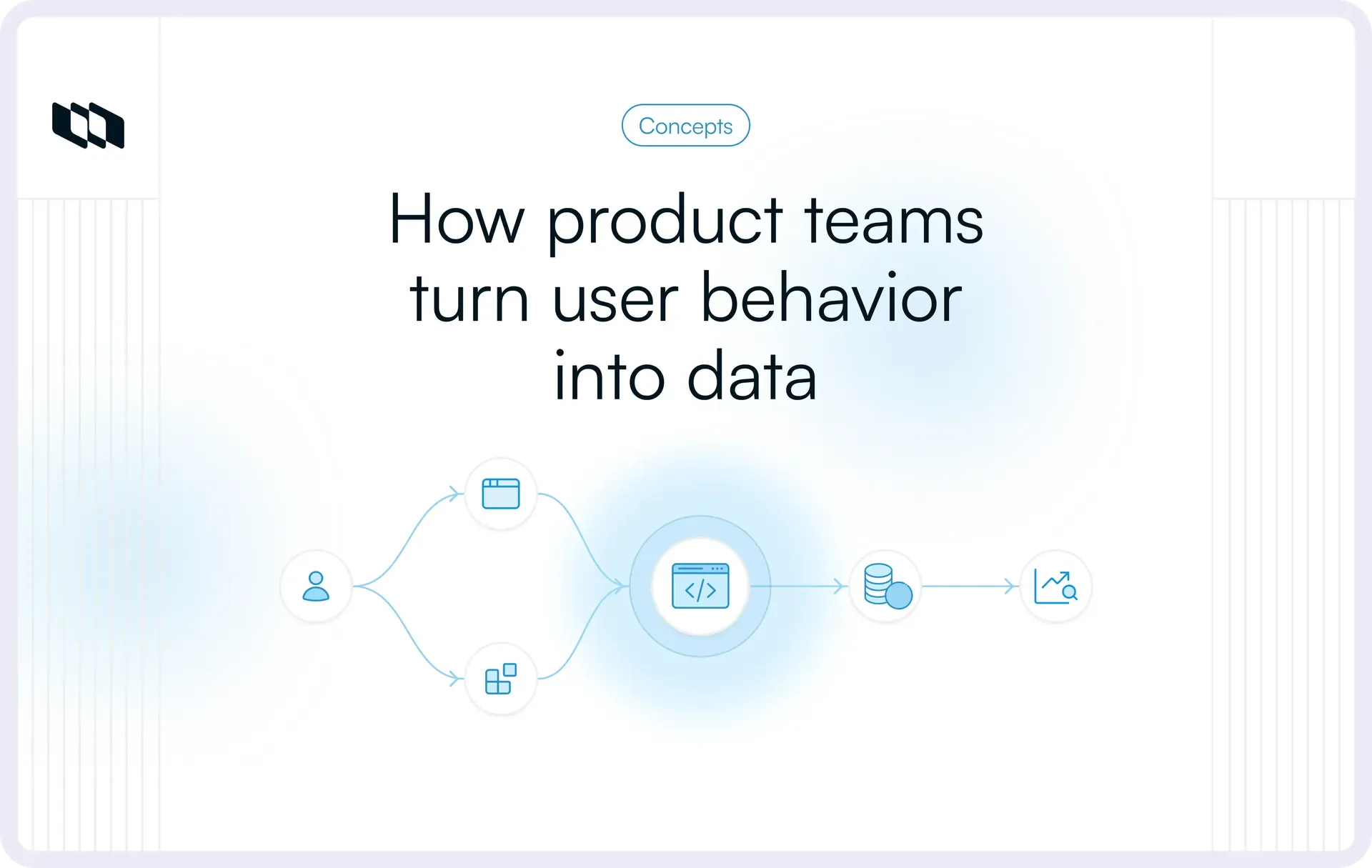
A new feature goes live, users start interacting with it, and the product team wants to know whether it's working as intended. How many people discovered it? Where did they get stuck? Did they complete the action the feature was designed for? Answering these questions requires visibility into what happens inside the product.
Product instrumentation makes that visibility possible by capturing meaningful user interactions and turning them into measurable data. In this guide, we'll explore how product instrumentation works, its key components, the metrics it supports, and how product and engineering teams can implement it effectively.
What is product instrumentation?
Product instrumentation is the process of adding tracking mechanisms to a digital product to collect structured data about user interactions, feature usage, and system activities. It allows product teams to understand how people use an application by recording specific actions, such as completing registration, creating a project, or using a particular feature.
These actions are recorded as events, often accompanied by contextual information called event properties. For example, when someone creates a project, the application might record a project_created event along with the project type, timestamp, and relevant account identifier.
This information provides the foundation for product analytics instrumentation, helping teams measure user behavior, evaluate product performance, and identify opportunities for improvement. While instrumentation handles data collection, product analytics uses the resulting data to examine patterns, measure outcomes, and support product decisions.
How does product instrumentation work?
Product instrumentation works by connecting user actions inside an application with an event-tracking system. When a predefined action occurs, the application records the event, attaches relevant context, and sends the information to a designated analytics system.
The process generally involves five stages:
- User interaction: A user performs an action, such as creating a task, uploading a file, or inviting a collaborator. The application processes the interaction according to its normal functionality.
- Event tracking: Tracking logic records a predefined event when the relevant action or outcome occurs. For example, a successfully created task can trigger a
task_createdevent. - Context collection: The event includes additional information, such as when the action happened, which account was involved, or which product feature was used.
- Data processing: The application sends the event to a data collection system, where it can be validated, processed, and stored for analysis.
- Product analysis: Product teams use the recorded data to examine user journeys, measure feature adoption, and understand how different interactions contribute to desired outcomes.
Consider a project management application introducing a new dashboard. Instrumentation can record when users open the dashboard, apply a filter, or save a custom view. By analyzing the events together, the product team can understand how people interact with the feature and which actions they complete.
What are the key components of product instrumentation?
Effective product instrumentation depends on several connected components. Each serves a specific purpose, from defining which activities should be recorded to making the resulting data understandable and reliable.
1. Events
Events represent specific actions or occurrences within a product. They form the basic units of event tracking and describe what happened at a particular point in time.
For example, a team might define file_uploaded, report_generated, and subscription_started as separate events. Each event should have a clear definition of the action or outcome it represents so that everyone interpreting the data understands what was recorded.
2. Event properties
Event properties provide additional details about individual events, helping teams understand the circumstances surrounding an action.
For example, a report_generated event might include properties such as report_type, export_format, and generation_time_ms. These attributes allow teams to examine report generation by type, format, or processing time without creating a separate event for every variation.
3. User and account properties
User properties describe relevant characteristics of an individual user, such as their role, subscription plan, or account status. Account properties represent the organization or workspace associated with that user.
In B2B SaaS products, this distinction is particularly useful because multiple users may belong to the same organization. Consistent user and account identifiers allow teams to analyze individual behavior alongside organization-level usage, provided the tracking system supports the required identity relationships.
4. Event taxonomy and naming conventions
An event taxonomy is an organized system of event names, definitions, and categories. It establishes a shared language for describing product activity.
For example, if one team records document_created while another uses new_doc, reports may treat the two as unrelated actions. Consistent naming conventions help prevent this fragmentation and make data easier to interpret across product areas.
5. Tracking plans
A tracking plan documents the events an application needs to capture and the requirements associated with each one. It typically includes event names, definitions, triggering conditions, properties, data sources, and implementation ownership.
The plan acts as a shared specification for product managers, engineers, and analysts, ensuring that tracking requirements are understood before implementation begins.
6. Data collection and validation
Data collection mechanisms determine how events are recorded and transmitted. Depending on the event, tracking may happen in the user's browser or mobile application, on the application server, or through a combination of both.
Validation checks whether recorded events match their intended definitions. It helps identify issues such as missing properties, incorrect timestamps, duplicated events, or actions recorded before they were successfully completed.
Why is product instrumentation important for product teams?
Product teams regularly make decisions about feature development, onboarding experiences, and product improvements. Instrumentation provides behavioral evidence that can support those decisions and reveal how users experience the product after release.
Here are six important benefits of product instrumentation.
- Understand actual product usage: Instrumentation reveals which workflows users engage with, how frequently they perform specific actions, and how usage differs across user groups. This helps teams evaluate whether the product is being used as intended.
- Measure feature adoption: After releasing a capability, teams can track how many eligible users start using it and whether they return. This provides a clearer picture of feature adoption and usage than simply counting how many users have access to the feature.
- Identify friction in user journeys: By tracking meaningful steps in onboarding, checkout, or other workflows, teams can locate stages where users stop progressing. These findings help narrow down areas that require further investigation.
- Inform product prioritization: Usage patterns can highlight features that receive sustained engagement, workflows with recurring friction, or capabilities that struggle to gain traction. Product managers can combine this evidence with customer feedback, business goals, and feature prioritization frameworks when deciding what to improve.
- Evaluate product changes: Instrumentation allows teams to monitor relevant metrics following releases, interface updates, or controlled experiments. Changes in behavior can indicate areas worth examining, while experiments and additional research help determine what caused those changes.
- Support cross-functional decisions: Shared behavioral data gives product, engineering, design, and leadership teams a common reference for discussing product outcomes. Teams can evaluate the same definitions and measurements when reviewing performance or planning improvements.
What product metrics can instrumentation help teams measure?
Product instrumentation supports several categories of product metrics, depending on which events are captured and how those events are defined.
The following metrics are particularly relevant to product managers and engineering teams.
Metric category | What it measures | Example |
Activation | Whether new users reach a defined initial value milestone | Percentage of new users who create their first project |
Feature adoption | How many eligible users begin using a particular capability | Percentage of eligible users who use a new reporting feature |
Engagement | How frequently and meaningfully users interact with the product | Weekly users completing a core workflow |
Conversion | How users progress through a defined sequence of actions | Percentage of trial accounts that upgrade to a paid plan |
Retention | Whether users return and perform a meaningful activity over time | Percentage of activated users who complete another core action in a later week |
Workflow efficiency | How effectively users complete a process | Median time between starting and completing a workflow |
The accuracy of these metrics depends on how teams define their underlying events and populations. For example, measuring feature adoption requires a clear definition of what counts as usage, the period being measured, and which users are eligible to use the feature.
Similarly, retention becomes more informative when it measures a meaningful return action rather than an incidental login. These definitions help ensure that product metrics reflect the behaviors teams actually want to understand.
For teams looking to connect individual measurements with broader product goals, a product metrics framework helps organize metrics around measurable outcomes and supporting indicators.
How do you implement product instrumentation step by step?
A successful product instrumentation process begins with understanding what the team wants to measure. From there, product and engineering teams can translate measurement requirements into event definitions, implement tracking, and validate the resulting data.
The following seven steps explain how to implement product instrumentation systematically.
Step 1. Define product questions and measurement goals
Start by identifying the decisions that require behavioral data and how those decisions support the broader product strategy. These questions should be specific enough to guide which activities need tracking.
For example, a product manager investigating onboarding performance might want to understand how many new users complete initial setup within their first week. An engineering team evaluating a newly launched workflow might focus on successful completions and the time required to finish them.
Translate each question into a measurable outcome by defining the target behavior, relevant user population, and observation period. This establishes a clear purpose for the instrumentation work.
Step 2. Map important user journeys and interactions
Once the measurement goals are clear, identify the sequence of interactions users take to achieve the relevant outcome.
A journey might begin with creating an account, continue through workspace configuration, and end when the user completes their first meaningful activity. Mapping these steps helps teams identify which interactions represent important milestones.
Focus on moments where users begin, progress through, complete, or abandon a workflow. This creates a manageable set of tracking requirements and helps engineering teams understand where tracking should be implemented.
Step 3. Identify the events and properties to capture
For each important interaction, define an event that describes what happened. Then identify the properties required to interpret that event.
Suppose a team wants to understand how users interact with a file-sharing feature. Events might include file_shared and file_accessed, while useful properties could include the sharing method and file category.
Teams should also decide exactly when each event fires. If file_shared represents successful sharing, it should be recorded only after the application confirms that the sharing operation succeeded.
This distinction matters because an attempted action and its successful completion represent different product behaviors.
Step 4. Create a product instrumentation tracking plan
Document the event requirements in a shared tracking plan before implementation. This helps product managers communicate measurement goals while giving engineers the precise conditions needed to implement each event.
A useful tracking plan should specify:
- Event name: The standardized identifier used in analytics.
- Event definition: The action or outcome the event represents.
- Trigger condition: The exact moment when the event should be recorded.
- Event properties: The contextual information required for analysis.
- Data source: The application component or system responsible for emitting the event.
- Owner: The person or team responsible for implementation and validation.
Product managers and engineers should review the plan together, particularly for events involving multiple services or asynchronous operations.
Step 5. Implement event tracking in the product
Engineering teams can now integrate the specified tracking into the application using suitable analytics SDKs, APIs, or event collection mechanisms.
The implementation approach depends on where the relevant action can be observed reliably. Client-side tracking may be appropriate for interface interactions, such as opening a menu. Server-side tracking is often preferable for authoritative outcomes, such as confirming that a payment or database operation succeeded.
Some analytics platforms also offer automatic event capture for supported interface interactions. Teams can combine this with custom event tracking when they need precise definitions of product behavior.
Throughout implementation, engineers should preserve the agreed event schema and ensure that identifiers, timestamps, and properties are handled consistently.
Step 6. Test and validate the collected events
Instrumentation should be tested against the tracking plan before teams rely on its data for reporting.
QA and engineering teams can perform the relevant actions in a test environment and inspect the resulting events. They should verify that events fire under the correct conditions, include required properties, and carry the appropriate user or account identifiers.
Testing should also cover unsuccessful operations, repeated actions, and workflows that span multiple sessions. For example, a failed file upload should never generate an event defined as successful upload completion.
Where applicable, teams should verify that reported event counts reconcile with authoritative application records.
Step 7. Monitor and maintain instrumentation over time
Product behavior evolves as teams introduce features, change workflows, and update application architecture. Instrumentation needs to evolve alongside those changes.
After deployment, teams can monitor event volumes, missing properties, unexpected changes in event frequency, and other signs of data quality issues.
Tracking plans should be updated when event definitions change, and obsolete events should be retired through a documented process. This keeps the event data understandable for teams analyzing current and historical product behavior.
What is an example of product instrumentation in practice?
Consider a hypothetical B2B project management platform that wants to improve its new-user onboarding experience. Users register, create a workspace, create their first project, and invite colleagues to collaborate.
The product team wants to understand how many new users reach these milestones and where they stop progressing.
Step 1. Identify the onboarding milestones
The team identifies four important actions that represent progression through onboarding. Each action receives a corresponding event.
User action | Example tracked event | What it helps measure |
Completes registration |
| Successful account registration |
Creates a workspace |
| Initial workspace setup |
Creates the first project |
| First use of a core product workflow |
Sends a teammate invitation |
| Initial attempt to establish collaboration |
These event names are illustrative. In an actual implementation, the team would document precisely what each event means and when it should be emitted.
Step 2. Add relevant event properties
The events need enough context to support accurate analysis.
For example, project_created could include an account identifier, project creation method, and timestamp. A workspace identifier would allow the team to associate the event with a specific workspace.
Consistent identity tracking helps connect events performed by the same user during onboarding, including activity that spans multiple sessions.
Step 3. Analyze the onboarding funnel
Once tracking is implemented and validated, the team can create a funnel showing how users progress from registration to their first project.
Suppose the analysis shows that many registered users create a workspace, but a smaller proportion create their first project within seven days.
This observation identifies a potential friction point. The team can investigate whether users struggle with project setup, need clearer guidance, or encounter technical problems.
The product manager can combine funnel data with usability research or customer feedback as part of continuous discovery before deciding what to change.
Step 4. Evaluate the improvement
After introducing an onboarding improvement, the team can monitor the proportion of comparable new-user cohorts that create their first project within the defined period.
If the metric improves, the team has evidence of a positive change in the measured behavior. Further analysis or a controlled experiment may be needed to establish how much of that improvement resulted from the intervention.
This is how product instrumentation examples connect recorded user behavior with practical product decisions.
What are the best practices for effective product instrumentation?
Reliable product instrumentation requires more than a working tracking integration. Teams also need consistent measurement standards and clear practices for managing event data as their applications grow.
The following product instrumentation best practices help establish that discipline.
- Prioritize meaningful product outcomes: Give greater attention to events that represent progress toward user goals. A completed workflow often provides stronger evidence of value than an isolated button click, although interaction events can still help investigate friction.
- Maintain a consistent event vocabulary: Establish clear naming rules and shared definitions across product areas. A stable event taxonomy makes it easier to build reports that combine data from different features and teams.
- Design event properties for useful analysis: Consider how teams will segment and interpret events before deciding which properties to collect. Use consistent property names, expected data types, and documented allowed values where appropriate.
- Assign ownership of the event schema: Establish who approves new events, reviews changes, and resolves conflicting definitions. Shared ownership between product, engineering, and analytics helps prevent uncontrolled changes to tracking requirements.
- Include instrumentation in feature acceptance criteria: Treat event requirements as part of the feature specification and the broader product development lifecycle. A feature can then be reviewed for functional behavior and measurement readiness during the same development process.
- Apply data minimization and privacy controls: Collect the information necessary for legitimate measurement purposes, restrict sensitive data, and apply appropriate access, retention, and consent controls. Event properties should be reviewed carefully because free-text fields can expose information unrelated to the measurement goal.
- Manage event schema changes deliberately: When changing an existing event's meaning or structure, assess how the change affects dashboards and historical comparisons. Document schema updates, maintain compatibility where practical, and communicate changes to teams that rely on the data.
What are the common mistakes in product instrumentation?
Instrumentation errors can produce data that appears complete but leads to incorrect conclusions. Some problems originate in event implementation, while others come from how metrics and user behavior are interpreted.
Here are six mistakes product teams should watch for.
- Treating attempted actions as completed outcomes: A button click may indicate intent even when the operation subsequently fails. When a metric is intended to measure successful completion, its event trigger must reflect the confirmed outcome.
- Using the wrong measurement population: Feature adoption rates can become misleading when the denominator includes users who lack access to the feature. Teams should define eligibility, time periods, and qualifying actions before calculating rates.
- Counting the same action multiple times: An event may be emitted from both frontend and backend tracking, or repeated during retries. Without appropriate handling, duplicate records can inflate conversion and activity metrics.
- Losing user identity across sessions: Anonymous browsing, authentication, and activity across multiple devices can create fragmented journeys. Incorrect identity association can distort funnels and retention analysis.
- Ignoring event timing and ordering: Network delays, asynchronous operations, and inconsistent timestamps can make events appear out of sequence. This can affect duration calculations and funnel analysis, particularly when users move between devices or systems.
- Interpreting behavioral data without context: A decline in feature usage could indicate an accessibility problem, a change in the user population, or reduced need for the feature. Instrumentation provides evidence of observed behavior, and product teams need additional context to interpret its causes.
What tools are used for product instrumentation?
Product instrumentation typically involves tools for capturing, routing, managing, and analyzing event data. The appropriate combination depends on the product architecture, data requirements, and technical resources available to the team.
Tool category | Purpose | Examples |
Product analytics platforms | Analyze behavioral events, user journeys, and product metrics | Amplitude, Mixpanel, PostHog |
Customer data and event routing platforms | Collect and distribute event data to connected destinations | Segment, RudderStack |
SDKs and APIs | Capture and transmit events from applications and services | Web, mobile, and server-side analytics SDKs |
Tracking and collaboration tools | Document event requirements and coordinate implementation | Shared specifications and project management platforms |
When evaluating product instrumentation tools, teams should consider event collection methods, identity handling, schema management, data quality controls, privacy requirements, and integration with their existing technology stack.
A tool's ability to capture large volumes of data is useful only when the collected events support the team's measurement requirements.
How can Plane help teams coordinate product instrumentation?
Product instrumentation often involves product managers defining measurement requirements, engineers implementing tracking, and QA teams validating the resulting events. Keeping these activities connected to the broader development process makes instrumentation easier to coordinate.
Plane provides a shared project management workspace where teams can organize that work.
- Plan implementation with work items: Create and assign work items for event definitions, tracking integration, and QA, with ownership and progress visible to the team.
- Document specifications using Pages: Maintain tracking requirements, event definitions, and implementation notes alongside relevant project work. Keeping specifications connected to their implementation tasks also illustrates why issues and docs belong in the same workspace.
- Organize delivery with Cycles: Schedule instrumentation tasks within development cycles so that tracking implementation aligns with feature delivery.
- Monitor progress through Views: Create filtered views for outstanding instrumentation work, validation tasks, or issues requiring attention.
By managing tracking requirements alongside feature development, teams can maintain clearer ownership and visibility throughout the product instrumentation process.
Conclusion
Product instrumentation gives teams a structured way to understand how users interact with their products. By defining meaningful events, capturing relevant context, and maintaining reliable tracking, product managers and engineers can evaluate adoption, identify friction, and make better-informed product decisions.
The most useful approach begins with clear measurement goals and integrates instrumentation into the product development process. With Plane, teams can organize tracking requirements, coordinate implementation, and keep measurement work connected to the features they're building.
Frequently asked questions
1. What is the difference between product instrumentation and product analytics?
Product instrumentation focuses on collecting structured information about user actions and system behavior. Product analytics uses that collected data to measure performance, examine behavioral patterns, and generate insights. Instrumentation establishes the underlying measurement data, while analytics helps teams interpret it and make product decisions.
2. What is a product instrumentation tracking plan?
A product instrumentation tracking plan is a document that defines which events an application should capture, when they should be recorded, and which properties they require. It also identifies event sources and implementation responsibilities, giving product, engineering, and analytics teams a shared specification for tracking requirements.
3. What is the difference between an event and an event property?
An event represents an action or occurrence within a product, such as file_downloaded. An event property describes additional information associated with that occurrence, such as file_type or download_source. Properties allow teams to analyze different circumstances surrounding the same type of event.
4. What is the difference between client-side and server-side instrumentation?
Client-side instrumentation records events from a user's browser or application, making it useful for interface interactions. Server-side instrumentation records events from backend systems, often providing a more authoritative record of completed transactions or system operations. Teams select the approach based on the event's purpose and the reliability required.
5. How do product managers decide which events to track?
Product managers should begin with the product questions they need to answer and identify the user behaviors that can provide relevant evidence. Important milestones, successful workflow completions, and meaningful feature interactions are common starting points. Each event should have a defined purpose and a clear triggering condition.
Recommended for you


 Download for Mac
 Download for Android