How software consulting companies use Plane for client management
How software consulting companies use Plane for client management
How software consulting companies use Plane for client management
Everything you need to know about Issues on Plane
Issues are Plane’s atoms, the building blocks of everything else in the product that you so love. To you and your team, they are trackable work items that help keep your progress honest and in sight. An issue could be a bug that needs fixing, a new feature, or a housekeeping task. Whatever your case may be, an issue in Plane lets you break work down, assign responsibility, and track progress through its lifecycle. When you define, discuss, and update issues, you effectively answer what needs to get done, by when, and by whom.
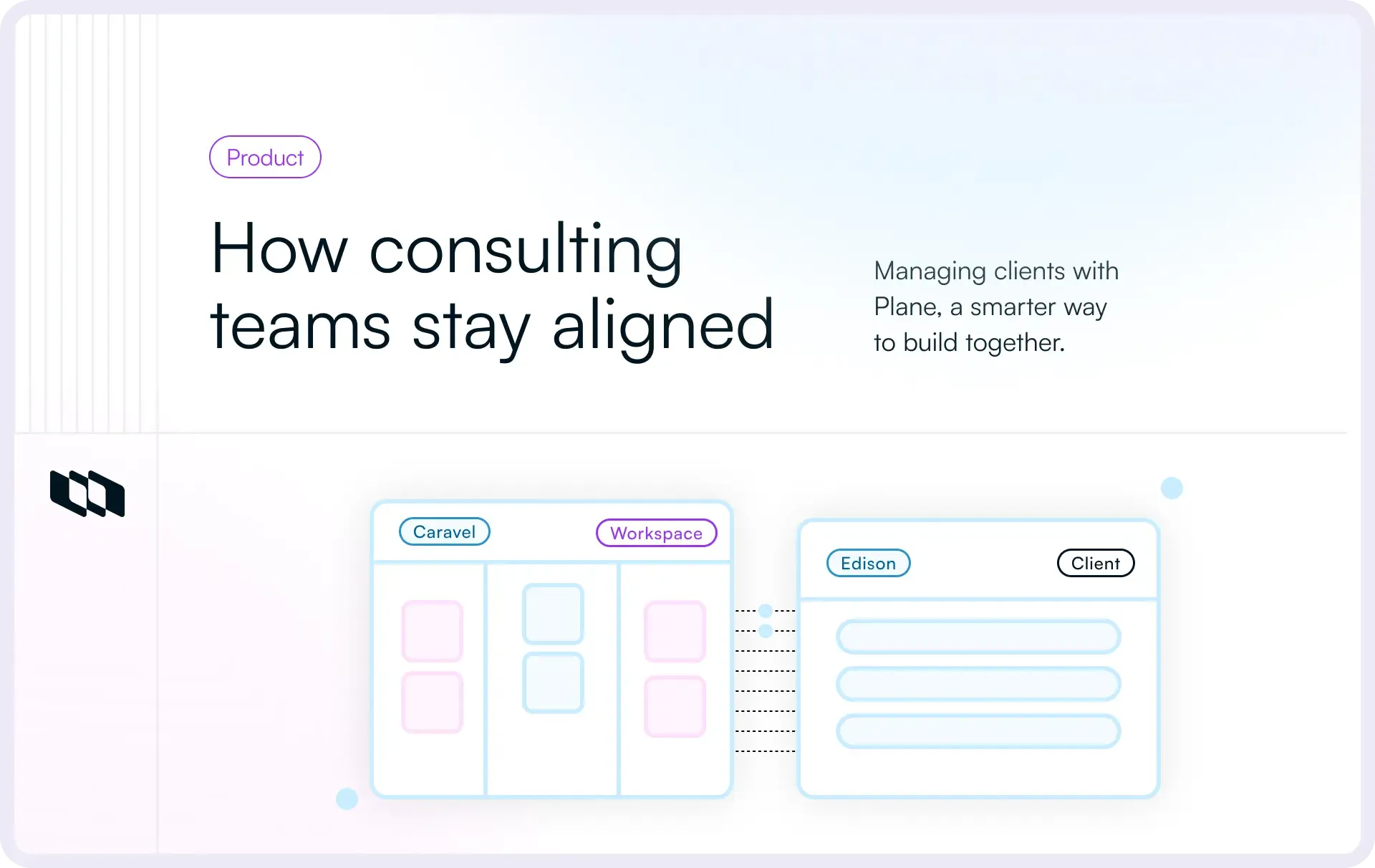
Let’s see how this works for Caravel, a software product studio, and Edison, one of Caravel’s clients that’s signed up with the studio to design, build, test, ship, and maintain Edison’s digital operating system for educational platforms.
Plane started life at Caravel, our founders’ previous company that dealt with clients across EdTech, Finance, and e-commerce, each with their own project management philosophies, set-ups, and workflows.
Managing multiple clients in Plane
Caravel dedicates one workspace per client. Each workspace houses multiple projects per client.
Plane works superbly for services companies of all shapes and sizes—in this case, a software product studio—by virtue of unlimited workspaces housed in the same org.
With Edison, Caravel sets up their workspace and invites all of the client’s stakeholders as Members or Guests.
Plane offers four out-of-the-box roles to manage permissions inside your projects easily.
Setting up a workflow
Caravel follows a standard five-stage process for all its clients.
This isn’t very different from how you may move work if you are on a software product team or a product studio yourself.
To model this flow in Plane, Caravel customizes States for EdisonOS with more than one state under each State Group.
Kicking it off
To start building Edison’s project, Caravel quickly fills up the Backlog state group with issues that will quickly move to states like Requirements, PRD, and others.
This is superbly easy by one of nine ways to add issues in Plane. The easiest is to toggle Create more on so you can create a bunch of issues saving three clicks per issue.
Using Plane to capture issues like ↓ is the quickest way to get consensus from your client and start brainstorming the details.
Every issue on Plane has an ID that helps when you use our global Search and serves as a system-reference for comments and embeds.
Adding those details
Plane comes with a unified editor for issues, details, comments, and Pages that lets you add color to boring text.
To add details and essential context to your issues,
- Type as much or as little as you like into the Details space available on each issue.
- Create checklists for considerations to an ideal solution.
- Write code as natively as you would in a code editor or just paste it from anywhere and see it show up pretty.
- Attach offline files of any type to offer even more context in your issues.
For internal docs, Caravel uses Pages, a Plane-native replacement for Notion, Confluence, Google Docs, or any other editor you are using today. See how it works
Setting issue properties that make progress tracking easy
From multiple assignees to calling dependencies out, Plane makes it simple for your teams to break down and move work how they work best.
- Caravel can assign an issue to someone on their team, on Edison’s, or a small team of more than one member cutting across both teams. This is especially useful when you have sub-issues, checklists, or even a standalone issue that needs collaboration between two or more members.
- In the spirit of their partnership with Edison, Caravel can move tasks up or down the priority list, helping both teams see what’s the most attention-seeking at any time.
- An easy date picker helps Caravel show effort estimates and ETAs to their client at a per-issue level.
Breaking down bigger issues into sub-issues
When building any software product, especially one as comprehensive as Edison’s, some issues expand in scope to become too big to track meaningfully. Plane makes it easy to break down and track such issues as a collection of sub-issues.
This has three immediate benefits.
- Because sub-issues behave like issues in their assignment and props, assigned members can focus on just their task instead of being distracted by the larger issue.
- Clarity sets in by default when each sub-issue has a clear owner instead of multiple assignees to the same big issue.
- As sub-issues get Done, the parent issue’s progress gets automatically rolled up and tracked. When zooming into such issues, it is easy for stakeholders to see which sub-issue is blocking progress, why, and how it may be unblocked.
Quality-of-life delight
You can also write an issue without publishing it to the project and it will save as a draft. Revisit all your Drafts later and choose to publish them to your project or discard them.
Calling out dependencies and relationships
When truly collaborating with a client or even internally, it’s natural for sequential work to block progress. Caravel handles this by calling out dependencies at a per-issue level to keep its and Edison’s teams heads-upped continuously.
For example, developing Edison’t real-time updates and notifications in a classroom are blocked by the development of a user authentication system, because notifications are personalized and inherently rely on the system recognizing a user correctly. Caravel calls out that blocking issue on Plane from a dropdown and ensures Edison finalizes the user authentication logic and design first.
This automatically sets the value of the Blocking property on the user authentication issue to the issue for real-time notifications, so no matter which issue Edison looks at, they know which must come first.
In another example, real-time notifications block server and infra configs. Depending on the notifications queue across Edison’s system, the infra could change, so Caravel does that by using the Blocking property on the real-time notifications issue and selects both Server and Infra issues as values. This ensures Edison’s team knows they have got to resolve real-time notifications first from their end before Caravel can move on to server and infra configs.
As with the Blocking property, the value for Blocked by is automatically set on the Server and Infra issues to the real-time notifications issue.
There may yet be times when an issue is dependent on another without blocking it or being blocked by it. Plane lets you handle this with Relates to.
For example, Edison’s real-time notifications depends on the overall design language for Edison’s product without blocking or being blocked by the latter. Caravel calls this out with Relates to that tells anyone looking at the issue design work should also consider real-time notifications as the feature is being developed and before it shows up in the product.
Dependencies in Gantt layout will show up nice in Plane pro
Labeling for hierarchy, clarity, and focus
As you hit stride, work starts coming in and going out quicker. To tackle the usual challenges of conflicting priorities and member-specific focus areas, Caravel uses Labels on Plane to indicate issues and sub-issues belong to process-defined categories that any member can filter by to get a sense of overall progress.
For example, stakeholders from Edison could see the total number of issues labeled testing to get a sense of the QA workload while Caravel could see all issues labeled front-end to see what’s pending and who they can borrow from another project to help progress Edison’s work faster.
Visualizing issues for quick scans and deep-dives
When working across orgs and functions, there’s no one-view-fits-all-needs. While the overall project may be top-of-mind for the project manager, stakeholders, especially those from the Business and GTM side, may just want to zoom into one specific Cycle or Module.
Plane packs unlimited customizations via filters and display options. You can configure your views at the last metric level or zoom out completely to just the big picture.
For example, the project manager at Caravel keeps an eye on issues by stage, filtering and sub-grouping them by assignee. That way, they know who’s blocked, who’s got time on their hands to help out, and who’s falling behind.
The Delivery Manager for this project, in the meanwhile, could just filter by the label testing to see the size of that queue and check with members if they need a quick hand with their tasks.
On the other side of this partnership, a Product Manager at Edison could keep an eye out for @mentions of their name in issue details as they run down to launching Real-time notifications. This helps them stay on top of all issues they need to track even more granularly than labels.
Stakeholders from Business at Edison could filter issues by stage and sub-group by Priority to see which top features will be demo-ready so they can plan outreach to prospects and customers.
For small teams just getting started with a project management system, Plane works really well as a system of record and gets you moving forward quickly. From capturing ideas to shipping the first versions of your product, Plane is the springboard that jumps you clear past the usual hurdles of tool set-up, configurations, and rituals.
In the next one to this three-parter, we will see how Caravel timeboxes work, manages repeatable chunks of work with their own leads, and keeps everything and everyone on Plane.
Build software or anything else with a free Plane account.
Recommended for you



 Download for Mac
 Download for Android