How EPD teams are getting more done with Plane AI
A look at how teams are using context-aware AI to streamline everyday project work.
A look at how teams are using context-aware AI to streamline everyday project work.
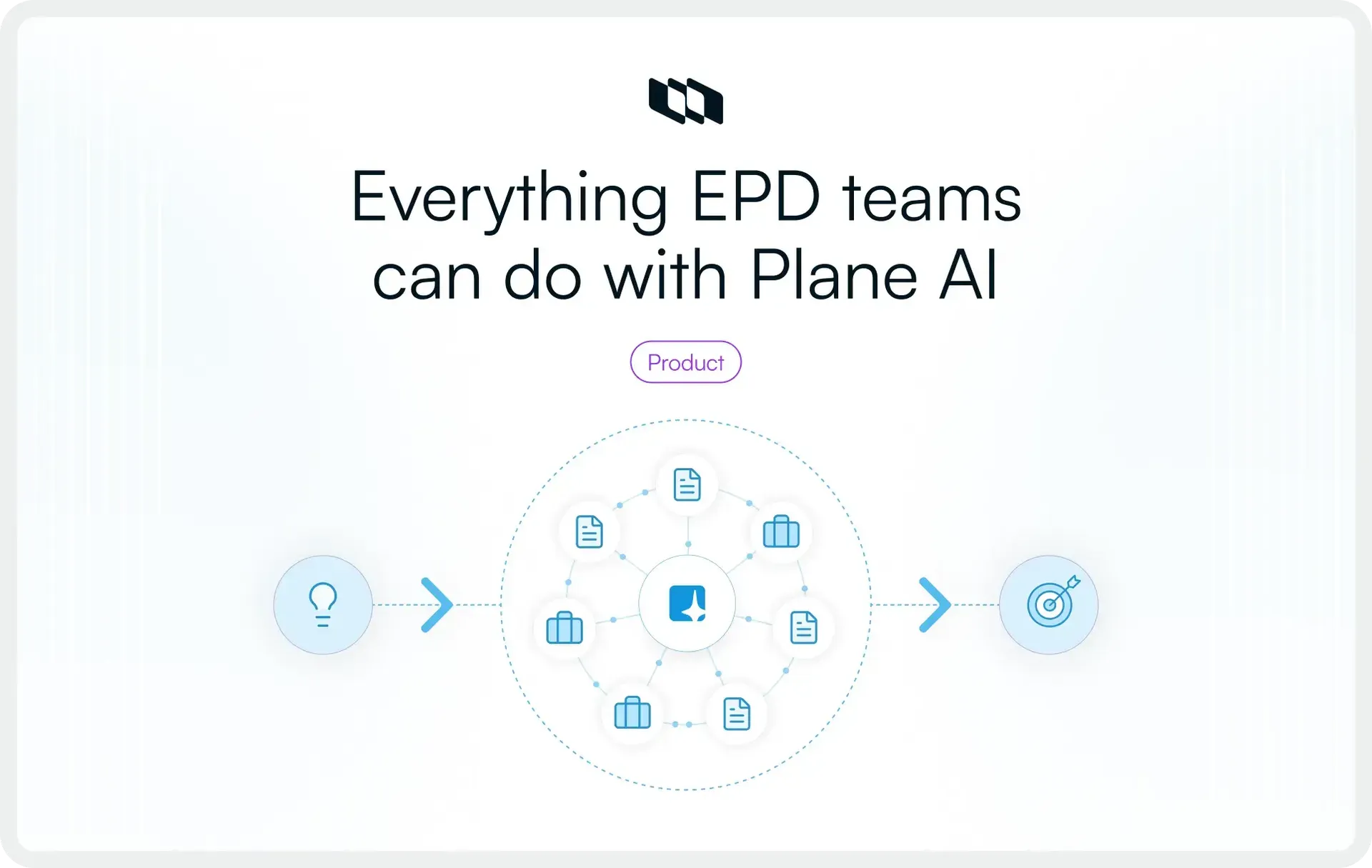
Your project management tool should already know what's going on. With Plane AI, it does, and it acts on it.
Every engineering, product, and design team runs the same loop: figure out what matters, decide what to build, coordinate who does what, and ship it. The tools are supposed to help. In practice, they create a second job, which is maintaining the tool itself.
You update Jira so the board reflects reality. You copy context into ChatGPT so it can help you write a spec. You switch to Notion to document a decision. You go back to Slack to tell everyone what changed. And somewhere in all that tab-switching, you lose the thread of the actual work.
Plane AI collapses that loop. Not by adding a chatbot to a project board, but by embedding intelligence directly into the surfaces where EPD teams already work: inside the project, inside the document, inside the Slack channel. One AI that already knows your workspace and can act on it immediately.
This blog walks through exactly how that works across four core surfaces: Prompt-to-Project, the AI Sidecar, Slack integration, and AI-powered Wiki. Then we'll break down specific prompts and use cases for each department so you can start using Plane AI in your day-to-day right away.
The problem with bolted-on AI
Most teams today use AI the way they used to use spreadsheets, as a side tool. Open ChatGPT, paste in context, get an answer, manually bring it back to where the work lives. It works, sort of. Every interaction starts from zero. The AI doesn't know your project structure, your sprint timeline, or what got blocked yesterday. You become the integration layer.
This creates three costs that compound,
- Context tax: the minutes spent explaining your project to a tool that forgets everything between sessions.
- Action gap: the AI gives you a good answer, but you still have to go execute the change manually.
- Third, there's tool sprawl: your team ends up paying for ChatGPT, Claude, Gemini, Notion AI, and Grammarly, each handling a fragment of what should be one workflow.
Plane AI eliminates all three. It lives inside the workspace where your projects, documents, and conversations already exist. It reads from real project state, not your memory of it. And when it gives you an answer, it can execute the change in the same breath.
Prompt-to-project: From idea to execution in one conversation
The most painful moment in project management isn't the complex stuff. It's setup itself.
Someone describes a project in a meeting. Everyone nods. Then a PM spends 45 minutes manually creating issues, writing descriptions, adding labels, estimating effort, setting up a cycle, and assigning owners. By the time the board is ready, the energy from the original conversation is gone.
Prompt-to-Project eliminates that gap. Describe what you're building in natural language, and Plane AI generates the full project structure: work items with descriptions, labels, states, priorities, and cycles
What this looks like in practice
A product manager types: "We need to ship a notification preferences overhaul. Users should be able to set per-channel preferences for email, push, and in-app. Include settings UI, backend API changes, migration script, and QA for edge cases around existing preferences."
Plane AI returns a structured project with work items broken down by workstream (frontend, backend, data migration, QA), each with descriptions that capture the intent, appropriate labels, and a suggested cycle timeline. Review, adjust, and the team is working within minutes.
Why this matters for each EPD role
For product managers, it means ideas get into the system while they're still fresh. The gap between decision and execution shrinks to minutes, instead of stretching into days because nobody got around to setting up the board.
For engineering managers, it means new projects arrive pre-structured with a sane breakdown. Instead of debating work item granularity in a planning meeting, the team starts from a working draft and refines it.
For designers, it means design tasks show up alongside engineering work from the start, rather than getting bolted on after the sprint is already planned. The project structure reflects the full EPD scope, not just the engineering backlog.
The key insight is that Prompt-to-Project isn't autocomplete for project setup. It's a thinking tool. When you describe a project and see the structure it generates, you catch gaps you hadn't considered. A forcing function for clarity.
AI Sidecar: Context-aware intelligence, right where the work lives
Setup is one moment. EPD teams spend most of their time in the middle: triaging, updating, unblocking, reviewing. Dozens of small decisions that keep projects moving.
The Sidecar is a context-aware AI panel anchored to whatever you're viewing in Plane. Open a work item, it knows the work item. Open a project board, it knows the project. No explaining what you're looking at because it's already looking at it with you.
This design choice matters more than it sounds. Every time you copy a work item description into ChatGPT, you're doing integration work. Every time you explain "we have a project called X with these states and these priorities," you're burning time on context that your tool should already have. The Sidecar eliminates that entire category of friction.
Ask mode queries your workspace like a database
- "What changed in this project since yesterday?" returns state changes, priority shifts, new comments, who did what.
- "Show me all blocked items across my active projects" returns everything stuck, grouped by project.
- "Which items have no activity in the last two weeks?" surfaces stale work before it becomes invisible debt.
Build mode executes changes immediately
- "Move all items blocked for more than 5 days to 'Needs Discussion' and comment: 'Auto-flagged for review.'"
- "Create a work item for each API endpoint in the payments spec, assign to backend, add to current cycle."
- "Generate a page called 'Sprint Retro, Feb 6' with items completed, carried over, and blockers encountered."
The compounding effect
Each interaction saves a few minutes. Across a team of 15 people making these queries dozens of times weekly, the Sidecar eliminates hours of manual maintenance. More importantly, it changes behavior. Instead of postponing updates because they're tedious, people make them in the moment. The workspace stays accurate. The AI's answers stay trustworthy.
This is the flywheel: better data in, better answers out, more trust, more usage, even better data. The Sidecar isn't a just another AI-feature, it's the mechanism that keeps your workspace honest.
Plane AI in Slack: Turn conversations into trackable work
Real decisions on an EPD team are mostly likely to happen in conversations over meetings, or in, Slack.
A designer shares a mockup in a channel and the team riffs on it. An engineer flags a regression in a thread and three people jump in to triage. A PM and an EM have a DM exchange that shifts the priority for the week. These conversations are where the actual work of coordination happens, but historically, none of it makes it into the system of record. Someone has to manually translate the Slack conversation into a work item, a status update, or a priority change. Usually, no one does.
Plane AI lets you @Plane directly in any channel or thread.
Turning conversations into work items
Customer success manager posts in #bugs: "Customer X hitting a timeout on billing page with 50+ invoices."
Reply: "@Plane create a P1 bug in Billing, assign to backend, link this thread."
Plane AI creates the item with description from the thread, priority set, assignee configured, Slack thread linked bidirectionally. Comments on the Plane work items sync to Slack. Replies in Slack show up on the work item.
Querying workspace state from Slack
An engineering manager in #engineering types: "@Plane what's the status of the authentication overhaul?"
Plane AI responds with a summary: 12 of 18 items complete, 3 in review, 2 blocked, with details, estimated completion based on current velocity. Answer delivered without opening Plane, visible to the whole channel.
Update your work in Plane from Slack
A PM wraps up a planning discussion in a thread and types: "@Plane move all items we discussed to the next cycle and set priority to P1."
The decision and its execution happen in the same place, at the same moment. There's no need to switch tabs or remember to do it later.
Project-specific alerts and thread sync
Beyond on-demand interactions, Plane's Slack integration keeps teams passively informed. Link a Slack channel to a Plane project, and the channel gets notified when work items are created, updated, or completed. Thread sync means comments flow bidirectionally, so your Slack conversation and your Plane work items stay in lockstep without anyone manually copying information between them.
Personal DM alerts ensure that you're notified about changes to work you're involved in, regardless of which project or channel it's in. For distributed teams across time zones, this means nobody misses a state change because they weren't in the right channel at the right time.
Why this matters for EPD teams specifically
Engineering, product, and design teams are Slack-heavy by nature. Standups happen in threads, design reviews happen in channels, and incident response happens in real time. By meeting teams where they already are, Plane AI in Slack doesn't ask anyone to change their behavior. It just makes their existing behavior more effective. The conversation becomes the command line, and the project board stays up to date as a side effect.
AI-powered Wiki: Documentation that writes itself
Documentation is the EPD team's least favorite chore and most important asset. Everyone agrees it should exist. Nobody wants to be the one to write it. And once it's written, it goes stale within weeks.
Plane's Wiki, with AI woven through every layer, attacks all three problems.
Prompt-to-page
Type "Write a technical design doc for migrating our notification service from polling to WebSockets" and Plane AI generates a structured Wiki page with sections for context, proposed approach, tradeoffs, migration plan, and rollback strategy. A first draft that would have otherwise taken 90 minutes.
For product managers, this means PRDs, launch plans, and competitive analyses get written in minutes. For designers, it means research summaries and design rationale documents start from substance rather than structure. For engineers, it means architecture docs and runbooks begin with a working outline instead of a blinking cursor.
AI floater
An inline assistant beside your editor. Highlight a paragraph to simplify it. Select a section to expand. Summarize into an executive brief.
The assistant knows your workspace. Ask it to "add current blockers for this project" and it pulls live data. The page becomes a living artifact, not a static snapshot.
Custom blocks for bulk editing
Need to rewrite an entire page for a different audience? Summarize a 3,000-word spec into a one-pager for leadership? Translate technical documentation into user-facing help text? Custom blocks let you apply AI transformations to entire pages or sections at once, without losing the original content.
Search your knowledge base
As your Wiki grows, finding information matters as much as creating it. Instead of remembering which page has the deployment checklist, ask: "What's our rollback procedure for payments?" and get the answer with a link to the source.
For teams scaling from 10 to 200, this is the difference between institutional knowledge living in a few heads and being accessible to everyone.
Your Plane AI cheat sheet: Prompts by role
Everything above describes the system. This section is the practical playbook. Below are specific prompts and use cases organized by department, both for leads managing a team and for individual contributors managing their own work. Bookmark this section and come back to it. These are the prompts that will save you time starting on day one.
Engineering
Whether you're an engineering manager keeping a team on track or an individual engineer trying to stay focused, these prompts turn Plane AI into your daily operating layer.
If you're an Engineering Manager or Tech Lead
Morning triage and team health
- "Show me all in-progress work items with no activity in the last 5 days, grouped by assignee." Surfaces stalled work before standup so you can have targeted conversations instead of round-robin updates.
- "What changed across all my projects since yesterday? Group by state change, priority change, and new comments." A full overnight Changelog in 10 seconds, replacing the 15-minute manual scan across boards.
- "Which engineers have more than 4 items in progress right now?" Catches WIP overload early so you can rebalance before someone gets stuck juggling too many things.
Sprint and cycle management
- "Show me all items in the current cycle that are still in 'To Do' with less than 3 days remaining." Flags at-risk scope so you can make cut decisions before the last day of the sprint.
- "Move all unfinished items from this cycle to the next one and add a comment: 'Carried over, needs re-estimation.'" Cycle rollover in one prompt instead of dragging 15 cards one by one.
- "Create a page called 'Sprint Retro, Feb 6' and populate it with: items completed, items carried over, items that were blocked, and average cycle time." Auto-generates a retro document from actual workspace data.
Dependency and risk management
- "List all work items that are blocking other items, sorted by how many downstream items they affect."
- "Show me all P0 work items that were downgraded in the last 48 hours and who changed them."
If you're an individual engineer
- "What's assigned to me across all projects, sorted by priority?"
- "Summarize the comments and activity on [work item name] from the last week."
- "Draft a technical design doc for [feature] covering approach, tradeoffs, and rollback plan."
- "Create a work item for each of these sub-tasks: [list them]. Set the parent to [work item name] and assign them to me."
@Planein Slack: "I'm blocked on [work item]. The API team hasn't responded to my comment from 3 days ago. Can you flag this as blocked and notify the assignee?"
Product
Product managers live in the gap between strategy and execution. These prompts help you spend less time wrangling the board and more time making decisions.
If you're a Product Manager or Head of Product
Planning and prioritization
- "Show me all items across [project] grouped by priority. How many P0s are there versus P1s and P2s?"
- "Which projects have the most items in 'Blocked' state right now?"
- "List all work items created in the last 2 weeks that don't have a priority set."
Stakeholder communication
- "Generate a status update for [project] covering: what shipped this week, what's in progress, what's blocked, and what's planned for next week."
- "Create a page called 'Q1 Roadmap Status' and populate it with progress summaries for each active project."
@Planein Slack: "@Planegive me a one-paragraph summary of where the checkout redesign stands. Include what's shipped, what's left, and any risks."
Scope and cycle management
- "Show me all items added to [project] after the cycle started that weren't in the original plan."
- "Move all items tagged 'nice-to-have' in [project] to the backlog and remove them from the current cycle."
If you're an Individual PM or Associate PM
- "Set up a project for [feature name]. Include work items for: user research, spec writing, design review, eng breakdown, QA, and launch checklist."
- "Draft a PRD for [feature] covering user problem, proposed solution, success metrics, and edge cases."
- "Show me all items assigned to me that are waiting on someone else."
- "What are all the open items across my projects that don't have an assignee?"
Design
Design work is often the least visible in project management tools. These prompts make sure design tasks, feedback, and decisions are tracked with the same rigor as engineering work.
If you're a Design Lead or Head of Design
Team visibility and workload
- "Show me all design-labeled items across active projects, grouped by assignee and state."
- "Which design items are in 'Review' state for more than 3 days?"
- "List all projects that have engineering items in progress but no design items created yet."
Process and documentation
- "Create a page called 'Design System Changelog, Feb 2026' and list all design-labeled items completed this month with links."
- "Generate a page summarizing our active design research: which projects have research items, their status, and any findings documented in comments."
@Planein Slack: "@Planecreate a work item in [project] for 'Design QA on checkout flow'. Set priority to P1, label it design, and assign it to me."
If you're an Individual Designer
- "What's assigned to me across all projects? Show design items first, then everything else."
- "Summarize all comments on [work item name] that mention design, mockup, or feedback."
- "Draft a Wiki page for 'Design Rationale: [feature name]' covering the user problem, options explored, chosen direction, and open questions."
- "Create work items for: 'Final mockups', 'Prototype for usability test', 'Design QA', and 'Asset handoff'. Set parent to [feature work item] and label them all as design."
@Planein Slack: "@Planethe mockups for [feature] are ready for eng review. Update the work item status to 'In Review' and add a comment with this Figma link: [URL]."
One AI, not five subscriptions
There's a practical angle worth addressing directly: cost.
A typical EPD team pays for project management, documentation, then layers on ChatGPT for writing, Claude for analysis, Notion AI for docs. Each sees a fragment. None talk to each other.
Plane AI consolidates what teams actually use these tools for into the workspace where work already lives. Fewer subscriptions, fewer context switches, fewer places where information goes to die.
What "AI-Native" actually means
The term "AI-native" gets thrown around a lot, so let's be specific about what it means in Plane's case.
It means AI isn't bolted onto an existing product. It's a design principle shaping how the entire product works. The Sidecar understands the page you're on. Slack integration is a two-way interface where you query and command your workspace. The Wiki reads from your projects and writes with that context.
Asking a question and acting on the answer happen in the same motion. You don't learn something in one tool and execute it in another. You don't explain your project to an AI that should already know it. You don't maintain a second system to keep the first one current.
For EPD teams, where coordination cost is measured in shipping speed, that's the difference that compounds. Not one big feature, but a hundred small frictions removed, every day, across every person.
Getting started
Plane AI is available on all Plane workspaces. The Slack integration takes minutes to set up: connect your workspace, link your channels, and start using @Planein any conversation. The Sidecar is always there when you open a work item or project. The Wiki's AI capabilities activate the moment you start a new page.
If you're evaluating project management tools for your EPD team, or if you're tired of maintaining a patchwork of AI subscriptions alongside a project board that doesn't understand your work, Plane AI is worth 30 minutes of your time.
Describe a project. Watch it build itself. Then ask it a question about your workspace and watch the answer come from real data, not a guess. That's what AI-native project management looks like.
Recommended for you



 Download for Mac
 Download for Android