What is single sign-on (SSO) for project tools? How it works and why teams need it
Introduction
Your team logs into Slack, then Figma, and then into your project management tool. Each one asks for credentials. Each one is a separate access point, a separate risk, and a separate thing for IT to manage when someone leaves the team. Single sign-on (SSO) solves this at the infrastructure level. It is the authentication layer that lets teams access every approved tool with a single verified identity, without juggling passwords or waiting for manual provisioning.
This post breaks down what SSO is, how it works inside project management tools, and why fast-moving teams treat it as a baseline requirement.
What is single sign-on (SSO)?
Single sign-on (SSO) is an authentication method that allows users to log in once and access multiple connected applications through a single verified identity. Instead of managing separate credentials for each tool, teams use centralized SSO authentication through an identity provider to enter their project environment securely and efficiently.
In modern project operations, single sign-on for project tools connects the systems teams use every day, including:
- Project management platforms
- Documentation tools
- Issue trackers
- Communication systems
- Reporting dashboards
- Internal portals
This shared authentication layer helps teams move across SaaS tools without repeated logins while maintaining consistent access policies across the workspace.
Example: A developer signs in using their organization’s Google Workspace identity and immediately accesses their sprint board, issue tracker, and documentation workspace through the same session.
Why SSO matters for project tools
Project work spans multiple tools, from project management to communication platforms. Growing tool usage complicates access with separate logins, causing delays and admin overhead. SSO streamlines identity management, enhancing speed, security, and control across SaaS environments.
1. Reducing login friction across daily workflows
Switching between tools is already a context-switching cost. Adding a login prompt to each transition compounds that friction in small but consistent ways throughout the workday. With SSO authentication in place, the session established at the start of the day carries across every connected tool. A team member moves from their project tracker to their documentation workspace, then to their sprint board, without a single additional prompt. The workflow stays uninterrupted.
2. Supporting distributed and cross-functional teams
Remote and hybrid teams work across time zones, devices, and departments. A consistent authentication layer means access works the same way whether someone is logging in from a home office in Bangalore or a co-working space in Berlin. SSO also makes cross-functional collaboration cleaner. When a designer, an engineer, and a product lead all need access to the same project environment, SSO ensures their access is governed by the same identity policies regardless of their role or location.
3. Simplifying onboarding and offboarding
Without SSO, adding a new team member means provisioning access to each tool individually. Removing someone who has left the organization means tracking down every system they had access to and revoking credentials one by one. With SSO in place, both actions happen centrally through the identity provider. Grant access once, and the user can reach every connected tool. Revoke access once, and they lose it everywhere simultaneously. For teams that frequently onboard contractors or rotate contributors across projects, this is a significant operational simplification.
4. Improving workspace security visibility
SSO creates a single enforcement point for authentication policies. Instead of relying on each individual tool to enforce strong password requirements or session controls, organizations can enforce multi-factor authentication, session timeouts, and access rules at the identity provider level. Those policies then apply uniformly across every connected project tool. Security teams get a consolidated view of who accessed what and when, which makes audits and incident reviews considerably more straightforward.
How single sign-on works
Single sign-on works through a trust relationship between your organization’s identity system and the project tools your team uses. Instead of asking each application to verify a user separately, SSO lets a single trusted system handle authentication and pass that verification to connected tools. This creates a smoother login experience for users and a more controlled authentication model for administrators.
In practice, this means a user proves their identity once through a central system, and the connected project tool accepts that verified session. The result is faster access across applications, more consistent security policies, and simpler identity management across the organization.
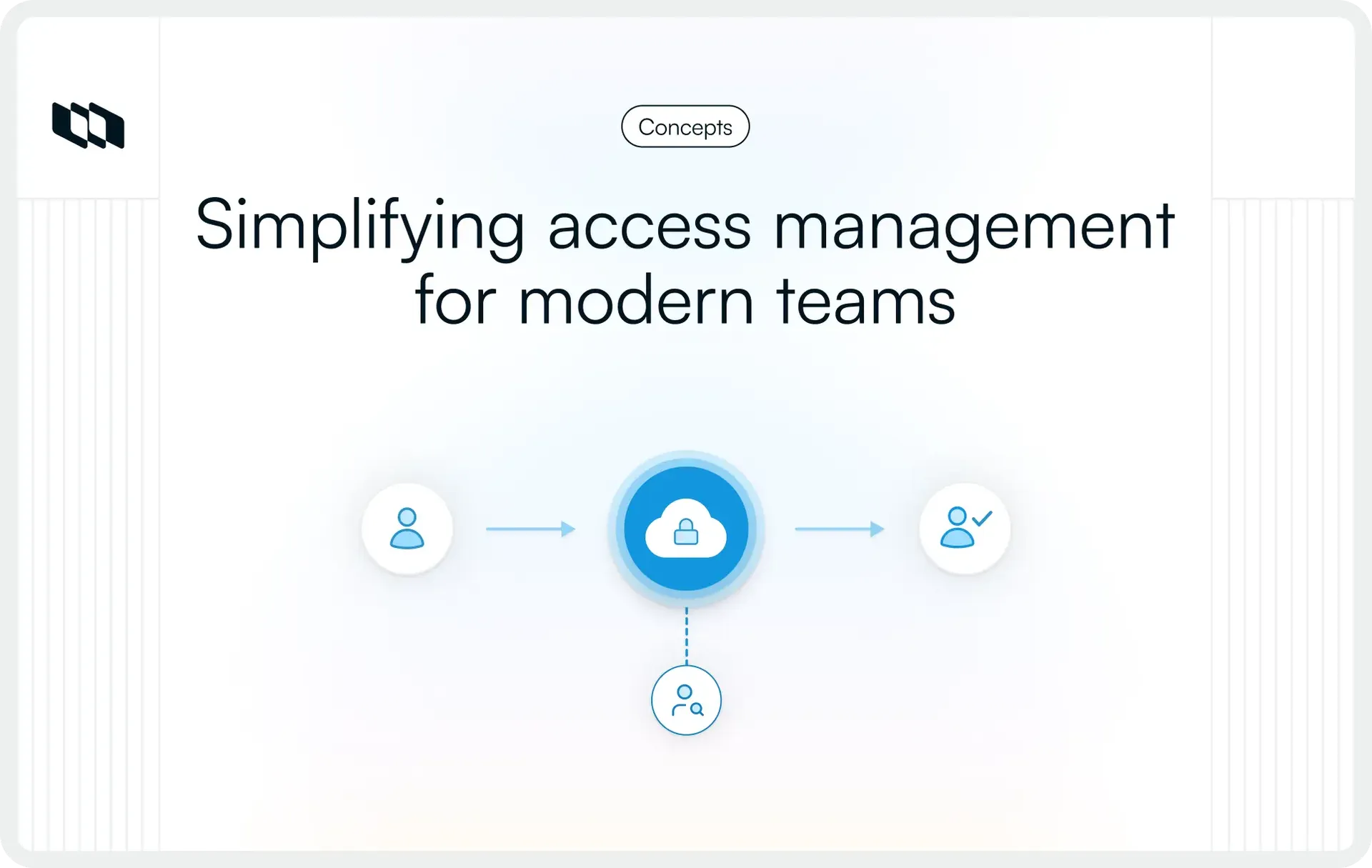
The basic SSO login flow
Here is the basic SSO authentication flow in project management tools and other SaaS applications:
- User opens a project tool: A team member opens a project workspace, issue tracker, documentation tool, or dashboard they need for work.
- The tool sends the authentication request to the identity provider: Instead of asking the user to enter a separate username and password for that tool, the application checks with the organization’s central identity system.
- The identity provider verifies the user’s credentials: The user signs in through the organization’s approved login system, such as Google Workspace, Microsoft Entra ID, or Okta. This is where the user’s identity is confirmed.
- An authentication token is issued: Once the identity provider confirms the user, it sends a secure authentication response back to the tool. This tells the application that the user has already been verified.
- Access is granted across connected applications: The user enters the tool without a separate login. As they move to other connected systems within the same environment, the verified session continues to support access.
This is why single sign-on for project tools feels seamless to users. The user sees a single login flow, while the underlying systems handle authentication in a coordinated manner.
Identity provider (IdP) and service provider (SP)
To understand how SSO works, it helps to know the two main roles involved in the process.
Identity provider (IdP)
The identity provider is the system that verifies the user's identity. It manages authentication and confirms whether a person should be allowed to sign in. In most organizations, this is the central source of login control.
Common examples include:
- Google Workspace
- Microsoft Entra ID
- Okta
Service provider (SP)
The service provider is the application the user wants to access. In this blog’s context, that could be a project management platform, a documentation workspace, an issue tracker, or an internal reporting dashboard. The service provider trusts the identity provider’s verification and grants access based on that trusted response.
You can think of the relationship this way: the identity provider answers the question, “Who is this user?” and the service provider answers the question, “What should this verified user be allowed to access?”
That trust relationship is what makes SSO authentication efficient at scale. Teams get one consistent login experience across tools, while organizations keep authentication policies centralized. This is also why SSO for project management software becomes more valuable as tool stacks grow and access requirements become more complex.
Example: A product manager opens a project tool to review sprint progress. The tool redirects the sign-in request to the company’s identity provider, where the user is already authenticated through Google Workspace. Once the identity is verified, the project tool accepts that trusted authentication response and grants access. The same session can then support entry into documentation, dashboards, and connected work systems used during the day.
Common SSO protocols teams may encounter
Single sign-on (SSO) uses standard protocols to securely exchange authentication data between identity providers and SaaS applications. These protocols, mainly configured by identity administrators during setup, ensure seamless access across connected tools without daily user interaction.
1. SAML
Security Assertion Markup Language, commonly called SAML, is one of the most widely used standards for single sign-on authentication in enterprise environments. It allows identity providers to send verified authentication assertions to project tools, enabling users to access applications through a single centralized login session.
SAML is frequently used when organizations connect project management software, internal portals, documentation platforms, and reporting systems to identity providers such as Microsoft Entra ID, Okta, or Google Workspace. Many teams adopt SAML-based single sign-on for project tools when workspace access policies need stronger administrative control across departments.
2. OpenID Connect (OIDC)
OpenID Connect, often called OIDC, is a modern authentication protocol built for cloud-native SaaS applications. It supports secure identity verification across web and mobile environments while maintaining a smooth login experience for users moving between connected tools.
OIDC is commonly used in project management software for distributed teams that rely on multiple cloud platforms. Organizations selecting SSO for project management tools often encounter OIDC when integrating identity providers with collaboration systems, dashboards, and developer platforms.
3. SCIM (for provisioning support)
The System for Cross-domain Identity Management (SCIM) supports automated user provisioning and deprovisioning across connected applications. While SCIM does not perform authentication itself, it works alongside single sign-on authentication for SaaS tools to manage user lifecycle events more efficiently.
For example, when a new employee joins a team, SCIM can automatically create accounts across project tools connected to the identity provider. When access changes or roles shift, permissions update across systems through the same centralized identity workflow.
Most teams interact with these protocols only during setup or integration planning. Once configured, single sign-on authentication for project management software runs in the background, enabling consistent access across the organization’s workspace.
Key benefits of SSO for project teams
Single sign-on (SSO) improves how teams access project management software while giving administrators stronger control over identity across connected systems. As organizations adopt more SaaS tools, managing authentication separately across applications increases operational complexity. Single sign-on authentication for SaaS tools creates a shared identity layer that supports faster access, clearer permissions, and stronger workspace governance.
1. Faster access across tools
Project workflows often require switching between sprint boards, documentation platforms, issue trackers, and reporting dashboards throughout the day. Single sign-on for project management tools allows users to authenticate once and continue working across connected systems without repeated credential prompts. This improves execution speed during planning cycles, reviews, and cross-team coordination.
2. Reduced password fatigue
Managing separate credentials across multiple applications increases friction for teams and adds support overhead for administrators. SSO authentication reduces the number of passwords users manage daily, improves login consistency across environments, and lowers the volume of credential-related access requests for IT teams.
3. Centralized access management
Single sign-on allows administrators to manage authentication policies through a unified identity provider rather than configuring access separately in each application. This centralized model improves permission alignment across project tools and helps organizations maintain consistent identity verification standards as their SaaS environments grow.
4. More secure onboarding and offboarding
User lifecycle management becomes more predictable when access flows through a shared authentication system. Teams can grant workspace access across multiple tools with a single identity assignment, and access updates apply across connected systems when roles change. This improves visibility into active users across project environments and strengthens control over participation in workspaces.
5. Better compliance readiness
Organizations working with structured security requirements benefit from clearer authentication tracking across applications connected through single sign-on authentication for SaaS tools. Identity providers maintain activity records and access policies that support auditing workflows and help teams demonstrate consistent access governance across project management software and collaboration systems.
Example workflows where SSO improves project operations
Single sign-on (SSO) has the most visible impact in real project workflows, where teams move across multiple tools during planning, execution, and delivery. Instead of managing access separately for each application, teams use a single trusted identity to access connected systems securely and consistently. These improvements become especially valuable as organizations scale their SaaS environments and collaborate across roles and partners.
1. Software development teams
Engineering teams frequently switch among sprint boards, repositories, documentation workspaces, and CI dashboards during active development cycles. Single sign-on for project management software allows developers to move across these systems with a single authenticated session, keeping the execution flow uninterrupted and improving coordination among planning, implementation, and release tracking.
Centralized SSO authentication also helps administrators maintain consistent access policies across engineering environments that use multiple tools to support a shared delivery pipeline.
2. Product and design teams
Product managers and designers rely on planning tools, specification platforms, research dashboards, and review environments throughout the product lifecycle. Single sign-on for project tools allows these teams to transition smoothly between roadmaps, design feedback systems, and documentation spaces while maintaining secure identity verification across connected applications.
This consistency supports faster collaboration during feature planning, iteration reviews, and stakeholder alignment activities.
3. External collaborators and vendors
Organizations frequently provide temporary access to the workspace for contractors, agencies, and implementation partners during project execution. Single sign-on authentication for SaaS tools allows administrators to assign identity-based access across systems from a central provider and update permissions immediately when engagement timelines change.
This approach strengthens lifecycle access control across project environments and improves security visibility when working with external contributors.
Is single sign-on secure for project management tools?
Teams often question the security of SSO when evaluating it for project tools. Centralized authentication reshapes access flow, so understanding its security benefits and operational impacts is crucial. With proper identity policies, SSO enhances access governance across SaaS project environments.
1. How SSO improves authentication security
Single sign-on reduces the number of credentials users manage across project management software, documentation systems, dashboards, and internal tools. Fewer passwords lower the chances of credential reuse across applications and improve consistency in authentication practices across teams.
Centralized identity providers also allow organizations to apply uniform access policies across connected tools. Security teams gain clearer visibility into authentication activity and can enforce role-based access controls more effectively across distributed project environments. These capabilities make single sign-on authentication an important part of modern identity and access management strategies.
2. Potential risks teams should consider
Single sign-on introduces a dependency on the availability of the identity provider that verifies user access across applications. Workspace entry across connected tools relies on this authentication layer remaining accessible and responsive.
A compromised identity can also affect multiple connected systems if additional security controls are not applied at the identity provider level. For this reason, organizations typically combine single sign-on for project management tools with layered authentication policies that strengthen identity verification across environments.
3. Why SSO works best with MFA
Multi-factor authentication strengthens single sign-on authentication by adding an additional identity verification step during login. This additional layer helps organizations protect access to project tools, even as credential exposure risks increase in distributed SaaS environments.
When SSO and MFA operate together through a centralized identity provider, teams gain stronger protection across project management software, documentation platforms, and collaboration systems while maintaining a consistent and efficient login experience.
SSO vs. related access management concepts
Teams evaluating single sign-on (SSO) for project tools often encounter related identity and access management terms during setup or security planning. Understanding how these concepts differ helps organizations choose the right authentication strategy for project management software and connected SaaS applications.
1. SSO vs. password managers
Password managers store and autofill credentials across multiple applications, which helps users manage complex passwords more efficiently. Each application still maintains its own authentication boundary and requires separate verification.
Single sign-on authentication replaces repeated credential entry, allowing users to access multiple connected tools through a single verified identity provider session. This creates a shared authentication layer across project tools, rather than managing separate credentials for each system.
2. SSO vs. multi-factor authentication (MFA)
Single sign-on improves access continuity by allowing users to authenticate once and move across connected project management software and collaboration systems through the same identity session.
Multi-factor authentication strengthens identity verification by requiring an additional factor, such as device confirmation or a security code. Organizations often combine MFA with single sign-on authentication for SaaS tools to strengthen workspace security across distributed project environments.
3. SSO vs. identity and access management (IAM)
Identity and access management is the broader framework organizations use to control user identities, permissions, authentication policies, and access lifecycles across systems.
Single sign-on operates within IAM as the mechanism that enables centralized authentication across applications. Together, IAM policies and SSO authentication help teams manage access consistently across project tools, documentation platforms, reporting dashboards, and internal workspaces.
When teams should implement SSO
SSO proves valuable when managing tool access impacts workflow, security, or admin efficiency. As SaaS adoption and collaboration grow, centralized authentication ensures consistency and scalable access control without added complexity.
1. When the number of work tools increases
Project execution typically involves multiple systems such as project management software, documentation platforms, issue trackers, and reporting dashboards. Managing credentials separately across these applications creates friction for users and increases administrative workload. Single sign-on for project tools simplifies authentication by allowing teams to access connected systems with a single identity provider session.
2. When teams grow quickly
Rapid team expansion introduces frequent access requests across project environments. Administrators must provision permissions for new users across multiple tools simultaneously. Single sign-on authentication helps organizations assign access centrally and maintain consistent identity verification across departments as collaboration expands.
3. When working with contractors or external partners
External collaborators often require controlled access to project workspaces for limited durations. Managing credentials separately across tools increases the risk of outdated permissions remaining active after engagement timelines change. Single sign-on for project management software allows administrators to manage identity-based access from a single location and efficiently update permissions across connected systems.
4. When compliance requirements increase
Organizations working with regulated workflows benefit from centralized visibility into authentication across project platforms. Identity providers maintain structured access records that support auditing processes and strengthen traceability across SaaS environments connected through single sign-on authentication.
Common mistakes teams make when adopting SSO
Single sign-on (SSO) improves access consistency across project management software and connected SaaS applications, yet teams often face avoidable challenges during rollout. Most implementation issues come from configuration gaps rather than limitations in the authentication model itself.
Understanding these common mistakes helps organizations deploy single sign-on for project tools more reliably across growing work environments.
1. Enabling SSO without MFA
Single sign-on authentication centralizes identity verification across multiple systems, which makes identity protection more important at the provider level. Multi-factor authentication strengthens login security by adding an additional verification layer that protects project tools connected through a shared identity session. Teams that deploy SSO alongside MFA maintain stronger access control across distributed workspaces.
2. Skipping rollout testing
SSO integrations affect authentication flows across multiple applications simultaneously. Testing access with a smaller user group helps administrators confirm that permissions, role mappings, and identity provider responses operate correctly before organization-wide rollout. This approach reduces disruption across project environments during deployment.
3. Ignoring fallback admin access
Centralized authentication depends on the identity provider's availability when entering the workspace. Maintaining secure backup administrator access ensures teams can continue managing project tools during configuration updates or identity provider interruptions. This safeguard supports continuity across connected SaaS systems.
4. Choosing incompatible identity providers
Identity providers and project management software rely on shared protocol compatibility, such as SAML or OpenID Connect, to support single sign-on authentication. Verifying integration support before deployment helps organizations avoid configuration delays and ensures smoother access synchronization across documentation systems, reporting dashboards, and collaboration platforms.
5. Treating SSO as a complete security strategy
Single sign-on authentication strengthens identity consistency across project tools, yet access governance also depends on role-based permissions, lifecycle provisioning, audit visibility, and authentication policies managed through identity and access management frameworks. Organizations that combine SSO with layered identity controls maintain stronger workspace security across evolving SaaS environments.
Closing thoughts
Single sign-on (SSO) helps teams manage access across project management software and connected SaaS tools through one trusted identity layer. As organizations adopt more systems for planning, execution, and collaboration, centralized authentication improves workflow continuity, strengthens access governance, and supports consistent identity verification across environments.
For teams working across distributed tools, external contributors, and growing user bases, single sign-on for project tools is an important part of maintaining secure, scalable operations. With the right identity provider setup and multi-factor authentication policies, SSO authentication supports both usability and security across modern project workflows.
Frequently asked questions
Q1. What is single sign-on (SSO) in project management tools?
Single sign-on (SSO) in project management tools allows users to access multiple connected applications with a single authenticated identity. Instead of signing in separately to issue trackers, documentation platforms, dashboards, and collaboration systems, teams use centralized SSO authentication through an identity provider such as Google Workspace, Microsoft Entra ID, or Okta.
Q2. How does single sign-on work in SaaS applications?
Single sign-on works by allowing an identity provider to verify a user’s credentials and share that authentication status with connected applications. When a user signs in once through the identity provider, project tools trust that verification and grant access across connected systems without requiring additional logins.
Q3. Is single sign-on secure for project management software?
Single sign-on strengthens authentication consistency across project environments by reducing credential sprawl and enabling centralized access policies. Organizations typically combine SSO with multi-factor authentication to add an extra layer of verification and improve identity protection across SaaS tools.
Q4. What is the difference between SAML and OpenID Connect in SSO?
SAML is commonly used in enterprise environments to exchange authentication assertions between identity providers and applications. OpenID Connect is a modern authentication protocol designed for cloud-based SaaS platforms and web applications. Both support single sign-on authentication for project tools, depending on integration requirements.
Q5. When should teams implement SSO for project tools?
Teams benefit from implementing single sign-on when they begin using multiple SaaS applications for project delivery, frequently onboarding new collaborators, or managing access across distributed departments. Centralized authentication helps maintain consistent permissions across environments as organizations scale their tool stacks.
Recommended for you



 Download for Mac
 Download for Android