What is an issue log? How to maintain one in project management
Introduction
Every project runs into problems. Scope gaps, blocked tasks, miscommunicated requirements, and dependencies that break at the worst time. The difference between teams that recover fast and teams that spiral is rarely talent; it's process. Specifically, whether they have a structured way to capture, track, and resolve issues before they compound. An issue log is a system. This post covers why it matters, who owns it, what it should contain, and how to maintain one without it becoming another abandoned doc in your project folder.
What is an issue log in project management?
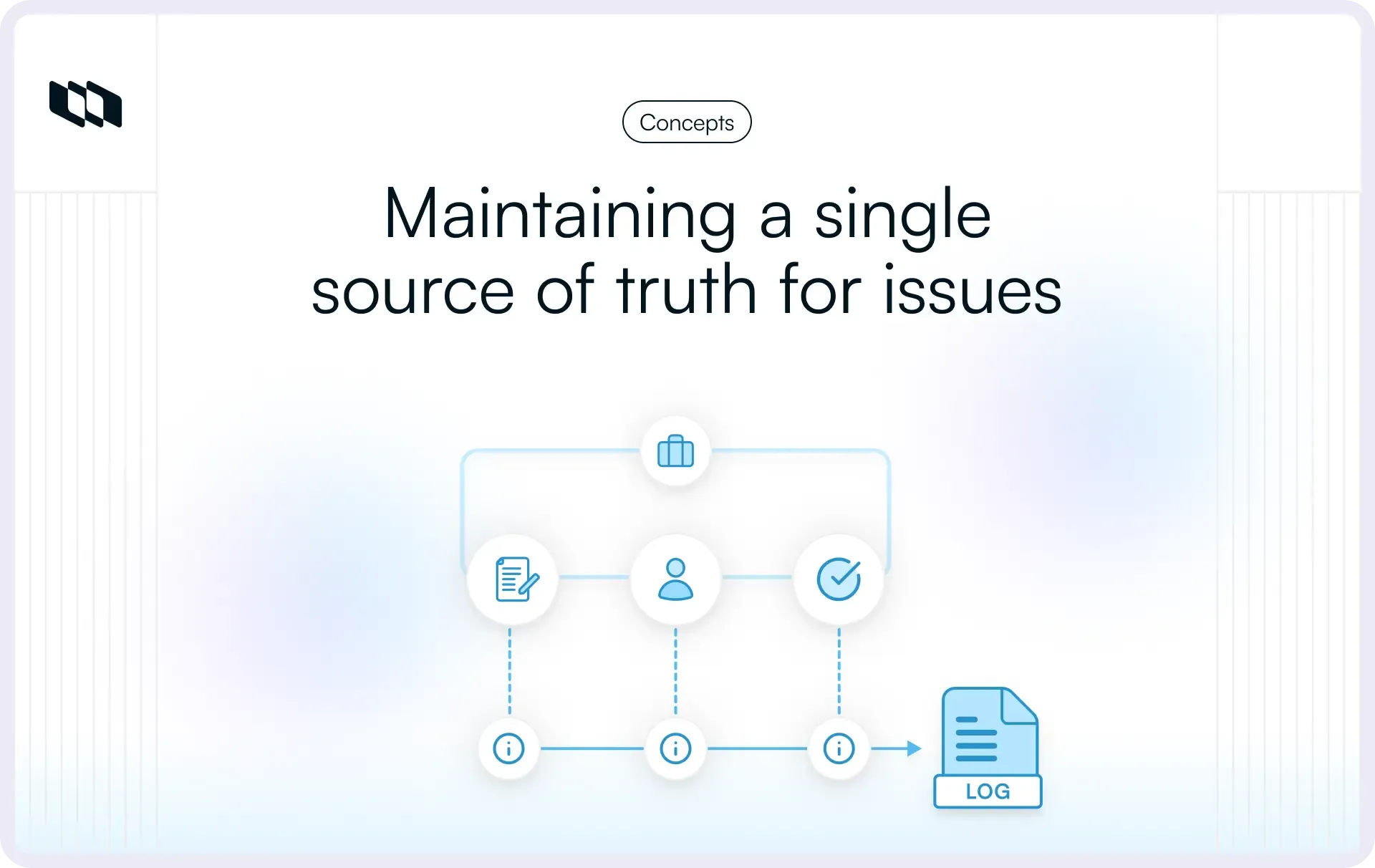
An issue log in project management is a structured record used to document, track, prioritize, and resolve problems affecting project execution. It helps teams capture blockers as they emerge, assign ownership clearly, and maintain visibility across workstreams that depend on timely decisions and coordinated action. A well-maintained project issue log supports faster resolution cycles, improves stakeholder alignment, and ensures that active problems remain visible throughout delivery, rather than being scattered across status updates, chat threads, or meeting notes.
What counts as an issue in a project?
An issue is any active condition that influences progress, delivery sequencing, resource availability, or decision timelines. Unlike assumptions or risks, issues require immediate tracking because they already affect execution.
Common examples include:
- Delayed approvals that slow downstream work
- Missing resources that affect task completion
- Scope misunderstandings between stakeholders
- Technical blockers discovered during implementation
- Stakeholder conflicts that influence priorities
- Vendor delivery delays are affecting milestones
Capturing these situations early in an issue log improves coordination and helps teams respond before small blockers influence larger delivery outcomes.
Issue log vs. issue management
An issue log is the tracking structure used to record and monitor active problems across a project. Issue management is the broader workflow teams follow to identify issues, assign responsibility, prioritize impact, escalate when required, and confirm resolution.
Understanding this distinction helps teams treat the issue log as part of an operational process rather than a static documentation artifact. When issue tracking is integrated directly with issue management practices, teams maintain clearer ownership, faster response cycles, and stronger visibility into dependencies that influence project timelines.
Why is an issue log important for project teams?
Project teams do not fail because they lack talent or effort. They fail because small, untracked problems accumulate into blockers that break delivery. An issue log is not documentation overhead; it is an execution support tool that keeps problems visible, assigned, and moving toward resolution while the project is still in flight.
Here is what it concretely improves:
1. Improves visibility across active blockers
A centralized issue log in project management keeps blockers visible to everyone involved in delivery. Teams can review open issues alongside milestones, dependencies, and approvals, which helps maintain alignment across engineering, product, and stakeholder groups working toward the same release goals.
2. Creates accountability for resolution
Each issue recorded in a project issue log includes a defined owner and expected resolution timeline. Clear ownership strengthens follow-through and ensures that responsibility remains traceable as issues move from identification to closure.
3. Helps teams prioritize urgent problems faster
Projects often contain multiple blockers that simultaneously affect scope, sequencing, or resource allocation. An issue log helps teams evaluate impact and urgency systematically, supporting faster decision-making and improving coordination across competing priorities.
4. Builds a record for reviews and lessons learned
Resolved issues remain valuable beyond immediate execution. A well-maintained issue log serves as a reference for retrospectives, planning reviews, and stakeholder communication, helping teams recognize recurring patterns and strengthen delivery strategies for future projects.
Who should maintain an issue log?
Maintaining an issue log is not a single person's job, but it does require clearly defined roles. Confusing governance with resolution is where most teams drop the ball. The project manager owns the structure and monitoring process; individual contributors own the resolution of specific issues. Both functions are necessary, and neither substitutes for the other.
1. The project manager governs the issue log
The project manager typically defines how the project issue log is structured and used across the team. This includes setting issue categories, standardizing priority levels, establishing review intervals, and defining escalation paths for issues that affect timelines, scope, or stakeholder commitments. Regular monitoring ensures that the issue log remains aligned with delivery progress rather than becoming a passive tracking artifact.
2. Team members raise issues early
Any team member working on execution can identify blockers that influence dependencies, approvals, or sequencing. Encouraging early reporting strengthens coordination across workstreams and ensures that issues are logged before they affect milestones or release plans.
3. Issue owners drive resolution
Each issue recorded in an issue log should have a clearly assigned owner responsible for moving it toward resolution. Defined ownership supports follow-through, keeps updates current, and helps teams maintain progress across multiple active blockers influencing the same delivery timeline.
What should an issue log include?
An issue log is only as useful as the fields it consistently captures. A half-filled tracker with missing owners and vague descriptions creates more confusion than clarity. The goal is a structure that gives anyone, regardless of when they open the log, enough context to understand the problem, its current status, and the resolution.
Core fields every issue log should contain
These are the non-negotiables. Every issue entry should capture:
- Issue ID: A unique identifier for referencing the issue in meetings, reports, and communications without ambiguity.
- Issue Title: A short, specific label that describes the problem at a glance. Avoid generic titles like "Bug" or "Delay"; be precise.
- Description: A clear explanation of what the issue is, where it originated, and what it is currently affecting. One to three sentences is sufficient if written well.
- Reported Date: When the issue was first identified. This helps measure response time and pattern recurring problem windows.
- Reported By: Who flagged the issue. Useful for follow-up context and for recognizing early reporting behavior.
- Owner: The individual responsible for driving resolution. One person, not a team or a role.
- Priority or Severity: How urgent or impactful the issue is relative to others currently open. This field drives triage decisions.
- Status: The current state of the issue, open, in progress, escalated, resolved, or closed. Keep status labels consistent across the log.
- Target Resolution Date: The deadline by which the issue should be resolved. Without this, open issues have no forcing function.
- Resolution Notes: A brief record of what was done to fix the issue. This is critical for retrospectives and for handling recurrences.
- Closure Date: When the issue was formally closed. Tracking this alongside the reported date reveals how long resolution actually takes.
Optional fields that teams may also track
As projects grow in complexity, additional fields help teams manage issues with more precision and stakeholder visibility:
- Impact Level: Quantifies how severely the issue affects scope, timeline, budget, or quality, useful for escalation decisions.
- Escalation Status: Flags whether the issue has been elevated to senior stakeholders or leadership and at what stage.
- Affected Deliverable: Links the issue directly to the specific milestone, feature, or output it blocks or degrades.
- Dependency Reference: Identifies whether the issue is connected to another task, issue, or external dependency in the project.
- Stakeholder Involved: Names the external or internal stakeholder relevant to the issue, particularly useful for issues requiring sign-off or vendor coordination.
- Root Cause Category: Tags the issue by its origin type, process gap, resource constraint, technical failure, communication breakdown, to support pattern analysis across the project lifecycle.
These fields are not mandatory for every team, but they become valuable quickly on complex, multi-workstream projects where issues cross functional boundaries and require structured escalation paths.
Issue log vs. risk log: What’s the difference?
Many teams use the terms issue log and risk log interchangeably during planning conversations, yet they serve different purposes in project execution. An issue log tracks problems that already influence timelines, dependencies, approvals, or delivery outcomes, while a risk log captures uncertain events that may affect future work. Understanding this distinction helps teams respond faster to active blockers and prepare mitigation strategies for potential disruptions before they affect progress.
Risks describe what might happen
A risk log records conditions that could influence delivery if certain events occur. Teams use risk tracking to evaluate likelihood, estimate impact, and plan mitigation strategies that reduce exposure across scope, schedule, cost, or quality. This forward-looking structure supports decision-making during planning and helps teams anticipate changes before they influence execution.
Issues describe what is already happening
An issue log records problems that already affect delivery and require immediate coordination. These entries help teams assign ownership, track progress on resolution, and maintain visibility among stakeholders working on related milestones and dependencies. Clear issue tracking ensures that active blockers receive timely attention and remain visible until they are resolved.
Comparison at a glance
Aspect | Issue log | Risk log |
Purpose | Tracks problems already affecting project execution | Tracks potential events that may affect future execution |
Timing | Used after a blocker appears | Used before a blocker appears |
Focus | Resolution and coordination | Mitigation and preparedness |
Urgency | Requires immediate action | Requires monitoring and planning |
Ownership | Assigned to the issue owner responsible for closure | Assigned to the risk owner responsible for the mitigation strategy |
Impact visibility | Reflects active disruption to scope, timeline, or dependencies | Reflects possible disruption if conditions change |
Planning role | Supports day-to-day execution tracking | Supports proactive planning and scenario readiness |
Lifecycle stage | Appears during execution | Appears during planning and ongoing monitoring |
Example | Vendor delivery delay affecting milestone sequencing | Possible vendor delay due to supply uncertainty |
Issue log vs. RAID log
Many project teams use a RAID log as a consolidated tracking structure for monitoring execution risks, planning assumptions, active issues, and delivery dependencies in one place. Within this framework, the issue log focuses specifically on problems already affecting timelines, coordination, or stakeholder decisions.
Understanding how an issue log fits within a RAID structure helps teams decide whether they need a unified tracking register or a dedicated system to manage active blockers across delivery workflows.
What a RAID log includes
A RAID log organizes four categories that influence project execution:
Component | What it tracks | Example |
Risks | Potential events that may affect delivery | Possible vendor delay due to supply constraints |
Assumptions | Conditions accepted as true during planning | External approval expected within two weeks |
Issues | Active problems affecting progress | Approval delay influencing milestone sequencing |
Dependencies | Work relationships that affect sequencing | Backend API readiness is required before frontend integration |
This structure helps teams maintain visibility across planning uncertainty, coordination constraints, and execution blockers within a single reference framework.
When teams should use an issue log instead of a RAID log
A project issue log works best when teams need focused tracking for active blockers that require ownership, prioritization, and resolution within defined timelines. Projects with frequent coordination among engineering, product, and stakeholder groups often benefit from a dedicated issue log, as it keeps resolution workflows visible alongside milestones and dependencies. Teams still maintain RAID logs for broader planning alignment, while the issue log supports day-to-day execution tracking across evolving delivery conditions.
How to maintain an issue log in project management
Knowing what an issue log contains is the easy part. Maintaining one consistently across a live project, with shifting priorities, competing deadlines, and distributed teams, is where most teams struggle. The following workflow provides teams with a repeatable process they can embed into their existing workflows.
1. Identify issues as soon as they appear
The earlier a team captures an issue, the easier it becomes to contain its impact. Waiting until weekly reviews or milestone check-ins often gives blockers time to affect dependencies, timelines, or stakeholder decisions. Teams should log issues as soon as they affect delivery, whether the trigger is an approval delay, a technical blocker, a missing resource, or a cross-functional dependency.
2. Record issues in a shared tracking location
An issue log works best when everyone refers to the same source of truth. Shared visibility helps project managers, engineers, product leads, and stakeholders review the same information without piecing together updates from meetings, spreadsheets, or chat threads. Keeping issue tracking centralized also makes it easier to review trends across active blockers and resolution timelines.
3. Add complete issue details
Effective issue tracking depends on complete, usable information. Each entry should explain what happened, what it affects, which workstreams are involved, and why the issue matters now. Clear descriptions improve triage quality and help teams coordinate faster across functions. This is where a well-structured issue log template is especially useful, as it keeps the level of detail consistent across all entries.
4. Assign a clear owner for each issue
Every issue should have one accountable owner responsible for driving it toward resolution. Multiple contributors may support the work, yet a single named owner provides clarity on follow-up, communication, and progress updates. In practice, this is one of the most important steps in maintaining a project issue log because unresolved blockers often stall when ownership stays vague.
5. Prioritize issues based on urgency and impact
Teams rarely deal with one blocker at a time. Several issues can simultaneously affect release timelines, delivery sequencing, stakeholder approvals, and resource allocation. Prioritization helps teams decide which issues need immediate action, which need monitoring, and which require escalation. An issue log becomes far more useful when priority reflects real delivery impact rather than general importance.
6. Review issue status regularly
Issue logs stay useful when updates happen on a clear cadence. Teams often review open issues during standups, sprint reviews, delivery meetings, or project syncs, depending on the pace of work. Regular review keeps statuses current, highlights stalled items, and creates a reliable view of where execution slows across the project lifecycle. It also helps leaders spot recurring blockers before they influence more deliverables.
7. Escalate issues when needed
Some issues need broader support because they affect scope, cost, timelines, approvals, or cross-team coordination. Escalation helps teams move blockers forward when local resolution reaches its limit. A good issue log makes escalation easier because it already includes ownership, status, impact, and relevant context, giving decision-makers enough information to act quickly.
8. Confirm resolution before closing issues
An issue should move to closed status only after the team verifies that the blocker is fully resolved and its impact is addressed. This step matters because surface-level fixes often leave downstream effects untouched. Confirming resolution improves the quality of issue tracking and ensures that closure reflects the delivery reality rather than administrative completion.
9. Retain resolved issues for future reference
Resolved issues retain value even after execution moves forward. They help teams review patterns, strengthen planning assumptions, improve stakeholder communication, and support retrospectives with real examples. Keeping this history in the issue log gives future projects a better starting point, especially when similar blockers appear across the same workflows, dependencies, or delivery environments.
Best practices for maintaining an effective issue log
Teams benefit most when issue tracking becomes part of their regular coordination rhythm across planning reviews, delivery checkpoints, and stakeholder updates. These practices help ensure that an issue log in project management remains aligned with execution rather than becoming a passive record of blockers.
1. Keep the issue log simple and structured
A clear structure improves adoption across teams working at different layers of delivery. When the project issue log uses consistent fields and predictable formats, contributors can add updates quickly, and stakeholders can review issues without additional interpretation. Simplicity also supports faster triage during coordination meetings where multiple blockers require attention at once.
2. Standardize priority levels and status labels
Shared priority levels and status labels create a common understanding of issue severity across engineering, product, and leadership groups. Standard definitions help teams interpret progress accurately and reduce ambiguity when multiple stakeholders review the same issue log. This consistency becomes especially valuable in large programs where issues influence several connected workstreams.
3. Review open issues on a regular cadence
Regular reviews keep issue tracking aligned with delivery progress. Teams often examine open issues during standups, sprint reviews, or milestone check-ins, depending on their workflow structure. A consistent cadence ensures that updates remain current and helps surface blockers that influence sequencing across tasks and approvals.
4. Link issues to tasks, milestones, and dependencies
Issues rarely exist in isolation. Connecting each entry to related tasks, deliverables, or dependencies helps teams understand how blockers influence execution across timelines. This context allows project leaders to evaluate impact more accurately and coordinate responses across teams working toward shared release objectives.
5. Document resolution approaches clearly
Capturing how an issue reached resolution improves the long-term value of the issue log template. Resolution notes help teams recognize recurring patterns, strengthen planning assumptions, and respond more quickly when similar blockers arise in future projects. Over time, this practice turns issue tracking into a reliable knowledge resource for delivery planning and coordination.
Common mistakes teams make when maintaining issue logs
Even teams with a structured issue log process make consistent, predictable errors in execution. Recognizing these patterns early is what separates teams that maintain genuinely useful logs from those that maintain the appearance of one.
1. Logging issues too late
Delayed issue entry reduces the time available for response and coordination. When teams wait until milestone reviews or escalation meetings to record blockers, dependencies may already shift, and delivery plans may require adjustment. Early logging ensures that stakeholders can evaluate impact while resolution options remain flexible.
2. Writing unclear issue descriptions
An issue description should explain what happened, what it affects, and which workstreams require attention. Vague entries create confusion during prioritization and slow resolution across teams that rely on shared context. Clear documentation strengthens coordination and improves the quality of decisions among stakeholders reviewing the issue log.
3. Not assigning ownership
Issues without defined ownership often remain open longer because responsibility stays unclear across contributors. Assigning a single owner helps teams maintain accountability and ensures that each entry in the issue log progresses toward closure with visible updates.
4. Letting issue statuses become outdated
Status accuracy supports reliable execution tracking. When updates remain incomplete or inconsistent, stakeholders lose visibility into which blockers still influence delivery timelines. Regular review cycles help teams maintain confidence in the issue log as a dependable coordination reference.
5. Removing resolved issues from the log
Resolved issues provide valuable insight into recurring coordination challenges, dependency patterns, and planning assumptions. Keeping these entries in the issue log supports retrospectives, strengthens delivery strategies, and helps teams respond faster when similar blockers appear in future projects.
Issue log example for project teams
Understanding what an issue log includes becomes easier when teams see how a real entry looks during execution. The example below shows how a project issue log captures a delivery blocker, assigns ownership, and tracks progress toward resolution within a structured format that supports coordination across stakeholders.
Example issue log entry
Field | Entry |
Issue ID | ISS-014 |
Description | Vendor delivery delay is affecting the sprint timeline for backend integration |
Owner | Engineering manager |
Priority | High |
Status | In progress |
Reported date | 12 March 2026 |
Target resolution date | 15 March 2026 |
Resolution summary | Vendor confirmed revised delivery window and integration sequence adjusted to maintain milestone alignment |
This type of structured issue log example helps teams maintain visibility across dependencies that influence release sequencing. Recording issues with clear ownership, priority levels, and resolution timelines ensures that blockers remain traceable throughout execution and supports stronger coordination during sprint reviews, milestone tracking, and stakeholder updates.
How project management tools help teams maintain issue logs
Integrating issue tracking into execution workflows streamlines project management. By capturing blockers in context and monitoring progress alongside milestones, teams improve cross-functional coordination and ensure faster delivery outcomes.
1. Keep issue tracking connected to daily work
Teams often manage tasks, timelines, approvals, and dependencies inside a shared workspace. Maintaining the project issue log in the same environment ensures that blockers remain visible during planning discussions, sprint reviews, and release coordination, eliminating the need for separate tracking systems.
2. Assign owners and due dates clearly
Structured issue tracking allows teams to define ownership and resolution timelines directly within the workflow. Clear responsibility improves follow-through and helps stakeholders understand who is driving progress across active blockers that influence delivery sequencing.
3. Track progress without manual follow-ups
Status updates in project management tools provide real-time visibility into the stages of issue resolution. Teams can monitor progress through shared dashboards and review cycles, which supports transparency across stakeholders coordinating work across multiple functions.
4. Link issues with related tasks and dependencies
Issues often influence milestones, deliverables, and sequencing across workstreams. Connecting issue entries to related tasks and dependencies preserves execution context and helps teams evaluate impact more accurately when priorities shift.
5. Maintain a searchable issue history for retrospectives
A structured issue history helps teams review recurring blockers across projects and identify patterns that influence planning accuracy. Maintaining this visibility within the same workspace strengthens retrospectives and supports better decision-making across future delivery cycles.
Closing thoughts
Project teams do not struggle because they lack the ability to solve problems. They struggle because problems go untracked long enough to become compounding failures. An issue log addresses that gap directly, not by adding administrative overhead, but by giving teams a structured, shared system for turning blockers into closed items.
The discipline is straightforward: log issues early, assign clear ownership, keep statuses up to date, and treat resolved entries as institutional knowledge rather than clutter to delete. Teams that build these habits into their delivery process spend less time firefighting and more time executing.
The format matters less than the consistency. A well-maintained issue log in a purpose-built project management tool will outperform a neglected one in a premium template every time. Start simple, stay disciplined, and let the log do what it is designed to do: keep your project moving forward, one resolved issue at a time.
Frequently asked questions
Q1. What is in an issue log?
An issue log in project management includes structured fields that help teams track and resolve active blockers affecting execution. Typical entries include issue ID, issue title, description, reported date, reported by, owner, priority level, status, target resolution date, resolution notes, and closure date. Many teams also track impact level, dependencies, and stakeholder involvement to improve coordination across complex delivery environments.
Q2. What is the difference between a risk log and an issue log?
A risk log tracks potential events that may influence future delivery outcomes, while an issue log tracks problems already affecting project execution. Teams use risk logs to prepare mitigation strategies and monitor uncertainty, while a project issue log helps assign ownership, prioritize blockers, and coordinate resolution across timelines and dependencies.
Q3. What is an issue log in PMP?
In PMP frameworks, an issue log is a project document used to record and track issues that affect scope, schedule, cost, or stakeholder alignment during execution. It supports issue management by ensuring that each problem has defined ownership, status tracking, and resolution planning throughout the project lifecycle.
Q4. How to create an issue log?
Teams create an issue log by defining a structured template with consistent tracking fields such as issue description, owner, priority, and status. After identifying blockers, they record each issue in a shared workspace, assign responsibility, set resolution timelines, review progress regularly, and retain resolved entries for retrospectives and planning improvements across future projects.
Q5. What are the 4 pillars of project management?
The four commonly referenced pillars of project management are scope, schedule, cost, and quality. These elements guide planning decisions and influence how teams manage risks, coordinate resources, and track delivery progress across the project lifecycle.
Recommended for you


 Download for Mac
 Download for Android