How to reduce meeting overload in growing teams
Introduction
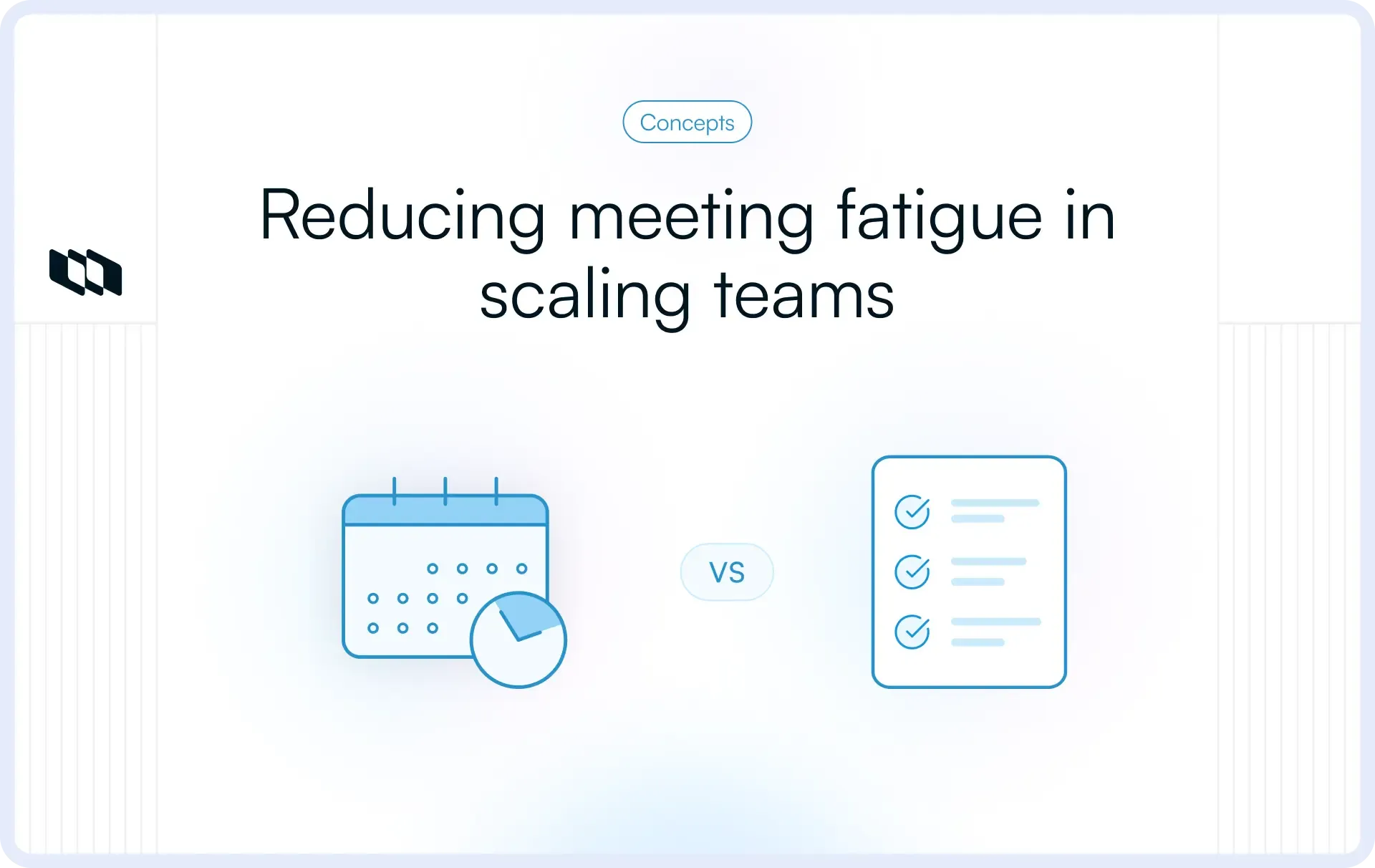
Growing teams share a common productivity killer: meeting overload. What starts as two standups and a planning call quietly snowballs into a calendar so packed that actual work becomes the exception. Engineering managers, product leads, and founders across scaling startups are losing hours daily to meetings that inform rather than decide. This post breaks down why meeting overload happens in growing teams, the signs to watch for, and concrete strategies to reduce unnecessary meetings without losing team alignment.
What meeting overload means in a growing team
Meeting overload is often mentioned but rarely defined precisely. Before fixing it, teams need to understand what it actually is and where it shows up.
Defining meeting overload
Meeting overload refers to a situation where the volume, frequency, or structure of meetings starts reducing productivity and team efficiency. Meetings exist to support collaboration and decision-making, yet excessive meetings often shift attention away from meaningful work. Teams spend significant time discussing progress, sharing updates, and reviewing information that could live in shared documentation or project tools. As this pattern grows, calendars fill with recurring meetings, and teams struggle to balance communication with execution.
What meeting overload looks like in practice
The signs are usually visible before they get named. Some of the most common patterns include:
- Back-to-back meetings throughout the day that leave no uninterrupted time for focused, heads-down work
- Large recurring meetings with unclear purpose, where the agenda is thin and attendance is high out of habit rather than necessity
- Status updates delivered verbally in meetings instead of being documented in a shared tool where the team can reference them asynchronously
- Meetings where only two or three people actively contribute, while everyone else attends because they were invited or feel they should be present
Each of these patterns signals that meetings are filling a coordination gap rather than serving a deliberate purpose.
Why does meeting overload increase as teams scale?
Meeting overload rarely appears overnight. It tends to build gradually as teams grow, and the reasons are structural rather than personal.
- More stakeholders get involved in projects. As the team scales, more people have context, opinions, or sign-off responsibilities. Meetings become the default venue for bringing everyone into alignment.
- Cross-team dependencies increase. When engineering, product, design, and operations all intersect on a single initiative, the demands for coordination multiply. Without clear async workflows, meetings absorb that coordination load.
- Management layers are added. New managers often introduce their own check-ins, syncs, and reporting rhythms. Each layer adds meetings, and those meetings rarely get retired as the team matures.
- Scheduling becomes the go-to fix for coordination problems. When a process is unclear or a decision stalls, the easiest response is to schedule a meeting. Over time, this reflex creates a calendar culture where meetings are the first solution, not the last.
Understanding why this happens at a structural level matters because it shifts the response from blaming individuals to fixing systems.
Signs your team is experiencing meeting overload
Meeting overload is gradual enough that teams often adapt to it before they recognize it as a problem. These signals help managers and leads identify it before it becomes deeply embedded in team culture.
Common warning signs
Several patterns indicate that meeting overload is affecting a team’s workflow and productivity:
- Team members frequently mention limited time for focused work because meetings occupy large portions of the day
- Meetings primarily revolve around sharing updates rather than solving problems or making decisions
- Similar topics appear across multiple meetings involving different teams or stakeholders
- Discussions conclude without clear decisions, ownership, or next steps
- Important work moves into evenings or late hours because daytime schedules contain continuous meetings
These patterns suggest that meetings serve as the team's primary coordination mechanism. When this happens, communication remains active, yet progress slows because discussions replace execution time.
A simple meeting audit checklist
Before scheduling or continuing any recurring meeting, managers can run through a quick set of questions to assess whether it earns its place on the calendar:
- Does this meeting have a clear purpose? If the answer requires more than one sentence, the purpose likely needs further definition before the meeting.
- Could this update be shared asynchronously? Status updates, progress reports, and informational briefs are strong candidates for documentation rather than discussion.
- Does every attendee need to be present? Attendance based on habit or political courtesy inflates meeting costs. Each invite should reflect a specific reason for that person's presence.
- What outcome should come from this meeting? Every meeting worth running should produce a decision, a plan, or a clearly resolved question. If the expected outcome is vague, the meeting itself probably is too.
Running this audit on recurring meetings alone tends to surface significant calendar waste within the first review.
Why meeting overload happens in growing teams
Symptoms are easier to spot than root causes. Most teams address meeting overload by canceling a few calls or shortening recurring ones, without examining why those meetings exist in the first place. These are the structural reasons growing teams accumulate more meetings than they need.
1. Lack of visibility into work
Limited visibility into project progress often drives meeting overload. When stakeholders cannot easily view updates, blockers, or task ownership, meetings become the easiest way to gather information. Teams schedule recurring syncs to request status updates or to review work that might otherwise appear in shared project spaces. Over time, these meetings multiply as more projects and stakeholders require visibility.
2. Weak asynchronous communication habits
Many teams rely heavily on live conversations rather than written communication. Updates, decisions, and feedback remain inside meetings rather than being documented in shared tools or project workspaces. This pattern encourages more meetings because team members depend on scheduled discussions to stay informed. Strong asynchronous communication practices help teams share information without requiring everyone to meet at the same time.
3. Unclear meeting purpose
Meetings without defined goals often create inefficiency. Teams schedule discussions without identifying the decision, problem, or outcome the conversation is meant to address. Participants then spend time reviewing information or exploring topics without clear direction. When meetings lack purpose, teams schedule additional meetings to clarify unresolved issues.
4. Recurring meetings that never get reviewed
Recurring meetings often start with a clear purpose, such as project planning or cross-team coordination. As projects evolve, the original need for the meeting may change or disappear. Yet many organizations continue these meetings indefinitely because they already exist on the calendar. Without periodic review, recurring meetings accumulate across teams, gradually increasing meeting volume.
5. Large attendee lists
Large meetings introduce additional coordination challenges. Inviting many participants can slow discussions, reduce clarity, and prolong decision-making. Many attendees may join primarily to stay informed rather than actively contribute. This pattern increases meeting size while reducing effectiveness, which encourages teams to schedule additional meetings to address unresolved questions.
Which meetings should stay, and which should go
Reducing meeting overload is about improving how meetings are used, not eliminating them entirely. The goal is to protect time for meetings that genuinely require real-time collaboration while moving everything else to async workflows. Here is a practical way to think about that distinction.
Meetings that are still valuable
Some work genuinely benefits from synchronous discussion. These meeting types tend to earn their place on the calendar:
- Decision-making discussions in which two or more people need to align on a direction, weigh trade-offs, or reach a conclusion that affects the team's work. These require real-time back-and-forth that async formats handle poorly.
- Complex problem-solving sessions where the problem is ambiguous, the solution space is wide, and thinking out loud together produces better outcomes than independent analysis followed by written summaries.
- Planning workshops such as sprint planning, quarterly roadmap reviews, or kickoffs for new initiatives. These benefit from shared context, live discussion, and the kind of collaborative energy that async formats struggle to replicate.
- One-on-one meetings between managers and direct reports. These conversations involve nuance, personal context, and relationship-building that warrant protected, recurring time.
- Retrospectives and team reflection sessions where the team examines what worked, what stalled, and what needs to change. These discussions are most productive when people can respond to each other in real time.
Meetings that often should be reduced or redesigned
These meeting types frequently consume more time than they return in value:
- Routine status updates, where a manager or lead asks the team to report on progress verbally. This information belongs in a project management tool, visible to anyone who needs it, without requiring a meeting.
- Informational meetings with no discussion where one person presents, and everyone else listens. A well-written document, a recorded walkthrough, or a structured async update serves this purpose more efficiently.
- Meetings with unclear agendas are scheduled around a vague topic rather than a specific outcome. These tend to produce circular discussions and low-quality decisions.
- Meetings where most attendees are passive listeners, present for awareness rather than contribution. Awareness does not require attendance; it requires good documentation.
A simple rule: Sync for decisions, async for updates
A useful guideline for reducing meeting overload is to distinguish between discussions and updates. Real-time meetings work best for conversations that require debate, clarification, or joint decision-making. Updates and progress reports often work better through asynchronous communication, such as written updates, project comments, or shared documentation.
This approach allows teams to reserve meetings for collaboration that truly benefits from live discussion, while reducing unnecessary meetings that primarily serve to share information.
Practical strategies to reduce meeting overload
Reducing meeting overload requires changing how teams coordinate work, share updates, and advance decisions. The goal is to keep meetings that create value and redesign the ones that consume time without improving outcomes.
1. Start with a recurring meeting audit
Before adding new processes or tools, look at what already exists. Open the team calendar and review every recurring meeting with a simple question: if this meeting disappeared tomorrow, what would actually break? Meetings that produce unclear answers often contribute directly to meeting overload.
Start by identifying meetings that follow these patterns:
- Syncs created for a specific project that continued after the project finished
- Weekly check-ins that repeat updates already visible in project tools
- Standups that expanded from 15 minutes to 40 minutes over time
- Review meetings where the same update appears across multiple sessions
This audit helps teams see where calendar time is spent and highlights meetings they can remove or redesign immediately.
2. Eliminate or consolidate low-value meetings
Many teams schedule multiple meetings that cover similar topics across projects or teams. Instead of solving coordination problems, these meetings repeat the same information in slightly different conversations.
Look for situations like these:
- Separate meetings for product updates and engineering updates that discuss the same project
- Stakeholder syncs and team reviews that cover identical progress updates
- Multiple project meetings are scheduled within the same week for overlapping work
In these situations, teams can combine discussions into one focused meeting or remove the meeting entirely if the update already exists in a shared workspace.
3. Replace status meetings with asynchronous updates
Status meetings often exist to help teams understand progress across tasks and projects. These updates rarely require real-time discussion.
Teams can reduce unnecessary meetings by sharing updates asynchronously through:
- Written weekly project updates
- Task comments are connected directly to the work
- Shared documentation that tracks plans and decisions
- Progress dashboards that display task status and ownership
Async updates allow stakeholders to review progress at any time, while meetings remain reserved for collaborative conversations.
4. Use clear agendas for every meeting
Meetings become inefficient when participants arrive without context. A clear agenda ensures that discussions stay focused and decisions move forward.
Effective agendas usually include:
- The goal of the meeting
- Key topics that require discussion
- Any documents or updates participants should review beforehand
- The decision or outcome expected by the end of the meeting
This structure allows teams to reduce meeting overload because conversations become shorter and follow-up meetings become less frequent.
5. Shorten default meeting lengths
Meeting duration shapes how conversations happen. When calendars default to thirty or sixty-minute meetings, discussions naturally expand to fill the available time.
Many teams improve meeting efficiency by reducing default meeting lengths, such as:
- 25-minute meetings instead of 30
- 45-minute meetings instead of 60
Shorter meetings encourage preparation, clearer agendas, and faster decision-making while leaving more space in the calendar for focused work.
6. Limit attendees
Large meetings often slow down discussions and increase coordination efforts. Many participants attend mainly to stay informed rather than contribute to the conversation.
A practical approach involves inviting people who:
- Own the decision being discussed
- Provide the expertise required for the discussion
- Contribute directly to solving the problem
Other stakeholders can review updates through meeting notes or project documentation. Smaller meetings help teams reach decisions faster and reduce overall meeting volume.
7. Protect focus time
Teams that schedule meetings across the entire day often struggle to find uninterrupted time for planning, analysis, and creative work.
Organizations reduce meeting overload by introducing clear focus time practices, such as:
- Meeting-free days dedicated to deep work
- No meeting blocks during specific hours
- Collaboration windows where meetings are scheduled intentionally
These practices create a predictable time for execution while still supporting team communication.
8. Encourage people to decline unnecessary meetings
Many employees attend meetings because they feel obligated to join even when their contribution remains limited. This habit increases meeting size and contributes to meeting overload.
Teams can improve this by encouraging people to evaluate invitations based on contribution. If a meeting primarily shares updates already available elsewhere, team members can stay informed through documentation rather than attending the session.
This cultural shift helps reduce unnecessary meetings and allows people to focus on meaningful work.
How asynchronous communication helps reduce meeting overload?
Meeting overload often signals a deeper issue in how teams share information. When updates, feedback, and decisions live inside meetings, calendars become the primary coordination system. Asynchronous communication offers a more scalable alternative by allowing teams to share information in ways that remain visible and accessible without requiring everyone to meet at the same time.
What asynchronous communication means
Asynchronous communication refers to collaboration in which participants respond at different times rather than meeting simultaneously. Instead of scheduling a meeting to exchange information, teams document updates, comments, and decisions in shared spaces so others can review them at their convenience.
This approach supports distributed work and reduces meeting overload because information remains accessible without requiring another calendar slot.
Types of work that can happen asynchronously
Many everyday collaboration activities work effectively without live meetings. Teams can handle several tasks asynchronously while maintaining transparency and alignment.
Common examples include:
- Project status updates that summarize progress, blockers, and priorities
- Document reviews where team members add feedback directly to shared files
- Task discussions through comments connected to specific work items
- Progress tracking through dashboards or project boards
- Stakeholder updates are shared through written reports or shared workspaces
These practices allow teams to stay informed while reducing the number of meetings required for routine updates.
Why asynchronous communication becomes essential as teams scale
Growing teams introduce more projects, stakeholders, and cross-team dependencies. Relying solely on meetings for coordination becomes difficult as communication needs expand.
Asynchronous communication helps teams maintain visibility without increasing meeting volume. Written updates, shared project tools, and documented decisions help keep information accessible across the organization. Teams stay aligned because progress, ownership, and context remain visible even when people work across different schedules or locations.
For growing organizations, strong asynchronous communication practices form the foundation for reducing meeting overload while preserving collaboration and clarity.
Team practices that prevent meeting overload
Individual strategies help reduce meeting overload in the short term, yet long-term improvement depends on how teams design their communication culture. When organizations establish clear practices for scheduling meetings, sharing updates, and documenting decisions, calendars stay manageable even as teams grow.
1. Define clear guidelines for scheduling meetings
Teams benefit from clear guidance on when a meeting is actually necessary. Without this clarity, meetings often become the default response to coordination challenges.
Effective teams define simple rules such as:
- Meetings exist to support decisions, planning, or problem-solving
- Status updates and routine information appear through written updates
- Meeting invitations clearly state the objective of the discussion
These guidelines help teams reduce unnecessary meetings and create more intentional collaboration.
2. Set meeting standards
Meetings that remain on the calendar should follow consistent standards so discussions produce meaningful outcomes.
Common standards include:
- A clear agenda was shared before the meeting
- A defined facilitator responsible for guiding the discussion
- Documented decisions and action items after the meeting
These practices improve meeting quality and reduce follow-up meetings caused by unclear outcomes.
3. Create focus time policies
Many organizations introduce structured time for uninterrupted work. These policies help balance collaboration with the deep focus required for planning, development, and analysis.
Examples include:
- Meeting-free days dedicated to focused work
- Protected work blocks during specific hours
- Collaboration windows where meetings are scheduled intentionally
These practices allow teams to communicate effectively while preserving time for meaningful execution.
4. Review meeting practices regularly
Meeting overload often returns when teams add new meetings without reviewing existing ones. Regular evaluation helps organizations keep meeting culture healthy.
Teams can review meeting practices during quarterly planning or team retrospectives by examining:
- Which meetings continue to produce decisions or progress
- Which meetings mainly share information
- Whether recurring meetings still support current projects
This review process helps teams adjust communication practices as priorities evolve.
5. Leaders should model good meeting behavior
Leadership behavior strongly influences how teams approach meetings. When managers schedule fewer meetings, communicate through written updates, and respect focus time, teams often follow the same practices.
Leaders can support a healthy meeting culture by:
- Using written updates instead of meetings for routine communication
- Scheduling meetings only when discussion or decisions require it
- Encouraging team members to protect focus time
When leadership demonstrates thoughtful meeting practices, organizations reduce meeting overload while maintaining strong collaboration.
Example: Reducing meeting overload in a growing team
Meet Relay, a fifteen-person product and engineering team at a Series A startup. Over the past year, they scaled from six people to fifteen. The work grew, and the calendar grew faster.
A typical week at Relay looked like this:
- Monday all-hands
- Daily standups across two squads
- Weekly product sync, design review, and engineering review
- A stakeholder update call
- Two to three ad hoc "quick syncs" triggered by Slack threads
- Friday retrospective
Some engineers were spending four to five hours a day in meetings. The product manager had back-to-back calls from 10 am to 4 pm on Tuesdays and Thursdays. Actual work was happening before 9 am or after 6 pm. Nobody had planned for this. It had accumulated, one reasonable-sounding invite at a time.
What they changed over six weeks
- Documenting updates instead of discussing them: The Monday status sync, a 45-minute call where squads reported progress verbally, became a structured written update posted every Friday in their project tool. The Monday call disappeared. Nobody missed it.
- Cutting attendee lists: Every recurring meeting was audited using one filter: if someone's presence could be replaced by a written summary, they were removed from the invite. The design review went from eleven people to five. Meetings became faster and more decisive almost immediately.
- Replacing daily standups with async check-ins: Each team member posted a three-line update at the start of the day: done, doing, blocked. The standup call moved to twice-weekly, reserved only for blockers that genuinely needed live discussion.
- Protecting mornings as a team policy: No meetings before 11 am across the engineering team. It took two weeks for stakeholders to adjust. Once it held, engineers consistently reported their best work happening in the morning block.
- Keeping only decision-focused meetings: What remained on the calendar after six weeks: sprint planning, a restructured weekly product sync built around specific decisions, and one-on-ones. Everything else had either been cut, consolidated, or moved async.
The outcome
Meeting time across the team dropped by roughly 40 percent in six weeks. More importantly, the team stopped feeling like meetings were something that happened to them. That shift in ownership is what makes the change last.
Final thoughts
Meeting overload often appears to be a calendar problem, yet the real issue usually lies deeper in how teams communicate and coordinate work. Growing teams add meetings to maintain alignment across projects, stakeholders, and functions. Over time, this approach fills calendars with discussions that share updates rather than advance work.
Reducing meeting overload requires a more deliberate communication system. Teams benefit when progress updates, decisions, and project context remain visible through shared documentation and project workspaces. Meetings then focus on conversations that truly benefit from real-time collaboration, such as planning, problem-solving, and decision-making.
When organizations design collaboration around visibility, asynchronous communication, and a clear meeting purpose, calendars become lighter, and execution becomes faster. The goal is fewer unnecessary meetings and stronger coordination across the work that matters.
Frequently asked questions
Q1. What is meeting overload?
Meeting overload refers to a situation in which the number, frequency, or structure of meetings begins to consume a large portion of the workday, reducing the time available for meaningful work. Teams experiencing meeting overload often spend more time discussing updates and coordination than executing tasks. Over time, this pattern slows decision-making, fragments focus time, and creates unnecessary communication overhead across projects.
Q2. How do you say a meeting is over?
A meeting is considered complete when the discussion reaches a clear outcome, and participants understand the next steps. Effective meetings typically end with documented decisions, assigned action items, and defined owners for follow-up tasks. Closing meetings this way ensures the conversation leads to progress rather than additional discussions.
Q3. What is the psychology behind meeting overload?
Meeting overload often develops from a desire for alignment and visibility. Managers schedule meetings to stay informed about progress, reduce uncertainty, and coordinate work across teams. However, when meetings become the primary means of exchanging information, they increase cognitive load and context switching. Frequent interruptions reduce focus and create mental fatigue, which lowers productivity and engagement.
Q4. What is the 40 20 40 rule for meetings?
The 40-20-40 rule suggests that effective meetings depend on three phases: preparation, discussion, and follow-up. Approximately 40 percent of meeting success comes from preparation, such as defining the agenda and reviewing context beforehand. The meeting discussion itself accounts for about 20 percent, while the remaining 40 percent depends on follow-up actions, documentation, and execution after the meeting concludes.
Q5. What is the meaning of overload?
Overload refers to a situation where the volume of tasks, information, or responsibilities exceeds a person’s capacity to manage them effectively. In a workplace context, overload can occur with meetings, communication, or workload. Meeting overload refers to a work environment in which excessive meetings limit time for focused execution and productive work.
Recommended for you



 Download for Mac
 Download for Android