How enterprises run AI agents in self-hosted project management
What happens when AI agents stop recommending and start changing project state? Read how enterprises can run them securely inside self-hosted environments.
What happens when AI agents stop recommending and start changing project state? Read how enterprises can run them securely inside self-hosted environments.
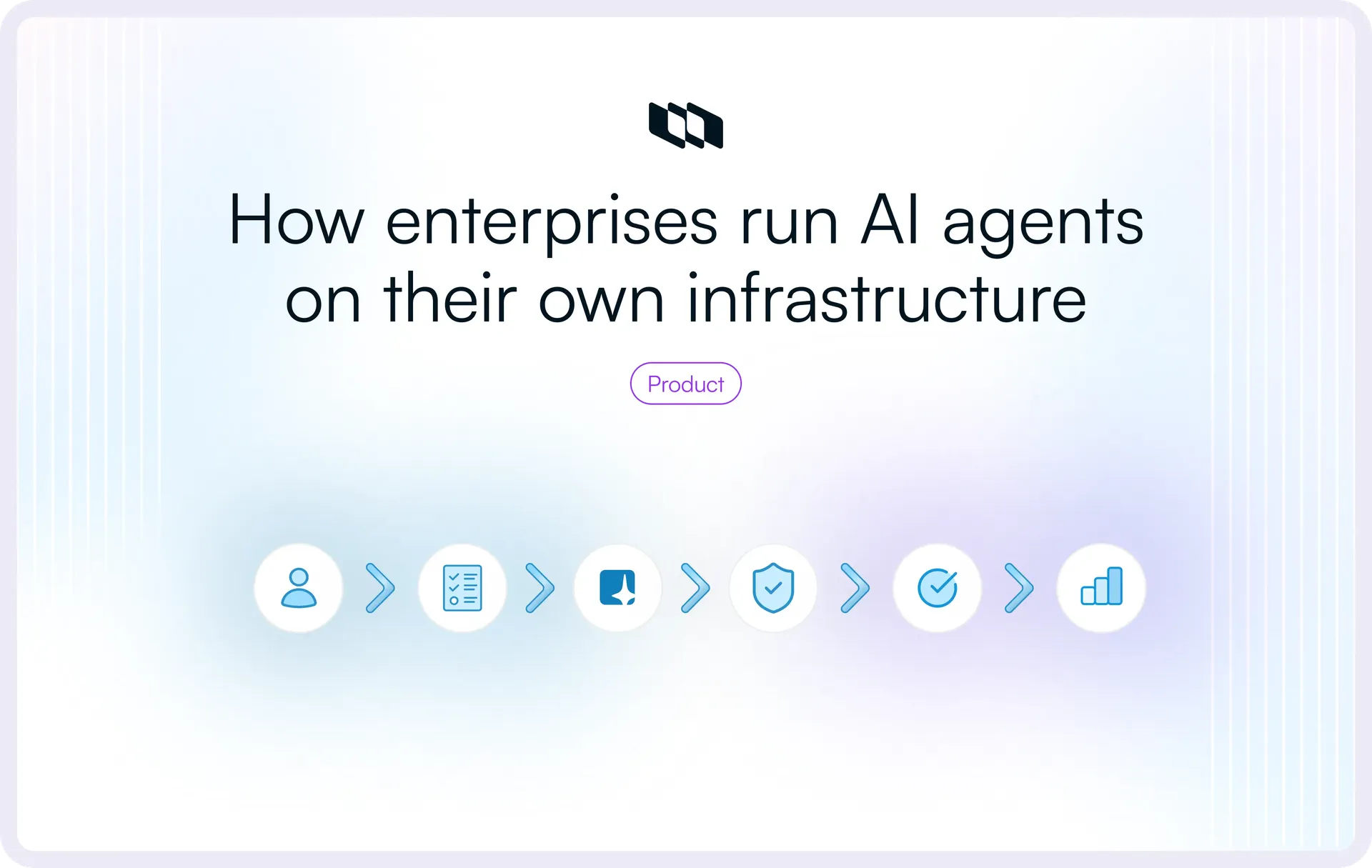
“Move this Work Item to Done” sounds like a tiny agent action. In production, it can involve an authenticated identity, a permission check, a tool call, current project state, a model decision, an approval rule, an audit trail, and possibly data leaving the network for inference. That single update contains almost the entire enterprise AI-agent problem in miniature.
This article unpacks that execution path from the perspective of enterprise AI-agent infrastructure. We’ll cover how agents read and write structured project data, how enterprises control access and autonomy, where models and supporting AI services can run, what changes in isolated environments, which failure modes matter once agents start changing project state, and how to decide when a workflow is ready for production.
What do AI agents need from a self-hosted project-management system?
An agent becomes useful in project management when it can work from the same current project state that teams use to plan and execute work.
In Plane, that context can include:
- Work structure: Work Items, Work Item Types, states, priorities, assignees, labels, and sub-work items
- Planning context: Projects, Cycles, Modules, Milestones, and Initiatives
- Relationships: Dependencies and other Work Item relations
- Knowledge and collaboration: Descriptions, comments, Pages, attachments, and other relevant project context
- Execution and governance: Recent activity, workflow transitions, and the permissions of the identity accessing Plane
Together, these structures tell an agent what work exists, how it is organized, who is responsible for it, how pieces of work relate to each other, and what has changed. Plane makes project and work data available through its REST API, webhooks, and MCP server, giving an agent runtime a structured way to retrieve context and return approved changes.
Consider a delivery Milestone that has started slipping. An agent can retrieve the related Work Items, inspect dependencies, check their current states and assignees, and identify unresolved blockers. The workflow can then reason over that project state and return its result to Plane through the access and approval controls defined for the agent.
A typical operating loop looks like this:
Plane project state → scoped agent access → reasoning → governed action → Plane write-back
Discussion tools remain useful sources of decisions and intent. For operational agent workflows, Plane provides explicit work objects and relationships that the runtime can query directly and refresh as the project changes.
For enterprise evaluation, the question is whether the project-management layer can give an agent the specific current context it needs and let it return an authorized result without bypassing the permissions and workflow controls already governing the work.
How can AI agents read and act on work in Plane?
There are several ways to connect an agent workflow to Plane, and each serves a different part of the execution path.
1. REST API for structured reads and writes
Plane's REST API gives applications and agent runtimes direct access to project resources. An agent workflow might query current work items, inspect a project, retrieve a cycle, or create and update work once the required checks have passed.
This is useful when the enterprise already has its own agent runtime or orchestration layer and wants explicit control over each API operation.
2. MCP for agent-accessible tools
Plane's MCP Server exposes Plane resources as tools that MCP-compatible clients can call. Plane's current developer docs describe 28 tools covering Work Items, Cycles, Releases, Customers, and other Plane resources. For self-hosted Plane, teams can point local stdio mode at their private Plane instance or deploy the MCP Server themselves.
Access through MCP depends on the credentials used for the connection. Plane's API uses those credentials to verify the acting identity and its permissions for the requested operation.
3. Webhooks and events for triggers
Agents also need a way to know when something has happened.
A new Intake request, work-item update, project event, incident, or external engineering event can trigger an agent run. A webhook handles the notification. The agent runtime then decides what context to retrieve and which workflow to start.
This separation matters:
- Webhook or event: something changed
- API or MCP: retrieve or change project state
- Agent runtime: manage the reasoning and execution process
- Model: interpret the supplied context and propose the next action
A typical Plane workflow might look like this:
New request → webhook → retrieve relevant Plane work → agent evaluates request → tool call → Plane permission enforcement → approved update
The runtime and Plane can live in separate services or even separate infrastructure zones. The project system remains responsible for its work state and permissions, while the agent runtime manages the execution around them.
Context should also stay scoped to the task. A triage workflow may need Intake, a few related projects, labels, and ownership information. It rarely needs the complete workspace history.
The same principle applies to agent memory. Persisted agent memory can support continuity across runs, but current project state should still be retrieved when the workflow depends on an authoritative status, assignment, dependency, or approval.
There is also a security implication. Work Item titles, descriptions, comments, Pages, attachments, and tool responses can enter model context. Treat retrieved project content as untrusted input, and enforce tool authorization outside the model.
How should enterprises control what agents can see and change in Plane?
Connecting an agent to Plane establishes a path into project data. The next decision is how much authority travels through that path. Reading project state, reassigning work, closing items, changing dependencies, and modifying configuration carry different levels of risk, so identity, permissions, tool access, and approval policy need to be designed together.
User-delegated access
Interactive workflows can use the authority of the person initiating the action. This works well for situations such as:
- Finding work assigned to the current user
- Querying blockers across projects they can access
- Creating a work item in a project where they have write permission
- Updating work during an interactive assistant session
For MCP-connected workflows, authorization follows the credential used for the connection. With OAuth, the client acts through the authenticated Plane user and their existing access. With a token-based connection, access follows the Plane credential supplied to the MCP server. Plane continues to check authorization when an MCP tool executes a read or write.
This keeps interactive agent activity within the access already granted to that Plane identity.
Dedicated access for autonomous workflows
Scheduled and event-driven workflows continue running without an active user session, so their credentials need a defined identity, scope, owner, and lifecycle.
Plane's MCP Server supports API-key authentication for automated workflows. The API key can be a Personal Access Token or a Workspace Access Token. For an autonomous workflow that needs narrower authority, teams can use a dedicated Plane user and assign that identity the required system role or, on Enterprise Grid, a custom role composed from the appropriate permission schemes.
An Intake triage workflow, for example, may need to:
- Read new Intake requests
- Inspect a defined set of projects, labels, and ownership information
- Recommend triage properties or the appropriate project or team
- Apply approved metadata, assignment, or routing when write access is allowed
Its Plane permissions and available tools should be scoped around those operations. Broader workspace administration adds authority that the workflow does not need.
Follow the permission chain all the way to the write
A useful way to review an agent workflow is:
Identity → Plane permission → tool exposure → action authorization → approval → write
Layer | Question to answer |
Identity | Which Plane user or credential is acting? |
Plane permission | Which workspace, project, and resources can that identity access? |
Tool exposure | Which capabilities can the MCP client or gateway make available to the agent? |
Action authorization | Can the supplied Plane credential perform this specific read or write? |
Approval | Does organizational policy require someone to review the action first? |
Write | Can the approved change be executed against the current Plane state? |
This distinction is especially important with MCP. Tool exposure and Plane authorization should be treated as separate controls. Teams can restrict the capabilities presented to the agent in the MCP client or gateway, while Plane's role and permission model governs what the acting identity can do against Plane resources.
- Plane's role-based access control governs access across workspace, project, and Teamspace scopes.
- Enterprise Grid adds Granular Access Control, custom roles, reusable permission schemes, and IdP Group Sync for supported OIDC, SAML, and LDAP configurations.
Assigning a dedicated Plane identity only the role or permission scheme it needs can further limit an autonomous workflow's access. Assigning a dedicated Plane identity only the system or custom role it needs can further limit an autonomous workflow's access.
Keep credentials away from model context
Credentials should stay inside the runtime's protected secret-handling path. The model only needs enough information to choose an approved tool and provide the inputs required for that operation.
A practical execution pattern is:
- The model selects an approved tool.
- The runtime retrieves the required credential from a protected source.
- The tool performs the operation against Plane or another enterprise system.
- The credential remains outside prompts, model responses, and routine trace content.
Credential lifecycle matters as much as storage. Plane Personal Access Tokens can be created with a title and description, along with an optional expiry. Plane's API guidance recommends treating API keys like passwords and regenerating a key if it is compromised.
For production agent workflows, teams should also document which workflow owns each credential, how long it should remain valid, how rotation or replacement will work, and how access will be revoked when the workflow is retired or compromised. On Enterprise Grid, Workspace Audit Logs capture supported API token creation and revocation events, providing governance evidence around that lifecycle.
Where does AI inference happen when Plane is self-hosted?
Self-hosting Plane determines where the project-management application and its primary work data run. Inference is a separate architectural choice.
An enterprise can keep Plane inside its own infrastructure while choosing among local models, privately connected provider services, external APIs, or a mix of endpoints.
Architecture | Plane | Agent runtime | Inference | Data-boundary implication |
Fully private/local | Self-hosted | Internal | Internal/local | Project context stays within the internal AI stack when supporting services are internal too |
Private managed inference | Self-hosted | Internal | Provider-managed private endpoint | Selected inference context reaches the provider-managed service through an approved private path |
External model API | Self-hosted | Internal | External provider API | Selected prompts, project context, and tool results are sent to the configured provider |
Hybrid routing | Self-hosted | Internal | Local + approved managed endpoints | Processing location varies according to routing policy |
Managed agent runtime | Self-hosted | Provider-managed | Depends | Selected work context reaches the managed runtime according to the configured integration |
Air-gapped | Isolated | Internal | Local | Runtime inference and supporting dependencies remain inside the isolated environment |
Plane's own self-hosting guidance makes the inference boundary explicit: the configured model endpoint determines where AI context is processed. Self-hosted Plane can connect to local and customer-selected model endpoints as well as supported managed providers.
That distinction is important during architecture review.
Local inference
The enterprise operates the inference infrastructure within its approved environment. Project context sent to the model can remain inside that boundary, provided the embedding, retrieval, tracing, and tool layers follow the same policy.
The organization also assumes the operational work that comes with the model stack, including capacity, serving infrastructure, upgrades, monitoring, and model lifecycle management.
Private managed inference
A managed provider can expose AI services over private connectivity. In that arrangement, traffic can avoid the public internet while inference still happens inside provider-operated infrastructure.
This can be useful for enterprises that want provider-managed models while keeping network paths tightly controlled.
External model API
An internal agent can call an approved external model API. Plane stays self-hosted, while the context selected for inference travels to the configured model service.
The enterprise then needs to evaluate the provider's processing location, retention behavior, contractual terms, and any applicable residency requirements.
Hybrid routing
Some organizations have workloads with very different sensitivity levels.
A routing policy might send restricted project context to an internal model while allowing approved lower-sensitivity tasks to use another endpoint. This gives the team flexibility in model choice, with additional policy and testing work around routing decisions.
The main architectural lesson is straightforward: project-system location, agent-runtime location, network path, and inference location should each be documented separately.
What project data can cross the AI boundary?
Keeping the Plane database inside enterprise infrastructure does not determine where every piece of project data is processed. During an agent workflow, selected content may also move through retrieval systems, model endpoints, tools, runtime state, logs, and backups.
That data can include:
- Source content: project data, work-item descriptions and comments, Pages, and attachments
- Retrieval data: search indexes, embeddings, and vector stores
- Inference and tool data: prompts, retrieved context, model responses, tool arguments, and results
- Runtime and operational data: agent checkpoints, long-term memory, execution traces, and evaluation datasets
- Governance and recovery data: audit records and backups
Each surface can have its own storage location, retention policy, and network path. A self-hosted Plane database may stay inside the enterprise while selected work-item content or retrieved context is sent to an external model endpoint for inference.
Map the full data path
For each data surface, document four things:
- Storage and processing: Where does the data originate, and where is it processed?
- Context and retrieval: What enters the model context, and where are embeddings generated and stored?
- Retention and deletion: What is retained, for how long, and how are retained copies deleted?
- Operational copies: What reaches logs, traces, evaluation datasets, and backups?
Retrieval deserves its own review. A locally hosted generation model can still depend on a separate embedding service or vector store. For a zero-egress architecture, the embedding, retrieval, and storage components also need to stay within the approved boundary.
Treat network egress as an architecture decision
Connected self-hosted deployments can use outbound connectivity for configured model endpoints and other approved services. Teams should document each required destination, what data can reach it, why the connection exists, and who owns it.
Depending on the environment, that traffic can be governed through private connectivity, outbound proxies, destination allowlists, firewall rules, or internal model gateways.
Plane's self-hosting guidance makes the AI boundary clear: the configured model endpoint determines where relevant prompts and project context are processed. Plane's Airgapped Edition takes a different approach, with runtime services designed to operate without external internet connectivity.
Review model training and retention separately
When a self-hosted Plane deployment connects to a third-party AI provider, project context is transmitted directly from the customer's infrastructure to that provider. The provider's own terms and data-processing controls therefore become part of the architecture review.
During procurement, verify separately whether submitted data may be used to train or improve models and whether the provider retains that data, including retention periods and applicable exceptions. These terms should be checked again before production rollout because provider policies and contractual configurations can change.
Keep observability scoped to what operators need
Logs and agent traces can reproduce information from prompts, retrieved context, tool arguments, and tool results. Production logging should therefore favor identifiers, execution metadata, tool outcomes, errors, and retry information, with sensitive arguments redacted where practical. Full project content should be captured only when a controlled debugging requirement justifies it.
Audit records and debugging traces can serve different purposes, with separate access and retention policies for each.
What do real AI-agent workflows look like in Plane?
The architecture becomes easier to evaluate against a real workflow. Each example below uses current Plane project state, scoped access, agent reasoning, controlled writes, and verification after the action.
Intake triage and routing
A new work item arrives in Plane Intake, where incoming requests remain in the Triage state until the team decides how they should enter the project workflow.
- Trigger: A new Intake work item starts the agent run.
- Context: The agent retrieves the request along with relevant Work Item Types, labels, existing work items, and assignee information.
- Agent action: It checks for related or duplicate work, identifies missing context, and recommends properties such as type, labels, or assignee.
- Control: The workflow receives access only to the project data and write operations required for triage. Higher-impact changes, such as priority or reassignment, can remain subject to human approval.
- Write-back: Approved properties or assignments are applied to the work item before or as it moves into the project workflow.
- Verification and traceability: The workflow re-reads the work item after the update and records the initiating event and tool action alongside Plane's resulting work-item activity.
This workflow is well suited to gradual autonomy because teams can automate routine triage changes while keeping more consequential decisions under review.
Dependency and delivery-risk detection
An agent can review authorized project data for work that may put a delivery target at risk.
- Trigger: A scheduled review or an on-demand request from a project lead.
- Context: The agent retrieves relevant Milestones, work item states, dependencies, assignees, recent activity, and linked Pages where those features are used.
- Agent action: It looks for blocking chains, conflicting dates, and unresolved work that could affect a Milestone, then prepares a dependency, work item, comment, or escalation.
- Control: Read access can span the Projects required for the analysis while write access remains limited to the specific Projects and actions the workflow is allowed to change.
- Write-back: A reviewed dependency, work item update, or risk-related comment is recorded in Plane.
- Verification: The workflow retrieves the affected work items again after the write so it can confirm that the intended state was applied.
This pattern benefits from Plane's structured work model because dependencies, Milestones, assignees, dates, and Work Item states can be evaluated as explicit project data rather than reconstructed from conversation history.
Incident-to-remediation workflow
This workflow begins in an external incident system and moves follow-up work into Plane.
- Trigger: An incident event starts the agent run.
- Context: The runtime retrieves incident details, the affected service, ownership information, and related Plane work.
- Agent action: The agent checks whether remediation work already exists, then prepares new work items or links the incident to relevant existing work.
- Control: Access is scoped separately in the incident system and Plane. Priority, assignee, or other consequential project changes can remain subject to the team's approval policy.
- Write-back: Approved remediation work items or links are created in Plane with the appropriate assignees, states, priorities, and due dates.
- Verification and attribution: The runtime confirms the resulting Plane state and retains the incident reference and execution details needed to trace the remediation back to its source.
Once remediation enters Plane, teams can manage it through the same work-item properties, relationships, planning structures, and permissions used for the rest of their project work.
How much autonomy should enterprises give these Plane agent workflows?
Agent autonomy can increase gradually as a workflow proves reliable against real project data. A useful progression is Read → Recommend → Draft → Approval-gated write → Bounded autonomous write. Different actions within the same workflow can stay at different levels.
Level | What the agent can do | Example |
Read | Retrieve Plane data without changing project state. | Find work items blocked by dependencies, surface possible duplicates, or summarize recent project changes. |
Recommend | Propose an action for a person to review and execute. | Suggest a Work Item Type, label, or assignee for an Intake request, or recommend a new dependency. |
Draft | Prepare the exact change while leaving execution to the reviewer. | Draft a state change, remediation work item, dependency, property update, or risk-related comment. |
Approval-gated write | Prepare a write and execute it only after the required approval. | Reassign high-priority work, create a dependency, or move consequential work through a controlled state transition. |
Bounded autonomous write | Execute predefined, low-risk actions without case-by-case approval. | Add an approved label, create a remediation work item in a defined project, add a Duplicate relation, or post a comment. |
The approval mechanism depends on the action. An agent runtime or orchestration layer can require human approval before any exposed write. For state changes inside Plane, Approval Flows on Enterprise Grid can hold a Work Item transition until designated approvers accept or reject it. Transition Conditions can also run Plane Runner scripts before or after the transition to validate requirements or perform follow-up actions.
Where approval happens after a delay, the workflow should retrieve the affected Work Item again before executing the write. Assignees, states, dependencies, or other properties may have changed while the action was waiting for review.
Decide autonomy by action risk
Before expanding autonomy, evaluate three dimensions:
- Impact: Consider the blast radius and whether the action can trigger changes in other systems.
- Authority and sensitivity: Consider the permissions required and the project data involved.
- Recovery: Consider how easily the action can be reversed and how widely its result will be visible.
Production workflows also need execution limits, such as maximum tool calls, retries, runtime, model usage, or records changed in one run. Each workflow should have a named owner and a defined way to revoke its credentials or stop further execution.
What can go wrong when agents start changing Plane project state?
Authentication and permissions establish who an agent may act as and what that identity can access. Production workflows still need safeguards for stale data, repeated execution, concurrent changes, unsafe tool calls, and failures during multi-step runs.
Failure | What can happen | Control |
Stale state | The agent writes after a newer human or system change | Re-read current state before the write |
Repeated execution | Work items, comments, relations, or other side effects are created twice | Idempotency and event deduplication |
Concurrent changes | A human or another agent modifies the same work during execution | Revalidation and conflict handling |
Event loops | One automated update repeatedly triggers another workflow | Event provenance, depth limits, and circuit breakers |
Prompt injection | Retrieved project content influences the agent toward an unsafe action | Treat retrieved content as untrusted and authorize actions outside the model |
Wrong tool or parameters | The agent changes an unintended resource or property | Narrow tool exposure, schema validation, and approval for higher-risk writes |
Partial execution or outage | Some steps complete while later steps fail | Checkpoints, bounded retries, and recovery or compensating actions |
Poor retrieval | The agent acts with incomplete or outdated context | Retrieval evaluation and a final authoritative-state check |
Revalidate state before consequential writes
Project state can change while an agent is reasoning or waiting for approval. A Work Item may have a different assignee, state, dependency, or property value by the time the write executes.
For consequential changes, retrieve the affected Plane resource again immediately before the write and compare the current state with the assumptions used to prepare the action. If the state has materially changed, the workflow should re-evaluate the action or return it for review.
Make event-driven workflows safe to replay
Retries need special handling because a timeout does not reveal whether the previous write failed or completed before the response was lost. Repeating the same operation can create duplicate Work Items, comments, relations, notifications, or downstream actions.
For workflows triggered by Plane webhooks, the X-Plane-Delivery header provides a unique identifier for each delivered payload. Plane also retries failed webhook deliveries with exponential backoff, so the receiving agent service should recognize deliveries it has already processed before executing another state-changing action.
Cascades need a similar guard. If one agent-generated Plane update triggers another workflow, execution IDs, event provenance, depth limits, and circuit breakers can prevent the agents from repeatedly triggering each other.
Separate Plane audit evidence from agent execution traces
Plane records product activity at different levels.
- Work Item Activity keeps the history of changes to an individual Work Item, including the actor and changed values.
- On Enterprise Grid, Workspace Audit Logs provide an append-only, tamper-evident record of supported workspace-level security and administration events, including API token and webhook activity.
The surrounding agent runtime still needs its own execution trace for details such as the run ID, agent or workflow version, model calls, tool calls, retries, approvals, errors, and final outcome. Together, these records can connect an agent run to the resulting change in Plane.
For debugging and governance, preserve observable execution evidence such as tool calls, approvals, state changes, and outcomes rather than attempting to retain hidden model reasoning.
What changes when these workflows run in an Airgapped Plane environment?
An Airgapped agent workflow has a larger local dependency surface because every runtime service it depends on must be reachable inside the isolated environment.
Plane's Airgapped Edition is designed for networks with no runtime external connectivity. Application services, storage, licensing, integrations, and supporting infrastructure operate inside the organization's network boundary. Plane documents offline license validation, no telemetry, internal-only service communication, and operation without external dependencies after the required artifacts have been imported.
Keep the AI stack inside the environment
Any AI capability used by the workflow must be available internally. Depending on the architecture, that can include the inference runtime, model weights and tokenizer assets, embedding models, vector or retrieval infrastructure, and any reranking, guard, or classifier models the workflow relies on.
A workflow that depends on a public model API cannot make that call from a fully disconnected environment. The required model endpoint and supporting AI services need an internally reachable alternative.
Bring the agent runtime and its dependencies inside too
The same requirement applies to the execution layer. The agent runtime, MCP server, Plane API connectivity, queues, secrets, identity services, certificates, packages, container images, and observability infrastructure all need an internal path if the workflow depends on them.
Plane's MCP server supports local stdio connections to self-hosted Plane through a configurable PLANE_BASE_URL. This makes it suitable for an isolated deployment when the MCP client, server package, Plane instance, credentials, and required runtime dependencies have all been made available inside the environment.
Keep knowledge and integrations on internal paths
Agents in an isolated network cannot retrieve context from public websites or SaaS services at runtime. Required knowledge therefore needs to be stored, mirrored, indexed, or transferred into the environment through the organization's approved process.
Internal integrations can continue to work when their endpoints are also available inside the network. Plane specifically documents Airgapped operation with self-hosted GitHub Enterprise and GitLab, where authentication and API communication remain inside the isolated environment. Integrations that depend exclusively on public-internet services will not be reachable at runtime.
Treat updates as part of the offline supply chain
Software and model updates also have to cross the network boundary deliberately. A typical process is:
Connected staging → verify and scan → approve → transfer → internal registry → deploy
Plane's documented Airgapped model stages container images and Helm charts through an internal registry and activates licensing with an offline license file. The same controlled process may be needed for agent runtimes, model files, language packages, security patches, and other dependencies used by the workflow.
Licensing should be reviewed alongside the transfer process. Being able to mirror a model, package, or container does not by itself establish that its license permits every form of internal redistribution or use.
Keep observability inside the boundary
Production agents still need logs, traces, metrics, and alerts. In an Airgapped deployment, those systems need to operate through internally reachable infrastructure as well.
This increases operational responsibility for model serving, dependency distribution, capacity planning, patching, and monitoring. Network isolation removes runtime dependence on external services, while access control, unsafe imported content, agent errors, and unintended automation still need their own safeguards.
How should enterprises move a Plane agent workflow from pilot to production?
Start with one bounded workflow, define what success looks like, and collect evidence at each stage before moving it into production. The rollout should test the full execution path, including context retrieval, permissions, tool use, writes, recovery, and operational performance.
Stage 1: Define the workflow boundary
Document the trigger, Plane data required, external systems, tools, acting identity, permitted writes, approval requirements, data classification, workflow owner, and expected failure handling.
For an Intake triage pilot, that boundary might allow the agent to review incoming work items, inspect relevant project context, and recommend a Work Item Type, labels, assignee, or duplicate decision. Priority changes or other consequential updates can stay outside the pilot scope.
Stage 2: Validate the read path
Run the workflow without allowing it to change Plane state. Test whether it retrieves the right work, stays within its access boundary, selects the expected tools, completes reliably, and meets the latency requirements of the use case.
This stage helps expose retrieval, integration, and permission problems before the workflow can modify project data.
Stage 3: Compare recommendations with real decisions
Run the agent alongside the existing human process and record the action it would have taken.
For Intake, compare its recommended Work Item Types, labels, assignees, duplicate decisions, and escalation choices with the decisions made by reviewers. Track cases where the agent lacked enough context or selected the wrong action.
This creates workflow-specific evidence about decision quality before production writes are introduced.
Stage 4: Test controlled writes
Allow selected actions to execute through the approval process already defined for the workflow. Measure whether the agent chooses the correct action, supplies valid tool parameters, respects permissions, handles state changes that occur during review, and leaves enough evidence to investigate failures.
Rejected or corrected actions should feed back into the evaluation set so the team can see where the workflow still breaks down.
Stage 5: Promote a bounded production scope
Move only the validated slice of the workflow into production. Scope can be limited by project, tool, action, Work Item Type, data classification, or another boundary relevant to the use case.
For example, automatic labeling of Intake work items may meet the production threshold before priority changes. Creating remediation work items within one defined project may also be ready before a workflow is trusted to change dependencies across several projects.
Set production gates with measurable evidence
Use metrics that reflect both agent quality and operational reliability:
Area | What to measure |
Decision quality | Task success, incorrect-action rate, human rejection rate, human correction rate |
Execution reliability | Tool-call success, workflow completion, duplicate or retry rate, escalation rate |
Control effectiveness | Permission or approval violations, stale-state failures, audit or trace completeness |
Operational performance | Latency and model or compute cost per successful workflow |
Business outcome | The workflow-specific result the agent is expected to improve |
Thresholds should reflect the consequence of the action. A recommendation workflow can tolerate a different error profile from a production workflow that changes high-impact project state.
Production validation also continues after rollout. Changes to the model, retrieval configuration, prompts, tool schemas, permissions, or runtime can alter workflow behavior. Material changes should trigger the relevant evaluation suite again before the updated workflow receives the same production scope.
What should enterprises evaluate before running AI agents against self-hosted project work?
By the time an enterprise reaches platform evaluation, the useful questions are specific to the workflows it intends to run. Start with the deployment boundary, the project context the agent needs, the authority it will receive, and the controls required around production writes.
Plane's edition and plan also matter because advanced governance capabilities are available at different levels.
Requirement | Plane capability | Edition or plan to evaluate |
Run Plane on infrastructure you control | Self-hosted Plane | Commercial Edition for paid work management and governance capabilities |
Operate without runtime internet connectivity | Airgapped Edition | Enterprise Grid, currently with a 100-seat minimum commitment |
Give agent identities narrowly defined permissions | Granular Access Control, custom roles, permission schemes | Enterprise Grid |
Control how Work Items move through states | Workflows | Business |
Add approval gates and transition-level controls | Approval Flows, Transition Conditions, multiple Workflows by Work Item Type | Enterprise Grid |
Sync enterprise identity groups to Plane access | IdP Group Sync with OIDC, SAML, or LDAP | Enterprise Grid on Commercial or Airgapped Edition |
Investigate workspace-level security and integration events | Workspace Audit Logs | Enterprise Grid |
Q1. Does the deployment model fit your infrastructure boundary?
Start with where Plane and its supporting services need to run.
- Plane's Community Edition provides the open-source self-hosted option with feature availability aligned to the Cloud Free plan.
- Commercial Edition supports Plane's paid plans and the governance, security, and work-management capabilities that come with them.
- Airgapped Edition is designed for isolated networks that cannot depend on runtime internet connectivity.
For connected self-hosted environments, document the database, storage, search, model endpoints, integrations, telemetry configuration, and other services that may communicate outside the Plane deployment. If the environment must remain fully disconnected, evaluate the whole workflow against Airgapped Edition requirements.
Q2. Can the agent reach the project state it needs?
Map the workflow to the actual Plane objects the agent needs to understand. Depending on the use case, that may include Work Items, Work Item Types, states, assignees, dependencies, Cycles, Modules, Milestones, Initiatives, Pages, Intake, and recent activity.
Then confirm that the agent runtime can retrieve and update the required resources through the integration path you plan to use. Plane provides REST APIs, webhooks, and an MCP server that can connect to self-hosted instances. MCP connections can use OAuth or Plane API keys supplied through a Personal Access Token or Workspace Access Token.
The evaluation should use a real workflow rather than a broad inventory of available interfaces. An Intake triage agent and a cross-project delivery-risk workflow, for example, need different data and write surfaces.
Q3. Can access and consequential changes be constrained?
Plane uses role-based access control across workspace and project scopes. For organizations that need finer-grained agent identities, Enterprise Grid adds Granular Access Control with custom roles and reusable permission schemes.
State transitions have another control layer. Business supports a default Workflow for each project. Enterprise Grid adds Approval Flows, Transition Conditions, and multiple Workflows scoped to specific Work Item Types.
Review these controls against the actions the agent will actually perform. Some approvals may live in Plane, while approval for other agent writes may need to remain in the surrounding runtime or orchestration layer.
Q4. Does the inference and egress model satisfy your security requirements?
Self-hosting Plane does not determine where model inference happens. For self-hosted Plane AI, Commercial Edition supports configured model providers as well as custom OpenAI-compatible endpoints, including locally served models through runtimes such as Ollama.
During evaluation, document where project context is sent for inference, where embeddings and retrieval services run, and which other configured services require outbound connectivity. A local model endpoint can keep inference inside the approved environment when the rest of the required AI stack is internal as well.
For a fully disconnected deployment, the model, retrieval infrastructure, agent runtime, integrations, identity services, secrets, observability, and required software artifacts all need an internal path.
Q5. Can you attribute actions and shut a workflow down quickly?
Production evaluation should cover both investigation and revocation.
Plane Work Item Activity records changes made to individual Work Items. Enterprise Grid adds Workspace Audit Logs for supported workspace-level security and administration events, including API token and webhook activity. The agent runtime should preserve its own execution evidence, such as run IDs, tool calls, approvals, retries, and cross-system actions.
Teams should also test the shutdown path before production. Depending on the workflow, that may involve revoking its Personal Access Token, changing the acting identity's Plane permissions, restricting tools in the MCP client or gateway, disabling the trigger, or stopping the runtime.
A useful evaluation should leave the team able to trace:
Trigger → agent run → acting identity → tool call → approval → Plane change
Once these requirements are mapped to a real workflow, the platform discussion becomes much more concrete. The team can evaluate the Plane edition, plan, deployment model, and surrounding agent infrastructure against the controls its production workflow actually requires.
Final thoughts
Running AI agents against self-hosted project work requires clear boundaries around data access, permissions, model endpoints, and what an agent can change. Plane gives enterprises a structured work layer with APIs, MCP, access controls, Workflows and Approvals, and deployment options for connected and isolated environments.
If your team is evaluating self-hosted or Airgapped project management for AI-agent workflows, Talk to Sales to discuss your deployment model, model endpoint, MCP or API access, permission design, approval requirements, and Airgap requirements.
Frequently asked questions
Q1. What is the best enterprise AI agent platform for self-deployment?
The best enterprise AI agent platform for self-deployment depends on where the agent needs to run, which systems it must access, and how much control the organization needs over models, permissions, data, and infrastructure. Enterprises should evaluate deployment flexibility, identity and access controls, tool governance, human approvals, observability, model choice, and support for private or Airgapped environments.
For project-management workflows, the agent platform and the system of work can also be separate. Plane can provide the self-hosted project-management layer through structured work data, REST APIs, webhooks, and MCP, while the organization chooses the agent runtime and model infrastructure that fit its environment.
Q2. How do you deploy AI agents in production?
Deploy AI agents in production by starting with one bounded workflow, validating it against real data, and increasing its authority only after its behavior is measurable and reliable. A production rollout should define the agent's identity, data access, tools, allowed writes, approval requirements, failure handling, observability, and shutdown path before autonomous actions are enabled.
A practical progression is to validate reads first, compare agent recommendations with human decisions, introduce controlled writes, and then promote only proven actions into production. Post-deployment monitoring remains important because agent behavior can change as models, tools, prompts, permissions, and real-world inputs change.
Q3. Can AI agents run with self-hosted project management software?
Yes. AI agents can run against self-hosted project management software when the platform exposes project data and actions through interfaces the agent runtime can use, such as APIs, webhooks, or MCP.
In Plane, a self-hosted agent workflow can retrieve and update project resources through the REST API or connect through the Plane MCP server using local stdio. The agent runtime, model endpoint, and project-management system can remain separate components, allowing enterprises to choose where each part of the architecture runs.
Q4. How should enterprises secure AI agents in self-hosted project management?
Enterprises should secure AI agents in self-hosted project management by limiting each agent to the data, tools, and actions required for its workflow. The acting identity should follow least-privilege access, consequential writes should use approval or policy controls, retrieved project content should be treated as untrusted input, and credentials should remain outside model context.
Production controls should also cover retries, duplicate execution, stale project state, auditability, and rapid credential revocation. Human approval is particularly useful for privileged or destructive actions, while authorization should be enforced outside the model itself.
Q5. Can enterprises run AI agents in an air-gapped project management environment?
Yes, provided the complete agent workflow can operate inside the isolated network. The project-management system, agent runtime, model endpoint, retrieval infrastructure, identity services, integrations, secrets, packages, and observability systems all need internally reachable equivalents because public APIs and SaaS services are unavailable at runtime.
Plane's Airgapped Edition is designed to operate without external internet connectivity after the required artifacts are transferred into the environment. Plane also documents internal integrations with self-hosted GitHub Enterprise and GitLab, offline licensing, no telemetry, and internal-only service communication for Airgapped deployments.
Recommended for you



 Download for Mac
 Download for Android