Feature request management in Plane
See how Plane helps teams keep customer demand connected from the first request through delivery.
See how Plane helps teams keep customer demand connected from the first request through delivery.
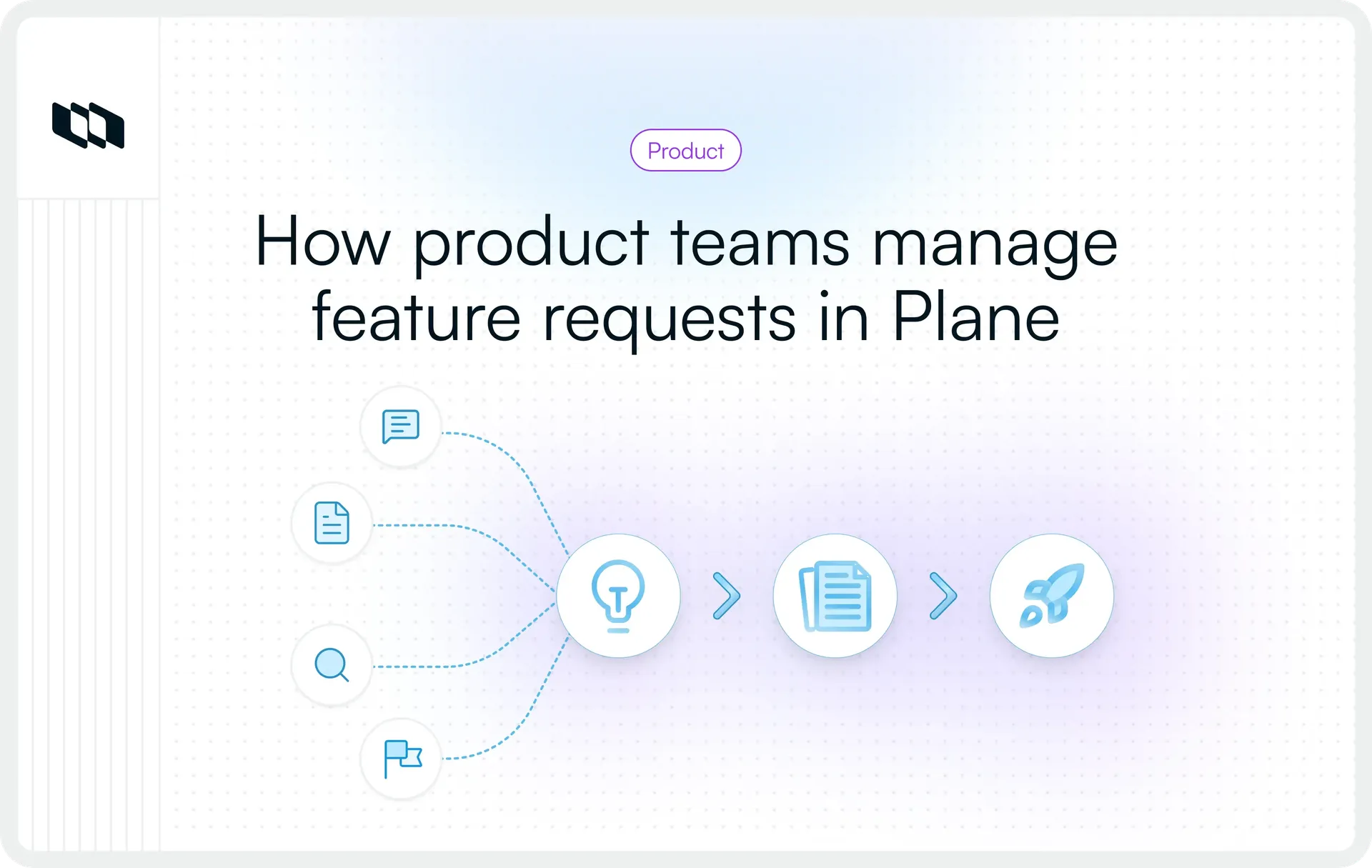
A feature request can look very different depending on who hears it first. Sales gets the commercial context, Support sees the immediate friction, Customer Success knows the account history, and Product may receive only the distilled ask.
Plane gives teams a way to bring those pieces together before they turn into another backlog item. This guide looks at how requests move from review into product work, how customer context stays attached, and how Plane fits alongside the systems teams already use.
How does Plane keep incoming feature requests separate from active product work?
Incoming requests need a review point before they become part of the team's active workflow. Plane uses Intake for that boundary.
Requests submitted through Intake land in Triage, an Intake-specific state that sits outside the project's regular state groups. Teams can review each submission, add context, and decide what should happen before it enters the project workflow. Requests can come through in-app Intake, public forms, or email.
Use Intake as the review layer
A pending Intake item stays separate from the project's regular workflow while the team evaluates it.
Project Admins and Members can:
- Accept the item and move it into a chosen project state
- Decline it
- Snooze it for review at a later date
- Mark it as a duplicate of an existing Work Item
When a request is accepted, the reviewer chooses which project State it should enter. Plane uses the project's default state unless the reviewer selects another one.
Project Admins control whether Intake is enabled for a project. Teams on the Business plan can also designate an Intake responsible person, who is automatically assigned to and notified about every new Intake submission. The reviewer still decides how each request should be handled.
This gives Product or the Intake owner room to answer a few operational questions before work enters the project:
- Is the request clear enough to investigate?
- Does related work already exist?
- Does it belong in this project?
- Should the team review it now or later?
- If the request is a duplicate, which existing Work Item does it relate to?
Acceptance and roadmap commitment are separate decisions
Accepting an Intake item moves it into the project workflow. Product can continue discovery, compare it with other opportunities, adjust its priority, and decide when it should be addressed.
That distinction matters when Sales, Customer Success, Support, or external stakeholders contribute requests. They can surface demand while Product retains control over prioritization, scope, and timing.
A simple flow looks like this:
Incoming request → Intake → Triage → accept, decline, snooze, or mark duplicate
For requests coming from outside Plane, Intake Forms can collect submissions through a public link. Custom forms can use a Work Item Type and expose selected properties from that type. Intake Email gives the project a dedicated email address and converts incoming messages into Intake work items. Intake Forms and Intake Email are available on the Business plan.
How does Plane consolidate duplicate asks without losing customer demand?
Repeated requests can point to the same product problem while carrying different customer evidence. If three submissions describe the same underlying need, creating three separate execution records can make the backlog harder to manage. Those submissions may also represent three customers independently experiencing the problem, which is useful context for Product.
Plane handles these concerns through two separate mechanisms: Intake for triaging incoming work and Customer Requests for preserving customer-specific demand.
Mark duplicate intake items during triage
When a pending Intake item matches work the team is already tracking, an Admin or Member can mark it as a duplicate during Triage and select the existing Work Item it relates to. The duplicate Intake item remains in Intake under Triage for reference.
The reviewer records the duplicate relationship during Intake review, keeping the existing Work Item as the piece of work the team continues to track.
A simple path looks like this:
Incoming Intake item → Triage → Mark as duplicate → existing Work Item
That keeps Product from accepting another execution record for work the team is already tracking.
Similarity still requires judgment. Two submissions may use similar language while describing different workflows, users, constraints, or outcomes. The reviewer needs to understand the underlying problem before deciding that one request duplicates another.
Preserve customer-specific demand with Customer Requests
Plane's Customers feature adds the customer evidence layer. Each Customer record can contain individual Customer Requests, allowing teams to preserve what a particular customer asked for and where that request came from.
A Customer Request can include a name, description, and source link, and can be connected to relevant existing Work Items. When customer requests are linked to project work, the Work Item properties panel displays its associated Customers.
That structure lets teams retain separate customer records around shared product work:
Customer A → Customer Request A
Customer B → Customer Request B
Customer C → Customer Request C
↓
Relevant shared Work Item
Each Customer Request keeps the original customer-level evidence available, while the linked Work Item carries the product or delivery work forward. Linking remains a deliberate team action. From a Customer Request, the user selects the relevant existing Work Items to connect.
This distinction becomes important as demand grows. Product can maintain one shared piece of work while preserving which customers are connected to it and the individual context behind their requests.
The Customers feature, including Customer Requests, is available on Plane's Business plan.
Keep Intake and Customer Requests conceptually separate
Intake and Customer Requests operate at different points in the workflow:
- Intake provides the review layer for incoming submissions before they enter the project workflow.
- Customer Requests preserve a specific customer's requirement or feedback, its source, and its connection to relevant Work Items.
Plane documents these as separate features. Teams using both need an operating process for deciding when an incoming submission should also be captured as a Customer Request and linked to product work.
For example, several Intake submissions may describe a problem the team is already tracking. The reviewer can handle duplicate submissions during triage, while customer-specific requests can remain connected to the relevant Work Item through Customers.
This gives Product a cleaner execution layer and a separate record of the customer evidence behind the work. That evidence becomes useful later when the team evaluates how broad the demand is, which customers are affected, and whether the problem deserves further investment.
How can Product assess customer demand before prioritizing work in Plane?
The number of requests around a problem is one signal. Product also needs to understand how widely the problem appears across customers, who those customers are, what they are trying to accomplish, and how the opportunity fits with product and delivery constraints.
Plane keeps Customer Requests, customer records, and relevant Work Items connected so Product can review that evidence together. The Product team decides how much weight each signal carries when prioritizing work.
Separate request frequency from customer breadth
Customer Requests preserve individual asks and their source context. When those requests are connected to relevant Work Items, the Work Item also shows the associated Customers.
That gives Product several useful questions to ask:
- How many requests has the team recorded around this problem?
- How many Customers are associated with the relevant work?
- Are several asks coming from the same account?
- Is the demand appearing across multiple accounts or concentrated in one segment?
Consider two situations:
- Five requests from one Customer: The problem may be recurring or especially important within that account.
- Five Customers describing the same problem: The evidence suggests that the problem appears across a broader set of accounts.
Both are useful signals, but they tell Product different things. Request frequency helps show how often a problem appears in the evidence the team has collected. Associated Customers provide another view into how broadly the problem appears across accounts.
Plane provides the records and relationships needed to examine those signals. Product decides how they should influence priority.
Add account context to the demand signal
The identity of the customer can change how Product interprets a request. Plane includes these default Customer properties:
- Customer name
- Description
- Website
- Employees
- Industry
- Stage
- Contract status
- Revenue
Teams can extend those records with custom Customer properties. Depending on the organization's operating model, that could include fields such as account tier, region, CSM owner, renewal date, or product segment.
This context helps Product understand the composition of demand. Several requests from customers in a target industry may carry a different strategic signal from requests spread across unrelated segments. Revenue, contract status, account tier, or renewal timing may also add commercial context when the team evaluates an opportunity.
Plane's Customer Requests experience also supports filtering product work by customer or revenue, helping teams focus on work associated with particular accounts or commercial context.
These fields provide evidence for the decision. Product still determines how much weight customer value, strategic segment, revenue, or other commercial factors should carry.
Look past the requested feature
Customer Requests preserve what customers asked for, along with a description and source link. The Product team can use that evidence to investigate the problem behind the proposed solution.
Useful questions include:
- Are these Customers experiencing the same underlying problem?
- Which workflow or persona is affected?
- How frequently does the problem occur?
- How severe is the impact?
- What workaround does the Customer use today?
- Does the source material provide enough context to understand the need?
These questions help the Product team determine whether related requests point to the same underlying problem and whether the available evidence supports deeper investigation.
The original Customer Requests remain valuable because they preserve how each customer experienced the problem. Product can refine the problem definition and explore the appropriate solution while keeping that source evidence connected to the work.
Compare demand with product and delivery context
Customer evidence is one part of the prioritization decision. Product also has to consider the work already underway and the constraints around delivering something new.
That review may include:
- Product strategy
- Target-segment relevance
- Related work
- Dependencies and blockers
- Engineering feasibility
- Delivery effort
- Sequencing
- Opportunity cost
Plane Work Items carry delivery context through properties such as state, priority, assignees, labels, dates, and Modules, along with dependencies and relations such as Blocked by, Blocking, and Relates To. Filters can combine fields such as state, priority, assignee, Work Item Type, labels, Modules, and dates to create focused views of relevant work.
For work that spans projects or contributes to a broader objective, Initiatives can bring related projects and Work Items into a shared scope and surface progress, dependencies, and blockers across them.
This gives Product a way to review customer evidence alongside the work and constraints that will shape delivery.
Keep demand strength and product prioritization separate
Demand assessment helps Product understand the evidence behind a problem. Prioritization determines whether that problem should receive investment, and when.
Signal | What it tells Product about demand | What Product decides |
Customer Requests | How often the problem appears in the recorded evidence | How much request frequency should influence priority |
Associated Customers | How broadly the problem appears across accounts | Which customers or segments are strategically relevant |
Customer properties | Who is behind the demand and the commercial context around it | How much weight factors such as segment, revenue, or account status should carry |
Request context | What customers are experiencing and what they are asking for | Whether the underlying problem fits the product direction |
Related work and dependencies | What existing work and delivery constraints surround the opportunity | Whether the opportunity is feasible now and what trade-offs come with pursuing it |
Plane provides the evidence layer through Customers, Customer Requests, Work Items, Customer properties, Work Item properties, relations and dependencies, filters, and planning structures such as Initiatives. Product owns the interpretation, weighting, priority, scope, and timing.
This keeps customer demand visible in roadmap decisions while giving Product enough context to evaluate each opportunity beyond raw request volume.
How does Plane turn customer demand into a product problem?
Once the Product team decides that a group of related requests deserves deeper investigation, the next step is to preserve the original customer evidence while refining the problem the team should solve.
A requested feature can be highly specific. Discovery may reveal a broader need behind it.
Move from requested solution to underlying problem
Consider a Customer Request such as “Add CSV export.”
The request is useful evidence because it captures what the customer believes would solve their problem. After talking with users and reviewing the workflow, the Product team might define the underlying problem more broadly: Operations teams need a reliable way to move filtered Work Item data into their reporting workflow.
That framing gives the team room to evaluate different responses. CSV export may still be appropriate, or an API, integration, saved reporting workflow, or another approach may better address the need. The original Customer Request can remain connected to the relevant work, preserving the evidence that prompted the investigation while the Product team refines the problem and explores the right solution.
Use the Work Item as the shared product record
Plane defines a Work Item as the fundamental unit of work in a project. Work Items can represent tasks, bugs, features, or other work the team needs to track, with properties such as state, priority, assignees, labels, dates, and Work Item Type.
For feature-request management, a Work Item can carry the consolidated product problem forward once the Product team has reviewed the customer evidence.
A useful operating model is:
Customer Request → underlying problem → Work Item → discovery → scoped solution
The problem definition and eventual solution can evolve while the Work Item remains connected to the customer evidence that informed it.
Keep discovery context close to execution
Discovery often creates more context than fits comfortably inside a Work Item description. Plane Pages give teams a place to capture supporting material such as discovery notes, product requirements, research, and decisions alongside project work.
Pages can mention Work Items directly, creating links between the documentation and the work being tracked. Teams can also turn selected text in a Page into a new Work Item. Plane uses the selected text as the Work Item title and converts the original text in the Page into a Work Item mention.
A team might therefore use:
- Customer Requests for originating customer evidence
- Work Items for the product problem and tracked work
- Pages for discovery notes, requirements, research, and decisions
- Work Item properties for structured planning and delivery context
- Epic Work Items or parent and sub-work-item relationships when the scope needs a hierarchy
- Initiatives when related work contributes to a broader objective across projects or workstreams
Initiatives can bring Work Items and projects from different workstreams into a shared scope, giving teams a higher-level view of progress, dependencies, and blockers.
The thread running through these layers is continuity. The Product team can refine the problem and its eventual solution while keeping the original customer evidence connected to the work.
How does customer context stay connected through delivery and release?
Once the Product team commits to an opportunity, the customer evidence behind it still matters. As the work moves into Engineering, delivery decisions, dependencies, and scope changes can easily become disconnected from the original reason the work was considered.
Plane keeps the Work Item connected to its associated Customers as it moves through delivery. When Customer Requests are linked to project work, the Work Item displays the Customers associated with that work, giving Product and Engineering access to customer context alongside the delivery record.
Carry the Work Item into delivery
The Work Item that carries the product problem forward can continue through the project's configured workflow as Engineering scopes and delivers the work. The team can update properties such as:
- State
- Priority
- Assignees
- Labels
- Start and target dates
- Work Item Type
- Module, where relevant
The original Work Item can remain the anchor for the opportunity even when delivery expands into additional Work Items, sub-work-items, or related work.
A simple progression is:
Customer Request → linked Work Item → project workflow
This keeps the customer evidence connected to the work while Engineering manages the delivery details around it.
Keep dependencies visible as the work expands
Feature work often depends on changes elsewhere in the product or across teams. Plane supports relationships between Work Items, including blocked by and blocking, so teams can record the dependencies that affect delivery.
For a requested capability, those dependencies might include:
- Platform changes
- Data migrations
- API work
- Work owned by another team
- Other Work Items that must be completed first
For broader efforts, Initiatives can bring related Work Items and projects into a shared scope and surface progress, dependencies, and blockers across the work.
This gives the Product team a clearer view of what needs to happen before a requested capability can ship. Demand may influence priority, while dependencies and delivery constraints shape the sequence and timing of the work.
Connect shipped work to a Release
When work moves toward shipping, Releases add another layer of delivery context. Teams can use them to:
- Group cross-project work: Workspace-level Releases can bring Work Items from multiple projects into the same release when a launch spans several teams.
- Manage project-specific releases: Project-level releases support teams that manage their release cadence within a single project.
- Track delivery progress: Work Item states contribute to Release progress, so teams can follow completion from the work already being managed in their projects.
- Document what shipped: The Release Changelog provides a separate place to record what changed, with completed Release scope available as the basis for user-facing release notes.
The workflow can therefore extend to:
Customer Request → Work Item → delivery workflow → Release
The Work Item remains in its project throughout this process, while the Release adds the scope and shipping context around it.
Trace shipped work back to the Customers behind it
Traceability becomes useful in the other direction once the work ships. Product, Sales, or Customer Success may need to know which accounts were connected to a particular piece of delivered work.
Because linked Work Items display their associated Customers, teams can start from the shipped Work Item and identify the Customers connected to it:
Released Work Item → associated Customers
The Customer Request remains the record of the original ask and its source context, while the Work Item carries the product and delivery history forward. Together, those relationships preserve the path between the customer signal and the work that eventually shipped.
Plane provides that traceability. The team still decides how to use it after release.
Plane keeps connected | The team decides |
Customer Requests and relevant Work Items | Which customer evidence should influence a product decision |
Associated Customers on linked Work Items | Which Customers need a post-release update |
Release scope and delivery progress | When follow-up should happen |
Changelog and release context | What should be communicated and who should own the conversation |
Clarify who contributes at each stage
Several teams may contribute to the same feature-request workflow, but their responsibilities remain different:
- Sales can capture requests and relevant deal context.
- Customer Success can add account context and recurring customer needs.
- Support can contribute user reports and problem evidence.
- Product or Product Ops can maintain the quality of the request evidence, evaluate the opportunity, and own product prioritization.
- Engineering can contribute feasibility, dependencies, estimates, and implementation context.
- Product, Sales, or Customer Success can own the appropriate customer follow-up after release.
The value of the connected workflow is continuity. Customer evidence can remain available as the work moves through prioritization, delivery, and release, while each team retains responsibility for the decisions and communication it owns.
Where does Plane fit in your feature request stack?
Most organizations already have customer context spread across several systems. Sales may work from a CRM, Support may manage tickets in a help desk, Customer Success may keep account information elsewhere, and Product may already have a backlog.
Plane can bring the product-facing part of that workflow together by connecting customer evidence with the Work Items, planning context, and delivery records that carry an opportunity from investigation through release.
Decide what stays in each system
A practical operating model gives each system clear ownership over the information it manages.
System | What can remain authoritative there | What the Product team needs in Plane |
CRM | Account, deal, pipeline, and broader commercial data | Customer context relevant to product decisions |
Support system | Ticket history, conversations, and support operations | The problem, affected Customer, and source context |
Feedback channels | Original conversations, emails, calls, or messages | Customer Request and supporting evidence |
Plane | Product work, planning, prioritization context, delivery, and Releases | The connected path from customer evidence to execution |
A team may continue managing account ownership and deal activity in its CRM while bringing relevant fields such as industry, revenue, contract status, or segment into Plane. Support conversations can stay in the support system, with the source URL preserved on the Customer Request.
This gives the Product team access to the context it needs without requiring every source record to move into the same tool. Plane becomes the shared product-work layer where customer evidence connects to the work being considered and delivered.
Connect Plane to the rest of the workflow
Plane provides several ways to connect product work with the systems teams already use:
- Native integrations for tools such as Slack, GitHub, GitLab, and Sentry
- REST APIs for resources including Customers, Customer Requests, Customer properties, and Work Items
- Webhooks for sending Plane events to downstream systems or custom workflows
- OAuth apps for building deeper integrations around Plane
Teams connecting a CRM, support platform, or internal system should define which system owns each field, which information is synchronized into Plane, and how conflicting or stale data will be handled.
Automation can then reduce repetitive work across that setup. Plane can help teams route or assign incoming work, update Work Item properties when conditions are met, add work to planning objects such as Modules, Milestones, or Releases, and trigger downstream workflows through webhooks. API-based integrations can also keep selected information synchronized between systems.
AI agents can assist with bounded tasks such as triage, classification, labeling, assignment, and routing when Agents are enabled in the workspace.
The Product team still owns the decisions that require judgment, including:
- Whether several requests represent the same underlying problem
- How much weight customer or commercial context should carry
- Whether an opportunity fits the product direction
- How feasibility and delivery constraints affect priority
- When the work should move forward
The same boundary applies after release. Plane can preserve the connection between shipped work and associated Customers, while the team decides who needs an update, when to follow up, and what to communicate.
Define ownership as request volume grows
The workflow becomes easier to scale when teams establish ownership before the Intake queue and Customer Request records grow significantly.
A practical operating model could assign:
- CRM or Revenue Operations to maintain authoritative account and commercial data
- Support or Customer Success Operations to preserve the original customer interaction and source context
- Product Ops or a Product owner to maintain Intake conventions, Customer properties, linking practices, and review quality
- Product teams to investigate problems and make prioritization decisions
- An integration or platform owner to maintain API, webhook, or synchronization workflows between systems
Plane's administration model can support that separation of responsibilities. Intake operates at the project level, where Project Admins enable it and configure its channels. Business workspaces can also designate an Intake responsible person, who is automatically assigned to and notified about new submissions.
Customers operates at the workspace level, where teams can enable the feature and configure custom Customer properties alongside Plane's default fields.
As request volume increases, Intake dashboard widgets can help teams monitor submission sources, waiting time, acceptance and decline activity, and the overall composition of the queue. Consistent fields, clear ownership, useful filters, automation, and defined review rules help keep the evidence usable as more requests enter the system.
Plan availability for this workflow
The feature-request workflow described in this guide spans capabilities available across different Plane plans:
- In-app Intake: Free and above
- Initiatives: Pro and above
- Intake Forms and Intake Email: Business and above
- Intake responsibility: Business and above
- Customers and Customer Requests: Business and above
- Automations: Business and above
- Releases: Business and above
- Agents: Available on paid plans, with Agent credits included according to plan
Teams can adopt the parts of this workflow that match their process. The full customer-request-to-release model described here relies primarily on Business capabilities, while Initiatives add a broader cross-project planning layer available from Pro.
Bottom line
Feature requests are more useful when the customer evidence behind them stays connected to the decisions and work that follow. Plane brings that context into the same workflow as discovery, planning, delivery, and Releases, giving Product teams a clearer path from an incoming request to the work that eventually ships.
For teams already working across CRM, support, and feedback systems, Plane can become the product-work layer that connects those customer signals with execution while keeping prioritization and customer communication in the team's hands.
Want to see how this could work with your existing stack? Talk to our team to map your current feature-request workflow and see how customer demand can stay connected from Intake through delivery and release.
Frequently asked questions
Q1. How does Plane manage feature requests from customers?
Plane can use Intake to collect and triage incoming work before it enters a project's normal workflow. For customer-specific evidence, the Customers feature lets teams create Customer Requests, record source information, and connect those requests with relevant Work Items.
Together, those capabilities can support a workflow where incoming demand is reviewed first, then connected to the product work that carries the problem forward.
Q2. What is the difference between Intake and Customer Requests in Plane?
Intake is the review layer for incoming work. Submitted items enter a Triage state where Admins and Members can accept, decline, snooze, or mark them as duplicates.
Customer Requests live within Customer records. They capture a specific client requirement or feedback, preserve source information, and can connect to Work Items.
Intake controls entry into a project workflow. Customer Requests preserve the customer evidence connected to product work.
Q3. Does Plane automatically merge duplicate feature requests?
Plane's current Intake documentation describes a manual duplicate workflow. An Admin or Member reviews a pending Intake item, selects Mark as duplicate, and chooses the existing Work Item that it duplicates.
This keeps the duplicate decision under human review.
Q4. Can Customer Requests link to existing Work Items?
Yes. From a Customer Request, teams can link relevant existing Work Items. When customer requests are connected to project work, the Work Item properties panel displays the associated Customers, keeping customer context connected to the work being tracked.
Q5. Can Plane show which Customers requested a feature?
Yes. When Customer Requests are connected to Work Items, the Work Item properties panel displays the associated Customers. Teams can use that relationship to see which Customers are connected to specific product work.
Recommended for you



 Download for Mac
 Download for Android