Introduction
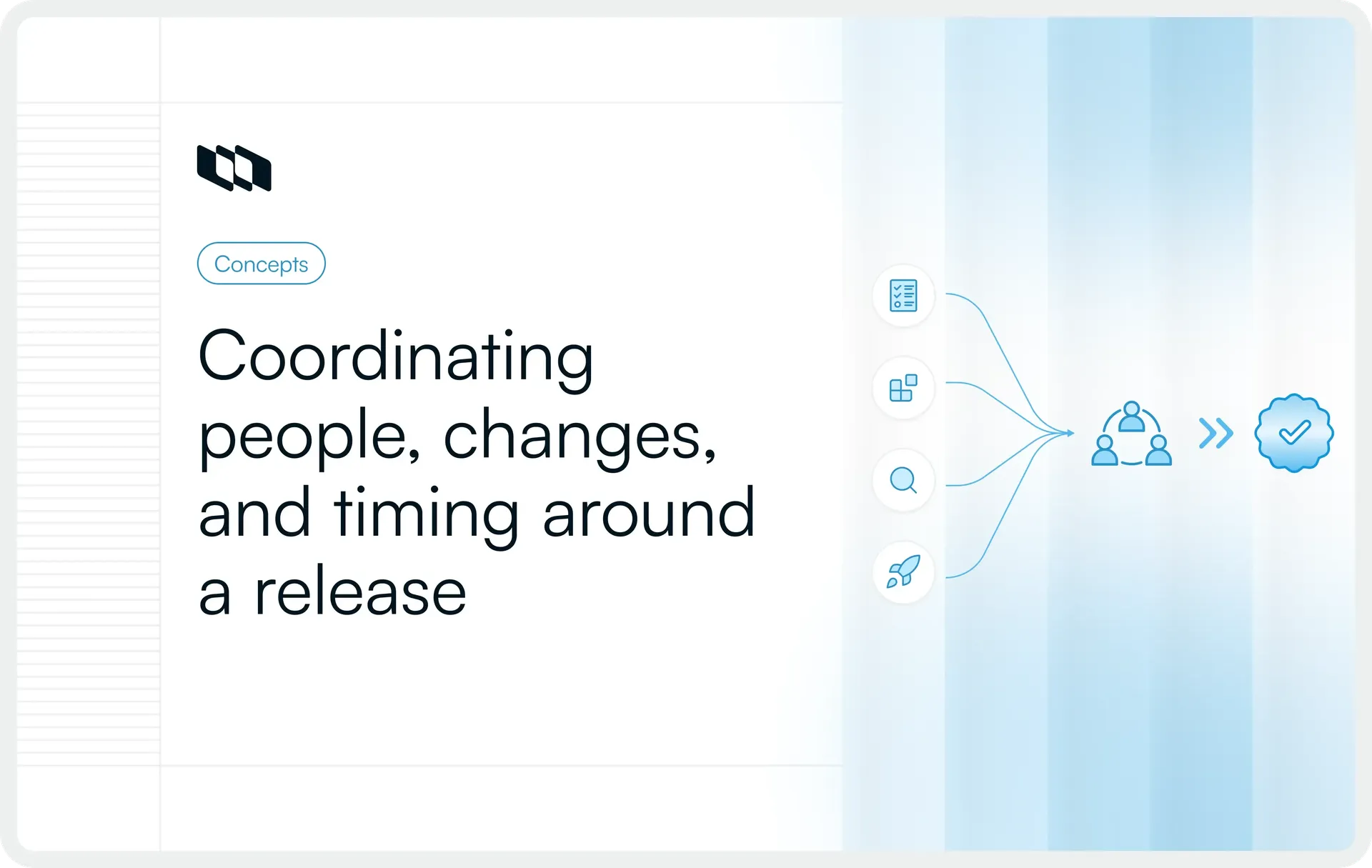
A software release brings together code, testing, dependencies, approvals, timelines, and multiple teams. Release management gives that work a clear structure, so everyone knows what is shipping, when it is going live, and what needs to happen before and after deployment.
A strong release management process helps teams reduce risk, improve coordination, and make software releases more predictable. This guide explains how software release management works, who is involved, and the best practices teams can use to manage releases with greater clarity and control.
What is release management?
Release management is the process of planning, coordinating, validating, deploying, and reviewing a software release. A release can include new features, bug fixes, security updates, infrastructure changes, or a combination of changes prepared for users.
Within the software development lifecycle, release management connects the work happening across product, engineering, QA, DevOps, operations, and other stakeholders. It gives teams a shared view of what is shipping, when it is expected to go live, and whether the release is ready.
The release process also continues after deployment. Teams still need to monitor production, respond to issues, gather feedback, and review how the release performed.
What does release management include?
A typical release management lifecycle covers:
- Release scope: Decide which features, fixes, and changes belong in the release.
- Planning and scheduling: Set timelines, milestones, owners, and target dates.
- Dependencies: Track work that relies on other teams, services, or systems.
- Build coordination: Prepare and package the software for release.
- Testing and validation: Confirm that the release meets quality and functional requirements.
- Release readiness: Check blockers, approvals, environments, and recovery plans.
- Deployment coordination: Coordinate how and when the release reaches production.
- Communication: Keep teams and stakeholders informed about status and changes.
- Post-release monitoring and review: Track production performance, incidents, feedback, and lessons from the release.
Why is release management important?
Software releases often involve several teams, systems, environments, and dependencies moving at the same time. Release management gives that work a coordinated structure, reducing the chance that critical details are missed as a release moves toward production.
1. Makes releases more predictable
A defined release process gives teams clear timelines, checkpoints, and readiness criteria. This makes it easier to plan around upcoming releases and identify delays before they affect the target date.
2. Reduces release risk
Testing, dependency tracking, approvals, and rollback planning help teams catch problems earlier and respond faster when something goes wrong during deployment.
3. Improves cross-team visibility
Product, engineering, QA, DevOps, and operations can see the same release scope, status, dependencies, and blockers. That shared context reduces coordination gaps between teams.
4. Creates clearer ownership
Release management roles and responsibilities clarify who owns each part of the release, from scope and testing to deployment, communication, and post-release follow-up.
5. Improves release quality and repeatability
A consistent release management process helps teams reuse proven workflows, learn from previous releases, and reduce last-minute work. Over time, releases become easier to coordinate without sacrificing quality.
What are the different types of software releases?
Software releases are often grouped by the size, purpose, and urgency of the changes they contain. The exact naming can vary between teams, but four release types are common.
1. Major release
A major release introduces substantial product changes, such as new capabilities, significant architectural updates, or changes that may affect existing workflows or compatibility. These releases usually require more planning, testing, coordination, and communication.
2. Minor release
A minor release delivers smaller improvements without significantly changing the product. It may include new functionality, enhancements to existing features, or incremental updates that fit within the current product structure.
3. Patch release
A patch release addresses targeted issues such as bugs, security vulnerabilities, or performance problems. The scope is usually narrow, which allows teams to validate and release the changes faster.
4. Emergency release or hotfix
An emergency release addresses an urgent production issue that cannot wait for the normal release schedule. These releases often move through an accelerated process, while still requiring testing, clear ownership, and a recovery plan.
Release classifications differ across organizations, but scope, urgency, risk, and user impact usually determine how much coordination each software release requires.
What is the release management process?
The release management process moves a software release from an agreed scope through development, validation, production rollout, and post-release review. The exact workflow varies by team, but most release lifecycles follow the same underlying sequence.
1. Define the release scope
Start by deciding what the release will contain and what outcome it is expected to achieve. This usually includes the features, fixes, technical changes, and requirements planned for the release.
Teams should also identify dependencies and known risks at this stage. A clear scope gives engineering, QA, product, and operations the same reference point as work progresses.
2. Plan and schedule the release
Once the scope is clear, teams can turn it into a workable release plan. Set the target date, key milestones, owners, required environments, and resources, then map dependencies that could affect the schedule.
The plan should also define release criteria, stakeholder communication, and an initial rollback approach. These details help teams surface constraints while there is still time to address them.
3. Build and prepare the release
Engineering teams develop and integrate the changes included in the release. Version control, automated builds, artifact packaging, configuration management, and environment preparation all contribute to producing a release candidate that can move through validation.
Build automation can make this stage more repeatable, especially for teams releasing frequently across multiple services or environments.
4. Test and validate
The release then moves through the testing required for its scope and risk level. This may include functional, integration, regression, performance, security, and user acceptance testing, followed by validation in a staging environment.
Release readiness should depend on agreed quality criteria. Passing a target date alone does not establish that the software is ready for production.
5. Review release readiness
Before production, teams review whether the release meets the conditions required to proceed. They check unresolved defects, test results, dependencies, environment readiness, operational requirements, documentation, support preparation, and required approvals.
This is also where teams confirm rollback readiness and make the final go or no-go decision.
6. Deploy and release
The approved build is deployed to production using the team's chosen rollout approach. Teams perform health or smoke checks, communicate release status, and verify that the intended changes are working for users.
Deployment and release can happen at different times. For example, a team may deploy code to production while keeping a feature behind a feature flag, then make it available gradually through a controlled rollout.
7. Monitor and review
The release management lifecycle continues once users receive the change. Teams monitor production health, investigate incidents, review support issues and user feedback, and roll back changes when necessary.
After the release has stabilized, a post-release review can compare outcomes with the original objectives and release metrics. Problems, delays, and useful process changes then feed into planning for the next software release.
Who is involved in release management?
Release management usually spans several functions because each team owns a different part of getting software into production safely. Clear release management roles and responsibilities help prevent gaps in ownership, especially around dependencies, readiness, approvals, and post-release follow-up.
Role | Responsibility |
Release manager | Coordinates the release plan, schedule, dependencies, risks, readiness checks, and stakeholder communication. |
Product manager or product owner | Defines priorities, release scope, requirements, and the outcomes the release is expected to deliver. |
Engineering team | Builds, reviews, and integrates the features, fixes, and technical changes included in the release. |
QA or testing team | Validates functionality, regression risk, quality, and whether the release meets agreed acceptance criteria. |
DevOps or platform team | Supports environments, CI/CD pipelines, deployment infrastructure, automation, and production rollout. |
SRE or operations | Monitors reliability and production health, and supports incident response, recovery, and rollback when required. |
Security and compliance | Reviews security controls, governance requirements, and compliance considerations for releases that require them. |
Support and customer-facing teams | Prepare release communication, documentation, support processes, and feedback channels for users. |
Business stakeholders | Provide business context, requirements, approvals, or input on timing and release impact where needed. |
The exact ownership model varies by organization. Smaller teams may combine several of these responsibilities, while larger organizations often distribute them across specialized functions.
What does a release manager do?
A release manager coordinates the people, timelines, dependencies, and decisions involved in moving a software release toward production. Their job is to keep the release process organized and make sure teams have the information they need at each stage.
Typical responsibilities include:
- Maintaining the release calendar and release plan
- Coordinating teams, dependencies, and handoffs
- Tracking blockers, risks, and unresolved issues
- Managing release-readiness checkpoints
- Facilitating go/no-go decisions
- Coordinating deployment activities across teams
- Keeping stakeholders updated on status and changes
- Tracking post-release outcomes and incidents
- Improving the release process based on previous releases
Technical execution usually stays with engineering, DevOps, platform, or operations teams. The release manager keeps those activities aligned around a shared release plan and timeline.
Release management vs. deployment management vs. change management
These three practices often overlap during software delivery, but they serve different purposes. Understanding release management vs. change management vs. deployment management helps teams assign ownership clearly and avoid gaps in the release process.
Area | Release management | Deployment management | Change management |
Purpose | Coordinate the full lifecycle of a software release | Move software into a target environment | Assess, approve, and control changes |
Scope | Planning, readiness, deployment coordination, communication, and review | Technical rollout and verification | Risk, approval, governance, and impact assessment |
Typical activities | Scope planning, scheduling, dependency tracking, testing, readiness checks, release communication | Packaging, configuration, rollout, health checks, rollback | Change requests, risk assessment, approvals, scheduling, audit records |
Primary owners | Release manager with product, engineering, QA, and operations | Engineering, DevOps, platform, or operations teams | Change manager, IT operations, or change advisory functions |
Begins and ends | Starts during release planning and continues through post-release review | Starts when software is ready to move into an environment and ends after deployment validation | Starts when a change is proposed and ends after approval, implementation, and closure |
How they interact | Brings the wider release activities together | Executes the technical deployment within the release | Provides governance and control where changes require formal review |
Release management vs. deployment management
Deployment management focuses on the technical process of moving software into environments such as staging or production. Release management covers the broader release lifecycle, including scope, scheduling, dependencies, testing, readiness, communication, deployment coordination, and post-release review.
Release management vs. change management
Change management focuses on assessing risk, approving changes, and maintaining governance around them, especially in formal IT service-management environments. Release management coordinates how approved changes are grouped, prepared, delivered, and reviewed as part of a release.
What are common software release strategies?
Teams use different release strategies depending on how much risk they can tolerate, how their infrastructure is set up, and how quickly they want to expose changes to users.
1. Rolling deployment
A rolling deployment updates instances gradually, so the entire production environment does not change at once. This can reduce disruption during rollout.
2. Blue-green deployment
Blue-green deployment maintains two production environments. Teams deploy the new version to the inactive environment, validate it, and then redirect traffic when it is ready.
3. Canary release
A canary release exposes a new version to a small group of users first. Teams monitor performance and expand the rollout if the release behaves as expected.
4. Feature flags
Feature flags let teams deploy code while controlling when a feature becomes available to users. This separates deployment timing from release timing.
5. Progressive delivery
Progressive delivery expands access to a change gradually based on production signals, user groups, or predefined rollout criteria.
The right strategy depends on the release risk, infrastructure, rollback requirements, and potential impact on users.
How do you measure release management success?
Release metrics should show whether teams can deliver changes efficiently while keeping releases stable and recoverable. A useful set combines software delivery performance with measures specific to the release process.
Core delivery metrics
DORA’s software delivery performance model includes five metrics:
- Change lead time: How long a change takes to move from code commit to production.
- Deployment frequency: How often changes are deployed to production.
- Failed deployment recovery time: How quickly teams recover from a failed deployment.
- Change fail rate: The percentage of deployments that require immediate remediation.
- Deployment rework rate: The percentage of deployments caused by unplanned work to address production issues.
Release-specific metrics
Teams can add metrics that reflect how well the wider release process is working, such as:
- Release cycle time
- Percentage of releases delivered on schedule
- Failed or rolled-back releases
- Escaped defects and production incidents
- Time spent resolving release blockers
- Customer or user impact after release
The most useful view combines delivery speed with release stability. A higher release frequency has limited value if failures, recovery time, or customer impact are also increasing.
What should you look for in release management software?
Release management software should give teams a clear view of the work, decisions, and dependencies behind each release. The most useful capabilities include:
- Planning and scheduling: Release calendars, milestones, target dates, and ownership.
- Scope and dependency tracking: Visibility into the work included in a release and anything blocking it.
- Custom workflows and readiness tracking: Flexible stages, statuses, approvals, and release criteria.
- Documentation and history: Release plans, supporting context, activity history, and auditability.
- Automation and development-tool integrations: Connections with engineering systems and automation for repetitive coordination work.
- Dashboards and flexible views: Reporting and views that help product, engineering, QA, and operations track the same release from different perspectives.
Release management software works best alongside CI/CD and deployment systems. Those tools handle technical delivery, while release management software coordinates the surrounding scope, ownership, timelines, dependencies, and visibility.
Final thoughts
Release management gives teams a structured way to move software from planned scope to production with clearer ownership, stronger coordination, and fewer surprises along the way.
The strongest release processes stay simple enough to repeat, while still giving teams visibility into scope, dependencies, readiness, rollout, and post-release outcomes. As release frequency increases, that coordination becomes even more important.
With the right process, roles, metrics, and tooling in place, teams can make software releases more predictable without adding unnecessary overhead.
Frequently asked questions
Q1. What is the release management process?
The release management process is the structured sequence teams use to plan, build, test, approve, deploy, and review a software release. It typically includes defining release scope, scheduling work, coordinating dependencies, validating the release, checking production readiness, deploying changes, and monitoring the results after release.
Q2. What is release management in ITIL?
In ITIL, Release Management is the practice of making new or changed services and features available for use. It works alongside practices such as Change Enablement and Deployment Management to coordinate releases while maintaining service quality and control. In ITIL Version 5, Release Management is included in the Plan, Implement and Control group of management practices.
Q3. What are the different types of software releases?
The most common types of software releases are major releases, minor releases, patch releases, and emergency releases or hotfixes. Major releases introduce substantial changes, minor releases add incremental improvements, patches address targeted issues, and emergency releases resolve urgent production problems.
Q4. What tools are used for release management?
Release management usually relies on several types of tools working together. These include project and work-management software for planning and coordination, version-control systems for managing code changes, CI/CD platforms for builds and deployments, feature-management tools for controlled rollouts, and monitoring tools for tracking production health after release.
Q5. What is the job of a release manager?
A release manager coordinates the people, timelines, dependencies, risks, and readiness decisions involved in a software release. Typical responsibilities include maintaining the release plan, tracking blockers, coordinating teams, managing readiness checkpoints, supporting go/no-go decisions, communicating release status, and reviewing outcomes after deployment.
Recommended for you



 Download for Mac
 Download for Android