Project management software for DevOps teams: What to look for
DevOps teams need project management that stays close to engineering work. Here’s how to evaluate tools across Git, automation, AI, security, and deployment control.
DevOps teams need project management that stays close to engineering work. Here’s how to evaluate tools across Git, automation, AI, security, and deployment control.
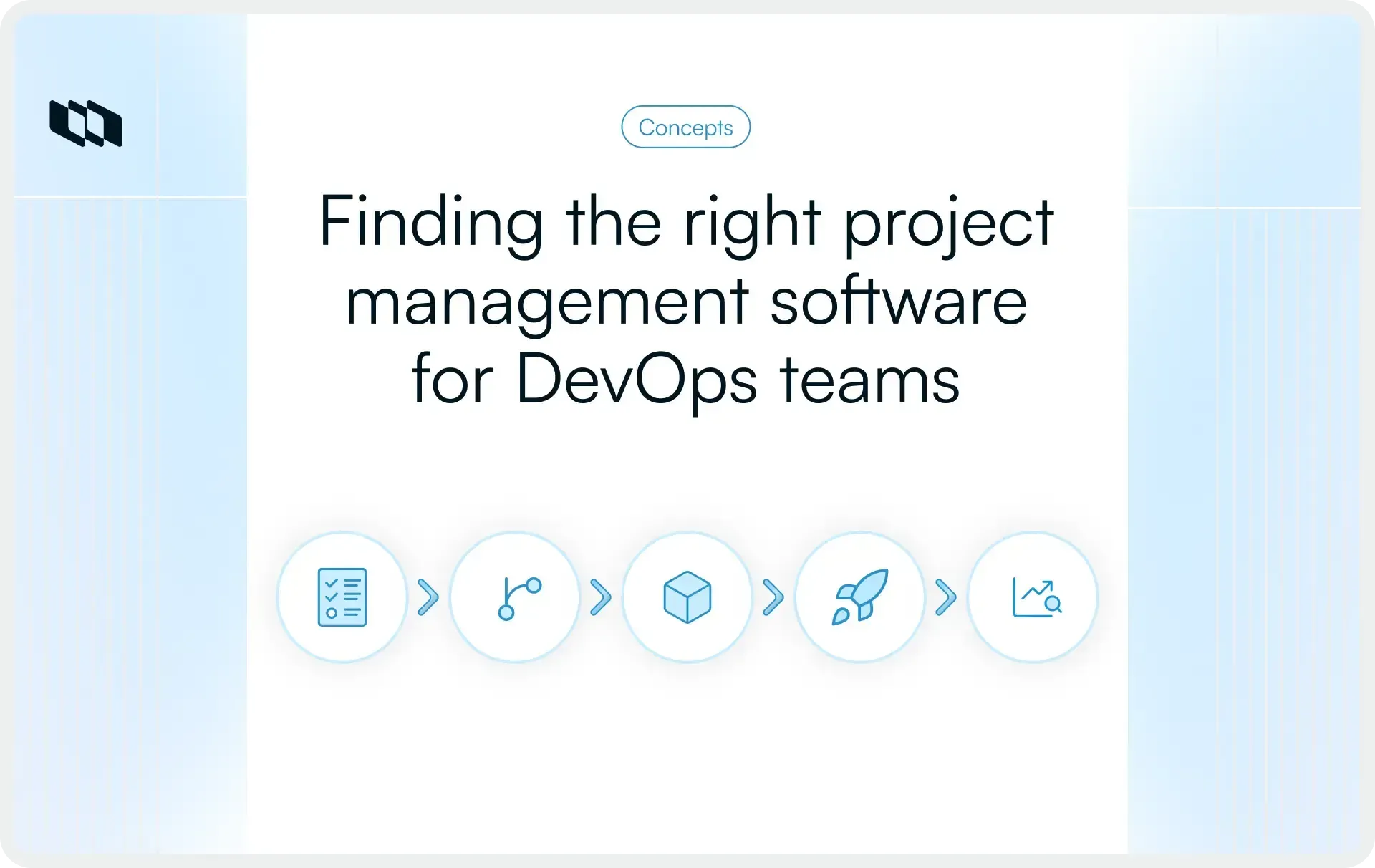
DevOps teams need more than a project board that looks good in a demo. Their work spans Git, CI/CD, incidents, releases, security reviews, and stakeholder updates, often simultaneously. When that chain breaks, engineers fall back to manual status updates and project data starts drifting from delivery reality.
This guide breaks down what to evaluate in a project management tool for DevOps teams in 2026, which trade-offs matter, and how Plane, Jira, Linear, GitLab, and Azure DevOps compare.
TL;DR
DevOps teams should look beyond Git integration, sprints, and Kanban boards. In 2026, the bigger question is whether a project management tool can support AI safely, fit platform engineering workflows, and give teams control over deployment and data.
- If self-hosting, AI control, and data sovereignty are hard requirements, Plane should be one of the first tools to evaluate.
- If your team is standardized on GitLab for source control and CI/CD, GitLab may be part of the shortlist. But compare how well it supports dedicated project management, stakeholder visibility, and workflow flexibility.
- If you are moving away from Jira Data Center, Plane is worth evaluating for its self-hosted deployment model and Jira importer.
- If your team is considering Linear for a lightweight, cloud-only product engineering workflow, evaluate how far it can support DevOps needs around self-hosting, data control, stakeholder visibility, and platform extensibility before shortlisting it.
The rest of this guide breaks down the criteria, trade-offs, and demo questions to help you choose the right tool for your DevOps stack.
What separates a DevOps-fit project management tool from one that just claims to be
Most project management tools now sound the same on paper. They all claim GitHub integration, sprint support, Kanban boards, and developer-friendly workflows. The real difference shows up when you test how deeply those features connect planning, code, releases, and day-to-day engineering work.
- The commit-to-deploy chain test
A tool that genuinely fits DevOps workflows lets you trace a work item from creation through a linked branch, a pull request, and a deployment, without leaving the project management context or manually updating anything. If engineers have to manually move a ticket to “Done” after a merge, updates become inconsistent quickly, and project data starts drifting from reality. - The adoption test
DevOps folks are keyboard-driven and have zero tolerance for slow or clunky tooling. If logging progress takes more than two clicks, it doesn't get logged. Adoption is the mechanism through which everything else in the tool becomes useful. - The methodology flexibility test
Very few DevOps teams run pure Scrum. The actual workflow is usually a cycle-based development track running alongside a continuous ops queue, an incident backlog, and a rolling set of platform engineering tasks. Tools that enforce a single methodology create workarounds, and workarounds become shadow systems.
The evaluation criteria: What matters in 2026
1. Git integration that closes the loop automatically
For DevOps teams, a Git integration is not just about attaching a pull request to a ticket. The real value is whether code activity can update project status without engineers switching tools or manual follow-ups. If the project management tool cannot reflect what is happening in Git, the project board becomes stale almost immediately.
Look for:
- Bidirectional sync, where changes in GitHub, GitLab, or your source control system reflect automatically in the project management tool
- PR and merge request state transitions, such as Draft, Open, Review, Merged, and Closed, that automatically update linked work item states.
- Support for GitHub Enterprise Server and self-managed GitLab, not just cloud-hosted repositories
- Commit, branch, PR, and merge request links that show the full delivery chain inside the work item view
All of these criteria roll up into CI/CD visibility within the work item itself—which is increasingly relevant in 2026. Build status and deployment outcomes surfaced directly in the context of tracked work eliminate a full category of dashboard-switching for engineering managers.
2. Work methodology that fits how your team actually operates
Cycle-based development, continuous flow for ops work, incident queues, and platform engineering tasks often run concurrently in the same team. A tool that handles all of these without force-fitting everyone into a single framework is meaningfully better than one that requires configuration to approximate their needs.
Look for:
- Sprint management with burndown charts and velocity tracking for Scrum-based teams
- Kanban with WIP limits for continuous flow work
- Custom work item types so incidents, features, bugs, and deployment tasks can be distinct objects
- The ability to run multiple workflow models in the same workspace without interference
The practical test: Can you build your actual workflow in the tool without a multi-day configuration project, and can a new engineer understand the board state in five minutes without a walkthrough? If your answer is no, you are already facing a today, let alone a tomorrow, that demands a change.
3. Automation that removes manual overhead from engineers
DevOps teams already automate builds, deployments, alerts, and incident workflows. Their project management workbench should follow the same pattern. If routine events like a merged PR, a failed build, or a completed deployment still require someone to manually create or update a ticket, the tool adds work rather than removing it.
Look for:
- Trigger-based rules that move work item states when set conditions are met
- Webhook support so CI/CD events, failed build, successful deployment, and merged PR can create or update work items automatically
- An API that covers the full data model, not just the most common objects
- Enough surface area for platform engineers to embed the tool into golden paths without writing glue code
When evaluating, ask the vendor to show you a live webhook firing in response to a real CI/CD event. Ask how many API endpoints are documented. These questions reveal the difference between an API designed as a native feature and one designed as a bolt-on.
4. Release management and deployment visibility
Release coordination across a DevOps team spans multiple projects, services, and stakeholders. The project management workbench needs to support this without creating a separate management layer.
Look for:
- Release containers that group work items by feature or release, independent of sprint cycles
- Cross-project dependency tracking that surfaces blocked work items across team boundaries
- Clear visibility into what's in scope for a release versus what has slipped
- Native integration with deployment and monitoring tools for teams that need live deployment status in the project management context
Cross-project dependency tracking is worth probing specifically. Blocked items that sit invisible across project boundaries are among the most common causes of release delays, and many tools handle them poorly.
5. Cross-functional collaboration without friction for engineers
Product managers, security teams, QA, and leadership all need visibility into engineering work. Engineers need to stay in context without slowing down for non-technical UX patterns. A tool that optimizes entirely for one group at the expense of the other creates friction with DevOps.
Look for:
- Layered views where engineers work in fast, keyboard-driven interfaces and stakeholders get curated dashboards.
- Intake management so requests from cross-functional teams come through a structured channel rather than landing directly in the engineering backlog.
- Documentation capability co-located with work items, reducing the need for a separate wiki tool.
- External stakeholder views that don't require every viewer to hold a paid seat.
6. Deployment model and data sovereignty
For DevOps teams in regulated industries, the deployment model is not a secondary preference. It shapes where project data lives, who can access it, how integrations connect, and whether the tool can operate inside restricted environments. For Fintech, Defense, Healthcare, Critical Infrastructure, and other security-sensitive teams, this criterion often decides the shortlist before feature depth does.
Look for:
- Self-hosted deployment on containerization methodologies, so the tool can scale inside your own infrastructure.
- Air-gapped variants for environments with no external network connectivity or outbound calls.
- Feature parity between cloud and self-hosted variants, so teams are not forced to trade control for capability.
- Support for GitHub Enterprise Server and self-managed GitLab in self-hosted environments.
- Clear documentation for installation, upgrades, backup, restore, monitoring, and security hardening.
The key question is whether self-hosted is a first-class deployment model or a limited version of the cloud product. Ask vendors to demo the feature comparison, release cadence, upgrade process, and integration support for self-hosted deployments. If critical capabilities arrive late, work differently, or require cloud dependencies, that gap compounds over time.
7. Security and compliance baseline
Security and compliance are baseline requirements for enterprise DevOps teams, but the details matter more than the logo wall. A tool may claim enterprise readiness, but buyers need to check whether access control, auditability, identity management, and deployment security hold up in both cloud and self-hosted environments.
Look for:
- SOC 2 Type II and ISO 27001 certifications as a baseline for vendor security and operational controls.
- SSO via SAML, OIDC, and LDAP for identity and directory-managed access.
- Granular access controls for custom permissions at every operational level.
- Audit logs that capture user activity, system changes, permission updates, and, in an AI-first world, agent actions.
- Encryption at rest and in transit, with secure handling of files, attachments, and external links.
For self-hosted deployments, security evaluation goes beyond certifications. Ask how quickly CVEs are disclosed, how patches are shipped, whether hardening documentation is available, and how version updates are handled. A project management workbench running inside your infrastructure gives you more control, but it also makes patch cadence and operational ease part of the buying decision.
8. AI that understands engineering context
AI has become one of the loudest claims in project management software, but most teams need to look past the feature label. For DevOps teams, AI is useful only when it understands the engineering context around the work—the linked issues, cycles, docs, PRs, incidents, owners, dependencies, and delivery history behind every decision.
Look for:
- Workspace-aware AI that can read across work items, cycles, pages, comments, and project history to surface insights from live data.
- Duplicate detection that identifies similar work items before teams create another ticket for the same problem.
- AI agents that can take scoped actions on work items, with clear approval rules and an audit trail for every change.
- A documented AI data architecture that explains where prompts go, where responses are processed, what gets logged, and what stays inside the customer-controlled environment.
For regulated and security-sensitive teams, the data path matters as much as the AI capability itself. If project data, prompts, or responses leave your environment without clear controls in place, AI can become a governance risk rather than a productivity layer. Ask vendors for the data flow diagram, retention policy, and deployment options before treating AI as a deciding factor.
9. Platform engineering compatibility
Platform teams are increasingly building internal developer platforms to standardize how engineers request services, ship code, track work, and manage operational workflows. A project management tool should fit into that system, not sit outside it as another manual layer.
Look for:
- A native MCP server so AI agents and internal tools can query project and workspace data programmatically.
- A REST API that covers work items, projects, users, workflows, states, comments, and other core objects.
- Webhooks that can trigger actions in third-party systems by events in your project management workbench.
- OAuth 2.0 app support so platform teams can build secure custom integrations without relying on brittle workarounds.
This matters because platform engineering teams rarely evaluate tools in isolation. They need to know whether the project management workbench can plug into their IDP, automation layer, service catalog, and AI agent workflows. A tool with depth in APIs, webhooks, and MCP support seamlessly integrates into the existing engineering stack. A tool with shallow integrations becomes another system teams have to update by hand.
What to watch for in demos and trials
A feature list can tell you what a project management workbench claims to support. A demo or trial shows whether those claims hold up in your actual DevOps environment. Use this stage to test the workflows that matter most—self-hosting, AI data handling, Git integration, stakeholder visibility, and total cost at your real team's sizes.
1. How the vendor handles the self-hosted question
If the answer is "yes, we support self-hosted" followed by a pivot to the cloud demo, ask to see the self-hosted installation process and the feature comparison between editions. Some vendors maintain cloud as the primary product and self-hosted as a secondary offering. The version history and changelog usually reveal this.
2. Vague answers on AI data architecture
Where are prompts processed? What gets stored? Does the AI operate on a self-hosted deployment without sending data to an external endpoint? Press for the data flow, not the marketing summary.
3. Integration depth, not checkboxes
Connect a test repository during the trial. Make a change. Watch whether the project management tool updates automatically or requires manual synchronization. See how long it takes for a PR merge to register as a status change on the linked work item.
4. How the tool behaves for non-technical stakeholders
Put a product manager or engineering lead in the tool without a briefing. See if they can understand current project state in five minutes from a dashboard. If they can't, engineers will spend time explaining project status instead of the tool doing that work.
5. Total cost at your actual team size
Calculate the full cost including read-only stakeholders, guests, and any AI credit add-ons. Some tools are priced attractively at the headline per-seat level but become expensive when you include everyone who needs visibility. A DevOps org where only paid seats can view the board ends up with managers making decisions on incomplete information.
How Plane fits DevOps teams, and how the options compare
For teams working through this evaluation, Plane is worth a direct look, particularly if self-hosted deployment, AI on your own infrastructure, or a Jira Data Center migration are on the requirements list. Here is an honest picture across each criterion.
Git integration
Two-way sync with GitHub Cloud, GitHub Enterprise Cloud, GitHub Enterprise Server, and self-managed GitLab. PR state transitions (Draft, Open, Merged) automatically update the linked Plane work item status, and comments sync in both directions.
When a PR merges on GitHub, Plane automatically moves the linked work item to Done.
What Plane does not surface natively today is live CI/CD pipeline status inside the work item view. Teams bridging that today use webhooks or the native Sentry integration.
Work methodology
Active cycles across projects, tracked from a single workspace view in Plane
Many advanced Plane capabilities are opt-in at the project level, including Cycles for sprint planning, Modules for release grouping, automations, workflows + approvals, and custom work item types. Five views are available on all plans—List, Kanban, Calendar, Spreadsheet, and Gantt. Sprint-based development in Cycles and a continuous Kanban queue can run side by side in the same workspace.
Automation and platform engineering fit
Plane gives DevOps and platform teams a programmable layer for project management, not just a set of integrations. It offers 180+ comprehensively deep REST API; real-time webhooks for project events, work item updates, and team activities; OAuth 2.0 app support; and a native MCP server that lets AI agents interact with Plane’s project management capabilities.
Plane Compose, an industry first, is one of Plane’s clearest differentiators for platform engineering teams. It brings Projects-as-code to project management, making workflows, states, labels, types, custom fields, and project schema manageable through YAML, Git, and the CLI.
That is a meaningful shift. Platform teams already manage infrastructure, deployment pipelines, and service configuration as code. Plane extends that operating model to project management, so teams can version project configuration in Git, review changes through pull requests, clone configurations across workspaces, and roll back changes when needed.
For teams building internal developer platforms, this makes Plane easier to standardize and automate across engineering teams. Bring a real automation use case into the trial and test whether Plane can connect with your IDP, service catalog, AI agent workflows, or deployment processes without turning project management into another manual system.
Deployment model
Plane supports Docker Compose, Kubernetes, and popular app platforms with a dedicated Airgapped Edition for isolated environments. Self-hosted Plane is at full parity with our Cloud for all productivity features, including Plane AI.
For teams with strict data sovereignty requirements, Plane’s bring-your-own-key AI architecture routes LLM calls from the customer’s infrastructure to the chosen provider, such as OpenAI, Anthropic, or a local model running in air-gapped networks. In enterprise and air-gapped deployments, prompts, responses, and agent actions are logged within the customer-controlled environment.
AI
Plane AI reads across the workspace and can return structured answers from live project data, including work items, pages, cycles, and related context. AI agents can also be assigned to work items with a defined scope of action, approval rules, and audit trails.
This matters for DevOps teams because AI is most useful when it understands the work around the ticket, not just the ticket itself.
Security
Plane supports SOC 2 Type II, ISO 27001, GDPR, and CCPA requirements. Enterprise teams also get GAC, SAML, OIDC, LDAP, audit logs, and signed URLs for file attachments across cloud and self-hosted environments.
For DevOps teams evaluating security-sensitive tooling, the key point is that Plane provides both governance controls and deployment flexibility, rather than forcing every team into a cloud-only operating model.
Where Plane is still building
Resource management across multiple teams and advanced portfolio-level financial tracking are thinner than what purpose-built enterprise tools offer.
How the leading tools compare
Use the table below as a shortlist filter, not as a replacement for a hands-on trial. DevOps teams should test each tool against their source control, CI/CD, security, and deployment requirements before making a final decision.
Criteria | Plane | Jira | Linear | GitLab | Azure DevOps |
Best fit for | DevOps teams that need project management, self-hosting, AI control, and platform extensibility all in one workbench. | Teams already invested in Atlassian Cloud and complex Jira workflows. | Fast-moving product engineering teams seeking a clean, cloud-first tool. | Teams that want planning, coding, CI/CD, security, and releases in a single DevSecOps platform. | Microsoft-first teams using Azure, GitHub, Boards, Repos, and Pipelines together. |
DevOps workflow fit | ✅ Supports cycles, modules, custom work item types, workflows, approvals, and multiple views. | ✅ Highly configurable for Scrum, Kanban, custom workflows, and enterprise planning. | 🚧 Works for product-engineering workflows, but highly opinionated. | ✅ Fits teams that tie planning directly to GitLab repositories and pipelines. | ✅ Fits structured engineering workflows, especially with Azure Boards and Pipelines. |
Git and delivery visibility | ✅ GitHub and GitLab sync with linked commits, PRs or MRs, and state updates | ✅ Development and deployment visibility when connected to CI/CD tools. | ✅ GitHub and GitLab integration for PR or MR-linked issue updates. | ✅ Issues, MRs, pipelines, and releases live in one platform. | ✅ End-to-end visibility when Azure Boards, Repos, Pipelines, and Releases are used together. |
Deployment and data control | ✅ Cloud, self-hosted, Kubernetes/Docker, and app platforms • dedicated air-gapped variant | 🚧 Jira Cloud is the strategic path. Jira Data Center reaches EOL on March 28, 2029. | ❌ Cloud only. | ✅ Cloud, self-managed, and dedicated deployment options. | 🚧 Cloud through Azure DevOps Services and on-prem through Azure DevOps Server. |
AI and platform extensibility | ✅ Plane AI, MCP server, 180+ REST APIs, webhooks, OAuth apps, and self-hosted + air-gapped AI control. | 🚧 Rovo or Atlassian Intelligence is cloud-centered. Data Center AI is not a native offline experience. | 🚧 AI and agent features run within Linear's cloud model. | ✅ GitLab Duo Agent Platform adds AI across the DevSecOps workflow. | 🚧 AI comes through GitHub Copilot and the broader Microsoft/GitHub ecosystem. |
Main trade-off | 🚧 Smaller third-party integration catalog than Jira. Advanced portfolio finance and resource planning is roadmapped. | 🚧 Powerful, but can become admin-heavy and costly with apps, Confluence, and migration needs. | 🚧 Fast and clean, but less suitable for self-hosted, regulated, or broad stakeholder workflows and for the entire company’s needs | 🚧 Deep DevSecOps coverage, but project management is secondary for non-engineering stakeholders. | 🚧 Strong in Microsoft ecosystems, but less flexible for teams outside Azure/GitHub-heavy setups |
Pricing reference
Tool | Starting price | Self-hosted/on-prem option | Cost consideration |
Plane | Free tier | Yes. Self-hosted with air-gapped options. | Strong value if self-hosting, AI control, or guest visibility matters. |
Jira | Free for up to 10 users. Standard starts at $7.91/user/month. | Jira Data Center reaches EOL on March 28, 2029. Sales have already stopped on March 30, 2026 | Total cost can increase due to Confluence, Atlassian Guard, Marketplace apps, and migration planning. |
Linear | Free tier | No self-hosted option. | Clean pricing, but advanced features sit on higher plans and all data stays in Linear’s cloud. |
GitLab | Free tier. | GitLab Self-Managed and GitLab Dedicated are available. | AI and advanced planning needs can affect total cost. |
Azure DevOps | First 5 Basic users free. | Azure DevOps Server is available. | Best value when the org already uses Microsoft Azure. |
How to use this comparison
- If data sovereignty, self-hosted deployment, and AI control are hard requirements, start with Plane. It brings project management, self-hosting, AI control, and platform extensibility into the same evaluation path. GitLab may also come up for teams already standardized on GitLab, but buyers should check whether they need a dedicated project management layer beyond the DevSecOps platform.
- If your team already runs source control and CI/CD entirely within GitLab, GitLab can be on the shortlist. But teams should still compare workflow flexibility, stakeholder visibility, documentation, project-level governance, and cross-functional planning before treating an all-in-one DevSecOps platform as a replacement for a dedicated PM tool.
- If you are migrating from Jira Data Center and need a direct migration path with a matching deployment model, Plane is worth evaluating first. It offers a Jira importer along with self-hosted and air-gapped deployment options for teams planning around Jira Data Center’s end-of-life timeline.
- If your team is considering cloud-first tools like Linear for speed and simplicity, carefully validate the trade-offs. Self-hosting, data control, AI governance, stakeholder visibility, and platform extensibility can become deciding factors as DevOps workflows scale.
For DevOps teams weighing AI readiness, platform-engineering compatibility, and self-hosted deployment in a single decision, Plane is the strongest fit among standalone project management tools in this comparison.
Book a demo to see how Plane handles your specific stack.
Recommended for you



 Download for Mac
 Download for Android