What is a feature flag? Definition, best practices and use cases
Introduction
A high-impact release used to mean coordinated launch windows, rollback plans, and weekend monitoring. Modern teams approach delivery differently. Feature flags allow code to reach production while exposure remains controlled, measurable, and reversible. This article explains what a feature flag is, how feature flags enable progressive delivery, practical rollout strategies, and the discipline required to manage feature flag technical debt as systems scale.
What is a feature flag?
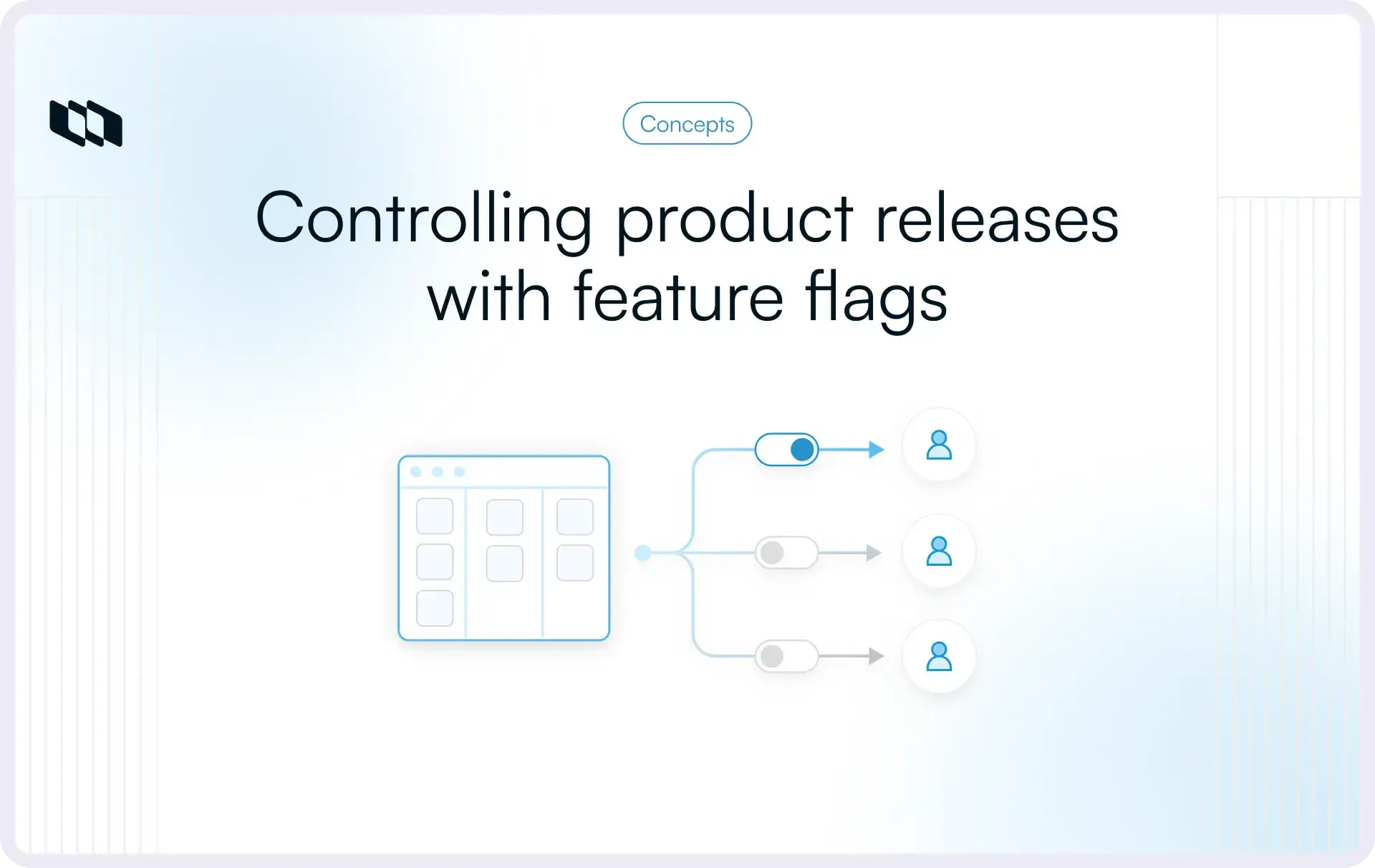
A feature flag is a runtime control mechanism that allows teams to enable or disable functionality without changing the underlying codebase or deploying new code. It acts as a switch within the application that determines which users see a feature and when they do.
In simple terms, a feature flag separates code deployment from feature release, giving teams controlled exposure in production.
How it works at a high level
At its core, a feature flag relies on three principles:
- Runtime evaluation: The application checks the flag’s state during execution and decides which code path to run.
- Conditional logic: A conditional statement determines whether users experience the new behavior or the existing one.
- No redeploy required: Teams can change exposure rules instantly without shipping new code, which enables faster iteration and safer rollouts.
This structure enables progressive delivery and precise feature-flag rollout strategies across environments, segments, and traffic percentages.
Feature flag vs. configuration
Feature flags and configuration settings both influence application behavior, yet they serve different purposes.
A configuration setting typically defines stable, long-term system behavior such as limits, thresholds, or user preferences. A feature flag controls release exposure and is often temporary, designed to support rollout, experimentation, or migration.
If the goal is to manage how a feature launches, use a feature flag. If the goal is to define steady operational parameters, use configuration.
Why feature flags matter in modern product delivery
Modern software delivery prioritizes speed, reliability, and continuous iteration. Feature flags support this shift by turning releases into controlled experiments rather than high-risk events. They reshape how teams think about risk, rollout, and workflow coordination.
1. Decoupling deployment from release
Traditional delivery models tie deployment directly to release. Once code reaches production, users experience it immediately. This creates pressure around launch timing, rollback planning, and cross-team coordination.
Feature flags break this coupling. Teams can deploy code safely while keeping new functionality hidden behind a flag. Exposure becomes a deliberate product decision rather than a technical consequence.
From a risk management perspective, this reduces blast radius. Instead of treating each deployment as a public launch, teams treat it as a controlled infrastructure event. Release becomes a separate, adjustable lever.
2. Enabling progressive delivery
Progressive delivery builds on this separation. Rather than exposing a feature to every user at once, teams roll it out gradually.
Common rollout strategies include:
- Internal users first
- A small percentage of production traffic
- A defined user segment or region
- Gradual expansion to 100 percent
This approach provides real-world validation before full exposure. Metrics, performance data, and user feedback guide expansion decisions. If issues arise, a kill switch can immediately disable the feature without the complexity of a rollback.
Feature flags enable progressive delivery by providing precise runtime control over who sees what and when.
3. Supporting continuous integration and trunk-based workflows
Modern engineering teams rely on continuous integration and trunk-based development to ship faster. These workflows encourage frequent merges to a shared main branch, which improves code quality and reduces integration conflicts.
Feature flags make this model practical. Teams can merge incomplete or experimental work into the main branch while keeping it hidden behind a flag. This reduces the need for long-lived feature branches and large, delayed merges.
As a result, delivery pipelines remain stable, release bottlenecks decrease, and teams maintain momentum without exposing unfinished functionality. Feature flags, therefore, serve as an operational layer that supports modern CI workflows and scalable product development.
Types of feature flags
Feature flags serve different purposes depending on how teams use them. A clear taxonomy helps prevent misuse and reduce feature-flag technical debt. The categories below align with how modern product and engineering teams structure controlled releases.
1. Release flags
Release flags control the exposure of newly developed features. They are typically short-lived and exist to manage rollout safely. Teams use release flags to deploy code to production while gradually enabling it for users. Once the rollout reaches full exposure and stability, the flag should be removed along with the old code path.
These flags directly support progressive delivery and structured feature flag rollout strategies.
2. Experiment flags
Experiment flags enable multi-variant testing and optimization. Instead of a simple on/off state, they can route users to different variations. Product teams use experiment flags to A/B test new flows, pricing models, or onboarding experiences. Exposure rules may depend on traffic percentage, user attributes, or behavioral cohorts.
This type of feature flag links delivery systems with product analytics and decision-making.
3. Operational flags
Operational flags act as control mechanisms during incidents. They function as kill switches, disabling specific features or integrations when performance or reliability issues arise. Engineering teams rely on operational flags to reduce blast radius during outages or degradation events. Instead of rolling back an entire release, they disable the problematic component instantly.
These flags prioritize stability and system resilience.
4. Permissioning or entitlement flags
Permissioning flags manage access based on business rules. They control which users or accounts can access certain capabilities. Common use cases include beta programs, plan-based feature gating, regional availability, or enterprise-only functionality.
Unlike release flags, entitlement flags may persist over the long term because they reflect product packaging and access-control logic.
Summary of feature flag types
Feature flag type | Primary purpose | Typical lifespan | Example use case |
Release flag | Controlled rollout of new functionality | Short term | Gradual launch of a redesigned dashboard |
Experiment flag | Multi-variant testing and optimization | Short to medium term | Testing two onboarding flows |
Operational flag | Incident mitigation and kill switch control | Variable | Disabling a slow search service during an outage |
Permissioning flag | Access control based on plans or segments | Long term | Restricting advanced analytics to the enterprise plan |
Understanding these types ensures teams apply feature flags intentionally, align them with delivery goals, and manage the feature flag lifecycle with clarity.
Core feature flag use cases
Feature flags move from theory to impact when teams apply them to real delivery challenges. The most effective teams use feature flags intentionally, tied to rollout strategy, experimentation discipline, and system resilience.
Below are the most important feature flag use cases in modern product development.
1. Gradual rollouts
A gradual rollout introduces a feature in controlled stages rather than exposing it to every user at once. This approach reduces uncertainty and provides measurable checkpoints.
A typical rollout strategy looks like this:
- Enable for internal users or staff accounts
- Expand to a small percentage of production traffic
- Increase exposure based on performance and user metrics
- Reach full release once stability is proven
This method enables progressive delivery. Teams observe real-world usage patterns, monitor errors, and evaluate adoption before scaling exposure.
Gradual rollouts transform release decisions from guesswork into data-driven expansion.
2. Canary releases and rollback control
A canary release routes a small subset of traffic to a new feature or service version while the majority of users continue on the stable path. If performance metrics degrade, teams adjust exposure instantly. Feature flags make this control precise. Instead of redeploying or reverting infrastructure, engineers flip the flag to redirect traffic to the stable path.
This reduces blast radius. A failure affects a limited audience rather than the entire user base.
For systems with strict uptime requirements, feature flags serve as a real-time risk-management layer.
3. A/B testing and experimentation
Experiment flags enable controlled comparisons between multiple variants of a feature. Rather than debating design or pricing assumptions, teams test them under real usage conditions.
A feature flag can route:
- 50 percent of users to version A
- 50 percent to version B
- Specific segments to targeted experiences
Product teams measure conversion, engagement, retention, or revenue impact before committing to a direction.
This use case connects feature flags with analytics, experimentation frameworks, and outcome-based product decisions.
4. Testing in production safely
Certain behaviors only surface under real traffic conditions. Load characteristics, integration edge cases, and usage patterns differ from staging environments. Feature flags allow teams to expose a feature to a limited, controlled audience in production while closely monitoring metrics. Instead of a full release event, testing becomes incremental. Observability tools track latency, error rates, and resource utilization.
This approach balances delivery speed with system reliability.
5. System migrations and rewrites
Large architectural changes carry significant risk. Database migrations, API rewrites, and infrastructure upgrades often require phased transitions.
Feature flags support this by routing a portion of traffic to the new system while keeping the existing path active. For example:
- 10 percent of read requests use the new database
- Specific regions use a new service version
- Internal users interact with the rewritten module
Teams validate stability under real conditions before completing the transition.
This controlled migration strategy reduces operational shock and protects system continuity.
6. Plan-based feature gating
Feature flags also enable product packaging and entitlement control. Access to functionality can depend on subscription tier, account type, region, or customer cohort.
For example:
- Advanced analytics available only to enterprise plans
- Beta features available to selected customers
- Region-specific functionality is enabled based on compliance requirements
In this context, feature flags become part of the business logic that supports the monetization strategy.
When managed properly, plan-based feature gating aligns engineering systems with product positioning and revenue models.
How feature flags work in practice
A feature flag sounds simple because the concept is simple. The execution becomes powerful when teams treat it as a delivery control system with clear rules for evaluation, targeting, and rollout. This section breaks down the mechanics in a way that product and engineering teams can apply immediately.
1. Evaluation logic
Every feature flag answers one question at runtime: should this user experience the new behavior right now?
There are two common evaluation models.
- Boolean flags: A Boolean flag has two states: on or off. It is the simplest form of feature toggle and works well for straightforward releases. When the flag is on, the application uses the new code path. When it is off, the application uses the existing behavior. Use boolean flags when the rollout decision is binary, and the feature has a single clear “new” path.
- Rule-based flags: Rule-based flags evaluate conditions before deciding. Instead of a single on-or-off state, they follow rules such as “enable for internal users,” “enable for customers in Europe,” or “enable for 10 percent of traffic.” Use rule-based flags when rollout requires segmentation, progressive delivery, experiments, or layered access logic.
A practical way to think about it: Boolean flags control the existence of a feature, rule-based flags control the exposure of a feature.
2. Targeting dimensions
Targeting defines who sees a feature and under what conditions. Strong targeting keeps rollouts safe and makes debugging easier because teams understand exactly where the feature is active.
Most rollout strategies use three targeting dimensions.
- Environment: Enable in staging first, then production. Often limited to internal accounts initially.
- User segment: Control exposure by cohort, region, account type, or plan tier. Useful for beta programs and entitlement logic.
- Percentage rollout: Expose the feature to a defined percentage of traffic and increase gradually. This supports controlled expansion and blast-radius reduction.
A simple rollout sequence many teams follow: staging validation, internal segment in production, low percentage rollout, gradual expansion, full exposure.
3. Implementation approaches
Feature flags can be implemented in different ways depending on team maturity, system complexity, and delivery frequency. The best approach is the one that supports your rollout strategy while remaining reliable and easy to manage.
- Config-based flags: Controlled through configuration files or environment variables. Suitable for simple environment-level control.
- Database-driven rules: Stored and evaluated dynamically at runtime. Supports segmentation and real-time updates.
- Dedicated feature management systems: Provide targeting rules, percentage rollouts, audit logs, SDK support, and operational safeguards. Useful when multiple teams and services rely on consistent rollout control.
Feature flag lifecycle
Feature flags deliver speed and safety when teams treat them as a lifecycle, not a one-time switch. The lifecycle mindset keeps releases controlled, makes rollouts easier to debug, and prevents feature flag technical debt from accumulating across the codebase. A practical lifecycle has four stages: creation, controlled rollout, monitoring, and cleanup.
1. Creation
A feature flag starts as a release plan, not a line of conditional logic. Before implementation, define the flag’s purpose in one sentence, assign a single owner, and set an expiry expectation. The owner becomes responsible for rollout decisions, monitoring outcomes, and eventual removal.
The purpose clarifies whether this is a release flag, an experiment flag, an operational kill switch, or an entitlement flag, preventing the flag from drifting into permanent configuration. Expiry planning creates discipline early, so cleanup becomes part of “done,” not a future promise.
2. Controlled rollout
Controlled rollout is where feature flags create real leverage. Teams begin with narrow exposure, validate behavior, then expand deliberately. A common rollout strategy starts with staging validation, then internal accounts in production, followed by a small percentage rollout, and gradual expansion to full release.
Rules should be simple and predictable so teams understand exactly where the feature is live. For higher-risk releases, build rollback intent into the plan, so the team knows which signals would trigger pausing the rollout or flipping the flag off. This stage is the operational foundation of progressive delivery.
3. Monitoring and validation
Monitoring turns rollout into a measurable decision process. Teams track stability indicators such as error rates, latency, and resource consumption, alongside product indicators such as adoption, conversion, or task completion.
Validation also includes support and qualitative signals, especially during beta or early access rollouts. When a flag changes exposure, teams should know what “healthy” and “degraded” look like and who responds. This keeps decisions grounded in data rather than launch anxiety.
4. Cleanup and removal
Cleanup is the step that separates mature feature flag practice from flag clutter. Once a release reaches full exposure and remains stable, remove the flag and delete the unused code path. This reduces complexity, prevents conflicting logic, and keeps future development faster.
For long-lived entitlement flags, cleanup means regularly reviewing targeting rules and ownership to ensure the flag remains intentional and accurate. Teams that bake cleanup into the lifecycle avoid feature flag debt because the default outcome of a rollout is removal, not accumulation.
Feature flag technical debt
Feature flags increase delivery flexibility, yet unmanaged flags increase system complexity. Over time, temporary release controls remain in the codebase, targeting rules expand, and no one remembers why certain conditions exist. This accumulation is known as feature flag technical debt, often called flag debt.
What flag debt is
Flag debt occurs when feature flags outlive their intended purpose. A release flag that reaches 100 percent exposure remains in place. An experiment flag concludes, yet both code paths remain active. An operational flag created during an incident stays embedded without review.
Each unused or stale flag adds another conditional branch. Individually, they appear harmless. Collectively, they create cognitive overhead and architectural noise.
Why does it become dangerous
Flag debt rarely causes immediate failure. Its impact builds gradually.
- Complexity explosion: Every additional flag increases the number of possible system states. Multiple overlapping flags further multiply these states. Over time, engineers must reason about combinations rather than single conditions.
- Debugging difficulty: When a bug surfaces, teams must identify which flags were active for a specific user or request. Without clear observability and ownership, tracing behavior becomes slower and more error-prone.
- Unexpected interactions: Flags created independently can interact in ways teams did not anticipate. A new rollout may rely on assumptions invalidated by an older flag still in place. These hidden interactions introduce production risk.
Unchecked flag debt shifts feature flags from a risk reduction tool into a source of systemic fragility.
How to prevent it
Preventing feature flag technical debt requires lifecycle discipline.
- Expiry dates: Define an expected removal milestone at creation. Tie the flag to a tracking ticket so cleanup is scheduled alongside rollout work.
- Ownership: Assign a clear owner responsible for monitoring, expansion, and removal. Shared ownership often leads to neglected flags.
- Cleanup sprints or reviews: Conduct periodic audits of active flags. Remove fully rolled out release flags and archive completed experiment flags. Maintain a lightweight inventory so teams understand which flags are active and why.
Teams that treat feature flags as temporary release controls rather than permanent infrastructure maintain delivery speed without accumulating hidden complexity.
Best practices for managing feature flags
Feature flags improve delivery only when teams apply structure and discipline. Without guardrails, flags become scattered conditionals, increasing complexity. The practices below keep feature flags aligned with progressive delivery and help protect against feature-flag technical debt.
1. Keep flags small and focused
A single feature flag should control one meaningful change. When a flag governs multiple unrelated behaviors, rollout decisions become harder to reason about. Small, focused flags make exposure clear and simplify rollback logic. If a release involves several independent changes, create separate flags so each change can expand or retract independently.
2. Use consistent naming conventions
Clear naming reduces confusion across teams. A good naming pattern includes the feature area, intent, and context. For example, checkout_v2_release communicates more than a generic label. Consistent naming makes flags searchable across code, dashboards, and audit logs, improving operational clarity and onboarding speed.
3. Avoid nested and dependent flags
Nested flags increase the number of possible execution paths. When one flag depends on another, the combination space grows quickly, making behavior harder to predict and test. Keep flags independent whenever possible. If a feature requires layered exposure logic, simplify the rollout strategy rather than stacking conditionals.
4. Make flag states observable
Teams should be able to answer a simple question during debugging: which flags were active for this user or request? Observability can include logging active flag states, exposing them in support tools, or tracing them in monitoring dashboards. Visibility reduces troubleshooting time and prevents confusion during progressive rollouts.
5. Treat flag removal as part of “done”
A release remains incomplete until the associated feature flag is removed or archived appropriately. Build removal into the workflow by linking flags to tickets, milestones, or sprint goals. This reinforces lifecycle discipline and prevents stale flags from accumulating into technical debt.
When applied consistently, these practices transform feature flags from tactical release switches into a structured delivery system that scales across teams and products.
Common mistakes teams make
Feature flags improve release control when applied deliberately. Misuse introduces confusion, hidden risks, and feature-flag technical debt. The mistakes below are common among growing product teams.
1. Using flags as permanent configuration
Feature flags are designed to manage release exposure. When teams keep releasing flags indefinitely and treat them as long-term configuration, the codebase accumulates dormant branches. Over time, it becomes unclear which path represents the intended behavior. Stable product settings should live in configuration systems, while release flags should follow a defined lifecycle.
2. Using frontend flags as security
A hidden button in the interface does not equal access control. When sensitive functionality relies solely on client-side feature flags, users can bypass controls by making direct API calls or manipulating the flags. Authorization must be enforced at the backend. Feature flags manage exposure, not security boundaries.
3. Creating too many flags without governance
As delivery frequency increases, teams create flags rapidly. Without naming standards, ownership rules, and rollout documentation, the number of active flags grows beyond visibility. Governance does not mean bureaucracy; it means clarity around purpose, owner, and expiry. A lightweight inventory prevents chaos.
4. Failing to remove flags post-release
A feature reaches full rollout, yet the flag remains in place. Old code paths linger, conditional logic multiplies, and cognitive load increases for every engineer who touches that module. Cleanup must follow rollout automatically. Removal protects long-term maintainability.
5. Overcomplicating targeting rules
Complex targeting logic may appear powerful, yet intricate rule chains make behavior harder to reason about. When rollout logic becomes difficult to explain in plain language, it often becomes difficult to maintain. Clear segmentation and staged exposure strategies reduce the need for layered conditions.
Feature flags succeed when teams prioritize clarity over cleverness and discipline over convenience.
Build vs. buy: When a feature flag platform makes sense
Every team starts with a simple toggle. Over time, delivery complexity increases. The decision to build or adopt a feature flag platform depends on scale, risk tolerance, and governance needs. The goal is controlled rollout, not tool accumulation.
When simple toggles are enough
Config-based or code-level feature flags work well when the scope is limited. Early-stage products, internal tools, or low-risk releases often require only environment-level control. If your rollout strategy rarely goes beyond on-or-off exposure and your team size is small, a lightweight approach can remain effective.
This model fits when:
- Flags are few and short-lived
- Segmentation requirements are minimal
- Real-time rule changes are rare
- Audit logging and approval workflows are unnecessary
For small systems, simplicity reduces overhead.
When scale, compliance, or multi-team governance requires more
As products grow, rollout control becomes operationally critical. Multiple teams may ship independently. Releases may require percentage rollouts, user-level targeting, audit logs, and role-based access controls. Compliance requirements may demand traceability and change history.
At this stage, feature flags evolve from code conditionals into shared release infrastructure. Dedicated feature management systems provide consistent evaluation across services, centralized targeting rules, observability, and governance controls.
The shift usually occurs when release control becomes a cross-team concern rather than a single-team implementation detail.
Evaluation checklist
Before deciding, assess your current and expected needs:
- Do you require percentage-based rollouts at scale?
- Do multiple services or applications need consistent flag evaluation?
- Is auditability required for compliance or enterprise customers?
- Do non-engineering teams need controlled access to manage releases?
- Is rollback speed critical to uptime and reliability goals?
- Is feature flag technical debt increasing due to a lack of lifecycle governance?
If most answers lean toward complexity and coordination, a platform approach supports structured progressive delivery. If needs remain narrow and predictable, a lightweight build approach can remain sufficient.
The right choice aligns with delivery maturity, not trend adoption.
Final thoughts
Feature flags represent more than conditional statements in code. They function as a release control mechanism that allows teams to separate deployment from exposure and manage change with precision. When applied intentionally, feature flags reduce production risk, support progressive delivery, and create room for experimentation without destabilizing core systems. The value of feature flags emerges from lifecycle discipline. Clear ownership, structured rollout strategies, observability, and timely removal prevent feature flag technical debt and keep delivery predictable.
Speed in modern product development comes from controlled execution. Feature flags enable control when teams treat them as part of their operating model, rather than scattered toggles added for convenience.
Frequently asked questions
Q1. What is a feature flag?
A feature flag is a runtime control mechanism that allows teams to enable or disable functionality without deploying new code. It separates deployment from release and supports progressive delivery by controlling who sees a feature and when. Teams use feature flags for gradual rollouts, experimentation, operational control, and plan-based feature gating.
Q2. Should I turn off feature flags?
Release and experiment flags should be removed once a rollout reaches full exposure and stability. Keeping temporary flags active increases feature flag technical debt and adds unnecessary complexity. Operational or entitlement flags may remain long-term when they serve a defined, ongoing purpose. The guiding principle is lifecycle discipline: every flag should have clear ownership and an expected review or removal point.
Q3. What are feature flags in DevOps?
In DevOps, feature flags support continuous integration and continuous delivery by allowing teams to merge code frequently while controlling exposure in production. They enable progressive delivery, percentage rollouts, and fast rollback without redeployment. This reduces deployment risk and aligns release control with modern delivery pipelines.
Q4. What are feature flags on iPhone?
On iPhone applications, feature flags control which features are visible or active for users without requiring a new app store release. Teams can enable functionality for internal testers, beta cohorts, or specific regions while keeping the feature hidden for others. This approach improves experimentation and rollout speed in mobile environments with tightly managed release cycles.
Q5. How to create a feature flag?
To create a feature flag, start by defining its purpose, owner, and expected lifespan. Implement conditional logic in the codebase that checks the flag’s state at runtime. Decide how the flag will be evaluated, either through configuration, database rules, or a dedicated feature management system. Plan a controlled rollout strategy with monitoring metrics, and schedule removal once the feature reaches stable full exposure. This structured lifecycle prevents feature flag technical debt and ensures safe, predictable releases.
Recommended for you



 Download for Mac
 Download for Android