What is float in project management? Definition, types, formula, and examples
Introduction
Every project runs on time, until it doesn't. Float in project management is the buffer that separates a recoverable delay from a blown deadline. It tells you exactly how much scheduling flexibility a task has before it threatens the project's end date. This post breaks down the types of float, the formula to calculate it, why it matters for your team's planning decisions, and how the right project management tools make tracking it significantly easier.
What is float in project management?
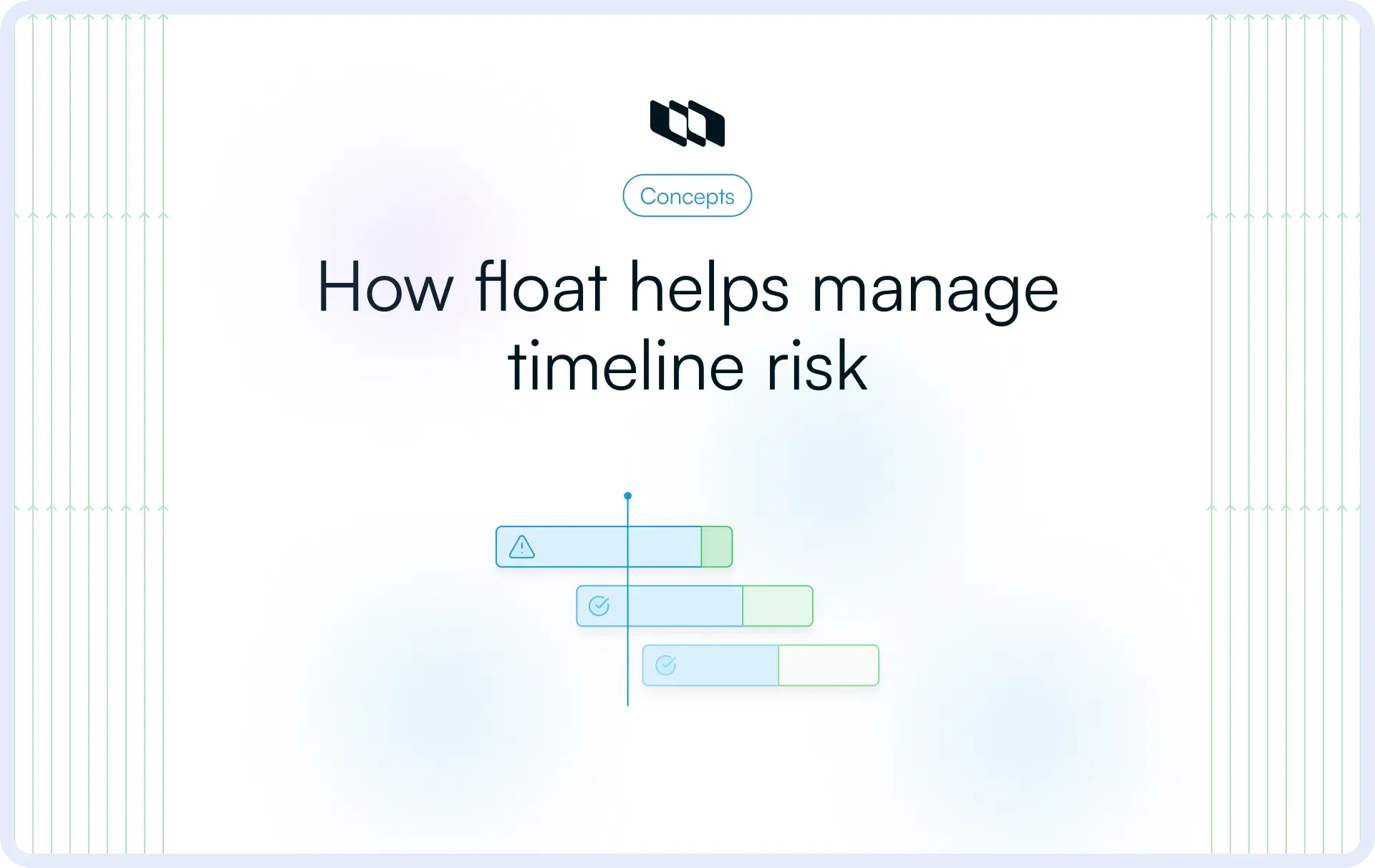
Float is the amount of time a task can be delayed without affecting the project completion date or the start of the next dependent task. It is a scheduling measurement, not a guess or a buffer you manually add to a timeline. It emerges from the logical relationships between tasks, their durations, and the overall project schedule.
When you know how much float each task carries, you can make informed decisions about resource allocation, sequencing, and risk without reactively reshuffling your entire plan.
Is float the same as slack?
Yes, float and slack refer to the same concept in project scheduling. The terms are used interchangeably across most project management frameworks, though specific tools and certification bodies may prefer one over the other. Some tools and training frameworks prefer one term over the other, yet their practical meaning remains consistent across modern project planning workflows.
Why float matters in project scheduling
Float gives project managers and teams something most schedules lack by default: visibility into where flexibility actually exists. Here is why that matters in practice:
- Understanding timeline flexibility: Float reveals which tasks have room to shift and which ones demand strict adherence. This helps teams plan realistic workloads instead of treating every task as equally urgent.
- Identifying schedule risk early: Tasks with zero or near-zero float are your earliest warning signals. They show you where a delay will cascade before it actually does, giving you time to act.
- Prioritizing critical work: When float data informs your sprint planning or weekly standups, teams stop guessing about priority. The schedule tells you what needs to move first.
- Coordinating dependencies more effectively: Float makes dependency management concrete. Instead of tracking task relationships manually, teams can see how much delay a task can absorb before it creates a downstream bottleneck.
This scheduling visibility is exactly what makes float calculation a foundational skill before moving into execution planning.
How float relates to the critical path
Float in project management becomes meaningful when tasks are evaluated inside a dependency network rather than as isolated activities. Each task influences other tasks through sequencing relationships, and these relationships determine which activities shape the final delivery timeline.
Activities in the critical path method float structure typically have zero float, meaning any shift in their duration directly affects the project completion date. Tasks outside the critical path usually contain some project float, which provides limited scheduling flexibility during execution.
What is the critical path?
The critical path is the longest sequence of dependent tasks that determines the minimum time required to complete a project. Each activity on this path directly influences the final delivery timeline, making critical-path visibility essential for accurate planning and coordination across teams.
Understanding the relationship between the critical path and float in project management helps teams identify which activities require close monitoring and which can be adjusted within their float during execution.
Zero float vs. positive float
Teams interpret float values as signals of schedule sensitivity during planning and tracking:
- Zero float indicates that a task directly affects the project completion date and requires careful coordination
- Positive float indicates that a task contains scheduling flexibility that supports adjustments without affecting delivery milestones
This distinction helps teams prioritize effort across dependency networks and maintain alignment around timeline-critical activities.
What is negative float?
Negative float in project management occurs when scheduling constraints create a required completion timeline that is shorter than the calculated duration of the dependent activities. This condition indicates that the schedule requires corrective planning actions, such as resequencing tasks, adjusting resources, or revising milestone commitments, to restore alignment with delivery expectations.
Types of float in project management
Understanding the different types of float in project management helps teams interpret schedule flexibility at both the activity and project levels. Each float category reflects a different level of dependency sensitivity, which allows teams to plan adjustments, coordinate handoffs, and protect delivery timelines with greater precision. This classification framework makes project float actionable across planning, tracking, and execution workflows.
1. Total float
Total float is the amount of time an activity can be delayed without affecting the overall project completion date. It reflects schedule flexibility across the entire dependency network rather than within a single task relationship.
Teams typically monitor total float during roadmap planning, milestone tracking, and release coordination because it shows how individual activities influence final delivery outcomes. Activities with low total float often receive greater planning attention because they affect the project's timeline stability.
2. Free float
Free float represents the amount of time an activity can shift without affecting the start of the next dependent task. This makes it especially useful for coordinating teams working on sequential activities.
In practice, free float supports day-to-day execution decisions by helping teams adjust local timelines while maintaining alignment across shared dependencies. It immediately improves visibility into how scheduling changes affect downstream work.
Total float vs. free float
Both metrics measure scheduling flexibility, but they operate at different scopes and serve different planning purposes.
Factors | Total Float | Free Float |
Scope of impact | Entire project timeline | Next dependent task only |
Dependency sensitivity | Measures flexibility relative to the project end date | Measures flexibility relative to the successor task |
Scheduling implication | Used for project-level risk monitoring | Used for task-level coordination decisions |
When to use | Planning, baseline reviews, executive reporting | Daily coordination, sprint planning, dependency management |
Total float gives you the macro view. Free float gives you the operational one. Teams that track both get a far more complete picture of where their schedule can flex and where it cannot.
3. Project float
Project float represents the amount of time the entire project schedule can shift without affecting an externally committed completion date, such as a contractual milestone, launch window, or stakeholder deadline.
This measurement becomes especially valuable in deadline-driven delivery environments where teams coordinate releases across multiple workstreams and require visibility into how schedule movement influences commitment reliability.
Other float types: Interfering float and independent float
Two additional float categories appear in advanced scheduling analysis and help complete the conceptual model of float in project management.
- An interfering float represents the portion of the total float that, if consumed, affects subsequent activities, making it useful for understanding downstream scheduling sensitivity.
- Independent float represents the amount of scheduling flexibility available when predecessor activities finish late, and successor activities start early, highlighting flexibility that remains unaffected by shifts in surrounding dependencies.
How to calculate float in project management
Float calculation is not a standalone formula exercise. It is a byproduct of mapping your full dependency network, running a forward and backward pass through your schedule, and understanding how task timing constraints interact across the project. Without that dependency structure in place first, the numbers have no scheduling meaning.
Key scheduling terms used in float calculation
Before applying any float formula, four scheduling values must be established for each task in your network.
- Early Start (ES): The earliest point in time a task can begin, given that all its predecessor tasks have been completed. It is determined by the forward pass through your schedule.
- Early Finish (EF): The earliest a task can be completed, calculated as Early Start plus the task's duration. It tells you the soonest that the task's successor can begin.
- Late Start (LS): The latest a task can begin without pushing the project completion date. It is determined by the backward pass through your schedule.
- Late Finish (LF): The latest a task can finish without affecting the project end date. This is the outer boundary of acceptable delay for any given task.
These four values form the scheduling envelope within which every task operates. Float lives in the gap between them.
Total float formula
Total float is calculated using either of two equivalent expressions:
- Total Float = LS − ES
- Total Float = LF − EF
Both produce the same result. The first compares start boundaries; the second compares finish boundaries. The output tells you how many working days a task can be shifted before it begins consuming the schedule buffer of the overall project timeline. A result of zero means the task is on the critical path. A positive result means scheduling flexibility exists at the project level.
Free float formula
Free Float = ES (next activity) − EF (current activity)
This formula calculates the gap between the earliest finish time of the current task and the earliest start time of its immediate successor. The result tells you how much a task can slip before it creates a problem for the team or the workstream that depends on it.
Teams rely on this measurement during active execution, particularly when coordinating handoffs between parallel workstreams, managing resource constraints across teams, or deciding whether a task can be deprioritized for a sprint without blocking downstream work.
Step-by-step process to calculate float
Applying float calculation to a real schedule follows a clear sequence. Here is the simplified workflow:
- Step 1: List all tasks and their dependencies: Map out every task in the project and define which tasks must finish before others can start. This dependency network is the foundation on which everything else is built.
- Step 2: Identify the critical path: Determine the longest sequence of dependent tasks from project start to finish. This gives you the baseline duration and the reference point for all float values.
- Step 3: Determine Early Start and Early Finish values: Run a forward pass through the network, starting from the first task and moving toward the last. Calculate ES and EF for each task in sequence.
- Step 4: Determine Late Start and Late Finish values: Run a backward pass from the project end date, working back through the dependency chain. Calculate LF and LS for each task in reverse sequence.
- Step 5: Calculate float values: Apply the total float and free float formulas to each task using the ES, EF, LS, and LF values you have established.
- Step 6: Identify zero-float activities: Flag every task where the total float equals zero. These are your critical path tasks. Any delay on their part delays the project, and they require close attention during execution and tracking.
Example of float in project management
Float is easiest to understand when you see it in action within a real dependency chain. The example below walks through a simplified product update launch to show how float calculation works in practice.
Example project schedule: Product update launch
Consider a software team preparing to ship a product update. The project includes the following tasks:
Task | Description | Duration | Depends On |
A | Finalize feature requirements | 3 days | — |
B | UI design and prototyping | 4 days | A |
C | Backend development | 6 days | A |
D | Frontend development | 4 days | B |
E | QA testing | 3 days | C, D |
F | Staging deployment and review | 2 days | E |
G | Write and review release notes | 2 days | A |
H | Final launch | 1 day | F, G |
Critical path: A → C → E → F → H (16 days total)
Task G (release notes) runs in parallel with the main development track and feeds into the final launch. Task B and Task D sit on a parallel UI track that feeds into QA.
Calculating float in the example
Task G: Total Float
- Task G takes 2 days and depends only on Task A finishing. The final launch (Task H) cannot start until both Task F and Task G are complete. Task F finishes on day 15. Task G can finish as late as day 15 to keep the launch on schedule.
- Task G has an Early Start of day 4 (right after Task A) and an Early Finish of day 6. Its Late Finish is day 15, and Late Start is day 13.
- Total Float = LF − EF = 15 − 6 = 9 days
Task G can shift by up to 9 days without affecting the project end date. The team writing release notes has genuine scheduling flexibility, and the project manager can defer that work or reallocate the writer to higher-priority tasks earlier in the timeline.
Task D: Free Float
Task D (frontend development) finishes at its earliest on day 11. Task E (QA testing) has an Early Start of day 10, driven by the critical path through Task C, which finishes on day 10.
Free Float = ES (Task E) − EF (Task D) = 10 − 11 = 0 days
Even though Task D sits off the critical path, it has no free float relative to QA. If Task D slips by even one day, QA cannot start on schedule. The project manager needs to treat Task D with the same execution discipline as a critical-path task during the QA handoff.
Task C: Zero Float (Critical Path)
Task C has an Early Start on day 4, an Early Finish on day 10, a Late Start on day 4, and a Late Finish on day 10.
Total Float = LS − ES = 4 − 4 = 0 days
Task C is on the critical path. Any delay here delays QA, which delays staging, which delays launch. There is no scheduling flexibility to draw from. This task requires dedicated resourcing, active tracking, and immediate escalation if blockers appear.
Why float is important in project management
Float in project management functions as a decision-support signal that helps teams interpret schedule sensitivity across dependency networks. Instead of treating timelines as fixed sequences of tasks, teams use project float to identify where adjustments are still possible and where activities directly affect milestone stability. This visibility improves planning accuracy and supports coordinated execution across complex delivery environments.
1. Improves schedule flexibility
Float highlights which activities can shift within the schedule while delivery timelines remain stable. Teams use this flexibility to accommodate minor execution changes without affecting release readiness or milestone alignment across connected workstreams.
2. Helps prioritize critical work
Float makes it easier to identify activities that shape delivery outcomes. Tasks with low or zero float receive closer attention during planning and tracking because their duration directly influences completion timelines.
3. Supports risk management
Float reveals where scheduling pressure exists inside a dependency network. Teams use this insight to detect timeline sensitivity early and prepare adjustments before delays affect downstream activities or release commitments.
4. Improves resource planning
Float allows managers to shift effort between activities based on timeline sensitivity. Teams can allocate resources to critical-path tasks while maintaining progress on parallel work, with scheduling flexibility.
5. Strengthens coordination across dependencies
Float improves visibility into how tasks connect across teams and delivery stages. This shared understanding supports stronger coordination around sequencing decisions and helps maintain alignment across activities that influence milestone stability.
How project managers use float in real projects
Understanding float conceptually is straightforward. It earns its value when used under real project conditions, where scope shifts, resources fluctuate, and deadlines are non-negotiable. The scenarios below reflect how experienced project managers actually apply float during execution, not how it appears in scheduling theory.
1. Managing small delays without affecting delivery
Routine execution variance appears across almost every project workflow. Tasks with available total float provide room for timeline adjustments while maintaining milestone stability, allowing teams to absorb short delays without affecting downstream activities or release readiness.
2. Protecting project deadlines
Activities with low or zero float directly influence completion timelines, which makes them central to milestone tracking. Project managers monitor these tasks closely within the critical path method float structure and coordinate sequencing decisions around them to maintain alignment with delivery.
3. Adjusting priorities when resources are limited
Resource constraints often require shifts in effort across parallel workstreams. Float helps managers identify which activities can move safely and which require immediate attention, supporting more informed allocation decisions across dependency-driven schedules.
4. Identifying near-critical activities early
Tasks with shrinking project float signal increasing timeline sensitivity. Early visibility into these activities helps teams intervene sooner, rebalance workloads across dependencies, and maintain stronger control over evolving delivery timelines.
Challenges and limitations of float
Float is a genuinely useful scheduling tool, but it operates within constraints that project managers need to understand before relying on it too heavily. Every limitation below reflects a real failure mode that occurs when teams treat float as a guarantee rather than a measurement.
1. Float can create a false sense of schedule safety
Available float may appear as extra time in a schedule, reducing the urgency of activities that still affect downstream coordination. Teams that treat float as flexible capacity rather than as signals of timeline sensitivity often experience pressure later in execution as dependencies tighten around milestone windows.
2. Dependency changes can quickly reduce float
Task relationships shape how float behaves across a project timeline. When dependencies shift due to scope adjustments, sequencing updates, or integration constraints, available float can shrink rapidly, increasing sensitivity to delivery across connected workstreams.
3. Complex projects make float harder to track manually
Large delivery environments involve multiple parallel workstreams, shared resources, and layered dependencies that continuously influence project float. Visibility tools help teams interpret these relationships clearly and maintain accurate awareness of schedule flexibility across changing execution conditions.
4. Poor communication can waste available float
Float supports coordination across teams only when dependency expectations remain shared and visible. Gaps in communication around sequencing decisions, readiness states, or milestone alignment can consume available float early and increase timeline pressure across critical activities.
Best practices for managing float effectively
Managing float in project management requires continuous visibility into dependencies, sequencing decisions, and milestone alignment across the delivery lifecycle. Teams that actively track project float use it as a planning signal that supports coordination, prioritization, and schedule stability across evolving execution environments.
1. Monitor float throughout the project lifecycle
Float values change as tasks progress and dependencies shift across workstreams. Regular tracking helps teams maintain awareness of timeline sensitivity and ensures that activities influencing delivery milestones receive timely attention during planning and execution.
2. Recalculate float after dependency updates
Dependency updates reshape how activities influence each other across a schedule. Recalculating float after sequencing adjustments helps teams maintain accurate expectations around milestone timing and improves confidence in delivery forecasting across connected tasks.
3. Avoid treating float as extra buffer time
Project float represents scheduling flexibility within dependency structures rather than unused capacity inside timelines. Teams that interpret float strategically maintain stronger alignment between execution decisions and milestone commitments across delivery phases.
4. Track near-critical tasks alongside critical ones
Activities with shrinking float often move closer to the critical path and more directly influence delivery timelines. Monitoring these near-critical tasks improves early visibility into schedule pressure and supports timely coordination across dependency-driven workflows.
5. Maintain visibility across teams working on dependencies
Shared visibility into task relationships helps teams interpret how sequencing decisions affect milestone stability. Clear coordination of dependencies strengthens schedule awareness and enables teams to manage float more effectively across parallel workstreams.
How project management tools help teams track float
Effective float tracking requires visibility into dependencies and milestones. As complexity grows, project management tools ensure accuracy by linking task relationships directly to execution workflows.
1. Visualizing dependencies clearly
Dependency visualization helps teams understand how activities connect across planning layers and delivery stages. When task relationships remain visible within the schedule, teams can identify where flexibility exists and where sequencing decisions affect milestone stability across the critical path method float structure.
2. Identifying zero-float activities early
Activities with zero float directly influence completion timelines and require closer coordination across teams. Project management tools highlight these tasks within dependency networks, improving schedule awareness and helping teams protect delivery commitments throughout execution.
3. Updating timelines as plans change
Schedules evolve as priorities shift, scope expands, and integration requirements adjust across workstreams. Tools that automatically update dependencies and sequencing relationships help teams maintain accurate project float values and respond to timeline changes with stronger planning confidence.
4. Keeping the scheduling context connected to daily work
Float becomes more actionable when scheduling insights remain connected to everyday execution tasks. Teams that manage dependencies, milestones, and timelines in a shared workspace interpret schedule flexibility faster and coordinate sequencing decisions with greater clarity across parallel delivery efforts.
Final thoughts
Float in project management helps teams understand where schedule flexibility exists and which activities shape delivery timelines across dependency-driven work. Instead of treating every delay with equal urgency, teams use project float to interpret timeline sensitivity, prioritize execution effort, and maintain alignment around milestone outcomes.
As projects grow in complexity, visibility into total float vs. free float becomes increasingly valuable for coordinating parallel workstreams and protecting release commitments. Teams that consistently track float gain stronger control over sequencing decisions, resource allocation, and delivery predictability as plans evolve.
Frequently asked questions
Q1. What are the three types of floats in project management?
The three commonly referenced types of float in project management are:
- Total float: the amount of time a task can be delayed without affecting the overall project completion date
- Free float: the amount of time a task can be delayed without affecting the start of the next dependent activity
- Project float: the amount of time the entire project can shift without affecting an externally committed delivery deadline
Some advanced scheduling frameworks also include interfering float and independent float, though teams typically rely on total and free float for execution planning.
Q2. How do you calculate float?
Teams calculate project float using early and late schedule positions for each activity:
- Total float = Late start − Early start
or
Total float = Late finish − Early finish - Free float = Early start of next activity − Early finish of current activity
These values help identify which activities influence milestone timelines and which allow scheduling flexibility inside dependency networks.
Q3. What is the difference between slack and float?
Slack in project management and float describe the same concept in most scheduling environments. Both indicate how much an activity's start time can be shifted without affecting downstream work or the final project completion date. Different tools and training frameworks prefer different terminology, though their practical meaning remains consistent across modern dependency-based planning workflows.
Q4. What is float in project management with example?
Float in project management refers to the amount of scheduling flexibility available for a task within a dependency chain. For example, during a website launch timeline, marketing asset preparation may run in parallel with development work. If marketing finishes later than planned yet still completes before release readiness, that activity contains float because the launch date remains unchanged. This flexibility helps teams adjust timelines while protecting delivery milestones.
Q5. What is float in PMP?
In PMP terminology, float in project management is the amount of time an activity can be delayed without affecting successor activities or the overall project completion date within a critical path method schedule. PMP materials typically emphasize total float vs free float as core indicators of schedule flexibility and milestone sensitivity across dependency-driven project plans.
Recommended for you



 Download for Mac
 Download for Android