What is an agent harness and how does it work?
Introduction
An AI agent can only go as far as the system around it allows. The model may reason well, but reliable execution depends on how the agent handles tools, context, memory, permissions, state, and recovery. That surrounding system is the agent harness. As teams move from experiments to production AI agents, agent harness architecture becomes a core design decision. This guide explains how an AI agent harness works, which components matter most, and what teams should evaluate before building or adopting one.
What is an agent harness?
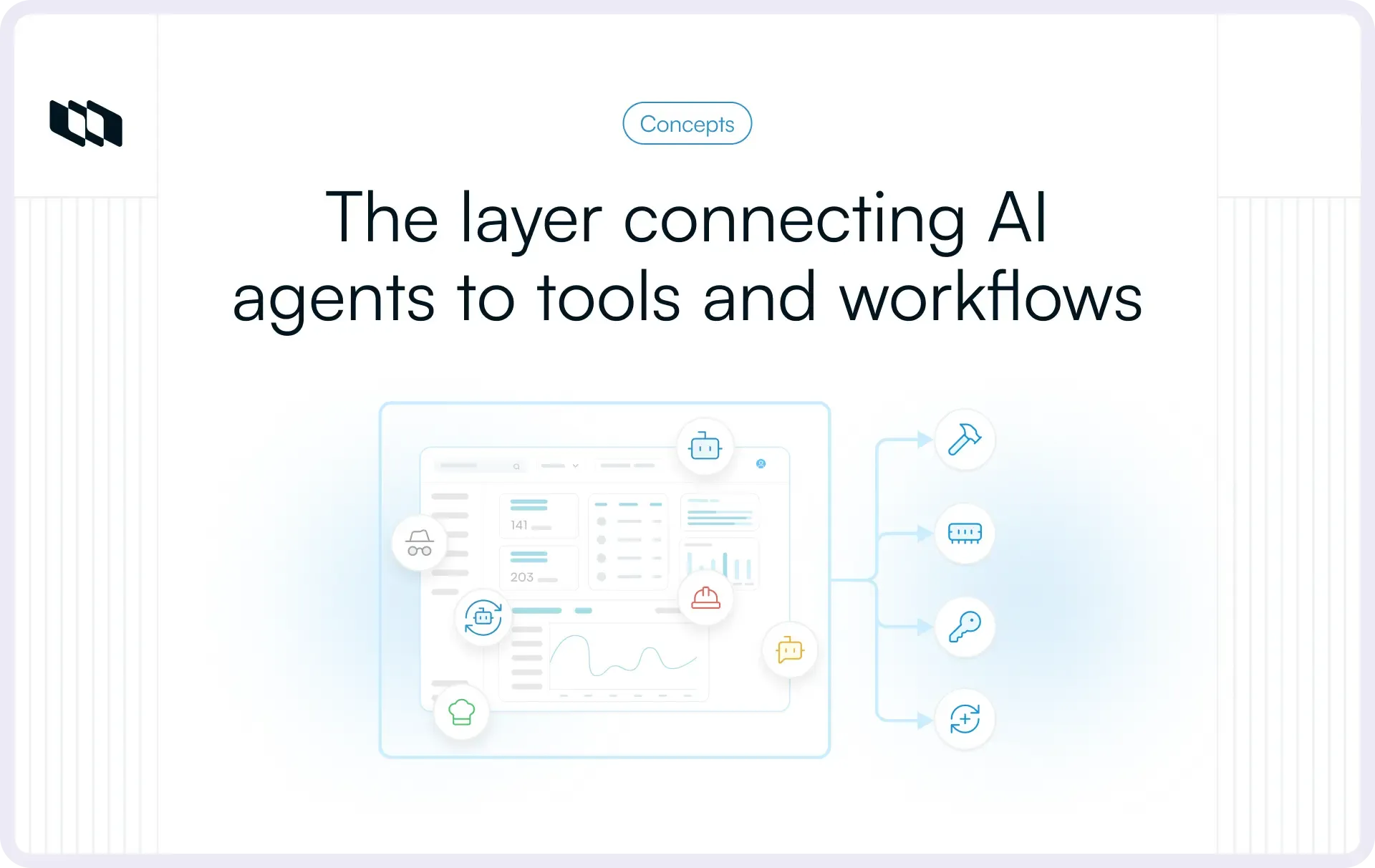
An agent harness is the runtime and control layer around an AI model that manages how an agent receives context, accesses tools, maintains state, executes actions, verifies results, and continues working toward a goal. In practical terms, it is the infrastructure that turns model reasoning into repeatable execution.
A useful shorthand is:
AI agent = model + agent harness
The model handles reasoning and decision-making. The AI agent harness determines how those decisions are carried out inside a real system. It controls which tools are available, what information enters the working context, what state persists between steps, and which actions require additional validation or human approval.
Many of the decisions that affect production reliability sit inside the agent harness architecture. Teams need to decide how failed tool calls are handled, how progress survives across longer tasks, how an agent knows when work is complete, and what execution data is captured for debugging and evaluation.
The exact scope of an agent harness varies across frameworks and implementations. Some include memory, orchestration, sandboxing, and observability within the harness, while others expose them as separate layers. When evaluating an agent system, the more useful question is which capabilities the runtime provides and how those capabilities behave under real workloads.
Why do AI agents need a harness?
Once AI agents move into production, the challenge shifts from generating useful responses to completing work reliably across tools, systems, and multiple steps. That is where an agent harness becomes critical. It gives teams a controlled runtime for execution, context, state, permissions, and recovery.
1. Tools need to be executed reliably
A model can decide that it needs to query a database, call an API, search the web, or update a record. The agent runtime still has to determine whether that tool is available, validate the inputs, supply the right credentials, execute the request, and return the result safely.
Tool connectivity alone does not solve these problems. Production systems also need policies for retries, timeouts, permissions, rate limits, malformed inputs, and failed responses. These execution rules are a core part of agent harness architecture.
2. Context has to be managed
Multi-step workflows accumulate information quickly. Instructions, previous actions, retrieved documents, tool outputs, files, and intermediate results can all compete for limited context.
Good context engineering requires the harness to decide what the model needs for the next decision, what can be removed, and what belongs in external storage. Poor context management increases token usage and can introduce stale or irrelevant information that changes the agent's behavior.
3. State and progress need to persist
Many agent workflows extend beyond a single model call. An agent may create a plan, complete several steps, generate artifacts, wait for another system, and return later to continue.
The harness needs durable task state for this work. Conversational history may capture what was said, while task state records what has been completed, what remains, which outputs were produced, and where execution should resume.
4. Actions need controls and permissions
Production agents may have access to source code, customer records, project data, internal systems, or external communication tools. Each action carries a different level of risk.
An AI agent harness can enforce which tools an agent may use, what resources it can access, and which actions require additional checks. High-impact operations can be routed through policy validation or human approval before execution.
5. Multi-step work needs an execution loop
Most useful agents operate through a recurring cycle:
Reason → Act → Observe → Update → Continue
The harness controls how that loop behaves. It defines when the agent should retry, branch into another path, request additional information, escalate to a person, or stop because the task is complete. This matters most in agent orchestration, where several steps, tools, or agents may depend on one another.
6. Failures need to be handled
Tool calls fail. APIs become unavailable. Outputs arrive in the wrong format. Context becomes noisy. An agent may complete several steps successfully and then fail midway through the task.
A production-ready harness needs recovery behavior for these cases, including retries, fallback paths, checkpointing, validation, and escalation rules. Without these controls, reliability depends too heavily on every model and tool call succeeding on the first attempt.
How does an agent harness work?
To evaluate or design an agent harness, it helps to understand what happens during a single run. The harness sits between the model and the systems it can act on, managing the sequence from initial request through execution, verification, and completion.
1. Receive the goal and instructions
The run starts with a defined goal. Along with the task itself, the harness captures the operating rules that shape how the agent can work.
These may include:
- User permissions
- Available tools
- Completion criteria
- Cost or time limits
- Approval requirements
- Autonomy boundaries
Some constraints remain fixed throughout the run. For example, an agent may be allowed to read from a project but require approval before making changes. Defining these limits early gives the agent runtime a clear operating boundary.
2. Assemble the working context
Before the model decides what to do, the harness builds the context for that specific step. Depending on the task, this can include:
- Instructions
- Current task state
- Previous actions
- Relevant memory
- Files and artifacts
- Retrieved knowledge
- Available tools
This is one of the most important context engineering decisions in the system. Simply replaying the entire conversation or execution history can introduce noise and increase cost. A well-designed harness selects the information that is useful for the next decision and keeps the rest in persistent storage where it can be retrieved later.
3. Let the model decide the next step
The model receives the assembled context and determines the next action. It might produce an answer, call a tool, retrieve more information, execute code, delegate a task, or continue reasoning.
Structured outputs and well-defined tool schemas make this step more predictable. Instead of leaving the model to describe an action in free-form text, the harness can require specific fields, parameters, or action types that downstream systems can validate and execute.
4. Validate and execute the action
Before an action reaches an external system, the harness checks whether it is allowed and correctly formed.
Typical checks include:
- Is the requested tool available?
- Are the parameters valid?
- Does the user or agent have permission?
- Is the request within resource or cost limits?
- Does the action require human approval?
Once those conditions are satisfied, the harness executes the tool call, API request, code operation, or other action and captures the result.
5. Return and verify the result
The output from the action is fed back into the AI agent harness as a new observation. From there, the runtime can validate what happened before moving on.
Verification may include tests, schema validation, policy checks, evaluator logic, or human review. This matters because a tool call can execute successfully while the broader task remains incomplete. A database query may return data correctly, for example, even if the agent queried the wrong table or failed to answer the original question.
6. Update state and continue
After each step, the harness records any useful progress and prepares the next working context. It may store completed actions, generated artifacts, new information, unresolved work, or updated task state.
The execution loop then continues based on explicit conditions. The agent may proceed to the next step, retry a failed action, choose another path, request approval, pause for external input, or terminate once the completion criteria are met.
At a high level, the flow looks like this:
Goal → Context → Reason → Validate → Act → Observe → Verify → Persist → Continue
The quality of this loop is a major part of agent harness architecture. A production-ready system needs clear rules for how each stage behaves when execution goes as expected and when it does not.
What are the core components of an agent harness?
A production-ready agent harness usually combines several capabilities around the model. When evaluating one, the useful question is whether those capabilities give the agent enough control, continuity, and visibility to operate reliably.
1. System instructions and agent configuration
The harness should give teams a clear way to define the agent’s role, goals, completion criteria, available tools, autonomy limits, and runtime policies. These settings determine what the agent is allowed to do and when a run should stop, escalate, or ask for help.
2. Tool access and execution
Tool support should be evaluated by execution quality, not integration count. Look for:
- Well-defined tool schemas and input validation
- Secure credential handling and permission boundaries
- Retry and error-handling behavior
- Consistent tool-result formatting
- Protection against duplicate execution for consequential actions
A tool may be technically available while still being unsafe or unreliable to use in production.
Where MCP fits into an agent harness
The Model Context Protocol (MCP) gives an agent runtime a standardized way to discover and connect to tools, resources, and external systems. It can simplify connectivity across different applications and services.
The harness still controls what happens after that connection exists. It decides which tools the agent can use, whether a request is authorized, how calls are executed, how results enter the working context, and what happens when something fails. MCP support is therefore one part of the broader agent harness architecture.
3. Context management
Strong context engineering determines what the model sees at each step. A harness should be able to retrieve relevant information, prioritize it, compact older context, handle large tool outputs, and keep unrelated tasks isolated.
For long-running work, context selection matters more than simply keeping more history. Stale or irrelevant information can affect decisions just as easily as missing information.
4. Memory and persistent state
Teams should distinguish between four types of retained information:
- Working memory: information needed during the current session
- Long-term memory: information intended for reuse across future runs
- Task state: completed steps, pending work, dependencies, and current progress
- Durable artifacts: files, code, reports, plans, or other outputs created during execution
The architecture should make deliberate choices about what gets remembered, what can be retrieved later, and what can be recomputed when needed.
5. Filesystems and workspaces
Durable workspaces let agents store plans, documents, code, research, and intermediate results outside the model’s context window.
This becomes particularly useful for complex tasks where an agent may need to revisit an artifact several steps later. The workspace gives the agent a persistent place to work without repeatedly loading every artifact into the model.
6. Execution environments and sandboxes
Agents that execute code or commands need controlled environments. Evaluate whether the AI agent harness can isolate runs, restrict filesystem and network access, protect secrets, enforce runtime limits, and prevent generated code from reaching sensitive systems without authorization.
The required level of isolation depends on the actions the agent can take and the systems it can reach.
7. Guardrails and permissions
Permissions should be enforceable at runtime. Useful controls include:
- Role-based and tool-level access
- Allowed and blocked actions
- Resource or spending limits
- Project, workspace, or data scopes
- Policy checks before execution
These controls become increasingly important as AI agents gain access to systems where changes have operational consequences.
8. Human-in-the-loop controls
A strong harness should let teams place approval gates around specific categories of action. Common examples include deleting data, sending external communication, moving money, changing production systems, or acting when confidence is low.
Configurable approval points let teams give agents more autonomy in low-risk areas while retaining oversight where mistakes carry higher costs.
9. Verification and feedback
The harness also needs a way to determine whether an action produced the intended result. Depending on the workflow, verification can come from tests, schema checks, deterministic validators, evaluator models, or human review.
When verification fails, the runtime should be able to retry, replan, choose another approach, or escalate instead of continuing with a bad intermediate result.
10. Observability and logging
Teams need enough visibility to reconstruct what happened during a run. At minimum, production systems should capture tool calls, model interactions, errors, state changes, approval events, latency, and resource usage.
Good observability makes it possible to answer the questions that matter during evaluation: where did the agent fail, why did it make that decision, what did the run cost, and can the behavior be reproduced?
Agent harness vs. AI agent vs. model vs. agent framework
These terms describe different layers of an agent system, and the distinction matters when teams decide what they need to build, buy, or evaluate.
Concept | What it is | Main responsibility | What teams should evaluate |
AI model | Reasoning engine | Understand, reason, and generate outputs | Capability, latency, cost, context limits |
Agent harness | Runtime and control layer around the model | Execute actions, manage context and state, enforce controls | Tools, memory, permissions, verification, recovery, observability |
AI agent | Model operating through a harness | Work toward a goal across one or more steps | End-to-end task reliability, autonomy, accuracy |
Agent framework | Development toolkit for building agent systems | Provide reusable abstractions and components | Flexibility, integrations, extensibility, developer experience |
Agent orchestrator | Coordination layer | Route, sequence, and coordinate work | Workflows, dependencies, handoffs, multi-agent coordination |
Agent harness vs. agent framework
- An agent framework gives developers the building blocks for creating AI agents. These can include APIs for defining tools, managing messages, storing state, connecting models, or coordinating workflows.
- An agent harness is concerned with how an agent operates once those pieces come together. It manages the runtime behavior around the model, including which tools are available, how context is assembled, how actions are validated, what state persists, and how failures are handled.
That distinction changes what teams evaluate. Choosing an agent framework is largely an architecture and developer-experience decision. Evaluating an agent harness vs. agent framework requires looking further into production behavior, especially reliability, permissions, state management, observability, and recovery.
A framework can help you build the harness, but using a framework does not automatically give an agent all the controls required for production.
Agent harness vs. agent orchestration
- Agent orchestration focuses on coordinating what happens next. It can determine which task should run, which agent should handle it, how work moves between agents, and how dependencies or handoffs are managed.
- The harness governs the environment in which that execution takes place. It manages context, tools, state, permissions, verification, and other runtime controls that each agent needs while doing the work.
The two layers can overlap in practice. An AI agent harness may include orchestration capabilities, and an orchestration platform may provide parts of the runtime itself. When evaluating a system, teams should inspect the actual capabilities behind each label and understand where execution control, coordination, state, and governance live.
How do agent harnesses manage context and memory?
Context strategy has a direct effect on reliability, latency, token usage, and how well an agent performs over long-running tasks. A strong agent harness architecture gives teams control over what the model sees at each step, what persists between steps, and what can be retrieved later.
1. Building the right context for each model call
Each model call should receive the information required for the decision in front of it. Depending on the task, that may include:
- System instructions
- Current task and goals
- Relevant history
- Retrieved knowledge
- Recent tool outputs
- Files and artifacts
This is a core context engineering decision. Loading more information can preserve useful detail, but it also increases cost and makes it easier for stale or low-value information to influence the model. Effective harnesses assemble a focused working context for each step.
2. Managing context-window limits
Long-running agents eventually accumulate more information than a model can use efficiently in one call. Harnesses typically manage this through a combination of:
- Filtering: remove information with little relevance to the current step
- Summarization: compress previous work into a smaller representation
- Compaction: retain important state while reducing context size
- Retrieval: load information only when it becomes relevant
- Externalized state: keep files, plans, and artifacts outside the active context
- Selective replay: restore only the past events needed for the next action
Each approach trades detail against token usage, latency, and complexity. Teams should test how aggressively a harness compresses information and whether important decisions survive across longer runs.
3. Separating context from persistent memory
Production agents benefit from treating context, memory, and task state as separate layers.
- Context contains the information needed for the current model decision.
- Memory stores information that may be useful again across later steps or sessions.
- Task state records execution progress, such as completed work, pending steps, dependencies, and current status.
When all three are stored as one expanding conversation history, the agent runtime becomes harder to control. Relevant information gets buried, old assumptions remain active, and recovering a task's exact state becomes harder.
A better design keeps durable execution state structured and retrieves memory into the working context only when it is useful.
4. Preventing context rot
As an agent runs for longer, its working context can gradually fill with stale instructions, duplicated tool outputs, outdated assumptions, and conflicting information. This degradation, often called context rot, can cause the model to miss priorities or make decisions based on obsolete state.
Teams evaluating an AI agent harness should look for mechanisms such as context pruning, compaction, retrieval controls, state normalization, and structured external storage. These controls help keep each model call grounded in the current version of the task rather than an increasingly noisy history.
How do agent harnesses support long-running agents?
Long-running work is where the gap between an agent demo and a production system becomes obvious. Once a task spans many steps, tools, or sessions, the agent harness has to preserve progress, recover from interruptions, and keep the agent aligned with the original goal.
1. Persist plans and task progress
The harness should maintain a durable record of what has been completed, what is still pending, and which steps depend on earlier work. For complex tasks, this state is often more useful than replaying the full interaction history. It gives the agent a clear view of current progress and reduces the risk of repeating work or losing track of dependencies.
2. Resume work across sessions or interruptions
Long-running agents need checkpointing. If a worker restarts, an API times out, or execution pauses for human input, the agent should be able to continue from a known state. Teams evaluating an AI agent harness should check what gets saved at each checkpoint, how often state is persisted, and whether a failed run can resume without restarting the task from the beginning.
3. Store intermediate artifacts outside the context window
Plans, research notes, generated files, code, and partial outputs often need to survive for much longer than a single model context. A durable workspace gives the agent runtime somewhere to store these artifacts and retrieve them later. This keeps the active context smaller while preserving the work the agent has already produced.
4. Recover from tool and execution failures
Failure recovery should be designed into the execution loop. Useful mechanisms include:
- Retries with appropriate backoff
- Alternative tools or fallback paths
- Replanning after an unsuccessful step
- Checkpoints for restoring progress
- Escalation when repeated attempts fail
The important question is how the harness responds when something goes wrong halfway through a task, especially after earlier steps have already changed external systems or produced valuable output.
5. Track completion criteria
Agents need explicit conditions for deciding when work is complete. A plausible-looking response is a weak stopping signal for tasks that involve several actions or deliverables.
Completion criteria can include required artifacts, successful tool results, validated fields, resolved dependencies, or other measurable outcomes. Encoding these conditions in the agent harness architecture gives the runtime a stronger basis for deciding whether to continue or stop.
6. Verify incremental progress
Large tasks are easier to recover when important steps are checked as they happen. Tests, validators, schema checks, and evaluator logic can confirm that intermediate results are usable before the agent builds further work on top of them.
Incremental verification also makes failures easier to isolate because teams can identify the step where execution first diverged from the expected result.
7. Control runaway or looping behavior
A long-running agent also needs clear operational limits. Teams should evaluate controls such as:
- Maximum iterations
- Execution timeouts
- Token or cost budgets
- Duplicate-action detection
- Stagnation detection
- Escalation after repeated failure
These controls prevent an agent from spending resources indefinitely on a task that is no longer making meaningful progress.
What are common agent harness failure modes?
An agent harness can look reliable in a short demo and still break down under longer, messier workloads. Evaluation should therefore focus on the failure patterns that emerge when agents operate across multiple tools, steps, and sessions.
1. Context rot and overloaded context
As tasks grow, the working context can fill with stale instructions, repeated outputs, and outdated assumptions.
Watch for: declining accuracy over longer runs, missed instructions, or decisions based on old information. Test how the harness handles pruning, retrieval, compaction, and state updates as context grows.
2. Too many or poorly described tools
A large toolset can make selection harder, especially when several tools have overlapping capabilities or vague descriptions.
Watch for: unnecessary tool calls, inconsistent choices, or frequent switching between tools. Strong agent harness architecture should expose a focused set of well-defined tools for each task.
3. Incorrect tool selection or parameters
An agent may choose a valid tool and still use it incorrectly. Wrong arguments, sequencing, or scope can produce an execution that technically succeeds while giving the wrong result.
Watch for: successful API responses paired with incorrect business outcomes. Test parameter validation, permission checks, schemas, and how the runtime handles ambiguous tool requests.
4. Weak verification and premature task completion
Agents can stop after producing an answer that appears plausible without confirming whether the task was actually completed.
Watch for: Missing deliverables, unchecked assumptions, or skipped validation steps. A production AI agent harness should tie completion to explicit criteria and verify important outputs before ending the run.
5. Lost state during long-running tasks
Poor state management often appears after interruptions, retries, or long execution chains.
Watch for: Repeated steps, forgotten decisions, missing artifacts, or runs that cannot resume after failure. Check whether task state is persisted independently from the conversation history and whether checkpoints restore enough information to continue safely.
6. Excessive permissions or insufficient guardrails
Broad tool access increases the impact of a bad decision. An agent that can read, modify, delete, and communicate across systems without clear boundaries introduces unnecessary operational risk.
Watch for: Permissions that exceed the task requirements, weak approval controls, or actions that bypass policy checks. Test access at the tool, data, and action level, especially for irreversible or high-impact operations.
What is harness engineering?
Harness engineering is the practice of deliberately designing the runtime around an AI model so the resulting agent can complete tasks reliably, safely, and efficiently. It covers the systems that shape how the agent uses tools, receives context, maintains state, verifies progress, handles failures, and decides when work is complete.
For teams building production AI agents, this layer often has as much influence on outcomes as the model itself.
Prompt engineering vs. context engineering vs. harness engineering
Approach | Primary focus | Typical decisions |
Prompt engineering | What instructions are given to the model | System prompts, task instructions, examples |
Context engineering | What information the model receives | Retrieval, memory, compaction, context selection |
Harness engineering | How the full agent runtime operates | Tools, state, execution loops, verification, permissions, recovery |
Prompt engineering shapes instructions. Context engineering shapes the information available for each decision. Agent harness engineering operates at a broader level, bringing those choices together with execution, state, permissions, recovery, and observability.
This wider scope matters because a well-written prompt cannot compensate for weak tool handling, lost task state, poor verification, or an execution loop that has no reliable stopping condition.
Why harness design affects agent performance
Two agents using the same underlying model can behave very differently because their surrounding runtimes make different decisions about:
- Tool quality and tool descriptions
- Context selection and retrieval
- Memory and task-state structure
- Execution-loop design
- Verification and evaluation
- Retry and recovery behavior
- Permission boundaries
- Completion criteria
A model may have strong reasoning capability, but the agent harness architecture determines how that capability is applied over multiple steps and systems.
This is why benchmark scores alone give an incomplete picture when evaluating an agent system. Teams also need to test whether the full runtime can complete representative tasks consistently, recover from failure, respect operational boundaries, and produce verifiable outcomes.
Common agent harness use cases
The value of an agent harness becomes clearer when you look at the capabilities different agent types depend on. The runtime requirements for a coding agent, a research agent, and a multi-agent system are not identical, even when they use the same underlying model.
Coding agents
Coding agents need a harness that can safely interact with repositories, files, terminals, and test environments.
Important capabilities include:
- Repository and filesystem access
- Sandboxed command execution
- Test and validation workflows
- Persistent task state
- Checkpointing and rollback
A strong harness lets the agent modify code, run tests, inspect failures, and continue iterating without losing track of previous changes. Verification is especially important because code that compiles successfully may still fail functional or integration requirements.
Research agents
Research agents depend heavily on retrieval quality, source management, and context control.
Important capabilities include:
- Search and retrieval tools
- Source tracking
- Persistent notes and artifacts
- Context management
- Multi-step verification
For longer research tasks, the AI agent harness should preserve useful findings without repeatedly loading the entire research history into the model. It should also keep source provenance attached to claims so the agent can revisit evidence, compare conflicting information, and verify conclusions before producing the final output.
Multi-agent systems
Multi-agent systems add another coordination layer because several agents may work on related tasks, share information, or hand work off to one another.
Important capabilities include:
- Isolated agent contexts
- Shared state where appropriate
- Tool and permission boundaries
- Delegation rules
- Structured handoffs
- Agent-level observability
Here, agent orchestration becomes closely connected to the harness. The orchestrator may decide which agent handles a task or what runs next, while the harness controls how each agent executes, what it can access, and how its state is managed.
The main design challenge is preserving clear ownership and traceability as work moves between agents. Without that, failures become difficult to diagnose, and shared state can quickly become inconsistent.
How to design an agent harness
A good agent harness architecture starts with the operating decisions that determine how the agent will behave in production.
1. Define the task and completion criteria
Be explicit about what the agent owns, what remains deterministic, what success looks like, when execution should stop, and when a human should take over.
2. Choose the model and operating constraints
Evaluate reasoning capability, context size, latency, tool-call support, cost, data requirements, and the expected level of autonomy. Avoid designing the entire harness around one current model. The runtime should remain flexible enough to support model changes later.
3. Define the tools and access boundaries
For each tool, specify:
- Purpose
- Input schema
- Required permissions
- Failure behavior
- Whether the action is reversible
- Whether approval is required
A smaller, well-defined toolset is usually easier to control and evaluate than broad access to every available integration.
4. Design context, memory, and state
Decide what belongs in the active model context, what should be retrieved on demand, what needs to persist, and what should live in files or structured state. This is where context engineering and harness design meet. The goal is to preserve useful continuity without carrying unnecessary history into every model call.
5. Set up the execution environment and guardrails
Define sandboxing, filesystem access, network boundaries, secret handling, compute limits, permission scopes, and approval points. The level of control should reflect the risk of the action. Reading a document and modifying production infrastructure should not have the same execution policy.
6. Build verification and recovery into the loop
Define what makes an intermediate result valid, which failures can be retried, when the agent should replan, and when execution should escalate. Verification should happen throughout the run rather than only after the final output.
7. Add observability and evaluate continuously
Capture enough execution data to understand:
- What the agent did
- Which tools it used
- Where it failed
- Whether the task completed
- What the run cost
- Whether a model or harness change improved performance
These signals make agent harness engineering measurable instead of relying on isolated demos or model benchmark scores.
Frequently asked questions
Q1. How do you develop an agent harness?
To develop an agent harness, start by defining the agent's task, completion criteria, tools, permissions, and autonomy limits. Then design how the runtime will manage context, memory, persistent state, tool execution, verification, failure recovery, and observability. Test the complete execution loop against realistic tasks, including tool failures, interruptions, permission boundaries, and long-running workflows.
Q2. What is the difference between an agent harness and an agent framework?
An agent harness is the runtime and control layer that manages how an AI agent executes work, while an agent framework provides the software abstractions developers use to build agent systems. A framework may provide tools for models, workflows, memory, and integrations, while the harness governs execution, context, state, permissions, verification, and recovery in production.
Q3. What are examples of agent harnesses?
Examples include Microsoft Agent Framework Harness Agents and Amazon Bedrock AgentCore Harness, both of which provide runtime capabilities around AI models. Teams can also build custom harnesses for coding, research, or business workflow agents using their own execution loops, tools, memory, state management, permissions, and verification systems.
Q4. What are the 7 types of AI agents?
There is no universally accepted list of exactly seven AI agent types. A common practical taxonomy includes simple reflex agents, model-based reflex agents, goal-based agents, utility-based agents, learning agents, hierarchical agents, and multi-agent systems. Different frameworks and researchers may group agent architectures differently, so the classification depends on how autonomy, memory, planning, and coordination are defined.
Q5. Is an AI agent the same as an agent harness?
No. An AI agent is the complete system that works toward a goal, while an agent harness is the runtime infrastructure that supports its operation. The model provides reasoning, and the harness manages capabilities such as tools, context, memory, state, permissions, execution, verification, and recovery. A useful shorthand is AI agent = model + agent harness.
Recommended for you



 Download for Mac
 Download for Android