What is an execution layer for AI agents
Execution layers give AI agents the structure to act reliably across real workflows. Learn how they handle persistent work, governed action, recovery, and verified outcomes.
Execution layers give AI agents the structure to act reliably across real workflows. Learn how they handle persistent work, governed action, recovery, and verified outcomes.
Introduction
Giving an AI agent a tool is easy. Giving it somewhere dependable to carry work from request to completion is a much harder problem. Agents need to remember what happened, operate within their permissions, recover when systems fail, prove the outcome is correct, and know when to step in. Those responsibilities sit within the execution layer.
This article explains what that layer is, where it fits in the AI agent stack, why chat and legacy work systems struggle to fill the role, and how to recognize a platform built for real agent execution.
What is an execution layer for AI agents?
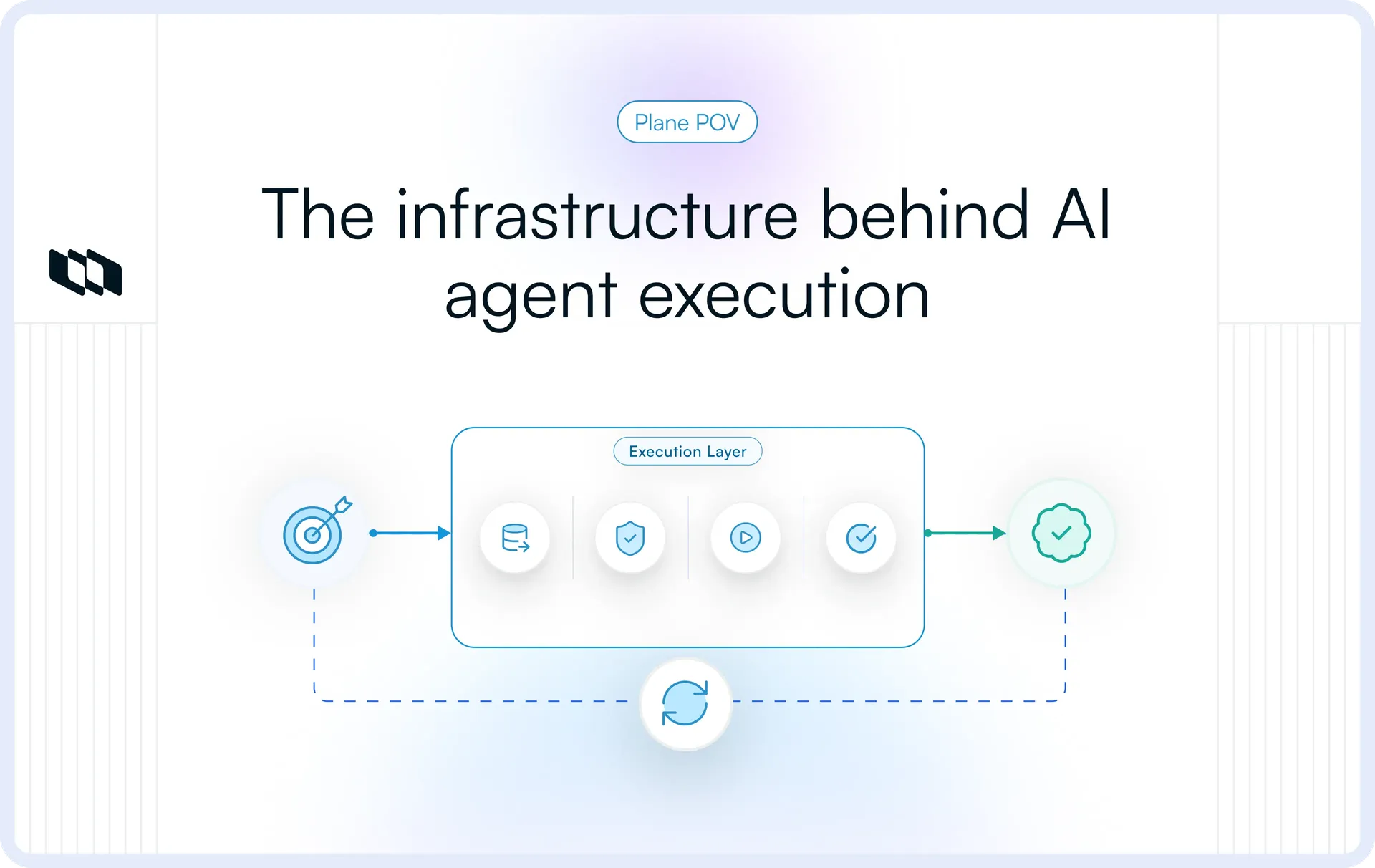
An execution layer for AI agents is the operational system that turns an agent's decisions into governed, stateful, and verifiable actions across tools, workflows, and business systems. It connects reasoning with execution, while maintaining the context, controls, and visibility needed to complete work reliably. The most durable execution layers are built on persistent work. Without a work object anchoring the agent's activity, context fragments across tools, sessions, and teams.
The following sections break down what an AI agent execution layer manages and how that responsibility plays out in a real workflow.
What the execution layer is responsible for
An execution layer manages the full path from receiving a goal to recording the outcome. Its core responsibilities include:
- Receiving a goal or trigger: Accepting work from a user request, scheduled event, system update, webhook, workflow transition, or another agent.
- Preserving context and state: Maintaining task history, previous decisions, intermediate outputs, dependencies, and current progress across sessions.
- Providing approved capabilities: Giving the agent structured access to the tools, APIs, workflows, scripts, or specialist agents available for the task.
- Checking permissions and constraints: Evaluating identity, access rights, policies, budgets, approval requirements, and other operating limits before an action proceeds.
- Executing actions across systems: Calling APIs, updating records, running code, interacting with applications, or delegating parts of the work.
- Verifying the outcome: Confirming that the target system reached the expected state and capturing evidence of completion.
- Handling failures and escalation: Retrying temporary failures, choosing a fallback, pausing for approval, or routing an unresolved decision to a person.
- Recording the execution history: Preserving actions, outputs, errors, approvals, and final results for review, debugging, and future decisions.
Together, these capabilities give AI agents a persistent and accountable way to operate beyond a single model response.
A simple execution-layer example
Consider an engineering agent assigned a bug. The execution layer connects it to the relevant context and approved tools, records its progress, verifies the result, and routes decisions requiring human judgment to an engineer.
The model determines what should happen next. The execution layer carries that decision through the systems where the work takes place.
Why AI agents need a separate execution layer
Model intelligence can interpret a request, choose a tool, and propose the next step. Dependable autonomous work requires more. AI agents need a way to preserve state, operate within clear boundaries, recover when systems fail, and prove that an action produced the intended result. The following shifts explain why a separate execution layer has become necessary.
Agents are moving from answers to outcomes
Generative AI became useful by producing summaries, recommendations, answers, and other outputs that a person could review. AI agents carry the work further by updating systems, coordinating tasks, using software, and completing processes across multiple tools.
A model may correctly decide that a work item should be reassigned, but the surrounding system must still verify access, perform the update, confirm the new state, and preserve the result. Choosing an action is a reasoning problem. Completing it reliably requires execution infrastructure.
Agent workloads are long-running and stateful
Many agent workflows cannot be completed within one prompt, response, or application session. They may depend on an external API, a scheduled event, a human approval, another agent, or a system that takes time to finish processing.
Throughout a long-running workflow, the agent needs more than conversational history. The execution layer must retain:
- The original goal and completion criteria
- The steps already completed
- The tools and records involved
- Intermediate results and failed attempts
- Outstanding dependencies and approvals
- The current execution state
- The action that should happen next
A model context window can help the agent reason about recent information, but it does not provide a durable operational record on its own. An AI agent execution layer preserves that state so work can pause, resume, and continue without being reconstructed from scratch.
Production actions carry real consequences
The stakes change when an agent begins acting inside real systems. An incorrect action could expose restricted data, alter a production configuration, duplicate a transaction, or update the wrong customer record.
The execution layer therefore checks the agent’s identity, permissions, inputs, approval requirements, and operating limits before an action proceeds. These controls must be enforced during execution because prompt instructions cannot reliably restrict access, prevent duplicate actions, or stop a workflow that exceeds its boundaries.
As agents gain access to sensitive data and production systems, the execution layer becomes a critical point for governance and accountability.
Moving from prototype to production
Agent demonstrations usually run under controlled conditions, with clean inputs, available tools, and a predictable path. Production introduces missing data, expired permissions, concurrent updates, partial results, and unavailable services.
The execution layer determines how the workflow responds. It may retry the action, use a fallback, pause for review, reverse an earlier step, or stop safely while preserving enough context for a person to continue.
This is how agent reasoning becomes dependable operational work across real systems.
Where the execution layer fits in the AI agent stack
An AI agent relies on several layers to move from a request to a completed action. Vendors may group or label these layers differently, but the underlying responsibilities are broadly consistent. This architecture shows where the execution layer sits and how it connects agent reasoning with the systems where work happens.
1. Model and reasoning layer
The model interprets information, evaluates possible actions, and decides what should happen next. It may classify a request, generate a plan, select a tool, or revise its approach in response to new information.
2. Memory and knowledge layer
This layer supplies the context the agent needs to make informed decisions. It can include organizational documentation, previous interactions, project history, retrieved data, earlier tool outputs, and persistent task information.
3. Agent framework and planning layer
The agent framework defines how the agent behaves. It brings together instructions, planning logic, available tools, reasoning patterns, and rules for responding to new information.
4. Orchestration layer
Agent orchestration coordinates how work moves across tasks, tools, agents, and people. It manages sequencing, dependencies, conditional paths, parallel work, specialist-agent assignments, and handoffs.
5. Runtime layer
The agent runtime provides the technical environment in which agent processes operate. It handles compute, session lifecycle, isolation, storage, networking, streaming, and scaling.
6. Execution layer
The execution layer turns a selected action into a controlled operational outcome. It applies permissions and policies, invokes the approved capability, maintains execution state, handles failures, verifies the result, and involves a person when required.
7. Tools and business systems
These are the external environments where actions produce real changes. They may include code repositories, databases, browsers, support systems, communication tools, work management platforms, cloud infrastructure, and internal applications.
Together, these layers create the path from intent to outcome:
- The model reasons.
- The memory layer supplies context.
- The agent framework shapes behavior.
- The orchestration layer coordinates the workflow.
- The runtime hosts the process.
- The execution layer governs and verifies the action.
- The tools and business systems are where the result takes effect.
Execution layer vs. runtime, orchestration, automation, and work management
Terms such as agent runtime, orchestration, workflow automation, and execution layer often appear together because a single platform may support several of these functions. Each one answers a different operational question. The comparison below shows where their responsibilities overlap and where they begin to diverge.
Concept | Primary purpose | Core responsibilities | Decision flexibility | State handling | Main controls | Typical output |
Execution layer | Turn agent decisions into controlled and verifiable outcomes | Action execution, permissions, state, recovery, verification, approvals, and audit history | Supports dynamic actions based on changing context | Maintains operational state across tools, sessions, and participants | Policies, scoped access, approval rules, budgets, and termination controls | A completed, verified, failed, or escalated action |
Agent runtime | Provides the technical environment where an agent runs | Compute, isolation, sessions, networking, storage, streaming, and lifecycle management | Executes the behavior defined by the agent application | Maintains process and session state | Resource limits, sandboxing, environment access, and process controls | A running or completed agent process |
Agent orchestration | Coordinates how work moves across agents, tools, and steps | Sequencing, delegation, dependencies, branching, parallel work, and handoffs | Selects routes and participants based on workflow conditions | Tracks progress across coordinated steps | Routing rules, dependency logic, task assignment, and workflow conditions | A coordinated sequence of tasks and handoffs |
Workflow automation | Run repeatable processes based on defined rules | Triggers, conditions, actions, schedules, and system integrations | Usually follows predefined paths | Tracks the current stage of a configured workflow | Rule-based conditions, permissions, and exception paths | A repeatable automated process |
Work management | Organizes and tracks work across teams | Tasks, ownership, priorities, status, dependencies, documentation, and collaboration | Decisions are commonly made by human participants | Maintains the recorded state of work | Roles, workflows, approvals, and access permissions | A visible record of planned and completed work |
Execution layer vs. agent runtime
- An agent runtime provides the technical environment in which an agent process operates. It manages compute, sessions, isolation, network access, storage, and the lifecycle of the running process.
- The execution layer covers the broader operational path. It determines whether the agent is allowed to act, carries that action into an external system, monitors the result, preserves progress, and decides how the workflow should continue.
Some platforms group these responsibilities, which explains why the two terms are occasionally used interchangeably. The distinction becomes clearer when considering the questions each layer answers:
- The runtime asks, where and under what technical conditions does the agent run?
- The execution layer asks, how does the agent’s decision become a controlled and verified outcome?
Execution layer vs. agent orchestration
- Agent orchestration coordinates the flow of work. It decides which agent or tool should handle a task, which steps can run in parallel, where dependencies exist, and when a human participant should enter the workflow.
- The execution layer carries out the individual steps within that coordinated flow. It applies permissions, invokes the selected capability, records the action, handles errors, and verifies the resulting state.
Execution layer vs. workflow automation
Workflow automation connects predefined triggers with predefined actions. A record changes, a condition is met, and the configured workflow follows its established path.
This works well for repeatable processes with known triggers, inputs, and outcomes.
Agent execution must accommodate more variation. An agent may interpret an incomplete request, select between several tools, revise its plan after receiving new information, or pause because the next step requires human judgment.
The key difference lies in how the path is determined:
- Workflow automation follows rules designed in advance.
- Agent execution can choose among approved actions based on the current context.
An execution layer still relies on defined boundaries. The flexibility sits inside those boundaries, supported by policies, permissions, budgets, approval requirements, and recovery paths.
Execution layer vs. work management
Work management platforms represent goals, tasks, ownership, status, dependencies, documentation, and collaboration. They give teams a shared view of planned and completed work.
An execution layer adds the operational machinery required for agents to act through governed interfaces, preserve execution state, verify outcomes, and recover when something goes wrong.
A work management platform can form part of an execution layer when it supports these capabilities and keeps agent activity connected to the same context, ownership, and workflows used by the human team.
How an AI agent execution layer works
An AI agent execution layer moves work through a continuous cycle. It restores context, prepares the next action, applies controls, executes the action, verifies the result, and updates the workflow state.
1. Receive a trigger and restore context
Execution begins with a user request, a scheduled task, a system event, a webhook, a workflow transition, or a message from another agent. The execution layer retrieves the information needed to continue, including the objective, current status, previous actions, permissions, dependencies, and pending approvals.
For example, an incident-response agent triggered by an unusual error rate may retrieve the affected service, recent deployments, earlier diagnostic results, and remediation steps already attempted.
2. Translate the goal into executable work
The agent breaks the objective into actions, dependencies, and expected outcomes. It identifies which steps require tools, specialist agents, external events, or human judgment.
A request to investigate a failed deployment might involve retrieving logs, comparing releases, identifying the affected service, running diagnostics, and preparing a remediation option.
3. Discover approved capabilities
The agent identifies the APIs, integrations, scripts, applications, databases, or specialist agents available for the task. Structured schemas and tool catalogs define what each capability can do, the inputs it requires, the outputs it returns, and the constraints that apply. This gives the agent a reliable way to select and use approved tools.
4. Validate the proposed action
Before execution, the platform checks the agent’s identity, permissions, required inputs, policies, approval rules, and resource limits. An agent may be allowed to inspect production logs but must obtain approval to change a production configuration. Actions outside the approved scope can be blocked, modified, or escalated.
5. Execute the action
Once validation succeeds, the execution layer invokes the selected capability. This may involve calling an API, running code, querying a database, updating a record, interacting with an application, or delegating a subtask.
Actions involving code, files, browsers, or production systems may run in controlled environments with limits on compute, storage, network access, and execution time.
6. Observe and verify the outcome
A completed tool call does not guarantee that the intended result occurred. The execution layer checks the resulting state in the affected system.
It may confirm that a record was updated correctly, that a test passed, that a deployment reached the expected environment, or that a required output was created. Supporting evidence, such as system responses, logs, timestamps, and affected records, remains attached to the workflow.
7. Update state and decide what happens next
The execution layer records what was attempted, what changed, and which decisions remain open.
Based on the result, it may proceed to the next step, retry on a temporary failure, select a fallback, pause for approval, escalate the issue, reverse an earlier action, mark the work as complete, or stop the workflow safely.
The verified result then becomes the context for the next agent or human decision. This cycle continues until the objective is completed, escalated, or safely terminated.
What capabilities make up an execution layer?
An AI agent execution layer needs five core capability groups to carry work from intent to verified outcome: persistent state, governed action, reliable execution, coordination, and accountability.
1. Persistent work and state
Agent workflows often span multiple sessions, tools, and participants. The execution layer must preserve a durable record of the work, including:
- Goals and completion criteria
- Current status and ownership
- Previous decisions and actions
- Dependencies and outstanding approvals
- Tool outputs and intermediate results
- Relevant memory and context
- The next expected action
This allows work to pause and resume without rebuilding the workflow from a chat history or model context window.
2. Governed action
Agents need controlled access to the tools and systems where work happens. Governed action covers:
- Approved APIs, integrations, scripts, and applications
- Traceable agent identities
- Permissions scoped by tool, resource, action, or environment
- Policy checks before execution
- Secure credential and secret management
- Human approval for sensitive or high-impact actions
These controls define what an agent is authorized to do and under which conditions.
3. Reliable execution
External systems can fail, respond slowly, or return incomplete results. The execution layer must maintain a consistent workflow when that happens.
Core capabilities include:
- Retries with clear limits
- Checkpoints and resumable execution
- Fallback tools or workflow paths
- Verification of actual system changes
- Duplicate prevention for repeated requests
- Rollback or corrective actions
- Timeouts, budgets, and safe termination controls
Reliable execution ensures that a confirmed outcome follows a successful request.
4. Coordination
Complex workflows may involve several tools, agents, and human participants. The execution layer coordinates:
- Sequential and parallel steps
- Task dependencies
- Conditional workflow paths
- Specialist agent assignments
- Human approvals and escalations
- Event-driven and scheduled continuation
- Shared state across participants
This keeps each participant working from the same objective, context, and execution status.
5. Visibility and accountability
Teams need a clear record of what agents are doing and how each outcome was produced.
An execution layer should provide:
- Logs of actions, errors, and retries
- Audit trails for decisions and approvals
- Evidence of completed work
- Monitoring for active, delayed, and failed workflows
- Clear ownership of the agent and the work
- Controls to inspect, pause, resume, reassign, or stop execution
These capabilities make agent activity visible and reviewable across the full workflow.
Why chat interfaces cannot serve as the execution layer
Chat is a useful interface for instructing an AI agent, asking questions, and reviewing results. An execution layer carries a wider operational responsibility. It must keep work active, govern what agents can do, verify what happened, and preserve accountability across the full workflow.
1. Conversations organize messages, while execution depends on persistent work
A chat thread records an exchange between a person and an agent. It rarely represents the complete structure of the work being performed.
Agent execution depends on persistent objects that carry the goal, ownership, current state, dependencies, approvals, previous actions, and completion criteria. That structure allows the work to remain visible and actionable after the original conversation has ended.
Without a persistent work record, important context stays buried in messages. The person who started the conversation may understand what the agent was asked to do, while the wider team lacks a clear view of progress, blockers, and responsibility.
2. A response does not prove that an action succeeded
An agent can report that it updated a record, ran a test, or submitted a request. The message reflects the result returned to the agent. Reliable execution requires confirmation from the system where the action took place.
A request may be accepted without being completed. The wrong record may change, a downstream step may fail, or the same action may occur more than once. The execution layer checks the resulting state and compares it with the intended outcome.
It also preserves evidence such as system responses, logs, timestamps, affected records, and test results. The chat interface can display that evidence, while the execution layer determines whether the work was genuinely completed.
3. Long-running workflows continue beyond the chat session
Many agent tasks depend on scheduled events, external services, other agents, or human approval. The original conversation may close hours or days before the workflow finishes.
The execution layer keeps the work active throughout that period. It records what has happened, what the workflow is waiting for, and which action should occur next. When the required event takes place, execution can resume from the latest valid state.
Conversation history may provide useful context, but it does not provide the durable operational state required to manage paused and long-running work.
4. Ownership and execution history become fragmented
Chat-based agent activity often sits apart from the systems teams use to manage work. Instructions live in one conversation, tool activity appears in another application, approvals happen through messages, and the outcome may be recorded manually.
That fragmentation makes basic operational questions harder to answer:
- Who owns the work?
- What actions have already occurred?
- Who approved consequential changes?
- What remains blocked or unresolved?
An AI agent execution layer keeps the goal, participants, actions, decisions, and outcomes connected to the same work record. Teams can review the complete execution history without having to reconstruct it from separate conversations and system logs.
5. Prompt instructions cannot replace enforceable controls
A prompt can tell an agent to avoid restricted data, request approval before making a production change, or remain within a spending limit. These instructions shape the agent’s behavior, but enforcement must happen where the action reaches the real system.
Operational controls include identity and access checks, input validation, approval gates, data and resource limits, execution isolation, and the ability to stop an action before it creates an unacceptable change.
These controls remain active when the agent misinterprets an instruction, receives malicious input, or selects an action outside its authorized scope. They create a dependable boundary between model reasoning and operational impact.
Chat can remain the place where people initiate, review, or intervene in agent work. The execution layer provides the persistent state, governance, verification, and accountability needed to carry that work safely across systems and teams.
Why legacy project management tools fall short
Many project management tools were built to help people plan, assign, and track work. Agent execution introduces a different set of requirements because the platform must support machines that can act, preserve state, follow policies, and verify outcomes. The following limitations explain where human-centered systems commonly begin to struggle.
1. The work model was designed around people
Traditional project management assumes that a person will read the task, decide what to do, use the necessary tools, and update the record afterward.
That model works well for human coordination. AI agents need more structure around the work itself, including:
- Clear completion criteria
- Approved actions and tools
- Persistent execution state
- Dependencies and handoffs
- Evidence of completed work
- Escalation paths when judgment is required
A work item can describe the goal, but an execution layer must also support the path from assignment to verified completion.
2. Recorded progress can drift from actual execution
In many legacy systems, status updates depend on someone reporting what happened. The work item may move to “done” even though the underlying action is still processing, failed later, or produced an unexpected result.
Agent-driven workflows need a stronger connection between the recorded state and the system where the action occurred. A deployment task, for example, should reflect the confirmed deployment result rather than the fact that an agent submitted the request.
An execution layer keeps the work record connected to:
- The action attempted
- The tool or system involved
- The resulting state
- Any errors or retries
- The evidence used to confirm completion
This reduces the gap between what the platform says and what actually happened.
3. Agent identity, control, and recovery are often underdeveloped
Legacy permission models usually focus on users, teams, roles, and service accounts. AI agents need traceable identities and more specific controls over what they can access and change.
A platform supporting agent execution should be able to determine:
- Which agent initiated an action
- Which tools and records it can access
- Which actions require approval
- Which limits apply to its execution
- Who is accountable for its activity
It also needs a way to handle failures. Retries, resumable workflows, duplicate prevention, fallback paths, and human escalation should remain connected to the work rather than being managed through separate scripts and systems.
4. Interface-level AI does not create an execution layer
AI features such as summarisation, drafting, search, and recommendations can make project management tools easier to use. They improve how people interact with the system.
An execution layer goes deeper. It allows agents to receive work, act through approved capabilities, maintain progress, follow policies, verify outcomes, and involve people when required.
Legacy tools can evolve toward this role, especially when they already provide persistent work, workflows, integrations, permissions, and audit trails. Reaching the execution-layer standard requires those foundations to support governed machine action alongside human coordination.
How to tell whether a platform qualifies as an execution layer
If you are evaluating whether a platform genuinely functions as an execution layer for AI agents, eight capabilities provide a practical test. A platform that covers all eight supports the full operating path from persistent work to governed action and verified completion. Partial coverage can still support agent workflows while leaving gaps in the complete execution-layer standard.
- Persistent work and execution state: The platform should preserve goals, context, ownership, dependencies, completed steps, and the next required action across prompts and sessions. Interrupted workflows should resume from the latest valid state.
- Structured actions across tools: Agents should be able to act through approved, machine-readable interfaces with defined inputs, outputs, constraints, and error states. The same work state should remain consistent as execution moves across systems.
- Agent identity and permissions: Every agent should have a traceable identity and access limited to tools, resources, actions, and environments. Policies and approval requirements should be enforced during execution.
- Outcome verification: The platform should confirm that the intended change occurred in the target system. Logs, records, test results, or other evidence should support the completion status.
- Failure recovery: Execution should be able to retry temporary failures, resume from checkpoints, use fallback paths, prevent duplicate actions, and stop safely when recovery is no longer appropriate.
- Human intervention: Authorized people should be able to review, approve, modify, reassign, pause, resume, or stop agent-driven work without losing its context or history.
- Coordination across people and agents: The platform should manage dependencies, parallel work, specialist agents, approvals, and handoffs within a single workflow and aligned with the same objective.
- Complete execution history: Teams should be able to review the original trigger, the responsible agent, the actions taken, the systems accessed, errors, retries, approvals, and the outcome.
A platform qualifies as an execution layer when these capabilities work together as one operating system for agent-driven work.
What an execution layer looks like in practice
The role of an execution layer becomes clearer when the same operating pattern is applied to real work. In each case, the agent receives a goal, acts through approved capabilities, works within defined controls, verifies the result, and involves a person when judgment is required.
Software delivery
An engineering agent is assigned a bug that affects a production service.
- Goal: Identify the cause, prepare a fix, and provide evidence that the issue has been resolved.
- Action: The agent retrieves the work item, reviews related documentation and code changes, creates a branch, updates the code, and runs the required tests.
- Control: Its access is limited to the relevant repository and test environment. Production changes require approval from an engineer.
- Verification: The execution layer confirms that the tests passed, the expected files changed, and the results were attached to the work item.
- Human handoff: An engineer reviews the proposed change, resolves any architectural questions, and approves the next step.
The execution layer keeps the work state, tool activity, test evidence, permissions, and review decision connected throughout the workflow.
Product or project operations
A product operations agent is asked to prepare the follow-up work from a planning meeting.
- Goal: Convert agreed decisions into assigned, trackable work with clear dependencies and deadlines.
- Action: The agent reviews the meeting notes, creates work items, links supporting context, assigns owners, and updates the project plan.
- Control: It can create and organize work within approved projects, while changes to priorities, ownership, or delivery commitments may require review.
- Verification: The execution layer checks that each decision has been captured, required fields are complete, dependencies are valid, and no duplicate work items were created.
- Human handoff: The project or product lead reviews ambiguous decisions, confirms priorities, and approves changes that affect commitments.
Here, the execution layer connects agent activity with the same work objects, context, ownership, and workflow states used by the wider team.
The execution layer as a shared system for human and agent work
Once an agent begins doing real work, the team needs to answer four questions quickly:
- What is the goal?
- What has the agent already done?
- What changed as a result?
- Where does a person need to step in?
An execution layer should make those answers visible without forcing teams to reconstruct the workflow from chat threads, tool logs, and disconnected integrations.
People and agents need the same source of truth
People and agents need to operate against the same work object. The goal, owner, current state, dependencies, decisions, and completion criteria should remain consistent as responsibility moves between participants. An agent can complete a bounded action; another agent can continue from its result; and a person can review the history without rebuilding the context. The participant may change, but the work should remain continuous.
Decide where people need to step in
Teams also need a clear view of where agent authority ends, and human responsibility begins.
An agent may gather information, run approved checks, update records, or prepare a recommendation. A person may retain control over strategic decisions, production changes, exceptions, and significant actions.
That boundary should be visible inside the workflow. Anyone reviewing the work should be able to see:
- What the agent can complete independently
- Which actions require approval
- Who owns the next decision
- Who remains accountable for the outcome
This gives teams a practical way to increase agent autonomy while keeping human judgment connected to the work.
Keep context connected to the work
Requirements, documents, prior decisions, tool outputs, approvals, and evidence all affect what happens next. Keeping that context attached to the work gives every participant a reliable place to continue.
The same system should also show:
- Work currently being handled by agents
- Actions waiting for human approval
- Failed or stalled execution
- Unresolved dependencies
- Evidence supporting completed work
This turns agent activity into something teams can plan, review, and govern through their normal operating rhythm.
Where Plane fits
Plane starts with persistent work.
Work items are the fundamental unit of work in Plane, carrying the description, owner, state, project context, dates, and other information needed to keep work trackable as it moves forward. Changes and comments are preserved in the work item’s activity history.
Plane’s native AI agents bring that interaction directly into the work item. They can use the surrounding work-item context, record their activity in the same timeline, pause when human input is required, and resume once that input is provided. External agents such as Cursor can also work from a Plane work item and keep implementation activity, including linked pull requests, connected to the work.
This is where Plane fits into the execution-layer model described in this article: as the shared work layer around execution. The goal, current state, agent activity, and human decisions can stay connected to the same work instead of being scattered across separate conversations and automation logs.
Explore agentic workflows in Plane →
Final thoughts
An execution layer for AI agents is the operational system that turns agent decisions into governed, stateful, and verifiable actions across tools, workflows, and business systems.
That role becomes essential once agents begin carrying work beyond a single response. They need durable context, controlled access, clear execution state, recovery paths, verified outcomes, and a reliable way to return decisions to people. Without those foundations, agent activity remains difficult to trust, inspect, or coordinate at scale.
As people and agents participate in the same workflows, the execution layer serves as the shared foundation that keeps goals, actions, ownership, and outcomes connected. It gives agents room to act within defined boundaries and gives teams the visibility and control required to stay accountable for the work.
Frequently asked questions
Q1. What are the types of agents in AI?
The five common types of agents in AI are simple reflex agents, model-based reflex agents, goal-based agents, utility-based agents, and learning agents. They differ in how much context they retain, how they choose actions, and whether they improve through feedback. Modern AI agents often combine several of these approaches, using memory, goals, planning, and learning to complete more complex tasks.
Q2. What are the types of agents in AI, with examples?
Common types of AI agents include:
- Simple reflex agents: A thermostat responding to temperature changes.
- Model-based agents: A robot tracking obstacles in its environment.
- Goal-based agents: A navigation system selecting a route.
- Utility-based agents: A scheduler balancing time, cost, and preferences.
- Learning agents: A support agent improving from previous outcomes.
Many production agents combine these types rather than fitting into only one category.
Q3. What is an execution layer for AI agents?
An execution layer for AI agents is the operational system that turns an agent’s decisions into governed, stateful, and verifiable actions across tools, workflows, and business systems.
It preserves execution state, controls access to tools, applies permissions and policies, handles failures, verifies outcomes, and supports human intervention. The execution layer connects agent reasoning with the systems where real work occurs.
Q4. Do all AI agents need an execution layer?
AI agents need an execution layer when they perform persistent or consequential work across external systems. This includes agents that update records, use multiple tools, continue across sessions, handle sensitive data, require approvals, or must verify that an action succeeded.
Agents limited to generating answers or recommendations may need only lightweight execution support. As autonomy and operational impact increase, a dedicated AI agent execution layer becomes increasingly important.
Recommended for you



 Download for Mac
 Download for Android