How DevOps and SRE teams use Plane
See how Plane connects the work around infrastructure changes, incidents, reliability improvements, and multi-team engineering programs.
See how Plane connects the work around infrastructure changes, incidents, reliability improvements, and multi-team engineering programs.
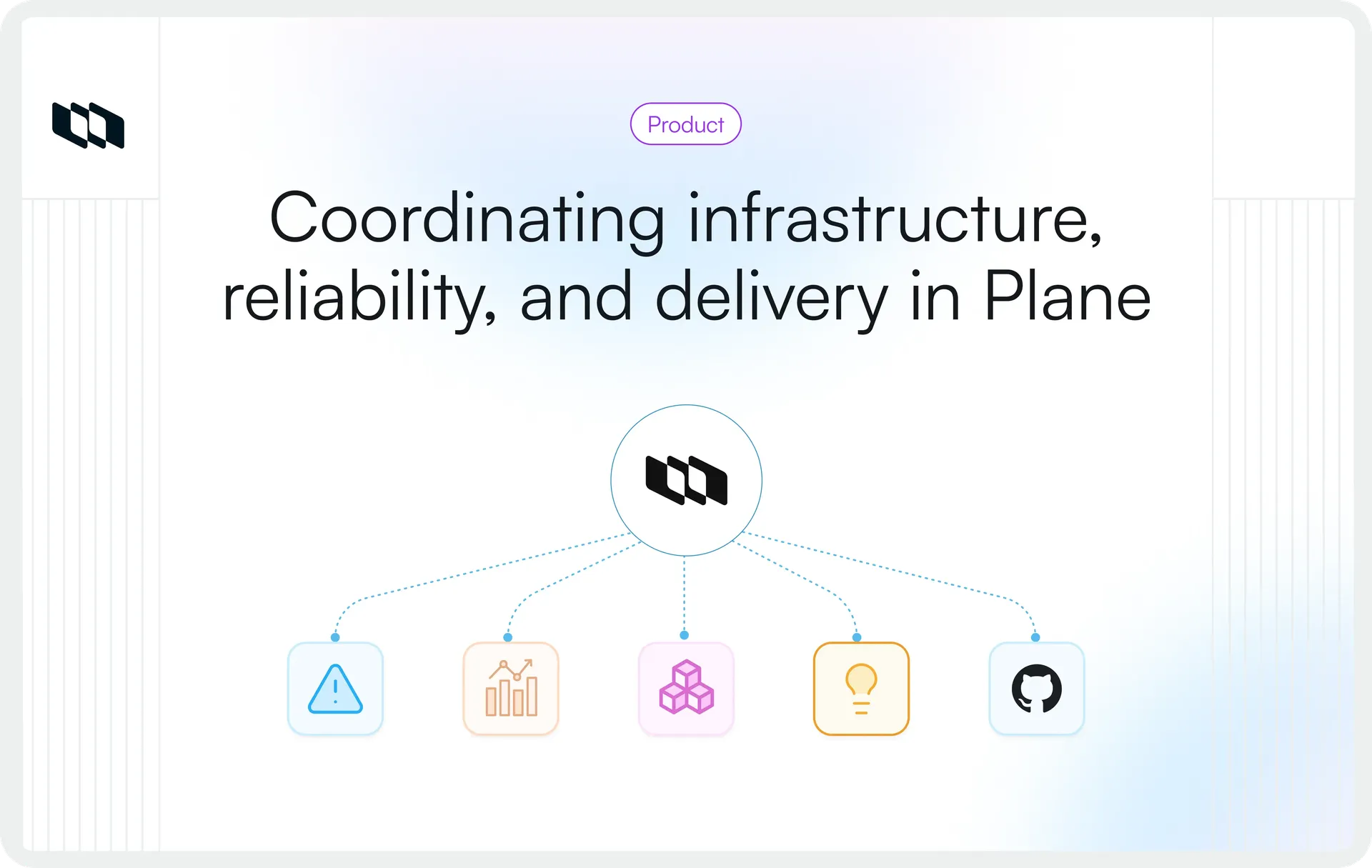
DevOps and SRE teams already have systems for source control, CI/CD, infrastructure configuration, observability, on-call response, and incident handling. The harder coordination problem often appears around those systems: a platform request needs an owner, an infrastructure change spans several teams, an incident produces remediation work, or reliability improvements have to compete with planned product work.
Plane gives that engineering work a shared coordination layer. Teams can capture incoming demand, structure planned work, connect it to development activity, track dependencies, carry remediation through completion, and coordinate broader infrastructure or reliability programs while their existing engineering systems continue to handle production execution and telemetry.
Where Plane fits alongside an existing DevOps and SRE toolchain
The first decision is which engineering information belongs in Plane and which should remain in the systems that already manage it.
In this toolchain, Plane can hold durable engineering work such as requests, priorities, ownership, dependencies, remediation, reliability improvements, milestones, and cross-team programs. Git platforms continue to manage source code and code review. CI/CD systems execute builds, tests, and deployments. Infrastructure tooling manages infrastructure definitions, provisioning, and state. Observability and SRE systems continue to provide production telemetry and reliability signals.
This keeps Plane focused on the work that needs coordination across those systems. Plane's current DevOps guidance also notes that live CI/CD pipeline status is not surfaced natively in the Work Item view.
System | Primary responsibility | Role in the operating model |
GitHub, GitLab, Bitbucket | Source code, reviews, and merges | Connect Plane Work Items with development activity. Integration behavior varies by provider. |
CI/CD | Builds, tests, and deployments | Coordinate readiness, ownership, dependencies, and follow-through around delivery. |
Infrastructure tooling | Infrastructure definitions, provisioning, and state | Coordinate changes, migrations, dependencies, and the engineering work around them. |
Observability | Metrics, logs, traces, and service health | Turn selected operational findings into owned engineering work. |
On-call and incident tooling | Paging, escalation, and live incident response | Track remediation and follow-up work after the immediate response. |
SRE tooling | SLIs, SLOs, error budgets, and related reliability signals | Coordinate the reliability work created from those signals. |
Plane | Planned work, priorities, ownership, dependencies, and cross-team programs | Provide a shared coordination layer across engineering work. |
The boundary is clear: Plane carries the planning, ownership, dependencies, and follow-through around production work, while specialist engineering systems continue to execute deployments, manage infrastructure, and produce runtime and reliability signals.
How platform teams turn incoming demand into planned engineering work
Platform teams often receive requests that fall between self-service and planned engineering work. A standard environment request may already have an automated path, while a less routine request may require engineering judgment, prioritization, dependencies, or coordination across teams.
Examples include:
- A non-standard environment requirement
- Service onboarding that needs platform work
- A new platform capability
- An infrastructure change
- Deployment support that requires coordination
- An observability improvement
- A reliability improvement
Plane's Intake gives teams a place to review incoming Work Items before moving them into the active project workflow. Submissions enter Intake in a dedicated Triage state, where the team can add context and decide whether to accept, decline, or mark them as duplicates.
When a Work Item is accepted, the team chooses which project state it should move to. Declined items and duplicates remain in Intake under Triage.
A simple flow looks like this:
- Accepted: Submission → Intake (Triage) → accept → project state → owner + priority → planned work
- Declined or duplicate: Submission → Intake (Triage) → decline / mark duplicate → remains in Intake
Capture enough context before committing the work
Plane supports Intake through in-app submissions, public Intake Forms, and email. For requests that need a structured submission path, teams can build custom Intake Forms from Work Item Types and choose which custom properties appear on each form.
Depending on the properties the team configures, a platform request form might capture:
- Affected service
- Environment
- Business or engineering impact
- Requester
- Source of the request
- Target date
- Responsible team
The schema will vary by organization and request type. The goal is to collect enough context during intake to help the team distinguish different kinds of operational demand before deciding what should enter the active project workflow.
Keep routine platform operations on self-service paths
Routine operations with established automation can continue through existing self-service systems. That may include standard environment provisioning, repeatable deployment actions, automated access flows, or other platform operations that do not require engineering triage.
Use Intake for requests that need review, prioritization, coordination, or follow-up. This keeps the queue focused on work that requires an engineering decision instead of routing routine operational actions through manual triage.
How DevOps teams coordinate infrastructure changes from planning to verification
Consider a Kubernetes platform upgrade. Implementation may span infrastructure repositories, deployment pipelines, cluster tooling, and monitoring systems, while the coordination involves platform engineering, application teams, database owners, networking, and SRE.
Plane can structure the work that has to move across those teams, such as:
- Platform preparation
- Application compatibility checks
- Add-on or dependency validation
- Networking or database prerequisites
- Rollback preparation
- Staging validation
- Production waves
- Application-team readiness
- Post-change follow-up
Work Items give each action an owner and state, while dependencies can represent sequencing and blockers. Within each Project, Milestones can mark target dates for checkpoints such as staging validation or a production migration wave. Milestone progress updates from the linked Work Items.
Connect planned work to Git
Once implementation begins, code and review stay in the Git provider. Plane's integrations connect that development activity to the corresponding Work Items, with different capabilities by provider.
Provider | Supported environments | Plane integration |
GitHub | GitHub Cloud, GitHub Enterprise Cloud, GitHub Enterprise Server | Issue synchronization and pull request state automation |
GitLab | GitLab.com, GitLab Self-managed | Issue synchronization and merge request state automation |
Bitbucket | Bitbucket Cloud, Bitbucket Data Center | Pull request state automation; issue synchronization is not available |
GitHub and GitLab issue sync can be configured as unidirectional or bidirectional. With unidirectional sync, issue data flows from the Git provider into Plane and can overwrite corresponding Work Item content. Teams should decide which system owns the issue data before enabling synchronization.
For pull requests and merge requests, lifecycle events can be mapped to Plane Work Item states. Code review remains in the Git provider while the linked Work Item reflects the mapped development state.
Add governance to planned changes where required
Some infrastructure changes need controlled state transitions before they are ready for execution. On Business, Plane provides one default Workflow per Project. Enterprise Grid adds multiple custom Workflows scoped to Work Item Types, along with Approval Flows and Transition Conditions.
Approval Flows can hold a transition until designated approvers approve or reject it. Transition Conditions can run pre-validation before a transition and post-actions after it through Plane Runner.
For example, a database migration Work Item might require approval before moving from validation into a ready state. That approval governs the Work Item transition in Plane. Deployment readiness still depends on the deployment system, runbook, technical checks, and engineers responsible for the change.
Use Releases when the change has a shared release boundary
When work across several Projects belongs to the same version or release, a Workspace Release can bring those Work Items into one release scope. The Overview tracks progress from linked Work Items, Scope contains the work included in the release, and Changelog holds the release notes.
Release progress updates as linked Work Items move through their states. Completing every Work Item does not automatically change the release status to Released. A user marks the release as Released when it has shipped.
For changes contained within a single Project, Plane also supports Project Releases with the same release model scoped to that Project.
How SRE teams turn incidents and reliability signals into durable engineering work
Incident response is built for immediate restoration. The engineering work that follows often has a longer lifecycle, whether the incident exposed a code defect, observability gap, capacity constraint, repeated manual toil, fragile dependency, or architectural weakness.
A practical handoff can look like this:
Detection → incident response → service restored → remediation identified → Plane Work Item → owner + priority + dependencies → engineering fix → production verification
The live response stays in the team's incident and observability systems. Plane can carry the remediation work that needs ownership, prioritization, planning, and follow-through after the service is stable.
Connect Sentry issues to engineering follow-through
Plane's Sentry integration can create Work Items from Sentry alerts when configured conditions are met. The alert action can also set Work Item properties such as priority and assignee.
Teams can link a Sentry issue to an existing Plane Work Item or create a new one from Sentry. Once linked, the Sentry issue and Plane Work Item can synchronize resolution state in both directions based on the configured state mapping.
This gives the engineering follow-up a place for ownership, dependencies, planning context, and implementation work while Sentry continues to hold the operational error record.
Build a reliability backlog from operational evidence
Incidents are one source of reliability work. SRE teams may also act on recurring toil, capacity constraints, observability gaps, resilience-testing findings, automation opportunities, known failure points, or SLO and error-budget signals.
- Using Work Item properties, links, dependencies, and any configured custom properties, teams can capture context such as the affected service, source of the work, impact, priority, owner, related incident or review, target Milestone, and dependencies.
- The work can then enter the appropriate planning layer. A small fix may go into an upcoming Cycle, related reliability work can be grouped in a Module, a time-bound action can link to a Project Milestone, and greater efforts can contribute to an Initiative.
Structuring reliability work this way makes its ownership and priority visible alongside features, migrations, and platform improvements that draw from the same engineering capacity.
Report on reliability work without turning work data into telemetry
PQL can filter Work Items by fields and conditions, combine logic, sort results, and limit the result set. Queries can also be saved as Views and used wherever Work Items are listed.
- For reliability work, queries can surface open high-priority items, blocked remediation, ownership gaps, overdue actions, or work planned for the current Cycle.
- Dashboards provide another view of the same Work Item data through charts, metrics, tables, and filters. A Work Items Table, for example, can show a filtered list of open blockers or high-priority reliability work directly on a Dashboard.
These views report on the engineering work being managed in Plane. SLO attainment, error budgets, latency, availability, traces, metrics, and live service health continue to come from the observability and SRE systems that produce those measurements.
How individual DevOps and SRE work scales into cross-team programs
A reliability fix may live inside one Project. A Kubernetes migration, regional infrastructure rollout, database-platform change, or reliability program can span several teams and Projects. Plane lets teams connect those layers without collapsing the underlying work into one Project.
Work Item: The individual engineering action
A Work Item represents a specific piece of engineering work, such as validating application compatibility, updating infrastructure configuration, closing an observability gap, completing a migration test, or remediating a reliability issue.
Project: The team's workstream
Projects organize the work owned by a team or workstream. A broader infrastructure program might use separate Projects for platform engineering, service migrations, database and networking work, and SRE validation.
Each Project manages its own Work Items, planning, and execution while contributing to the broader program.
Milestone: A project-level checkpoint
Milestones are scoped to individual Projects. Within a Project, a Milestone can link related Work Items to a target date and track completion from that linked work.
For a larger migration, different Projects can use their own Milestones for checkpoints such as staging validation, application readiness, or a production migration wave.
Initiative: The cross-project objective
Initiatives bring related Projects and Work Items into a workspace-level view around a shared objective. The Initiative Scope can include Work Items from different Projects, while the Overview shows aggregated progress across the Initiative's associated work.
For a Kubernetes migration, that structure could look like this:
Initiative: Kubernetes platform upgrade
- Project: Platform engineering
- Project: Service migrations
- Project: Database and networking readiness
- Project: SRE validation
Each Project keeps its own Work Items and Milestones. The Initiative gives program owners a consolidated view of the Projects and Work Items contributing to the migration, including progress, dependencies, blockers, dates, and updates.
That makes it easier to see which workstream needs attention, where dependencies are holding up progress, and how the overall Initiative is moving.
Which Plane capabilities support these DevOps and SRE workflows
These workflows draw on several Plane capabilities, with some advanced planning, governance, and reporting features available on higher plans.
Need | Plane capabilities | Role in the DevOps/SRE workflow | Plan availability |
Structure engineering work | Projects, Work Items, Workspace Work Item Types and hierarchy, custom properties | Structure platform, infrastructure, remediation, and reliability work | Free: Projects, Work Items. Pro: Project Work Item Types. Enterprise Grid: workspace types and hierarchy. |
Capture incoming work | Intake, Intake Forms, Intake Email | Triage operational requests before they enter active project work | Free: in-app Intake. Business: Intake Forms and Email |
Govern planned work | Workflows, Approval Flows, Transition Conditions | Control how Work Items move through reviewed states | Business: default Workflow. Enterprise Grid: custom Workflows, approvals, and transition conditions. |
Plan delivery | Cycles, Modules, Milestones, Releases | Organize time-boxed work, related efforts, checkpoints, and release scope | Free: Cycles, Modules. Pro: Milestones. Business: Releases. |
Coordinate programs | Dependencies, Initiatives | Manage sequencing, blockers, and cross-project programs | Pro: Initiatives and dependency visualization. |
Report on work | Filters, PQL, Dashboards, Project Updates | Query work, track progress, and communicate project status | Free: basic filters. Pro: PQL, Dashboards, Project Updates. |
Keep context close | Pages, Wiki, Work Item activity, links | Keep runbooks, incident context, decisions, and procedures close to work | Free: Project Pages. Pro: Wiki and page linking from Work Items. |
Connect engineering systems | GitHub, GitLab, Bitbucket, Sentry, API, webhooks | Connect Plane with development and operational systems | Pro: Git and Sentry integrations, REST API, and webhooks.* |
*REST API and webhooks are also available in the self-hosted Community Edition.
Project Pages can hold runbooks, rollout procedures, incident reviews, and architecture decisions within a Project, while Wiki provides workspace-level knowledge for documentation that spans Projects. Pages retain version history, and relevant Project or Wiki pages can be linked from Work Items on Pro.
For outage-critical runbooks, teams should also plan an access path that remains available during the failure scenarios those runbooks are designed to address.
What enterprise DevOps and SRE teams should validate before adopting Plane
A workflow demo shows that the process works. Enterprise evaluation also needs to cover integration ownership, identity and access, governance, deployment, and operational responsibility.
Integration architecture
Turn the source-of-truth boundaries defined earlier into explicit integration rules. For each connection, decide:
- Which system owns the authoritative record and which data should synchronize
- How conflicts or integration failures should be handled
- Which API resources and webhook events the workflow requires
- Which authentication and network paths must be available
Plane's REST API covers core resources including Projects, Work Items, Cycles, Modules, Pages, Intake, and Initiatives. Workspace-level webhooks can subscribe to events across resources such as Projects, Cycles, Modules, Milestones, Pages, and Work Items.
Webhook filters apply specifically to Work Item events. Other event types, including Projects, Cycles, Pages, and Milestones, are delivered without those filters. Plane's current v2 webhook payloads also include structured fields for event identification, deduplication, and change tracking.
A proof of concept should exercise the actual API calls, webhook events, filtering rules, and failure behavior the production integration will depend on.
Identity and access
Plane uses role-based access control across workspace and Project scopes. Enterprise Grid adds Granular Access Control, which lets organizations create custom roles from reusable permission schemes.
- For Plane Cloud, SAML and OIDC SSO are available on Business. Self-hosted Commercial deployments also support SAML and OIDC, including on Pro. Enterprise Grid adds directory-oriented controls such as LDAP and IdP Group Sync.
- IdP Group Sync is currently available on self-hosted Commercial and Airgapped Editions. It can map identity-provider groups to workspace roles, Project access and roles, and private Wiki collection access.
For DevOps and SRE teams, these controls should be tested against the access model used for infrastructure, reliability, and other sensitive Projects.
Workflow governance and auditability
Enterprise Grid adds Approval Flows and Transition Conditions for controlled Work Item transitions. These controls are useful where planned engineering changes require formal review or validation before advancing.
- Enterprise Grid also provides Workspace and Project Audit Logs for supported governance activity. Workspace Audit Logs cover events such as membership and role changes, workspace settings, API token activity, webhook changes, and audit-log actions. Project Audit Logs provide a Project-scoped view of supported configuration, membership, role, and permission events.
- Audit records are append-only and cryptographically chained so their integrity can be verified through the API. Work Item activity remains separate, and records changes to the individual Work Item.
During evaluation, confirm that the available audit records cover the administrative and work-level evidence your organization needs to retain.
Self-hosted and isolated environments
Plane is available as Cloud and through three self-hosted editions: Community, Commercial, and Airgapped.
- For fully isolated environments, the Airgapped Edition is available on Enterprise Grid with a minimum commitment of 100 seats, with trials and exceptions handled through Plane's Sales team. After required images and artifacts are transferred into the environment, Plane is designed to operate without external runtime connectivity.
- Airgapped deployments use offline license files, keep service communication inside the isolated environment, and do not send application data, analytics, crash reports, or usage telemetry outside the cluster. Integrations with internal systems such as GitHub Enterprise Server and GitLab can also remain within the network boundary when configured accordingly.
The buying decision should also account for the infrastructure the organization will operate around Plane, including backups, recovery, upgrades, internal registries, network controls, and the controlled transfer of software and licensing artifacts.
How to introduce Plane without creating another engineering source of truth
Start with one coordination problem that already creates friction, such as platform intake, infrastructure-change coordination, post-incident remediation, or reliability backlog management.
1. Start with one bounded workflow
Before configuring Plane, define where the work originates, what should enter Plane, who owns it, what context is required, which system remains authoritative, and how you will judge whether the workflow is working.
For platform intake, for example, that means deciding which requests need engineering triage and which should continue through existing self-service paths. Configure only the Work Item structure, states, custom properties, and integrations that the workflow requires.
2. Standardize after the workflow proves useful
Once the first workflow is working, standardize the conventions teams need to share. That may include Work Item Types and properties, workflow states, approval rules where required, naming conventions, links to technical systems, reporting conventions, and source-of-truth ownership.
Integrations should reduce duplicate updates while preserving a clear answer when records in two systems disagree: which system owns the authoritative data?
3. Expand when work crosses teams
As the workflow grows across teams, keep execution inside the relevant Projects and add broader coordination where it is useful. Initiatives can bring related Projects and Work Items into a cross-project view, while Dashboards can report on Work Item data from multiple selected Projects.
Project Milestones remain scoped to their individual Projects, so teams can keep their own dated checkpoints while the broader program is followed through the Initiative.
Is Plane a strong fit for your DevOps or SRE operating model?
Plane is worth evaluating when engineering work needs coordination across systems and teams, whether that involves platform demand, infrastructure changes, remediation, reliability work, or larger programs. It is especially relevant when those workflows need shared ownership and visibility while the existing engineering stack remains in place.
Keep specialist systems primary for
- Source control and code review
- CI/CD execution and infrastructure provisioning
- Production telemetry, SLIs, SLOs, and error-budget calculation
- Paging, on-call management, and live incident response
Plane can carry the planning, ownership, dependencies, and follow-through created around those systems.
Evaluate Plane with real engineering work
A useful proof of concept should use workflows and systems the organization already depends on. Test:
- A real platform request through Intake and Triage
- A Work Item through the team's Git provider and a planned infrastructure change with dependencies and a Project Milestone
- An incident-to-remediation handoff and the resulting reliability work in a query or Dashboard
- A cross-team Initiative using work from the Projects that would participate in production
- The roles, identity controls, and workflow governance the organization requires
- The API or webhook flow the surrounding toolchain depends on, together with the intended Plane deployment model
The evaluation should answer a practical question: Can Plane coordinate engineering work across the existing toolchain without creating duplicate ownership or disrupting the systems teams already use to operate production?
Bottom line
Plane gives DevOps and SRE teams a shared place to coordinate the engineering work that sits around their existing Git, CI/CD, infrastructure, observability, and incident systems.
The next step is to test Plane against a real workflow in your environment, whether that is platform intake, infrastructure-change coordination, post-incident remediation, or reliability planning.
Talk to Sales to evaluate Plane with your DevOps and SRE workflows.
Frequently asked questions
Q1. Where does Plane fit in a DevOps and SRE toolchain?
Plane fits around planned engineering work, ownership, dependencies, remediation, reliability backlogs, and cross-team programs. Git, CI/CD, infrastructure tooling, observability, on-call, and incident systems continue to handle their specialist roles.
Q2. What DevOps workflows can teams coordinate in Plane?
Teams can use Plane for platform request intake, infrastructure-change planning, Git-linked engineering work, release coordination, post-incident remediation, reliability backlogs, dependencies, Milestones, and multi-team infrastructure programs. The exact workflow depends on the integrations and Plane capabilities enabled for the workspace.
Q3. How can SRE teams manage post-incident remediation and reliability work in Plane?
SRE teams can convert corrective actions into owned Work Items, add priority and dependencies, plan the work through Cycles, Modules, or Milestones, and use PQL and Dashboards for work-status reporting. Operational verification remains in observability and SRE systems.
Q4. Does Plane replace CI/CD, infrastructure-as-code, or observability tools?
Plane's role is project and work coordination. CI/CD platforms continue to execute builds, tests, and deployments. Infrastructure systems continue to manage infrastructure definitions and state. Observability platforms continue to provide metrics, logs, traces, and production-health data. Plane's current DevOps guidance also notes that live CI/CD pipeline status is not surfaced natively in the Work Item view.
Q5. Can DevOps and SRE teams use Plane in self-hosted or air-gapped environments?
Yes. Plane supports Community and Commercial self-hosting, plus an Airgapped Edition for Enterprise Grid customers. Airgapped deployments have a 100-seat minimum commitment and are designed to operate inside isolated infrastructure without external runtime connectivity after the required artifacts are imported. The customer operates the surrounding infrastructure and owns responsibilities such as availability, backups, recovery, environment security, and applying supplied updates.
Recommended for you



 Download for Mac
 Download for Android