What is incident management? Definition, process, and best practices
Introduction
Every system that runs in production will, at some point, break. How fast your team detects, responds to, and resolves that disruption determines whether it becomes a minor blip or a business-critical failure. That's the core promise of incident management. In this guide, we break down what incident management means, why it matters for engineering and product teams, how the incident management process works end-to-end, and the best practices that high-performing teams use to handle IT incidents effectively.
What is incident management?
Incident management is the structured process teams use to identify, respond to, and resolve unexpected disruptions to services or systems. The incident management process focuses on restoring normal service operations as quickly as possible while minimizing impact on users, customers, and internal teams.
It sits at the intersection of engineering discipline and operational rigor. Teams that treat incident management as a formal process consistently recover faster, communicate better under pressure, and build more resilient systems over time.
In many organizations, incident management operates as a core part of IT service management and reliability practices. Product, engineering, and operations teams rely on a defined incident management lifecycle to ensure incidents are logged, prioritized, assigned, and resolved through a consistent workflow. A clear process helps teams coordinate responses during high-pressure situations and maintain service reliability.
What is considered an incident?
An incident is any unplanned event that interrupts a service or reduces its expected performance. Incidents affect the availability, stability, or usability of systems that teams and customers depend on.
Common examples of incidents include:
- Application outages that make a product unavailable
- Website downtime is affecting user access
- Slow system performance that disrupts workflows
- Login or authentication failures are preventing access
- Infrastructure failures involving servers, storage, or networks
- Security incidents such as unauthorized access attempts
These events trigger the incident management process, allowing teams to investigate the issue, restore service, and document the incident for future improvement.
The main objective of incident management
The primary objective of incident management is to restore service rapidly. Teams focus on bringing systems back to normal operation with minimal disruption to users and business activities.
The incident response process prioritizes speed, coordination, and communication during active incidents. Root cause investigation typically happens after the service is restored through problem management or structured post-incident analysis. This approach allows teams to stabilize systems first and conduct deeper analysis once the immediate disruption is resolved.
Why incident management matters
Incidents disrupt systems, delay work, and impact customer experience. As digital services are vital to operations, service reliability is crucial. A structured incident management process enables swift responses, coordinated actions, and minimal disruption, supported by clear workflows, defined ownership, and documented procedures. Let’s explore further.
1. Reducing service downtime
Service interruptions can affect product availability, internal tools, and customer access. A well-defined incident management process enables teams to detect issues early, assign incidents to the right owners, and resolve them faster. Faster response and resolution times directly reduce downtime and maintain service reliability.
2. Protecting customer experience
Customers depend on stable services. Outages, degraded performance, or access issues can quickly affect user trust and satisfaction. Incident management ensures teams respond quickly to disruptions, communicate updates clearly, and restore service stability before the issue affects a larger group of users.
3. Improving internal coordination
Incidents often involve multiple teams such as engineering, infrastructure, support, and security. A structured incident management framework defines clear roles, escalation paths, and communication channels. This clarity allows teams to coordinate efficiently during high-pressure situations and move incidents through the resolution process without confusion.
4. Supporting business continuity
Operational disruptions can affect revenue, productivity, and service delivery. Incident management provides a repeatable approach to handling unexpected events so organizations maintain operations even during technical failures or infrastructure issues. A structured response process ensures incidents receive immediate attention and services return to normal as quickly as possible.
5. Learning from incidents
Each incident provides valuable operational insight. Post-incident reviews help teams document what happened, identify process gaps, and improve monitoring, workflows, and system reliability. Over time, this learning strengthens the incident management lifecycle and helps teams prevent recurring incidents.
Incident vs. problem vs. service request
Clear terminology helps teams route work correctly and respond with the right level of urgency. Many organizations classify operational issues into incidents, problems, service requests, and changes within the broader incident management framework. Each category serves a different purpose and follows a different workflow.
Incident vs problem
- An incident is an unexpected disruption or degradation of a service. The incident management process focuses on restoring the affected service as quickly as possible so users regain normal access.
- A problem refers to the underlying cause behind one or more incidents. Problem management focuses on investigating recurring issues, identifying root causes, and implementing long-term fixes that improve system reliability.
In practice, incident management restores service quickly, while problem management investigates the underlying technical cause of the disruption.
Incident vs service request
- A service request refers to a routine request submitted by users for access, information, or minor service actions. Examples include password resets, access to internal tools, or requests for new hardware or software.
- An incident refers to an unexpected disruption that affects service availability, performance, or usability. Incidents require immediate attention and move through the incident management process so teams can restore service quickly.
This distinction helps teams prioritize work effectively and route issues through the correct operational workflow.
Incident vs change
- A change refers to a planned modification to systems, infrastructure, or software. Changes often follow a structured change management process that includes review, approval, and scheduled deployment.
- An incident occurs unexpectedly and requires immediate response to restore service stability. Incident management focuses on rapid response and resolution, while change management focuses on controlled improvements to systems and services.
Incident vs. problem vs. service request vs. change
The following table highlights how these operational concepts differ across purpose, urgency, and workflow within an incident management framework.
Aspect | Incident | Problem | Service request | Change |
Definition | An unexpected disruption or degradation of a service | The underlying cause behind one or more incidents | A routine user request for access, information, or service | A planned modification to systems, infrastructure, or services |
Primary goal | Restore normal service quickly | Identify and eliminate root causes | Fulfill a standard request | Implement improvements or updates |
Urgency | High priority due to service impact | Medium priority focused on long-term stability | Low urgency and routine | Planned and scheduled |
Example | Application outage, system slowdown | Database configuration issue causing repeated outages | Password reset, access request | Deploying a new feature or infrastructure update |
Management process | Incident management | Problem management | Service request management | Change management |
Common types of incidents
Incidents can occur across different layers of a system, from application code to infrastructure and user access. Understanding common incident categories helps teams classify issues correctly, prioritize response efforts, and route incidents to the appropriate teams within the incident management process.
The following categories represent the most frequent types of incidents organizations encounter during daily operations.
1. Application or software incidents
Application incidents affect software system functionality. These incidents often originate from bugs, failed deployments, misconfigurations, or unexpected behavior in application logic.
Examples include feature malfunctions, application crashes, broken APIs, or errors introduced during new releases. These incidents typically require investigation by engineering teams responsible for the affected application.
2. Infrastructure incidents
Infrastructure incidents affect the underlying systems that support applications and services. These incidents involve servers, storage systems, networking components, or cloud infrastructure.
Common examples include server outages, storage failures, network connectivity issues, or failures in cloud infrastructure services. Infrastructure teams usually handle these incidents as part of the broader incident management lifecycle.
3. Performance incidents
Performance incidents occur when systems remain available but operate below expected performance levels. Users may experience slow loading times, delayed responses, or degraded application behavior.
These incidents often result from traffic spikes, inefficient queries, resource exhaustion, or configuration issues. Monitoring tools and performance metrics often help detect these incidents early.
4. Security incidents
Security incidents involve threats to system integrity, confidentiality, or access control. These incidents require immediate investigation to prevent potential damage or data exposure.
Examples include unauthorized access attempts, suspicious login activity, malware detection, or vulnerabilities discovered in systems or applications. Security teams often coordinate with engineering teams to investigate and resolve these incidents.
5. User-reported incidents
User-reported incidents originate from customers or internal users who experience issues while interacting with a product or system. These incidents often appear through support tickets, help desk requests, or direct reports from users.
User reports play an important role in incident detection because they often reveal issues that automated monitoring tools may not immediately identify. Proper logging and categorization of these reports ensures they enter the incident management process and receive timely resolution.
The incident management process
A repeatable incident management lifecycle separates teams that resolve incidents systematically from those that do so by luck. Each stage below serves a specific function; skipping any one of them compounds the cost of the next incident.
1. Incident identification and reporting
The process starts when an incident is detected. Detection can happen through automated monitoring systems, alerts from observability tools, support tickets, internal reports, or direct customer complaints. In mature environments, incidents are often identified through a combination of system-generated signals and human reports.
At this stage, speed matters. Teams need to recognize that a service issue exists and ensure it is entered into the incident management process immediately. Early detection reduces response time and limits the spread of operational impact.
For example, an infrastructure alert might show that API response times have spiked well beyond the normal threshold. In another case, several customers may report being unable to log in to the product. Both situations signal a service disruption and should trigger incident reporting.
2. Incident logging
Once an incident is identified, it should be formally logged in the system teams use to track operational work. Logging creates a single record of the issue and ensures the incident can be assigned, prioritized, updated, and reviewed through a structured workflow.
A useful incident record usually includes:
- Incident title or summary
- Date and time reported
- Affected service, system, or feature
- Current symptoms or user impact
- Source of detection, such as monitoring or a user report
- Initial severity or priority
- Assigned team or owner
Good logging improves visibility from the start. It gives responders enough context to begin triage and gives stakeholders a consistent reference point for updates.
3. Incident categorization
After logging, the incident is categorized by issue type, affected service area, or technical domain. Categorization helps teams route incidents efficiently and makes long-term reporting more useful.
For example, incidents might be categorized as:
- Application incident
- Infrastructure incident
- Security incident
- Access incident
- Performance incident
This step matters because routing and trend analysis depend on it. If incidents are categorized consistently, teams can spot recurring patterns, identify weak areas in the system, and improve how incidents are assigned across engineering, IT, support, or security functions.
4. Incident prioritization
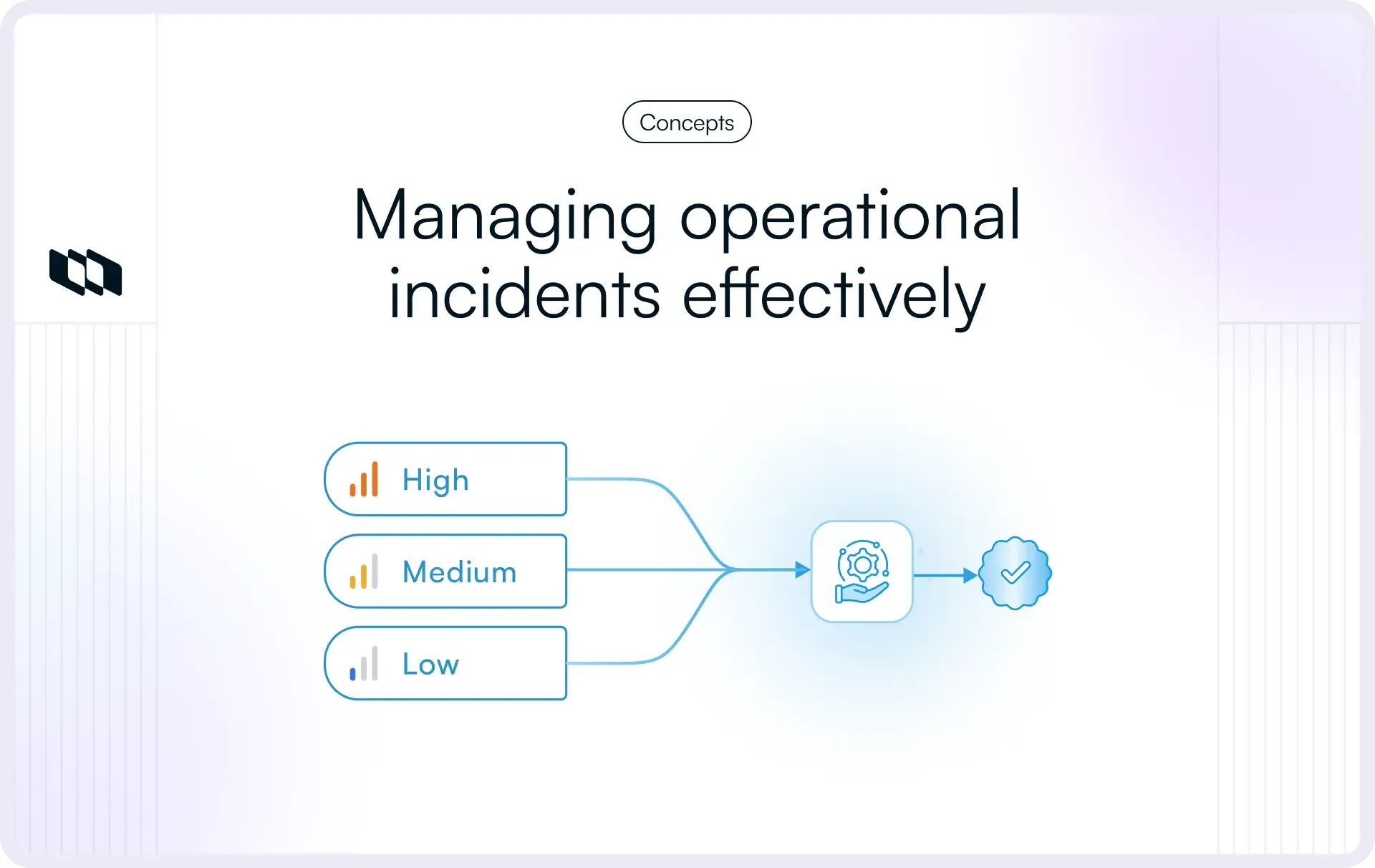
Once the incident is categorized, teams assess its priority. Prioritization determines how urgently the issue should be handled and what level of response it requires. This decision usually depends on two factors: impact and urgency.
- Impact refers to the extent to which the business, system, or user base is affected.
- Urgency refers to how quickly the incident needs attention to avoid further disruption.
For example:
- A login failure affecting every customer would be high impact and high urgency
- A reporting delay affecting one internal team might be a lower priority
- A degraded feature affecting a small set of users may fall in the middle
Many teams use severity levels such as Sev 1, Sev 2, and Sev 3 to standardize incident prioritization. A strong prioritization model ensures that critical incidents receive immediate attention while lower-impact issues move through an appropriate response path.
5. Incident assignment and escalation
After priority is established, the incident is assigned to the team or individual responsible for leading the response. Assignment should happen quickly and be based on clear ownership rules. In high-pressure incidents, ownership delays create confusion and slow recovery.
Assignment may involve:
- Sending the incident to the on-call engineer
- Routing it to the infrastructure team
- Handing it to application owners
- Involving support or security teams, depending on the issue
Escalation occurs when the incident exceeds the scope of the first responder or requires broader coordination. High-severity incidents often need escalation to senior engineers, incident managers, leadership, or cross-functional teams.
A mature incident management process defines escalation paths in advance. Teams should know who to involve, when to escalate, and how to communicate changes in severity or impact.
6. Investigation and diagnosis
Once the incident has an owner, the team begins investigating the issue. The goal at this stage is to understand what is happening, how wide the impact is, and what action can restore service the fastest.
Investigation usually includes:
- Checking logs and alerts
- Reviewing recent deployments or changes
- Validating system dependencies
- Confirming which services are affected
- Reproducing the issue when possible
- Identifying temporary workarounds
Diagnosis focuses on finding the most likely cause of the service disruption. In active incidents, teams often prioritize restoring service over completing full root cause analysis. That keeps the incident management process aligned with its primary goal: service recovery first.
7. Resolution and recovery
Once teams identify a workable fix, they move into resolution and recovery. This step includes the action taken to restore normal service operation and confirm that the issue is contained.
Resolution may involve:
- Rolling back a deployment
- Restarting a service
- Applying a configuration fix
- Scaling infrastructure resources
- Patching a failing integration
- Blocking suspicious access in a security scenario
Recovery means validating that the service is functioning as expected again. Teams usually confirm this through system checks, monitoring dashboards, internal testing, or customer feedback. Resolution is complete only when affected users can access the service normally, and the system is stable.
8. Incident closure
After service is restored and validated, the incident can be formally closed. Closure marks the end of the active response phase, but it should occur only after key details are properly documented.
Before closing an incident, teams usually confirm:
- The service is stable
- The issue has been resolved or contained
- Stakeholders received final updates
- The incident record includes the timeline and actions taken
- Any follow-up work has been captured separately
Formal closure keeps records clean and ensures the incident management lifecycle is documented from start to finish. It also helps teams distinguish between active incidents and follow-up operational work.
9. Post-incident review
The final step is post-incident review. This is where teams examine what happened, how the response unfolded, what worked well, and what needs improvement. Post-incident reviews turn operational disruption into organizational learning.
A good review usually covers:
- incident summary
- timeline of events
- impact on users or systems
- root cause, if identified
- resolution steps taken
- communication effectiveness
- gaps in monitoring, process, or ownership
- action items for prevention or improvement
This stage strengthens the long-term value of incident management. It helps teams improve runbooks, refine alerting, update workflows, and prevent repeat incidents. Over time, strong post-incident reviews lead to faster response, clearer ownership, and more reliable systems.
A simple example of the incident management lifecycle in practice
A release goes live at 10:00 a.m. Ten minutes later, monitoring detects a sharp increase in API errors, and support starts receiving customer complaints. The issue is logged as an incident, categorized as an application incident, and marked high priority because it affects checkout for all users. The on-call engineering team is assigned immediately. After investigating recent changes, the team identifies the new deployment as the source of the failure and rolls it back. Service stabilizes, the incident is closed after validation, and the team later runs a post-incident review to document the cause and improve release safeguards.
This example shows why each step in the incident management process matters. A strong workflow helps teams move from detection to recovery quickly while preserving the information needed to improve future response.
Incident management frameworks and approaches
Incident management does not exist in a vacuum. How your team practices it is shaped by the broader operational philosophy your organization runs on. The following three frameworks dominate how modern engineering and IT organizations approach incident management, and each brings a distinct set of priorities.
1. Incident management in ITIL and ITSM
Many organizations manage incidents through IT service management (ITSM) frameworks, with ITIL providing one of the most widely used models. Within ITIL, incident management forms a central operational process designed to restore service as quickly as possible after a disruption.
In an ITIL-based environment, incidents follow a structured workflow that includes logging, categorization, prioritization, assignment, resolution, and closure. Service desks typically act as the entry point for incident reporting, while technical teams handle investigation and resolution.
ITIL-based incident management emphasizes:
- standardized incident logging and categorization
- defined severity and prioritization models
- service level agreements for response and resolution
- formal escalation procedures
- structured incident documentation
This approach works well for organizations with complex service environments, regulated industries, or large IT operations that require consistent service management processes.
2. Incident management in DevOps
DevOps environments approach incident management with a stronger focus on speed, automation, and continuous service monitoring. Since DevOps teams handle both software development and system operations, incident response often occurs directly within the product engineering teams responsible for the affected systems.
In a DevOps context, incidents are typically detected through monitoring platforms, observability tools, and automated alerting systems. Engineering teams respond quickly to incidents through on-call rotations and predefined response workflows.
DevOps-driven incident management often includes:
- real-time monitoring and alerting systems
- automated incident detection
- on-call engineering response models
- rapid rollback or deployment fixes
- collaboration across development and operations teams
The goal is to reduce mean time to detect and resolve incidents while maintaining system stability during rapid software delivery cycles.
3. Incident management in site reliability engineering (SRE)
Site reliability engineering introduces a reliability-focused approach to incident management. SRE teams treat incidents as signals that help improve system reliability and operational maturity.
In an SRE model, incident management is closely tied to reliability metrics, such as service-level objectives and error budgets. These metrics help teams determine acceptable levels of system performance and guide response priorities during incidents.
Key elements of SRE-driven incident management include:
- clearly defined service level objectives
- incident severity classifications
- incident response playbooks and runbooks
- on-call rotations for reliability engineers
- structured incident postmortems focused on learning
Post-incident analysis plays a critical role in SRE environments. Teams review incidents carefully to understand contributing factors, improve monitoring coverage, and strengthen system resilience.
Across ITIL, DevOps, and SRE environments, the underlying objective remains consistent. Teams aim to detect incidents quickly, coordinate response efficiently, restore service reliability, and continuously improve the incident management lifecycle.
Roles involved in incident management
Incident management works effectively when responsibilities are clearly defined. During a service disruption, multiple people and teams often participate in detection, investigation, communication, and resolution. Clearly defined roles help teams coordinate response efforts, reduce confusion, and ensure incidents move through the incident management process efficiently.
Although exact responsibilities vary across organizations, most incident management frameworks include a set of common operational roles.
1. Incident reporter
The incident reporter is the person or system that detects and reports the issue. In many cases, incidents are first identified through monitoring tools, automated alerts, or observability systems that detect abnormal system behavior.
Incidents may also be reported by customers, support teams, or internal employees who encounter service disruptions. Once reported, the issue enters the incident management workflow where it can be logged, categorized, and investigated.
Early detection plays an important role in incident management because faster reporting allows teams to begin response and reduce service impact.
2. Incident manager
The incident manager coordinates the overall response during an active incident. This role focuses on maintaining structure, assigning responsibilities, and ensuring clear communication across all involved teams.
Responsibilities of the incident manager typically include:
- coordinating response activities across teams
- ensuring the incident management process is followed
- managing incident severity and escalation decisions
- providing updates to stakeholders and leadership
- ensuring documentation remains accurate throughout the incident
The incident manager enables technical teams to focus on diagnosis and resolution while maintaining overall operational coordination.
3. Resolver teams
Resolver teams include the technical groups responsible for diagnosing and fixing the issue. These teams often consist of engineers from areas such as application development, infrastructure, platform engineering, security, or database operations.
Resolver teams investigate system logs, analyze monitoring data, review recent changes, and implement fixes that restore service stability. Depending on the nature of the incident, multiple technical teams may collaborate to resolve the issue.
Clear ownership ensures incidents move quickly from investigation to resolution.
4. Stakeholders
Stakeholders include individuals or teams affected by the incident who require visibility into the situation. Stakeholders may include product leaders, engineering managers, customer support teams, operations teams, or business leadership.
During active incidents, stakeholders rely on updates about the issue, expected recovery timelines, and service status. Clear communication helps maintain alignment across teams and ensures that customers and internal users receive accurate information about service disruptions.
Best practices for effective incident management
Strong incident management practices help teams move from reactive troubleshooting toward disciplined operational response. The following practices help organizations strengthen their incident management lifecycle and handle service disruptions more effectively.
1. Define severity levels and priority rules
Clear severity levels allow teams to evaluate incidents consistently and determine the appropriate response. Severity classification usually depends on service impact, number of affected users, and operational urgency.
Many organizations define severity tiers such as critical, high, medium, and low. Critical incidents affect core services or a large portion of users and require immediate attention. Lower severity incidents may affect smaller features or limited groups of users.
Defined severity rules help teams prioritize incidents correctly and ensure response efforts align with business impact.
2. Establish clear escalation procedures
Escalation procedures ensure incidents move quickly to the appropriate level of expertise. During complex incidents, the first responder may require support from additional engineering teams, infrastructure specialists, or security teams.
Escalation paths define when incidents should move beyond the initial response team and who should be involved at each stage. Clear escalation procedures prevent delays in decision-making and help maintain momentum during active incidents.
3. Maintain consistent incident documentation
Accurate documentation improves transparency and operational learning. Every incident should include a complete record that captures when the issue occurred, what systems were affected, what actions were taken, and how the service was restored.
Well-documented incidents support reporting, trend analysis, and future troubleshooting. Teams can review historical incidents to identify recurring patterns and strengthen their operational workflows.
4. Centralize communication during incidents
Effective communication helps teams coordinate response efforts and keep stakeholders informed. During active incidents, information often flows across multiple teams, which increases the risk of confusion or missed updates.
Centralized communication channels allow responders to share updates, track decisions, and maintain a clear timeline of events. A single communication stream helps stakeholders understand the incident's current status and reduces unnecessary coordination overhead.
5. Conduct post-incident reviews
Post-incident reviews help organizations learn from operational disruptions. These reviews examine what happened during the incident, how the response unfolded, and which improvements could strengthen future incident response.
A thorough review typically includes a timeline of events, contributing factors, resolution actions, and improvement recommendations. These insights help teams refine monitoring coverage, update operational runbooks, and improve incident management practices.
6. Automate monitoring and alerts
Automation improves incident detection and reduces response delays. Monitoring platforms, observability systems, and alerting tools continuously track system behavior and notify teams when anomalies occur.
Automated alerts allow teams to detect incidents earlier than manual observation alone. Early detection enables faster investigation and helps teams resolve incidents before service disruptions affect a large number of users.
Tools used for incident management
Effective incident management depends on more than process alone. Teams rely on a combination of monitoring, tracking, communication, and documentation systems to detect incidents early, coordinate response, and learn from operational disruptions. These tools support different stages of the incident management lifecycle, from detection and triage to resolution and post-incident analysis.
A well-integrated toolset improves visibility, reduces response delays, and helps teams maintain structured incident workflows.
1. Monitoring and alerting systems
Monitoring and alerting systems help teams detect incidents as soon as abnormal behavior appears in a system. These tools continuously track metrics such as system availability, response times, infrastructure health, and application performance.
When monitoring systems detect anomalies, they trigger alerts that notify engineering or operations teams. Early alerts allow teams to investigate potential incidents before the issue spreads across services or affects a large group of users. Monitoring tools play a critical role in improving incident identification speed within the incident management process.
2. Incident tracking platforms
Incident tracking platforms provide a central system for logging, assigning, and managing incidents throughout their lifecycle. These platforms allow teams to record incident details, assign ownership, set priority levels, track progress, and document resolution steps.
A dedicated incident-tracking workflow ensures incidents move through consistent stages, such as logging, categorization, prioritization, investigation, and closure. Tracking platforms also help maintain transparency across teams by providing a single source of truth for active and historical incidents.
3. Communication tools
Communication platforms help teams coordinate response activities during active incidents. Incidents often involve multiple teams across engineering, operations, security, and customer support, which makes real-time collaboration essential.
Shared communication channels allow responders to exchange updates, share diagnostic findings, and coordinate resolution efforts. Centralized communication also ensures stakeholders receive consistent updates about incident status and recovery progress.
4. Documentation and knowledge systems
Documentation systems help teams capture operational knowledge related to incidents. These systems store incident records, investigation notes, runbooks, troubleshooting guides, and post-incident reviews.
Well-organized documentation helps teams resolve incidents faster by providing reference material for recurring issues. Knowledge systems also support long-term operational improvement by preserving insights gained from past incidents.
5. Reporting and analytics tools
Reporting and analytics tools help organizations evaluate how well their incident management process performs over time. These tools analyze metrics such as incident frequency, mean time to resolve, severity distribution, and recurring issues.
Operational analytics provide insight into service reliability trends and highlight areas that require improvement. Teams can use these insights to strengthen monitoring coverage, refine incident workflows, and reduce the likelihood of repeated incidents.
Key metrics used in incident management
Gut feel is not a reliability strategy. The teams that consistently improve their incident response are the ones that measure it precisely and act on what the data tells them. These are the five metrics that matter most in any mature incident management practice.
1. Mean time to acknowledge (MTTA)
Mean time to acknowledge measures how quickly teams respond after an incident is reported or detected. This metric tracks the time between incident creation and the moment when a responder formally acknowledges the issue.
A lower MTTA indicates that teams detect incidents quickly and begin response efforts without delay. Faster acknowledgement helps reduce uncertainty during incidents and ensures the issue enters the incident management workflow immediately.
Organizations often improve MTTA by strengthening monitoring systems, improving alert routing, and maintaining clear on-call ownership.
2. Mean time to resolve (MTTR)
Mean time to resolve measures the average time required to restore normal service after an incident occurs. This metric captures the duration between incident detection and full service recovery.
MTTR provides insight into how efficiently teams diagnose issues, coordinate response efforts, and implement fixes. A lower MTTR indicates faster incident resolution and stronger operational maturity.
Teams often reduce MTTR through better monitoring, improved incident documentation, well-defined escalation paths, and effective collaboration across engineering and operations teams.
3. Incident volume
Incident volume tracks the total number of incidents reported during a specific time period. This metric helps organizations understand how frequently service disruptions occur.
Tracking incident volume over time reveals patterns that may indicate system instability, operational bottlenecks, or gaps in monitoring coverage. Teams often analyze incident volume by category, service area, or severity level to identify systems that require reliability improvements.
4. SLA compliance
Service level agreements define the expected response and resolution times for incidents by severity level. SLA compliance measures whether incidents are resolved within these defined service thresholds.
High SLA compliance indicates that teams respond to incidents within agreed service expectations. Lower compliance levels may signal process delays, resource constraints, or unclear escalation procedures.
Monitoring SLA compliance helps organizations maintain service reliability commitments and improve operational accountability.
5. Recurring incidents
Recurring incidents occur when similar issues appear repeatedly over time. This metric helps teams identify patterns that require deeper investigation.
A high number of recurring incidents often indicates unresolved root causes, system weaknesses, or incomplete fixes. Identifying these patterns allows teams to initiate problem management activities, improve system architecture, or update operational processes to prevent repeated disruptions.
Common incident management challenges
Even with a defined incident management process, many organizations experience operational friction during real incidents. Service disruptions often expose weaknesses in workflows, ownership models, communication practices, or documentation standards. Addressing these challenges improves response efficiency and strengthens the overall incident management lifecycle.
The following challenges frequently affect how effectively teams manage incidents.
1. Unclear incident ownership
Incidents move slowly when ownership remains unclear. If responders spend time determining who should lead the investigation or who has authority to make decisions, response time increases and coordination becomes difficult.
Clear ownership rules help prevent this problem. Organizations often assign incident ownership through on-call rotations, service ownership models, or defined incident manager roles. When responders know exactly who leads the incident response, teams can focus on diagnosis and recovery rather than coordination overhead.
2. Inconsistent categorization
Incident categorization helps teams route issues to the correct technical groups and analyze operational trends over time. Inconsistent categorization creates confusion in both response workflows and reporting.
For example, similar issues may appear under different categories, making trend analysis unreliable and slowing incident routing. Standardized incident categories improve triage efficiency and provide clearer insight into recurring operational issues.
3. Poor communication during incidents
Incidents often involve multiple teams, including engineering, operations, support, and leadership. Without structured communication, updates may become fragmented across different channels, which leads to misalignment and delays.
Centralized communication channels improve coordination during incidents. Shared communication streams allow responders to track progress, document decisions, and provide clear status updates to stakeholders throughout the incident management process.
4. Incomplete documentation
Incomplete incident records reduce the long-term value of the incident management process. When incident details remain poorly documented, teams lose important context about what happened, how the issue was resolved, and what actions improved recovery.
Strong documentation practices ensure each incident includes a clear timeline, resolution details, and supporting evidence. Accurate records help teams analyze trends, strengthen runbooks, and improve future incident response.
5. Lack of post-incident reviews
Post-incident reviews convert operational disruptions into organizational learning. When teams skip this step, incidents resolve in the short term, but underlying weaknesses remain unaddressed.
Structured post-incident reviews help teams identify contributing factors, improve monitoring coverage, update operational procedures, and strengthen system reliability. Over time, consistent reviews help organizations reduce recurring incidents and improve overall service stability.
Wrapping up
Incident management is vital for service reliability in modern organizations as systems grow more complex and rely heavily on digital infrastructure. A structured process enables rapid issue detection, efficient response coordination, service restoration, and operational learning. Clear workflows, ownership, documentation, and monitoring enhance confidence and discipline in managing disruptions. Over time, mature practices improve system reliability, response efficiency, and minimize operational impact, fostering resilient services and reliable product delivery.
Frequently asked questions
Q1. What do you mean by incident management?
Incident management is the structured process teams use to identify, respond to, and resolve unexpected disruptions to services or systems. The goal of incident management is to restore normal service operation quickly while minimizing the impact on users and business activities. The incident management process typically includes detection, logging, prioritization, investigation, resolution, and post-incident review.
Q2. What are the 5 steps of incident management?
Many organizations summarize the incident management process into five core steps:
- Identification – Detecting the incident through monitoring tools, alerts, or user reports.
- Logging – Recording the incident with details such as time, impact, and affected systems.
- Prioritization – Determining the severity of the incident based on urgency and business impact.
- Resolution – Investigating the issue and restoring the affected service.
- Review – Conducting a post-incident review to document lessons and improve future response.
These steps form a simplified version of the broader incident management lifecycle used in IT service management.
Q3. What are the 4 stages of incident management?
The incident management lifecycle is often grouped into four high-level stages:
- Detection and reporting – Recognizing that a service disruption has occurred.
- Assessment and response – Categorizing the incident, determining priority, and assigning response teams.
- Resolution and recovery – Fixing the issue and restoring normal system operation.
- Review and improvement – Analyzing the incident to strengthen monitoring, workflows, and system reliability.
These stages help teams structure incident response from detection through continuous improvement.
Q4. What are the 5 key areas of incident management?
Five key areas help organizations manage incidents effectively:
- Incident detection through monitoring and alerting systems.
- Incident logging and tracking to maintain visibility and accountability.
- Incident prioritization and escalation to address critical issues quickly.
- Incident resolution and service restoration to recover normal operations.
- Post-incident analysis and improvement to prevent recurring incidents.
Together, these areas form the operational foundation of a mature incident management framework.
Q5. What are P1, P2, P3, and P4 incidents?
P1, P2, P3, and P4 represent incident priority levels used to classify severity and response urgency.
- P1 (Critical) – A major service outage affecting core systems or a large number of users. Immediate response is required.
- P2 (High) – A significant issue affecting important functionality with limited workarounds.
- P3 (Medium) – A moderate issue affecting a smaller group of users or a non-critical feature.
- P4 (Low) – A minor issue with minimal operational impact.
Priority levels help teams focus attention on incidents with the highest business impact and ensure resources are allocated effectively.
Recommended for you




 Download for Mac
 Download for Android