What is an MCP server and how does it work?
Introduction
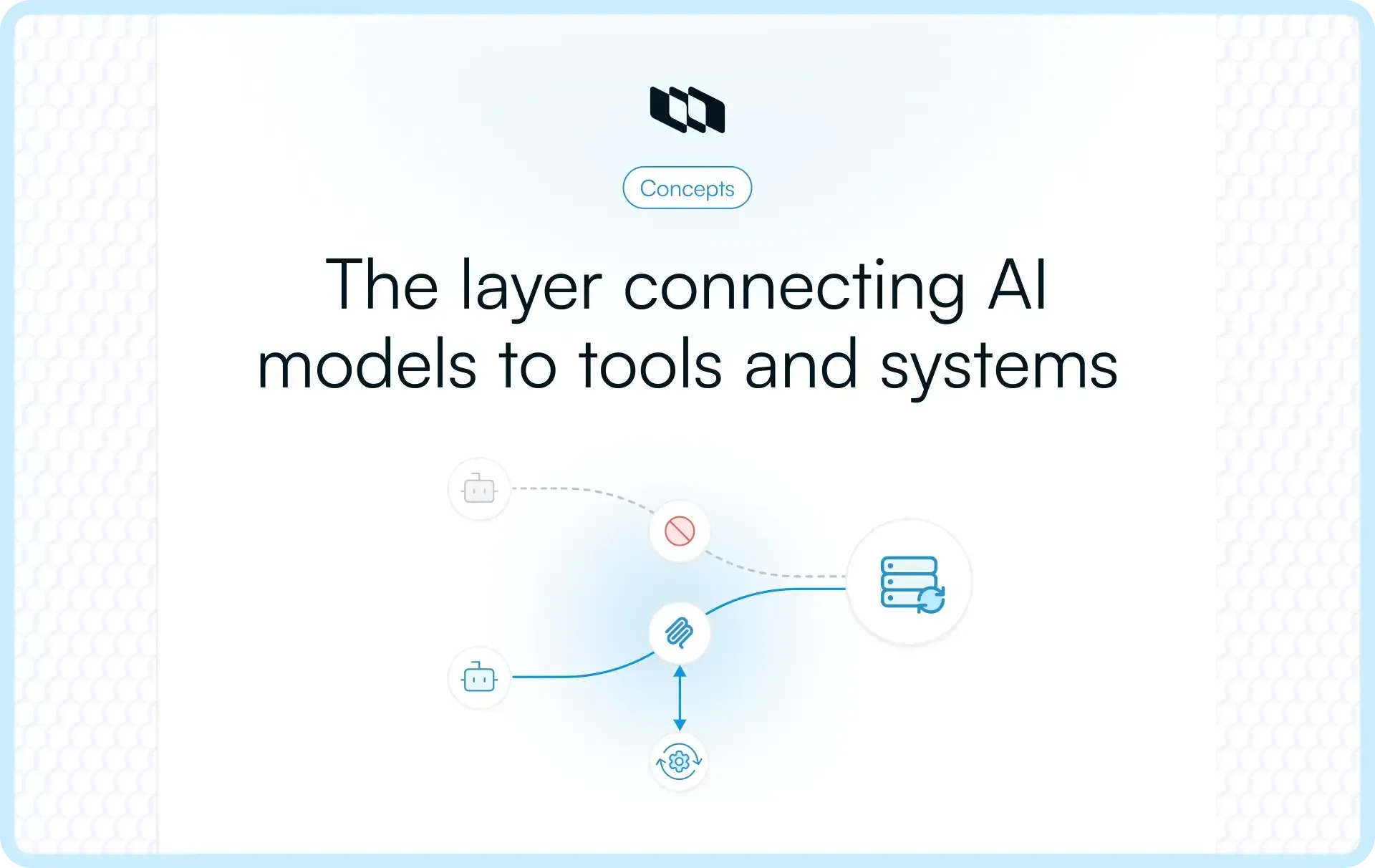
What turns an AI assistant from a closed system into something that can actually work with live tools and data? Often, the answer is an MCP server. It sits between an AI client and external systems, exposing the resources and actions the model can use through the Model Context Protocol. In this guide, we will break down how an MCP server works, what it exposes, how requests move through the system, and where MCP fits into modern AI infrastructure.
What is an MCP server?
An MCP server is a program or service that uses the Model Context Protocol to connect AI applications with external systems such as databases, APIs, files, and software tools.
The simplest distinction is:
- MCP is the protocol that defines how AI applications communicate with external capabilities.
- An MCP server is the implementation that makes those capabilities available through MCP.
An MCP server sits between an MCP client and the external system it connects to. It can:
- Retrieve information from files, databases, or APIs
- Expose tools that an AI application can call
- Enable approved actions in external systems
- Describe its capabilities in a standardized, machine-readable format
For example, a database MCP server could let an AI assistant query approved datasets, while a file-system MCP server could give it access to selected files.
MCP servers can run locally on the same machine as the client or remotely as hosted services. In both cases, their role is the same: give MCP-compatible AI applications a consistent way to access external data and capabilities.
Why do AI applications need MCP servers?
AI applications become more useful when they can work with current information and external tools. The challenge is connecting them to those systems in a way that remains manageable as the number of models, tools, and integrations grows.
1. AI models start with limited access to live systems
A model only has access to the context and capabilities made available to it at runtime. Current database records, private files, application state, and actions inside external software require an integration layer.
An MCP server provides that connection, allowing an AI application to retrieve relevant information or invoke approved tools when a task requires them.
2. Point-to-point integrations become difficult to scale
Consider five AI applications that each need to connect with ten external tools. Building every connection independently can create up to 50 separate integrations.
This is often described as the NxM integration problem. As either side grows, teams have more connectors to build, test, secure, and maintain.
3. Every external system has its own interface
Databases, APIs, file systems, and SaaS applications expose their capabilities differently. Each may have its own authentication method, data format, schema, and error-handling behavior.
Without a common protocol, developers have to account for those differences separately whenever they connect an AI application to a new system.
4. MCP provides a common interface
The Model Context Protocol gives compatible AI applications and external systems a shared way to communicate. An MCP client can work with different MCP servers through the same protocol, while each server handles the specifics of the system behind it.
This makes integrations more reusable. An AI application that supports MCP can discover and use capabilities exposed by different servers without requiring a completely new client-side integration pattern for every tool.
How does an MCP server work?
An MCP server works by receiving structured requests from an MCP client, interacting with the external system it connects to, and returning the result in a format the AI application can use.
Consider a simple example:
A user asks an AI assistant, “Which open pull requests are blocking our next release?”
The assistant needs current information from GitHub, so it uses an MCP server connected to the repository.
Here is what happens next.
1. The user makes a request
The process starts with a normal user request.
In this example: “Which open pull requests are blocking our next release?”
The AI can understand the question, but answering it requires live repository data that is outside its current context.
2. The AI identifies the external capability it needs
The host gives the model information about the capabilities available through connected MCP servers.
The model can then identify that it needs access to repository data, such as:
- Open pull requests
- Review status
- Merge status
- Labels
- Linked issues
It selects the appropriate capability based on what the MCP server has made available.
3. The MCP client discovers what the server can do
The MCP client communicates with the connected server and retrieves structured descriptions of the tools, resources, or prompts it exposes.
A GitHub MCP server, for example, might expose tools for:
- Listing pull requests
- Retrieving pull request details
- Reading review status
- Searching issues
- Checking repository metadata
This discovery step means the AI application can understand available capabilities without developers manually defining every interaction inside the host.
4. The client sends a structured request
Once the required capability has been selected, the MCP client sends a request to the MCP server.
Conceptually, the request might mean: Retrieve the open pull requests for this repository and return their current review and merge status.
The MCP server receives the request along with the inputs required to carry it out.
5. The MCP server talks to the external system
The server now handles the system-specific work.
In our example, the GitHub MCP server communicates with GitHub to retrieve the requested repository information.
Depending on what it connects to, an MCP server might:
- Call an API
- Query a database
- Read a file
- Retrieve a document
- Execute an approved tool
- Trigger an external workflow
The AI application does not need to handle those implementation details directly. The MCP server manages the connection to the underlying system.
6. The server returns a structured result
After retrieving the information, the MCP server sends the result back through MCP.
For example, it might return details such as:
- PR #214 is waiting for review
- PR #219 has failing checks
- PR #223 is approved but has a merge conflict
The server provides the information in a structured form that the MCP client and host can process.
7. The AI uses the result
The MCP client passes the result back to the host, where the model can interpret it in the context of the original request. The AI can now reason over current repository data instead of relying only on information already present in its context.
It might conclude:
- Two pull requests are blocking the release
- One needs approval
- Another needs its failing checks fixed
8. The user receives the answer
The user finally gets a response based on live information from the external system.
The complete flow looks like this:
User request → AI host → MCP client → MCP server → External system → MCP server → AI → User
If the request involves an action instead of information retrieval, the same general flow applies. For example, an MCP server with the appropriate permissions could update a record, create an issue, send a message, or trigger another approved action.
This is the core idea behind how an MCP server works: the AI decides what external capability it needs, the MCP client communicates with the appropriate server, and the server handles the connection to the system where the actual data or action lives.
How does an MCP server fit into MCP architecture?
An MCP server is one part of a larger MCP server architecture that connects an AI application to external data and capabilities.
At a high level, the flow looks like this:
User → MCP host → MCP client → MCP server → External system
Each component has a specific role.
1. MCP host
The host is the AI application or environment the user interacts with, such as an AI assistant or AI-enabled IDE.
It typically:
- Handles the user interaction
- Runs or coordinates the AI model
- Manages connections to MCP clients
- Decides when external capabilities may be needed
2. MCP client
The MCP client operates within the host and handles communication with MCP servers.
It can:
- Discover capabilities exposed by a server
- Send structured requests
- Pass required inputs to the server
- Return server results to the host
A host can use multiple MCP clients when it needs to connect with different servers.
3. MCP server
The MCP server exposes the data and capabilities of an external system through the MCP protocol.
It handles tasks such as:
- Describing available tools and resources
- Receiving requests from the MCP client
- Interacting with the connected system
- Returning structured results
For example, a GitHub MCP server could expose capabilities for reading repository information or performing approved repository actions.
4. External system
The external system is where the actual data or functionality lives. Depending on the MCP server, this could be:
- A database
- A file system
- An API
- A SaaS application
- An internal service
- A development tool
The MCP server handles the connection to that system, while the MCP client communicates with the server through a consistent protocol.
In practice, this architecture gives AI applications a standard path from a user request to the external capability needed to complete it.
What does an MCP server expose?
An MCP server exposes capabilities that an AI application can discover and use through the MCP protocol. These capabilities generally fall into three core categories: tools, resources, and prompts.
1. Tools
Tools are actions the AI can invoke through the server.
For example, a tool might let the AI:
- Query a database
- Create a file
- Send a message
- Update a record
- Call an external service
Tools are useful when the AI needs to perform an action in another system.
2. Resources
Resources provide information or context that the AI can access.
These can include:
- Files
- Database records
- Schemas
- Documents
- Configuration data
Resources give the model access to information exposed by the server in a structured format.
3. Prompts
Prompts are reusable prompt templates that the server makes available to the client. They can package common instructions or workflows, making it easier to reuse the same interaction pattern across repeated tasks.
4. Discovery and metadata
MCP also lets clients discover what a server makes available. Instead of developers hardcoding every capability into the AI application, the client can request structured descriptions of available tools, resources, and prompts, along with the information needed to use them.
This gives MCP-compatible applications a consistent, machine-readable way to understand what each server can do.
How do MCP clients and servers communicate?
MCP clients and servers exchange structured messages using JSON-RPC 2.0. The transport used to carry those messages depends largely on where the server runs.
JSON-RPC 2.0
JSON-RPC provides the message format MCP uses for requests, responses, and errors.
For example, when an MCP client wants to call a tool, it sends a structured request that identifies the tool and includes the required arguments. The server processes that request and returns a structured result.
This gives different MCP clients and servers a consistent way to understand each other.
STDIO for local MCP servers
STDIO, or standard input and output, is commonly used when the MCP client and server run on the same machine. The host starts the MCP server as a local process, sends messages through its standard input, and receives results through its standard output.
This model works well for local integrations such as:
- Accessing files
- Working with local development tools
- Interacting with code repositories
- Connecting to resources available on the user's machine
Streamable HTTP for remote MCP servers
A remote MCP server typically communicates with clients over Streamable HTTP. Instead of running alongside the client, the server can operate on another machine or in a hosted environment. The client sends MCP requests over HTTP and receives the corresponding responses.
This makes remote servers suitable for shared services, cloud applications, internal systems, and integrations that multiple users or AI applications need to access.
MCP is now stateless at the protocol layer
The July 2026 MCP specification simplified remote communication by making the protocol core stateless.
Earlier versions used an initialization handshake and could maintain protocol-level sessions between a client and server. Under the current specification, each request carries the information needed to process it, so the server does not depend on a previous MCP request.
A client can still discover a server's capabilities when needed, but that discovery is separate from maintaining a persistent protocol session.
For developers, this makes remote MCP servers easier to operate across ordinary HTTP infrastructure because individual requests can be handled independently.
What is the difference between an MCP client and an MCP server?
The simplest way to understand MCP client vs MCP server is by looking at which side initiates the interaction. An MCP client requests capabilities. An MCP server exposes those capabilities and connects the client to the underlying system.
Aspect | MCP client | MCP server |
Role | Requests capabilities | Exposes capabilities |
Location | Usually runs inside the MCP host | Runs locally or remotely, connected to an external system |
Main responsibility | Discovers capabilities, sends requests, receives results | Provides tools and resources, handles requests, accesses external systems |
Connects to | One or more MCP servers | APIs, databases, files, applications, or other services |
Example | MCP client inside an AI assistant | GitHub, database, or file-system MCP server |
For example, if an AI assistant needs information from a repository, the MCP client sends the request. The MCP server receives it, interacts with the repository, and returns the result.
They work together as two sides of the same connection: the client asks what is available and requests it, while the server provides access to the underlying capability.
What are local and remote MCP servers?
MCP servers can run either locally or remotely. The difference comes down to where the server runs and how the MCP client connects to it.
Local MCP servers
A local MCP server runs on the same machine or environment as the MCP client.
It commonly uses STDIO for communication and is useful when the AI application needs access to resources that already live on the user's device or development environment.
Common use cases include:
- Reading local files
- Working with a codebase
- Accessing development tools
- Querying local databases
- Interacting with private machine-level resources
Because the server runs close to the client, local MCP servers are often a practical choice for developer workflows and device-specific integrations.
Remote MCP servers
A remote MCP server runs on another machine or in a hosted environment and is usually accessed over Streamable HTTP.
Remote servers are better suited to capabilities that need to be shared across users, teams, or multiple AI applications.
They can support use cases such as:
- Connecting to cloud applications
- Accessing shared databases
- Integrating with internal services
- Exposing organization-wide tools
- Providing centrally managed capabilities to multiple clients
The core role stays the same in both setups. A local or remote MCP server exposes capabilities through the Model Context Protocol, while the deployment model determines where the server runs and how clients reach it.
What are MCP servers used for?
MCP servers are used when an AI application needs access to data, tools, or actions that live outside the model itself. The exact use case depends on the system the server connects to.
1. Development and code repositories
An MCP server can connect AI applications to source-code platforms and developer tools.
This can allow an AI assistant to:
- Inspect repositories
- Retrieve issues or pull requests
- Read code and documentation
- Check development activity
- Perform approved repository actions
2. Databases and data systems
MCP servers can expose structured data from databases, warehouses, and internal data systems.
An AI application could use them to:
- Retrieve current records
- Run approved queries
- Inspect schemas
- Analyze operational data
- Combine information from multiple datasets
3. Files and knowledge sources
AI applications can use MCP servers to access files and organizational knowledge that would otherwise sit outside their context.
Examples include:
- Documents
- Local files
- Technical documentation
- Knowledge bases
- Configuration files
This gives the model access to relevant information when a user asks a question that depends on those sources.
4. Business applications
MCP servers can connect AI systems with applications used across sales, support, communication, operations, and other business functions.
For example, an AI assistant might retrieve a customer record from a CRM, look up a support ticket, or send an approved message through a communication platform.
Project management is another example. An MCP server can give AI agents controlled access to project data and actions. For a deeper look at this use case, see Plane’s guide to MCP for project management.
5. Web and external services
MCP servers can also connect AI applications to APIs and other web services when they need live information from outside their existing context.
This might include:
- Retrieving current service data
- Calling external APIs
- Checking system status
- Fetching information from third-party services
6. Agentic workflows
MCP becomes especially useful when AI agents need to work across several systems while completing a task. An agent might retrieve information from one source, use it to make a decision, then invoke a tool in another system. MCP servers provide the controlled interfaces that make those interactions possible.
This makes what MCP servers are used for fairly broad: anywhere an AI application needs structured access to external data or approved actions, an MCP server can provide that connection.
MCP server vs. API: What is the difference?
An API and an MCP server can both give software access to external systems, but they serve different purposes.
An API is a general interface that lets one software system communicate with another. An MCP server exposes data and capabilities in a format designed for MCP-compatible AI applications and agents.
Factor | MCP server | API |
Designed for | AI applications and agents | General software integration |
Interface | Uses the Model Context Protocol | Uses provider-specific endpoints and conventions |
Capability discovery | Clients can discover available tools, resources, and prompts | Developers usually rely on documentation or configuration |
AI usability | Capabilities are described in a structured way that AI clients can use | Developers typically build the integration logic themselves |
Underlying systems | Can expose APIs, databases, files, tools, and services | Usually expose functionality from a specific application or service |
Typical role | Gives AI clients a consistent way to access external capabilities | Provides programmatic access to a system |
The important point is that MCP servers usually work with existing APIs rather than replacing them.
For example, a CRM may already provide an API for retrieving customer records. An MCP server can use that API behind the scenes, then expose selected CRM capabilities through MCP so an AI assistant can discover and invoke them through a standard interface.
In that setup:
AI application → MCP client → MCP server → CRM API → CRM
The API still handles access to the underlying application. The MCP server adds an AI-oriented layer that describes available capabilities and provides a consistent way for compatible clients to use them.
This is why the MCP server vs. API comparison is better understood as a difference in purpose and interface. APIs connect software systems broadly, while MCP servers make external capabilities easier for AI applications and agents to discover and use.
MCP server vs RAG: How are they different?
RAG and MCP solve different parts of the problem.
- Retrieval-augmented generation (RAG) helps an AI system retrieve relevant information and add it to the model's context before generating a response. It is mainly used for grounding answers in external knowledge.
- MCP defines a standard way for AI applications to communicate with external systems and capabilities. Through an MCP server, an AI application can retrieve information, discover tools, and perform approved actions.
Factor | MCP server | RAG |
Primary purpose | Connect AI applications to external capabilities | Retrieve relevant information for model context |
Can retrieve data | Yes | Yes |
Can trigger actions | Yes, when tools are exposed | Typically no |
Common use | Tools, APIs, databases, files, services | Documents, knowledge bases, search indexes |
The two can work together. An AI application might use RAG to retrieve relevant internal knowledge, then use an MCP server to act on that information in another system.
What are the security risks of MCP servers?
MCP servers can give AI applications access to sensitive data and the ability to perform actions in external systems. That makes permissions, identity, and monitoring especially important.
The main risks usually come from what the server can access and what the AI is allowed to do with that access.
1. Over-permissioned tools
An MCP server may expose tools that can read, create, update, or delete information.
If an AI application receives broader access than it needs, an incorrect or unintended tool call can have a larger impact. Teams should follow the principle of least privilege and expose only the capabilities required for a specific workflow.
2. Weak authentication and authorization
Remote MCP servers need a reliable way to verify who is making a request and what that user or client is allowed to access. Authorization should be enforced for sensitive tools and resources so that connecting to an MCP server does not automatically grant unrestricted access to the systems behind it.
3. Sensitive data exposure
Resources returned by an MCP server can contain:
- Customer information
- Internal documents
- Source code
- Credentials
- Operational data
- Confidential business records
Access controls should apply to the data itself, and servers should avoid exposing more information than the task requires.
4. Prompt injection and untrusted content
Information retrieved from external systems can contain instructions or content designed to influence an AI model.
For example, a document or web page accessed through an MCP server could contain malicious instructions that attempt to trigger another tool or expose sensitive information.
AI applications should treat external content as untrusted input and apply controls before allowing consequential actions.
5. Limited monitoring and auditability
When an MCP server can trigger actions, teams need visibility into what happened.
Useful records include:
- Which tool was called
- Who initiated the request
- What permissions were used
- Which resources were accessed
- Whether the call succeeded or failed
Logs and audit trails make it easier to investigate errors, review sensitive actions, and understand how MCP-connected AI systems are being used.
Security therefore depends on more than the protocol itself. A well-designed MCP deployment combines narrow permissions, strong authorization, controlled data access, protection against untrusted inputs, and clear visibility into tool activity.
What should you look for in an MCP server?
A useful MCP server should be predictable, secure, and easy for both developers and AI clients to understand. Before adopting one, look at how clearly it exposes capabilities and how reliably it behaves in production.
1. Clear capability and tool definitions
Tools, resources, and prompts should have clear names, descriptions, inputs, and outputs.
Well-defined capabilities make it easier for an MCP client to understand what the server can do and reduce the chance of ambiguous or incorrect tool use.
2. Appropriate authentication and permissions
The server should enforce access controls that match the sensitivity of the systems behind it.
Check whether it supports:
- Authenticated access
- Least-privilege permissions
- Scoped tool access
- Controlled access to sensitive resources
3. Reliable error handling
Failures should return useful, structured information.
A good server should make it clear when:
- A request is invalid
- A tool call fails
- Permissions are insufficient
- An external service is unavailable
Clear errors make MCP integrations easier to debug and safer to operate.
4. Logging and observability
Teams should be able to see how the server is being used.
Useful visibility includes:
- Tool calls
- Request failures
- Response times
- Permission errors
- Resource access
This becomes especially important when MCP servers support production AI applications or agentic workflows.
5. Performance and scalability
An MCP server should be able to handle the expected number of clients, requests, and external calls without becoming a bottleneck. For a remote MCP server, this also means considering latency, concurrency, rate limits, and the reliability of the underlying services it connects to.
The right MCP server is one that exposes useful capabilities clearly, protects the systems behind it, and behaves consistently as usage grows.
Wrapping up
MCP servers give AI applications a consistent way to reach beyond their built-in context and work with external systems. They can expose data, tools, and actions through a common protocol, which makes integrations easier to discover, reuse, and manage.
The real value of MCP becomes clearer as AI applications grow more connected. Instead of treating every tool or data source as a separate integration problem, teams can use a shared interface and focus more on what the AI should be allowed to access, how reliably those capabilities work, and how safely they are used.
Frequently asked questions
Q1. What is MCP vs API?
An API is a general interface that allows software applications to exchange data or functionality. MCP, or Model Context Protocol, is a standard designed specifically to help AI applications discover and use external tools, data, and services.
MCP often works with existing APIs rather than replacing them. An MCP server can call an API behind the scenes and expose selected capabilities to AI clients through a consistent interface.
Q2. What is MCP server vs agent?
An MCP server provides access to external tools, data, and capabilities. An AI agent uses reasoning, context, and available tools to work toward a goal or complete a task.
For example, an agent might decide that it needs repository data to answer a question. It can use an MCP server to access that repository. The agent decides what to do, while the MCP server provides the connection to the external capability.
Q3. What is the difference between RAG and MCP?
RAG, or retrieval-augmented generation, retrieves relevant information and adds it to an LLM's context so the model can produce a more informed response. MCP provides a standardized way for AI applications to connect with external data sources and tools.
RAG is primarily focused on retrieving knowledge. MCP can support information retrieval as well as actions, such as calling an API, updating a record, or invoking a tool. The two approaches can also be used together.
Q4. What is the difference between LLM skills and MCP?
LLM skills are reusable instructions, workflows, or domain-specific guidance that teach an AI agent how to perform a task. MCP is a protocol that gives AI applications a standardized way to access external tools and data.
A skill might tell an agent how to review a pull request, while an MCP server could give that agent access to the repository and the tools required to complete the review. Skills define how a task should be approached, while MCP can provide the external capabilities needed to carry it out.
Q5. Can an MCP server work without an LLM?
Yes. An MCP server can run without an LLM because the server itself is responsible for exposing tools, resources, and other capabilities through the Model Context Protocol.
Any compatible MCP client can communicate with the server programmatically. In most real-world use cases, however, MCP servers are connected to AI applications where an LLM or agent decides when and how to use the capabilities the server exposes.
Recommended for you



 Download for Mac
 Download for Android