What is a project wiki? How teams use it
Introduction
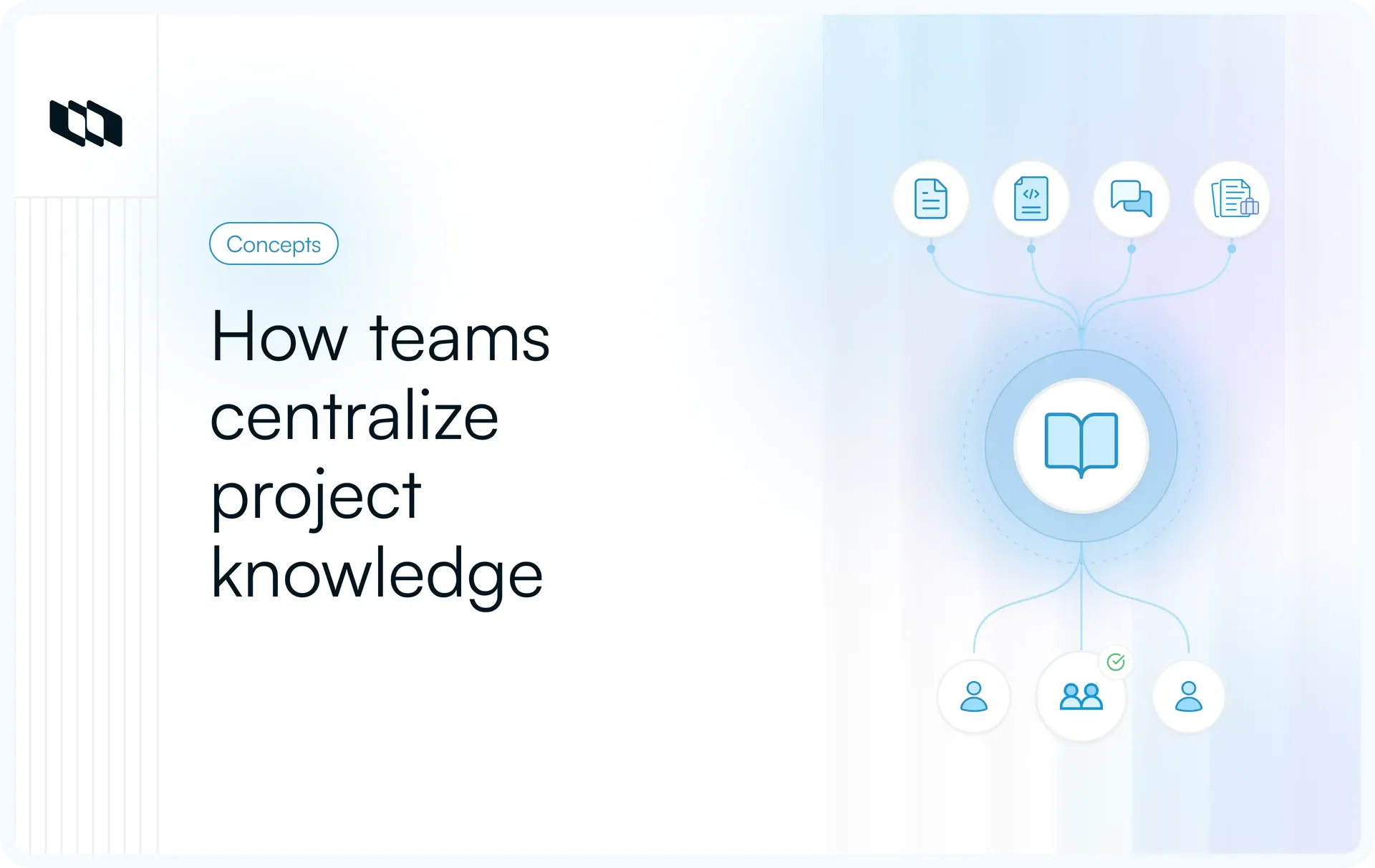
Project information often gets scattered across planning documents, meeting notes, chat threads, and task boards. As requirements change and decisions accumulate, teams can struggle to find the latest information or understand why certain choices were made. A project wiki brings this knowledge into one organized, accessible space, giving everyone a reliable reference throughout the project lifecycle.
In this guide, we'll explore how a project wiki works, what it should contain, and how teams use it to maintain a single source of truth.
What is a project wiki?
A project wiki is a shared, collaboratively maintained knowledge space where teams create, organize, and update information related to a specific project. It serves as a central reference for project requirements, decisions, workflows, and technical documentation, helping everyone work with consistent, up-to-date information.
In project management, a project wiki serves three key purposes:
- Centralized project knowledge: Brings project objectives, requirements, plans, meeting notes, and decisions into one accessible location, making essential information easier to find.
- Collaborative documentation: Allows team members to contribute knowledge, update existing pages, and preserve important context as requirements and priorities evolve.
- Project-specific organization: Unlike static document repositories that primarily store files, a wiki connects related information through linked pages. It also has a narrower focus than a company wiki, organizing knowledge around a particular project's activities and deliverables.
For example, a software development team launching a new feature might maintain product requirements, API specifications, design decisions, testing guidelines, and release checklists in its project wiki. Developers, product managers, and QA engineers can refer to the same documentation and update relevant pages as development progresses.
How does a project wiki work?
A project wiki works by organizing project documentation into interconnected pages that team members can create, edit, and reference throughout a project's lifecycle. As requirements evolve, decisions are made, or workflows change, contributors update the relevant pages to keep shared information accurate and accessible.
Key components of a project wiki
The following six components make it possible to manage project knowledge collaboratively:
- Centralized documentation: A project wiki provides a common location for project briefs, requirements, technical specifications, meeting notes, and decisions. Team members can access relevant information without relying on scattered files or individual conversations.
- Structured pages and navigation: Information is organized into categories, parent pages, and subpages based on project needs. For example, a product development wiki might have separate sections for product requirements, engineering documentation, testing, and releases.
- Collaborative editing and contributions: Authorized team members can create pages, revise documentation, and contribute their expertise. Product managers might maintain requirements, while engineers update technical specifications and QA teams document testing procedures.
- Internal linking and search: Related pages can be connected through hyperlinks, helping users follow information across documents. Search functionality makes it easier to locate specific requirements, decisions, or reference materials without navigating the entire wiki.
- Access permissions and version history: Depending on the platform, permissions determine who can view, edit, or manage wiki content. Version history records previous changes, allowing teams to review document updates, identify contributors, and recover earlier information when necessary.
- Connections to project tasks and workflows: Some project wiki platforms support linking documentation directly to tasks, milestones, or project records. This allows team members to access relevant requirements, decisions, and instructions while working on associated deliverables.
Together, these components create a documentation system that evolves alongside the project, helping teams maintain shared context as work progresses.
What information should a project wiki contain?
A project wiki should contain the information teams need to plan work, understand requirements, coordinate responsibilities, and track important decisions. Its structure depends on the project's scope and complexity, but most project management wikis benefit from eight core documentation categories.
1. Project overview and objectives
The project overview establishes the context for everyone involved. It typically includes the project brief, business objectives, expected outcomes, scope, key stakeholders, and success criteria. This gives team members a starting point for understanding what the project aims to achieve and how success will be evaluated.
2. Project plans, timelines, and milestones
Planning documentation explains how the team intends to deliver the project. It includes delivery plans, milestone schedules, dependencies, resource requirements, and important deadlines. Teams can reference these pages to understand delivery expectations and the reasoning behind major scheduling decisions.
3. Requirements and specifications
Requirements documentation defines what the project must deliver and the conditions the finished work should satisfy. Depending on the project, this may include:
- Product requirement documents (PRDs) and feature specifications.
- User stories, acceptance criteria, and functional requirements.
- Design references, prototypes, and documented constraints.
These records help product, design, and engineering teams maintain a shared understanding of the intended deliverables.
4. Team roles, responsibilities, and workflows
This section clarifies who is responsible for different aspects of the project and how work moves between contributors. It may include team directories, ownership matrices, approval processes, communication guidelines, and escalation procedures.
5. Meeting notes and decision logs
Meeting records capture discussions, action items, and follow-up responsibilities. Decision logs provide a more permanent record of significant choices, including their rationale, decision-makers, dates, and implications. Together, they help team members understand how the project evolved and why particular approaches were selected.
6. Technical documentation and reference materials
Engineering projects often require detailed technical references that remain accessible throughout development and maintenance. Common examples include architecture diagrams, API documentation, data models, environment configurations, integration specifications, and troubleshooting guides.
7. Risks, changes, and issue records
Project teams can maintain records of identified risks, active issues, scope changes, and their potential impact on delivery. These pages should capture relevant context, assigned owners, mitigation actions, and resolution decisions, making it easier to understand how challenges have been addressed.
8. Handoffs, retrospectives, and lessons learned
As projects move toward completion, the wiki can preserve release documentation, operational handoff instructions, outstanding work, and retrospective findings. This information helps support teams take ownership of delivered work and gives future projects a reference for recurring challenges and successful practices.
Example: Project wiki structure for a software development team
Consider a team developing a customer onboarding feature. Its project wiki could use the following page hierarchy:
- Project home
- Project overview and objectives
- Team members and responsibilities
- Project timeline and milestones
- Product and design
- Product requirements and user stories
- User flows and design specifications
- Acceptance criteria
- Engineering documentation
- System architecture
- API specifications
- Development and testing guidelines
- Project coordination
- Meeting notes and decision logs
- Risk and issue register
- Change requests
- Release and handoff
- Release checklist
- Support and maintenance documentation
- Retrospective and lessons learned
This structure gives each category a clear location while allowing related pages to reference one another. Teams can expand or simplify the hierarchy as the project grows, keeping frequently used information easy to locate.
How do teams use a project wiki throughout the project lifecycle?
A project wiki supports teams at different stages of project delivery, from establishing initial goals to preserving knowledge after completion. As work progresses, it provides a shared reference for reviewing decisions, resolving questions, coordinating activities, and maintaining continuity across teams.
Here are six ways teams use a project wiki throughout the project lifecycle:
1. Project initiation and stakeholder alignment
During project initiation, teams use the wiki to establish a common understanding of the project's purpose, scope, and expected outcomes. Stakeholders can review the initial project brief, clarify assumptions, and document agreements before execution begins.
For example, when launching a new product feature, product managers can share the proposed scope with engineering, design, and business stakeholders. Any clarifications or agreed changes are recorded in the wiki so everyone works from the same understanding.
2. Planning and requirements documentation
During planning, teams reference the wiki to translate project objectives into actionable requirements and delivery plans. Product managers can link requirements to design references, while engineering leads use the documented specifications to estimate work and identify dependencies.
When requirements change during refinement, updating the relevant wiki pages helps everyone understand the revised expectations before implementation.
3. Execution and cross-functional coordination
During execution, the wiki becomes a shared reference for resolving questions and coordinating work across functions. Contributors can consult established requirements, implementation guidelines, and technical decisions while completing their assigned tasks.
For example, backend engineers might document an API contract that frontend developers use during integration. QA engineers can reference the same specifications when preparing test cases, keeping implementation and validation aligned.
4. Tracking decisions and project changes
As projects evolve, teams use the wiki to preserve the reasoning behind important decisions. When priorities shift, technical constraints emerge, or scope changes are approved, contributors can record:
- What changed: The requirement, approach, or deliverable affected.
- Why it changed: The context and reasoning behind the decision.
- Who approved it: The stakeholders responsible for the decision.
- What happens next: The impact on related tasks, dependencies, or timelines.
This creates a traceable decision history that helps team members understand project changes without reconstructing previous discussions.
5. Onboarding and knowledge handoffs
When new contributors join a project, the wiki provides an entry point for understanding its goals, current progress, established conventions, and earlier decisions. New team members can review relevant documentation before discussing specific questions with colleagues.
The same approach supports handoffs between teams. For example, an engineer transferring ownership of a service can link to architecture notes, deployment instructions, known limitations, and troubleshooting procedures, giving the incoming owner the context needed to continue work.
6. Project closure and knowledge retention
At project closure, teams use the wiki to capture delivery outcomes, unresolved issues, operational guidance, and lessons from execution. Retrospective findings can be linked to the decisions and challenges that shaped the project's results.
For example, after a software release, the engineering team might document deployment lessons and recurring integration issues. Future teams can reference these findings when planning similar work, preserving useful project knowledge beyond the original delivery team.
Why is a project wiki important for project teams?
As projects grow, information spreads across teams, tools, and conversations, making it harder to maintain consistent context. A well-organized project wiki helps teams manage this complexity by keeping essential knowledge accessible, connected, and current.
Here are seven key benefits of using a project wiki in project management:
1. Establishes a single source of truth
A project wiki gives teams an agreed location for authoritative project information, reducing confusion caused by multiple document versions or conflicting updates. When requirements, specifications, and decisions change, contributors can update the relevant pages so stakeholders have a consistent reference.
This is particularly valuable for projects involving multiple teams, where outdated information can lead to implementation errors, unnecessary revisions, or misaligned expectations.
2. Reduces information silos
Important project knowledge often remains with individual team members or within department-specific tools. A shared wiki makes relevant information available across functions, allowing teams to understand work beyond their immediate responsibilities.
For example, documenting engineering constraints alongside product requirements helps designers and product managers account for technical limitations when making decisions. Shared visibility also reduces dependence on individual contributors for routine information.
3. Improves cross-functional collaboration
A project wiki provides a common reference for teams with different responsibilities, helping them coordinate around established requirements, decisions, and workflows.
Product managers can clarify acceptance criteria, engineers can contribute implementation details, and QA teams can document validation requirements within the same knowledge environment. This shared context helps teams identify inconsistencies earlier and resolve questions with relevant information readily available.
4. Makes project knowledge easier to find
As documentation accumulates, locating a specific requirement or decision can become time-consuming. A structured project management wiki improves information discovery through organized page hierarchies, internal links, and searchable content.
Team members can navigate directly to relevant information or follow connections between related topics. Clear page titles, consistent organization, and maintained navigation make frequently referenced knowledge easier to retrieve during everyday work.
5. Simplifies onboarding and handoffs
New contributors often need substantial context before they can work independently. A project wiki provides a structured starting point for understanding project goals, responsibilities, technical conventions, and previous decisions.
It also improves continuity when responsibilities change. Incoming team members can review established procedures and relevant project history, allowing handoff discussions to focus on unresolved questions and current priorities rather than rebuilding foundational context.
6. Improves decision transparency and traceability
Project decisions influence scope, priorities, technical approaches, and delivery timelines. Recording these decisions in a wiki helps teams understand how and why the project evolved.
A maintained decision history provides visibility into:
- Decision rationale: The factors and constraints considered.
- Accountability: Who made or approved the decision.
- Project impact: Which requirements, deliverables, or workflows were affected.
This context becomes especially valuable when teams revisit earlier assumptions, evaluate changes, or investigate unexpected project outcomes.
7. Preserves knowledge beyond individual projects
Completed projects often contain valuable insights about technical challenges, delivery approaches, and process improvements. A project wiki preserves these findings in a form that future teams can reference.
For example, lessons from a complex system migration can inform planning, risk assessment, and implementation choices for similar initiatives. Keeping this knowledge organized and accessible helps organizations build on previous experience instead of repeatedly solving familiar problems.
How do you create a project wiki?
Creating a project wiki requires a clear documentation structure, defined ownership, and a process for keeping information current. The goal is to build a knowledge space that team members can use during everyday project work, with relevant information easy to find, contribute to, and maintain.
Here are eight practical steps to create a project wiki for your team.
Step 1. Define the wiki's purpose and audience
Start by identifying who will use the wiki and what information they need to access. Different contributors rely on different types of project documentation, so understanding their requirements helps establish the wiki's initial scope.
Consider three questions:
- Who will use it? Identify primary users, such as product managers, developers, designers, QA engineers, and project stakeholders.
- What information do they need? Determine the requirements, decisions, procedures, and reference materials they access regularly.
- What problems should it solve? Identify recurring documentation gaps, scattered information, or questions that repeatedly require clarification.
For example, an engineering team's wiki might prioritize technical specifications, architectural decisions, and development guidelines, while a cross-functional product team's wiki may require broader coverage of requirements, milestones, and stakeholder decisions.
Step 2. Choose a suitable wiki platform
Select a project wiki platform that supports your team's documentation requirements and existing workflows. Consider how easily contributors can create content, locate information, collaborate, and connect documentation with project activities.
Evaluate the platform against these capabilities:
- Editing and collaboration: Simple page creation, formatting, comments, and collaborative updates.
- Organization and discovery: Page hierarchies, internal linking, and searchable documentation.
- Access and accountability: Permissions, version history, and content ownership.
- Workflow compatibility: Connections with project management tools, task records, and relevant integrations.
Also consider deployment requirements, administrative overhead, and how project information can be exported or retained over time. A platform that fits existing team practices is generally easier to incorporate into daily work.
Step 3. Plan the page hierarchy and navigation
Organize the wiki around how team members look for information. A clear hierarchy allows contributors to identify the appropriate section quickly and understand how different documents relate to one another.
Begin with a project homepage that provides essential context and links to major documentation categories.
A practical navigation structure might include:
- Project overview: Objectives, scope, stakeholders, and success criteria.
- Product requirements: Feature specifications, user stories, and design references.
- Engineering: Architecture, API documentation, and development guidelines.
- Project delivery: Milestones, workflows, risks, and dependencies.
- Decisions and updates: Decision records, meeting outcomes, and approved changes.
- Release and operations: Deployment procedures, support references, and handoff materials.
Keep the initial structure manageable, use descriptive page titles, and create subpages when a topic requires more detailed documentation.
Step 4. Create essential pages and templates
Once the structure is established, create the pages contributors will use most frequently. Start with high-value documentation such as the project brief, requirements, decision log, technical references, and team workflows.
Use reusable templates to maintain consistency across similar documents. For example, a decision record template could include:
- Decision: What was agreed upon?
- Context: What prompted the decision?
- Rationale: What factors influenced the chosen approach?
- Owner and date: Who approved it, and when?
- Impact: Which requirements, tasks, or workflows are affected?
Templates make documentation easier to create and review, particularly when multiple contributors maintain information across different project areas.
Step 5. Add existing project documentation
Review the information already available in shared drives, planning tools, internal documents, and existing knowledge bases. Identify which materials are relevant, accurate, and worth incorporating into the wiki.
Use a simple documentation audit:
- Collect: Identify existing project briefs, specifications, decisions, and operational references.
- Review: Check whether the information reflects current requirements and agreed processes.
- Consolidate: Bring related information together and resolve conflicting document versions.
- Organize: Place content in the appropriate wiki sections and connect related pages.
Assign an authoritative location for frequently referenced information. Where documents must remain in specialized tools, link to the maintained source rather than creating additional copies that may become outdated.
Step 6. Connect wiki pages to ongoing project work
A project wiki becomes more useful when contributors can access documentation directly from the work they are performing.
Where supported, connect relevant wiki pages with tasks, requirements, milestones, and project records. This helps maintain the relationship between documented decisions and their implementation.
For example:
- Link feature requirements to the work items responsible for implementation.
- Reference architectural decisions from related engineering tasks.
- Connect testing guidelines to relevant validation activities.
- Attach release procedures to deployment milestones.
Establish a practice of reviewing affected documentation whenever requirements, workflows, or technical decisions change. This keeps the wiki aligned with project execution and reduces the risk of contributors following outdated instructions.
Step 7. Set permissions and assign content owners
Define who can access, contribute to, and maintain different parts of the project wiki. Permissions should reflect the sensitivity of information and the responsibilities of each contributor.
Assign clear documentation ownership:
- Product managers: Product requirements, scope, and feature decisions.
- Engineering leads: Architecture, technical specifications, and implementation standards.
- Project managers: Project coordination, delivery processes, and decision records.
- QA and operations teams: Testing procedures, release documentation, and operational handoffs.
These ownership assignments should guide maintenance while allowing relevant team members to contribute.
For important pages, record an owner and review date. Configure appropriate access for confidential or restricted information, and use version history where available to review significant documentation changes.
Step 8. Introduce the wiki into everyday team workflows
Once the wiki contains essential documentation, establish clear expectations for how contributors should use and maintain it.
Incorporate the wiki into existing project activities:
- Project planning: Reference documented objectives, requirements, and constraints during planning discussions.
- Team meetings: Record important decisions and link meeting outcomes to relevant pages.
- Development workflows: Include documentation references in work items and update specifications when implementation decisions change.
- Onboarding: Provide new contributors with a starting page and a curated set of essential references.
- Documentation reviews: Check important pages periodically for outdated information, missing owners, and broken links.
Encourage contributors to link to the appropriate wiki page when sharing project context. Over time, this helps establish the wiki as the team's preferred reference for project knowledge.
Example: A simple project wiki structure
Consider a software team developing a customer onboarding feature. Its wiki could follow this navigation hierarchy:
Customer onboarding project
- 01. Project overview
- Objectives and success metrics
- Scope and stakeholders
- Team responsibilities
- 02. Product and design
- Product requirements
- User flows and design references
- Acceptance criteria
- 03. Engineering
- System architecture
- API specifications
- Development guidelines
- 04. Project delivery
- Milestones and dependencies
- Risks and issues
- Meeting notes and decision log
- 05. Release and handoff
- Testing and release checklist
- Deployment instructions
- Support documentation
- Retrospective findings
This structure gives contributors a predictable location for important information while leaving room for additional pages as requirements evolve. Each category can have a designated owner, and related documents can link to the work items, decisions, or technical references they support.
What features should you look for in a project wiki?
The right project wiki software should make it easy for teams to document decisions, find relevant information, and keep project knowledge updated as work progresses. When evaluating a platform, consider how its capabilities support everyday collaboration, documentation management, and connections to existing project workflows.
Here are seven essential features to look for:
1. Simple document creation and editing
Team members should be able to create and update wiki pages without extensive technical knowledge. Look for intuitive editors that support headings, tables, checklists, images, code blocks, and embedded references. Easy editing encourages contributors across product, engineering, and operations to maintain documentation as their work evolves.
2. Organized navigation and powerful search
A project wiki should support logical page hierarchies, clear navigation, and search across document titles and content. Features such as nested pages, breadcrumbs, and contextual links help users move between related topics.
For larger projects, reliable search becomes particularly important when contributors need to locate specific requirements, technical decisions, or troubleshooting instructions.
3. Real-time collaboration and commenting
Collaborative editing allows multiple contributors to work on shared documentation, while comments provide a way to discuss requirements, suggest corrections, and clarify information. Depending on the platform, features such as mentions, notifications, and simultaneous editing can help teams coordinate documentation updates without creating separate discussion threads.
4. Templates and reusable page structures
Templates help teams maintain consistent documentation across projects and contributors. Look for reusable formats for common records, including:
- Project briefs: Objectives, scope, stakeholders, and expected outcomes.
- Technical specifications: Requirements, architecture, dependencies, and implementation details.
- Decision logs: Context, rationale, approvals, and impact.
- Meeting notes: Discussion summaries, action items, owners, and follow-ups.
Standardized page structures make documentation easier to create, review, and navigate.
5. Version history and access controls
Version history helps teams review previous edits, understand how documentation has changed, and restore earlier versions when necessary. Access controls determine who can view, edit, or manage specific content.
These capabilities are particularly valuable when documentation includes sensitive project information, formal approvals, or technical specifications that require controlled updates.
6. Links between documentation and project work
A useful project management wiki should allow teams to connect documentation with relevant tasks, milestones, and project records.
For example, linking a feature specification to its implementation tasks gives developers direct access to the requirements behind their work. Similarly, connecting architectural decisions to related engineering activities helps preserve technical context during development and future maintenance.
7. Integrations with existing team tools
Consider how the wiki connects with the applications your team already uses, including project management platforms, development tools, communication applications, and file storage systems.
Relevant integrations can make documentation accessible within existing workflows and reduce repeated manual updates. Evaluate whether integrations support the specific actions your team needs, such as linking records, embedding content, receiving notifications, or synchronizing information.
How do you maintain a project wiki as a reliable source of truth?
A project wiki remains useful when teams can trust the accuracy and relevance of its information. As projects evolve, documentation requires regular updates, clear ownership, and consistent organization to prevent outdated instructions, conflicting versions, and abandoned pages from creating confusion.
Here are six best practices for maintaining a reliable project wiki:
1. Assign clear ownership to important pages
Every critical wiki page should have a designated owner responsible for its accuracy and maintenance. Ownership can follow existing team responsibilities, with product managers maintaining requirements, engineering leads overseeing technical documentation, and project managers managing delivery-related information.
Include the page owner's name and the last review date on important documents. For shared documentation, establish who can approve significant changes and who will maintain the page if its primary owner becomes unavailable.
2. Establish documentation standards
Consistent documentation practices make information easier to understand, review, and maintain. Establish simple guidelines covering page titles, formatting, content structure, internal links, and how contributors should record updates.
A few standards can make a meaningful difference:
- Consistent naming: Use descriptive page titles that clearly identify the subject.
- Standard templates: Follow agreed formats for requirements, technical specifications, and decision records.
- Clear document status: Identify whether information is a draft, approved, under review, or archived.
- Authoritative references: Maintain one primary page for each important topic and link to it from related documentation.
These conventions help prevent duplicate information and make it easier for contributors to identify the current reference.
3. Update pages as project decisions change
Documentation should evolve alongside the decisions and activities it describes. When requirements change, architectural approaches are revised, or workflows are updated, the responsible contributor should review the affected wiki pages.
For example, if an engineering team changes an API contract, the updated specification should reflect the agreed changes, including any implications for dependent services or testing procedures. Recording the reason for significant revisions also helps future contributors understand the context behind them.
4. Review and verify information regularly
Schedule documentation reviews based on how frequently information changes and how critical it is to project execution. Active requirements, deployment procedures, and operational instructions may need reviewing at major delivery milestones, while stable reference materials can follow a less frequent schedule.
During each review, check whether:
- Requirements and procedures reflect current project decisions.
- Referenced links, files, and related work items remain relevant.
- Page owners and approval details are accurate.
- Conflicting or outdated information needs correction.
Record the last verified date so readers can assess how recently important documentation was checked.
5. Archive outdated or irrelevant content
As projects progress, some pages become obsolete because features are retired, processes change, or project phases conclude. Keeping these pages alongside active documentation can make it difficult to identify which instructions still apply.
Establish an archiving process that identifies outdated content, marks its status, and removes it from active navigation where appropriate. When historical context remains valuable, preserve the archived page with a link to its current replacement. This retains useful decision history while directing contributors toward the latest information.
6. Encourage continuous team contributions
Maintaining accurate project documentation requires input from the people closest to the work. Encourage team members to correct outdated instructions, document important discoveries, and flag missing information as part of their regular activities.
Make contributions manageable by allowing contributors to suggest edits, comment on unclear sections, or update pages within their areas of responsibility. Page owners can review substantial changes and resolve conflicting information before it becomes an established reference.
For example, when a developer discovers an undocumented deployment dependency, adding it to the relevant technical page helps future contributors avoid encountering the same issue. Over time, these small updates keep the project wiki aligned with how the team actually works.
How can teams manage project documentation with Plane?
Plane helps teams keep project knowledge connected to the work it supports through Pages and Wiki. Project Pages provide a place for documentation tied to individual projects, while Wiki organizes knowledge that teams need to access across the workspace.
Teams can use these capabilities to manage documentation in four ways:
- Organize project documentation with Pages: Create Project Pages for product requirements, technical specifications, implementation plans, meeting notes, and release procedures. This keeps project-specific information within the relevant project.
- Maintain shared knowledge with Wiki: Organize reusable documentation, such as engineering standards, onboarding guides, and operational procedures, into workspace-level Wiki Collections. Teams can group related information and maintain shared references across projects.
- Connect documentation to Work Items: Link relevant Project Pages or Wiki pages directly to Work Items so contributors can access requirements, design decisions, and implementation context while completing their tasks. Supported plans also allow Work Items to be embedded within Pages.
- Keep information accessible and controlled: Use page access settings, collaborative editing, and version history to manage contributions and documentation changes. Teams can control access to sensitive information while keeping shared references available to the appropriate contributors.
By keeping documentation and project execution in the same workspace, Plane makes it easier for teams to reference relevant knowledge as requirements, responsibilities, and delivery plans evolve.
Explore Plane Wiki and Pages to learn how teams can structure and connect their project documentation.
Conclusion
A well-maintained project wiki gives teams a reliable source of truth throughout the project lifecycle. With clear organization, defined ownership, and regular updates, teams can keep requirements accessible, preserve important decisions, and ensure project knowledge remains useful as responsibilities and priorities change.
With Plane, teams can organize project documentation through Pages and Wiki while keeping relevant knowledge connected to ongoing work. Talk to sales to explore how Plane can help your team manage project knowledge and execution in one workspace.
Frequently asked questions
Q1. What is a project wiki in project management?
A project wiki is a centralized, collaboratively maintained knowledge space that stores project requirements, plans, decisions, workflows, and technical documentation. It helps team members access consistent information, share updates, and maintain a single source of truth throughout the project lifecycle.
Q2. What is the difference between a project wiki and a knowledge base?
A project wiki focuses on collaboratively creating and maintaining documentation for a specific project, while a knowledge base typically organizes information for a broader audience or purpose, such as internal procedures, product support, or organizational knowledge. Both can serve as centralized information repositories, and their capabilities often overlap.
Q3. What should be included in a project wiki?
A project wiki should include project objectives, scope, timelines, requirements, team responsibilities, technical specifications, meeting notes, decision logs, risk records, and release documentation. The exact content depends on the project's complexity, but each section should help team members understand, execute, or maintain project work.
Q4. What is an example of a project wiki?
A software development team's project wiki might contain product requirement documents (PRDs), API specifications, architecture diagrams, testing guidelines, sprint decisions, and release checklists. Product managers, developers, and QA engineers can use these interconnected pages to access shared project context and keep documentation aligned with development activities.
Q5. Who is responsible for maintaining a project wiki?
A project wiki is typically maintained through shared responsibility, with designated owners accountable for specific documentation areas. Project managers may oversee its organization, product managers maintain requirements, and engineering leads manage technical references. All contributors can help identify outdated information, suggest corrections, and document changes within their areas of expertise.
Recommended for you



 Download for Mac
 Download for Android