What is user access management? How to set it up for project tools
Introduction
Project tools store roadmaps, tasks, documentation, and decisions that shape how teams deliver work. As organizations grow, controlling who can view, edit, and manage this information becomes essential for clarity and coordination. User access management helps teams define structured permissions across workspaces, projects, and roles so collaboration stays predictable and secure. This guide explains what user access management is, how role-based access control works in project management software, and how teams can set up user permission management to support scalable execution.
What is user access management?
User access management is the process of defining who can access systems, projects, and information, and what actions they can perform within them. It includes granting permissions, updating access when responsibilities change, reviewing role alignment over time, and removing access when it is no longer required. In project environments, user access management ensures that the right people receive the right level of visibility and control across shared workspaces, supporting structured collaboration and consistent execution.
What does user access management mean in project tools
In project management software, user access management shapes how teams interact with workspaces, projects, and operational data. Instead of treating access as a technical setting, teams use permissions to structure collaboration across functions and responsibilities.
Common examples include:
- Workspace visibility that determines who can enter and explore shared environments
- Project membership that controls participation in delivery workflows
- Issue editing permissions that define who can create, update, and resolve work items
- Documentation access that manages visibility of planning material and decisions
- Admin controls that govern configuration and governance responsibilities
- Integrations and settings access that determines who manages automation and system connections
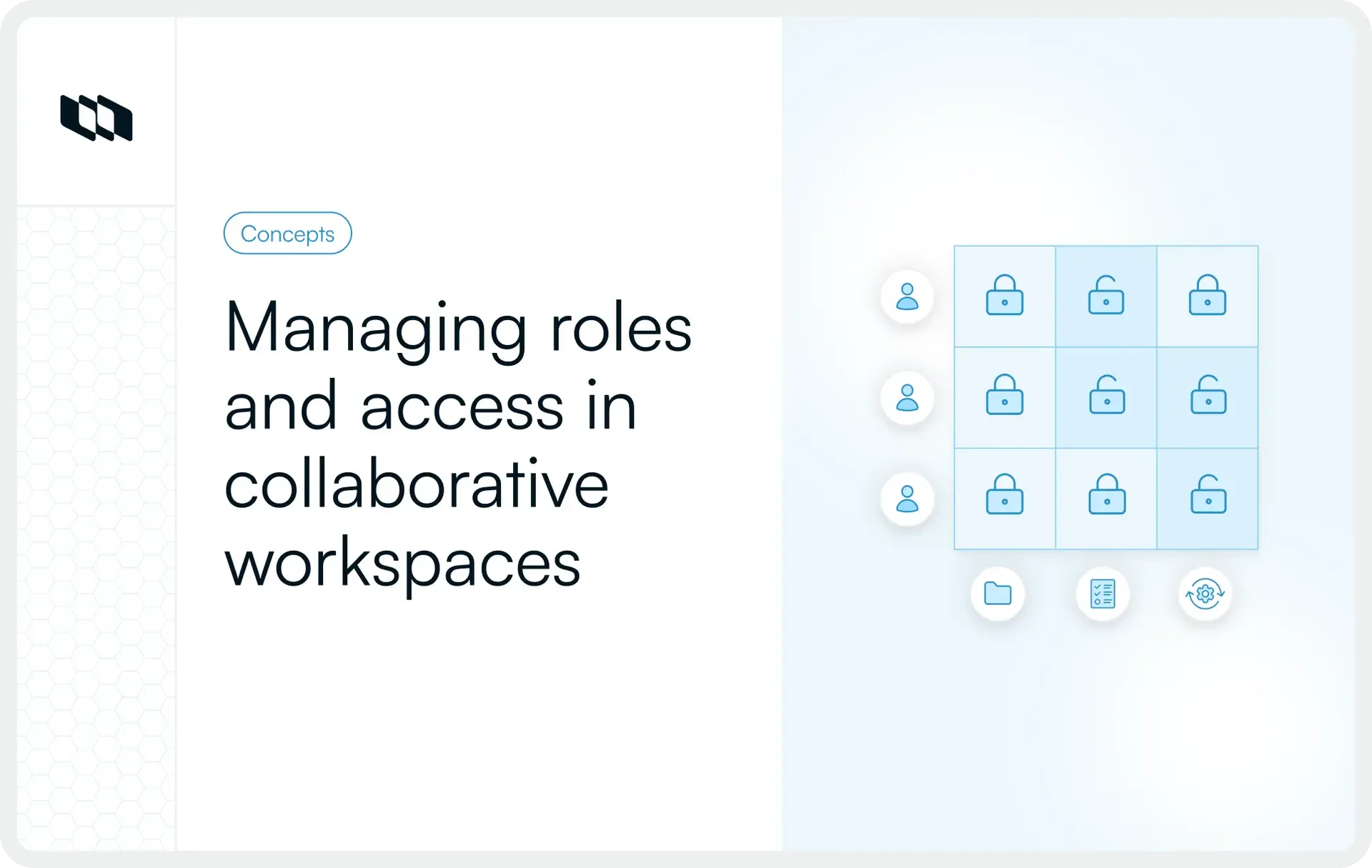
Together, these layers form a practical permissions structure that supports role-based access control in project management software.
User access management vs. Identity and Access Management (IAM)
Identity and access management focuses on verifying user identity through authentication methods such as login credentials, single sign-on, or directory services. User access management focuses on authorization, which determines what actions users can perform after identity verification. IAM confirms who a user is. User access management defines how that user participates in a workspace through structured permissions aligned with responsibilities.
Why user access management matters in project tools
User access management clarifies who can view information, contribute to work, and manage configuration within shared environments. As project management software becomes the central system for planning, delivery, and documentation, structured user permissions management helps teams maintain alignment while supporting secure collaboration across functions.
1. Protects sensitive project information
Project tools store operational knowledge that shapes delivery decisions and long-term strategy. Structured access management ensures that visibility aligns with responsibilities across teams and stakeholders.
Examples include:
- Product roadmaps that communicate future direction and priorities
- Internal discussions that capture tradeoffs and implementation context
- Incident reports that describe system behavior and response actions
- Financial planning notes that support budgeting and resource allocation
Managing user permissions in project management tools helps teams protect this information while keeping execution transparent.
2. Prevents accidental edits and workflow disruptions
Unstructured permissions allow configuration changes, issue updates, and documentation edits across roles that serve different responsibilities. Role-based access control in project management software ensures contributors interact with work at the appropriate level, supporting predictable workflows and reducing operational friction across projects.
3. Supports structured collaboration across teams
Cross-functional teams rely on shared visibility to coordinate delivery across planning, engineering, design, and leadership functions. User access management helps teams define which projects remain open for broad collaboration and which areas require controlled participation, which strengthens coordination without creating unnecessary exposure across the workspace.
4. Enables smoother onboarding and offboarding
Access management connects permissions to team structure and role transitions across the organization. New contributors receive access aligned with responsibilities from their first day, and permission updates follow role changes across projects. When contributors leave a team or complete engagements, access adjustments maintain workspace clarity and support consistent governance across systems.
Core components of user access management
Effective user access management relies on a structured set of mechanisms that control how access is verified, assigned, reviewed, and updated across systems. These components help teams manage user permissions consistently across projects while supporting role-based access control in project management software.
1. Authentication
Authentication confirms a user's identity before access to a workspace or project environment begins. Common approaches include password-based login, single sign-on, and directory-based identity verification. Reliable authentication ensures that access decisions apply to verified users across teams and systems.
2. Authorization
Authorization determines what actions a verified user can perform after entering the system. Permissions define whether users can view documentation, update issues, manage project settings, or administer workspace configuration. Authorization forms the operational core of access control in project management environments.
3. Policy administration
Policy administration defines how access decisions are structured across teams and projects. Organizations create permission frameworks that connect workspace visibility, project membership, and configuration access to defined roles. Clear policy structures help teams maintain consistent access management as collaboration scales.
4. Roles and permission levels
Roles translate responsibilities into structured access rights across project workflows. Teams typically assign roles such as administrators, contributors, reviewers, and viewers to ensure that permissions reflect participation requirements. Role-based access control allows teams to manage access efficiently while maintaining clarity across shared environments.
5. Provisioning and deprovisioning
Provisioning assigns permissions when users join a workspace or project, while deprovisioning updates or removes access when responsibilities change. Structured provisioning workflows support consistent onboarding, and timely deprovisioning maintains alignment between active roles and workspace visibility across project tools.
Types of user access teams managed in project tools
Teams manage access by grouping permissions according to delivery workflows rather than assigning them individually. This ensures scalable management and consistent project environments.
1. Internal user access
Internal user access applies to employees who contribute directly to planning, execution, and coordination inside project management software. These users typically require structured visibility across multiple projects and documentation areas, depending on their role in delivery workflows.
Examples include engineers working on implementation tasks, product managers coordinating priorities, and designers collaborating on specifications and feedback across shared workspaces.
2. External user access
External user access supports collaboration with contributors outside the organization who participate in specific initiatives or deliverables. Teams usually assign scoped permissions that align with defined engagement boundaries across projects.
Examples include vendors supporting implementation work, clients reviewing progress updates, contractors contributing to delivery milestones, and agencies collaborating on specialized tasks within selected project areas.
Managing user permissions in project management tools ensures that external participation remains aligned with project goals while maintaining structured visibility into the workspace.
3. Privileged access
Privileged access applies to users responsible for configuring workspace structure, managing permissions, and maintaining governance across systems. These users typically control integrations, settings, and administrative workflows that influence how teams collaborate across projects.
Examples include workspace administrators managing configuration policies and system owners maintaining environment-level access structures across project tools.
Clear privileged access structures strengthen access control in project management environments by aligning configuration authority with defined responsibilities.
4. Role-based access control (RBAC)
Role-based access control assigns permissions based on defined roles rather than individual users. Teams create role categories such as administrator, contributor, reviewer, and viewer, then map access rights to those categories across workspaces and projects.
Role-based access control in project management software helps organizations maintain consistent permission structures, simplify onboarding workflows, and support scalable collaboration as teams grow.
How user access management works in project environments
User access management follows a structured lifecycle that connects permissions to team responsibilities across planning, execution, and governance workflows. Instead of treating access as a one-time configuration task, teams maintain user permissions management as an ongoing operational practice that evolves with projects, roles, and collaboration needs.
1. Identify users who need access
The first step in access control for project management environments is to identify everyone who participates in planning, delivery, review, or oversight activities. This typically includes internal teams working on execution, leadership tracking progress and outcomes, cross-functional stakeholders contributing to coordination decisions, and external collaborators supporting specific initiatives within defined scopes.
Clear identification of user groups helps teams structure access boundaries early in workspace setup.
2. Define responsibilities for each group
After identifying user groups, teams define how each group interacts with projects and documentation. Some users contribute directly to execution, some review progress and decisions, and others maintain configuration across the workspace.
Separating viewers, contributors, and administrators supports role-based access control in project management software and creates predictable collaboration patterns across teams.
3. Assign permission levels
Permission levels translate responsibilities into structured access rights across workspaces and projects. Teams typically apply broader visibility at the workspace level for coordination roles and more targeted permissions at the project level for execution roles.
Managing user permissions in project management tools at the correct level ensures teams maintain clarity while supporting efficient delivery workflows.
4. Monitor and adjust access over time
Access structures evolve as projects expand, responsibilities shift, and teams reorganize around priorities. Regular reviews help teams align permissions with current participation patterns across initiatives.
Continuous monitoring strengthens user access management in project tools by keeping access aligned with real collaboration needs.
5. Remove access when it is no longer required
Removing access maintains consistency between active responsibilities and workspace visibility across systems. Updating permissions after project transitions, role changes, or engagement completions helps teams maintain structured access environments and supports reliable governance across collaborative workflows.
How to set up user access management for project tools
Setting up user access management requires a structured approach that connects permissions to workspace structure, team roles, and delivery workflows. Teams that define access early create predictable collaboration patterns and maintain clarity as projects expand across functions and stakeholders. The following steps help establish scalable user permissions management across project management software.
1. Identify the resources that require access control
Access planning begins with identifying which parts of the workspace require structured visibility boundaries. Most teams manage permissions across projects, dashboards, documentation, integrations, and reporting views that support coordination and decision-making across delivery cycles.
Mapping these resources helps teams design access structures that align with how work moves through the organization.
2. Define access levels across the workspace
Clear access levels translate responsibilities into predictable permission structures across teams. A typical hierarchy includes administrators responsible for configuration, members coordinating across multiple projects, contributors working directly on delivery tasks, viewers tracking progress and outcomes, and guests participating in limited collaboration contexts.
Defined access levels strengthen role-based access control in project management software and reduce the need for manual permission adjustments.
3. Group users by role instead of assigning permissions individually
Grouping users by role helps teams maintain consistency across projects and reduces operational overhead during workspace expansion. Role-based structures support scalable user access management by aligning permissions with responsibilities rather than assigning permissions individually across systems.
This approach improves coordination across cross-functional teams and simplifies long-term access governance.
4. Assign permissions at the correct level
Effective access control in project management environments depends on assigning permissions at the right scope. Workspace-level access supports coordination roles that require broad visibility across initiatives, project-level access supports execution roles focused on specific deliverables, and item-level access supports targeted collaboration within selected issues or documentation areas.
Applying permissions at the appropriate level helps teams maintain clarity while supporting efficient collaboration.
5. Create onboarding access defaults
Onboarding workflows benefit from predefined permission templates that reflect common role structures across teams. Assigning default access based on responsibility ensures that new contributors enter the workspace with the visibility required for immediate participation in planning and execution.
Structured onboarding strengthens consistency across project environments and supports predictable collaboration patterns.
6. Update access during role transitions
Role transitions change how users interact with projects and documentation across the workspace. Updating permissions during these transitions ensures that access structures remain aligned with responsibilities as delivery workflows evolve. Maintaining accurate permissions helps teams sustain effective management of user permissions in project management tools over time.
7. Establish offboarding procedures
Offboarding procedures maintain alignment between active participation and workspace visibility across systems. Removing permissions when contributors complete engagements supports structured governance across project environments and keeps access aligned with current collaboration needs. Clear offboarding workflows strengthen long-term access control in project management systems.
8. Automate provisioning where possible
Automation improves the reliability and scalability of user access management by connecting role assignment with onboarding workflows and directory systems. Automated provisioning ensures permissions reflect team structure without requiring repeated manual updates across projects. This approach supports consistent access structures across growing organizations.
9. Schedule regular access reviews
Regular access reviews help teams evaluate whether permissions continue to reflect current responsibilities across projects. Periodic audits strengthen governance across shared workspaces and ensure role-based access control remains aligned with collaboration requirements across delivery environments.
Best practices for managing user access effectively
Strong user access management improves when teams treat permissions as part of everyday project operations rather than as a one-time configuration step. The following practices help teams maintain consistent access control in project management environments while supporting structured collaboration across workspaces.
1. Follow the principle of least privilege
The principle of least privilege ensures that users receive access aligned with their responsibilities and scope of participation. Contributors interact with the projects and documentation required for execution, while administrative permissions remain limited to governance roles. This approach strengthens role-based access control in project management software and supports predictable collaboration patterns across teams.
2. Standardize role definitions across projects
Standard role definitions help teams maintain consistent permission structures across multiple initiatives. When administrators, contributors, reviewers, and viewers follow the same access framework across projects, organizations simplify onboarding workflows and strengthen user permissions management across shared environments. Consistent role structures also support scaling collaboration without increasing configuration complexity.
3. Separate internal users and external collaborators
Internal contributors often require broader visibility into the workspace than external collaborators supporting selected deliverables. Separating these access categories helps teams maintain clear visibility boundaries while supporting structured participation across projects. Managing user permissions in project management tools with defined internal and external access groups improves coordination and strengthens governance across shared workspaces.
4. Limit administrative permissions
Administrative permissions influence workspace configuration, integrations, and permission structures across systems. Assigning these privileges to clearly defined governance roles helps teams maintain stable collaboration environments and reduces unnecessary configuration changes across projects. Clear administrative boundaries support reliable access control across growing workspaces.
5. Review access periodically
Periodic reviews help teams confirm that permissions reflect current responsibilities across projects and documentation areas. Scheduled access reviews support continuous alignment between collaboration needs and workspace visibility across delivery workflows. Regular reviews strengthen long-term user access management in project tools.
6. Document access, ownership, and approval workflows
Documenting ownership of permission decisions clarifies how access changes occur across teams. Defined approval workflows help administrators manage updates consistently and support transparent governance across project environments. Structured documentation strengthens accountability across managing user permissions in project management tools.
Common challenges teams face with user access management
Teams that scale quickly across projects often encounter permission complexity as collaboration expands. Without structured user access management, access patterns drift away from role responsibilities, creating friction across delivery workflows. Understanding these challenges helps organizations maintain consistent user permissions management across project management software.
1. Privilege creep over time
Privilege creep occurs when users retain permissions that extend beyond their current responsibilities. As contributors move between projects or take on new roles, earlier access levels often remain unchanged. Over time, this creates excessive visibility into workspaces and weakens role-based access control in project management software.
Regular access reviews help teams keep permissions aligned with active responsibilities across projects.
2. Orphaned accounts after employee exits
Workspace environments sometimes retain access for users who completed engagements or transitioned out of teams. These inactive accounts continue to appear inside systems and expand the surface area of workspace visibility.
Structured offboarding workflows help teams maintain accurate access structures and strengthen access control in project management environments.
3. Unclear role definitions
Permission structures depend on clearly defined responsibilities across teams. When roles remain loosely defined, administrators assign access inconsistently across projects and documentation areas.
Clear role frameworks improve the management of user permissions in project management tools and support predictable collaboration patterns across workspaces.
4. Manual permission tracking across projects
Manual permission tracking increases operational effort as organizations expand across multiple initiatives. Administrators repeatedly spend time updating access across workspaces instead of relying on structured, role-based assignment.
Role-based access control helps teams maintain scalable user access management without increasing configuration complexity.
5. Limited visibility into who has access to what
Teams benefit from clear visibility into how permissions are distributed across projects and documentation areas. When access structures remain difficult to review, administrators spend additional time validating patterns of workspace participation across systems. Improved visibility strengthens governance across shared environments and supports reliable user access management in project tools.
Benefits of implementing structured user access management
Structured user access management improves how teams coordinate visibility, responsibilities, and governance across shared workspaces. When permissions align with delivery roles, organizations maintain clarity across projects while supporting scalable collaboration inside project management software.
1. Improves security and reduces risk
Clear permission boundaries help teams protect sensitive project information such as roadmaps, incident documentation, and planning material. Structured access control in project management environments ensures that workspace visibility reflects defined responsibilities across teams and stakeholders. Consistent permission structures strengthen governance across shared systems.
2. Strengthens collaboration clarity
User permissions management helps contributors interact with projects at the correct level of participation. Engineers focus on execution tasks, product managers coordinate priorities, and leadership tracks progress through structured visibility across dashboards and documentation. Role-based access control in project management software supports cross-functional alignment while maintaining predictable collaboration patterns.
3. Simplifies onboarding and transitions
Standardized access structures help teams quickly assign permissions during onboarding and smoothly update visibility during role transitions. Contributors enter project environments with access aligned to responsibilities from the start of their engagement. Structured permission frameworks support scalable management of user permissions in project management tools across growing organizations.
4. Supports compliance and audit readiness
Traceable permission structures help organizations maintain visibility into how access decisions apply across systems. Documented access policies and review workflows support governance across regulated environments and strengthen accountability across workspace configuration practices. Clear audit trails improve long-term reliability across user access management processes.
5. Increases operational efficiency
Structured role definitions reduce manual coordination effort during workspace expansion and project onboarding. Teams maintain consistent permission assignment across initiatives without repeated configuration updates. Efficient permission management supports scalable collaboration across projects while maintaining alignment between responsibilities and workspace visibility.
How modern teams manage access more effectively across projects
Modern teams manage user access management more effectively when permissions are built into workspace design, team structure, and operational review cycles. Instead of treating access as a one-time settings task, high-functioning teams make user permissions management part of how projects are organized and maintained across the workspace.
1. Structure workspaces before inviting users
Workspace structure shapes how visibility flows across teams, projects, and documentation. When teams define project boundaries, ownership areas, and collaboration layers before adding users, they create cleaner access foundations across the system.
This approach helps teams maintain clear access control in project management environments as more contributors join the workspace.
2. Define role templates early
Role templates create predictable permission patterns for common user groups such as administrators, contributors, viewers, and external collaborators. Early role design helps teams assign access consistently and supports scalable role-based access control in project management software. Clear templates also simplify onboarding across growing teams.
3. Control visibility at the project level instead of the workspace level
Project-level visibility gives teams more precision when assigning access across delivery workflows. Contributors receive the access required for the work they support, while broader workspace exposure remains limited to roles that need it for coordination or governance.
Managing user permissions in project management tools at the project level improves clarity and supports focused collaboration.
4. Review access during regular operational check-ins
Regular operational check-ins provide a practical opportunity to review whether permissions still align with current responsibilities. Teams can evaluate access as projects shift, contributors move across initiatives, and collaboration patterns evolve over time. This keeps user access management aligned with active delivery work, rather than relying on reactive cleanup later.
5. Use tools that support flexible role-based collaboration
Teams manage access more effectively when project tools support clear roles, scoped visibility, and structured permissions across workspaces and projects. Flexible role-based access control helps organizations maintain collaboration speed while preserving governance, clarity, and consistency across shared environments.
Closing thoughts
User access management shapes how teams collaborate, share visibility, and maintain control across project environments as organizations scale. Clear permission structures help contributors focus on execution, support leadership oversight through structured visibility, and maintain alignment between responsibilities and workspace access across systems.
Teams that adopt role-based access control in project management software create predictable collaboration patterns across projects, simplify onboarding workflows, and strengthen governance across documentation, dashboards, and integrations. Over time, structured user permissions management becomes part of everyday delivery operations, supporting coordination across growing teams and complex initiatives.
Frequently asked questions
Q1. What is user access management?
User access management is the process of defining who can access systems, projects, and information inside a workspace and what actions they can perform. It includes assigning permissions based on roles, reviewing access as responsibilities change, and updating visibility across teams to support structured collaboration in project management tools.
Q2. What is the difference between UAM and IAM?
User access management focuses on what users can see and do inside systems after identity verification. Identity and access management manages authentication, identity validation, and access governance across organizational infrastructure. IAM establishes identity trust, while user access management structures permissions within workspaces and projects.
Q3. What are the 4 pillars of IAM?
The four core pillars of identity and access management typically include authentication, authorization, user provisioning, and audit and governance. Authentication verifies identity, authorization defines allowed actions, provisioning assigns permissions when users join systems, and governance ensures access remains aligned with responsibilities across environments.
Q4. What are the 4 types of access control?
The four common types of access control include role-based access control, attribute-based access control, discretionary access control, and mandatory access control. Role-based access control assigns permissions based on job roles, attribute-based access control evaluates contextual attributes such as department or location, discretionary access control allows resource owners to assign permissions, and mandatory access control enforces centrally defined access policies across systems.
Q5. Which IAM tool is best?
The best IAM tool depends on organizational size, infrastructure complexity, and collaboration needs. Teams working inside project management environments typically benefit from tools that support structured role-based access control, workspace-level permissions, and scalable user provisioning workflows that align access with delivery responsibilities.
Recommended for you



 Download for Mac
 Download for Android