What is tool sprawl? How IT teams can identify and reduce it
Introduction
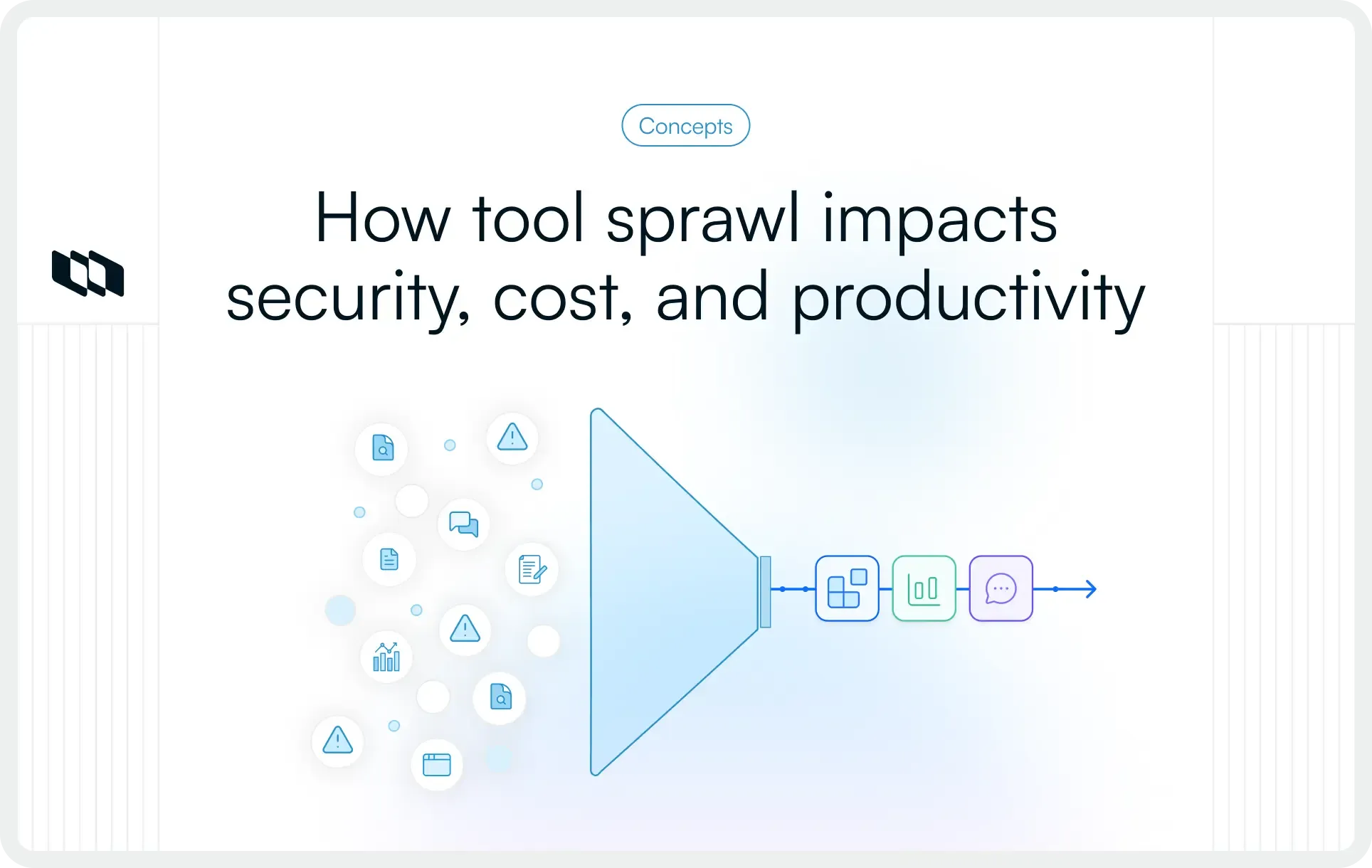
Every new tool promises greater efficiency. Over time, however, many organizations accumulate overlapping applications, disconnected workflows, and scattered data across their software stack. This challenge, known as tool sprawl, increases operational complexity, software costs, and security risks while making collaboration harder. For IT teams, identifying and reducing tool sprawl has become a critical part of software governance and stack optimization. This guide explains what tool sprawl is, why it happens, how to identify it, and practical strategies to reduce it through tool consolidation and better technology management.
What is tool sprawl?
Tool sprawl refers to the uncontrolled growth of software tools across an organization. It happens when teams continuously adopt new applications without a clear strategy for software governance, ownership, or consolidation.
Over time, organizations end up with multiple tools performing similar functions, creating a software stack that is harder to manage, maintain, and secure.
Tool sprawl typically leads to:
- Overlapping tools that solve the same problem
- Information is scattered across multiple systems
- Higher software and licensing costs
- More context switching for employees
- Reduced visibility across teams and projects
- Increased security and compliance challenges
Tool sprawl is especially common in growing organizations where different departments purchase tools independently to address immediate needs.
Tool sprawl example
Imagine an IT organization where:
- Engineering teams manage projects in one platform
- IT teams track incidents in another tool
- Documentation lives in a separate knowledge base
- Monitoring relies on multiple observability platforms
- Reporting happens in business intelligence software
- Communication takes place across several messaging tools
Each tool provides value on its own. Together, however, they create fragmented workflows and scattered information. Teams spend more time searching for context, updating multiple systems, and moving information between tools.
This is a common example of tool sprawl in IT environments.
Tool sprawl vs. a healthy software stack
Using multiple tools is a normal part of running modern teams. A healthy software stack consists of tools that serve distinct purposes and work together effectively.
A healthy software stack typically includes:
- Clear ownership for every tool
- Minimal overlap between applications
- Strong integrations between systems
- Defined sources of truth for data and work
- Consistent processes across teams
Tool sprawl emerges when those boundaries become unclear.
Instead of supporting work, the software stack starts creating additional complexity through duplicate tools, disconnected workflows, and fragmented information. The goal is not to reduce the number of tools at all costs. The goal is to ensure every tool has a clear purpose, delivers measurable value, and fits within a well-managed technology ecosystem.
Why does tool sprawl happen?
Tool sprawl rarely results from a single decision. In most organizations, it develops gradually as teams grow, priorities shift, and new challenges emerge. What starts as a practical solution for one team can eventually contribute to a fragmented software stack across the organization.
1. Teams adopt tools independently
Different teams often evaluate and purchase software based on their own requirements. Engineering, IT, operations, security, and customer-facing teams may each choose tools that help them work more effectively. While these decisions can deliver immediate benefits, they can also result in multiple teams using different platforms for similar workflows. Over time, overlapping tools become common across the organization.
2. New tools are introduced to solve short-term problems
Organizations frequently adopt new software in response to urgent operational challenges. A new reporting tool might address visibility issues, while a separate collaboration platform might improve communication for a specific team. As these solutions accumulate, the software stack grows faster than the processes used to manage it. The result is a collection of tools that solve individual problems but create organizational complexity.
3. Existing tools are underutilized
Many modern software platforms offer capabilities that extend far beyond their primary use cases. However, teams often adopt additional tools before fully exploring the features already available in their existing stack. This can lead to situations where organizations pay for multiple applications that perform similar functions, increasing costs and reducing efficiency.
4. Organizational growth increases complexity
As organizations expand, their technology environments naturally become more complex. New teams bring different workflows, regional offices may adopt their own tools, and acquisitions often introduce entirely separate software ecosystems. Without a structured approach to software consolidation, the number of tools can grow rapidly as the organization scales.
5. Lack of governance and ownership
Software stacks benefit from clear ownership, approval processes, and regular reviews. When those practices are absent, new tools are added more frequently, and older tools remain active long after their original purpose has changed. Over time, software inventories expand, overlapping functionality increases, and visibility into the overall technology stack becomes harder to maintain.
For many IT teams, tool sprawl is less about having too many tools and more about having too little control over how tools are introduced, managed, and retired.
What does tool sprawl look like in practice?
Tool sprawl often develops gradually, which makes it difficult to spot in its early stages. Each new tool usually solves a legitimate problem, so the growing complexity becomes apparent only after teams begin to experience friction, duplication, and inefficiencies across their workflows. If any of the following situations sound familiar, your organization may already be dealing with tool sprawl.
1. Multiple tools solving the same problem
One of the most common signs of tool sprawl is functional overlap. For example, one team may use a project management platform, another may manage work in spreadsheets, and a third may rely on a separate task-tracking tool. Each system serves a similar purpose, yet work remains distributed across multiple applications. This creates inconsistencies in processes, reporting, and collaboration.
2. Information scattered across platforms
In a healthy software stack, teams know exactly where to find information. With tool sprawl, project updates live in one tool, documentation in another, incident records in yet another, and reports in a separate dashboard. Employees spend more time searching for information because there is no clear source of truth. As information becomes fragmented, visibility across teams decreases.
3. Frequent context switching
Modern work already requires collaboration across functions. Tool sprawl adds another layer of complexity by forcing employees to constantly move between applications. An engineer may review tickets in one system, update documentation in another, communicate through a messaging platform, and check metrics in a separate dashboard. This constant switching creates cognitive overhead and reduces productivity over time.
4. Duplicate data and reporting
When tools operate independently, teams often recreate the same information in multiple places. Project updates may be copied between systems, reports may require manual data collection, and stakeholders may receive conflicting information from different platforms. As duplication increases, maintaining data accuracy becomes more challenging.
5. Unused licenses and subscriptions
Many organizations discover tool sprawl during software audits. They find applications with low adoption, inactive users, or subscriptions that continue renewing despite limited business value. These tools increase software spending while contributing little to daily operations. Unused licenses are often one of the clearest indicators of an oversized software stack.
6. Manual handoffs between systems
Disconnected tools rarely share information seamlessly. Teams frequently rely on spreadsheets, emails, chat messages, or manual updates to transfer information between systems. These repetitive handoffs consume time and increase the likelihood of errors. When critical workflows depend heavily on manual coordination, tool sprawl is often a contributing factor.
Taken together, these warning signs point to a broader issue. The challenge is rarely the number of tools alone. The real problem emerges when those tools create fragmented workflows, duplicate effort, and reduced visibility across the organization.
Why tool sprawl is a problem for IT teams
Tool sprawl affects much more than software costs. As organizations add more applications, IT teams must manage a larger and more complex technology environment while maintaining visibility, security, governance, and operational efficiency. What begins as a collection of useful tools can gradually create friction across the entire organization.
1. Reduced visibility
When information is distributed across multiple systems, gaining a complete view of work becomes difficult. Project updates, documentation, incident records, and performance metrics often exist in separate tools, forcing teams to spend additional time gathering context before making decisions. This fragmentation also makes organization-wide reporting less reliable.
2. Increased operational complexity
Every new application introduces additional integrations, permissions, workflows, configurations, and support requirements. As the software stack expands, IT teams must manage more dependencies and maintain consistency across a growing number of systems. The result is a technology environment that becomes harder to operate and scale efficiently.
3. Higher software costs
Tool sprawl often increases spending through software licenses, vendor contracts, maintenance, onboarding, training, and administration. Costs rise even further when multiple tools provide similar functionality. Over time, organizations may find themselves investing heavily in applications that contribute limited additional value.
4. Data silos
Information becomes fragmented when teams store and manage data across disconnected systems. Different departments may maintain separate records, dashboards, and reports, creating inconsistencies and reducing confidence in decision-making. Data silos also make cross-functional collaboration more challenging because teams lack a shared view of information.
5. Security and compliance risks
Each additional application expands the organization's technology footprint. IT teams must manage user access, permissions, integrations, security policies, and compliance requirements across a larger number of environments. As complexity grows, maintaining consistent governance becomes increasingly difficult.
6. Lower productivity
Employees often move between multiple applications to complete a single task. They search for information, update records across systems, and manually coordinate work between teams. These small inefficiencies accumulate over time, reducing productivity and increasing operational overhead across the organization.
How tool sprawl affects cybersecurity
Security teams often feel the impact of tool sprawl earlier and more intensely than other departments. Every new application, monitoring platform, or security solution adds another layer to manage. While these tools are typically adopted to strengthen security, an increasingly fragmented environment can make it more difficult to maintain visibility, governance, and control.
1. More tools create more attack surfaces
Every application introduces additional user accounts, integrations, APIs, configurations, and data flows. As the number of tools grows, so does the number of potential entry points that require monitoring and protection. A larger technology footprint increases the complexity of maintaining a secure environment.
2. Access management becomes harder
Managing identities and permissions across dozens of systems can quickly become challenging. Security teams must ensure the right people have the appropriate level of access and regularly review permissions as employees join, change roles, or leave the organization. More tools often mean more access policies to maintain and audit.
3. Security alerts become fragmented
Many organizations rely on multiple security and monitoring platforms, each generating its own stream of alerts and notifications. Critical signals can become distributed across different systems, making it harder for teams to prioritize threats and respond efficiently. A fragmented view of security events can slow investigation and resolution efforts.
4. Misconfigurations become more common
Complex software environments create more opportunities for configuration errors. Different tools often require unique security settings, access controls, integrations, and compliance policies. As the number of systems increases, maintaining consistency across the environment becomes increasingly difficult.
5. Automation cannot fix poor processes
Organizations often introduce new tools to automate security operations and improve efficiency. While automation can accelerate repetitive tasks, strong security still depends on clear processes, ownership, governance, and regular reviews. Adding more tools without addressing underlying operational challenges can increase complexity rather than improve outcomes.
Ultimately, effective cybersecurity depends on visibility, control, and simplicity. A well-managed software stack allows security teams to focus on protecting the organization rather than managing an ever-growing collection of disconnected tools.
How IT teams can identify tool sprawl
A successful tool sprawl assessment focuses on visibility, usage, cost, and workflow efficiency. The goal is to understand whether each tool serves a clear purpose within the organization and contributes to a well-functioning technology ecosystem.
1. Create a complete inventory of tools
The first step is building a comprehensive inventory of every application currently in use across the organization. This inventory should include software used by IT, engineering, operations, security, product, customer support, and business teams. Along with the tool name, document details such as ownership, use case, number of users, renewal dates, licensing costs, and critical integrations.
Many organizations discover during this exercise that their actual software stack is much larger than expected. Creating visibility into all applications provides the foundation for every decision that follows.
2. Categorize tools by function
Once the inventory is complete, group tools according to the problems they solve.
Common categories include:
- Project management
- Documentation and knowledge management
- Collaboration and communication
- Monitoring and observability
- Security and compliance
- Reporting and analytics
- IT service management
- Customer support
This exercise quickly highlights areas where multiple tools serve similar functions. For example, an organization may discover three project management tools, multiple documentation platforms, or several monitoring solutions performing overlapping tasks.
Categorization makes redundancy easier to identify.
3. Analyze adoption and usage
A tool's value depends on whether teams actively use it. Review login activity, active users, feature adoption, and engagement metrics to understand how software is being used in practice. Some tools may have hundreds of licensed users, but only a small percentage are active.
Others may have been introduced for specific projects and remain in the software stack despite limited ongoing use. Low adoption often indicates opportunities for consolidation, retraining, or retirement.
4. Identify redundant capabilities
Tool sprawl often becomes apparent when organizations evaluate capabilities rather than products. Instead of asking, "How many tools do we have?" ask, "How many tools perform the same function?"
For example:
- Multiple platforms managing work and tasks
- Several tools store documentation
- Different monitoring solutions tracking similar metrics
- Separate reporting tools generating overlapping dashboards
Redundancy increases costs, creates confusion, and makes standardization more difficult. Identifying these overlaps is one of the fastest ways to uncover tool sprawl.
5. Review integrations and workflows
The health of a software stack is often reflected in the quality of its workflows. Examine how information moves between systems. If employees frequently export spreadsheets, manually update records, copy information between platforms, or rely on chat messages to convey context, the workflow likely suffers from fragmentation caused by disconnected tools. Strong software ecosystems support seamless information flow. Weak integrations often reveal areas where tool sprawl is creating operational friction.
6. Gather feedback from teams
Employees experience the effects of tool sprawl every day, making them one of the most valuable sources of information.
Ask teams questions such as:
- Which tools feel redundant?
- Where does information become difficult to find?
- Which workflows require the most manual effort?
- Which tools create the most context switching?
- What software would be difficult to replace?
Patterns quickly emerge when feedback is collected across departments. These insights often reveal issues that software usage reports alone cannot capture.
7. Evaluate software spending
A financial review helps connect software investments to actual business value.
Analyze:
- License costs
- Renewal expenses
- Vendor contracts
- Support costs
- Training investments
- Administrative overhead
Then compare these costs against adoption, usage, and business outcomes. In many cases, organizations discover that a significant portion of software spending is concentrated in overlapping tools with limited usage. These findings help prioritize tool consolidation efforts and strengthen the business case for software optimization.
By the end of this assessment, IT teams should have a clear view of their software portfolio, areas of overlap, workflow inefficiencies, and opportunities for consolidation. This visibility makes it much easier to reduce tool sprawl strategically rather than removing tools based on assumptions or isolated cost-cutting initiatives.
How to reduce tool sprawl
Identifying tool sprawl is only the first step. The real challenge lies in reducing complexity without disrupting productivity or removing tools that teams genuinely depend on.
Successful tool consolidation efforts focus on improving visibility, simplifying workflows, and ensuring every application serves a clear purpose. The goal is to create a software ecosystem that is easier to manage, easier to secure, and better aligned with how teams actually work.
1. Define the purpose of every tool
Every application in the software stack should have a clearly defined role.
Ask questions such as:
- What business problem does this tool solve?
- Which teams rely on it?
- What would happen if it were removed?
- Does another tool already provide similar functionality?
If the purpose of a tool is unclear, its long-term value becomes difficult to justify. Establishing clear use cases helps organizations make more informed decisions about retention, replacement, and consolidation.
2. Consolidate overlapping tools
One of the most effective ways to reduce tool sprawl is to identify tools that perform similar functions and consolidate them where appropriate.
For example, an organization might discover:
- Multiple project management platforms
- Several documentation tools
- Different reporting solutions
- Overlapping monitoring systems
Consolidation reduces licensing costs, simplifies training, improves data consistency, and creates a more unified experience for employees. It also helps establish clearer processes across teams.
The goal is not to force every workflow into a single platform. The goal is to eliminate unnecessary duplication.
3. Standardize core platforms
As organizations grow, teams often develop their own preferred ways of working. While some flexibility is valuable, excessive variation can create fragmentation.
Establishing standard platforms for key functions such as project management, documentation, communication, and reporting helps create consistency across departments.
Standardization improves:
- Collaboration between teams
- Employee onboarding
- Reporting accuracy
- Process scalability
- Governance and compliance efforts
When everyone operates within a common framework, information becomes easier to find and manage.
4. Improve integrations
Some organizations attempt to solve tool sprawl by removing tools immediately. In reality, many businesses require multiple specialized systems.
In these situations, integrations become critical.
Well-integrated tools allow information to move automatically between systems, reducing duplicate data entry and minimizing manual handoffs. Strong integrations help teams maintain visibility across workflows while preserving the benefits of specialized software.
Before adding new tools, evaluate whether better integrations can solve the underlying problem.
5. Establish governance processes
Tool sprawl often develops because software adoption happens without consistent oversight. A governance framework establishes the structure for how new tools are evaluated, approved, implemented, and retired.
This process might include:
- Business case requirements
- Security reviews
- Cost assessments
- Integration evaluations
- Ownership assignments
- Renewal reviews
Governance helps organizations make software decisions strategically rather than reactively.
6. Assign ownership
Every tool should have a designated owner who is responsible for its success.
Ownership typically includes:
- Managing user access
- Monitoring adoption
- Reviewing costs
- Coordinating renewals
- Maintaining integrations
- Evaluating ongoing business value
Clear ownership prevents tools from remaining in the software stack without accountability or oversight.
7. Review the software stack regularly
Tool sprawl is rarely solved through a one-time project. Organizations evolve, business priorities change, and new technologies emerge. Regular software reviews help ensure the technology stack continues to align with operational needs.
Many organizations conduct software audits quarterly or annually to assess:
- Usage levels
- Licensing costs
- Tool overlap
- Security risks
- Business value
- Consolidation opportunities
These reviews help prevent software stacks from becoming unnecessarily complex over time.
Reducing tool sprawl ultimately requires a shift from reactive software adoption to intentional software management. Organizations that regularly evaluate their tools, standardize critical workflows, and establish clear governance processes are better positioned to control costs, improve visibility, and create a more efficient technology environment.
Tool consolidation vs tool rationalization
Tool consolidation and tool rationalization are closely related, but they solve different parts of the tool sprawl problem. Consolidation focuses on reducing the number of tools. Rationalization focuses on deciding which tools deserve to stay in the software stack and why.
What is tool consolidation?
Tool consolidation means combining similar functions into fewer platforms. For example, if three teams use three different tools for project tracking, the organization may consolidate them into one shared project management platform. This helps reduce software costs, simplify training, improve reporting, and create more consistent workflows across teams.
What is tool rationalization?
Tool rationalization is a broader review of the entire software portfolio. It evaluates each tool based on purpose, usage, cost, ownership, security risk, integrations, and business value. The outcome may be to retain a tool, replace it, consolidate it with another platform, or retire it completely.
Tool consolidation vs. tool rationalization
Aspect | Tool consolidation | Tool rationalization |
Meaning | Reducing the number of tools by combining similar functions | Evaluating the full software portfolio to decide what stays, changes, or gets removed |
Main focus | Simplification | Portfolio optimization |
Scope | Specific tool categories or overlapping tools | Entire software stack |
Common trigger | Too many tools are doing similar work | Rising costs, low adoption, security concerns, or unclear ownership |
Outcome | Fewer tools and more consistent workflows | Better software decisions across the organization |
Example | Moving three task management tools into one shared platform | Reviewing all work management, documentation, reporting, and monitoring tools to decide which ones to keep, replace, consolidate, or retire |
In practice, IT teams often use rationalization first and consolidation second. Rationalization helps teams clearly understand the software stack. Consolidation helps them act on that understanding.
Best practices to prevent tool sprawl
The most effective way to manage tool sprawl is to prevent it from developing in the first place. Organizations that establish clear processes for software adoption, ownership, and review can scale their technology stack without accumulating unnecessary complexity. These five practices help maintain a healthier and more manageable software ecosystem over time.
1. Start with workflows, not features
Software decisions should begin with understanding how work flows across teams rather than comparing feature lists. When organizations evaluate workflows first, they can identify whether an existing tool already supports the requirement or whether a new solution is genuinely needed. This approach reduces redundant purchases and helps maintain a more cohesive software stack.
2. Create a formal software evaluation process
A structured evaluation process ensures every new tool is assessed consistently before adoption. Criteria such as business value, security requirements, integration capabilities, total cost of ownership, and long-term scalability help organizations make informed decisions and reduce reactive software purchases that often contribute to tool sprawl.
3. Maintain a centralized software inventory
A centralized inventory provides visibility into every application used across the organization, including ownership, purpose, costs, licensing details, and adoption levels. This visibility makes it easier to identify overlapping tools, track software growth, and make better decisions about consolidation and optimization.
4. Review tools before every renewal
Renewal periods provide a natural opportunity to assess whether a tool continues to deliver meaningful value. Reviewing adoption, usage patterns, business impact, and functional overlap before renewing contracts helps organizations remove unnecessary software and avoid carrying redundant tools forward year after year.
5. Assign clear ownership for every tool
Every application should have a designated owner responsible for adoption, governance, costs, access management, integrations, and renewal decisions. Clear ownership creates accountability and ensures that tools continue to serve a defined purpose within the broader technology ecosystem.
Organizations that consistently apply these practices are far more successful at preventing tool sprawl than those that address it only after costs, complexity, and operational challenges have accumulated.
Final thoughts
Tool sprawl rarely appears overnight. It develops gradually as teams adopt new software, business needs evolve, and technology stacks expand. While each tool may solve a specific problem, an unmanaged collection of applications can create fragmented workflows, higher costs, reduced visibility, and growing security challenges.
The solution is not simply using fewer tools. Effective software stack management requires understanding how tools support workflows, identifying overlap, establishing clear ownership, and regularly evaluating business value. Organizations that approach software governance strategically are better positioned to improve collaboration, simplify operations, and maintain a technology ecosystem that scales efficiently.
As software portfolios continue to grow, the ability to identify and reduce tool sprawl will become an increasingly important capability for IT leaders, engineering teams, and operations teams seeking greater visibility, control, and operational efficiency.
Frequently asked questions
Q1. What is tool sprawl?
Tool sprawl is the uncontrolled growth of software tools across an organization. It occurs when teams adopt multiple applications over time, often resulting in overlapping functionality, fragmented workflows, duplicate data, and increased operational complexity. Tool sprawl can affect productivity, software costs, security, and visibility across the organization.
Q2. What does data sprawl mean?
Data sprawl refers to the rapid growth and distribution of data across multiple systems, applications, cloud services, and storage locations. As data becomes scattered, organizations face greater challenges in managing access, maintaining data quality, ensuring compliance, and creating a consistent source of truth for decision-making.
Q3. What does IT mean by sprawl?
In IT, sprawl describes the uncontrolled expansion of technology resources beyond what is necessary or manageable. Examples include tool sprawl, application sprawl, cloud sprawl, and infrastructure sprawl. Sprawl typically increases complexity, costs, governance challenges, and operational overhead.
Q4. What is technical sprawl?
Technical sprawl is a broader term that describes the excessive growth of technologies, systems, applications, platforms, and infrastructure within an organization. It often develops as teams adopt new solutions without a long-term technology strategy, making the overall environment harder to manage, secure, and maintain.
Q5. What are the three types of sprawl?
While organizations may experience several forms of sprawl, three of the most common types are:
- Tool sprawl: Growth of overlapping software applications and platforms.
- Data sprawl: Information spread across multiple systems and storage locations.
- Infrastructure sprawl: Expansion of servers, cloud resources, networks, and environments beyond efficient management levels.
These forms of sprawl are often interconnected and can collectively contribute to higher costs, reduced visibility, and increased operational complexity.
Recommended for you




 Download for Mac
 Download for Android