How to identify workflow bottlenecks in project teams
Introduction
Every project team hits a point where work seems to slow down for no obvious reason. Deadlines shift, tasks pile up in review, and stand-ups start surfacing the same blockers week after week. These are workflow bottlenecks, hidden accumulation points where work waits longer than it should. This post helps project teams recognize these slowdowns early, understand their root causes, and use practical workflow analysis techniques to surface them before they derail delivery.
What is a workflow bottleneck in project management?
A workflow bottleneck occurs when one stage in a process processes work more slowly than the stages before it. As work enters that stage, tasks begin to accumulate, creating a queue that delays the entire workflow. This constraint reduces overall throughput and impacts delivery timelines across the project.
In project teams, work flows through multiple stages such as planning, execution, review, and delivery. When one stage operates at limited capacity or has a longer processing time, it sets the pace for the entire system. Faster upstream stages add more work into the pipeline, while downstream stages wait for completion, creating an imbalance across the workflow.
Why bottlenecks slow down entire workflows:
- A single overloaded stage forces every dependent task to wait, compressing timelines across the board.
- Teams working ahead of the bottleneck produce output that sits idle, creating a false sense of productivity while actual delivery stalls.
- The longer a bottleneck persists unaddressed, the larger the downstream backlog grows.
Temporary vs. recurring bottlenecks
- Temporary bottlenecks arise from short-term workload spikes, unexpected dependencies, or limited availability during a specific period. These constraints ease as the workload stabilizes or additional capacity becomes available.
- Recurring bottlenecks point to structural issues in the workflow. These include consistently overloaded stages, dependency-heavy processes, or approval layers that slow down progress. Recurring patterns require changes in workflow design rather than short-term adjustments.
People-based vs. process-based bottlenecks
- People-based bottlenecks arise when specific individuals or roles handle critical tasks with limited capacity. This often happens in specialized work such as code reviews, design approvals, or stakeholder sign-offs.
- Process-based bottlenecks arise from the way the workflow is structured. Excessive approvals, unclear handoffs, redundant steps, or disconnected tools create delays that affect the entire system.
Understanding whether a bottleneck originates from people, process design, or systems helps teams choose the right approach to improve workflow and maintain consistent delivery.
Common signs of workflow bottlenecks
Workflow bottlenecks rarely appear as a single obvious issue. They show up through patterns in how work moves, where it slows down, and how teams respond to delays. Recognizing these signals early helps teams identify workflow bottlenecks before they impact delivery at a larger scale.
1. Tasks are accumulating in one stage of the workflow
One of the clearest signs of a bottleneck is work piling up in a specific stage. Tasks enter that stage faster than they move out, creating a visible queue. This often happens in review stages, approval steps, or specialized work phases where capacity is limited.
2. Long wait times between steps
Delays between stages often indicate hidden inefficiencies. Tasks may move quickly during execution but remain idle before the next step begins. These waiting periods increase overall cycle time and reduce workflow efficiency.
3. Repeated delays in approvals or reviews
Approval-heavy workflows often slow down when decisions depend on a limited number of stakeholders. Tasks wait for sign-offs, feedback cycles extend, and delivery timelines shift. These delays recur across multiple tasks, indicating a consistent pattern.
4. Uneven workload distribution across teams
When one team or function handles more work than others, an imbalance becomes visible. Some stages operate with excess capacity while others struggle to keep up. This uneven distribution creates pressure points that slow down the entire workflow.
5. Certain team members are consistently overloaded
In many project teams, specific individuals handle critical tasks such as code reviews, design validation, or stakeholder approvals. When these roles receive more work than they can process, they become natural bottlenecks that affect overall throughput.
6. Projects are missing deadlines despite high activity
High activity does not always translate into progress. Teams may remain busy, tasks may stay active, yet delivery timelines continue to slip. This pattern often signals that work is not flowing efficiently through the system.
7. Tasks are staying in progress for unusually long periods
Tasks that remain active for extended periods indicate workflow friction. This may result from unclear requirements, dependency delays, or repeated back-and-forth between stages.
These signs often appear before teams fully understand the root cause. Identifying these patterns early creates a strong foundation for deeper workflow analysis and helps teams find bottlenecks in a process with greater accuracy.
Why workflow bottlenecks happen in project teams
Workflow bottlenecks in project teams emerge from how work is distributed, how decisions flow, and how systems support execution. Most bottlenecks develop when demand across workflow stages exceeds the capacity of people, processes, or tools. Understanding these root causes helps teams move beyond surface-level symptoms and identify workflow bottlenecks with greater accuracy.
1. Uneven workload distribution
Workflows slow down when one stage receives more work than it can process. Upstream stages continue producing output while downstream stages struggle to keep pace, leading to accumulation and longer queues. This imbalance creates pressure on specific parts of the workflow and reduces overall throughput.
2. Too many approvals or dependencies
Approval layers and cross-team dependencies introduce waiting time into workflows. Each additional decision point adds delay, especially when approvals rely on a small group of stakeholders. Dependencies across teams, such as design, engineering, or external partners, further extend timelines as tasks wait for input or completion.
3. Resource or skill constraints
Certain tasks require specialized skills or domain expertise. When only a few team members handle these tasks, capacity becomes limited. As demand increases, these roles receive more work than they can complete within expected timelines, creating a consistent constraint in the workflow.
4. Manual or repetitive processes
Manual steps such as updating spreadsheets, processing documents, or sharing status updates increase the time required to move work forward. These activities consume effort without directly contributing to progress, slowing down the flow of work across stages.
5. Communication gaps and unclear ownership
Workflows depend on clear ownership and structured communication. When responsibilities remain unclear or handoffs lack context, tasks pause while teams seek clarification. These gaps create delays that compound over time, slowing delivery.
6. Inefficient tools or disconnected systems
Fragmented tools and disconnected systems make it difficult to track work, access information, and coordinate across teams. Switching between platforms, searching for updates, and managing scattered data adds friction to workflows and slows execution.
These causes often coexist rather than occur in isolation. Identifying how they interact within a workflow helps teams find bottlenecks in a process and improve overall flow with targeted changes.
How to identify workflow bottlenecks in project teams
Identifying bottlenecks takes more than intuition. A structured approach helps teams locate constraints accurately, understand what's driving them, and intervene at the right point rather than addressing the most visible symptom.
1. Map the current workflow
Start by documenting the full path work travels, from task creation to completion. Most teams find, during this exercise, that their actual workflow differs from what they assumed.
A useful workflow map captures:
- Every stage of work passes through
- The owner is responsible at each stage
- Handoff points where work transfers between people or teams
- Approval gates where work waits for a decision
Informal workarounds, undocumented approvals, and shadow processes only become visible when the workflow is explicitly documented. Without this foundation, bottleneck analysis risks targeting the wrong stage entirely.
2. Identify Stages Where Work Accumulates
Once the workflow is mapped, look for where tasks tend to pile up. On a visual board, this shows up as columns with consistently high task counts. In a list view, it appears as clusters of tasks sharing the same status for extended periods.
A few things worth examining here:
- Stages where tasks enter faster than they exit
- Tasks that appear in weekly reviews without advancing
- Team members are reporting that they are waiting on upstream output before they can proceed
These accumulation patterns point directly at the stage where throughput is lowest relative to incoming volume, and that is typically where the bottleneck lives.
3. Analyze waiting time between steps
A large share of total project cycle time is consumed between work stages, not during them. A task can move through development in two days and then wait four days for a QA slot to open. Development looks efficient in isolation, but the end-to-end timeline tells a different story.
When analyzing waiting time, focus on:
- The gap between when a task completes one stage and when it begins the next
- Handoff delays that add days without adding any actual work
- Approval queues and scheduling gaps that sit quietly inside the lead time
Process inefficiencies tend to hide in transition points. Waiting time analysis is what brings them into view.
4. Talk to the people doing the work
Quantitative data shows where bottlenecks exist. Conversations with the team reveal why. The people closest to the work carry knowledge of recurring friction that metrics alone rarely surface.
Some useful questions to explore in these conversations:
- Where do tasks most commonly get stuck or sent back?
- Are requirements arriving complete enough to act on?
- Which approvals or dependencies consistently slow things down?
- Are there steps that feel redundant or unclear in ownership?
Brief retrospectives, structured check-ins, or even informal conversations across workflow stages can surface root causes that no dashboard captures on its own.
5. Review dependencies and handoffs
Handoff points between teams or functions carry the highest risk for bottleneck formation. When work transfers from product to engineering, or from engineering to QA, coordination overhead and ownership ambiguity tend to creep in.
When reviewing dependencies and handoffs, it helps to ask:
- Is ownership clearly defined at the moment of transfer?
- Does the receiving team have the context and inputs needed to begin immediately?
- Do external dependencies carry defined SLAs or response time expectations?
Cross-team dependencies without explicit turnaround agreements are structural bottlenecks that tend to activate under delivery pressure.
6. Track workflow metrics
Metrics give bottleneck analysis its precision. Without them, teams are making educated guesses about where constraints exist and how severe they are. The most useful indicators to track are:
- Cycle time: The time a task spends actively in progress. Rising cycle times at a specific stage signal a growing constraint there.
- Lead time: Total time from task creation to delivery, including all waiting periods — not just active work time.
- Task aging: How long individual tasks have been sitting in their current stage. High task age within a single stage is a direct bottleneck signal.
- Throughput: Tasks completed within a given period. A drop in throughput without a drop in incoming volume points to a constraint somewhere in the system.
- Work-in-progress (WIP) levels: Elevated WIP at a specific stage means work is entering faster than it is exiting. Tracking WIP limits is one of the more reliable ways to catch bottlenecks before they become critical.
Tracking these metrics consistently across sprints allows teams to detect patterns early, compare workflow performance over time, and measure whether an intervention resolved the constraint or merely shifted it elsewhere.
Metrics that help teams detect bottlenecks early
Teams often recognize workflow bottlenecks after delays impact delivery. Metrics help surface these constraints much earlier by showing how work moves across the system over time. Instead of relying on assumptions, teams can use a few focused indicators to understand where flow slows down and which stages limit progress.
1. Cycle time
Cycle time measures how long a task takes to complete once work begins. It reflects how efficiently a task moves through active stages of the workflow.
When cycle time increases for specific types of work or stages, it signals that tasks are spending more time in execution or waiting within that stage. A consistent rise in cycle time often indicates capacity constraints, recurring rework, or overloaded steps.
2. Lead time
Lead time tracks the total duration from when a task is requested to when it is completed. It captures the full journey of work, including waiting time before execution begins.
Comparing lead time with cycle time helps teams understand how much time work spends waiting versus actively progressing. A large gap between the two usually indicates delays in prioritization, approvals, or handoffs.
3. Work in progress (WIP)
Work in progress represents the number of tasks that remain active at any given time. High WIP levels often indicate that more work is being started than completed.
As WIP increases, tasks compete for attention, context switching rises, and queues begin to form across stages. This creates congestion in the workflow and increases the likelihood of bottlenecks.
4. Throughput
Throughput measures how many tasks are completed within a defined time period. It reflects the workflow's output.
A stable workflow maintains consistent throughput over time. When throughput drops while incoming work remains steady, it signals that one or more stages are limiting the rate of completion.
5. Task aging
Task aging tracks how long individual tasks remain active within the workflow. It highlights work items that stay in progress longer than expected. An increase in task age often points to stalled work, dependency delays, or unclear next steps. Monitoring task aging helps teams identify issues early, before they affect a larger set of tasks.
These metrics work best when viewed together rather than in isolation. Cycle time and lead time reveal delays; WIP shows congestion; throughput reflects output; and task aging highlights stuck work. Together, they provide a clear view of workflow health and help teams identify workflow bottlenecks before delays escalate.
Methods teams use to diagnose bottlenecks
Spotting a bottleneck is one thing. Understanding what is driving it requires structured analysis. The methods below provide project teams with a practical toolkit for diagnosing workflow constraints with sufficient depth to act on them effectively.
1. Process Mapping
Process mapping involves drawing out every step in a workflow, the people responsible at each step, the inputs required, and the outputs produced. The goal is to create a shared, accurate picture of how work actually moves through the team — not how it was designed to move on paper.
Some things process mapping reliably surfaces:
- Steps that exist out of habit rather than necessity
- Stages where ownership is assumed rather than assigned
- Handoff points where context or inputs regularly arrive incomplete
- Approval steps that add time without adding proportional value
The act of mapping itself often reveals bottlenecks. When a team sits down to document their workflow and discovers five people have different mental models of the same process, the source of recurring delays frequently becomes self-evident.
2. Value Stream Mapping
Value stream mapping goes a step further than process mapping by explicitly separating value-adding steps from non-value-adding ones. For each stage in the workflow, the team asks a direct question: Does this step move the work closer to delivery, or does it represent waiting, rework, or coordination overhead?
This distinction matters because:
- Teams often carry out process steps that consume significant time without directly contributing to output quality or delivery speed.
- Waiting time and rework cycles, once made visible on a value stream map, are far easier to challenge and redesign.
- The ratio of value-adding time to total lead time is a useful measure of workflow efficiency, and a striking one for most teams that calculate it for the first time.
Value stream mapping is particularly useful for cross-functional teams where work passes through multiple departments, each with its own processes and priorities. It creates a common language for discussing where waste lives in the system.
3. Root Cause Analysis
Once a bottleneck is located, root cause analysis helps teams understand what is actually driving it. Two techniques are especially practical in project management contexts.
- The Five Whys involves asking "why" repeatedly, typically five times, until the team reaches the underlying cause rather than the surface symptom. A task stuck in review is a symptom. Asking why it is stuck reveals that the acceptance criteria are unclear. Asking why acceptance criteria are unclear reveals that requirements handoffs lack a standard format. Each layer gets closer to the structural fix.
- The Fishbone Diagram (also called an Ishikawa diagram) maps potential causes of a bottleneck across the categories of people, process, tools, environment, and inputs. It is useful when a bottleneck has multiple contributing factors, and the team needs a structured way to examine them all before deciding where to intervene.
Both techniques share the same underlying principle:
- Symptoms point to locations; root causes point to solutions.
- Fixing the symptom without understanding the cause tends to produce bottlenecks that resurface in the same or adjacent stages.
- Structured root cause analysis reduces the risk of investing effort in the wrong fix.
4. Workflow visualization boards
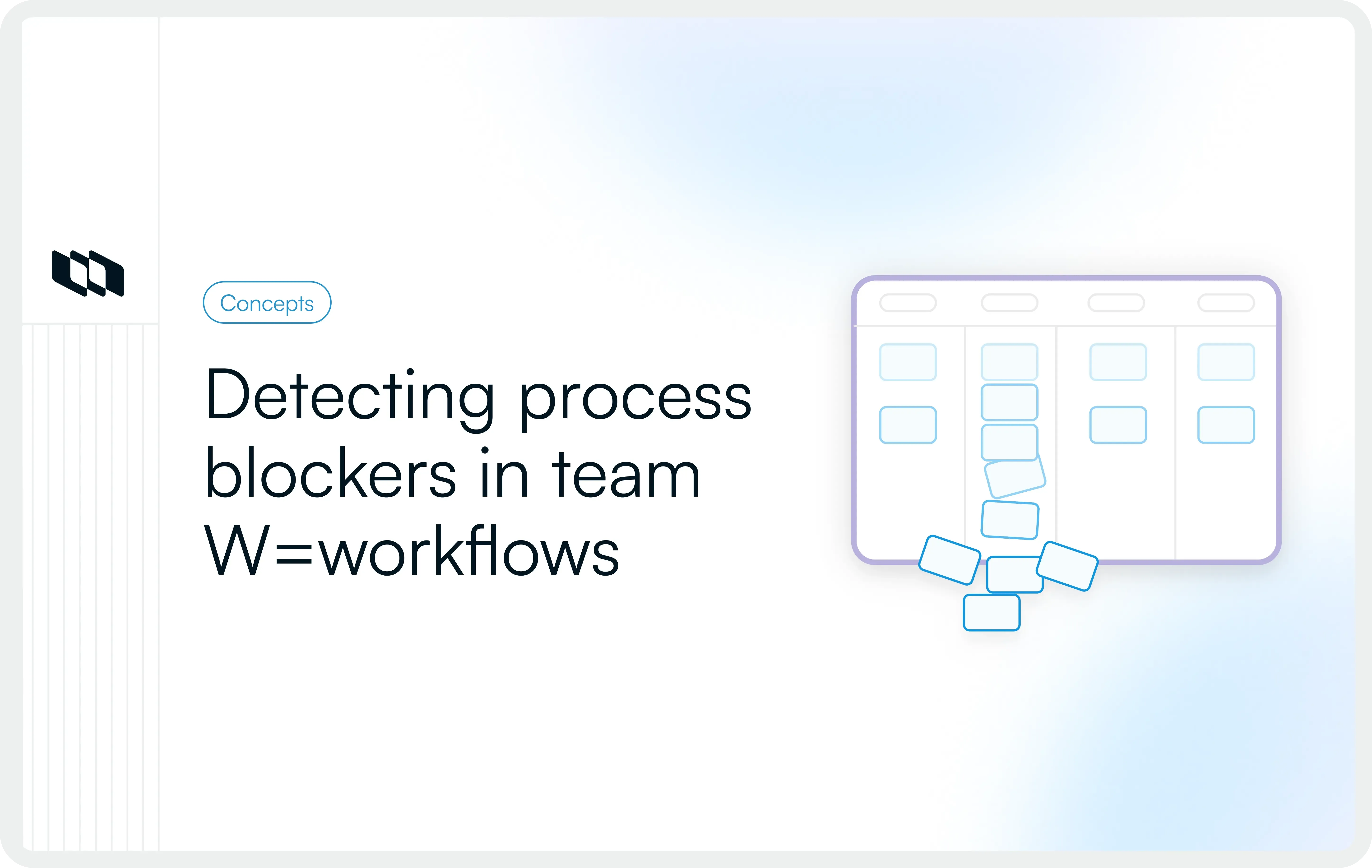
Workflow visualization boards, Kanban boards being the most widely used, make the state of work visible to the entire team at a glance. Each column represents a workflow stage, and each card represents a task moving through it. When work accumulates in a column, the visual congestion is immediately apparent.
Visualization boards support bottleneck diagnosis in a few specific ways:
- Column depth shows where tasks are stacking up relative to other stages.
- Card age indicators highlight tasks that have been sitting in a stage longer than expected.
- WIP limits, when applied to specific columns, force the team to address a bottleneck before pulling more work into the system.
- Swimlanes and filters help isolate bottleneck patterns by team, task type, or priority level.
The value of a visualization board is not just in the tool itself but in the shared situational awareness it creates. When everyone on the team can see where work is flowing and where it is stalling, bottleneck conversations shift from reactive to proactive.
Example: Identifying a bottleneck in a project workflow
Consider a mid-sized product team running two-week sprints. Developers consistently complete their tasks on time, yet features regularly spill into the next sprint. Activity remains high, but delivery slows down.
A closer look at the workflow reveals the pattern. Tasks move smoothly through backlog refinement, development, and testing. The slowdown begins at the design review stage, where work starts to accumulate. Tasks remain in this stage for several days before moving forward, increasing overall cycle time.
The team conducts a root cause analysis using the five whys:
- Tasks are delayed because they stall in design review
- Design reviews take longer than the sprint timeline allows
- A single senior designer handles all approvals
- No clear criteria exist for shared ownership of reviews
- The review process lacks documentation and distribution
This points to a structural bottleneck. The workflow concentrates decision-making in one role without defined support or delegation.
The team makes two targeted changes. Review responsibilities are distributed by defining clear approval criteria and enabling additional team members to handle standard reviews. A review SLA is introduced so that tasks that remain in review beyond a set timeframe are reassigned.
Within two sprints, the cycle time through the review stage reduces significantly. Fewer tasks spill into the next sprint, and delivery becomes more predictable.
This example highlights a key principle. Workflow bottlenecks in project teams usually emerge from how work is structured, not how individuals perform. Improving workflow design often creates the largest impact on delivery speed and consistency.
What to do after identifying a workflow bottleneck
Identifying workflow bottlenecks creates clarity, while improving them requires targeted changes to how work flows across the system. The goal is to reduce pressure on constrained stages, improve flow between steps, and align capacity with incoming work.
1. Rebalance workload across the team
When one stage or role handles more work than it can process, redistributing tasks helps restore balance. Teams can shift responsibilities, enable additional contributors, or adjust how work gets assigned so no single stage limits overall throughput.
2. Reduce unnecessary workflow steps
Workflows often include steps that add complexity without improving outcomes. Extra reviews, redundant checks, or repeated handoffs increase processing time and create delays. Removing or combining such steps helps streamline execution and improve flow.
3. Simplify approval processes
Approval-heavy workflows slow down when decision-making remains centralized. Defining clear approval criteria and enabling distributed ownership allows teams to move work forward with fewer delays. Faster decisions reduce waiting time between stages.
4. Automate repetitive tasks
Repetitive activities such as status updates, notifications, or data transfers consume time without contributing directly to progress. Automating these steps reduces manual effort and helps teams focus on higher-value work.
5. Improve communication and handoffs
Clear communication ensures that work moves smoothly between stages. Defining ownership, providing complete context, and standardizing handoffs reduce delays caused by follow-ups or the need for clarification. Structured communication keeps workflows predictable.
6. Set limits on work in progress
Limiting work in progress helps teams focus on completing tasks before starting new ones. Lower WIP reduces congestion, shortens cycle time, and prevents queues from forming across stages. This improves overall workflow stability.
How project management tools help teams spot bottlenecks
Workflow bottlenecks become easier to identify when work is visible, measurable, and connected in one place. Project management tools support this by showing how tasks move across stages, where they slow down, and how work is distributed across the team.
Instead of relying on manual updates or scattered communication, teams can observe how work flows in real time and act on clear signals.
1. Visual workflows and task boards
Visual boards represent the workflow as a series of stages, making it easier to see how work moves from one step to the next. When tasks begin to accumulate in a specific stage, it becomes immediately visible. This helps teams identify bottlenecks early without requiring detailed analysis.
2. Workload visibility
Workload views help teams understand how work is distributed across individuals and roles. By making ownership and task distribution visible, teams can spot imbalances and redistribute work before delays begin to affect delivery.
3. Cycle time and throughput tracking
Tracking how long work takes to move through the system helps teams understand flow efficiency. Metrics such as cycle time and throughput reveal patterns over time, such as slower completion rates or reduced output, which often indicate constraints at specific stages.
4. Overdue work and dependency tracking
Work items that remain open longer than expected often signal workflow delays. Dependency tracking adds further clarity by showing where tasks rely on inputs from other teams or stages. Together, these make it easier to identify where work is getting blocked or waiting.
5. Centralized communication and updates
When discussions, updates, and decisions are tied directly to tasks, teams spend less time searching for context. Centralized communication helps ensure that work moves forward with clarity, reducing delays caused by missing information or fragmented updates.
6. Bringing workflow visibility into one system
Teams benefit most when workflow visibility, task tracking, and collaboration exist in a single system. Platforms like Plane allow teams to structure workflows, track work across stages, and monitor progress through boards, views, and dashboards without switching between tools. This makes it easier to spot bottlenecks early, especially in complex or cross-functional projects where visibility often becomes fragmented.
Common mistakes teams make when identifying bottlenecks
Identifying workflow bottlenecks requires careful observation and structured analysis. Teams often act on visible symptoms without fully understanding how work flows across the system. These mistakes lead to short-term fixes that do not improve overall workflow performance.
1. Blaming individuals instead of analyzing the workflow
Bottlenecks often appear around specific roles or individuals, which can create the impression that performance is the issue. In most cases, the constraint comes from how work is structured, how responsibilities are assigned, or how decisions flow. Focusing on the workflow helps teams address the actual constraint rather than shifting pressure onto individuals.
2. Focusing only on symptoms instead of root causes
Visible issues, such as missed deadlines or growing backlogs, indicate that something is slowing the workflow. Treating these symptoms without understanding why they occur leads to repeated delays. Root cause analysis helps teams identify the underlying factors that create bottlenecks and resolve them effectively.
3. Ignoring the waiting time between tasks
Teams often focus on how long tasks take to complete while overlooking how long they wait between stages. Waiting time contributes significantly to overall delays and often reveals inefficiencies in approvals, handoffs, or dependencies. Measuring this time provides a clearer picture of workflow performance.
4. Failing to analyze workflow data
Decisions based on perception or anecdotal feedback can overlook important patterns. Workflow metrics such as cycle time, throughput, work in progress, and task aging provide objective insights into how work behaves. Using data helps teams identify constraints with greater accuracy.
5. Trying to fix too many issues at once
Workflows may contain multiple inefficiencies, but addressing all of them simultaneously creates complexity and slows progress. Focusing on the most impactful bottleneck allows teams to improve flow step by step and observe measurable results.
Closing thoughts
Workflow bottlenecks form when processes, approvals, handoffs, and resource distribution fail to keep pace with team demands. Identifying them accurately requires workflow mapping, waiting-time analysis, root-cause techniques, and consistent tracking of metrics such as cycle time, lead time, task aging, throughput, and WIP levels. Every method covered in this post points to the same principle: examine the system first, and fix the root cause rather than the symptom.
Teams that improve fastest treat workflow health as an ongoing practice, not a crisis response. They continuously monitor bottleneck signals, involve the people closest to the work, and make targeted interventions, one constraint at a time. That discipline, supported by the right tools and honest workflow reviews, is what turns bottleneck identification into a repeatable, compounding advantage for project teams.
Frequently asked questions
Q1. How to identify bottlenecks in a workflow?
To identify bottlenecks in a workflow, start by mapping the entire process from task creation to completion. Look for stages where work accumulates, analyze waiting time between steps, and review handoffs and dependencies. Use workflow metrics such as cycle time, lead time, work in progress, and task aging to confirm where delays occur. Combining workflow visibility with team insights helps accurately identify bottlenecks.
Q2. How do you identify bottlenecks?
Bottlenecks are identified by observing patterns in how work flows through a system. Common signals include tasks piling up in specific stages, longer waiting times, and reduced throughput. Teams can validate these patterns by tracking workflow metrics and analyzing where capacity does not match incoming work.
Q3. What does workflow bottleneck mean?
A workflow bottleneck refers to a stage in a process where work slows down because it cannot be handled at the same pace as earlier steps. This creates a queue of tasks, increases wait times, and reduces overall delivery speed throughout the workflow.
Q4. Which method is used to identify process bottlenecks?
Teams use methods such as process mapping, value stream mapping, root cause analysis, and workflow visualization boards to identify bottlenecks. These methods help visualize how work moves, measure delays, and understand the underlying causes of constraints.
Q5. How to test for bottleneck?
Testing for a bottleneck involves analyzing workflow data and observing task movement over time. Teams can track metrics such as cycle time, throughput, and task aging to identify stages where delays occur consistently. Reviewing queues, waiting times, and workload distribution also helps confirm whether a stage is constraining the workflow.
Recommended for you



 Download for Mac
 Download for Android