How to create effective product documentation?
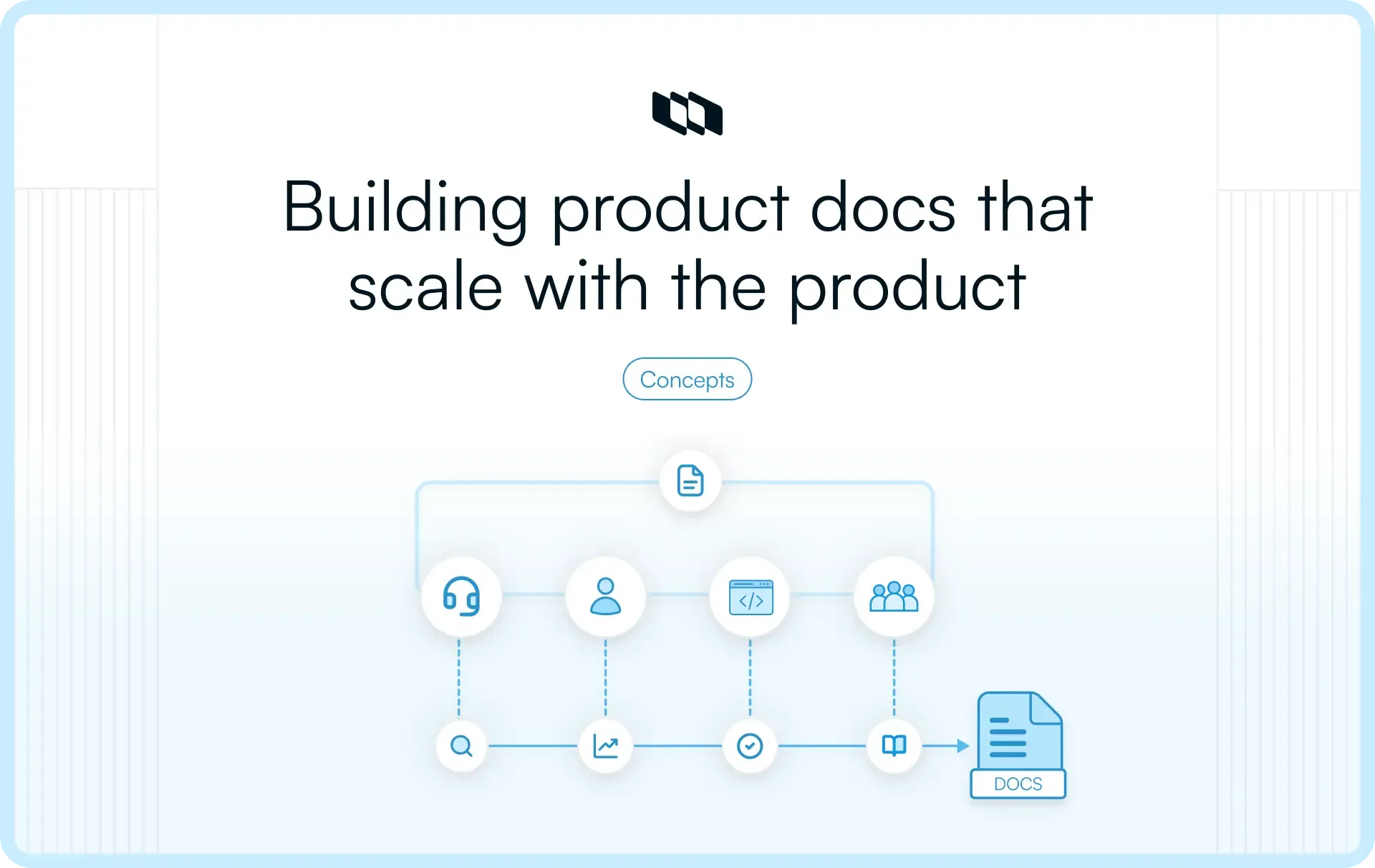
Introduction
Product documentation plays a central role in how teams build, launch, and improve products. It helps stakeholders stay aligned, gives teams access to critical context, and provides users with the information they need to succeed. When documentation follows a clear structure and ownership process, it becomes a valuable asset for the entire organization. This guide covers how to create effective product documentation and the practices that help keep it relevant over time.
What is product documentation?
Product documentation is the collection of information that explains a product's purpose, features, workflows, requirements, and decisions. It helps teams understand what they are building, why they are building it, and how the product works.
Effective product documentation serves as a shared source of knowledge for both internal teams and external users. It supports the entire product lifecycle by capturing important information during discovery, planning, development, launch, and ongoing improvements.
Internal product documentation
Internal product documentation helps product, engineering, design, operations, and support teams stay aligned throughout the product development process. It provides the context teams need to make decisions, collaborate effectively, and execute work with clarity.
Common examples include:
- Product requirements documents (PRDs)
- Technical specifications
- User stories
- Decision logs
- Product roadmaps
- Release plans
- Meeting notes
External product documentation
External product documentation helps customers and end users understand how to use a product successfully. It provides guidance, answers common questions, and helps users get value from the product more quickly.
Common examples include:
- User guides
- Knowledge base articles
- API documentation
- FAQs
- Troubleshooting guides
- Tutorials and onboarding documentation
- Release notes
Together, internal and external documentation help teams manage knowledge more effectively while creating a better experience for everyone who builds, supports, or uses the product.
Why product documentation matters
Product documentation is much more than a collection of documents. It acts as a shared knowledge system that helps teams capture information, align decisions, and support both internal operations and customer success. Understanding the strategic importance of product documentation:
1. Reduces knowledge silos
Important product knowledge often emerges during meetings, conversations, and day-to-day collaboration. Product documentation captures that knowledge in a central location where everyone can access it. This creates greater visibility and helps teams retain valuable context over time.
2. Improves team alignment
Product, engineering, design, support, and leadership teams frequently rely on the same information to make decisions. Shared product documentation ensures everyone works from a common understanding of goals, requirements, priorities, and workflows.
3. Speeds up onboarding
New team members need context before they can contribute effectively. Clear product documentation helps them understand the product, team processes, and key decisions more quickly. The same principle applies to customers learning how to use a product for the first time.
4. Helps teams scale processes
As organizations grow, informal knowledge-sharing becomes harder to maintain. Product documentation creates repeatable systems and standardized workflows that support consistency across teams, products, and projects.
5. Improves product adoption and support
User guides, onboarding resources, FAQs, and troubleshooting articles help customers find answers independently. This improves the user experience while helping support teams focus on more complex requests.
6. Preserves product decisions over time
Products evolve through hundreds of decisions made across months or years. Product documentation creates a record of those decisions, making it easier to understand the reasoning behind features, priorities, and roadmap changes during future planning discussions.
Types of product documentation
Product documentation covers much more than user guides and help articles. Throughout the product lifecycle, teams create different types of documentation to plan work, align stakeholders, guide development, support users, and preserve knowledge. Let's have a look at the types of product documentation:
1. Product requirements documents (PRDs)
A product requirements document (PRD) defines what a team is building and why. It serves as a central reference point during product planning and development. PRDs typically capture the problem being solved, business goals, user needs, requirements, scope, success metrics, and key assumptions. Product managers use PRDs to align engineering, design, and stakeholders before development begins.
Without clear requirements, teams often interpret goals differently, leading to misalignment and delivery challenges. A well-written PRD creates shared understanding and helps teams move forward with confidence.
2. Product roadmaps
Product roadmaps provide a high-level view of where a product is heading. They help teams communicate priorities, planned initiatives, and strategic goals over a specific period. Unlike detailed project plans, roadmaps focus on direction rather than execution. They help stakeholders understand what the team plans to work on next and how upcoming initiatives support broader business objectives. Product managers frequently use roadmaps to align leadership, customers, and internal teams around future priorities.
3. Technical documentation
Technical documentation explains how a product works from a technical perspective. It helps engineering teams build, maintain, troubleshoot, and scale systems effectively.
Examples include:
- System architecture diagrams
- API documentation
- Integration guides
- Database schemas
- Infrastructure documentation
- Engineering workflows
As products become more complex, technical documentation becomes increasingly important for onboarding engineers, reducing knowledge gaps, and maintaining operational consistency.
4. User stories and acceptance criteria
User stories describe functionality from the user's perspective. Acceptance criteria define the specific conditions a feature must meet before it can be considered complete. Together, they help product and engineering teams translate customer needs into actionable work items.
For example, a user story may describe a customer's ability to reset a password, while acceptance criteria outline the exact requirements needed for that feature to work successfully.
These documents play an important role in Agile product development by creating clarity around expected outcomes.
5. Release notes
Release notes document changes introduced in a product update. They provide visibility into new features, enhancements, bug fixes, performance improvements, and important announcements. Internally, release notes help teams stay informed about product changes. Externally, they help customers understand new capabilities and get value from recent updates. Consistent release notes create transparency and improve communication between product teams and users.
6. User documentation
User documentation helps customers learn, adopt, and successfully use a product. It often serves as the first place users look for guidance.
Common examples include:
- User guides
- Onboarding documentation
- Tutorials
- Help center articles
- Knowledge base content
- Feature walkthroughs
Strong user documentation improves the customer experience, reduces support requests, and helps users achieve their goals faster.
7. Troubleshooting documentation
Troubleshooting documentation focuses on helping users diagnose and resolve common issues. These resources often include explanations of errors, step-by-step solutions, known limitations, and recommended fixes for recurring problems. Effective troubleshooting documentation benefits both customers and support teams by reducing resolution times and creating a more consistent support experience.
8. Decision logs and meeting documentation
Many important product decisions happen during planning sessions, roadmap discussions, design reviews, and stakeholder meetings. Capturing those decisions helps teams preserve valuable context. Decision logs document what was decided, why it was made, who participated, and any alternatives considered. Meeting notes capture discussions, action items, and follow-up tasks. Over time, this documentation becomes a valuable knowledge repository that helps teams understand historical context and make more informed decisions in the future.
What should effective product documentation include?
The quality of product documentation depends as much on its structure as its content. Teams often create documentation with valuable information, yet readers still struggle to find answers because the document lacks context, ownership, organization, or supporting resources. Let's have a look at what effective product documentation should include:
1. Clear purpose and audience
Every document should start by answering two simple questions: Who is this for, and what is it trying to accomplish?
A product manager reading a requirements document needs different information than a customer reading a user guide. Defining the audience early helps writers choose the right level of detail, language, and structure. When readers immediately understand a document's purpose, they can quickly determine whether it contains the information they need.
2. Product or feature overview
Before diving into workflows, requirements, or technical details, readers need context. A short overview explains what the product, feature, or process does and why it matters. This helps readers understand the bigger picture before exploring specific instructions or implementation details. For example, a feature guide may begin with a brief explanation of the problem the feature solves and the users it is designed to help.
3. Requirements and workflows
One of the primary goals of product documentation is to clarify how things work. Requirements and workflows help document processes, dependencies, business rules, implementation steps, and expected outcomes. This information gives teams a consistent reference point when planning, building, testing, or supporting a product. Clear workflows also reduce misunderstandings by helping everyone follow the same process.
4. Examples and visuals
Visuals often communicate information faster than text alone. Screenshots, diagrams, flowcharts, product walkthroughs, and real-world examples help readers understand concepts more quickly and apply them correctly. They are especially useful when documenting complex workflows, product features, or technical processes. Well-placed visuals can significantly improve the usability of product documentation.
5. Ownership and accountability
Every document should have a clear owner. Ownership helps ensure documentation remains accurate, relevant, and up to date as products evolve. It also gives teams a designated point of contact for questions, updates, and approvals. As documentation libraries grow, clear accountability becomes increasingly important for maintaining quality.
6. Version history and updates
Products change constantly, and documentation should evolve alongside them. Maintaining version history helps teams track what changed, when updates were made, and why those changes occurred. This improves transparency and gives readers confidence that the information reflects the product's current state. Version tracking becomes particularly valuable for technical documentation, release documentation, and compliance-related records.
7. Linked references and related resources
Product knowledge rarely exists in a single document. A PRD may connect to user research, technical specifications, design files, meeting notes, release plans, and roadmap items. Linking related resources helps readers navigate between connected pieces of information without having to search across multiple systems. This creates a more connected documentation experience and makes product knowledge easier to discover and use across teams.
Product documentation across the product lifecycle
Many discussions about product documentation focus on writing user guides or maintaining a knowledge base. In reality, documentation plays a role throughout the entire product lifecycle. Let's have a look at the product documentation throughout the various stages of the product lifecycle:
1. Discovery phase documentation
The discovery phase focuses on understanding users, identifying problems, and evaluating opportunities before development begins. Documentation created during this stage helps teams capture insights and validate assumptions before committing resources to a solution.
Common examples include:
- User research findings
- Customer interview notes
- Market research
- Competitive analysis
- Problem statements
- Assumptions and hypotheses
This documentation provides the foundation for future product decisions by ensuring teams build solutions based on evidence rather than opinions.
2. Planning phase documentation
Once a team has identified a problem worth solving, documentation shifts toward planning and prioritization. Planning documentation helps teams define goals, align stakeholders, evaluate trade-offs, and establish a clear path forward.
Common examples include:
- Product roadmaps
- Product requirements documents (PRDs)
- Prioritization frameworks
- Project timelines
- Success metrics
- Dependency mapping
These documents help ensure everyone understands what is being built, why it matters, and how success will be measured.
3. Development phase documentation
During development, teams need detailed documentation that supports implementation and collaboration. Development documentation provides engineers, designers, and product managers with the information needed to build features consistently and efficiently.
Common examples include:
- Technical specifications
- System architecture documentation
- API documentation
- User stories
- Acceptance criteria
- Workflow diagrams
- Edge case documentation
Clear documentation during this phase helps reduce ambiguity and supports smoother execution across teams.
4. Launch phase documentation
As a product or feature approaches release, documentation focuses on preparing both internal teams and end users. Launch documentation helps communicate changes, support adoption, and ensure everyone involved understands the release.
Common examples include:
- Release notes
- User guides
- Onboarding documentation
- Training materials
- Support documentation
- Go-to-market resources
Strong launch documentation creates a smoother experience for customers while helping internal teams provide consistent guidance and support.
5. Post-launch documentation
Documentation continues to provide value after a product reaches users. Post-launch documentation helps teams evaluate outcomes, gather feedback, and identify opportunities for future improvements.
Common examples include:
- Customer feedback summaries
- Product analytics reports
- Experiment results
- Iteration plans
- Retrospective notes
- Lessons learned documentation
This information helps teams understand what worked, what can be improved, and where future product investments should be directed.
When viewed across the entire product lifecycle, product documentation becomes much more than a collection of documents. It serves as a continuous record of product knowledge that supports better decision-making from discovery through ongoing iteration.
How to create effective product documentation
Creating effective product documentation requires more than writing down what a product does. A good documentation process helps teams decide what to capture, who the document is for, how to structure the information, and how to keep it accurate as the product evolves. Here is a guide to establishing high-impact product documentation:
1. Identify the target audience
Start by defining who the documentation is for. Different readers need different levels of detail.
For example:
- Product managers need goals, scope, user problems, success metrics, and trade-offs.
- Engineers need technical requirements, APIs, dependencies, edge cases, and implementation details.
- Support teams need common user questions, troubleshooting steps, and known limitations.
- End users need clear instructions, screenshots, and examples.
When the audience is clear, the writing becomes more focused. The document can use the right language, structure, examples, and level of detail for the reader.
2. Define the goal of the document
Every product document should have a clear purpose. Before writing, define what the reader should understand or complete after reading it.
For example, a PRD should help teams understand what needs to be built, why it matters, and how success will be measured. A technical specification should help engineers understand how something will be implemented. A user guide should help customers complete a task inside the product.
This step keeps the document focused and helps teams decide what information belongs in the document and what should be linked as supporting context.
3. Gather information from stakeholders
Product documentation becomes stronger when it includes input from the people closest to the work. Product managers, engineers, designers, support teams, customer success teams, and sales teams often hold different pieces of product knowledge.
Useful sources of information include:
- User research findings
- Roadmap discussions
- Design files
- Technical plans
- Support tickets
- Customer feedback
- Previous project documentation
Gathering inputs early helps teams clarify assumptions, dependencies, constraints, and edge cases before the documentation becomes the reference point for execution.
4. Create a standardized structure
A consistent structure makes product documentation easier to read, compare, and maintain. When every document follows a different format, readers spend extra time figuring out where information lives. Using templates also helps teams create documentation faster while maintaining consistency across projects.
For example, a PRD template may include:
- Problem statement
- Goals
- User stories
- Scope
- Requirements
- Dependencies
- Risks
- Success metrics
- Open questions
A release note template may include:
- Summary
- New features
- Improvements
- Bug fixes
- User impact
- Related resources
Standardized headings, naming conventions, tags, and formatting rules make documentation easier to navigate as the product and team grow.
5. Write in simple and concise language
Clear product documentation should be easy to understand, even when the product itself is complex. Use simple language, short explanations, and direct sentences. Avoid unnecessary jargon unless the audience expects technical terminology. When technical terms are required, define them clearly and use them consistently throughout the document.
The best product documentation focuses on helping readers take action. Every section should answer a specific question, explain a workflow, or provide information that helps someone complete a task.
6. Add visuals and real examples
Visuals make product documentation easier to understand, especially when explaining workflows, interfaces, systems, or multi-step processes.
Common examples include:
- Screenshots that show users where to click
- Flowcharts that explain workflows
- Diagrams that visualize systems and dependencies
- Examples that demonstrate real-world use cases
Visuals help readers understand information more quickly and reduce confusion around complex processes. They are especially valuable in PRDs, technical documentation, onboarding guides, and user documentation.
7. Review documentation collaboratively
Product documentation should undergo a review process before it becomes the source of truth. Collaborative reviews help teams identify missing information, improve clarity, and validate accuracy.
Different teams can review different aspects of the document:
- Product managers review goals, scope, priorities, and user context.
- Engineers review technical feasibility, dependencies, and implementation details.
- Designers review workflows and user experience considerations.
- Support teams review whether the documentation addresses common customer questions.
This process improves quality while creating shared ownership across teams.
8. Publish documentation in a centralized workspace
Product documentation becomes more valuable when people can find it easily. A centralized workspace gives teams one place to access requirements, technical specifications, release notes, user guides, decision logs, and other product knowledge.
A centralized documentation system should support:
- Searchability
- Clear organization
- Permissions management
- Document linking
- Shared visibility across teams
Related documents should connect naturally, allowing readers to move between PRDs, technical specifications, design files, work items, release notes, and support resources without losing context.
When documentation is centralized, product, engineering, design, support, and leadership teams can work from the same source of information.
9. Continuously improve documentation
Product documentation should evolve alongside the product. Features change, workflows improve, customer questions shift, and technical systems mature. Documentation should reflect those changes.
Teams can review documentation during:
- Product releases
- Sprint reviews
- Retrospectives
- Roadmap updates
- Support reviews
Outdated content should be updated, merged, or archived. New learnings should be added as products evolve. When documentation becomes part of the team's regular workflow, it remains accurate, relevant, and valuable throughout the product lifecycle.
Product documentation best practices
Creating product documentation is only the first step. The long-term value comes from how documentation is maintained, organized, and used across teams. The following best practices can help teams build documentation that remains useful as products evolve:
1. Keep documentation close to product work
Documentation becomes easier to maintain when it lives alongside the work it supports. Requirements, decisions, technical specifications, and release notes should stay connected to projects, features, and workflows. When documentation is part of the product development process, teams can update information as work progresses rather than revisiting it months later.
2. Use consistent templates and structure
A standardized format helps teams create documentation faster and makes information easier to navigate. Using consistent templates for PRDs, technical specifications, release notes, and meeting notes ensures readers know where to find key information. It also improves scalability as documentation grows across multiple teams and products.
3. Write for clarity and readability
Effective product documentation should be easy to scan and understand. Readers often visit documentation to find answers quickly, so structure matters. Short paragraphs, descriptive headings, clear language, and logical organization help users locate information faster and improve the overall documentation experience.
4. Make documentation easy to find
Even high-quality documentation provides limited value if people struggle to locate it. Strong organization, search functionality, tagging, categories, and links between related documents improve discoverability. Teams should be able to move easily between requirements, technical documentation, release notes, and supporting resources.
5. Review and update documentation regularly
Products evolve continuously, and documentation should evolve with them. Regular reviews help ensure information remains accurate, relevant, and aligned with the current product experience. Assigning ownership and incorporating documentation updates into releases, sprint reviews, or retrospective processes helps teams maintain documentation quality over time.
Common product documentation mistakes to avoid
Even teams that invest significant effort in product documentation can run into problems when documentation practices become inconsistent or disconnected from day-to-day work. Avoiding the following mistakes can help ensure your documentation remains accurate, useful, and easy to maintain.
1. Creating documentation only after launch
Many teams treat documentation as a final task completed just before or after a release. This approach often leads to missing context, incomplete information, and rushed documentation. Documentation should be created throughout the product lifecycle. Capturing requirements, decisions, technical details, and user guidance as work progresses helps keep information accurate and reduces the effort required later.
2. Writing without understanding the audience
Documentation becomes much more effective when it is written for a specific audience. A document created for engineers will look very different from one written for customers or support teams. Without a clear understanding of the reader, documentation can become either too technical, too broad, or miss the information people actually need. Defining the audience first helps teams create more useful and relevant documentation.
3. Using overly technical or unclear language
The purpose of product documentation is to make information easier to understand and apply. Complex language, unexplained terminology, and lengthy explanations can make documentation difficult to use. Clear language, structured formatting, and practical examples help readers find answers quickly and understand concepts more effectively.
4. Storing documentation across disconnected tools
When documentation is spread across documents, spreadsheets, chat platforms, shared drives, and project tools, finding information becomes difficult. Teams spend more time searching for context and less time using it. Maintaining a centralized documentation system improves visibility, collaboration, and long-term knowledge management.
5. Letting documentation become outdated
Product documentation provides value only when it reflects the product's current state. As features, workflows, and requirements change, documentation should be reviewed and updated accordingly. Regular reviews, clear ownership, and documentation updates as part of release processes help ensure information remains accurate and trustworthy.
How modern product teams manage documentation more effectively
As products become more complex, documentation becomes harder to manage when it is scattered across multiple tools. Requirements may live in one platform, technical notes in another, meeting decisions in chat threads, and release documentation somewhere else entirely.
Modern product teams are increasingly moving toward a more connected approach, in which product documentation exists alongside the work it supports. Instead of treating documentation as a separate activity, teams manage requirements, product decisions, roadmaps, workflows, and project execution within a shared workspace.
This approach creates several advantages:
- Teams spend less time searching for information across different tools.
- Product decisions remain connected to the projects and features they influence.
- Stakeholders can access the latest context without relying on meetings or manual updates.
- Documentation stays aligned with ongoing product development.
Centralized collaboration also helps create what many teams call living documentation. Rather than becoming static documents updated only occasionally, documentation evolves alongside the product. New decisions, requirements, feedback, and release information can be added continuously, ensuring the documentation remains relevant over time.
Project management tools like Plane support this approach by bringing product planning, project management, knowledge sharing, and execution into one workspace. Teams can document requirements, manage roadmaps, track work items, capture decisions, and maintain product knowledge without constantly switching between disconnected systems.
As products and teams scale, keeping documentation connected to the work itself becomes one of the most effective ways to maintain alignment, preserve knowledge, and ensure everyone has access to accurate information when they need it.
Final thoughts
Effective product documentation helps teams do much more than store information. It creates a shared understanding of product goals, decisions, requirements, workflows, and user needs across the entire product lifecycle. The most successful documentation systems are built with a clear audience, a consistent structure, and a process for keeping information current. When documentation stays connected to product work, it becomes easier to maintain, easier to discover, and more valuable to everyone involved.
As products grow, strong product documentation helps teams preserve knowledge, improve collaboration, accelerate onboarding, and make better decisions with confidence. By treating documentation as an ongoing part of product development rather than a one-time task, teams can build a reliable source of truth that evolves alongside the product itself.
Frequently asked questions
Q1. What is product documentation?
Product documentation is a collection of documents that explain a product's purpose, features, requirements, workflows, technical details, and usage instructions. It helps internal teams build and manage the product while helping customers understand and use it effectively.
Q2. What are the 4 types of documentation?
Product documentation is commonly divided into four categories:
- Product requirements documentation
- Technical documentation
- User documentation
- Process and decision documentation
Together, these documents support planning, development, product adoption, and long-term knowledge management.
Q3. What are the 4 C's of documentation?
The 4 C's of effective documentation are:
- Clear: Information is easy to understand.
- Concise: Content focuses on essential details.
- Consistent: Structure, terminology, and formatting remain uniform.
- Current: Documentation stays updated as products evolve.
These principles help teams create documentation that remains useful and reliable over time.
Q4. How to write a product documentation?
To create effective product documentation:
- Identify the target audience.
- Define the purpose of the document.
- Gather information from relevant stakeholders.
- Use a consistent structure and format.
- Write in clear and simple language.
- Include visuals and examples where helpful.
- Review and update the documentation regularly.
Following these steps helps ensure documentation remains accurate, accessible, and actionable.
Q5. What are the 5 common types of product documentation?
Five of the most common types of product documentation are:
- Product requirements documents (PRDs)
- Product roadmaps
- Technical documentation
- User guides and knowledge base articles
- Release notes
Each type serves a different purpose and supports a different stage of the product lifecycle.
Recommended for you




 Download for Mac
 Download for Android