What is tool calling in AI? How AI agents use external tools
Imagine asking an AI agent to identify which unresolved issues could delay your next product release. The answer depends on current project data, issue dependencies, and updates scattered across different systems. The agent needs a way to retrieve that information before it can assess the situation.
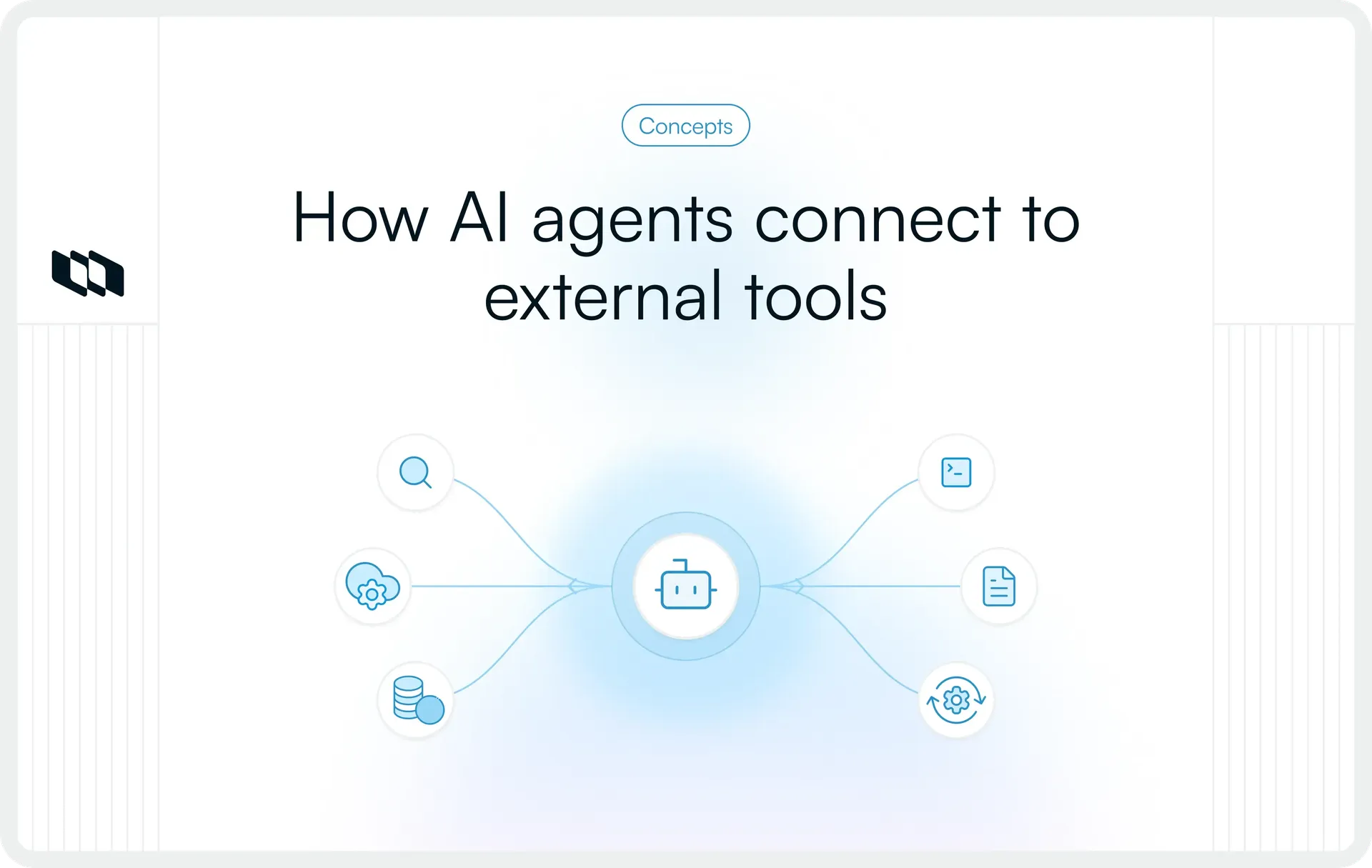
Tool calling provides that connection. It allows AI models to request external information, perform operations, and interact with applications through defined tools. This guide explains how tool calling works, the tools AI agents use, and how teams can manage tool execution reliably.
What is tool calling in AI?
Tool calling in AI is the process through which a language model requests an external tool, function, or service to retrieve information, perform computations, or initiate an action. It allows AI-powered applications to extend their capabilities beyond text generation by interacting with software systems and external data sources.
When a model determines that a task requires an external operation, it generates a structured request identifying the appropriate tool and its input parameters. An application, agent runtime, or managed execution environment processes that request, executes the operation, and makes the result available to the model.
For example, consider an engineering manager asking an AI assistant, "What's the current status of WEB-142?"
The assistant can request a project management tool to retrieve the work item's status, assignee, and recent activity. Once the tool returns the information, the model uses it to answer the question accurately.
This interaction illustrates the fundamental principle behind AI tool calling: the language model determines which available capability to request, while the connected execution environment handles the operation.
The same mechanism supports increasingly complex AI agents. Through LLM tool calling, an agent can retrieve information, evaluate results, and initiate additional operations as its assigned workflow progresses.
Why do AI agents need tool calling?
AI agents often work on tasks that depend on current information, specialized operations, and access to existing business systems. Tool calling gives these agents a controlled way to interact with the applications where relevant data and work already exist.
Its value becomes clearer across five capabilities.
1. Access real-time information
Language models operate using the context supplied during an interaction and knowledge learned during training. External tools allow agents to retrieve information that changes continuously, such as deployment status, inventory levels, financial data, or active project updates.
For instance, an engineering agent can query a monitoring service to check whether an application is experiencing errors instead of relying on historical information about the system.
2. Retrieve relevant context
Many tasks require information distributed across documents, databases, and applications. Retrieval tools allow agents to locate the specific records needed to understand a request.
A product management agent evaluating a feature request might retrieve the original customer feedback, an existing specification, and related work items before preparing an assessment.
3. Perform precise computations and processing
External tools provide specialized execution capabilities for tasks involving calculations, structured data transformations, and programmatic operations.
An agent preparing an engineering report can use a computation tool to calculate cycle time from recorded timestamps. The tool performs the calculation, and the model interprets the resulting metric.
4. Take actions in connected applications
With appropriate permissions, AI agents can create records, update existing information, and initiate operations through application interfaces.
A support agent, for example, could create an engineering ticket after identifying a reproducible product issue. The tool executes the record creation and returns the resulting identifier.
5. Coordinate multi-step tasks
Some workflows require several operations to reach an outcome. Tool calling allows agents to use intermediate results when deciding which operation to request next.
An incident management agent might retrieve an alert, investigate related system logs, and prepare a summary for the assigned engineer. Each tool provides information that helps determine the next step.
Together, these capabilities explain why tool calling has become an important building block for AI agent systems that interact with operational workflows.
How does tool calling work in AI agents?
The tool-calling process connects a model's interpretation of a request with the execution capabilities of an external system. Each interaction follows a defined sequence in which the model requests an operation, receives its result, and determines how to proceed.
Consider an AI agent assigned to identify blocked work items for an upcoming release.
Step 1: The agent receives a request
The process begins when a user submits an instruction or an automated event triggers the agent.
For example: "Find the work items currently blocking our next release."
The agent interprets the request and determines what information it needs. In this case, it must identify the relevant release and retrieve work items associated with unresolved blockers.
The execution environment provides the model with the instructions, context, and tools available for the task.
Step 2: The model selects an appropriate tool
The model evaluates the available tools against the information required to complete the request.
Each tool typically has a name, a description of its purpose, and definitions for its accepted inputs. These descriptions help the model distinguish between operations such as retrieving work items, checking dependencies, and updating project records.
For the release-blocker request, a tool designed to retrieve blocked work items would be appropriate.
Tool availability also depends on the application's configuration. An agent can only request tools exposed to it within the relevant execution environment.
Step 3: The model generates a structured tool call
After identifying the required tool, the model prepares a request containing its name and input arguments.
For example, an illustrative tool call could look like this:
{
  "name": "find_release_blockers",
  "arguments": {
    "release_id": "release_42"
  }
}
This conceptual example shows a request to retrieve blockers associated with a particular release. The tool name and identifier are illustrative rather than part of a specific product API.
Tool definitions commonly use JSON Schema to describe required arguments, accepted data types, and other input constraints. These definitions give the execution environment a predictable structure to validate.
Step 4: The execution environment validates and runs the tool
The application or agent runtime receives the requested tool call and checks whether the operation is valid and permitted.
Depending on the implementation, validation can include checking required parameters, verifying credentials, enforcing access permissions, and applying restrictions on allowed actions.
Once the request passes the necessary checks, the execution environment invokes the tool. This might involve sending an API request, querying a database, or executing a function.
Some platforms also provide managed tools that execute within the provider's environment. In either case, an execution component performs the actual operation.
Step 5: The tool returns its response
After execution, the tool provides a result to the agent's environment.
For the release-blocker example, the response might contain a list of blocked work items, their identifiers, dependencies, and current states.
Tool responses may be structured objects, text, execution results, or error messages, depending on the operation. The execution environment associates the response with the corresponding request so the model can interpret it correctly.
If the tool encounters an error, the result can also indicate what failed and whether another attempt is appropriate.
Step 6: The agent interprets the result and decides what happens next
The model receives the tool output as additional context and evaluates whether it has enough information to satisfy the original request.
If the returned records contain everything required, the agent can summarize the blockers and explain their relevance to the release. If important details are missing, it may request another permitted tool.
This process can continue across multiple interactions until the task is completed, an execution limit is reached, or human input becomes necessary.
The result is a feedback-driven workflow in which each completed operation informs the agent's subsequent decisions.
What types of external tools can AI agents use?
External tools provide different capabilities depending on the information an agent needs and the actions it must perform. Understanding the types of tools used by AI agents helps teams choose appropriate integrations and define which operations should be available during execution.
The most common categories include the following.
1. Web search and information retrieval tools
These tools allow agents to search the web, retrieve information from indexed documents, and access relevant content from knowledge sources.
They are useful when a task depends on information outside the current conversation, such as finding technical documentation, reviewing published changes, or retrieving internal reference material.
2. API and application integration tools
API-based tools connect AI agents with software applications through supported interfaces. They enable operations such as retrieving project information, creating records, updating statuses, and interacting with third-party services.
For example, an agent can use a project management API to retrieve a work item or submit an authorized update.
3. Database and structured data tools
Database tools allow agents to access structured records using supported queries or predefined operations.
They are useful for retrieving customer records, analyzing operational data, or examining historical activity. In production environments, these tools may expose constrained queries or approved data views to limit unnecessary access.
4. Code execution and computation tools
Code execution tools provide an environment for running programs, processing files, and performing computations.
An engineering agent might execute a diagnostic script, while an analytics agent could process a dataset to calculate trends or generate summary statistics.
Execution permissions, resource limits, and isolation controls help determine which operations are appropriate.
5. File and browser interaction tools
These tools enable agents to read files, inspect documents, navigate supported web interfaces, and perform interface-based operations.
They are particularly useful when information exists in documents or applications that require navigation rather than a direct API request.
6. Workflow and automation tools
Workflow tools initiate actions across connected business systems, such as creating approval requests, sending notifications, scheduling operations, or updating workflow records.
An agent handling incoming customer requests could use these tools to route a validated issue to the appropriate team.
An important distinction is whether a tool reads information or changes system state. Read operations generally retrieve existing data, while write operations create, modify, or delete records or initiate external effects. Both require appropriate authorization, with potentially consequential actions often needing additional controls.
How do AI agents use multiple tools to complete a task?
A single tool call can answer a focused question, but broader tasks may depend on information and operations distributed across several systems. Understanding how AI agents use external tools across a workflow requires examining how these calls are coordinated.
The execution pattern usually depends on whether operations have dependencies, can run independently, or require decisions based on intermediate results.
1. Sequential tool calling
Sequential tool calling executes operations in a defined order, with a later operation depending on information returned by an earlier one.
Consider an agent preparing a technical incident report. It might retrieve an incident identifier, use that identifier to access related monitoring records, and then obtain relevant deployment history.
The ordering matters because each subsequent operation depends on information obtained earlier.
2. Parallel tool calling
Parallel tool calling allows independent operations to execute concurrently when the model, tools, and execution environment support that behavior.
An agent assessing delivery readiness might request deployment status from a CI/CD platform and open production incidents from a monitoring service at approximately the same time.
Because neither request depends on the other's result, concurrent execution can reduce the overall waiting time.
3. Conditional and iterative tool calling
Conditional tool calling allows an agent to choose subsequent actions based on previous tool outputs.
Suppose an agent checks a deployment and discovers a failed validation step. It may then retrieve the failure logs and identify the relevant error. If the deployment succeeded, that investigation would be unnecessary.
Iterative workflows can involve repeated tool requests, but reliable execution requires limits on attempts, clear completion criteria, and defined escalation conditions.
Example: An AI agent checking release readiness
Consider a release manager asking an agent to assess whether a planned software release is ready for deployment.
An appropriately configured agent could perform the following sequence:
- Retrieve release scope: Identify the work items associated with the planned release.
- Inspect unresolved dependencies: Check whether any required work remains blocked or incomplete.
- Check engineering signals: Retrieve relevant build, test, or deployment information from connected development tools.
- Evaluate outstanding risks: Compare the gathered information against the team's predefined release-readiness criteria.
- Prepare follow-up actions: Summarize the findings and create permitted follow-up records when authorized.
The workflow combines several tool calls into a single task while preserving the distinction between gathering evidence, evaluating conditions, and performing actions.
What are some real-world examples of tool calling in AI agents?
Tool calling appears across engineering, product development, operations, and customer-facing workflows. The tools and permissions vary by application, but the underlying mechanism remains consistent: an agent requests an operation and uses the result to advance its assigned task.
The following examples illustrate practical use cases.
1. Software development and code assistance
Task: Investigate a failing automated test.
Tools used: Repository access, code search, test execution, and issue tracking tools.
An engineering agent retrieves the failing test details, examines relevant source files, and runs permitted diagnostic checks. It can then report the likely cause and prepare suggested changes for developer review.
Outcome: The engineer receives an investigation supported by repository context and test results.
2. Project management and delivery tracking
Task: Prepare a weekly project progress report.
Tools used: Project management APIs and reporting tools.
An agent retrieves recently completed work, identifies overdue items, reviews changes to milestones, and organizes the information into a progress summary.
Outcome: The project manager receives a status report based on current project records, with outstanding risks and dependencies highlighted.
3. IT operations and incident response
Task: Investigate an application error reported by monitoring software.
Tools used: Monitoring APIs, log retrieval tools, and incident management systems.
An operations agent retrieves the alert, accesses related logs, and checks recent deployment activity. Based on the available evidence, it can prepare an incident summary and create an investigation record.
Outcome: The response team receives relevant diagnostic context in a single incident record.
4. Customer support and request handling
Task: Resolve a customer's question about an order.
Tools used: Customer management systems, order databases, and knowledge retrieval tools.
A support agent retrieves the customer's authorized order information, checks its latest status, and consults the relevant support policy.
Outcome: The agent provides an answer grounded in the customer's record and can initiate an approved next step when appropriate.
5. Research and business reporting
Task: Prepare a report comparing product adoption across customer segments.
Tools used: Analytics APIs, data retrieval tools, and computation tools.
An analytics agent retrieves the relevant usage data, groups records by segment, calculates the requested metrics, and produces a structured summary.
Outcome: The team receives a report that connects calculated results with the underlying data.
These examples show how AI agent tool use can support different functions while adapting to the tools and boundaries established for each workflow.
How is tool calling different from function calling, API calling, RAG, and MCP?
Several concepts appear alongside tool calling in AI architectures, particularly function calling, APIs, retrieval-augmented generation (RAG), and the Model Context Protocol (MCP). They describe related capabilities, but each operates at a different level of the system.
Understanding these distinctions helps teams select the appropriate approach when building or evaluating AI agents.
Concept | What it does | Relationship to tool calling |
Tool calling | Allows a model to request an available external capability. | The overall mechanism for requesting tools during model execution. |
Function calling | Allows a model to generate structured requests for defined functions. | Often used interchangeably with tool calling, particularly for schema-defined functions. |
API calling | Allows software systems to exchange requests and responses through an interface. | An external tool may invoke an API to perform the requested operation. |
Retrieval-augmented generation (RAG) | Grounds model responses in information retrieved from external knowledge sources. | Retrieval may be performed through tool calls or another retrieval mechanism. |
Model Context Protocol (MCP) | Standardizes how compatible AI applications connect to external tools and contextual resources. | Provides a common integration interface through which tools can be discovered and invoked. |
Tool calling vs. function calling
In many AI platforms, function calling and tool calling describe the same general interaction. A model selects a defined capability and generates the arguments needed to request it.
The distinction typically appears in the range of supported capabilities. Function calling in AI commonly refers to structured function requests, while the broader term tool calling can also include built-in retrieval tools, code execution, and externally hosted capabilities.
Tool calling vs. API calling
API calling describes communication between software systems through a defined interface. Applications can make API requests through conventional programming logic, independent of any language model.
Tool calling introduces model-directed selection into that process. The model identifies an available operation and proposes its arguments, while the execution environment may use an API to complete the request.
Tool calling vs. RAG
RAG helps language models generate responses using information retrieved from a knowledge source.
A RAG system might automatically retrieve relevant documents before generating a response. In an agentic implementation, the model may instead request a retrieval tool when it determines that additional information is needed.
Tool calling therefore offers one possible execution mechanism for retrieval-based workflows.
Tool calling vs. MCP
MCP defines a standardized way for compatible AI applications to connect with external capabilities through MCP servers.
An MCP server can expose tools that an AI application discovers and invokes. The protocol provides a consistent interface for integration, while the host application remains responsible for the relevant authorization and execution policies.
This makes MCP useful when teams want to connect AI systems with multiple services through a common integration approach.
What are the common challenges and best practices for AI tool calling?
Reliable tool calling depends on more than choosing a suitable model or connecting additional applications. Tool definitions, authorization, error handling, and execution controls influence how consistently an agent can complete assigned work.
Teams building AI tool-calling workflows should account for six operational considerations.
1. Incorrect tool selection and invalid arguments
An agent may select an unsuitable tool or generate arguments that do not match the operation's requirements. Ambiguous tool descriptions increase the risk of incorrect requests, particularly when several tools support similar functions.
Best practices:
- Give tools descriptive names and clearly define when each should be used.
- Specify accepted parameters, data types, and required fields.
- Validate arguments before execution and return actionable errors when requests fail.
- Test tool selection against realistic user instructions and edge cases.
2. Unauthorized or excessive actions
Tools that modify records or trigger external operations introduce additional execution risks. A valid tool request can still attempt an action outside the agent's authorized scope.
Best practices:
- Apply least-privilege access and restrict tools to the resources required for their tasks.
- Enforce authorization in the execution environment and connected services.
- Require human approval for sensitive, irreversible, or high-impact actions.
- Separate read permissions from write permissions where the underlying system supports them.
3. Untrusted tool responses and prompt injection
External tool responses may contain user-generated text, retrieved documents, or content from systems outside the team's control. Malicious instructions embedded in that material can attempt to influence the agent's behavior.
Best practices:
- Treat external tool output as untrusted information.
- Preserve boundaries between retrieved content and higher-priority operating instructions.
- Restrict sensitive operations through independent permission checks.
- Test agent workflows against untrusted inputs and attempted instruction overrides.
4. Failed or repeated tool execution
External operations can fail because of network interruptions, unavailable services, expired credentials, or invalid requests. Repeated execution creates additional risks when a tool performs state-changing actions.
Best practices:
- Define timeouts and bounded retry policies.
- Use idempotency controls where supported to prevent duplicate changes.
- Return structured errors that distinguish temporary failures from invalid requests.
- Establish stopping conditions and escalation paths for unresolved failures.
5. Latency and resource consumption
Each tool call can introduce network latency, processing time, and additional model context. Workflows with many unnecessary calls may become expensive or slow to complete.
Best practices:
- Expose focused tools with clear responsibilities.
- Retrieve only the data required for the current task.
- Use parallel execution for independent operations when supported.
- Set reasonable limits on execution steps, context size, and resource usage.
6. Limited visibility into agent execution
When an agent performs several operations, teams need enough information to understand what was requested, what succeeded, and which changes occurred.
Best practices:
- Record tool invocations, relevant inputs, execution outcomes, and errors.
- Associate tool activity with the agent run and originating task.
- Capture approvals and significant changes in an accessible activity history.
- Protect sensitive information in logs and retain records according to organizational requirements.
These controls become especially important when AI agents move from retrieving information to performing actions that affect shared systems and business processes.
How does Plane enable AI agents to use external tools?
Plane brings AI agents into the project workflows where teams manage work items, dependencies, documentation, and delivery progress.
Plane Agents can be configured around specific responsibilities, with instructions, scope, permissions, and tools defining how they operate. Agents can be assigned to work items, mentioned in conversations, or triggered by supported events and schedules. They use the available project context to carry out permitted tasks, including work item triage, activity summaries, and delivery-risk reviews.
External tool access is supported through MCP connectors, which allow Plane AI and configured agents to interact with compatible external systems. For example, an agent reviewing delivery risks could retrieve relevant engineering information through an authorized connection and use that context alongside project records.
Plane also provides an MCP server that allows compatible external AI clients and coding agents to access supported Plane capabilities. This enables teams to work with Plane project context from their existing AI development environments.
Agent activity and work item changes remain visible within Plane, helping teams review execution and maintain accountability as automated work progresses.
Teams can explore these capabilities in Plane and Talk to sales to discuss AI agent workflows for their organization.
Closing thoughts
Tool calling enables AI agents to interact with the information and applications required to complete practical tasks. By combining model-driven tool selection with structured execution, agents can retrieve relevant context, perform authorized operations, and coordinate work across connected systems.
For engineering and product teams, the value depends on how reliably these interactions fit existing workflows. Clear tool definitions, appropriate permissions, and visible execution records help make AI-assisted work more consistent and easier to manage.
Frequently asked questions
Q1. Can large language models execute tool calls on their own?
Large language models can generate requests for available tools, but execution depends on the surrounding application, agent runtime, or provider-managed environment. The execution component invokes the tool, processes its result, and makes that information available to the model.
Q2. Is tool calling the same as function calling in AI?
Tool calling and function calling are frequently used interchangeably. Function calling generally describes structured requests to defined functions, while tool calling can refer more broadly to model-requested capabilities such as web search, code execution, retrieval, and external application operations.
Q3. Can an AI agent use multiple tools in a single task?
Yes. An AI agent can request multiple tools during a single task when the model and execution environment support them. Calls may execute sequentially, concurrently, or conditionally depending on their dependencies, available permissions, and the agent's workflow.
Q4. Does tool calling require an autonomous AI agent?
No. Tool calling can be used in a conventional AI assistant that retrieves information or performs a specific action in response to a user request. Autonomous agents extend this capability by coordinating tool calls across tasks with varying degrees of independent decision-making.
Q5. How does MCP enable AI agents to access external tools?
The Model Context Protocol provides a standardized interface for connecting compatible AI applications to external tools and contextual resources. MCP servers expose available capabilities, and connected AI applications can discover and invoke those tools within the permissions and execution policies established by the host and connected service.
Recommended for you



 Download for Mac
 Download for Android