Version control for documents: Best practices for project teams
Introduction
A team spends hours aligning on a roadmap, only to realize later that an older version guided key decisions. The effort stays the same, but outcomes drift because the source of truth was unclear. This is where version control for documents becomes essential. Document version control ensures that every update is tracked, every change is visible, and every stakeholder works from the same version. In project management, version control turns documentation into a reliable system rather than a source of confusion. This guide breaks down how document version control works in real project environments, and the best practices teams use to manage document versions with clarity and control.
What is document version control?
Document version control is the structured process of tracking document changes, maintaining revision history, and ensuring teams always work from the correct version. It gives every document a clear lifecycle in which updates remain visible, traceable, and easy to follow.
In project environments, documents evolve continuously. A requirement starts as a draft, moves through reviews, gets approved, and then changes again as the project progresses. Version control for documents brings order to this flow by making each stage explicit and trackable.
To understand it better, break it down into what actually happens behind the scenes:
- Every change is recorded so teams can see what was updated and when
- Each version is clearly identified using a structured versioning system
- Ownership is defined so that responsibility for updates stays clear
- Approvals are documented to validate important changes
- History is preserved so teams can revisit earlier decisions
This is what separates document version control from simple file storage or autosave features. Storage systems save files. Autosave captures edits. Document management version control organizes those edits into meaningful versions that teams can trust.
For project teams working across functions, this structure becomes critical. It ensures that document tracking supports real execution, keeps stakeholders aligned, and removes ambiguity from evolving project information.
Why document version control matters for project teams
Project teams depend on documents to coordinate decisions across product, engineering, and stakeholders. As these documents evolve during planning and delivery, clarity depends on how well changes are tracked and communicated. Document version control brings that structure into place, ensuring that every update remains visible, accountable, and aligned with execution.
1. Reduces confusion from duplicate versions
Multiple versions of the same document often exist because updates happen across tools, threads, and contributors. Teams end up working on parallel copies that drift over time. Document version control establishes a single source of truth, where every update flows into a single controlled version. This ensures that discussions, reviews, and execution always reference the same document, reducing rework and decision conflicts.
2. Improves accountability for changes
When changes happen without clear ownership, it becomes difficult to trace decisions or understand the intent behind updates. Version control for documents links every revision to a contributor and a timestamp. This creates a transparent system where teams can see who made a change, what was updated, and when it happened. Accountability becomes part of the workflow rather than something teams try to reconstruct later.
3. Supports structured reviews and approvals
Project documents often require validation before they guide execution. Without a structured process, updates can move forward without proper review, leading to misalignment. Document management version control enables defined review stages where changes are evaluated, approved, and recorded. This ensures that key documents, such as requirements, specifications, and plans, reflect agreed-upon decisions before teams act on them.
4. Preserves historical context
Decisions in projects evolve over time, and understanding earlier versions often becomes critical during later stages. Version control maintains a complete revision history, allowing teams to revisit previous states of a document. This helps teams understand how requirements changed, why certain decisions were made, and what assumptions were in place at different points in the project lifecycle.
5. Strengthens compliance and traceability
In many project environments, especially those involving regulated processes or external stakeholders, documentation needs to be auditable. Version control in project management provides a clear trail of changes, approvals, and updates. This traceability ensures that teams can demonstrate how documents evolved and verify that proper processes were followed.
6. Keeps teams aligned on decisions and requirements
Execution depends on shared understanding. When different stakeholders refer to different versions of a document, alignment breaks down quickly. Document version control ensures that all teams work from the same version, with clear visibility into the latest updates. This alignment reduces ambiguity, improves coordination, and supports consistent execution across functions.
How document version control works in project environments
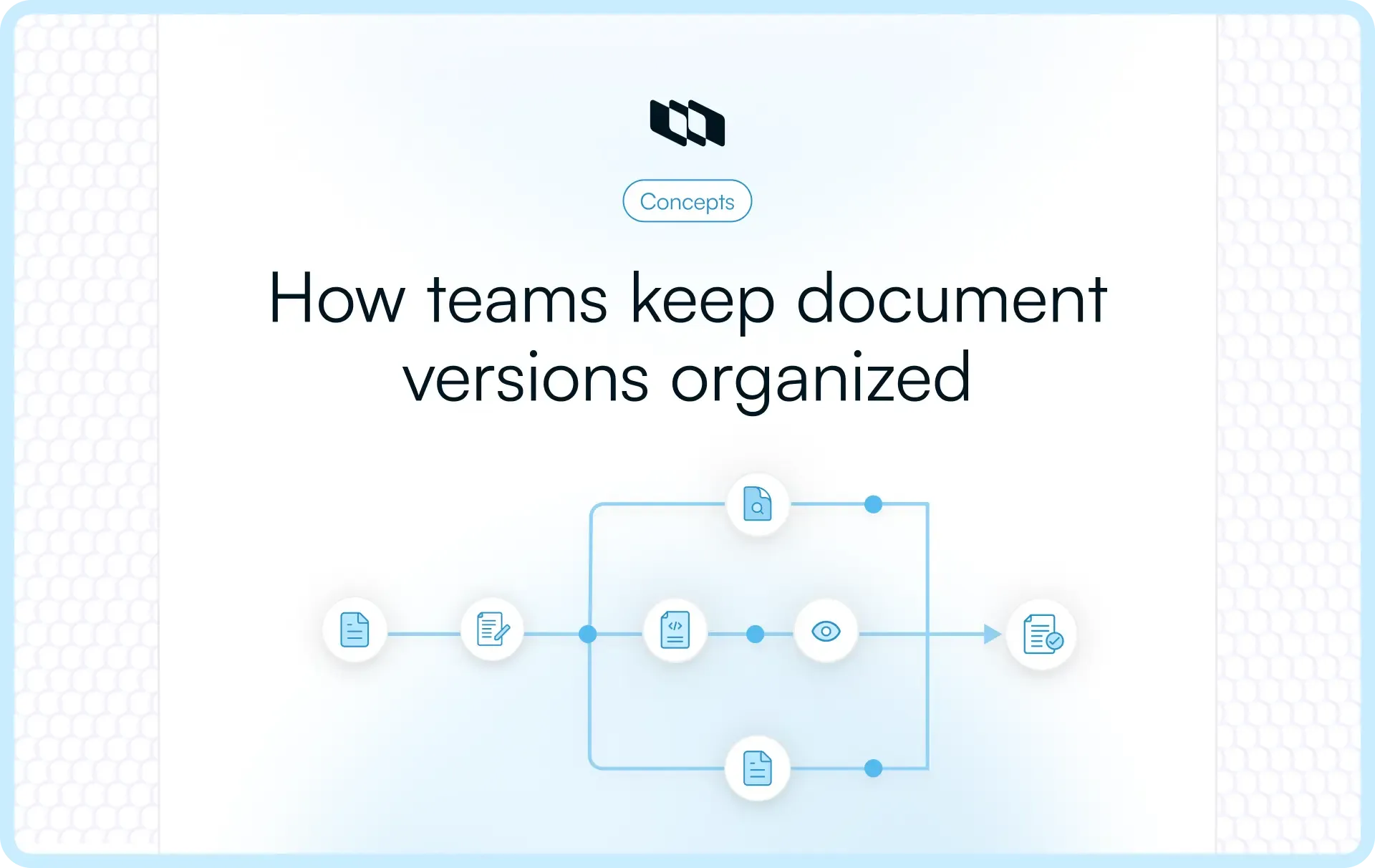
Document version control works by giving every project document a clear path from draft to approved version, and then tracking every meaningful update thereafter. This makes document tracking easier because the team always knows the current status, the latest version, and the history behind each change.
1. The document starts as an initial draft
Most project documents begin as working drafts. This could be a product requirement document, project plan, SOP, technical specification, or stakeholder report. At this stage, the goal is to capture the first usable version of the information, not to treat it as final. A draft version is usually marked with an early version number, such as v0.1 or v0.2. This tells the team that the document is still evolving and open for input.
2. Contributors make and track edits
Once the draft is shared, contributors add comments, suggest changes, or update specific sections. In a controlled document management version-control process, these edits are tracked rather than disappearing from the document. This helps the document owner understand what changed, who made the change, and whether the update needs review. It also keeps collaboration transparent when multiple people are working on the same file.
3. Stakeholders review the updated version
After the first round of edits, the document moves into review. Stakeholders check whether the content is accurate, complete, and aligned with the project direction. For example, an engineering manager may review technical feasibility, a product manager may validate scope, and a founder or client may review business priorities. Version control for documents keeps this stage structured by tying feedback to a specific version.
4. Approvals are recorded clearly
Once the document is reviewed, approvals should be captured in a visible way. This matters because project teams often need to know which version was officially accepted before execution began. Approval records can include the approver’s name, approval date, document status, and version number. This creates an audit trail that teams can refer back to when requirements, timelines, or decisions are questioned later.
5. The approved version becomes the working source of truth
After approval, the document becomes the current working version. At this point, it may move from v0.8 to v1.0, signaling that the document is ready to guide execution. This version should be easy to find, clearly labeled, and protected from uncontrolled edits. Permissions become important here because approved documents should usually have fewer editors and clearer ownership.
6. Future updates are released as controlled revisions
Projects keep changing, so approved documents often need updates. A small correction may become v1.1, while a major scope change may become v2.0. Each revision should include a short note explaining what changed and why. This revision log helps teams understand the differences between versions without having to read the entire document again.
The three controls that keep the process clear
A document version control process works best when three controls stay consistent:
- Version numbers indicate a document's maturity and sequence. They help teams distinguish drafts, approved versions, minor updates, and major revisions.
- Permissions define who can view, comment, edit, approve, or publish a document. This prevents accidental overwrites and keeps ownership clear.
- Revision logs preserve the story behind every important change. They show what changed, who made the change, when it happened, and why it mattered.
Together, these controls turn changing project documentation into a reliable system. Teams can move faster because they are not guessing which document to use or why a decision changed.
What types of project documents should be version-controlled
In project environments, documentation evolves continuously. Early drafts capture intent, reviews refine direction, approvals lock scope, and updates reflect change. Version control for documents ensures that this evolution remains visible and reliable rather than becoming fragmented.
Here are the key types of documents that should always be version-controlled:
1. Project plans
Project plans define timelines, milestones, dependencies, and ownership. As priorities shift or timelines adjust, these documents change frequently. Version control ensures that teams track how plans have evolved and which version reflects the current execution strategy.
2. Requirement documents
Requirement documents directly guide development and delivery. Even small changes can impact scope, effort, and outcomes. Document version control ensures that updates remain visible, approved, and aligned with stakeholder expectations.
3. Roadmaps
Roadmaps communicate direction across teams and stakeholders. As business priorities change, roadmap updates need to stay clearly tracked. Version control helps teams maintain clarity on what changed and when those changes were introduced.
4. Technical specifications
Technical specifications define how systems are designed and built. These documents often go through multiple iterations as teams refine architecture and implementation details. Version control in project management ensures that engineering decisions remain traceable and aligned.
5. SOPs and process documentation
Standard operating procedures guide how teams execute repeatable processes. Over time, these documents improve based on feedback and experience. Version control helps teams maintain a clean history of updates and ensures everyone follows the latest process.
6. Stakeholder reports
Reports communicate progress, risks, and outcomes to stakeholders. As data updates or narratives change, version control ensures that each report reflects a consistent and accurate view of the project at a given point in time.
7. Contracts and compliance documents
Contracts, policies, and compliance-related documents require strict traceability. Every change must be recorded, reviewed, and auditable. Document management version control provides the structure needed to maintain compliance and accountability.
8. Meeting notes and decision logs
Decisions made in meetings often shape project direction. Version control ensures that updates to these records stay visible and that teams can trace how decisions evolved over time.
9. Handover documentation
Handover documents transfer knowledge between teams or project phases. These documents need to reflect the most accurate and up-to-date state of the project. Version control ensures that nothing is lost or miscommunicated during transitions.
Across all these document types, the pattern remains the same. Documentation starts as a draft, evolves through collaboration, reaches an approved state, and continues to change as the project progresses. Document version control ensures that every stage of this lifecycle stays structured, traceable, and aligned with execution.
Common document version control challenges in project teams
Before teams adopt structured document version control, documentation often grows in an unstructured way. Files get shared across tools, updates happen in parallel, and decisions get captured inconsistently. Over time, this creates friction that directly impacts delivery confidence and collaboration speed.
These challenges rarely appear as isolated issues. They compound as projects scale, and more contributors interact with the same documents.
1. Multiple files labeled “final”
Teams often end up with several versions of the same document marked as “final.” Each version may reflect a different stage of edits or approvals, with no clear indication of which one should guide execution. This creates hesitation in decision-making because teams spend time verifying the correct version instead of acting on it. Version control for documents eliminates this ambiguity by maintaining a single clear, current version, supported by a visible revision history.
2. Unclear document ownership
When ownership is not defined, documents evolve without accountability. Updates may be made by different contributors, but no one is responsible for validating, maintaining, or approving the final version. This slows down progress because teams rely on informal coordination to manage updates. Document version control establishes clear ownership, ensuring that every document has a designated individual or role responsible for its lifecycle.
3. Edits without visibility
In many teams, changes occur directly in documents without structured tracking. Contributors update content, but others cannot easily identify what changed or why. This reduces trust in documentation because teams cannot verify the intent behind updates. Document tracking through version control ensures that every change is recorded, making collaboration transparent and easier to manage.
4. Missing approval records
Documents often move forward based on verbal approvals or scattered confirmations across messages. Over time, teams lose track of which version was formally accepted. This becomes a problem when decisions are questioned later in the project. Document management version control captures approvals alongside specific versions, creating a reliable record that teams can reference at any point.
5. Outdated shared folders
Shared folders tend to accumulate documents over time, with older versions sitting alongside newer ones. Without a clear structure, teams may access outdated files that no longer reflect current decisions. This affects execution quality because teams base their work on incorrect information. Version control in project management ensures that active documents remain clearly identifiable while older versions are preserved in an organized way.
6. Duplicated effort across teams
When teams work from different versions of the same document, they may repeat analysis, rewrite content, or rebuild plans that already exist elsewhere. This duplication increases effort without improving outcomes. A structured version control process aligns all contributors around a single document, reducing unnecessary rework.
7. Difficulty restoring earlier decisions
As documents evolve, teams may need to revisit earlier versions to understand how decisions were made. Without a version history, reconstructing this context becomes difficult. This slows down problem-solving and increases reliance on memory or fragmented records. Document version control preserves the full history of changes, making it easier to trace decisions and recover earlier states when needed.
These challenges reduce confidence in documentation and slow down collaboration across teams. When teams cannot rely on their documents, coordination becomes reactive instead of structured. Document version control addresses these issues by turning documentation into a dependable system that supports execution at every stage.
Manual vs. automated document version control
Teams usually begin with simple, folder-based approaches to manage document versions. As projects grow in scale and collaboration increases, these methods start to create friction. This is where the shift toward automated document version control begins.
Both approaches aim to solve the same problem, but they operate very differently in practice.
How manual document version control works
Manual version control relies on discipline and consistent team behavior. It works well in small teams or early-stage projects where the number of contributors and documents remains limited.
Typical methods include:
- File renaming conventions: Teams add version numbers or dates to file names such as v1, v2, or final_v3. This helps distinguish versions but depends heavily on consistency.
- Version tables within documents: A section within the document tracks the version number, date, author, and a summary of changes. This creates a basic revision log but requires manual updates.
- Archived folders: Older versions are moved into archive folders to keep the main workspace clean. This helps organize files, but often lacks clarity on which version is current.
- Spreadsheet tracking logs: Some teams maintain external logs to track document changes and approvals. This adds structure but introduces another layer to manage.
Manual document management version control can work when the environment is stable and controlled. As the number of contributors increases, these systems become harder to maintain. Small inconsistencies lead to confusion, and tracking changes becomes time-consuming.
How automated document version control works
Automated version control introduces system-driven structure to the way documents evolve. Instead of relying on manual tracking, the system captures changes, ownership, and approvals in real time.
Key capabilities include:
- Built-in revision history: Every change is automatically recorded, allowing teams to view and restore previous versions without manual effort.
- Permission controls: Access levels define who can view, comment, edit, or approve documents, reducing the risk of unintended changes.
- Approval workflows: Documents move through defined review stages, with approvals tied directly to specific versions.
- Audit trails: A complete record of changes, approvals, and contributors ensures traceability across the document lifecycle.
- Live collaboration tracking: Teams can work on the same document while maintaining visibility into edits and updates.
Automated version control for documents reduces reliance on manual discipline and creates a more reliable system for teams working across functions.
When teams transition from manual to automated systems
The shift usually happens when documentation starts to impact delivery speed and coordination. A few clear signals indicate that manual systems are no longer sufficient:
- Multiple contributors are editing the same document
- Increasing frequency of updates and revisions
- Need for structured approvals before execution
- Growing difficulty in tracking changes across versions
- Higher expectations for compliance and traceability
At this stage, version control in project management becomes a core operational need rather than a supporting process. Teams adopt automated systems to bring consistency, reduce errors, and maintain clarity as complexity increases.
Document version control best practices for project teams
A document version control system becomes effective when teams follow consistent practices across how documents are created, updated, reviewed, and maintained. These best practices turn document version control into a reliable operational layer that supports execution.
1. Store documents in a centralized workspace
A centralized workspace ensures that every document lives in one accessible location. This creates a single source of truth where stakeholders know exactly where to find the latest version. In distributed teams, documents often spread across drives, chats, and personal folders. Centralization brings them together under a single system, making document tracking easier and reducing the risk of working with outdated files.
2. Use consistent naming conventions
Naming conventions give immediate context about a document without opening it. A well-structured name can include the document type, project name, version number, and status. Consistency matters more than complexity. When every document follows the same pattern, teams can quickly identify the right file, especially in environments with large volumes of documentation.
3. Follow a clear version numbering system
Version numbers communicate the maturity and significance of changes. A simple system helps teams understand a document's state at a glance.
- Early drafts may follow v0.1, v0.2
- Approved versions may move to v1.0
- Minor updates may become v1.1
- Major revisions may move to v2.0
This structure helps teams distinguish between iterative edits and significant changes that impact execution.
4. Maintain revision history for every update
Revision history provides a clear record of what changed, who made the change, and when it happened. This improves traceability and helps teams understand the context behind updates. Instead of scanning entire documents for differences, teams can rely on revision logs to quickly identify what has been modified. This becomes critical in collaborative environments with multiple contributors.
5. Assign document ownership
Every document should have a clearly defined owner. The owner is responsible for maintaining accuracy, coordinating updates, and ensuring the document reflects the latest decisions. Ownership brings accountability into document management version control. It also provides a clear point of contact for stakeholders who need clarification or updates.
6. Control editing permissions carefully
Permissions define how different stakeholders interact with a document. Not every contributor needs full editing access.
- Viewers can access information
- Commenters can provide feedback
- Editors can make changes
- Approvers can validate updates
This structure prevents accidental overwrites and ensures that updates follow a controlled process.
7. Define review and approval workflows
Structured workflows ensure that documents move through defined stages before they are executed. Drafts get reviewed, feedback is incorporated, and approvals are recorded.
This process improves quality and alignment, especially for documents that impact scope, timelines, or technical decisions. Version control in project management relies on these workflows to maintain consistency.
8. Prevent editing conflicts across contributors
When multiple contributors edit the same document, conflicts can arise. Teams need mechanisms to manage this effectively.
Approaches such as check-in and check-out systems, controlled editing windows, or real-time collaboration tools help maintain clarity. These safeguards ensure that updates do not override each other and that changes remain visible.
9. Archive outdated versions systematically
Older versions should remain accessible without cluttering the active workspace. Archiving creates a clean separation between current and historical documents.
A structured archive allows teams to revisit earlier versions when needed while keeping the working environment focused on the latest updates.
10. Train teams to follow version control consistently
Even the best system depends on consistent adoption. Teams need to understand how version control works and why it matters.
Training ensures that contributors follow naming conventions, update revision history, respect permissions, and use workflows correctly. Over time, this consistency turns document version control into a natural part of how teams operate.
Example of document version control in a project workflow
To understand how document version control works in practice, consider how a requirements document evolves during a product development cycle. This is where version control for documents directly supports clarity across product, engineering, and stakeholders.
Stage 1: Draft version (v0.1 to v0.3)
A product manager creates the initial requirements document to outline scope, goals, and key features. At this stage, the document is exploratory and open to change.
- Version starts at v0.1
- Early inputs are added from internal discussions
- Content is incomplete and subject to iteration
As feedback comes in, the document moves through incremental drafts such as v0.2 and v0.3. Document tracking at this stage ensures that all early changes are captured and visible.
Stage 2: Review version (v0.4 to v0.8)
The document is shared with engineering, design, and other stakeholders for structured review. Each function evaluates the document from its perspective.
- Engineering reviews feasibility and dependencies
- Design reviews user flows and experience considerations
- Stakeholders validate business alignment
Updates during this stage are tracked across versions, from v0.4 to v0.8. Comments, edits, and decisions are tied to specific versions, making it clear how the document is evolving.
Stage 3: Approved baseline (v1.0)
Once feedback is incorporated, the document moves to an approved state. This becomes the baseline version that guides execution.
- Version is marked as v1.0
- Approvals are recorded with stakeholder names and timestamps
- Editing permissions may be restricted to maintain stability
At this point, the document becomes the source of truth for development. Teams rely on this version to plan and execute work.
Stage 4: Revision updates (v1.1, v1.2)
As the project progresses, changes may be required. These could include minor updates such as clarifications, small scope adjustments, or dependency updates.
- Updates are released as v1.1, v1.2
- Each revision includes a summary of changes
- Approvals may be required depending on the impact
Document management version control ensures that these updates remain controlled and do not disrupt alignment.
Stage 5: New release version (v2.0)
If a significant change occurs, such as a shift in scope or a major feature update, the document moves to a new major version.
- Version updates to v2.0
- Major changes are documented clearly
- Stakeholders review and approve the new version
This signals that the document has evolved beyond incremental updates and now represents a new phase of the project.
How version control maintains clarity across stages
Throughout this lifecycle, three elements keep the process clear:
- Version numbering helps stakeholders understand whether a document is a draft, approved baseline, minor update, or major revision
- Approval records ensure that every important version reflects validated decisions
- Revision logs provide context on what changed and why, without requiring teams to review the entire document
Together, these elements ensure that documentation stays aligned with execution. Teams always know which version to follow, what has changed, and how decisions have evolved across the project lifecycle.
Common mistakes teams make when managing document versions
Even with the right intent, teams often fall into patterns that weaken document version control. These issues usually start small, then scale into confusion, misalignment, and execution gaps.
1. Relying only on autosave tools
Autosave captures changes continuously, but it does not create meaningful versions. Teams see the latest state of a document without context about what changed, who changed it, or why. This reduces confidence in documentation because updates lack structure. Document version control adds that missing layer by organizing changes into clear versions that teams can review and trust.
2. Skipping version numbering
When documents do not follow a versioning system, teams lose the ability to distinguish among drafts, approved versions, and updates. This creates ambiguity during collaboration. Stakeholders may refer to different states of the same document without realizing it. Version numbering provides a simple but critical signal that keeps everyone aligned on the document’s stage and maturity.
3. Allowing unrestricted edits
Open editing access can seem efficient in the early stages, but it quickly leads to conflicting changes. Multiple contributors may update the same sections without visibility into each other’s work. This weakens document tracking and increases the risk of overwriting important information. Controlled permissions within document management version control ensure that edits happen in a structured and visible way.
4. Storing documents across multiple locations
Documents often get shared across drives, emails, chat tools, and personal folders. Over time, this creates multiple disconnected copies that evolve independently. Teams then spend time identifying the correct version instead of using it. A centralized version control system for documents ensures that all updates are managed in a single system, maintaining a consistent source of truth.
5. Failing to archive obsolete versions
Older versions often remain in active folders without a clear separation. This makes it difficult to distinguish between current and outdated documents. Teams may reference obsolete information without realizing it, which affects decision-making. Structured archiving ensures that older versions remain accessible for context while keeping the active workspace clean.
6. Not recording approval decisions
Approvals often happen through informal channels such as messages or meetings, without being tied to a specific document version. This creates gaps when teams need to verify which version was accepted. Version control in project management captures approvals alongside the document, ensuring that decisions remain visible and traceable.
Final thoughts
Document version control sits at the center of how project teams maintain clarity as work evolves. Plans change, requirements shift, and decisions build over time. Without a structured system, documentation becomes fragmented and difficult to trust.
As projects scale and collaboration increases, document management version control becomes part of core execution. It aligns stakeholders, preserves decision history, and supports consistent delivery across teams. When documentation reflects reality at every stage, version control in project management turns information into a reliable system that drives outcomes.
Frequently asked questions
Q1. How to manage version control on documents?
Managing document version control starts with creating a structured system for updating, reviewing, and storing documents. Teams need a centralized workspace, a clear version numbering system, defined ownership, and structured review workflows.
A typical process includes creating a draft version, tracking edits across contributors, moving the document through review, recording approvals, and releasing updates as controlled revisions. Document management version control tools can automate much of this by maintaining revision history, permissions, and audit trails.
Q2. Can version control be used for documents?
Version control works effectively for documents and is widely used across project, product, and engineering teams. While it originated in software development, the same principles apply to any document that evolves over time.
Version control for documents helps teams track changes, maintain revision history, manage approvals, and ensure that everyone works from the correct version. It becomes especially important in collaborative environments where multiple stakeholders contribute to the same document.
Q3. What is version control for files?
Version control for files is the process of tracking changes over time and maintaining access to previous versions. In the context of documents, this includes recording edits, assigning version numbers, and preserving revision history.
Unlike basic file storage, document version control organizes changes into structured versions that teams can review, compare, and restore when needed. This improves clarity and reduces the risk of working with outdated or incorrect files.
Q4. What is an example of version control in a document?
A common example is a product requirements document that evolves over the course of a project. The document may start as v0.1 during drafting, move to v0.5 after internal edits, and become v1.0 once approved by stakeholders.
Later updates, such as small clarifications, may be released as v1.1, while a major scope change may result in v2.0. Each version includes a record of what changed, who made the update, and when it happened. This structure allows teams to track the document’s evolution and maintain alignment across stakeholders.
Q5. What are the three types of version control?
Version control systems are generally categorized into three types based on how changes are managed:
- Local version control
Changes are tracked on a single system, usually through manual file management or simple tools. - Centralized version control
A central server stores all versions, and teams access and update documents from a shared location. - Distributed version control
Each user has a complete copy of the version history, allowing changes to be made independently and synchronized later.
In project management, centralized, automated document version control systems are more commonly used because they support collaboration, visibility, and structured approvals.
Recommended for you



 Download for Mac
 Download for Android