How aerospace organizations run program management on Plane
Learn how modern aerospace teams keep daily work, approvals, and compliance aligned across the entire program lifecycle without duplicating authoritative records.
Learn how modern aerospace teams keep daily work, approvals, and compliance aligned across the entire program lifecycle without duplicating authoritative records.
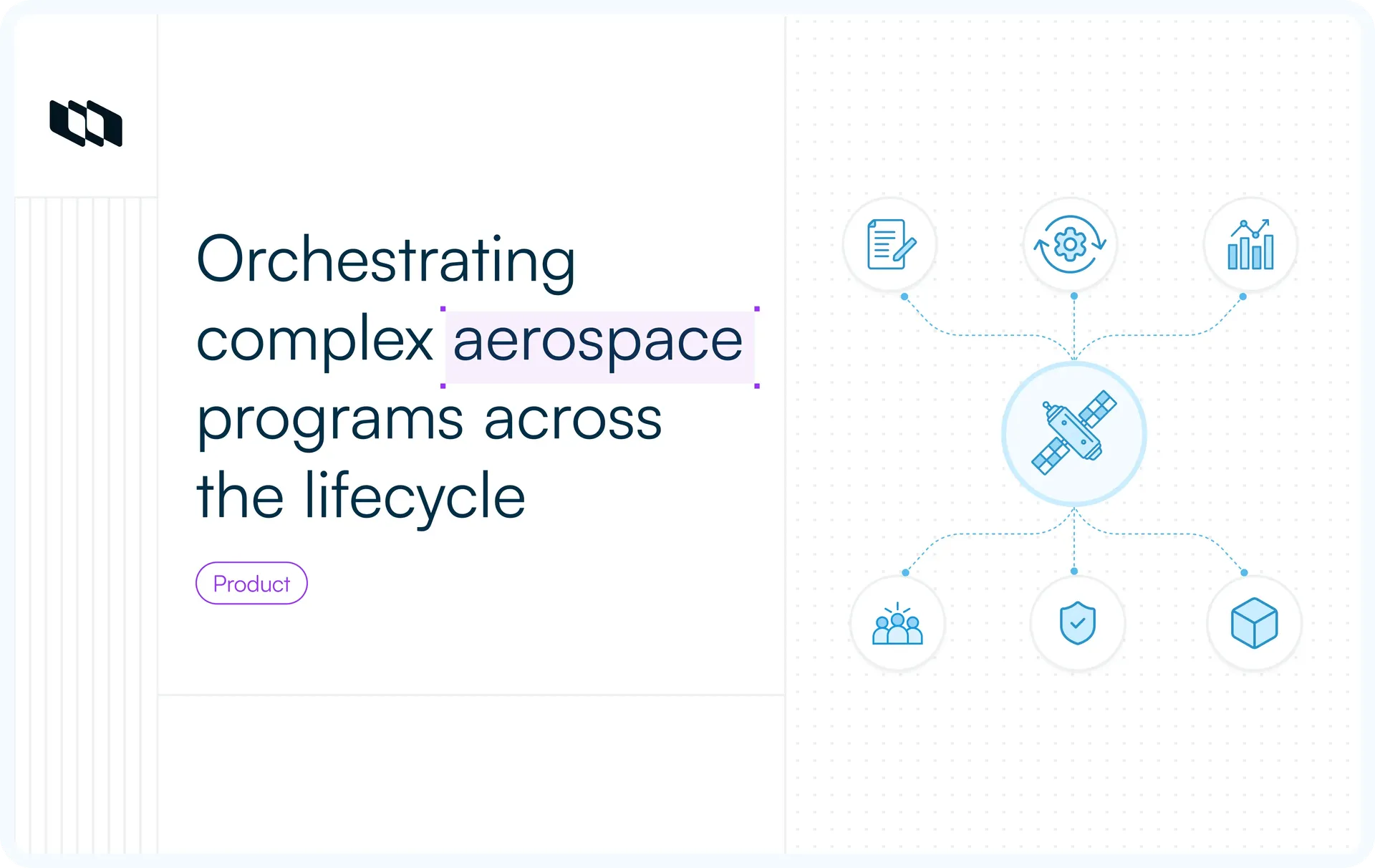
The hardest part of running an aerospace program is rarely a single engineering task. It is keeping thousands of decisions, changes, tests, approvals, and supplier commitments aligned as the program moves toward delivery.
The work is spread across requirements platforms, PLM systems, code repositories, program controls, quality systems, and spreadsheets. An engineer updating one task may need to trace it to a system requirement, check whether the change requires CCB approval, find the relevant test result, and confirm that someone recorded the non-conformance. The engineering work has not changed, but the context needed to move it forward is scattered across tools and teams.
This guide explains how aerospace teams organize execution across the program lifecycle, which systems own the authoritative records, and how Plane coordinates the daily work between them.
How aerospace programs differ from standard project management
Standard project management assumes that teams can define the work, assign it, track progress, and close it when the output is complete. Aerospace programs require more. A completed task may still need verification evidence, formal approval, configuration control, and a record that remains accessible for years.
- Completion includes verification evidence. Hardware working as intended or software passing a test does not always complete the work. Certification-relevant items must remain connected to the governing requirement, implementation, test result, review, approval, and supporting evidence.
- Hardware and software move at different speeds. Software teams may work in short development cycles. Hardware teams plan around long-lead materials, tooling, manufacturing capacity, test facilities, and supplier schedules. Both sides still need a stable baseline for integration events such as hardware-in-the-loop testing.
- Access to technical data may be restricted. ITAR, EAR, contractual controls, and internal security policies can determine who may view program data, where it may be stored, and how teams share it. These controls can apply to Work Item descriptions, attachments, code snippets, test results, and design discussions, not only formal engineering documents.
- Programs outlive their original teams and tools. Aircraft and satellite platforms may remain operational for decades. Review records, technical decisions, configuration changes, approvals, and verification history must remain usable even after people, suppliers, and software systems change.
- Contracts and formal reviews affect how work moves. Contracts may define reporting requirements, delivery milestones, cost controls, evidence obligations, and review gates. A change to approved scope may require impact analysis and Change Control Board approval before the team can update the baseline or begin implementation.
Aerospace teams are therefore responsible for more than completing the engineering work. They must also show what changed, why it changed, who approved it, which configuration it applies to, and how the result was verified.
How project execution changes across the aerospace industry
The work an aerospace company needs to manage depends on what it builds and where it operates in the product lifecycle. An aircraft manufacturer coordinates certification, structural testing, software, manufacturing, and suppliers across a large program. An avionics company may focus more heavily on requirements traceability, software verification, and certification evidence. An MRO provider works against an aircraft already in service, where turnaround times, approved configurations, and maintenance records shape the schedule.
Company type | Typical programs | Work that needs to be tracked | Systems connected to execution |
Aircraft manufacturers and OEMs | New aircraft certification, derivative models, retrofit programs | Certification items, engineering changes, structural tests, flight-test cards, supplier deliverables | PLM, requirements management, program controls, quality systems |
Engine and propulsion manufacturers | Engine development, qualification, component fabrication | Fabrication work packages, non-conformances, first-article inspections, supplier test reports | PLM, manufacturing systems, quality management systems |
Space and satellite companies | Spacecraft development, constellation deployment, payload and ground-system integration | Bus integration, payload testing, launch readiness, anomaly resolution, ground-segment work | Requirements management, PLM, Git, test systems, program controls |
Avionics and flight-software teams | Flight-control updates, avionics development, DO-178C certification cycles | Software development, code reviews, unit and integration tests, verification tasks, certification evidence | Git, CI/CD, requirements management, test and evidence systems |
Sustainment and MRO providers | Fleet upgrades, heavy maintenance, repair programs, service-bulletin rollouts | Inspections, maintenance findings, engineering changes, repair approvals, depot work orders | Maintenance systems, operator systems, PLM archives, quality systems |
These programs use different schedules, controls, and engineering systems, but they share one execution problem. Daily work must stay connected to the approved requirements, product configuration, review history, and delivery plan.
Build the tooling stack around daily execution
Aerospace programs rely on specialized systems. Requirements platforms control the technical baseline, PLM systems manage product configuration, program-controls tools maintain the master schedule and earned-value data, and code platforms hold software changes and build artifacts.
Layer | Typical systems | What the system controls |
Requirements and MBSE | IBM DOORS, Jama Connect, Cameo Systems Modeler | System requirements, architecture, hazard analysis, baselines, and formal traceability |
PLM and configuration | Siemens Teamcenter, PTC Windchill | CAD models, bills of materials, product configuration, and engineering changes |
Program controls and EVM | Primavera P6, Deltek Cobra, Microsoft Project | Integrated Master Schedule, critical path, budgets, and earned-value calculations |
Project execution | Plane | Work coordination, ownership, dependencies, reviews, approvals, and decision history |
Code and CI/CD | GitHub Enterprise, GitLab Self-Managed | Source code, pull requests, automated tests, build pipelines, and software artifacts |
Plane connects the daily work across these systems without replacing them. A Work Item can reference its governing requirement, link to the relevant code change, move through the required reviews, and point to the resulting test record.
Formal requirement traceability remains in the requirements platform. The approved product configuration remains in PLM. Source code and build artifacts remain in the code platform. Plane records who owns the work, what is blocked, which approvals are complete, and how execution is progressing.
This division of responsibility keeps each engineering record under the correct controls while giving teams one place to coordinate the work between them.
How Plane supports aerospace program execution
Plane can mirror the program hierarchy while keeping work items, project properties, and internal documentation connected.
Plane Workspace Hierarchy
├── Workspace: Acme Aerospace
│   ├── Initiative: Next-Gen Unmanned Aerial System
│   │   ├── Project: Avionics & Flight Control Software
│   │   │   ├── Module: Flight Control Laws v2.1
│   │   │   │   └── Work Item: Implement pitch-rate loop filters
│   │   │   └── Milestone: CDR Sign-off
│   │   └── Project: Airframe & Mechanical Structures
Organize programs and workstreams
An aerospace program usually spans several workstreams, each with its own team, schedule, and delivery responsibilities. In Plane, an Initiative can represent the wider program and bring its connected Projects into one view.
Projects provide the execution space for individual workstreams such as avionics, structures, propulsion, ground systems, integration and test, quality, and supplier deliverables. Teams manage their own work within each Project, while program owners use the Initiative to review progress, timelines, and blocked work across the program.
Teams can structure execution within a Project using:
- Modules to group related work, such as flight-control software, structural testing, or supplier integration.
- Cycles to plan work within a fixed period, such as a two-week software sprint or a monthly test campaign.
- Milestones to track program events such as PDR, CDR, TRR, first flight, or launch readiness.
- Dependencies to connect work across Projects. A firmware retest, for example, can remain blocked until both the software update and the related hardware modification are complete.
This structure gives teams control over their own execution while keeping their work connected to the wider program plan.
Model engineering and quality work
A non-conformance, engineering change, verification task, and supplier deliverable each require different information. Tracking all of them as generic tasks either leaves important details out or adds irrelevant fields to every record.
Custom Work Item Types give each process its own properties. A Hardware Non-Conformance might record:
- Part and serial number
- Subsystem
- Disposition
- Safety criticality
- Detection source
- Corrective action owner
- Target closure date
- Governing requirement reference
An change request may instead capture the affected configuration, technical rationale, cost and schedule effects, safety impact, and approval chain. Teams can create other types for Verification Tasks, Test Anomalies, CAPAs, waivers, and Supplier Deliverables.
Control submissions, reviews, and approvals
Suppliers, program offices, and other stakeholders often need to raise work without joining the Project where the team manages it. Intake provides a defined submission path for non-conformances, engineering changes, supplier deliverables, quality escalations, and access requests.
Each submission enters a triage queue. The Intake owner checks whether the required information is present, identifies duplicates, and accepts, declines, or redirects the request. Accepted submissions move into the appropriate Project, where the team assigns an owner and continues the process.
Workflows and Approvals control what happens next. An NCR may move through containment, root-cause investigation, disposition, corrective action, and verification. An ECR may require technical, safety, program, and Change Control Board approval before implementation begins.
Plane records state changes and approvals with the Work Item. The organization still defines the governing policy, required evidence, approvers, and retention rules.
Keep documentation and execution connected
Test plans, review minutes, interface notes, waiver justifications, and decision logs often produce work that someone must complete. Pages keep these working documents within the relevant Project, and teams can convert follow-up actions in a Page into Work Items.
Guidance used across Projects can live in Wiki. This may include configuration-management procedures, supplier onboarding instructions, review checklists, or export-control handling rules.
Work Items can link to the relevant Page, requirement, test result, controlled document, or external engineering record. Plane keeps the execution context with the work while the approved document or evidence remains in the system responsible for controlling it.
Monitor program risk
Engineers and quality teams need focused queues for the work that requires their attention. Saved Views can surface NCRs awaiting disposition, overdue verification tasks, blocked test items, or supplier deliverables waiting for acceptance.
Program owners need a broader view. Dashboards can combine information across Projects, including:
- Open non-conformances by severity
- ECRs by stage and owner
- Overdue corrective actions
- Blocked or late verification work
- Supplier deliverables awaiting acceptance
- Milestones at risk
Project Updates explain the status behind these numbers. Owners can mark a Project as on track, at risk, or off track and record the decisions, delays, and dependencies affecting delivery.
Activity history records changes to individual Work Items. Project and workspace audit logs provide a broader record of user and administrative activity.
Automate routine project work
Plane AI works with the Projects, Work Items, Pages, Cycles, and Initiatives already in the workspace. A program lead can find delayed work across several Projects. A quality engineer can retrieve open non-conformances before a design review. A systems engineer can turn a test plan into a draft set of Work Items for the team to check.
Teams can save repeatable instructions as AI Skills. The Plane MCP server also allows authorized external AI clients to work with the same project data and actions.
These tools follow the permissions configured in Plane. AI can retrieve information, prepare drafts, and perform permitted project actions. Engineers and authorized reviewers remain responsible for technical decisions, configuration changes, safety approvals, and certification sign-off.
For aerospace programs, deployment is part of the control environment. Work Items may contain export-controlled technical data, supplier information, test results, design discussions, or attachments governed by customer and contractual security requirements.
The organization must decide where Plane runs, which networks it can reach, who administers it, and whether any data or metadata may leave the environment.
Plane supports three deployment models:
- Plane Cloud is managed by Plane. It is suitable when the program's security, data-residency, and contractual requirements permit project data to be stored in a vendor-managed cloud environment.
- Self-hosted runs in the organization's VPC, private cloud, data center, or Kubernetes environment. Project data and attachments remain on infrastructure the organization controls. Internal identity, storage, monitoring, backup, and integration services can operate within the same environment. The deployment still requires limited outbound connectivity for license validation, while optional telemetry can be disabled.
- Air-gapped is built for networks that prohibit outbound internet access. Plane operates without external dependencies, telemetry, or online license checks. Installation packages and updates enter the environment through the organization's approved offline process.
Self-hosting and air-gapping address different requirements. Self-hosting gives the organization control over data location, infrastructure, administration, and network policy. Air-gapping adds complete network isolation. A program with data-residency requirements may be able to use Self-hosted Commercial, while a disconnected or highly restricted network may require the Air-gapped edition.
No deployment model makes an aerospace workflow compliant on its own. For ITAR-, EAR-, or contract-controlled work, the organization must still determine what data may enter Plane, restrict access to authorized users, review integrations, retain audit records, manage backups and updates, and document how the environment is operated.
Plane provides the deployment options and application controls. The organization remains responsible for approving and maintaining the complete security and compliance boundary.
Have a program with export-control, deployment, or certification requirements to work through? Talk to our team
Connect execution to the IMS, EVM, and gate reviews
Program-controls teams usually maintain the Integrated Master Schedule in tools such as Primavera P6 or Microsoft Project. That schedule tracks major activities, dependencies, contractual milestones, and the critical path. Plane manages the more detailed work taking place within engineering, quality, software, test, and supplier teams.
Teams can use Plane's REST API to build integrations that pass execution status into the program-controls environment. For example, completion data from a group of Work Items can update the status of a related activity in the IMS. The integration should define how work is mapped, how often status is transferred, and which system has authority when the records differ.
Programs using Earned Value Management can apply the same approach. Plane can provide operational data such as Work Item status, completion dates, ownership, and blocked work. The EVM system retains the control accounts, Performance Measurement Baseline, earned-value rules, and variance calculations. Plane does not calculate or report earned value.
Formal reviews need a clearer view of readiness than a percentage-complete figure can provide. Teams can use Milestones to group the work required for PDR, CDR, TRR, first flight, or launch readiness. Program owners can then review incomplete actions, open approvals, blocked verification tasks, and unresolved risks before the review board meets.
This keeps detailed execution connected to program controls without turning Plane into the master scheduling or EVM system.
Preserve program history through delivery and sustainment
Aerospace delivery includes the approved configuration, verification status, change history, review records, and evidence supporting the delivered baseline.
Plane keeps the execution trail connected through Work Item history, approvals, requirement references, dependencies, and links to test evidence. Teams can follow a change from investigation through verification and find the controlled records needed for delivery, audits, maintenance, or future upgrades.
Authoritative records remain in their designated requirements, PLM, code, test, and quality systems. Self-hosted teams can include Plane data, attachments, exports, and backups in their approved archival process.
The organization remains responsible for retention, restoration, long-term access, and confirming that the evidence matches the delivered configuration.
Keep execution connected to the engineering baseline
Aerospace programs depend on specialized systems for requirements, product configuration, source code, test evidence, schedules, and earned value. Those systems should continue to control the records they were built to manage.
Plane connects the work between them. Teams can coordinate projects, engineering changes, non-conformances, supplier deliverables, approvals, verification, and program risk without moving the authoritative baseline into a general project tracker.
The result is a clearer path from planned work to reviewed and verified delivery, with ownership and decisions recorded as the program moves forward.
Start free, or talk to our team about self-hosted and air-gapped deployment.
Frequently asked questions
What is aerospace project management?
Aerospace project management is the discipline of planning, executing, and controlling aviation and space engineering programs. It combines systems engineering, regulatory compliance (FAA, EASA), multi-tier supply chain coordination, and risk management to deliver safe physical and software systems.
What standards apply to aerospace projects?
Key standards span commercial aviation and space work:
- AS9100: Quality management standard for aerospace manufacturers.
- DO-178C: Software development and verification guidance for airborne systems.
- DO-254: Design assurance guidance for airborne electronic hardware.
- ARP4754A: Systems engineering guidelines for civil aircraft development.
What is a work breakdown structure in aerospace?
A Work Breakdown Structure (WBS) in aerospace is a product-oriented hierarchical breakdown of the hardware, software, services, and data a program requires. It breaks program scope into manageable work packages, linking lower-level engineering tasks to top-level system requirements.
Does every aerospace project require earned value management?
No. EVM is typically mandated on major government contracts above specific financial thresholds, such as NASA's EVM requirements on large space programs. Commercial space projects, research initiatives, and smaller subcontracts often rely on milestone tracking and cycle progress charts instead of full EIA-748 EVM.
Can aerospace project management software be air-gapped?
Yes. Plane Enterprise Grid can deploy in air-gapped environments, into isolated Kubernetes clusters or internal servers with no outbound internet dependency, preserving full work tracking inside secured network perimeters.
Does ITAR affect project management software?
Yes. ITAR regulates access to export-controlled technical data on the US Munitions List, restricting disclosure to authorized persons. Software handling that data needs strict access controls, detailed audit logs, and hosting that fits the organization's export control obligations. No hosting choice makes a workflow compliant on its own. Each organization has to evaluate its own data, users, access, and processes against the regulation.
Can project management software replace a requirements platform?
No. Requirements platforms, such as IBM DOORS or Jama Connect, specialize in baseline management, safety hazard matrices, and formal MBSE relationships. Work infrastructure like Plane is the execution layer: it references requirement IDs to coordinate daily tasks, team cycles, assignments, and change tracking, while the governing specs stay in your system of record.
What software do aerospace project managers use?
Aerospace project managers typically combine specialized tools across their engineering stack:
- PLM/CAD: Siemens Teamcenter, PTC Windchill, for physical CAD and BOM control.
- Requirements management: IBM DOORS, Jama Connect.
- Project execution: Plane, for task coordination, cycle execution, cross-functional projects, documentation, and AI agent integration inside your own environment.
- Program controls: Primavera P6, Deltek Cobra, or Microsoft Project, for high-level master scheduling, EVM, and critical path analysis.
How does Plane fit alongside PLM and requirements management systems?
Plane coordinates the work carried out against records held in PLM and requirements platforms. Work Items can reference requirement IDs, affected configurations, engineering changes, test records, and other controlled artifacts.
The requirements platform remains responsible for approved requirements and formal traceability. PLM retains product configuration, bills of materials, CAD data, and approved engineering changes. Plane tracks ownership, dependencies, reviews, approvals, and progress across the teams doing the work.
Can Plane support ITAR- or EAR-controlled programs?
Plane can run in self-hosted and air-gapped environments, giving organizations control over where project data is stored, which networks the application can reach, and who administers it.
Deployment alone does not make a program ITAR- or EAR-compliant. The organization must determine what controlled data may enter Plane, restrict access to authorized users, review integrations, manage exports and backups, and document its operating controls.
When does an aerospace program need an air-gapped deployment?
An air-gapped deployment is appropriate when the approved environment prohibits outbound internet access or requires the application to operate without external services. This may apply to classified, defense, or highly restricted engineering networks.
Programs that need control over data location but permit limited outbound connectivity may be able to use a self-hosted deployment instead. The choice depends on the program’s security classification, contract, network policy, and approval authority.
Can Plane replace Primavera P6 or an EVM system?
No. Primavera P6 and EVM platforms manage the Integrated Master Schedule, control accounts, approved baselines, critical-path analysis, earned-value rules, and cost and schedule variance calculations.
Plane manages the detailed work performed by engineering, software, quality, test, and supplier teams. Its API can provide execution data to program-control systems, but those systems remain authoritative for the IMS and EVM reporting.
Recommended for you



 Download for Mac
 Download for Android