Introducing Argus, sensitive data scanning for Plane
Find card numbers, government IDs, and credentials in your work items, pages, and comments, without Plane storing the values it finds.
Find card numbers, government IDs, and credentials in your work items, pages, and comments, without Plane storing the values it finds.
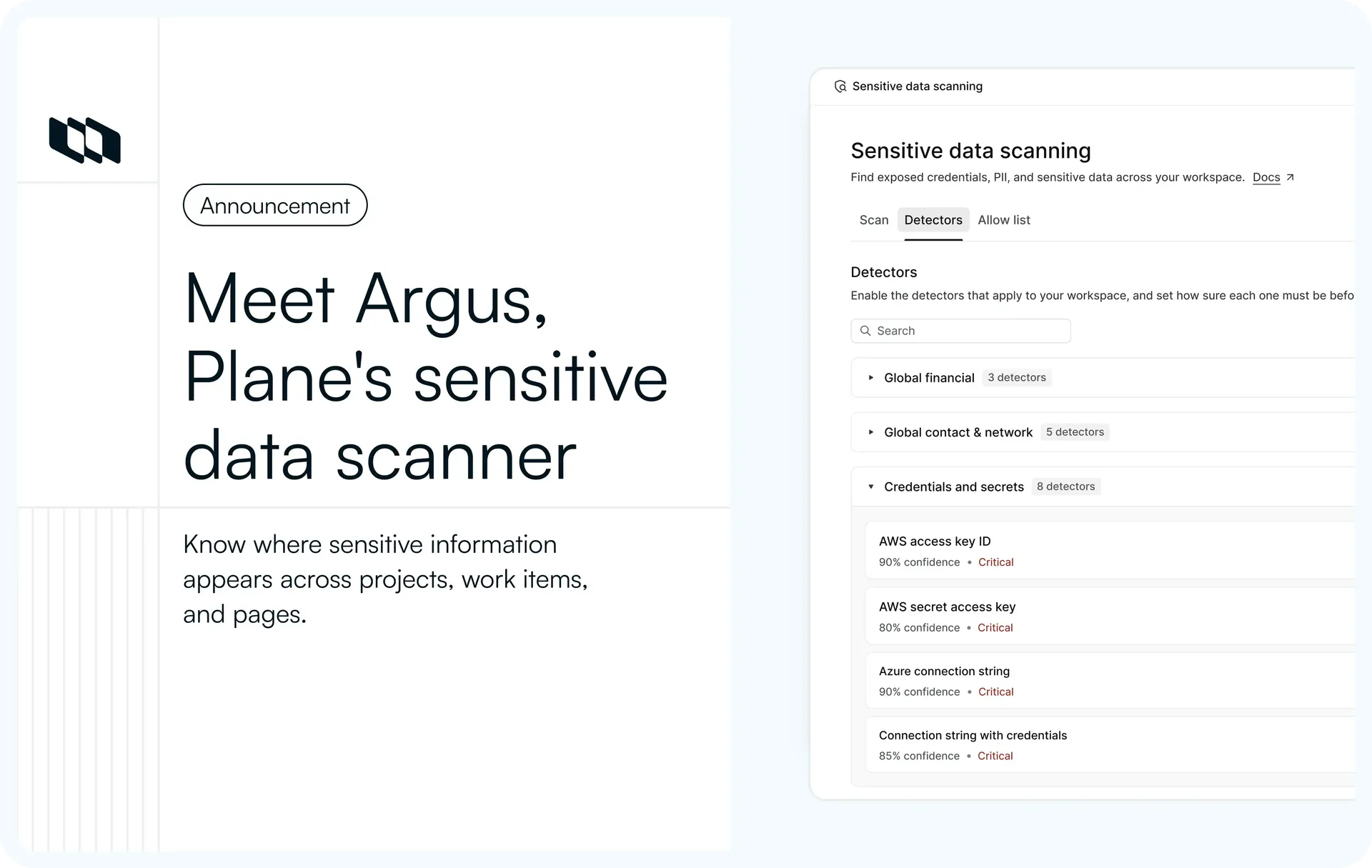
Argus is Plane's new sensitive data scanner. Workspace admins start a scan and see exactly where each match sits, down to the field. Only the location is recorded, never the value itself.
A scan of all projects, from Run scan to its result. It reports 16 findings for the first time, and no row shows a matched value.
What's included
Scoped scans
In workspace settings, open Sensitive data scanning under Administration and select Run scan. Pick the projects, the content types, and how recently the content was updated, so a follow-up scan can cover one project's last 30 days. Argus runs the scan in the background and shows the number of findings when it's done.
Configure scan in Plane, with one project and Last 30 days selected.
Findings without the matched value
Each finding names what was found, like an AWS access key ID or a payment card number, along with the content type, field, severity, confidence, and status. The matched value isn't shown, and findings on work items and project pages link to the source.
A Scan result page in Plane with the scan's scope, a count per severity and the findings table.
Configurable detectors
Built-in detectors cover financial data, contact and network details, credentials and secrets, and identifiers for the US, the UK and EU, and India. Payment card and IBAN detectors check a number's checksum before reporting it. Each detector has an on/off switch, a minimum confidence, and a severity override, and you can add custom patterns for identifiers only your company uses.
The Detectors tab of sensitive data scanning in Plane, with the Credentials and secrets group open
Where it helps
Credentials pasted during an incident
Keys and connection strings end up in incident notes and comments when people are moving fast. Argus shows each secret once, with a count of every place it appears, so a key copied into four work items is one thing to rotate, not four findings to chase. Mark it In review while you do.
Group by secret showing an AWS access key ID found in four places as one row. With grouping off, one finding is marked as in review
Test data that keeps showing up
QA work items are full of synthetic card numbers that look real to a scanner. Add one to the allow list and its other open findings clear, and later scans skip it, so the next review shows only what's real.
A test card's finding is marked as non-sensitive, with the card number added to the allow list as a literal value
Reviews with people outside the admin team
Security and compliance reviewers often aren't workspace admins. Export the findings as a CSV, with one row per finding and no matched values, so you can share the list without sharing the secrets. The download link works once and then expires.
Export CSV from a scan result. The button reads Preparing…, then Download ready, and the file is saved
What Argus scans
Content | Field |
Work items | Title and description |
Work item comments | Comment text |
Pages | Title and body |
Custom properties | Text properties |
Intake submissions | Sender's email |
Projects | Description |
Page comments, attachments, images, and the descriptions of cycles, modules, initiatives, teamspaces, and customers aren't scanned.
How findings are stored
A list of findings is a map of where your secrets are, so Argus doesn't keep the values. Each finding stores the location (the content, the field, and the position of the match) and an HMAC-SHA256 fingerprint of the matched text, keyed to your workspace. Payment card findings also keep a masked preview of the last four digits. The fingerprint lets a re-scan recognize a value it already reported, and it's what Group by secret groups on.
A test in CI seeds known values, runs a scan, and fails if any of them shows up in Argus's tables, API responses, exports, metrics, or logs.
Setup and access
- Only workspace admins can see Argus and run scans.
- Your operator deploys Argus as a separate service using the setup guide. It's off by default and runs as a single replica.
- A rate limit in Configure scan controls the load on your database, and Argus reads Plane's tables over read-only connections.
Good to know
- Scans run only when an admin starts one. Argus reports findings and doesn't edit, mask, or remove content.
- Findings on comments, custom properties, intake submissions, and workspace pages don't link to the source. On a project description, the finding's link opens a not-found page.
- In review and Not sensitive can't be changed once set.
- Phone numbers are reported only when they start with "+" and a word like "phone" or "call" is nearby.
Availability
Argus is in Beta and available on the Enterprise Grid plan, from v3.2.0. See the setup guide, the sensitive data scanning docs, and the v3.2.0 release notes.
Recommended for you



 Download for Mac
 Download for Android