10 best Notion alternatives in 2026
Compare 10 of the best Notion alternatives in 2026, including Plane, ClickUp, Confluence, Airtable, Asana, and more, with pricing and migration notes.
Compare 10 of the best Notion alternatives in 2026, including Plane, ClickUp, Confluence, Airtable, Asana, and more, with pricing and migration notes.
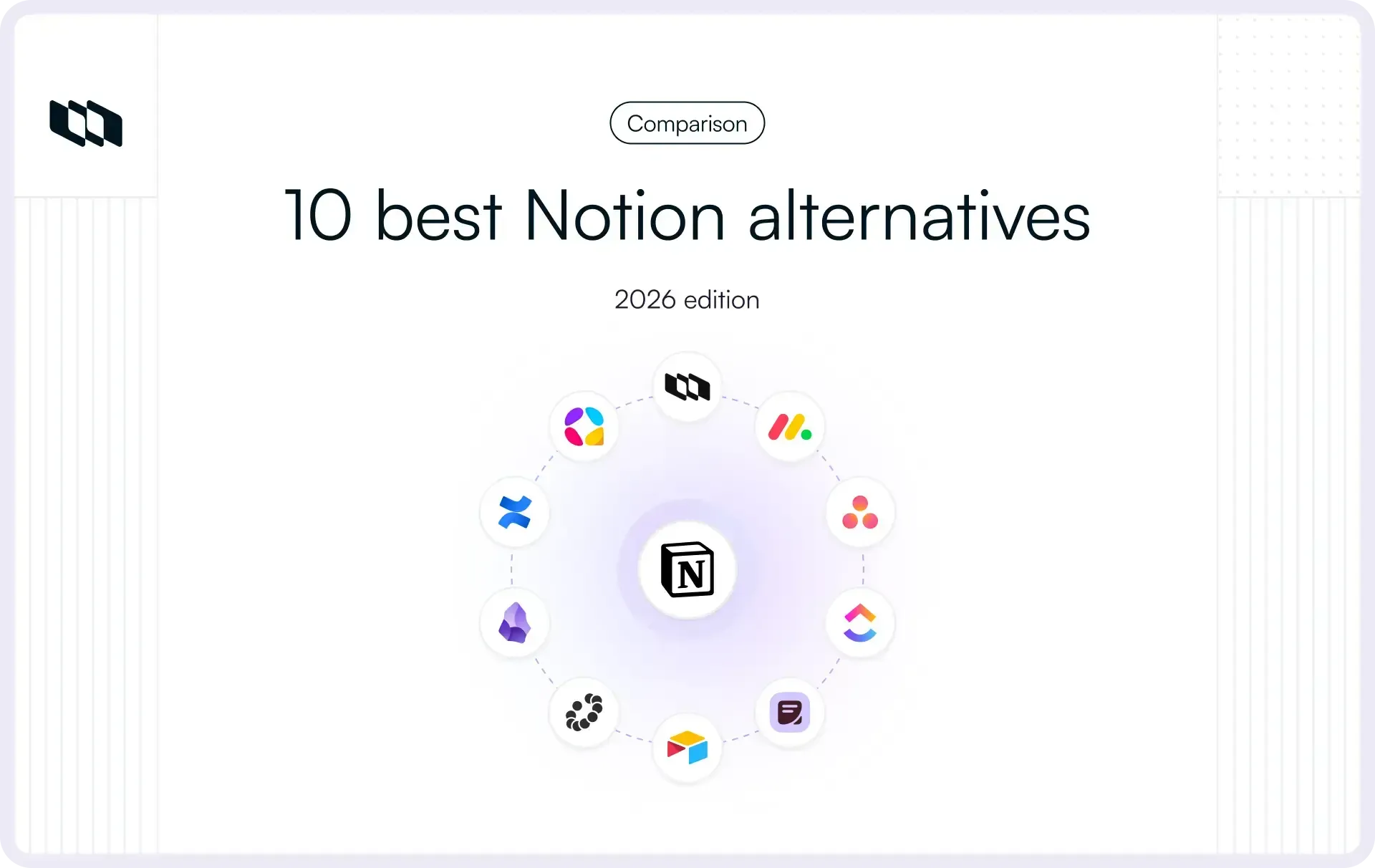
Notion gives teams a flexible set of building blocks: pages, databases, properties, and views. That makes it easy to assemble everything from wikis and roadmaps to content calendars and sprint boards.
The trade-off appears as teams scale. Databases multiply, similar workflows diverge, and project structure, reporting, and governance increasingly depend on conventions the team has to maintain.
That is why teams start looking elsewhere, whether for deeper project management, stronger knowledge systems, different AI, tighter governance, self-hosting, or better pricing at scale. This guide compares ten Notion alternatives and what switching to each involves.
TL;DR
- Plane combines structured project and work management with Pages, Wiki, Plane AI, and Agents in one workspace, and runs in the cloud, self-hosted, and air-gapped environments.
- ClickUp puts many work types in one app, Asana emphasizes portfolios and goals, and monday.com builds on configurable boards.
- Superhuman Docs (formerly Coda), Confluence, and Slite cover documentation from three angles: docs that behave like applications, organizational knowledge that pairs with Jira, and a knowledge base designed to stay current.
- Airtable centers on relational data, while AppFlowy offers an open-source workspace model.
- Obsidian is better suited to local-first personal knowledge.
- The right choice depends on what you use Notion for and what has become hardest to maintain.
What to look for in a Notion alternative
Most teams use Notion for several jobs at once. The useful question is which of those jobs is straining.
Project and work management
Check how much project structure is built in versus something the team has to configure itself: hierarchy, dependencies, workflows, planning cycles, approvals, and reporting. In Notion, much of this is assembled from databases, properties, relations, and views; purpose-built work tools make more of that structure native.
Docs and knowledge management
Check the editor, how pages are organized, the quality of search, and what keeps content current: verification, ownership, version history. Look at page-level permissions and at how easily a document links back to the work it describes.
Databases
If your Notion databases hold information that isn't project work (a lightweight CRM, an asset inventory, a content catalog), evaluate relations, property types, views, formulas, and record limits.
AI and Agents
Separate the categories. Writing help, search, reasoning across connected systems, and agents that take actions are different capabilities. Check what context they can access, what they can change, what tools they can use, and how usage is priced.
Collaboration
Comments, mentions, real-time editing, guest access, sharing controls, and review or approval workflows.
Integrations
Check native integrations with the systems your team works in, such as code hosting, chat, support, and CRM, plus API access, webhooks, and MCP support for AI clients.
Migration and switching effort
Check what actually carries over: pages, databases, attachments, comments, permissions, links, and automations. A better product can still be costly to adopt if teams have to rebuild years of workspace structure by hand.
Deployment
Cloud-only, self-hosted, air-gapped, or local-first. Regulated teams should confirm that a self-hosted edition has the features they need, not a reduced subset.
Pricing
Look past the entry price. Check free-plan user caps, seat minimums, whether AI is included or metered separately, and which plan gates permissions, SSO, and advanced project features. Price the plan you will need at the headcount you expect in the future.
The 10 best Notion alternatives
- Plane
- ClickUp
- Superhuman Docs, formerly Coda
- Confluence
- Airtable
- Slite
- AppFlowy
- Obsidian
- Asana
- monday.com
Each entry covers what the product is, how it approaches the problem, how it compares with Notion, and what it costs. Prices are per user per month with annual billing unless noted, as of September 2026.
Best Notion alternatives at a glance
Tool | Project management | Docs and knowledge | AI | Deployment | Free plan | Starting price |
Plane | Native work items, Cycles, Initiatives, Workflows | Project Pages and Wiki, linked to work | Plane AI and Agents | Cloud, self-hosted, air-gapped | Yes | $6/seat |
ClickUp | Native tasks, hierarchy, dashboards, goals | Docs and wikis | ClickUp Brain as a paid add-on | Cloud | Yes | $7/seat |
Superhuman Docs | Built from tables and formulas | Docs with embedded tables | Docs AI (beta) | Cloud | Yes, limited AI | $12/paid Doc Maker |
Confluence | Usually paired with Jira | Pages, spaces, whiteboards, databases | Rovo on paid plans | Cloud; legacy Data Center | Yes, up to 10 users | $5.42/seat |
Airtable | Built from tables and interfaces | Limited long-form docs | Omni and AI credits on all plans | Cloud | Yes, up to 5 editors | $20/seat |
Slite | Not a project management product | Docs, verification, Knowledge Management Panel | Ask; Slite Agent on Pro | Cloud | No, 14-day trial | $10/seat |
AppFlowy | Boards, grids, calendars | Docs and databases | Cloud AI and local AI options | Local, cloud, self-hosted | Yes, up to 2 members | $10/seat |
Obsidian | Not a project management product | Local Markdown notes with links | No native AI; community plugins available | Local-first, optional Sync | Yes | Sync from $4/seat |
Asana | Native tasks, portfolios, goals | Limited | AI Studio; AI Teammates on paid plans | Cloud | Yes, up to 2 users | $10.99/seat |
monday.com | Boards, dashboards, dependencies | monday docs | AI tools with metered credits | Cloud | Yes, up to 2 seats | $9/seat, 3-seat minimum |
1. Plane
Plane is a project and work management platform where structured execution, documentation, AI, and Agents run in the same workspace. It is open source and available as a cloud product or self-hosted.
Notion and Plane differ at the starting point. Notion starts with flexible pages and databases that teams configure around how they work. Plane starts with a structured model of work and connects documentation directly to it. Each model has its place. The difference becomes relevant when coordination turns into operations: larger projects, recurring workflows, dependencies across teams, planning cycles, reporting leadership relies on, and Agents that need to read and act on work in a predictable shape.
A structured model of work
Plane represents each layer of work as its own object rather than as a row in a general-purpose database. Initiatives express company-level objectives and group the projects that serve them. Projects contain the work. Epics collect related work items into larger deliverables. Cycles timebox work into sprints, and the work item is the unit everything rests on: each one carries a state, assignees, properties, relations, and an activity trail.
On top of that, Work Item Types let a bug ask for severity and environment while a launch task asks for channel and owner, and workflows govern how work moves between states, with approvals and dependencies where teams need them. The hierarchy and its relationships are part of the product, so seeing how an initiative is progressing, or which epic a blocked task belongs to, doesn't depend on relation properties and rollups that someone has to keep aligned.
Knowledge alongside the work
Plane has two homes for writing. Project Pages hold specs, plans, and meeting notes inside a project. The Workspace Wiki holds longer-lived organizational knowledge such as onboarding guides, policies, and architecture notes. Pages support real-time collaboration, comments, templates, and version history.
The two layers connect directly. A page can embed and link to work items, so a spec sits next to the work that implements it and a reader can follow it into execution. Notion connects pages and databases flexibly; Plane starts with structured execution and arranges knowledge around it.
Visibility across work
Multiple layouts and saved views let each team look at the same work its own way. Dashboards visualize work data, and initiatives and project updates give leadership a portfolio view of what's on track and what's at risk. For precise questions across the workspace, the Plane Query Language (PQL) filters work items by their properties and relationships.
Plane Agents and AI
Plane AI works across projects, work items, Pages, and the Wiki, and can pull context from external systems through MCP. Plane Agents carry that further: it can take on defined responsibilities, use Skills, act on the same work items and relationships as people, and connect to external systems while operating within clear boundaries.
Deployment and control
Plane Cloud is the hosted option. Teams that need to run Plane themselves can choose an open-source Community Edition, a Commercial Edition, or an Airgapped Edition for isolated networks.
Access control scales from basic roles to granular enterprise permissions. Plane is SOC 2 Type II and ISO 27001:2022 certified, supports GDPR and CCPA compliance, and supports HIPAA-regulated workloads under a BAA.
Plane vs. Notion
Notion lets teams build project systems from pages, databases, relations, and views. Plane starts with purpose-built work objects and workflows, with Pages and Wiki connected directly to that structure.
Their AI models differ too. Notion AI works across the workspace, while Plane combines workspace-aware AI with Agents that can act on structured work, use Skills, connect to external systems through MCP, and operate within defined boundaries. That makes AI and Agents part of the execution layer itself.
Plane also gives teams more deployment control, with cloud, self-hosted, and air-gapped options.
Plane pricing
- Free: $0 with Projects, work items, Cycles, Modules, Views, Intake, and project Pages.
- Pro: $6 per seat per month, adding work item types and properties, the Workspace Wiki, dashboards, initiatives, and integrations.
- Business: $13 per seat per month, adding project templates, recurring work items, intake email and forms, workflows, and the Notion importer.
- Enterprise Grid: Quoted on request, with granular access control, multiple workflows and approvals, audit logs, and migration services.
Paid plans include Plane AI and Agent usage, so there is no separate AI subscription. The Community Edition is free to self-host; commercial self-hosted plans follow the same tiers.
Pros
- Purpose-built project and work management with hierarchy from Initiatives to work items.
- Pages and Wiki connected directly to execution.
- Plane AI and Agents that act on the same work items as your teams.
- Configurable work item types, properties, and workflows.
- Cloud, self-hosted, and air-gapped deployment.
Cons
- More structured than Notion for someone who wants a blank, open-ended personal workspace.
- Teams using Notion only for notes and docs may not need Plane's project-management depth.
- Not a general-purpose database for information that isn't work, such as a CRM or asset catalog.
2. ClickUp
ClickUp is a work management platform that brings tasks, docs, dashboards, goals, time tracking, and automations into one app. Work is organized through Spaces, Folders, Lists, tasks, and subtasks, and each level can carry its own statuses, custom fields, and views. Its AI layer, ClickUp Brain, is a paid add-on rather than part of any plan.
ClickUp vs. Notion
Both aim to be the one app a team works in, from opposite ends. ClickUp starts with tasks and adds documents; Notion starts with pages and adds databases. In ClickUp, statuses, dependencies, time tracking, workload, and goals are native features rather than database patterns. Docs are capable, though they carry less of the workspace than pages do in Notion.
Setup is the trade-off. ClickUp exposes many settings across its hierarchy, and a large workspace needs someone who owns its configuration. The maintenance work moves rather than disappears.
Migration is well supported. Databases import into a single Folder, Notion fields arrive as text custom fields, and pages import into ClickUp Docs that can be converted into wikis. Inline database comments and attachments don't import, and many formatting elements such as toggles, callouts, and columns come through as plain text, so expect to retype fields after import.
Pricing
The Unlimited plan costs $7 per user per month, Business costs $12, and Enterprise is quoted by sales. The Free Forever plan has no seat limit but caps storage and automation runs tightly. Brain AI is available only on paid workspace plans and is billed per paid member of the workspace.
Pros
- Native tasks, dependencies, time tracking, dashboards, and goals in one product
- Free plan with unlimited members
- Direct Notion importer on all plans
- Wide range of views and work types
Cons
- Configuration depth adds setup and admin overhead
- AI is an extra per-seat cost on top of the plan price
- The free plan's storage and automation limits are tight for active teams
- Docs are less central than pages in Notion
3. Superhuman Docs, formerly Coda
Superhuman Docs is a document-based workspace where pages can combine text with tables, formulas, buttons, and automations. Tables behave like databases, while formulas and buttons add lightweight logic and actions.
Packs connect docs to external services, including two-way sync for selected integrations. Docs AI can help with writing, questions, trackers, and formulas, and an MCP server connects docs to AI clients such as Claude, ChatGPT, and Cursor.
Superhuman Docs vs. Notion
Both combine documents and structured data, with different emphasis. Notion organizes a whole workspace around pages and databases and is often used as a company wiki. Superhuman Docs places more emphasis on formulas, buttons, and automations inside documents, which lets teams build trackers, planning docs, and lightweight internal apps that calculate and act.
The same maintenance question applies. A doc that works like an application depends on whoever built it, and complex docs need an owner.
Pricing
Superhuman Docs charges paid workspaces by Doc Maker, while editors and viewers are free. The Free plan includes unlimited pages and objects for personal use, with limited Docs AI and MCP usage.
Paid plans start at $12 per Doc Maker per month for Pro and $33 for Business, with Enterprise on custom pricing. New customers subscribe through the broader Superhuman suite, while existing Coda customers keep their standalone plans.
Pros
- Formulas, buttons, and automations that let docs behave like applications
- Packs with two-way sync to external systems
- Maker billing keeps costs down when many people only edit or view
- MCP access for external AI clients
Cons
- Steeper learning curve than a conventional docs product
- Project management is something you build rather than something built in
- Docs AI is still relatively new compared with more established AI features in competing tools
- Packaging and pricing are shifting as the product moves into the Superhuman suite
4. Confluence
Confluence is Atlassian's documentation platform. Content lives in pages organized into spaces and page trees, with permissions at the space and page level, templates, whiteboards, and databases. Rovo, Atlassian's AI layer, handles search, chat, and agents across Atlassian products and connected apps.
Confluence vs. Notion
Confluence is more focused on documentation, permissions, and administration. Spaces, granular access controls, and centralized management make it well suited to larger organizations, while Notion remains more flexible in how pages and databases are combined.
For project management, Confluence usually works alongside Jira rather than replacing it. Atlassian teams get tight links between pages and Jira issues; others will typically need a separate system to run work.
Migration from Notion is built in. Confluence can import content, users, workspaces, mentions, permissions, and user groups, though some complex formatting may not transfer exactly.
Pricing
Free covers up to 10 users. For teams of up to 100, paid plans range from $5.42 to $10.44 per user per month, with progressively lower per-user rates as the number of users increases. Enterprise is priced through sales. The Free plan does not include Rovo AI or guest access, and Rovo usage on paid plans is metered through monthly credit allowances.
Pros
- Detailed permissions, administration, and governance for large organizations
- Deep integration with Jira and the rest of Atlassian
- Native Notion importer that maps users, mentions, and permissions
- Free plan for small teams of up to 10
Cons
- Needs Jira or another system for full project management
- Less flexible than Notion for mixing documents and databases
- Rovo usage is metered by credits that vary by plan
- New customers can no longer buy the self-managed Data Center edition
5. Airtable
Airtable puts structured records and relationships at the center of the product. Tables hold data, linked records connect tables to each other, and views (grid, kanban, calendar, timeline, gallery, and others) present the same records in different shapes. Interfaces turn a base into a purpose-built app for a specific audience, forms collect records, and automations act on changes. AI is part of every plan through Omni, with a monthly credit allowance; building apps and agents with Omni doesn't consume credits, while running AI does.
Airtable vs. Notion
Airtable centers on the data itself: relational structures, large record counts, field types, and interfaces for people who shouldn't touch the underlying tables. That model is commonly used for inventory, content production, vendor management, and program tracking.
It offers less for long-form documents and wikis, so it rarely replaces all of Notion by itself, and teams usually pair it with a docs product. Moving data from Notion typically means exporting databases to CSV and rebuilding relations, views, and automations.
Pricing
Airtable offers a permanent Free plan, Team at $20 per user per month, Business at $45, and Enterprise Scale with custom pricing. The Free plan is limited to 5 editors and 1,000 records per base, with higher record caps on paid plans. Read-only users don't incur seat charges on paid plans.
Pros
- Relational data model with linked records and many field types
- Interfaces that give different audiences their own view of the same data
- AI included on every plan through a credit allowance
- Free viewers keep costs down for read-mostly stakeholders
Cons
- Limited as a documentation or wiki product
- Record limits per base push growing teams toward higher plans
- Per-editor pricing climbs on Business
- Migration from Notion is mostly CSV and manual rebuilding
6. Slite
Slite is more narrowly focused on documentation and keeping knowledge current. Docs are organized into channels, with collections for structured lists of docs, and the editor is quick for non-technical teams.
It includes doc verification and bulk review tools to help teams keep knowledge current. On the Pro plan, Slite Agent adds AI search across connected tools and can suggest updates for review before changes are applied. On Basic, Ask is limited to content inside Slite. MCP access is available on all plans.
Slite vs. Notion
Slite covers the documentation part of what Notion does and puts more weight on freshness and AI answers grounded in company docs. It is not a project management product and doesn't replace Notion databases, so a team running projects in Notion would need a second system for that work.
Migration is straightforward for docs. Slite imports a Notion HTML export, from a single page to a full workspace, into a new channel, keeping the doc structure from the Notion sidebar.
Pricing
Basic costs $10 per user per month and Pro costs $20, which includes Slite Agent. There is no free plan, only a 14-day trial with no credit card. Enterprise is available on request.
Pros
- Documentation-focused workspace with a lightweight editor
- Verification and an agent that flags and drafts fixes for outdated docs
- AI answers from company knowledge, with cross-tool search on Pro
- MCP access on every plan
Cons
- No free plan
- No project management or general-purpose databases
- The agent and cross-tool search require Pro
- Narrower scope means another product for execution work
7. AppFlowy
AppFlowy is an open-source workspace with a model close to Notion's: documents, nested pages, and databases with grid, board, and calendar views. It runs as native desktop and mobile apps and on the web, and it can work offline with data stored locally.
The AppFlowy app, Web, and Flutter clients are open source under AGPL-3.0. The server side follows an open-core model: managed cloud and self-hosted cloud use the same commercial codebase. The free self-hosted tier includes one user seat per instance plus limited guest access, while Team plans are licensed per user and per instance.
AppFlowy vs. Notion
AppFlowy stands out for its open-source clients, local-first operation, offline use, and self-hosting. The trade-offs are a smaller integration and template ecosystem and fewer admin features than Notion. Notion workspaces can be imported from a Notion export ZIP into a new AppFlowy workspace.
Pricing
AppFlowy's managed cloud has a Free plan with one workspace, 2 members, and 5 GB of storage, and a Pro plan at $10 per user per month. Self-hosted pricing follows the per-instance seat model described above.
Pros
- Open-source clients and local-first, offline operation
- Self-hosting available, with local AI options
- Free managed-cloud tier
Cons
- The maintained self-hosted server is commercial, and its free tier covers one seat
- Smaller integration and template ecosystem than Notion
- Fewer enterprise administration features
- Project management depth is similar to Notion's rather than beyond it
8. Obsidian
Obsidian is a local-first note-taking and knowledge-management app. Notes are plain Markdown files in a folder on your device, which Obsidian calls a vault. Links between notes create backlinks automatically; the graph view shows how ideas connect, and Bases adds database-style views over notes and their properties. A large community plugin ecosystem extends the app in almost any direction, including AI plugins that connect to models you choose.
Obsidian vs. Notion
Obsidian is not a like-for-like replacement for team project management. It is better suited to the personal-knowledge side of Notion.
The biggest difference is where data lives. Notion is cloud-first, while Obsidian is local-first and stores content as ordinary files you can back up or open elsewhere. That suits writers, researchers, and engineers building long-term personal knowledge bases. Collaboration is more limited: shared vaults are available through Sync, but Obsidian does not offer the same permissions, real-time co-editing, or work tracking as a team workspace.
For migration, Obsidian imports Notion’s HTML export and works best when the full workspace is imported at once so internal links map correctly.
Pricing
The app is free with no feature limits, including for work use. Sync costs $4 per user per month and adds end-to-end encryption, version history, and shared vaults. Publish costs $8 per site per month. A Commercial license is available at $50 per user per year, and paying for it is optional, though the developers encourage businesses to do so.
Pros
- Your notes are plain Markdown files you own
- Fast, private, and fully usable offline
- Backlinks, graph view, and Bases for connected knowledge
- Extensive plugin ecosystem
Cons
- Not built for team project management
- Limited real-time collaboration and permissions
- Plugin-heavy setups need maintenance of their own
- Syncing across devices through Obsidian's service is a paid add-on
9. Asana
Asana is a project and work management platform built around tasks, projects, portfolios, and goals. Projects can be viewed as lists, boards, timelines, and calendars; dependencies connect tasks; forms feed requests into projects; and rules automate routine steps. Paid plans include AI Studio for building AI workflows and AI Teammates for handling work as agents.
Asana vs. Notion
Asana is purpose-built for coordinating work, and its defaults reflect that: tasks have owners and due dates, projects have status updates, and portfolios roll up progress without any database design. Reporting across projects comes set up rather than assembled.
Documentation is the gap. Asana has project briefs and overviews but isn't a wiki, so teams replacing Notion with Asana usually keep a separate docs product. Its model is also opinionated about what a project is, which helps consistency and limits unusual structures. Moving from Notion usually runs through CSV exports of databases, followed by rebuilding rules and templates.
Pricing
Starter costs $10.99 per user per month, and Advanced costs $24.99. The free Personal plan supports up to 2 users, without custom fields, automations, forms, timeline view, or AI. Advanced adds portfolios, goals, workload management, time tracking, and approvals.
Pros
- Tasks, projects, portfolios, and goals as native work objects
- Portfolios and goals for cross-project visibility
- Forms, rules, and dependencies built in
- AI Studio for AI-driven workflows
Cons
- Not a documentation or wiki product
- Free plan now covers only 2 users
- Portfolios and goals require the Advanced plan
- Migration from Notion is mostly CSV and manual rebuilding
10. monday.com
monday.com is a configurable work management platform built on boards. Each board is a table of items with typed columns, and teams shape boards into project trackers, request queues, CRMs, and content calendars. Views include table, kanban, timeline, Gantt, and calendar. Dashboards aggregate data across boards, forms collect items, and automations and integrations handle routine steps. Its AI offering includes an agent workforce, an assistant, and an app builder, with usage metered by credits.
monday.com vs. Notion
monday.com and Notion share a configurable spirit with different primitives. Notion builds from pages and databases; monday.com builds from boards and columns, with work management features closer to the surface. Dashboards, automations, and, on the Pro plan, task dependencies and time tracking give teams more native execution structure than a Notion database provides.
Configuration overhead still applies. Boards are configurable, so large accounts need conventions for column types, naming, and board ownership, much as Notion workspaces do. Documentation is available through monday docs but plays a supporting role.
Pricing
Basic costs $9 per seat per month, Standard costs $12, Pro costs $19, and Enterprise is quoted by sales. The free plan stops at two seats, and paid plans require a minimum of three. AI credits are included with each paid plan, with additional usage billed separately.
Pros
- Board-based model that is visually structured and configurable
- Dashboards and automations across boards
- AI included through a credit allowance on every paid plan
- Free viewers for read-only stakeholders
Cons
- Three-seat minimum raises the effective price for small teams
- Dependencies, time tracking, and private boards need Pro
- Documentation is secondary to boards
- Large accounts need governance for board and column conventions
How to choose a Notion alternative
- List what Notion does for you today. Write down every job the workspace performs: wiki, project tracking, meeting notes, CRM, planning, personal notes. Most teams find three to six distinct jobs.
- Find where the maintenance lives. For each job, note who keeps it working and how much time it takes. Look for duplicated databases, drifting properties, broken rollups, and templates nobody trusts. The job with the most upkeep is usually the one to move first.
- Decide which capabilities need more depth. Structured work, docs, knowledge freshness, databases, AI, collaboration, integrations, and deployment rarely all need an upgrade at once. Be specific about which ones do.
- Decide whether you want one system or two. Some teams replace Notion with one product. Others split it, for example project work in one product and personal notes in another. Both are reasonable; the second means more integration work.
- Test the migration, not only the product. Import a real, messy section of your workspace. Count what arrives intact and what needs rebuilding, including databases, relations, comments, permissions, and links. Estimate the rebuild time honestly.
- Run a real workflow for two weeks. Pick one live process, such as a sprint, a launch, or a support escalation path, and run it end to end in each finalist. Feature checklists hide friction that a real workflow exposes quickly.
- Price the plan at your future size. Model the plan you'll need at the headcount you expect, including AI credits, seat minimums, and the tier that gates SSO or permissions.
- Count the new administration. Every replacement introduces its own configuration, from workflows to board conventions to plugin maintenance. Make sure the new overhead is smaller than the old one.
Frequently asked questions
What is the best Notion alternative?
There is no single answer because teams replace different parts of Notion. Plane is worth considering for structured work management with connected knowledge, AI, Plane Agents, and cloud or self-hosted deployment. Confluence and Slite focus on documentation, Airtable on relational data, Obsidian on personal knowledge, and AppFlowy on an open-source workspace model.
What is the best free Notion alternative?
It depends on the use case. Plane suits small teams that need project management, ClickUp offers a broad free work-management plan, Obsidian works well for personal notes, and Confluence supports documentation teams of up to ten users. Airtable, Superhuman Docs, and AppFlowy also offer free tiers with different limits. Asana and monday.com cap free plans at two users or seats, while Slite offers a 14-day trial instead.
What is the best Notion alternative for project management?
Purpose-built project-management tools provide more native structure for hierarchy, dependencies, workflows, planning, approvals, and reporting. Plane combines these with Pages, Wiki, Plane AI, and Plane Agents in the same work model. ClickUp, Asana, and monday.com are also credible options, with different approaches to work management.
What is the best open-source Notion alternative?
AppFlowy offers open-source apps, although its maintained self-hosted server follows a commercial model. Plane offers a self-hostable open-source Community Edition, with commercial and air-gapped editions for teams that need deeper work management and deployment control. Obsidian is local-first rather than an open-source server, while Confluence is not open source.
Is Plane a good alternative to Notion?
Yes, especially for teams using Notion to run projects and operational work alongside docs. Plane provides purpose-built work objects and workflows, with Pages, Wiki, Plane AI, and Plane Agents connected to the same execution layer.
Which Notion alternatives can be self-hosted?
- Plane: Self-hosted through the open-source Community Edition, a Commercial Edition, and an Airgapped Edition for isolated networks.
- AppFlowy: Self-hosted through a commercial server distribution, with a free tier of one user seat per instance and paid per-seat plans.
- Obsidian: Local-first rather than server-hosted. Your vault lives on your own devices and you can sync it however you like, though Obsidian doesn't offer a self-hosted server edition.
- Confluence: Available self-managed only as legacy Data Center. Atlassian stopped selling new Data Center subscriptions to customers not already using it on March 30, 2026, and all Data Center licenses expire on March 28, 2029.
The other products on this list are sold as cloud services.
Where to go from here
Notion remains one of the broadest and most flexible workspaces available, and for many teams it is still the right place to write, plan, and organize. Teams generally start evaluating alternatives when they want the underlying product to carry more of the structure, specialization, or control they have been building and maintaining themselves.
The right alternative follows from which part of that load you want to hand over: documentation to Confluence or Slite, data to Airtable, personal knowledge to Obsidian. For teams that want structured work, connected knowledge, AI, Agents, and a choice of cloud or self-hosted deployment, Plane is one option to weigh.
Recommended for you
.webp&w=3840&q=75&dpl=dpl_9K4f5wC6UsbTZbpECiNZH7JH2Mub)



 Download for Mac
 Download for Android