Jira Data Center is ending.
Switch to Plane without trade-offs.
Self-hosted, air-gapped, and enterprise-ready.
Run Plane on your infrastructure with full control over your data, access, and operations.
Run Plane on your infrastructure with full control over your data, access, and operations.
MARCH 2026
End of sale
New Data Center subscriptions and Marketplace apps are no longer available.
MARCH 2028
End of expansion
Existing customers can no longer purchase new licenses or expand their current plans.
MARCH 2029
End of life
All Data Center products become read-only with no support or security patches.
THE CASE AGAINST DEFAULTING
Defaulting to Atlassian Cloud is still a decision
Atlassian is ending Data Center. Atlassian Cloud is one path, and self-hosted Jira alternatives are another. Cloud comes with trade-offs most teams don’t evaluate until they’re mid-migration.
Control and data residency
Atlassian Cloud moves your data into Atlassian's infrastructure and jurisdiction. For regulated teams, that can mean losing control over where data lives, how it's accessed, and whether you can meet compliance requirements.
Cost trajectory
Jira Cloud pricing scales with usage, with tiered feature gating and paid add-ons for capabilities that were included in Data Center. Predictable costs become harder to maintain as your system scales.
Plugin dependency
Most Jira workflows depend on Marketplace apps. Migrating to Cloud often means rebuilding that same system, plugin by plugin, with no guarantee of feature parity.
Migration experience
Atlassian's migration tooling varies by team size and complexity. Many teams hit gaps, manual steps, or long migration cycles with limited hands-on support.
THE ALTERNATIVE TO ATLASSIAN CLOUD

Self-hosted
Plane is built for teams that need to replace Jira Data Center without giving up infrastructure control. It brings projects, documentation, workflows, and AI into one system, with no plugins and no fragmentation, so your team doesn't have to rebuild how they work.
It runs on your infrastructure, scales across workspaces, and gives you full control over data, access, and operations.
Self-hosted by default
Run Plane on your infrastructure or fully air-gapped, with full control over your data, network, and environment.
Built as a system, not plugins
Projects, docs, workflows, and reporting work together out of the box, without rebuilding your stack through Marketplace apps.
Migration without disruption
Import Jira and carry forward your workflows, structure, and ways of working. No rebuilding from scratch.
Teams are switching to Plane to simplify their stack, reduce dependency,
and move faster with a system designed for how modern teams actually work.
and move faster with a system designed for how modern teams actually work.











- Connect your Jira instanceEnter your Personal Access Token, email, and domain. Read-only access. Jira stays untouched.
- Map your workflowsStates, priorities, issue types, and users auto-map to Plane. Review and adjust what doesn't match.
- Run the importIssues, comments, epics, sprints, and attachments come over. Most teams finish a dry run in under 3 hours.
- Validate and cut overRun both tools in parallel. Sync new issues incrementally. Switch when your team is ready.
Dedicated onboarding specialist
Scoped migration plan, hands-on setup, and direct access to your migration engineer.
Run both tools in parallel
Run Jira and Plane in parallel. Sync incrementally until your team is ready.
Training and documentation
Hands-on sessions for admins, project leads, and users. Productive from week one.
Real human support
Talk to engineers who know your instance and your deployment. Not chatbots.
No plugins to rebuild
Projects, docs, workflows, and time tracking work together out of the box.
AI from day one
Chat, progress summaries, and AI agents across every project. No add-on.
PLANE VERSUS JIRA
Everything you had on Data Center, and more
Self-hosting, air-gapped deployments, full data residency, and the infrastructure control your team already depends on. Now with docs, AI, and time tracking built in.
Capability | Jira Data Center | Jira Cloud | Plane |
|---|---|---|---|
Self-hosted deployment | Yes | No | Yes (Docker, K8s) |
Air-gapped deployment | Yes | No | Yes |
Full data residency control | Full | Limited regions | Full |
LDAP / SSO / SAML | Yes | Yes | Yes |
Projects + Docs in one tool | No (need Confluence) | No (need Confluence) | Yes, built-in Wiki |
Time tracking built in | No (need plugin) | No (need plugin) | Yes |
Roadmaps built in | No (need plugin) | Partial (Premium only) | Yes |
AI-native capabilities | No | Yes (paid add-on) | Yes (built in) |
Open source / inspectable | No | No | Yes (AGPL, Community) |
Plugin dependency | High (Marketplace) | High (Marketplace) | None |

Uncompromised security
Everything your infosec team requires, built in from day one
- Self-hosted and air-gappedDeploy on your infrastructure. No external connectivity required.
- Full data residencyFull control over where data is stored and processed.
- Audit trailsComplete visibility into who did what, when, across every workspace.
- Custom security policiesDefine policies that match your org’s risk posture and compliance needs.
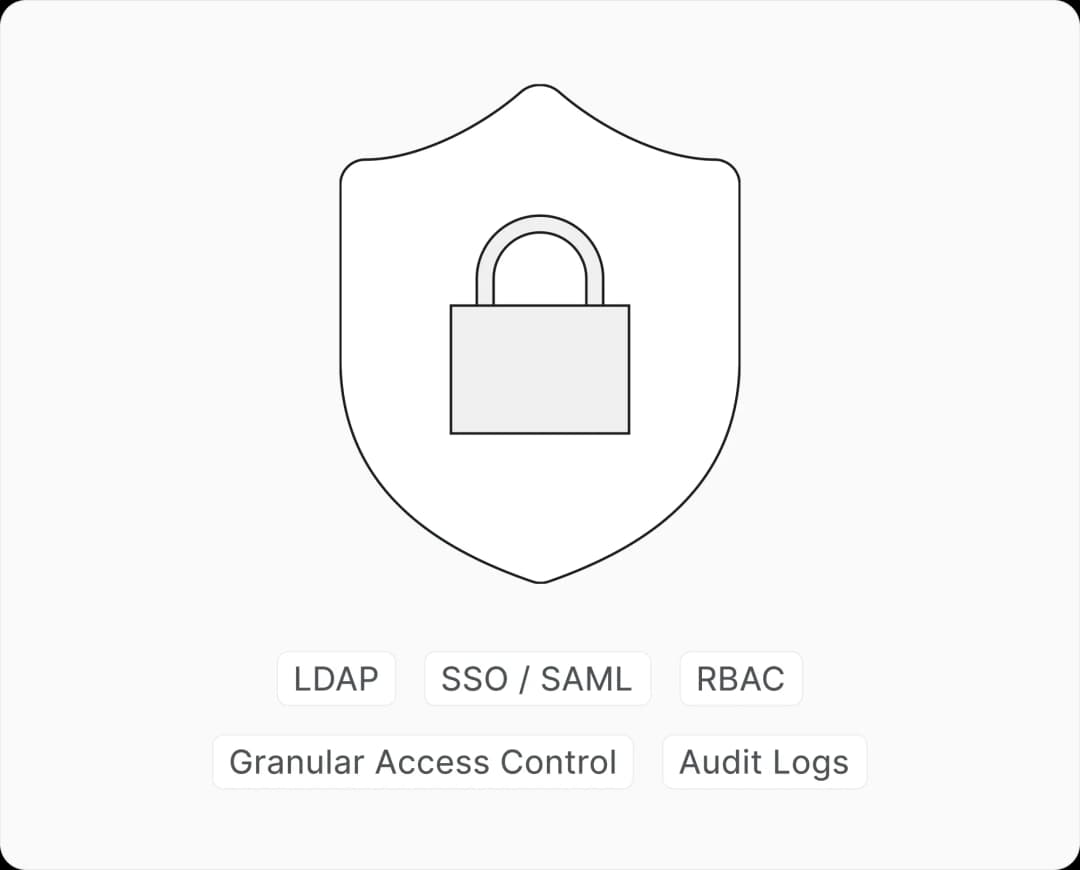
Enterprise-ready
Meet the operational and compliance requirements your team already works under
Resources for your migration
Guides for your infosec, IT, and migration teams to evaluate and plan the switch from Jira Data Center.
Self-hosting deployment guide
Deployment methods, configuration options, and infrastructure requirements for running Plane on your servers.
Jira to Plane migration guide
Step-by-step import process covering workflows, states, priorities, users, sprints, and attachments.
Plane self-hosted architecture
Full architecture breakdown: frontend services, API layer, supporting services, and infrastructure dependencies.
Air-gapped deployment
Run Plane in a fully disconnected network with zero external dependencies. Docker and Kubernetes supported.
FAQs
Common questions from teams evaluating Plane as a replacement for Jira Data Center
Connect your Jira instance with a Personal Access Token. Plane auto-maps states, priorities, issue types, and users. Issues, comments, epics, sprints, and attachments come over in a single import. Most teams finish a dry run in under 3 hours. You can re-run the sync to pick up new or updated issues before cutting over.
Yes. Plane runs on your infrastructure via Docker Compose, Docker Swarm, or Kubernetes. Air-gapped deployment is also supported for fully disconnected networks with zero external dependencies.
Plane supports SAML SSO, OIDC, LDAP, Google OAuth, and GitHub OAuth. RBAC and granular access controls are built in. Audit trails provide full visibility into who did what, when, across every workspace.
Yes. Plane is SOC 2 and ISO 27001 certified. Teams in healthcare, government, defense, and financial services use Plane in self-hosted and air-gapped configurations to meet compliance requirements.
Yes. Run both tools side by side, sync new issues incrementally, and cut over when your team is ready. There is no forced switchover.
Plane replaces most Marketplace dependencies with built-in capabilities: projects, docs, workflows, time tracking, and roadmaps work together out of the box. For everything else, Plane has a growing integrations marketplace with native and community-built extensions.
Docker Compose, Docker Swarm, Kubernetes, and Podman. Managed platform support includes Coolify and Portainer. Air-gapped editions are available for Docker and Kubernetes.


 Download for Mac
 Download for Android