What is information architecture? Types, principles, and best practices
Introduction
Every digital product, website, and knowledge base relies on information architecture to help users find what they need. As content, features, and documentation grow, structure becomes just as important as functionality. A well-designed information architecture improves discoverability, simplifies navigation, and creates a better user experience. In this guide, you'll learn what information architecture is, its core principles and components, how it differs from UX design, and how teams create scalable information architecture for digital products and knowledge systems.
What is information architecture?
Every digital product contains information. Pages, features, settings, documentation, workflows, and help resources all need a structure that makes them easy to find and understand. Information architecture provides that structure.
When information is organized well, users can navigate confidently and complete tasks faster. When information is scattered or grouped inconsistently, even simple actions become frustrating. This is why information architecture plays an important role in websites, applications, knowledge bases, and documentation systems.
Defining information architecture
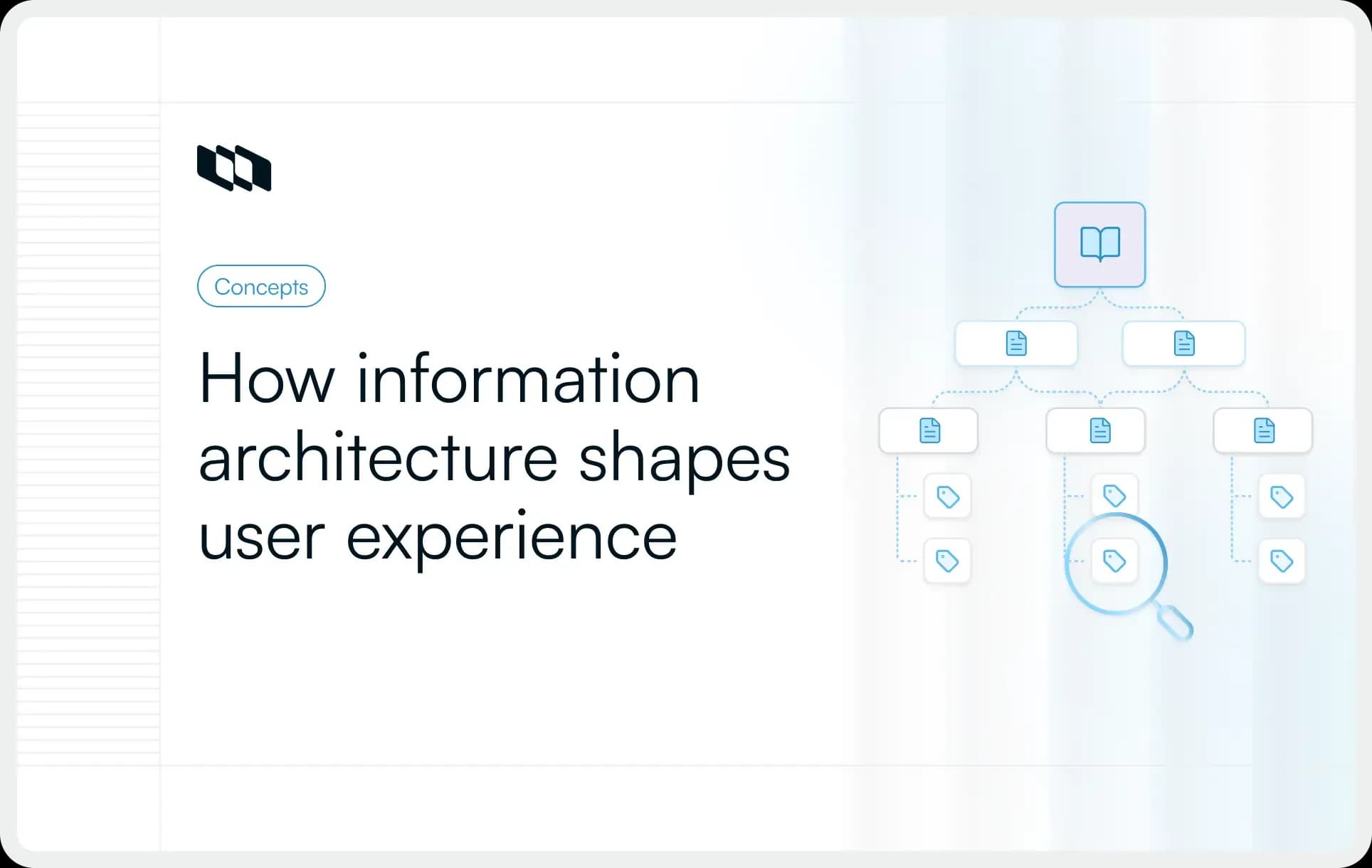
Information architecture (IA) is the practice of organizing, structuring, and labeling information so users can easily find, understand, and use it.
It defines how information is grouped, how different pieces of content relate to each other, and how users move through a system. Information architecture helps answer questions such as:
- Where should information live?
- How should it be categorized?
- What labels will users understand?
- How can users find it quickly?
You can think of information architecture as the blueprint behind a digital experience. Just as architects create a structure before constructing a building, product teams create an information architecture before organizing content, features, and navigation.
A simple example of information architecture
Imagine a project management platform that contains projects, tasks, documents, roadmaps, and reports.
A user looking for a project update expects to find it within the project workspace. Documentation should live in a dedicated knowledge area. Reports should appear under reporting and analytics.
This organization feels intuitive because information has been grouped into clear categories and connected through navigation, labels, and hierarchy. That structure is information architecture in action.
Where information architecture is used
Information architecture is used anywhere people interact with large amounts of information.
As products and content grow, a clear structure becomes essential for usability and discoverability.
- Websites: Information architecture helps organize pages, categories, and navigation menus so visitors can easily find content.
- SaaS products: It structures features, settings, workflows, and data across the product experience.
- Mobile applications: They help teams prioritize information and create intuitive navigation within limited screen space.
- Knowledge bases organize help articles, guides, and support content into logical categories.
- Documentation portals: They structure technical documentation, API references, tutorials, and release notes for easier access.
- Internal team workspaces help teams organize projects, processes, policies, and knowledge so that information remains accessible as organizations grow.
This version is much closer to the style you've used in recent Plane posts: lighter opening, simpler explanations, less textbook-like, and easier to scan.
Why is information architecture important?
Information architecture influences how easily people interact with a product, website, or knowledge system. Let’s explore the critical role information architecture plays in creating intuitive user experiences:
1. Helps users find information faster
Users visit products with specific goals. Information architecture (IA) streamlines these journeys by organizing content into logical, predictable categories. By grouping related features—such as placing billing under account settings, IA reduces search time and enables faster action.
2. Reduces cognitive load
Interfaces demand cognitive effort. Information architecture reduces this load through clear hierarchies and labels, allowing users to focus on goals rather than navigation. This is essential for complex products with intricate workflows and large documentation libraries.
3. Improves user experience
UX depends on more than visuals. Information architecture ensures intuitive experiences by organizing content around user needs. Clear structure makes interactions predictable, directly boosting satisfaction, adoption, and long-term retention.
4. Creates consistent navigation
Consistency builds familiarity by establishing predictable mental models. By standardizing navigation, naming, and structures, information architecture ensures seamless transitions without relearning. This reduces errors and strengthens user confidence over time.
5. Supports scalability as products grow
Digital products and knowledge bases continue to expand. A robust information architecture ensures this growth doesn't compromise navigation or clarity. This scalability is essential for evolving SaaS platforms and documentation systems.
6. Improves engagement and task completion
When users can quickly find information and move through workflows, they are more likely to complete the actions they came to perform. Whether the goal is to create a project, read documentation, submit a request, or make a purchase, a clear information architecture removes friction from the journey.
As a result, organizations often see improvements in engagement, feature adoption, task completion rates, and overall user satisfaction.
Core components of information architecture
Information architecture may look different across websites, SaaS products, and knowledge bases, but the underlying building blocks remain largely the same. These components work together to organize information, guide users through content, and make information easier to discover.
Understanding these core components provides a foundation for designing effective information architecture systems.
1. Organization systems
Organizational systems define how information is grouped and categorized. They help teams decide where content belongs and how different pieces of information relate to one another. A good organization system creates a structure that feels logical to users rather than reflecting an organization's internal structure.
For example, an e-commerce website may organize products by category, while a project management platform may organize information around projects, work items, and documentation.
Common approaches include:
- Category-based organization
- Topic-based organization
- Task-based organization
- Audience-based organization
- Chronological organization
The goal is to create categories that make information easy to browse and understand.
2. Labeling systems
Once information is organized, users need clear labels to understand what each category contains. Labeling systems define the names used for navigation menus, categories, buttons, pages, and content sections. Effective labels help users predict what they will find before clicking.
For example, labels such as "Projects," "Documentation," and "Reports" communicate their purpose immediately. Ambiguous labels often create confusion and increase the effort required to find information.
Strong labeling systems are:
- Clear
- Consistent
- User-focused
- Easy to understand
The best labels reflect the language users naturally use rather than internal terminology.
3. Navigation systems
Navigation systems determine how users move through information. They provide pathways that help users explore content, switch between sections, and understand their position within a larger structure. Navigation plays a key role in helping users build a mental model of a product or website.
Common navigation elements include:
- Main navigation menus
- Sidebars
- Breadcrumbs
- Tabs
- Footer navigation
- Contextual links
A well-designed navigation system allows users to move through information efficiently without feeling lost.
4. Search systems
Browsing works well when users are exploring, but many users prefer searching for information directly. Search systems help users quickly locate specific content, pages, documents, or resources. They become increasingly important as products and knowledge bases grow.
Effective search systems often include:
- Search suggestions
- Filters
- Sorting options
- Keyword matching
- Relevance ranking
For large documentation portals and knowledge management systems, search often becomes one of the most frequently used navigation methods.
5. Taxonomy and metadata
Taxonomy and metadata provide the structure that supports information architecture behind the scenes. A taxonomy is a classification system used to organize information into categories and subcategories. Metadata provides descriptive information about content, such as tags, authors, topics, status, or dates.
For example, a help article might belong to the category "Account Management" while also containing metadata such as:
- Billing
- Subscription
- Workspace settings
- Updated date
- Author
Together, taxonomy and metadata make information easier to organize, filter, search, and retrieve. As content libraries and digital products grow, they become essential for maintaining a scalable information architecture.
The information architecture model: Users, content, and context
Effective information architecture balances three key elements: users, content, and context. This framework helps teams organize information in a way that serves user needs while supporting business objectives. When these elements are considered together, information architecture becomes easier to design and maintain.
1. Users
Users sit at the center of every information architecture system. To organize information effectively, teams need to understand who will use it, what they are looking for, and the tasks they want to complete. User research, behavior analysis, and feedback often help uncover these needs.
The goal is to structure information around how users think and search rather than how teams internally organize information.
2. Content
Content refers to everything being organized within the system. This can include pages, documents, help articles, product features, resources, workflows, or knowledge assets. Understanding the types, volumes, and relationships among content helps teams create meaningful categories and hierarchies. As content grows, a clear structure becomes increasingly important for discoverability.
3. Context
Context represents the environment in which information exists. It includes business goals, product requirements, technical constraints, industry requirements, and user expectations. These factors influence how information is organized and presented.
For example, the information architecture of a SaaS product will differ from that of a public website because its users, content, and business objectives differ.
Together, users, content, and context provide a practical foundation for designing information architecture that is both useful and scalable.
Common information architecture structures
The way information is organized depends on the type of product, content, and user needs. While every system is unique, most information architecture designs follow a handful of common structures.
Choosing the right structure helps users navigate information more efficiently and creates a foundation that can scale as the system grows.
1. Hierarchical structures
A hierarchical structure organizes information into parent-child relationships, similar to a tree.
Users start at a broad category and move into increasingly specific sections. This is one of the most common information architecture structures because it mirrors how people naturally organize information.
Example:
An e-commerce website might use a hierarchy such as:
Home → Electronics → Laptops → Gaming Laptops
Similarly, a documentation portal may organize content as:
Documentation → Product Guides → User Management → Permissions
Hierarchical structures work well when information can be grouped into clear categories and subcategories.
2. Sequential structures
A sequential structure presents information in a specific order. Users move through a predefined path, with each step leading to the next. This structure is commonly used when users need guidance through a process.
Example:
An onboarding flow might follow this sequence:
Create account → Set up workspace → Invite team members → Create first project
Learning platforms, checkout processes, and setup wizards often rely on sequential structures.
3. Matrix structures
A matrix structure allows users to choose their own path through information. Instead of following a fixed hierarchy or sequence, users can navigate using multiple dimensions, such as topic, audience, use case, or goal.
Example:
A help center may allow users to browse content by:
- Product area
- Team role
- Feature category
- Use case
This gives users multiple ways to reach the same information depending on their needs.
4. Network structures
A network structure connects information through relationships rather than a strict hierarchy. Content is linked together based on relevance, allowing users to move between related topics naturally.
Example:
A knowledge base article about sprint planning may include links to:
- Agile methodologies
- Product roadmaps
- Backlog management
- Sprint reviews
Many modern knowledge management systems use network structures to encourage exploration and discovery.
5. Database-driven structures
A database-driven structure organizes information using categories, tags, attributes, and metadata rather than fixed navigation paths. Users find information through search, filters, sorting options, and dynamic views.
Example:
A project management platform may allow users to filter work items by:
- Status
- Assignee
- Priority
- Project
- Sprint
Similarly, an e-commerce marketplace may let shoppers filter products by price, brand, size, and ratings.
Database-driven structures are especially effective for large, constantly changing collections of information where traditional navigation alone would be difficult to manage.
Key principles of effective information architecture
A good information architecture does more than organize information. It helps users understand where they are, what options are available, and how to reach their goals with minimal effort.
To achieve this, information architects often rely on established principles that guide how content is structured and presented. These principles help create systems that feel intuitive today while remaining scalable as products and content evolve.
1. Principle of objects
The principle of objects treats content as living assets with their own attributes, relationships, and lifecycle. Instead of viewing information as individual pages, teams should think about how content is created, updated, connected, and maintained over time.
For example, a help article may belong to multiple categories, contain tags, and link to related resources. Designing around these relationships creates a more flexible information architecture.
2. Principle of choices
The principle of choices suggests presenting users with a manageable number of options at a time. When users face too many choices, decision-making becomes slower, and navigation becomes more difficult. Breaking information into smaller, meaningful groups helps users move through a system more confidently.
For example, a documentation portal with a few clear categories is easier to navigate than one that exposes dozens of options on a single page.
3. Principle of disclosure
The principle of disclosure focuses on the progressive disclosure of information. Users should receive enough information to understand their next step without being overwhelmed by unnecessary details. Additional information can be presented as users move deeper into the experience.
A product settings page, for example, may initially show major configuration options, with advanced settings appearing only when needed.
4. Principle of exemplars
The principle of exemplars recommends showing examples of the content within a category. Examples help users understand what they can expect before entering a section. This reduces uncertainty and improves navigation decisions.
For instance, a category labeled "Project templates" becomes more informative when accompanied by examples such as Sprint Planning, Product Launch, or Bug Tracking.
5. Principle of front doors
The principle of front doors recognizes that users often enter a system through many different entry points. Some users may arrive through search results, shared links, bookmarks, or documentation references rather than the homepage. Each page should therefore provide enough context to help users understand where they are and what they can do next.
This principle is particularly important for documentation sites and knowledge bases where users frequently land directly on individual articles.
6. Principle of multiple classification
Different users look for information in different ways. The principle of multiple classification encourages providing multiple paths to the same information. This accommodates different mental models and search behaviors.
For example, a help article might be accessible through a feature category, a use-case category, and the search system. Multiple paths increase the likelihood that users can quickly find what they need.
7. Principle of focused navigation
The principle of focused navigation emphasizes clarity and purpose. Navigation systems should help users move through information without introducing unnecessary options or distractions. Each navigation menu should serve a specific purpose and contain relevant choices.
Clear and focused navigation makes large information systems easier to understand and explore.
8. Principle of growth
Information systems rarely remain static. New content, features, products, and resources are continuously added. The principle of growth encourages teams to design information architecture with future expansion in mind. Categories, taxonomies, and navigation structures should accommodate growth without requiring major restructuring.
A scalable information architecture helps organizations maintain consistency and usability as their products and knowledge systems evolve.
Information architecture vs. UX design
Information architecture and UX design work closely together, but they serve different purposes.
- Information architecture focuses on structure. It determines how information is organized, categorized, and connected.
- UX design focuses on the overall experience. It looks at how users interact with a product and how easily they can complete their goals.
A simple way to think about it is that information architecture defines where things live, while UX design defines how people experience them.
Information architecture | UX design |
Organizes information | Designs the overall user experience |
Defines categories, hierarchy, and structure | Designs interactions and workflows |
Focuses on findability and navigation | Focuses on usability and satisfaction |
Creates sitemaps, taxonomies, and navigation models | Creates user flows, wireframes, and prototypes |
Answers "How should information be organized?" | Answers "How should the experience work?" |
For example, in a project management tool, information architecture determines where projects, tasks, roadmaps, and documentation belong. UX design determines how users create projects, navigate between views, and complete their work.
Together, they help create products that are both well-structured and easy to use.
Information architecture vs. navigation
Information architecture and navigation are often used interchangeably, but they are not the same thing.
- Information architecture is the overall structure of information within a system. Navigation is one of the tools users use to move through that structure.
- Think of information architecture as the blueprint of a building and navigation as the signs that help people find their way inside it. A clear navigation system depends on a strong information architecture underneath.
Information architecture | Navigation |
Organizes and structures information | Helps users move through information |
Defines categories, hierarchy, and relationships | Provides menus, links, and pathways |
Focuses on how information is arranged | Focuses on how users access information |
Includes organization, labeling, search, and navigation systems | Represents one component of information architecture |
Created during the planning stage | Experienced directly by users |
For example, a knowledge base may organize content into categories such as Getting Started, Account Management, and Billing. That structure is part of the information architecture. The menu that allows users to access those categories is the navigation system.
A navigation system can only be as effective as the information architecture behind it. When the underlying structure is clear, navigation becomes easier to understand and use.
Information architecture deliverables
Information architecture is more than a planning exercise. It produces tangible outputs that help teams visualize, validate, and implement the structure of a website, product, or knowledge system.
The exact deliverables vary by project, but the following are among the most common.
1. Sitemaps
Sitemaps provide a high-level view of how information is organized. They show the hierarchy of pages, sections, and categories, helping teams understand the overall structure of a system.
2. User flows
User flows map the paths users take to complete specific tasks. They help teams ensure information and navigation support common user journeys.
3. Navigation maps
Navigation maps show how users move between different sections of a product or website. They help teams design clear and intuitive navigation systems.
4. Taxonomies
Taxonomies define how information is categorized and classified. They create consistency across content, features, and documentation.
5. Metadata models
Metadata models define the attributes used to describe and organize information, such as tags, categories, authors, statuses, or dates.
6. Wireframes
Wireframes provide a visual representation of how information will be presented on a page or screen. They help teams validate structure and content placement before moving into detailed design.
Together, these deliverables help transform information architecture from a concept into a practical system that teams can build and maintain.
How to create information architecture: Step-by-step process
Once the core structure is clear, the next step is turning it into a working system. Creating information architecture requires a mix of user research, content analysis, categorization, and testing.
The goal is to design a structure that aligns with how users think, supports business goals, and remains manageable as content or product complexity grows.
Step 1. Define user goals
Start by understanding what users are trying to accomplish. For a website, this may include finding pricing, comparing features, reading documentation, or contacting sales. For a SaaS product, it may include creating a project, tracking work, inviting teammates, or finding reports.
Clear user goals help teams organize information around real needs instead of assumptions.
Step 2. Define business goals
Information architecture should also support the organization's goals. A product team may want to improve feature adoption. A marketing team may want visitors to reach conversion pages faster. A support team may want users to find answers without having to raise tickets.
When business goals are clear, teams can prioritize the right information, pathways, and navigation patterns.
Step 3. Audit existing content
A content audit helps teams understand what information already exists. This includes pages, help articles, product screens, documentation, templates, workflows, and internal resources. During the audit, teams should identify duplicate, outdated, unclear, or low-value content.
A clean content inventory makes it easier to decide what should stay, what should be updated, and what should be reorganized.
Step 4. Analyze user needs and behavior
User behavior shows how people actually search for and use information. Teams can study search queries, support tickets, product analytics, heatmaps, session recordings, feedback, and user interviews to understand common patterns. These insights reveal where users get stuck, what they look for most often, and which terms they naturally use.
This step helps align the information architecture process with real user behavior.
Step 5. Categorize and group information
Once the content is understood, group related information into logical categories. The categories should match how users think about the content. For example, a knowledge base may group articles by product area, use case, or user role. A project management platform may group information around projects, work items, documents, reports, and settings.
Good grouping creates the foundation for clear navigation and better discoverability.
Step 6. Create a taxonomy
A taxonomy defines the classification system behind the structure. It includes categories, subcategories, tags, labels, and relationships between information. A strong taxonomy helps teams organize content consistently and gives users multiple ways to find what they need.
For example, a documentation system might classify content by product area, topic, user role, and difficulty level.
Step 7. Design the navigation structure
Navigation turns the information architecture into something users can move through. This includes main menus, sidebars, breadcrumbs, tabs, filters, and contextual links. The navigation structure should guide users toward common tasks while keeping the interface clear and focused.
For large products or documentation systems, navigation should support both browsing and direct access to important information.
Step 8. Build a sitemap
A sitemap gives teams a high-level view of the information structure. It shows how pages, categories, and sections are connected. This helps teams spot gaps, overlaps, and hierarchy issues before the structure is implemented. For websites and documentation portals, a sitemap is often one of the most useful information architecture deliverables.
Step 9. Validate with users
Testing helps confirm whether the structure makes sense to real users. Teams can use card sorting, tree testing, usability testing, or simple prototype reviews to see if users can find information easily. Validation often reveals confusing labels, misplaced content, or categories that need simplification.
This step improves the structure before it becomes difficult to change.
Step 10. Refine and evolve continuously
Information architecture should evolve as the product, content, and user needs change. Teams should review analytics, search behavior, support tickets, and user feedback regularly. New content should fit into the existing structure, and older information should be updated or reorganized when needed. A good information architecture design is maintained over time, so the system stays clear, usable, and scalable.
Information architecture research methods
Designing information architecture without research often leads to structures based on assumptions rather than user needs. Research helps teams understand how users think about information, what they expect to find, and where they encounter friction.
The following methods are commonly used to evaluate and improve information architecture.
1. Card sorting
Card sorting reveals how users naturally group information. Participants organize content into logical categories to help define navigation, labels, and taxonomies. This method is most effective during the early stages of information architecture.
2. Tree testing
Tree testing evaluates whether users can find information within a proposed structure. Participants are given specific tasks and asked to navigate through a simplified version of the information hierarchy. The goal is to see whether users can reach the correct destination and understand the category structure. This method helps validate navigation and identify areas where the hierarchy may need improvement.
3. User interviews
User interviews provide direct insight into user goals, behaviors, and expectations. By speaking with users, teams can learn how people search for information, the terms they use, and the challenges they face while navigating a product or website.
These insights help ensure the information architecture reflects real user needs rather than internal assumptions.
4. Content inventories
A content inventory is a detailed record of the information that exists within a system. It helps teams understand the scope of content, identify gaps, remove duplication, and spot opportunities for reorganization. Content inventories are especially valuable when redesigning websites, documentation portals, or knowledge bases with large amounts of information. A clear inventory provides a strong foundation for building an effective information architecture.
5. Usability testing
Usability testing measures how easily users can complete tasks within a product or information system. Participants are asked to perform common activities while teams observe how they navigate, search, and interact with the structure. The findings reveal areas where users experience confusion or take inefficient paths to reach information.
Regular usability testing helps teams refine their information architecture and improve the overall user experience over time.
Common information architecture mistakes to avoid
Even well-intentioned information architecture efforts can create friction when they are designed around assumptions rather than user needs. Understanding these common mistakes can help teams build structures that remain intuitive, scalable, and easy to maintain.
1. Organizing information around internal teams instead of users
Many organizations structure information by department, team ownership, or internal terminology. While this may feel logical internally, users care about completing tasks and finding information quickly. Information architecture should reflect how users think about information, not how an organization is structured behind the scenes.
2. Creating overly complex hierarchies
A hierarchy with too many levels makes navigation harder and increases the effort required to find information. Users should be able to move from broad categories to specific content without passing through unnecessary layers. Simpler structures often lead to better discoverability and a smoother user experience.
3. Using unclear labels
Labels serve as signposts throughout a website, product, or knowledge base. Vague category names, internal jargon, and inconsistent terminology can make navigation confusing. Clear, descriptive labels help users understand what they will find before they click.
4. Ignoring search behavior
Navigation is only one way users find information. Many users rely on search as their primary discovery method. Analyzing search queries can reveal common information needs, content gaps, and terminology users naturally use. These insights often lead to better categories, labels, and content organization.
5. Skipping user validation
Information architecture that looks logical to a team may feel very different to users. Methods such as card sorting, tree testing, and usability testing help validate whether users can easily find information. Early feedback often uncovers issues that are difficult to identify from internal reviews alone.
6. Failing to maintain the structure over time
Information architecture requires ongoing attention as products, content, and documentation evolve. New categories, pages, and features should fit within the existing structure consistently. Regular reviews help prevent content sprawl and keep the system easy to navigate as it grows.
A successful information architecture is treated as a living system that evolves alongside the product and its users.
Final thoughts
Information architecture shapes how people find, understand, and interact with information. Whether you're designing a website, building a SaaS product, managing documentation, or scaling an internal knowledge base, a clear structure makes every experience easier to navigate.
Effective information architecture goes beyond menus and page hierarchies. It combines organization, labeling, navigation, search, and taxonomy to create systems that support both user needs and business goals. As products and content grow, a well-designed information architecture becomes increasingly important for discoverability, usability, and long-term scalability.
By understanding your users, organizing information thoughtfully, and continuously refining the structure based on feedback, teams can create digital experiences that remain intuitive as they evolve.
Frequently asked questions
Q1. What are the 4 components of information architecture?
The four core components of information architecture are organization systems, labeling systems, navigation systems, and search systems. Together, these components help users find, understand, and move through information efficiently. Many modern information architecture frameworks also include taxonomy and metadata as supporting elements.
Q2. Is information architecture UI or UX?
Information architecture is primarily a UX discipline. It focuses on organizing and structuring information so users can easily find and understand it. UI design focuses on the visual elements users interact with, while UX design focuses on the overall experience. Information architecture provides the structural foundation that supports both.
Q3. What is an example of information architecture?
A common example of information architecture is an e-commerce website that organizes products into categories and subcategories, such as Electronics → Laptops → Gaming Laptops. In a SaaS product, information architecture might define how projects, tasks, documentation, reports, and settings are organized and connected throughout the product.
Q4. Who is called the father of information architecture?
The term information architecture is most closely associated with Richard Saul Wurman, who popularized the concept in the 1970s. He used the term to describe the practice of organizing complex information in ways that make it easier for people to understand and use.
Q5. What are the 8 principles of information architecture?
The eight widely recognized principles of information architecture are:
- Principle of objects
- Principle of choices
- Principle of disclosure
- Principle of exemplars
- Principle of front doors
- Principle of multiple classification
- Principle of focused navigation
- Principle of growth
These principles help teams create information architecture that is intuitive, scalable, and user-centered.
Recommended for you



 Download for Mac
 Download for Android