Everything you need to know about Plane Compose
What if every project could start from the same approved structure? Plane Compose brings project schemas into Git so teams can template, govern, and reuse them at scale.
What if every project could start from the same approved structure? Plane Compose brings project schemas into Git so teams can template, govern, and reuse them at scale.
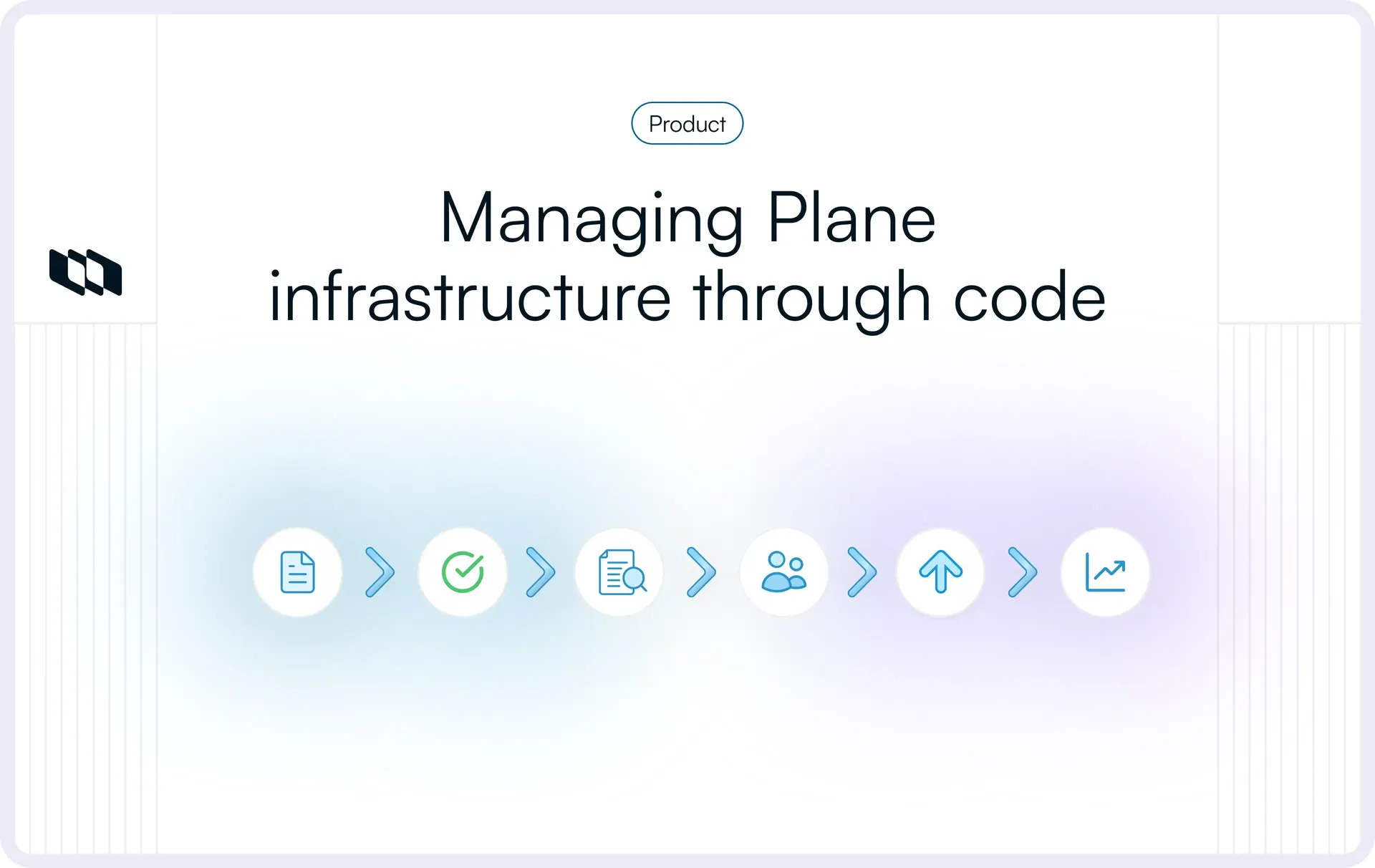
If every new project starts with someone recreating the same states, workflows, labels, and work item types by hand, you might not have a standard practice. You have a very committed copy-paste routine. And once twenty teams start making their own “small improvements,” that routine turns into twenty slightly different versions of how work is supposed to run.
Plane Compose takes that structure out of individual projects and turns it into configuration teams can keep in Git, reuse, review, and synchronize across Plane. This guide looks at how that model works in practice, where teams still need flexibility, and what enterprises should work out before adopting Projects-as-Code at scale.
Where does Plane Compose solve a real enterprise configuration problem?
Plane Compose helps teams automate how project structure is created, reused, and kept consistent across Plane.
Instead of configuring every project separately, a platform team can define an approved structure once, store it in Git, and reuse it as a template. The same baseline can then be applied across many projects with the Work Item Types, states, workflows, labels, custom properties, and defaults the organization expects.
Consider a platform team supporting 20 service teams. Without a shared baseline, each project can gradually develop its own version of the same structure. One team changes a state, another adjusts a workflow, and a third starts from an older setup. Over time, intentional differences become harder to distinguish from configuration drift.
With Plane Compose, the platform team can maintain the shared structure as version-controlled configuration and use it as the starting point for those projects. Teams can still keep approved project-specific differences where they need them. When the baseline evolves, teams can review the change in Git and distribute it deliberately through a GitOps-style workflow instead of re-applying it by hand in every project.
What the configuration looks like
A Compose project is a set of YAML files. States, labels, workflows, and Work Item Types each have their own file, and each can only reference names defined before it. A workflow with an approval gate on the move to Done looks like this:
# schema/workflows.yaml
workflows:
  default:
    is_active: true
    work_item_types:
      - Story
      - Bug
    states:
      - Backlog
      - Todo
      - In Progress
      - Done
    transitions:
      In Progress:
        - to: Done
          type: approval
          required_approvals: 1
          approvers:
            - lead@example.com
Because this is a plain file, structural changes are visible as Git diffs and can move through the same review process teams use for other version-controlled configuration.
What parts of a Plane project can Compose actually govern?
Plane Compose can manage project structure, selected operational project data, and supported workspace configuration, while keeping its own synchronization state locally.
For enterprise teams, those layers serve different purposes:
Layer | What it represents | Plane examples | Role in Compose |
Project schema | How a project is structured and operates | Work Item Types, states, workflows, labels, custom properties, feature settings, defaults | Governable project configuration |
Project work and context | The work and supporting content inside that structure | Work Items, Cycles, Modules, Milestones, Pages | Optional operational data |
Workspace configuration | Shared configuration used across projects | Workspace Work Item Types, Initiative labels, Releases, relation definitions, project and Page templates | Governable workspace configuration |
Read-only member context | Membership information pulled from Plane | Project members, workspace members | Available locally for reference, not writable through Compose |
Compose state | Metadata used to track synchronization | Remote IDs, mappings, content hashes | Tool-managed state |
Compose can templatize and apply supported schema to existing workspaces, but it does not create the workspaces themselves.
Project schema changes less frequently than day-to-day project work, which makes it well suited to Git-based review and controlled updates without moving everyday execution into the repository.
Project work and context can remain in Plane
Compose can also represent Work Items, Cycles, Modules, Milestones, and Pages, but teams decide whether that operational data belongs in the repository.
For many enterprise teams, the cleaner model is to govern stable project structure through Git while day-to-day planning and execution continue directly in Plane.
Collaborative and declarative synchronization serve different operating models
How Compose handles differences between local configuration and Plane depends on the synchronization model.
- Collaborative synchronization preserves remote-only configuration while applying approved local changes. This works well when teams expect some configuration to continue evolving directly in Plane.
- Declarative synchronization treats the local configuration as the desired state. Changes to that declaration, including removals, are reflected in the managed Plane schema.
The choice determines how much authority Git has over the project. Collaborative workflows allow more local flexibility, while declarative workflows provide stricter control over the managed structure.
Destructive changes such as removals or renames should be previewed before they are applied when existing work depends on those resources.
Compose synchronizes configuration when a person or automation runs the process. It does not continuously reconcile Plane in the background.
How does Plane Compose work in practice?
Once an organization has decided what Compose will govern, teams can either start from a new project or bring an existing Plane project into the same configuration model.
1. Start from a new project
plane init creates the local Compose structure for a new project.
Teams can start from:
- The built-in project scaffold;
- A local template;
- A template stored in Git, optionally pinned to a specific version.
This gives teams a repeatable starting point while leaving the broader template strategy for the standardization model they choose.
2. Bring an existing project under management
Existing Plane projects can enter the same model through plane clone which captures the supported project structure and synchronization state locally.
Teams can review what already exists, establish it as the Git baseline, and route future structural changes through the same controlled process.
That configuration can also be reused across workspaces when teams need to reproduce the same project structure elsewhere.
3. Move a structural change through the governed path
Suppose a platform team wants to add a new state to a shared workflow. The change can move through five steps:
1. Edit the configuration
Update the relevant project structure in the local Compose files.
2. Validate the change
Check the configuration for structural or reference errors before anything reaches Plane.
3. Compare it with Plane
Review how the proposed configuration differs from the current project, including any changes made directly in Plane since the last synchronization.
4. Apply the approved change
Synchronize the configuration using the collaborative or declarative model chosen for the project. Teams can preview potentially destructive changes before applying them.
5. Verify the result
Compare the resulting project with the intended configuration and confirm that the expected structure is in place.
This workflow can run manually or through CI. Teams should establish the process first, then automate the same proven steps as the model scales.
How does Plane Compose handle configuration drift?
Drift can appear when both Git and Plane are used to manage project configuration. Someone may make a change directly in Plane, work from an older local version, or apply configuration after the remote project has already changed.
The important question is which source is authoritative for each part of the project and how differences should be resolved.
1. Decide what is authoritative before rollout
Teams should define where structural changes are expected to originate.
For example:
- Work Item Types, states, workflows, and required labels may be governed through Git;
- Project-specific configuration may still be managed directly in Plane;
- Direct changes to governed configuration may be reserved for exceptions.
A clear authority model makes it easier to decide whether a difference should be accepted into the governed configuration or reverted in Plane.
2. Reconcile direct changes based on the synchronization model
A change made directly in Plane does not automatically update the local Compose configuration. Teams should first compare the current project with the governed configuration, then decide which version should remain.
In a collaborative model, accepted changes made in Plane can coexist with or be brought back into the local configuration. In a declarative model, teams either update the declared configuration to retain the change or bring Plane back to the approved state.
3. Handle concurrent changes carefully
Git can control changes made through the repository, but other environments can still make Plane-side changes.
Teams should compare the current Plane configuration before applying high-impact updates and use a controlled apply path when several people or automated systems may be making changes.
4. Plan for rollback and state recovery
Restoring an earlier Git revision restores the configuration files, but it does not change Plane by itself. The restored version still needs to move through the same compare, apply, and verify process used for any other configuration change.
Compose also keeps synchronization metadata locally so it can track the relationship between local configuration and objects in Plane. If that state is lost or damaged, it can be rebuilt from the existing Plane project. Interrupted operations can also be resumed without repeating changes that already succeeded.
Teams should treat rollback and state recovery as part of the operating procedure rather than as ad hoc troubleshooting.
How should an enterprise govern Plane Compose changes?
Once project configuration moves into version-controlled files, teams need clear ownership, approval rules, scoped access, and an audit trail.
1. Give the configuration a clear owner
Shared project or workspace configuration needs an accountable owner, such as platform engineering, developer productivity, engineering operations, or workspace administration.
That owner defines the shared standards, decides where project-level variation is acceptable, and manages how the baseline evolves.
2. Separate approval from execution
A governed change should follow a clear path:
Propose → review and approve → apply through a controlled identity
The person proposing a change does not need the credentials used to apply it in Plane. For automated workflows, the applying credential can remain inside CI or the organization’s secret-management system.
This creates two separate control points:
- Git governs who can propose and approve changes through pull requests, CODEOWNERS, required reviewers, protected branches, and merge rules.
- Plane governs whether the applying identity can perform the resulting action. Compose can authenticate with a Personal Access Token or workspace-scoped token, and that identity should have only the access it needs.
3. Use Git history and Plane Audit Logs together
Git and Plane provide different parts of the audit trail.
- Git shows what changed, who proposed it, who approved it, and which revision was merged.
- Audit Logs in Plane show tracked activity inside Plane, including the actor, event, affected resource, and outcome.
Together, they provide evidence of both the approval decision and the resulting action in Plane.
4. Define an exception policy
Urgent changes made directly in Plane should follow a documented exception process that defines who can make the change, how the reason is recorded, and who is responsible for reconciling it afterward.
The goal is to make sure emergency changes are closed out rather than left as unexplained drift.
How can teams standardize project structure without making every project identical?
Plane Compose lets teams start from a shared structural baseline while still allowing intentional project-level differences.
1. Start with a reviewed baseline
For a group of service teams, a shared baseline might define common Work Item Types, states, workflows, required labels, custom properties, and project defaults.
The baseline should capture the structure the organization genuinely wants projects to share. Keeping team-specific preferences out of it makes the template easier to reuse and maintain as adoption grows.
New projects can start from the same reviewed template, with teams able to pin a specific template version when they need a fixed baseline.
2. Keep intentional variation at the project level
Projects can evolve independently after they are created from the shared baseline. One team might add a state for a regulated review step, while another introduces a project-specific custom property. Those differences can remain local when they are intentional rather than treated as drift.
This gives platform teams control over the shared standard without requiring every project to remain identical.
3. Evolve the baseline through explicit upgrades
When the shared template changes, existing projects can choose when to adopt the newer baseline.
Compose preserves project-specific configuration while bringing in changes from the updated template. If the template and project conflict on the same configuration, the template takes precedence. Teams should preview the upgrade when projects contain intentional local variation.
The model stays deliberate:
Baseline v1 → local variation → baseline v2 → review → upgrade
Projects do not automatically inherit every template change, so teams remain in control of when a newer standard reaches each project.
How should an enterprise pilot Plane Compose before wider rollout?
A useful pilot should test Compose against conditions that resemble production, using a real project with enough structure to expose configuration, synchronization, and recovery behavior.
1. Choose a representative project
Start with an existing project that reflects patterns used elsewhere in the organization, but avoid a mission-critical workflow for the first test.
Define what Compose will govern, what can still change directly in Plane, and which synchronization model the pilot will use.
2. Establish the current project as a baseline
Capture the existing project in Compose and establish its current configuration as the starting Git baseline.
Review what is represented and identify any configuration that will continue to be managed outside Compose.
3. Run a real structural change
Choose a meaningful change, such as adding a state or updating a workflow, and move it through the governed change process.
Confirm that reviewers can understand the proposed change, the expected configuration reaches Plane, and the final result matches what was approved.
4. Test drift and destructive changes
Make one controlled change directly in Plane and confirm that the team can detect and reconcile the difference.
Then test a safe rename or removal of a non-critical configuration item. Preview the impact first and confirm that the chosen synchronization model behaves as expected.
5. Test reuse and template evolution
Reuse the approved structure in another project or workspace and confirm that it can be reproduced without rebuilding it manually.
If shared templates are part of the model, test an upgrade against a project with intentional local variation and confirm that legitimate project-specific configuration is preserved.
6. Test recovery before automating
Test a rollback and a recoverable synchronization failure so the team understands how to restore the intended configuration and recover Compose state when needed. Once the process works reliably by hand, the same proven workflow can move into CI.
A successful pilot should leave the team confident that Compose can operate safely under the conditions it expects to use in production.
Is Plane Compose the right operating model for your organization?
Plane Compose is most useful when project configuration has become shared infrastructure rather than something each team manages independently.
Where the model is a strong fit
Compose is particularly relevant when:
- Multiple projects share structural patterns;
- Platform or developer productivity teams maintain common standards;
- New projects need repeatable baselines;
- Workflow or schema changes require controlled review;
- Configuration drift across projects matters;
- Shared workspace configuration also needs consistent governance.
Teams already using Git-based review processes may find this model familiar because project configuration can follow many of the same change-control practices.
Projects-as-Code also introduces a repository, synchronization state, change procedures, and potentially CI automation. Teams managing a small number of largely independent projects may not need that additional operating layer.
Evaluate five areas before wider adoption
Decision area | What to evaluate |
Configuration coverage | Does Compose cover the project and workspace configuration the organization needs to govern? |
Authority and drift | Is it clear when Git is authoritative, when direct Plane changes are acceptable, and how differences will be reconciled? |
Reuse and standardization | Does the organization need shared baselines, cross-project reuse, and controlled template evolution? |
Access and auditability | Can the organization establish the required Plane permissions, applying identity, credential controls, and audit evidence? |
Operations and recovery | Is the team prepared to operate synchronization, automation, failure recovery, and ongoing configuration changes? |
These areas need to work together. Broad configuration coverage has limited value if ownership is unclear, while strong Git controls cannot solve requirements that sit outside the Compose surface.
See how Plane Compose fits your operating model
Plane Compose provides the configuration and synchronization layer. The operating model around it determines what Git governs, who approves and applies changes, and how much project-level variation teams retain.
Talk to our team about Plane Compose.
Frequently asked questions
Q1. Does using Plane Compose mean project work has to live in Git?
No. Teams can keep project structure under Git governance while managing day-to-day work directly in Plane.
For example, Work Item Types, states, workflows, labels, custom properties, and project defaults can live in Compose files while Work Items, Cycles, Modules, and Milestones remain in Plane.
Q2. What is the difference between collaborative push and declarative schema sync?
Collaborative push applies local changes while preserving schema that exists only in Plane, making it suitable when configuration can evolve from multiple places.
Declarative schema sync treats the local schema as the desired state and brings the managed Plane schema in line with it. Removing a managed resource locally can therefore remove it remotely.
Q3. Can Plane Compose enforce pull-request approval for project changes?
No. Pull-request approval is enforced by the Git platform.
Compose makes supported Plane configuration available as version-controlled files, so teams can use controls such as CODEOWNERS, required reviewers, protected branches, and merge rules before changes are applied to Plane.
Q4. What happens when someone changes a project directly in Plane?
The local Compose files do not update automatically.
Teams can compare the local schema with the current project in Plane, then either bring the accepted remote change into the governed configuration or restore Plane to the approved local state, depending on the synchronization model.
Q5. Does plane status detect configuration changes made directly in Plane?
No. plane status evaluates the local Compose project and its saved synchronization state without comparing it with the current project in Plane.
Use plane schema diff for a remote comparison of project schema, or plane diff for Work Item data.
Recommended for you



 Download for Mac
 Download for Android