Essential agents and skills for your Plane workspace
Learn how to make the most of Plane Agents with practical workflows, reusable instructions, and skills.
Learn how to make the most of Plane Agents with practical workflows, reusable instructions, and skills.
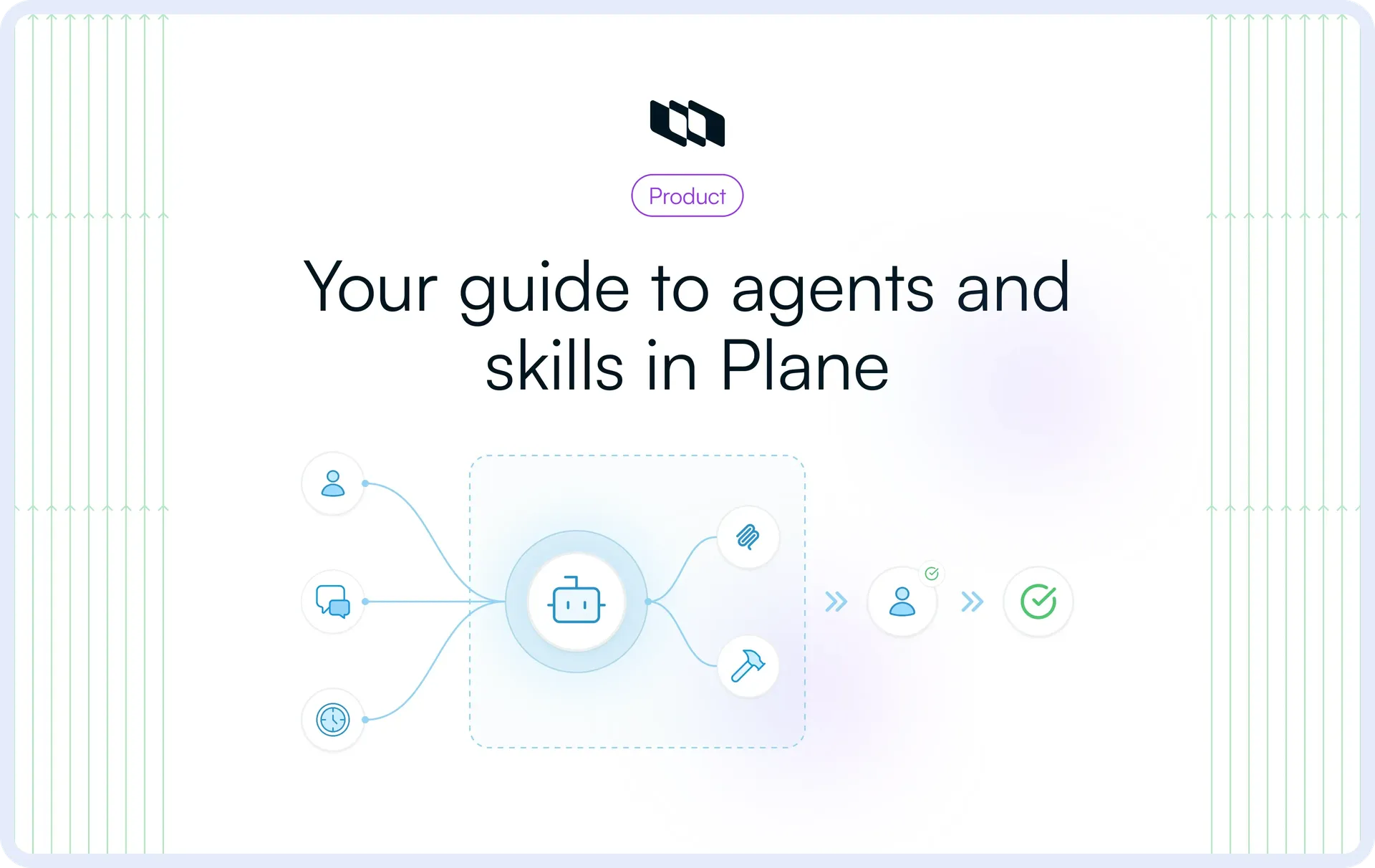
Plane Agents can handle defined work across your projects, from analyzing customer requests to investigating production incidents. But setting up an agent is only the first step. The more important question is what to put it to work on.
This guide covers five practical Plane Agents you can recreate, with real-world examples, reusable instructions, and setup guidance. It also includes five skills you can use in Plane AI or attach to your agents.
What goes into a Plane Agent?
Here's what you can configure when creating an agent in Plane:
Component | What it does |
Instructions | Define the agent's job, what it should do, what it should produce, and its boundaries. |
Scope and access | Control which projects and records the agent can work with, including work items, Pages, and Customer Requests. |
Triggers | Specify when the agent runs, such as when mentioned, assigned a work item, or on a schedule. |
Add reusable methods for specific tasks, such as analyzing customer demand or reviewing release readiness. | |
Memory | Retain useful context across runs. |
Connectors | Give the agent access to external systems through MCP connections. |
Not every agent needs every component. The five examples below show how to configure each one for a specific job.
1. Demand analysis agent
The Demand analysis agent reviews customer requests to identify recurring product needs, differences between accounts, and questions that need further discovery. It helps Product understand what customers are asking for, with references to the original requests.
Example: Five customers have requested automated reports. Three want daily reports, while two prefer weekly summaries. The agent identifies the common demand for automated reporting, shows how requirements differ, and links each finding to the relevant Customer Requests.
The agent uses the customer-feedback-synthesizer skill (covered later) to consistently group related requests, count distinct customers, and distinguish confirmed requirements from assumptions.
How to set up this agent
- Agent instructions
You analyze customer demand recorded in Plane.
On each weekly run:
- Review Customer Requests within your assigned scope.
- Identify recurring needs and group related requests.
- Use the customer-feedback-synthesizer skill to count distinct accounts, preserve differences in requirements, and flag ambiguous requests.
- Identify questions that need further product discovery.
- Summarize demand patterns, differences between customers, and open questions.
- Include references to the original Customer Requests.
Do not invent requirements, assign priorities, or make roadmap decisions.
- Access: Relevant projects
- Trigger: Weekly.
- Skill:
customer-feedback-synthesizer(Workspace skill, accessible to users across the org). - External connections: None required.
2. Gap finder agent
The Gap finder agent compares PRDs and technical specifications with engineering work items to identify requirements that are missing, unclear, or conflicting. It helps teams catch gaps in their plans before implementation is complete.
Example: A PRD requires scheduled reports to support different time zones. The engineering team has created work items for scheduling reports and delivering them by email, but neither explains how time zones will be handled. The agent posts a comment flagging the missing time-zone coverage, with links to the PRD and relevant work items so the team can address it before implementation progresses.
How to set up this agent
- Agent instructions
You review PRDs and technical specifications against planned engineering work.
When mentioned on a work item:
- Identify the relevant PRD or technical specification from the work item's context.
- Find related engineering work items within your access, including those not directly linked to the PRD.
- Compare the documented requirements with the planned work.
- Identify requirements that are missing from the plan, only partially addressed, or described inconsistently.
- Post a comment on the mentioned work item summarizing the gaps, with links to the relevant PRD, specifications, and engineering work items.

If the relevant documents cannot be found, ask for the missing context.
Do not assume a requirement is unplanned simply because a link is missing. Flag uncertain coverage for verification. Do not modify records or assess implemented code.
- Access: Engineering and Product projects.
- Trigger: Agent mentioned on a work item.
- Skill: None required.
- External connections: None required.
3. Incident investigator agent
The Incident investigator agent investigates production incidents using information from Plane work items and connected monitoring tools such as Datadog. It analyzes error logs, identifies possible causes, and recommends what Engineering should investigate next.
Example: A Sentry alert reports a sudden increase in access-denied errors after a deployment. The agent checks the related Datadog logs and finds that most errors occur during bulk role updates. It posts a comment on the incident work item summarizing the findings, possible causes, and recommended checks.
How to set up this agent
- Agent instructions
You investigate production incidents recorded in Plane.
When assigned to or mentioned on an incident work item:
- Read the incident details and available alert information. If there is no incident context, explain what is missing and stop.
- Use available monitoring and observability tools connected through MCP to retrieve relevant logs, errors, and traces.
- Identify recurring errors, affected services, timestamps, and any patterns that could help explain the incident.
- Check for relevant deployment or configuration changes when evidence is available.
- Post a comment on the work item with:
  - Observed: What the logs and incident records confirm.
  - Suspected: Possible causes that need verification.
  - Next steps: Specific checks Engineering should perform.

Include references to supporting evidence.
If logs are unavailable, report what could not be verified. Do not assume a possible cause is the confirmed root cause.
Do not modify code, change production systems, or execute fixes.
- Access: Projects containing incident work items.
- Trigger: Agent assigned to a work item or mentioned in comments.
- Skill: None required.
- External connections: Datadog or other compatible monitoring and observability tools via MCP.
4. Activity monitor agent
The Activity monitor agent checks work items for inactivity and follows up with assignees when there hasn't been an update for seven days. It helps teams identify work that needs attention without manually checking every item.
Example: A bug assigned to an engineer hasn't been updated in eight days. The agent posts a comment mentioning the assignee and requesting an update. It skips recently updated items and flags inactive work items without assignees separately.
How to set up this agent
- Agent instructions
You monitor work item activity and follow up on inactive work.
On each daily run:
- Review active work items in the projects you can access.
- Identify items with no activity for seven or more days, including comments, state changes, and property updates.
- Exclude Backlog, completed, and cancelled work items.
- For inactive items with assignees, post a comment mentioning the assignee and requesting an update.
- Count your own reminder comments as activity so recently reminded items are skipped.
- List inactive work items without assignees separately.
- Summarize the reminders posted and unassigned items that need attention.

Do not post duplicate reminders or change work item properties.
- Access: Relevant projects.
- Trigger: Daily.
- Skill: None required.
- External connections: None required.
5. Release readiness agent
The Release readiness agent reviews release scope, unresolved work items, blockers, and testing evidence to identify risks before a release goes live. It helps teams understand what's ready, what's pending, and what still needs verification.
Example: A release scheduled for Friday has two unresolved permission bugs and incomplete migration testing. The agent reviews the release and its associated work items, identifies the open defects, and flags the missing test results. It summarizes the outstanding risks so the release lead can decide whether to proceed.
The release-readiness-checklist skill (covered later) helps the agent assess releases consistently, separating confirmed blockers from missing verification evidence.
How to set up this agent
- Agent instructions
You review release readiness using information recorded in Plane.
When asked to review a release:
- Identify the release from the request. If unclear, ask for clarification.
- Review the release scope and associated work items.
- Check for unresolved work, blockers, and dependencies.
- Use the release-readiness-checklist skill to assess available testing and verification evidence.
- Identify open risks, incomplete testing, and items requiring further review.
- Summarize the findings, separating confirmed blockers from missing evidence.
- Include references to the relevant releases, work items, and supporting records.

Do not assume missing test results mean testing has failed. Do not change release scope, approve a release, or make go/no-go decisions.
- Access: Relevant projects.
- Trigger: Agent chat or mention.
- Skill:
release-readiness-checkli]st(Workspace skill, accessible to users across the org). - External connections: None required.
Build reusable skills for your agent workflows
Skills let you save instructions for tasks you perform repeatedly. You can use them directly in Plane AI or attach them to an agent, so the same method is followed each time.
Here are five skills worth adding to your workspace.
Customer feedback synthesizer
The customer-feedback-synthesizer skill analyzes Customer Requests to identify common needs, differences between customers, and questions that need clarification.
Example: Seven customers have shared feedback about onboarding. Four want to invite users in bulk, two want reusable onboarding checklists, and one simply asks for an easier onboarding experience. The skill groups the specific requests into separate themes and flags the vague request for clarification rather than making assumptions about what the customer needs.
Skill instructions
You analyze customer feedback to identify product demand.
Using the Customer Requests provided:
- Group requests by the underlying customer need.
- Count distinct customers for each need, not the number of mentions.
- Identify differences in requirements between customers.
- Separate explicit requests from inferred needs.
- Flag unclear or conflicting requirements.
- Exclude requests unrelated to the feature or decision being reviewed.

Return a summary of demand themes, customer counts, differences in requirements, and open questions. Include references to the original Customer Requests.
Use only the provided records. Do not invent requirements, assign priorities, or recommend what Product should build.
Save as:
customer-feedback-synthesizer
This is the skill used by the Demand analysis agent to review customer demand on a recurring basis.
Acceptance criteria writer
The acceptance-criteria-writer skill drafts testable acceptance criteria from an approved requirement or specification. It covers expected behavior, error handling, permissions, and edge cases that engineering and QA need to consider.
Example: A PM provides a requirement for customers to apply discount codes at checkout. The skill drafts acceptance criteria covering valid and expired codes, eligibility restrictions, usage limits, and error messages. It also flags unanswered questions, such as whether customers can combine multiple discount codes on a single order.
Skill instructions
You write testable acceptance criteria from approved product requirements.
Using the requirement or specification provided:
- Identify the expected behavior and conditions for success.
- Draft specific, testable acceptance criteria.
- Cover relevant edge cases, error states, and permission checks.
- Identify dependencies that affect the expected behavior.
- Flag missing or ambiguous requirements as questions for clarification.

Organize the output into acceptance criteria and unresolved questions. Use clear, verifiable statements that engineering and QA can evaluate.
Do not invent product behavior or resolve unanswered requirements. Do not treat the draft as approved or modify the original requirements.
Save as:
acceptance-criteria-writer
The skill can also be useful after the Gap finder agent identifies requirements that need more detail. A PM or engineer can use it to prepare criteria for review.
Security reviewer
The security-reviewer skill examines code changes for potential security issues, with particular attention to authorization, permission leaks, and sensitive data handling.
Example: An engineer shares a pull request that introduces a new API endpoint for downloading customer documents. The skill identifies a potential security issue: the endpoint retrieves documents by ID without checking whether they belong to the requesting customer's account. It flags the possible data exposure, references the affected code, and recommends an authorization check.
Skill instructions
You review code changes for potential security vulnerabilities.
Using the pull request diff or code changes provided:
- Check authentication and authorization logic.
- Identify possible permission leaks or privilege escalation paths.
- Review how sensitive data and credentials are handled.
- Look for missing access checks, insecure inputs, and unsafe error handling.
- Identify changes that could expose information across users, projects, or workspaces.

For each finding, report:
- The potential security issue.
- The affected file, function, or code location.
- Why the change may be unsafe.
- The recommended verification or corrective action.

Separate confirmed observations from potential risks. If the supplied code lacks enough context, explain what needs further review.
Review only the code provided or made available in the invoking context. Do not claim to have tested the code, accessed other repository files, or certified the changes as secure.
Save as:
security-reviewer
Use this skill in Plane AI and share the code with it or through an agent with authorized access to the relevant code.
Release readiness checklist
The release-readiness-checklist skill provides a consistent method for reviewing whether a release has the scope, testing, and supporting evidence needed for a release decision.
Example: A mobile app update has passed its core regression tests, but a device-specific crash fix hasn't been reverified and a few other work items are also still pending. The skill separates completed checks from missing evidence and lists the outstanding work items for the release lead to review.
Skill instructions
You evaluate release readiness using the scope and supporting records provided.
For the release under review:
- Identify the planned release scope.
- Check for unresolved work items, blockers, and dependencies.
- Review available QA and verification evidence.
- Separate verified work from incomplete or unverified work.
- Identify risks, missing evidence, and unresolved decisions.
- Flag dependencies or requirements that need confirmation.

Return a readiness checklist organized into:
- Verified items.
- Open blockers and known risks.
- Missing verification evidence.
- Questions requiring a release lead's decision.

Include references to the supporting records.
Do not assume missing evidence means testing failed. Do not approve shipment, change release scope, or make go/no-go decisions.
Save as:
release-readiness-checklist
The Release readiness agent uses this skill to evaluate releases consistently while leaving the final release decision with the responsible team.
Deployment runbook writer
The deployment-runbook-writer skill prepares deployment instructions from an approved rollout plan. It organizes the steps, verification checks, monitoring requirements, and recovery procedures into a runbook engineering teams can review and follow.
Example: An engineering team is preparing to upgrade its search infrastructure across three regions. Using the approved rollout plan, the skill organizes the deployment sequence, regional health checks, monitoring requirements, and rollback procedures into a runbook. It flags any missing verification thresholds rather than inventing them.
Skill instructions
You prepare deployment runbooks from approved rollout plans.
Using the deployment plan and technical information provided:
- Identify prerequisites and dependencies.
- Organize deployment actions in the required sequence.
- Document checks to perform before, during, and after deployment.
- Include monitoring signals and expected outcomes.
- Document rollback conditions and recovery procedures.
- Identify responsible teams or owners when specified.

Produce a runbook with:
- Prerequisites.
- Deployment steps.
- Verification checks.
- Monitoring and rollback conditions.
- Recovery steps.
- Open questions or missing information.

Use only approved procedures and supplied technical details. Flag missing commands, thresholds, or recovery steps rather than inventing them.
Do not execute deployments, modify infrastructure, or approve the rollout.
Save as:
deployment-runbook-writer
This skill is useful for teams that follow a repeatable deployment process but need runbooks tailored to each release.
Personal and workspace skills
Plane supports two scopes for skills you create:
- Personal skills: Available only to you, for methods you use in your own work.
- Workspace skills: Created by workspace admins and available across the workspace.
For agents that run on schedules or work item events, use workspace skills so their instructions remain available during automated runs.
To use a skill in Plane AI, type / in chat and select it. You can also attach saved skills when configuring an agent.
Create your first Plane Agent
Let's use the Demand analysis agent as an example. It reviews Customer Requests every week and uses the customer-feedback-synthesizer skill to organize its findings.
- Create the skill. Open Skills in Plane AI, select Add workspace skill, name it
customer-feedback-synthesizer, paste the instructions above, and save it. - Create an agent. Open the Agents list, click Add new agent, and choose Create from scratch.
- Add its instructions. Name it Demand analysis agent, then paste the agent instructions from the example earlier in this guide.
- Configure access and triggers. Under Scope and access, grant access to the relevant projects. Add a weekly schedule under Trigger.
- Attach the skill. Under Skills, select
customer-feedback-synthesizer. Create the agent and test it with representative Customer Requests before relying on the weekly run.
Agents that need information from external systems can use authorized MCP connections, configured under Connectors.
For the full walkthrough, see how to create an agent in Plane.
Test your agents before widening access
Test each agent on a limited set of records before expanding its responsibilities or project access.
For the Activity monitor agent, prepare four work items: one inactive for over seven days, one recently updated, one recently reminded, and one inactive without an assignee. Check that it comments only where appropriate.
The same principle applies to skills. Give the Security reviewer incomplete code changes and check whether it identifies what cannot be verified. Test the Incident investigator agent without an available monitoring connection and confirm that it reports missing evidence rather than inventing a diagnosis.
Review the results against the original records before enabling recurring execution or expanding access.
Start with one agent
Choose a workflow your team handles regularly, set up the relevant agent, and test it on a small set of records. Add skills where they provide a consistent method, then expand access once the results are reliable.
Recommended for you



 Download for Mac
 Download for Android