Introducing Workspace Work Item Types and Hierarchy
Define work item types once at the workspace level, then build consistent hierarchies and workflows that apply across every project.
Define work item types once at the workspace level, then build consistent hierarchies and workflows that apply across every project.
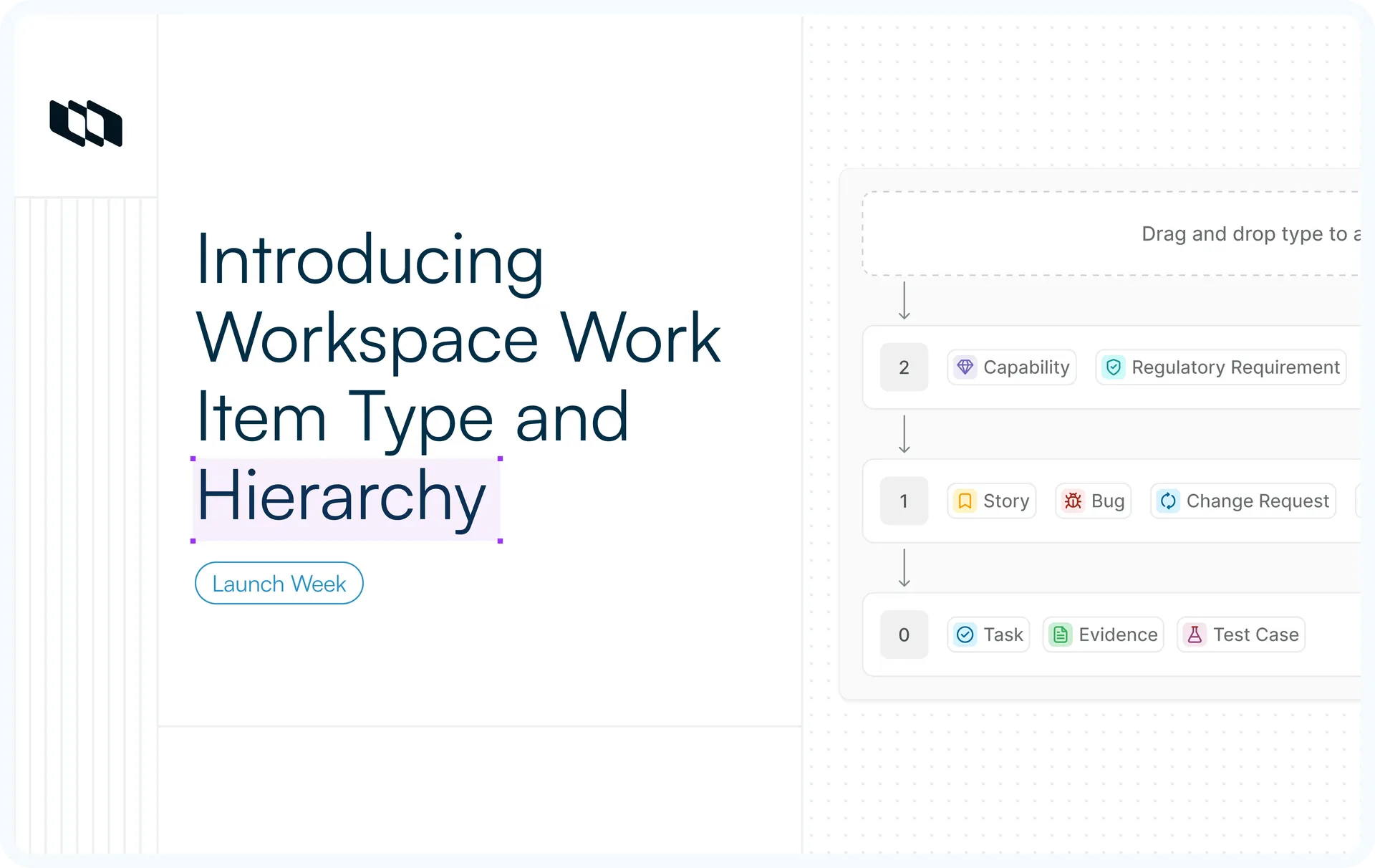
Define a work item type once at the workspace level and use it across projects. Build hierarchies and workflows around types so that every structure and process stays consistent wherever they are used.
Set parent-child rules through hierarchy, so a Feature always contains Stories and a Task never contains a Feature. This provides centralized governance and a consistent structure across the whole organization.
What's shipping
- Workspace work item types
Define work item types and custom properties at the workspace level, then import them into the projects that need them. - Workspace-level hierarchy
Set parent-child rules between work item types so work nests the same way in every project, enforced everywhere.
Workspace Work Item Types
Project-level types work well for a single team. Across an organization, you want a Bug to mean the same thing in every project, with the same properties and the same behavior, without each project rebuilding it by hand.
On Enterprise Grid, work item types are managed at the workspace level.
- Defined at the Workspace level
Workspace admins define the types. Project admins import the ones their project needs, so projects stay focused while the definitions stay consistent. - A default type to build on
Every workspace starts with a default Task type. Add your own types alongside it, each with its own icon and color. - Properties attached to types
Define a property, such as Severity, once, then attach it to the types that need it. Text, Number, Dropdown, Boolean, Date, Member picker, Release picker, and URL are all supported, with mandatory fields where needed. - Share properties across types
Reuse the same property across multiple work item types without creating duplicates. - Disable without disruption
Stop new work items from using a work item type without affecting existing work. Existing work items retain their type and properties.
For details, see the Workspace work item types docs.
Workspace-level Hierarchy
Without hierarchy rules, any work item can be added under any other work item, regardless of its work item type. Over time, this can lead to inconsistent structures that make reporting and rollups less useful.
Hierarchy lets you define the work item structure once and enforce it.
- Numbered levels
Organize work item types into levels, with higher numbers for broader work and lower numbers for more granular work. A Feature at the top can contain Stories and Bugs, which can, in turn, contain Tasks and Spikes. - Drag and drop to build
Drag a work item type into a level to define its place. Multiple types can share a level, and the builder shows the parent-to-child flow with connectors. - Works the same across every surface
Once set up, the rules apply when creating work items, adding sub-items, changing work item types, running bulk operations, and importing. Invalid nesting is blocked throughout. - Existing work is preserved
Parent-child relationships created before hierarchy was enabled stay intact. Any new ones follow the rules you have defined.
For details, see the Hierarchy section of the docs.
Availability across plans
Feature | Plan |
Workspace Work Item Types | Enterprise Grid |
Workspace-level hierarchy | Enterprise Grid |
Recommended for you



 Download for Mac
 Download for Android