Introducing Collections, and AI-native documentation
Group Wiki pages with Collections, public or private. Generate page content with the AI block. Edit pages with an agent that streams, proposes, and waits for your call.
Group Wiki pages with Collections, public or private. Generate page content with the AI block. Edit pages with an agent that streams, proposes, and waits for your call.
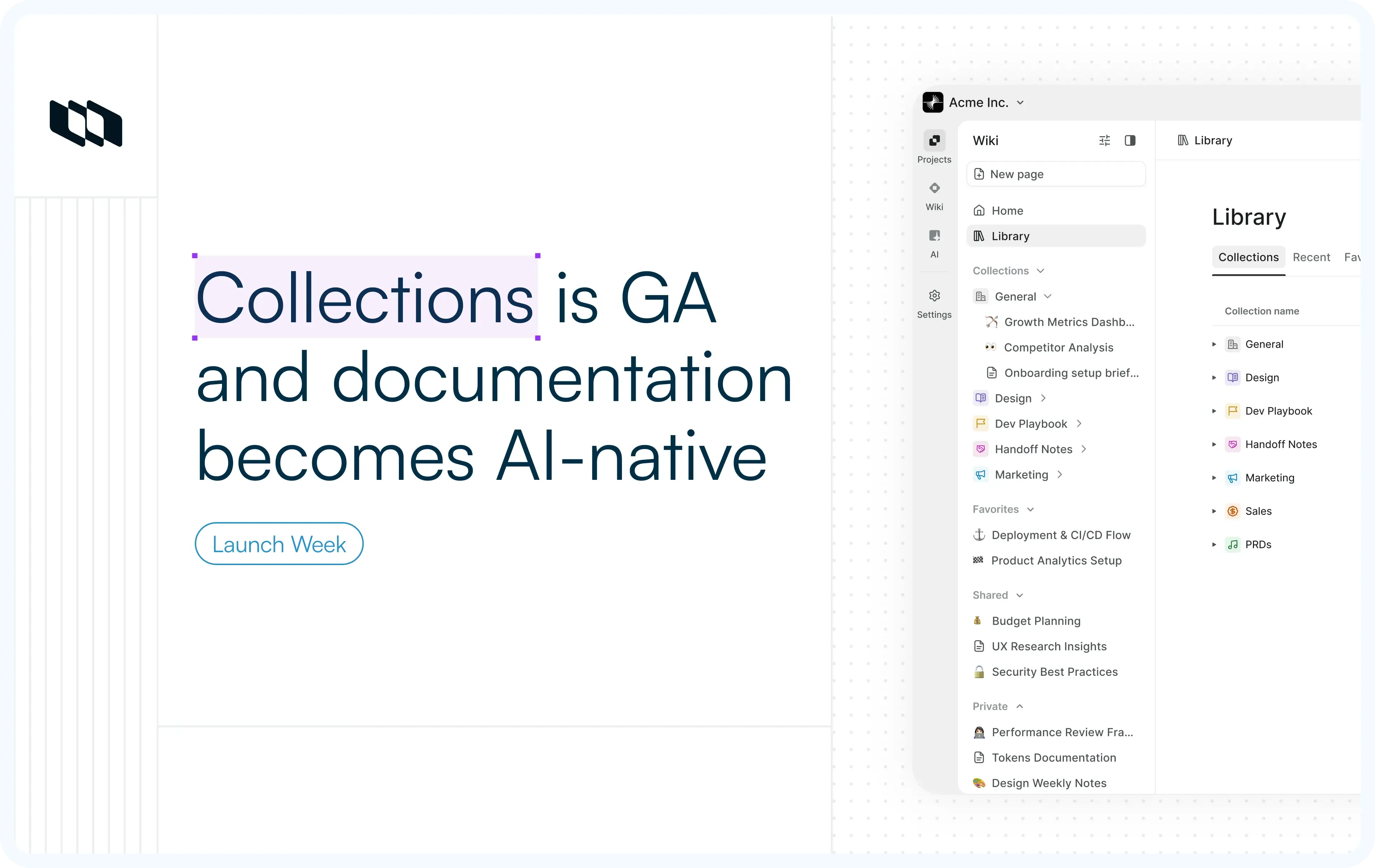
What's shipping
- Collections
Group related Wiki pages under a named Collection. Make a Collection private to invite only the people who should see it. - AI block in Page
A page block that generates content from the rest of the page and regenerates on demand as the page changes. - Documentation with AI-assistance
An agent in the Page's sidecar that streams content, proposes changes you accept or reject, and rewrites a single selected block on prompt.
How it works
1. Collections
Plane's Wiki organizes pages into Public, Private, and Archived sections. Pages can be flat or nested. That model works for a single document, less so when a topic spans many pages: an onboarding handbook, a security playbook, a quarterly planning archive.
- Collections add grouping
Group related Wiki pages under a Collection so a topic that spans multiple pages has a single named home. - Make a Collection private
Plane already supports private Wiki pages: a page set to private is visible only to its creator, who can selectively share it with named team members at Can view or Can edit permission levels.
A private Collection lifts that model up. Four things make it work:
- Admins create private Collections
To everyone outside the invite list, a private Collection doesn't exist. It doesn't show in the sidebar, doesn't appear in search, doesn't surface anywhere. - Three sharing levels: View, Comment, Edit
Same shape as Page sharing, applied to the whole Collection at once. Edit also covers adding and removing pages, so curating the Collection is a permission you can grant without giving up admin control. - Inheritance is automatic
Add a Page to a private Collection, and it inherits the Collection's access. Sub-pages inherit from their parent. No per-page configuration to remember. - Everything else works the same
Drag-and-drop reordering, nested pages, page templates, the editor, all of it works inside a private Collection exactly as it does in the rest of Wiki. Privacy doesn't downgrade the experience.
Useful for HR docs, legal playbooks, security runbooks, executive planning, anything where access matters at the topic level and managing it page by page is the bug, not the feature.
For configuration details, see the Collections docs.
2. AI block in Pages
Plane's editor already includes an AI helper for transforming text you've selected: paraphrase, simplify, summarize, expand on ideas, and suggest titles. The helper acts on a selection.
The AI block is a different tool. Insert it as a block in the page, give it a prompt, and it generates content from the rest of the page. Page content changes? Regenerate the block and it updates to match.
The natural use case: An FAQ block at the bottom of a long page.
- Write the page; insert an AI block; prompt it with "based on this page, give me FAQs." When you edit the page, regenerate.
- The FAQs auto-update.
- The same pattern works for a TL;DR block at the top, a glossary at the end, or a list of action items extracted from a meeting note.
For details, see the AI block docs.
3. AI-native documentation with Plane agent
Plane AI is the workspace-level assistant. Ask it about work items across projects, summarize cycles, and draft tickets from a conversation. It answers from across the workspace.
The Plane AI agent in Pages runs inside the Page's sidecar. Three things make it useful,
- It streams content into the page
Ask it to draft a section and the content writes itself onto the page in real time, so you watch it build. - It proposes; you accept or reject
The agent's edits do not override your work. Each change comes through as a proposal you approve, reject, or modify. - It targets a single block
Select a block, prompt the agent, "rewrite this as a list," "tighten this paragraph", and only that block changes. The rest of the page stays put.
Plane AI for workspace questions. The agent in Pages for the document you're inside.
For more details, see the Pages overview docs.
Availability across plans
Feature | Plan |
Collections | Pro+ |
Private Collections | Business+ |
AI block | Pro+ |
Plane agent in Pages | Pro+ |
Recommended for you


 Download for Mac
 Download for Android