Building zero-loss event streaming with PostgreSQL, Django, and RabbitMQ
How Plane built zero-loss event streaming using PostgreSQL triggers, the outbox pattern, and RabbitMQ fanout exchanges to guarantee every change reaches every customer.
How Plane built zero-loss event streaming using PostgreSQL triggers, the outbox pattern, and RabbitMQ fanout exchanges to guarantee every change reaches every customer.
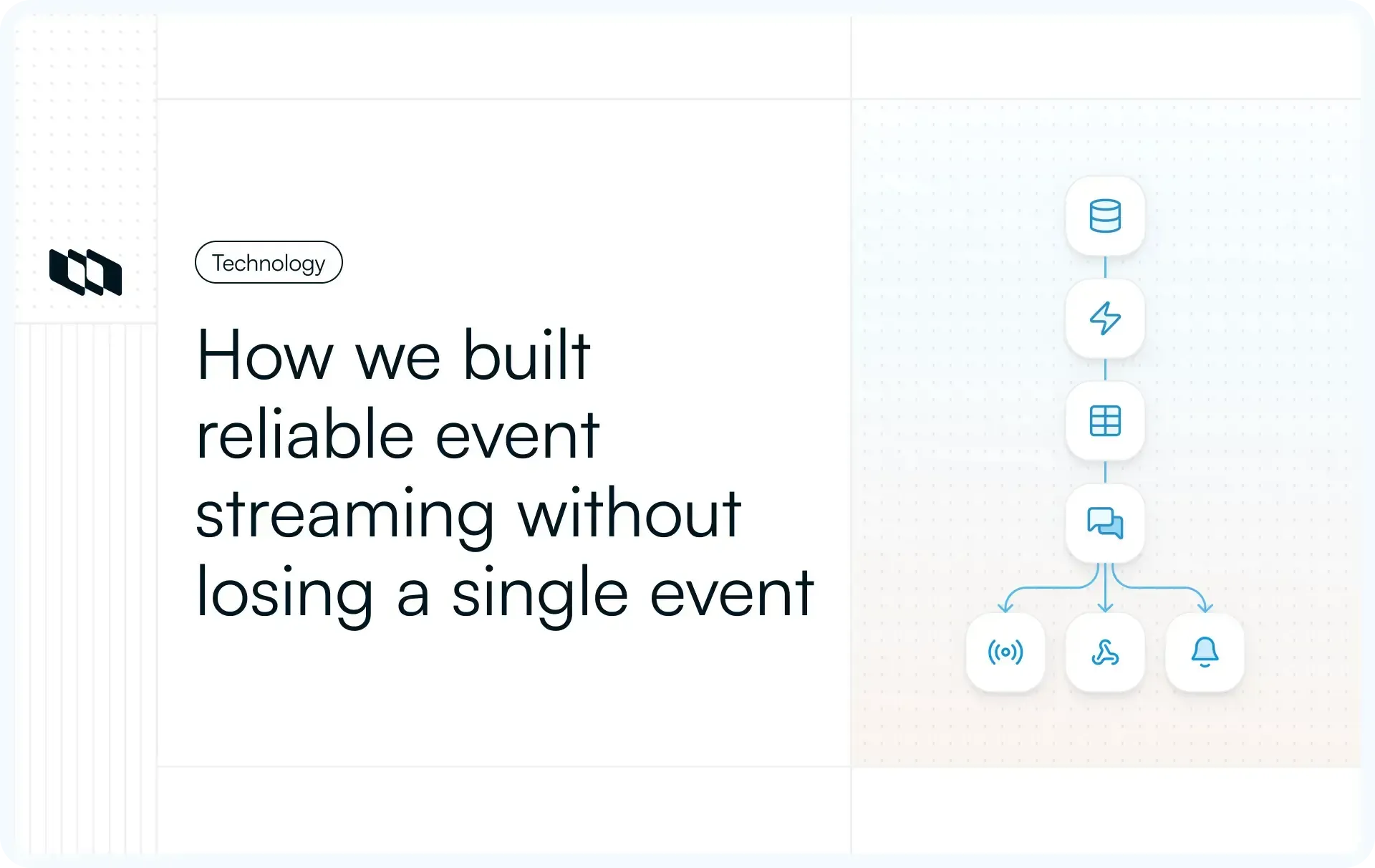
Every feature in Plane that reacts to a change; webhooks, real-time updates, Slack notifications, automations; depends on one thing: knowing that something happened. A work item was created. A label was removed. An assignee changed. If the system that captures these changes drops even one event, a webhook never fires, a notification never arrives, and an automation silently fails.
We needed event streaming that could guarantee delivery across every consumer (live sockets, integration relays, webhook dispatchers) without coupling them to the write path. The constraint that shaped everything: no event could be lost, even if RabbitMQ went down, even if a consumer crashed, even during deploys.
This is how we built it.
The dual-write problem
The naive approach is straightforward: write to the database, then publish to a message queue. Two writes, two systems, one request.
The problem is atomicity. If the database write succeeds but the publish fails (network blip, RabbitMQ restart, process crash), the event is lost. The data changed, but nothing downstream knows about it. Retrying the publish is unreliable because you need to know which events were missed, and you have already moved on.
Reversing the order does not help. Publishing first, then writing to the database, means consumers might process an event for a change that never persisted. Now your downstream systems disagree with your database.
There is no way to atomically write to two independent systems in a single operation. This is the dual-write problem, and it eliminates every architecture that tries to write to the database and the message queue in the same request path.
Why we rejected the obvious Django approaches
Before arriving at our current architecture, we evaluated the patterns most Django teams reach for first.
Django Signals are the default event mechanism. Connect a post_save handler to your model, and it fires after a save:
from django.db.models.signals import post_save
from django.dispatch import receiver

@receiver(post_save, sender=Issue)
def issue_saved(sender, instance, created, **kwargs):
    event = "issue.created" if created else "issue.updated"
    publish_event(event, instance)

The issues compound quickly. Signals do not fire for QuerySet.update(), bulk_create(), bulk_update(), or raw SQL:
# These bypass signals entirely
Issue.objects.filter(state=old).update(state=new)

cursor.execute(
    "UPDATE issues SET state=%s",
    [new_state]
)
The issues compound quickly. Signals do not fire for QuerySet.update(), bulk_create(), bulk_update(), or raw SQL:
# These bypass signals entirely
Issue.objects.filter(state=old).update(state=new)

cursor.execute(
    "UPDATE issues SET state=%s",
    [new_state]
)
Any code path that bypasses the ORM (and there are many in a production codebase) produces silent event loss. Signals also run outside the database transaction, so a signal can fire for a write that later rolls back. And there is no access to the previous state of the object, which means you cannot tell consumers what actually changed.
Overriding BaseModel.save() gives you more control over the save path, but shares the same fundamental limitations:
class BaseModel(models.Model):
    class Meta:
        abstract = True

    def save(self, *args, **kwargs):
        is_creating = self._state.adding

        # Get old values (extra query!)
        if not is_creating:
            old = self.__class__.objects.get(pk=self.pk)
        super().save(*args, **kwargs)

        # Still not atomic!
        publish_event(...)
It does not capture bulk operations or raw SQL. Getting the previous state requires an extra SELECT before every write. And the core problem remains: the event emission is not atomic with the database transaction.
# These bypass save()
Issue.objects.filter(...).update(priority="high")
Issue.objects.bulk_create([...])
Both approaches fail the same way: they try to detect changes at the application layer, where the ORM abstracts away too much of what actually happens at the database level.
Here is how they compare:
Feature | Signals | save() override | pgtrigger |
Catches ORM save() | Yes | Yes | Yes |
Catches QuerySet.update() | No | No | Yes |
Catches bulk operations | No | No | Yes |
Catches raw SQL | No | No | Yes |
Atomic with transaction | No | No | Yes |
Access to OLD values | Limited | Extra query | Yes |
Performance impact | Moderate | High | Low |
PostgreSQL triggers catch everything
We moved the change detection to the database itself. PostgreSQL triggers execute as part of the transaction that modifies the data. They fire for every write path: ORM operations, raw SQL, bulk updates, migrations, admin panel changes, manual queries against the database. If a row changes, the trigger runs. There is no bypass.
We use pgtrigger, a Django library that lets you define PostgreSQL triggers as Python code on proxy models. The workflow is:
- Define a proxy model with trigger definitions (no new table created,
proxy = True) - Run
makemigrationsand pgtrigger generates the migration - Run
migrateand PostgreSQL creates the trigger function and attaches it to the table - The trigger fires automatically on every INSERT, UPDATE, or DELETE, inside the same transaction
The triggers auto-generate as Django migrations, so they deploy with the rest of the schema. No separate SQL files to manage, no manual DDL.
Here is the pattern for capturing work item creation:
import pgtrigger
from myapp.models import Issue

class IssueProxy(Issue):
    class Meta:
        proxy = True
        triggers = [
            pgtrigger.Trigger(
                name="issue_outbox_insert",
                operation=pgtrigger.Insert,
                when=pgtrigger.After,
                func=pgtrigger.Func("""
                    INSERT INTO outbox (
                        event_id, event_type, entity_type, entity_id,
                        payload, workspace_id, project_id,
                        initiator_id, initiator_type, created_at
                    ) VALUES (
                        gen_random_uuid(),
                        CASE
                            WHEN NEW.type_id IS NOT NULL THEN 'epic.created'
                            ELSE 'workitem.created'
                        END,
                        'issue', NEW.id,
                        jsonb_build_object('data', row_to_json(NEW)),
                        NEW.workspace_id, NEW.project_id,
                        current_setting('app.initiator_id', true),
                        current_setting('app.initiator_type', true),
                        NOW()
                    ) ON CONFLICT DO NOTHING;
                    RETURN NEW;
                """),
            ),
        ]
When you run makemigrations, pgtrigger generates SQL like this:
-- 1. Creates a function
CREATE FUNCTION pgtrigger_issue_outbox_insert_xxxxx()
RETURNS TRIGGER AS $$
BEGIN
    -- Determine event type based on entity classification
    SELECT CASE
        WHEN NEW.type_id IS NULL THEN 'workitem.created'
        ELSE 'epic.created'
    END INTO event_type_name;

    -- Insert into outbox (atomic with the triggering INSERT)
    INSERT INTO outbox (event_id, event_type, entity_id, payload, ...)
    VALUES (gen_random_uuid(), event_type_name, NEW.id, ...);

    RETURN NEW;
END;
$$ LANGUAGE plpgsql;

-- 2. Attaches it as a trigger
CREATE TRIGGER pgtrigger_issue_outbox_insert_xxxxx
AFTER INSERT ON issues
FOR EACH ROW
EXECUTE FUNCTION pgtrigger_issue_outbox_insert_xxxxx();
This SQL is auto-generated and managed entirely through pgtrigger migrations. You never write it by hand.
A few details worth calling out.
The trigger writes to the outbox table in the same transaction as the data change. If the transaction rolls back, the outbox row rolls back with it. If it commits, the outbox row commits with it. Atomicity is guaranteed by the database, not by application code.
The CASE expression determines the event type dynamically. A single trigger on the issues table produces either workitem.created or epic.created based on whether type_id is set. It also detects state changes to emit more specific events. This keeps the trigger count manageable while producing precise event types.
ON CONFLICT DO NOTHING prevents duplicate outbox entries if a trigger fires twice for the same event (edge case, but it happens during certain migration operations).
current_setting('app.initiator_type', true) reads session-level variables that the application sets before performing writes. This lets us track whether a change was initiated by a USER, SYSTEM.IMPORT, or SYSTEM.AUTOMATION, context that consumers need for filtering and display.
All trigger logic is wrapped in a BEGIN/EXCEPTION block. If the outbox insert fails for any reason, the failure is logged but does not block the main operation. The data write succeeds regardless.
Trigger types and what they cover
We use three types of triggers, each for a different purpose.
AFTER INSERT triggers fire after a row is inserted. They have access to NEW values and produce creation events like workitem.created and epic.created.
AFTER UPDATE triggers fire after a row is modified. They have access to both OLD and NEW values, which enables change detection. These triggers also detect soft deletes: when deleted_at transitions from NULL to a timestamp, the trigger emits workitem.deleted instead of workitem.updated. Consumers see a clean delete event without needing to understand the soft-delete implementation. For the issues table, the update trigger also detects state changes (workitem.state.updated, epic.state.updated).
BEFORE UPDATE triggers are used for related tables (assignees, labels). When a row is about to be deleted from a join table, we need to query the current state before the delete commits. A BEFORE trigger captures the context (which work item, which assignee) before the row disappears.
Each entity gets its own proxy model and produces a specific set of events:
Proxy model | Table | Events generated |
IssueProxy | issues | workitem.created, workitem.updated, workitem.deleted, workitem.state.updated, epic.created, epic.updated, epic.deleted, epic.state.updated |
IssueAssigneeProxy | issue_assignees | workitem.assignee.added, workitem.assignee.removed, epic.assignee.added, epic.assignee.removed |
IssueCommentProxy | issue_comments | workitem.comment.created, workitem.comment.updated, workitem.comment.deleted, epic.comment.created, epic.comment.updated, epic.comment.deleted |
CycleIssueProxy | cycle_issues | workitem.cycle.added, workitem.cycle.removed, workitem.cycle.moved |
Detecting what actually changed
Insert and delete triggers are simple: the entire row is the event payload. Updates are harder. A trigger that fires on every UPDATE regardless of what changed would flood the outbox with noise. An assignee reorder that only touches sort_order should not generate a workitem.updated event.
Our update triggers loop through columns, compare OLD and NEW values, and only write to the outbox if something meaningful changed:
-- AFTER UPDATE trigger on issues table
BEGIN
    -- Check for soft delete first
    IF OLD.deleted_at IS NULL AND NEW.deleted_at IS NOT NULL THEN
        -- This is a DELETE event
        INSERT INTO outbox (...) VALUES ('workitem.deleted', ...);
    ELSE
        -- Detect which fields changed
        FOR field_name IN
            SELECT column_name FROM information_schema.columns
            WHERE table_name = 'issues'
        LOOP
            EXECUTE format('SELECT ($1).%I, ($2).%I', field_name, field_name)
            INTO old_value, new_value
            USING OLD, NEW;

            IF old_value IS DISTINCT FROM new_value THEN
                changes := changes || jsonb_build_object(field_name, old_value);
            END IF;
        END LOOP;

        -- Only insert if there are actual changes
        IF changes != '{}' THEN
            INSERT INTO outbox (...) VALUES ('workitem.updated', ...);
        END IF;
    END IF;
    RETURN NEW;
END;
The previous_attributes field is critical for consumers. A webhook handler that only cares about state changes can inspect previous_attributes and ignore events where state_id did not change. A real-time UI update can diff the fields to animate only what moved. Without this, every consumer would need to maintain its own copy of previous state.
The outbox table
The outbox is the single source of truth for unpublished events. Here is the Django model:
class Outbox(models.Model):
    id = models.BigAutoField(primary_key=True)
    event_id = models.UUIDField(unique=True)       # Idempotency key
    event_type = models.CharField()                # e.g., "workitem.created"
    entity_id = models.UUIDField()                 # ID of affected entity
    payload = models.JSONField()                   # {data, previous_attributes}
    workspace_id = models.UUIDField()              # Tenant scope
    initiator_type = models.CharField()            # USER, SYSTEM, AUTOMATION
    created_at = models.DateTimeField()            # Set by trigger
    claimed_at = models.DateTimeField(null=True)   # Set by poller
    processed_at = models.DateTimeField(null=True) # Set after publish
Three timestamp columns track the event through its lifecycle. created_at is set by the trigger. claimed_at is set when a poller locks the row. processed_at is set after successful publish to RabbitMQ. Events with processed_at IS NULL have not been delivered yet. Events with claimed_at set but processed_at NULL are in-flight. This makes it trivial to monitor the pipeline and detect stuck events.
Partial indexes
Two partial indexes keep the polling query fast as the table grows:
-- Only contains unprocessed, unclaimed rows (the poller's working set)
CREATE INDEX outbox_unclaimed_unprocessed
    ON outbox (claimed_at, processed_at, id)
    WHERE claimed_at IS NULL AND processed_at IS NULL;

-- Only contains processed rows (for analytics dashboards)
CREATE INDEX outbox_processed_idx
    ON outbox (processed_at)
    WHERE processed_at IS NOT NULL;
The first index is critical. As the outbox table grows to millions of rows, this index stays small, covering just the current backlog. Without it, the polling query would scan the entire table on every cycle. The second index supports monitoring queries that measure pipeline throughput and latency.
Payload structure
The payload carries both the current state and what changed:
{
  "data": {
    "id": "550e8400-e29b-41d4-a716-446655440000",
    "name": "Implement login feature",
    "state_id": "done-state-uuid",
    "priority": "high",
    "assignee_ids": ["user-1-uuid", "user-2-uuid"],
    "label_ids": ["bug-label-uuid"],
    "project_id": "project-uuid",
    "workspace_id": "workspace-uuid",
    "created_at": "2024-01-15T10:30:00Z",
    "updated_at": "2024-01-15T14:22:00Z"
  },
  "previous_attributes": {
    "state_id": "in-progress-state-uuid",
    "priority": "medium"
  }
}
data is the full current state of the entity. previous_attributes contains only the fields that actually changed, with their old values. Large fields like description are excluded from the payload to keep event sizes manageable.
The event_id UUID serves as an idempotency key. At-least-once delivery means consumers may see the same event twice (if a poller crashes after publishing but before marking processed_at). Consumers deduplicate on event_id.
The outbox pattern provides four guarantees. At-least-once delivery: events stay in the outbox until confirmed published, and the poller retries failed events. No event loss: the outbox write is atomic with the data change, so if the transaction fails, neither is committed. Ordering: events are processed in id order within batches via ORDER BY id in the polling query. Idempotency: the unique event_id allows consumers to deduplicate, which is essential given at-least-once semantics.
The poller: FOR UPDATE SKIP LOCKED
A separate async Python process with connection pooling, memory management, and graceful shutdown polls the outbox table and publishes events to RabbitMQ. The polling query is the most important piece of the system:
UPDATE outbox
   SET claimed_at = NOW()
 WHERE id IN (
     SELECT id FROM outbox
      WHERE processed_at IS NULL      -- Not yet published
        AND claimed_at IS NULL        -- Not claimed by another poller
      ORDER BY id                     -- FIFO ordering
      LIMIT 250                       -- Batch size
      FOR UPDATE SKIP LOCKED          -- Exclusive lock, skip if locked
 )
 RETURNING id, event_id, event_type, entity_id,
           payload, processed_at, created_at, claimed_at,
           workspace_id, initiator_type;
FOR UPDATE SKIP LOCKED is what makes this safe to run in parallel. It locks the selected rows so no other poller can claim them, and it skips rows that another poller has already locked. Two pollers running the same query at the same time will each get a different batch of events with zero coordination overhead.
ORDER BY id preserves insertion order within each batch. LIMIT 250 caps memory usage per cycle. The RETURNING clause gives us the full event payload in a single round-trip, eliminating the need for a separate SELECT after claiming.
The poller uses adaptive polling intervals. When events are found, the interval resets to 250ms. When the outbox is empty, the interval increases exponentially up to 2 seconds. This keeps latency low during bursts without hammering the database during quiet periods.
# Start with minimum delay
delay = 0.25  # seconds (250ms)

while True:
    rows = await db_pool.fetch_and_lock_rows(batch_size=250)

    if not rows:
        # No events to process
        empty_cycles += 1

        if empty_cycles % 5 == 0:
            # Increase delay exponentially (max 2 seconds)
            delay = min(delay * 2, 2.0)
            log.info(f"Increasing delay to {delay}s")

        await asyncio.sleep(delay)
    else:
        # Events found - reset delay
        delay = 0.25
        empty_cycles = 0

        # Process events...
        for row in rows:
            await process_event(row)

        await mark_processed(processed_ids)
The poller also monitors its own memory usage. If it exceeds 500MB (configurable), it triggers a graceful restart. This prevents slow memory leaks from accumulating over days of continuous operation. It handles SIGTERM gracefully, finishing the current batch before shutting down, so rolling deploys in Kubernetes do not lose in-flight events.
Publishing to RabbitMQ
We use a fanout exchange. Every message published to the exchange is delivered to every bound queue. The publisher declares the exchange and nothing else. Consumers create and bind their own queues.
events (fanout exchange, durable)
    |-- webhooks              --> Webhook dispatcher
    |-- automations           --> Workflow automation engine
    |-- (live server)         --> Socket.IO server (real-time UI)
This decoupling is the point. Adding a new consumer means creating a new queue and binding it to the exchange. No changes to the publisher. No redeployment. The new consumer starts receiving every event from the moment it binds.
Why RabbitMQ over Kafka
We considered Kafka, which would give us replay from offset and longer retention. But RabbitMQ was already in our infrastructure, the fanout model maps naturally to our use case, and we did not need the log-based semantics Kafka provides. Our outbox table already serves as the durable log. If we need replay, we replay from the outbox or our archive, not from the message broker.
Publisher details
The publisher has a few features worth noting. Connection management allows multiple poller instances to share a publisher. Messages are published with delivery_mode=2 (persistent), so they survive a RabbitMQ restart. The exchange is durable. Publishing uses retries with exponential backoff (delay doubles each attempt, up to 3 retries by default). If all retries fail, the event stays in the outbox with claimed_at set and processed_at NULL. A subsequent poller cycle will reclaim it and try again.
Each published message carries full context:
{
  "timestamp": 1706547200,
  "publisher": "event-stream",
  "version": "1.0",
  "source": "poller",

  "event_id": "550e8400-e29b-41d4-a716-446655440000",
  "event_type": "workitem.updated",
  "entity_id": "issue-uuid-here",

  "payload": {
    "data": { /* current state */ },
    "previous_attributes": { /* fields that changed */ }
  },

  "workspace_id": "workspace-uuid",
  "initiator_type": "USER"
}
Consumers get everything they need in a single message: metadata for debugging and tracing, the event classification, the full payload with change history, and the organizational context. No callbacks to the API. No joins against the database for previous state.
Consumers and dead letter queues
On the consuming side, each service binds its own queue to the fanout exchange and processes events independently. A base consumer class handles the common operational concerns: automatic reconnection with exponential backoff, prefetch control to prevent overwhelming consumers during bursts, and graceful shutdown that finishes in-flight messages before disconnecting.
Three consumers currently bind to the exchange:
- Webhook dispatcher: Dispatches events to a Celery task that delivers payloads to customer-configured webhook endpoints.
- Automation consumer: Filters for work item events, deduplicates using a dedicated tracking table, and dispatches to the automation execution engine.
- Live server: The Socket.IO server binds its own queue at startup, pushing events to connected clients for real-time UI updates.
Messages that fail processing do not disappear. Each consumer queue is configured with a dead letter exchange. Failed messages are routed there with a TTL of several days, and the main queue itself has a shorter message TTL as a safety net. This turns consumer failures into investigations rather than outages. A poison message gets set aside for analysis while the rest of the queue keeps moving.
Keeping the outbox from growing forever
The outbox is append-only during normal operation, so without cleanup it would grow indefinitely. A scheduled cleanup task runs on a recurring schedule to handle this. It archives processed events older than a configurable retention window and deletes them from PostgreSQL. Events can optionally be bulk-written to a separate store before deletion for long-term retention and debugging. The cleanup uses Django's iterator() and processes in batches of 1,000 to keep memory bounded.
Configuration and deployment
The poller runs as a standalone Django management command:
# Start with default settings
python manage.py event_poller

# With custom settings
python manage.py event_poller \
    --batch-size=500 \
    --memory-limit=1024 \
    --interval-min=0.1 \
    --interval-max=5.0
In Kubernetes, it runs as a separate deployment. Scaling is horizontal: add more replicas. FOR UPDATE SKIP LOCKED guarantees they will not conflict. Each replica processes a different slice of the outbox with no coordination, no leader election, no distributed locks.
apiVersion: apps/v1
kind: Deployment
metadata:
  name: event-poller
spec:
  replicas: 1  # Scale horizontally as needed
  template:
    spec:
      containers:
      - name: poller
        command: ["python", "manage.py", "event_poller"]
        resources:
          limits:
            memory: "512Mi"  # Match MEMORY_LIMIT_MB
Full configuration reference:
Variable | Default | Description |
| 250 | Events per polling cycle |
| 0.25s | Minimum seconds between polls |
| 2.0s | Maximum seconds between polls |
| 500 | Auto-restart threshold |
| 4 | Initial DB connections |
| 10 | Max DB connections |
| events | RabbitMQ exchange |
| 3 | Publish retry attempts |
What we learned
Triggers beat application-layer detection. Every approach that tries to capture changes in Django code has the same blind spot: code paths that bypass the ORM. Triggers do not have that blind spot. The cost is that trigger logic lives in SQL instead of Python, which makes it harder to unit test. We accepted that tradeoff because correctness matters more than testability here.
The outbox pattern is underrated. It is not new. It is a well-documented pattern in event-driven architecture. But most teams skip it because it feels like over-engineering. It is not. The alternative is accepting that some events will be lost and building compensating mechanisms everywhere downstream. The outbox is simpler than the sum of those mechanisms.
FOR UPDATE SKIP LOCKED is the key to horizontal scaling. Without it, running multiple pollers requires distributed locking or partitioning logic. With it, you just add replicas. PostgreSQL handles the coordination at the row level.
Adaptive polling matters in production. A fixed polling interval is either too slow during bursts or too aggressive during quiet periods. The exponential backoff with immediate reset on activity keeps both latency and database load where we want them.
Carry full context in every event. Early versions of the system published minimal events and expected consumers to fetch additional context from the API. This created coupling, added latency, and introduced failure modes where the API was unavailable when the consumer processed the event. Publishing the full payload with previous state eliminated all of that.
Fanout exchanges allow flexible consumers. The publisher does not need to know who is listening. Adding a new consumer is purely additive: create a queue, bind it, start consuming. Zero changes to the publishing side.
Know your failure modes. The system is not theoretically perfect. The trigger's exception handler means an outbox insert failure loses the event silently. Claimed events that never get processed can get stuck and require manual intervention to reclaim. We accept these edge cases because they are rare in practice and the data is always recoverable from the source tables. But we are transparent about them because pretending they do not exist would be worse than designing around them.
Plan for table growth from day one. We added outbox cleanup as an afterthought and paid for it with growing query times before we did. Archival and deletion of processed events should be part of the initial design.
The event stream now powers webhooks, real-time updates, integration relays, and automation triggers across Plane. Every change that hits the database produces an event. Every event reaches every consumer. None are lost.
Recommended for you



 Download for Mac
 Download for Android