Best project management tools for platform engineering teams
Compare the best project management tools for platform engineering teams across self-hosting, intake, documentation, Git workflows, and AI control.
Compare the best project management tools for platform engineering teams across self-hosting, intake, documentation, Git workflows, and AI control.
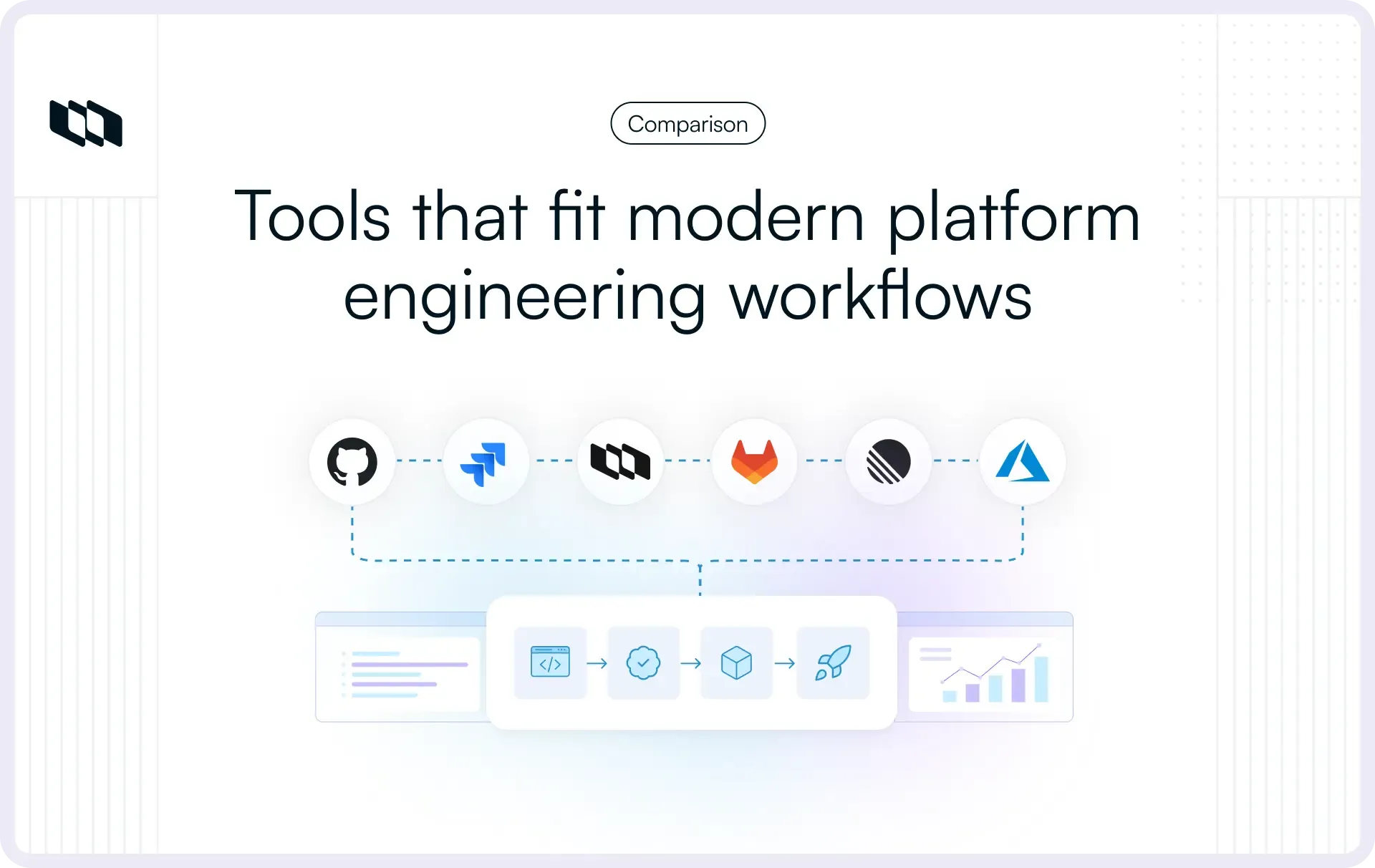
Platform engineering turns project management inside out. The team is building the systems other engineers depend on, while also handling requests, infrastructure changes, incidents, documentation, compliance tasks, and leadership updates. A backlog-only tool works until the real work starts spreading across Slack, Git, runbooks, spreadsheets, and roadmap docs.
This guide looks at the project management tools that can support platform engineering teams in 2026, where each one fits, and how Plane, Jira, Linear, Azure DevOps, GitHub Issues and Projects, and GitLab compare.
TL;DR
Platform engineering teams should evaluate project management tools beyond tickets, boards, and sprint planning. In 2026, the bigger questions are whether the tool supports self-hosting, structured intake, infrastructure workflows, technical documentation, Git-native automation, and safe AI deployment.
- If self-hosting, air-gapped deployment, AI control, and data residency are hard requirements, Plane belongs at the top of the shortlist. It brings project tracking, documentation, intake, Git-native workflows, and self-hosted deployment into one evaluation path.
- If your organization already runs on Atlassian, Jira may still be part of the shortlist, but Jira Data Center’s 2029 end-of-life timeline needs to factor into any long-term on-premises decision.
- If your platform team works extensively within Microsoft infrastructure, Azure DevOps may fit, but teams should evaluate usability, non-Microsoft integrations, and broader platform workflow fit.
- If your team wants to stay close to code, GitHub Issues and Projects can work for smaller teams, but documentation-heavy and cross-repo workflows may outgrow it.
- If speed matters more than deployment control, Linear may come up. If your organization already runs on GitLab for source control, CI/CD, security, and deployment, GitLab is also worth evaluating.
The rest of this guide breaks down the tools, trade-offs, and decision criteria to help platform engineering teams choose the right project management setup.
Why platform engineering teams outgrow generic project management tools
Platform engineering teams are not just managing tasks. They are running an internal product that other engineering teams depend on, with requests, roadmaps, infrastructure changes, documentation, compliance needs, and operational follow-through all moving at once.
That changes what a project management tool needs to handle.
- Work does not always fit sprint cycles
Platform work often spans quarters, dependencies, approvals, and rollout phases. A Kubernetes migration, CI/CD standard, or service mesh implementation needs more than a two-week board. The tool needs to support long-running infrastructure work alongside day-to-day operational tasks. - Deployment control is part of the buying decision
For regulated, financial services, government, and defense teams, project data cannot always live in a third-party cloud. Self-hosting, data residency, and air-gapped deployment are not edge cases in this category. They are early evaluation filters. - Automation is expected, not optional
Platform engineers work through APIs, scripts, Git workflows, and internal tooling. A PM tool with weak API, webhook, or automation support creates manual work that the team will eventually route around. - Documentation needs to stay close to execution
RFCs, runbooks, ADRs, postmortems, and onboarding guides are part of platform delivery. When documentation lives in a separate wiki and work lives in a separate tracker, context gets split across tools. - Intake needs structure
Platform teams receive developer requests, infrastructure asks, security tickets, incidents, and escalations from multiple channels. Without forms, routing, triage, and ownership, the team ends up managing critical work through Slack threads and backlog cleanup.
A useful PM tool for platform engineering should support how the team actually operates: long-running infrastructure work, controlled deployment, high-volume intake, technical documentation, and automation-ready workflows.
The tools
1. Plane
Plane is an AI-native project management platform for teams that need project tracking, documentation, intake, and AI-powered workflows in one workspace. For platform engineering teams, its strongest fit is where generic project management tools start to break down: self-hosted deployment, Git-native configuration, infrastructure workflows, structured intake, and documentation that stays close to execution. Plane is also open source and self-hostable, which makes it especially relevant for teams evaluating Jira Data Center alternatives, cloud-only tools, or fragmented PM-plus-wiki setups.
For platform engineering teams specifically, the most relevant differentiators are self-hosting depth, infrastructure-native workflows, and a feature called Plane Compose.
Projects-as-Code with Plane Compose
This is Plane’s clearest differentiator for platform engineering teams.
Plane Compose, an industry first, is a CLI tool that lets teams define their entire project configuration, workflows, states, work item types, labels, and custom fields in YAML files, version-controlled in Git, and synced to Plane via command line. In Plane's own framing, it's "infrastructure as code for project management."
For platform engineers who already think in Terraform, Helm charts, and Kubernetes manifests, this is an immediately recognizable pattern:
- A workflow change becomes a pull request diff
- Operational policies become reviewable artifacts, not tribal knowledge
- Teams can spin up an identical project structure across workspaces without re-clicking through configuration screens
If your team onboards a new sub-team or stands up a new region, they clone the project config and push it, just as they would with any other infrastructure.
Self-hosting that matches an infrastructure team's expectations
Plane self-hosted runs within your organization’s perimeter, keeping project data and AI context in your environment. For platform teams with data residency, regulated infrastructure, or air-gapped requirements, this matters before feature evaluation even begins.
Plane can be deployed with Docker Compose or Kubernetes using Helm charts. Its air-gapped edition is designed for environments where external network calls are not acceptable, with offline licensing and no telemetry. Teams can also route Plane AI through approved providers such as OpenAI, Anthropic, AWS Bedrock, Ollama, or OpenAI-compatible internal endpoints, depending on their security model.
For regulated platform teams, the value is straightforward: project tracking, documentation, intake, and AI-assisted workflows can run without moving operational context into a third-party SaaS environment.
Code-native developer workflows
Branches, pull requests, and merges can drive work item status in Plane. Branches auto-link to work items, PR state can update item progress, and review activity stays connected to the original work.
For platform teams that ship infrastructure changes via Git, this removes the manual status-update layer that often gets skipped after a merge. Native integrations include GitHub (including GitHub Enterprise), GitLab (including self-managed GitLab), Slack, and Sentry. The Plane Marketplace extends this further.
Intake and AI triage for high-volume request queues
Bug reports, developer requests, security requests, and infrastructure tickets land in a single Intake queue. From there:
- Plane AI can help classify inbound items, suggest owners, identify duplicates, and surface blockers.
- Bug reports, developer requests, security requests, and infrastructure tickets are routed to a single Intake queue via forms, email, in-app submissions, and the API.
- Intake channels cover forms, email, in-app submissions, and API
For platform teams, the value is not just faster triage. It is keeping intake connected to the same workspace where execution, documentation, and project status already live. Requests do not have to start in Slack, move into a spreadsheet, become a ticket, and then be explained again during planning.
For a platform team triaging 40+ incoming items a week alongside delivery work, this reduces administrative overhead without forcing every request directly into the main backlog.
Unified projects and documentation
RFCs, runbooks, and architectural decision records live in Plane Pages, next to the work items they describe. Plane Pages supports version history, real-time editing, diagrams, LaTeX, meeting notes, and linked work items, so RFCs, runbooks, ADRs, and postmortems stay close to execution. Teams running Plane don't need a separate Confluence or Notion, one fewer tool to administer, one fewer place to search, and one fewer integration to maintain.
Pricing
Plan | Price | What it includes |
Free (Community Edition) | $0 | Unlimited users, unlimited projects, 5 layouts, REST API, webhooks |
Pro | $6/user/month (annual) | Wiki, time tracking, dashboards, epics, initiatives, teamspaces |
Business | $13/user/month (annual) | Intake forms and email, workflows and approvals, recurring cycles |
Enterprise | Custom | Air-gapped deployment, LDAP, API audit logs, migration services |
What to evaluate before choosing Plane
Plane is a strong fit for platform teams that need self-hosting, intake, documentation, Git-native workflows, and AI control in one workspace. A few evaluation points are still worth checking before rollout:
- Enterprise capabilities by tier
Air-gapped deployment, LDAP, and API audit logs are available on Enterprise. Teams starting with Community Edition can first evaluate the core self-hosted workflow, then move to the relevant paid tier when they need enterprise controls.
Why it stands out
Plane is one of the few tools in this category that brings self-hosting, structured intake, documentation, Git-native configuration, and AI control into the same evaluation path.
- Plane AI can be deployed inside your self-hosted environment, and teams can route inference through approved providers, including OpenAI, Anthropic, AWS Bedrock, Ollama, or OpenAI-compatible internal endpoints.
- For fully air-gapped setups, teams should use internal or approved isolated model endpoints to keep project context within the controlled environment.
- Projects-as-Code via Plane Compose gives Plane a Git-native configuration model, which is uncommon among project management tools.
- A unified workspace for project tracking and documentation, so teams don't maintain a separate wiki.
That combination matters specifically for platform engineering teams who need data control, infrastructure-native workflows, and minimal tooling overhead in one place. Whether that's the right fit depends on your team's constraints, which is exactly what the rest of this guide helps you work out.
The Community Edition is fully open source under the AGPL-3.0 license. Teams can audit the codebase, run it in their own environment, and upgrade to paid tiers only when they need enterprise controls.
2. Jira (Atlassian)
Source: Atlassian
Most platform engineers have used Jira at some point. Many have inherited it: the broader organization already had it, the contract was already signed, and replacing it felt harder than living with it. For teams embedded in a company running Jira across all of engineering, adding a platform engineering workspace to the existing instance is often just what happens.
That default deserves more scrutiny than it usually gets.
Where Jira genuinely delivers
- Jira supports mature enterprise workflow controls, including permissions, project roles, issue security schemes, and audit logging.
- The Atlassian Marketplace has thousands of plugins covering time tracking, test management, portfolio planning, and specialized integrations
- Atlassian AI (Rovo) searches across Jira, Confluence, and connected tools, generates status updates from completed issues, and suggests workflow optimizations; for teams with Atlassian-wide data, its cross-product context can be useful for organizations already standardized on Atlassian.
- Jira Data Center provides an on-premises deployment for organizations with data residency requirements, for now
The data center sunset: A critical issue for platform teams to understand
This is the most important development in the Jira story for any team evaluating it as a long-term on-premises option.
In September 2025, Atlassian announced the end of life for impacted Data Center products, including Jira Software Data Center, Jira Service Management Data Center, and Confluence Data Center. The phase-out follows a structured timeline:
- March 30, 2026: No new Data Center licenses or Marketplace app purchases for new customers. Feature development for Data Center also stops; only security and maintenance updates will continue.
- March 30, 2028: Last date for existing customers to purchase new Data Center licenses, app licenses, or license expansions.
- March 28, 2029: Complete end-of-life. Impacted Data Center products and associated Marketplace apps become read-only after March 28, 2029. No support, no updates, no renewals.
In simple terms, if your team is still relying on Jira Data Center, you are operating on a fixed runway toward March 2029. After that, your on-premises instance becomes read-only and is no longer viable for live operations.
Atlassian is pushing customers toward Jira Cloud instead. The problem for regulated industries, government agencies, and air-gapped environments is significant:
- Atlassian Government Cloud has FedRAMP Moderate authorization, which may still fall short for organizations that require higher authorization levels, classified network support, or fully disconnected environments.
- Air-gapped environments have no Atlassian Cloud path.
Atlassian Isolated Cloud is a dedicated, Atlassian-managed cloud environment. That may help some regulated teams, but it is still different from running project management software inside a fully disconnected or customer-controlled environment. - Data Center costs remain a consideration
Teams still running Data Center need to account for licensing, Marketplace apps, migration planning, and the operational cost of maintaining a product line with a fixed end-of-life date. - Migration is a significant undertaking
Custom scripts, Marketplace-dependent workflows, complex permission schemes, and heavily customized fields often require extra migration planning. Teams with mature Jira Data Center setups should evaluate migration effort early rather than treating Cloud migration as a direct lift-and-shift.
The bottom line: For platform teams in regulated or air-gapped environments, Jira Data Center is no longer a viable long-term choice. Teams relying on it today need a migration plan, either to Jira Cloud if compliance allows, or to a genuinely on-premises alternative, well before 2029.
Other ongoing problems with Jira for platform teams
Beyond the Data Center sunset, there are operational issues that affect platform teams specifically:
- Interface complexity compounds over time
In large Jira instances, tickets can accumulate many custom fields, workflows, and automations over time. That flexibility is useful, but it often increases admin overhead and can make everyday use feel heavier for platform teams. Workflow configuration is powerful but requires dedicated admin effort that smaller platform teams don't have. - Performance degrades at scale
Engineering teams running large Jira instances frequently cite slowness as a material productivity issue. - Real-world cost is higher than advertised
The base per-seat price can look reasonable, but the actual total often increases once teams add Confluence, Atlassian Guard, Jira Service Management, or Marketplace apps. Atlassian's Maximum Quantity Billing policy, introduced in 2025, charges based on peak user counts and offers no mid-cycle refunds, catching growing teams off guard.
Pricing
Plan | Price | Notes |
Free | $0 | Up to 10 users |
Standard | From $7.91/user/month | Core Jira features, roles and permissions, 250 GB storage |
Premium | From $14.54/user/month | Cross-team planning, dependency management, approvals, unlimited storage, SLA |
Enterprise | Annual billing, contact sales | Advanced analytics, admin controls, enterprise identity and access management |
Data Center | No new customer sales | Existing customers only; impacted products reach EOL on March 28, 2029 |
Jira Cloud offers a Free plan for up to 10 users. Standard starts at $7.91/user/month, while Premium starts at $14.54/user/month. Enterprise is available on annual billing through Atlassian sales. Jira Data Center is no longer available for new customer purchases, and impacted Data Center products reach end of life on March 28, 2029.
When to consider it
Jira makes sense for platform teams already embedded in an Atlassian-heavy organization, where switching costs are high, and the team plans to migrate to Jira Cloud within the next two to three years anyway. For greenfield platform teams evaluating from scratch, especially those with long-term data residency requirements, the Data Center sunset alone is a reason to look elsewhere.
3. Linear
Source: Linear
Linear has earned a strong following among engineering teams by doing the opposite of Jira: a fast, opinionated interface with minimal configuration, designed specifically for software teams shipping quickly. Keyboard shortcuts, near-instant interactions, and a clean data model that connects cycles, issues, and roadmaps without ceremony.
Where Linear works well for platform teams
- Deep integrations with GitHub, GitLab, Sentry, and Figma, all well-maintained
- Cycle-based planning fits iterative infrastructure work reasonably well
- Linear Agent (launched March 2026) analyzes incoming issues automatically, assigns priority levels, labels, and team routing, directly useful for platform teams managing high inbound volume
- Interface quality that teams actually enjoy using; a tool the team opens willingly is more valuable than a theoretically superior tool nobody touches
Where Linear falls short
The cloud-only constraint gets the most attention, but there are real functional limitations beyond deployment:
- Cloud-only
For organizations with data residency requirements, air-gapped networks, or policies prohibiting third-party SaaS for project data, Linear is ruled out before feature evaluation begins. This is a categorical blocker for a large share of platform engineering teams. - No documentation layer
Linear has no equivalent of Pages, Confluence, or even a basic wiki. RFCs, runbooks, and architectural decision records have to live somewhere else. For platform teams, this means maintaining a second tool, which is exactly the overhead Linear's simplicity is supposed to eliminate. - Enterprise customization is deliberately limited
Linear's opinionated design is a strength for most teams but a dealbreaker for organizations that need custom approval workflows, compliance-tracking fields, or regulatory audit trails. The tool doesn't bend that far. - Reporting depth is thin
Analytics are clean but surface-level. Enterprises needing granular resource planning, compliance metrics, or cross-team performance data will quickly hit the ceiling. - Free plan is restrictive
The 250-issue cap on the free tier makes it impractical for any team shipping regularly. Meaningful evaluation requires a paid plan from day one. - Per-seat pricing scales up
At $16/user/month annually for Business, costs accumulate quickly for larger teams, and volume discounts don't kick in until Enterprise negotiations begin.
Pricing
Plan | Price | Notes |
Free | $0 | Up to 250 active issues, not enough for production use |
Basic | $10/user/month (annual) | Unlimited issues |
Business | $16/user/month (annual) | Advanced analytics, admin, SSO |
Enterprise | Custom | Audit logs, advanced security, SLA |
When to consider it
Linear is the right call for platform engineering teams at cloud-native companies where self-hosting is not required, where documentation lives elsewhere, and where speed of use and low configuration overhead take priority over customizability. For teams that can use it, it's a genuinely good tool. For regulated or documentation-heavy teams, it solves one problem while creating others.
4. Azure DevOps
Source: Azure DevOps
Azure DevOps combines project management, version control, build automation, testing, and deployment pipelines in a single platform. Few teams are excited about it; many Microsoft-stack organizations end up adopting it by default.
Where Azure DevOps fits platform engineering
For platform teams managing complex CI/CD infrastructure, Azure DevOps has a meaningful argument: planning and deployment live in the same tool. Boards, Repos, Pipelines, Artifacts, and Test Plans are all accessible through a single interface.
- Platform teams managing Azure infrastructure, Windows-based build systems, or .NET-heavy CI/CD pipelines get a coherent workflow without external integrations
- Azure DevOps Server provides on-premises deployment for the strictest data residency requirements
- Active Directory integration for identity management is clean and mature
Where Azure DevOps falls short
The limitations here are real and worth understanding before committing:
- Poor experience for non-Microsoft stacks
Teams not already invested in Azure and Microsoft tooling gain little by adopting Azure DevOps. Integration with non-Microsoft toolchains creates friction that modern alternatives handle much more cleanly. - Interface that hasn't kept pace
The UX reflects years of incremental additions rather than considered design. Non-technical stakeholders, product managers, and security leads consistently struggle to navigate it. Azure DevOps is rarely described as enjoyable to use. - Steep learning curve for new users
Navigating the features and configuration options takes time even for experienced engineers. Onboarding new team members requires dedicated effort. - Limited customization flexibility
While Azure DevOps offers configuration options, teams whose workflows don't match its structure often have to adapt their processes to fit the tool rather than the other way around. - Backlog management gets unwieldy at scale
Too many work items in a single project create visibility problems. The tool is better suited to projects with clear, bounded scope than the sprawling, multi-stream nature of platform engineering backlogs. - AI capabilities are limited
Compared to Plane's BYOK model or Jira's Rovo, Azure DevOps has minimal AI integration, a meaningful gap in 2026. - Recent stability issues
In February 2026, Azure DevOps Server was released with a bug that caused group memberships to deactivate under certain conditions. Microsoft temporarily pulled the download links while working on a fix. This is a notable reliability concern for teams running on-premises.
Pricing
Plan | Price | Notes |
Basic | $6/user/month | First 5 users free |
Basic + Test Plans | $52/user/month | Includes test management |
Azure DevOps Server | License + CALs | On-premises, perpetual or subscription |
When to consider it
Azure DevOps fits platform teams in organizations already running Microsoft 365 and Azure infrastructure, particularly where planning-to-deployment continuity and on-premises data residency are both requirements. Outside Microsoft-ecosystem organizations, the case is hard to make in 2026.
5. GitHub Issues and Projects
Source: Github
GitHub Projects has received substantial investment in recent years. Custom fields, automated workflows, sprint boards, roadmap views, and cross-repository visibility are now genuinely functional; this is no longer the lightweight tool it once was.
The case for platform teams already in GitHub
For platform teams where infrastructure-as-code, runbooks, Kubernetes configurations, and CI workflows all live in GitHub repositories, consolidating onto one tool has a real argument:
- Branches, commits, and PRs link to issues natively, no configuration required
- GitHub Actions can update issue state automatically based on CI/CD events
- GitHub Enterprise Server provides on-premises deployment for teams that can't use GitHub's cloud
For a small team that wants zero additional tooling overhead, this is a credible option.
Where GitHub Issues falls short
GitHub Issues works well enough for small teams, but has real limitations that surface quickly for platform engineering at scale:
- No knowledge management layer
GitHub has repository-level wikis, but documentation remains repo-scoped and separate from a broader project-management workspace. For platform teams managing cross-repo RFCs, ADRs, runbooks, and portfolio-level work, this can create fragmentation that compounds over time. - Limited portfolio hierarchy
GitHub now supports sub-issues and hierarchy inside Projects, but it still lacks the broader portfolio model platform teams often need: initiatives, intake, documentation, approvals, and executive reporting in one workspace. - Cross-repository visibility requires effort
Managing work across multiple repos, which is the default for any platform team running a diverse infrastructure, requires ongoing manual configuration and tends to drift. - Stakeholder and leadership reporting is limited
GitHub Issues is built for engineers. Presenting project status to non-technical stakeholders, running compliance reviews, or generating portfolio-level reports requires external tooling or custom scripting. - Reliability concerns on the cloud version
GitHub Actions has had notable reliability incidents, so platform teams that depend on it for CI/CD should factor service availability into their operational risk assessment. - AI capabilities are limited
GitHub does not offer a dedicated AI triage layer for project management, unlike Plane or Linear, which position AI-assisted intake and issue routing.
Pricing
Plan | Price | Notes |
Free | $0 | With any GitHub account |
Team | $4/user/month | Private repos, advanced collaboration |
Enterprise Cloud | $21/user/month | SAML SSO, audit logs |
Enterprise Server | License-based | On-premises |
When to consider it
GitHub Issues and Projects is the right fit for small platform teams, two to eight engineers, already fully invested in GitHub, where the priority is minimizing tooling overhead and documentation requirements are lightweight. Teams that have outgrown this setup often say so clearly: they needed a documentation layer and portfolio visibility before GitHub Issues could keep up.
6. GitLab
Source: Gitlab
GitLab differs from most tools on this list because it is not primarily a project management product. It is a DevSecOps platform that includes planning, issues, boards, milestones, epics, CI/CD, security, and deployment workflows in one place.
For platform engineering teams already standardized on GitLab, that matters. Platform work often moves directly from planning to code, pipeline changes, infrastructure automation, security checks, and release coordination. Keeping that work inside GitLab can reduce context switching and make delivery easier to trace.
Where GitLab works for platform engineering teams
- Planning and delivery live in the same platform
Issues, merge requests, CI/CD pipelines, security findings, milestones, and releases can be managed in the same environment. For teams already using GitLab heavily, this avoids the sync problems that come with managing planning in a separate PM tool. - Strong fit for GitLab-standardized DevSecOps teams
Platform teams using GitLab for source control, CI/CD, container workflows, and security scanning get a coherent operating model without adding another vendor. - Self-managed deployment is available
GitLab Self-Managed is relevant for teams with data residency or internal infrastructure requirements. GitLab also documents offline installation for self-managed environments, which makes it more relevant than cloud-only tools for regulated or isolated setups. - Issue boards and milestones support agile planning
GitLab issue boards support customizable lists, labels, milestones, assignees, and multiple boards across teams and projects. Milestones can group issues, epics, and merge requests to track progress toward a release or goal. - Epics support larger initiatives
GitLab epics help teams organize larger initiatives, track related work, create hierarchy, and build visual roadmaps. This is useful for platform teams managing multi-quarter infrastructure programs.
Where GitLab falls short
- Project management is secondary to DevSecOps
GitLab’s planning features are useful, but the product is still designed around the software delivery lifecycle first. Teams looking for a dedicated project management workspace may find the PM layer less flexible than tools built primarily for planning and execution. - Documentation is not as unified as Plane Pages
GitLab supports project documentation through wikis and repository-based docs, but platform teams managing RFCs, runbooks, ADRs, postmortems, and stakeholder notes may still prefer a workspace where documentation sits directly beside intake, cycles, initiatives, and work items. - Advanced planning features sit higher in the pricing ladder
GitLab Premium includes Team Project Management, while Ultimate adds Strategic Portfolio Management and Value Stream Management. That means teams evaluating GitLab for portfolio-level platform planning need to look carefully at tier requirements. - No Plane-style Projects-as-Code for PM configuration
GitLab is excellent for code and delivery workflows, but it does not offer the same project-management configuration model as Plane Compose, where workflows, work item types, states, labels, and custom fields can be defined in YAML and versioned in Git. - Less focused on external stakeholder reporting
GitLab works well for engineering-led planning, but reporting by CTOs, CISOs, or other non-engineering stakeholders may require additional setup, dashboards, or process discipline.
Pricing
Plan | Price | Notes |
Free | $0 | Source code management, CI/CD, basic planning, limited compute and storage |
Premium | $29/user/month | Advanced CI/CD, Team Project Management, SLA Management, priority support |
Ultimate | Custom pricing | Strategic Portfolio Management, Value Stream Management, compliance and governance |
When to consider it
GitLab makes sense for platform engineering teams already standardized on GitLab for source control, CI/CD, security, and deployment workflows. It is especially relevant when planning needs to stay close to code and pipeline execution.
It is less ideal when the team needs a dedicated project management workspace with structured intake, unified documentation, Git-native PM configuration, and self-hosted AI control in the same product. In that case, Plane remains the stronger fit.
How to choose
Feature grids tell part of the story. The actual decision comes down to a smaller set of variables that matter more than any individual capability.
Start with deployment requirements
If your organization has data residency requirements, operates in a regulated industry, or runs isolated infrastructure, your shortlist narrows quickly:
- Plane, with self-hosted and air-gapped deployment options
- GitLab Self-Managed
- Azure DevOps Server
- GitHub Enterprise Server
- Jira Data Center, for existing customers only, with EOL risk
Linear and Monday are eliminated early when self-hosting or strict data control is a hard requirement. Jira Data Center also needs special caution because impacted Data Center products reach end of life in March 2029.
Factor in what's already deployed
A platform team embedded within an organization that runs Jira across all of engineering faces real switching costs when introducing a separate tool. If the Atlassian ecosystem is already functional, adding a platform engineering workspace to the existing instance may be the pragmatic call, with the caveat that a Data Center migration plan needs to exist regardless.
Greenfield platform teams evaluating from scratch have full optionality. Use it.
Match the tool to how your team actually thinks
- Teams that think in YAML, Git, and CLI will find Plane's Projects-as-Code model immediately intuitive
- Teams that want a minimal, fast interface and are cloud-native may lean toward Linear.
- Teams already standardized on GitLab may prefer keeping planning close to source control, CI/CD, security, and release workflows.
- Teams that need to demonstrate governance and compliance to security stakeholders benefit from the audit logging and role-based access controls in Jira or Plane
Account for documentation volume
Platform teams produce significantly more technical documentation per engineer than product teams. If that documentation lives in a separate tool, Confluence, Notion, or a shared drive, the context-switching cost is real and ongoing. This is where Plane has a clearer advantage over tools that treat documentation as a separate layer. Plane Pages keeps RFCs, runbooks, ADRs, postmortems, and linked work items in the same workspace, reducing the need for a separate wiki and the integrations needed to keep it in sync.
Evaluate AI triage seriously in 2026
Platform teams with high inbound volume spend a non-trivial amount of time on triage. This is now a real productivity lever, not a marketing feature:
- Plane AI can help classify inbound items, suggest owners, identify duplicates, and surface blockers.
- Jira Rovo synthesizes status across the Atlassian ecosystem.
- Linear Agent (March 2026) creates issues from Slack messages, auto-triages bugs, and suggests duplicates.
For teams triaging 40+ items per week, the difference compounds quickly.
Making the case internally
Question | Plane | GitLab Self-Managed | Jira DC | Azure DevOps Server | GitHub Enterprise |
Where does project data live? | Your infrastructure | Your infrastructure | Your infrastructure | Your infrastructure | Your infrastructure |
Is there an air-gapped option? | Yes | Offline self-managed setup possible | No long-term path | Limited/ deployment-dependent | Limited/ deployment-dependent |
Are audit logs available? | Enterprise plan | Paid tiers | Yes | Yes | Enterprise plan |
What access control model? | RBAC + LDAP | Roles, groups, SAML/LDAP options | RBAC + LDAP | AD integration | SAML SSO |
Can AI run inside the perimeter? | Yes, with BYOK/approved endpoints | Depends on GitLab Duo setup and deployment model | Limited | Limited | Limited |
Long-term on-premises viability? | Yes | Yes | No; EOL 2029 | Yes | Yes |
Coming to that conversation with this mapped out, rather than asking security to evaluate it from scratch, significantly shortens the approval cycle.
Quick comparison
Tool | Self-hosted | AI built-in | Git integration | Free tier | Best for | Trade-offs |
Plane | ✅ Yes, Docker, Kubernetes, air-gapped | ✅ Yes, BYOK / in-perimeter options | ✅ Deep branch, PR, and merge workflows | ✅ Yes, unlimited users in CE | Data control, IaC workflows, unified docs | 🚧 Niche connectors may need API or Marketplace setup. Advanced portfolio finance and resource planning is roadmapped. |
Jira | 🚧 Data Center available, EOL 2029 + No new sales after March 30, 2026 | ✅ Yes, Rovo | 🚧 Moderate via integrations | ✅ Yes, up to 10 users | Atlassian-ecosystem organizations | 🚧 Data Center sunset, no long-term on-prem path; can become admin-heavy and costly with apps, Confluence, and migration needs. |
Linear | ❌ No self-hosted option | ✅ Yes, Linear Agent | ✅ Deep native sync | 🚧 Yes, 250 issue limit | Cloud-native, speed-first teams | 🚧 No docs layer; less suitable for self-hosted, regulated, or broad stakeholder workflows and for the entire company’s needs |
Azure DevOps | ✅ Yes, Azure DevOps Server | 🚧 Limited | ✅ Deep full DevOps lifecycle | ✅ Yes, first 5 users free | Microsoft-stack organizations | 🚧 Poor UX; limited non-Microsoft integration |
GitHub Issues and Projects | ✅ Yes, Enterprise Server | 🚧 Limited | ✅ Native, no configuration | ✅ Yes, with GitHub | Small teams fully in GitHub | 🚧 Limited docs, intake, and portfolio reporting |
GitLab | ✅ Yes, Self-Managed | 🚧 Available through GitLab Duo / plan-dependent | ✅ Native across source, CI/CD, and planning | ✅ Yes | GitLab-standardized DevSecOps teams | 🚧 Project management depth is secondary to DevSecOps platform |
Closing thoughts
Platform engineering teams don't need another place to park tickets. They need a system that can keep infrastructure work, developer intake, documentation, compliance context, and delivery updates connected without adding more operational drag.
That is why this evaluation should start with the constraints that matter most: where project data can live, how requests enter the system, how closely work connects to Git, whether documentation stays near execution, and whether AI can be used safely inside the team’s environment.
For teams still relying on Jira Data Center, the 2029 end-of-life timeline makes this evaluation more urgent. Waiting until the migration window tightens will only reduce options. Platform teams with long-term self-hosting, air-gapped, or data residency requirements should start testing alternatives early, in the environment where the tool will actually run.
Plane is built for that evaluation path: self-hosted project tracking, structured intake, Pages, Git-native configuration via Plane Compose, and AI control in a single workspace.
Evaluate Plane in your own environment
Start with Plane Community Edition to test self-hosted project tracking, or book a demo to evaluate the right Plane setup for your team’s deployment, intake, documentation, and AI requirements.
Recommended for you
.webp&w=3840&q=75&dpl=dpl_5CY8LVWhuiVWa4jh2ck7ogxJe3kp)



 Download for Mac
 Download for Android